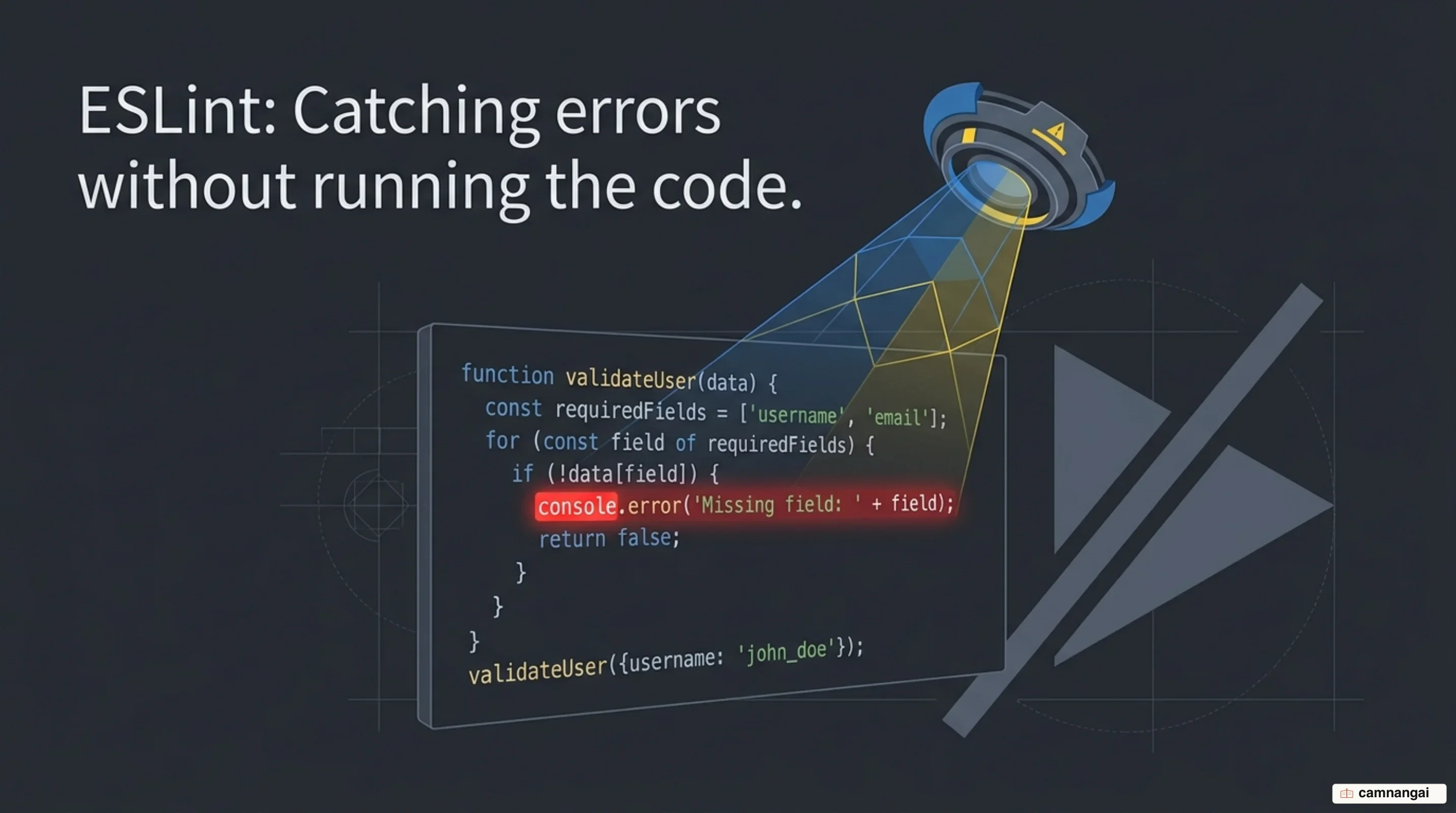
ESLint is a configurable static analysis tool for your JavaScript projects.
It reads the source text and flags problematic patterns without ever executing the program, which is how logic errors and nonstandard implementations get caught in the editor instead of in a bug report. Nothing runs. Nothing has to be reproduced. The file is just text, and text can be inspected.
JavaScript earns a tool like this. It is dynamic and loosely typed, so a whole class of developer mistakes stays invisible until the exact line finally executes, and by then someone is usually watching. ESLint scans the files and answers immediately, which is the difference between a bug you fix while the context is still in your head and a bug you excavate three weeks later.
ESLint is runtime-agnostic and carries no opinion of its own, so every constraint it enforces is one you chose and wrote down.
What is ESLint?
Nicholas C. Zakas created ESLint in June 2013 as an open-source linter for JavaScript, and the governing idea was there from the first release: developers should be able to write and load their own rules dynamically, so the tool can move as fast as the language does. Linting is a form of static analysis that finds problematic patterns and code that drifts from a stated guideline. A compiler does its checking during a build step. ESLint works on a dynamic language that often has no build step to hide behind, which is exactly where the interesting mistakes live.
Underneath, ESLint runs on Node.js, which gives it a fast runtime for evaluating scripts. That choice makes installation boring in the good way: pull it from npm like anything else in your stack and run it as a standalone command or as one step in a build pipeline.
Every rule is a plugin. The rules that ship in the box are written with the same API the community gets, and I think that detail is underrated. The result is a linter with no agenda: ESLint promotes no coding style of its own, and the active rule list belongs to your project rather than to a style guide someone else voted on.
Rules and formatters are decoupled from the core engine, so you can point ESLint at additional logic at runtime. That separation is why the community can ship deep framework-specific analysis while the core project stays narrow and keeps its attention on generalizable, high-impact logic checks.
How linting differs from formatting and type checking
Three tools sit side by side in most JavaScript repositories, and they get confused constantly. A formatter cares about how the code looks: indentation, line length, where the comma lands. A linter cares about what the code does, which patterns it uses, and which of those tend to end badly. Both read your code without executing it. They are asking different questions.
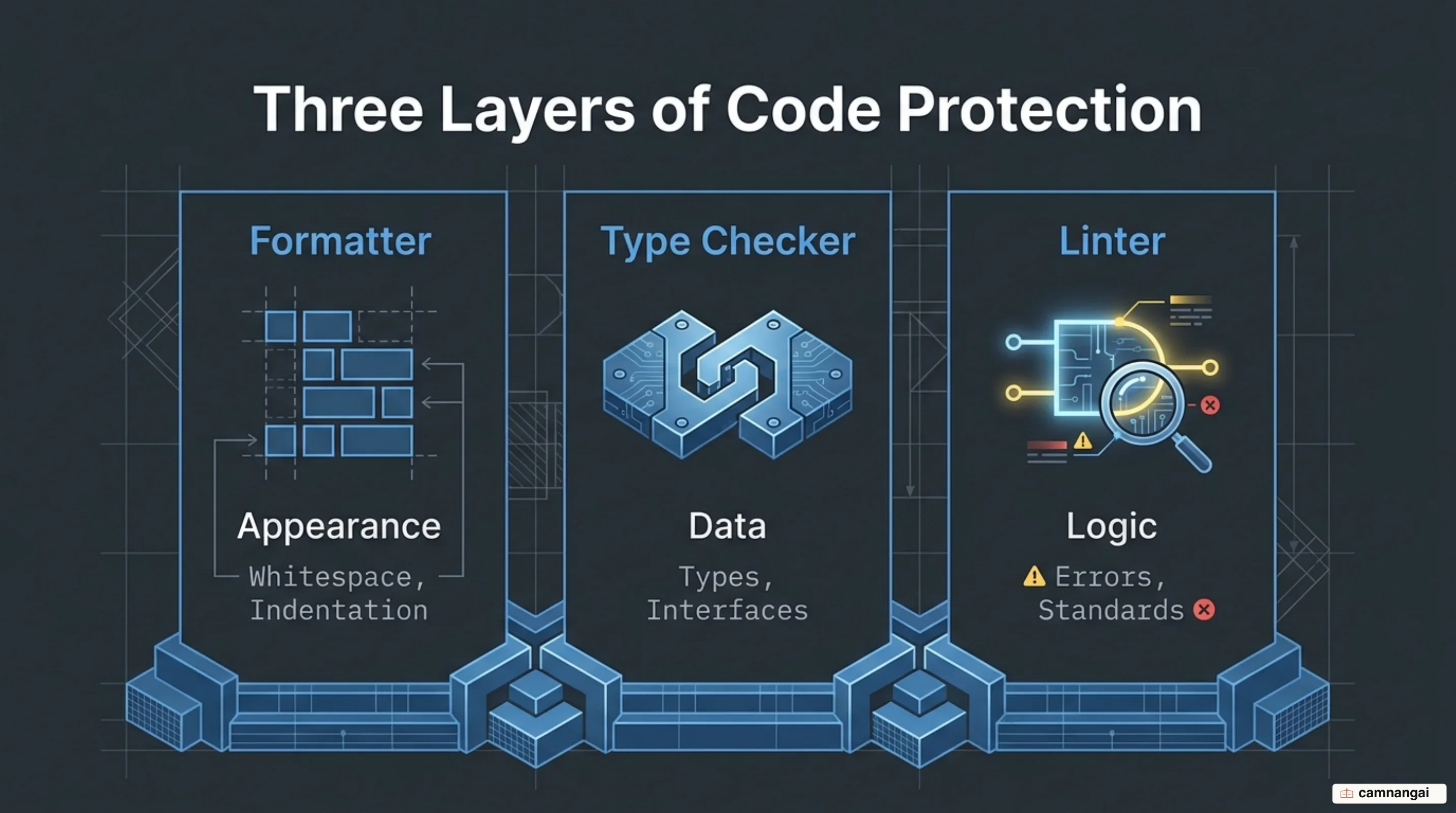
Type checking, done by tools like TypeScript, keeps data
structures and interfaces consistent across an application. But code can be perfectly type-safe and
still be wrong. The no-unsafe-finally rule is the clean example: it stops you from writing a
statement inside a finally block that quietly rewrites the program's control flow. Valid
JavaScript. Legal types. Still a bug you will lose an afternoon to.
Run all three and you get three nets under the same codebase, each catching what the others structurally cannot: a formatter for visual appearance, a type checker for data integrity, and ESLint for best practices and latent runtime bugs. Three tools also means three configuration files to maintain, which is a real and slightly irritating cost. It is still cheaper than the bugs.
Rules: the building block of ESLint
A rule checks one expectation about your source code and decides what to do when the code fails it. ESLint sorts its findings into three groups: Possible Problems, which flag outright logic errors; Suggestions, which propose a better implementation; and Layout/Formatting, which handle stylistic conventions. The documentation marks problems with a checkmark (✅) and suggestions with a lightbulb (💡).
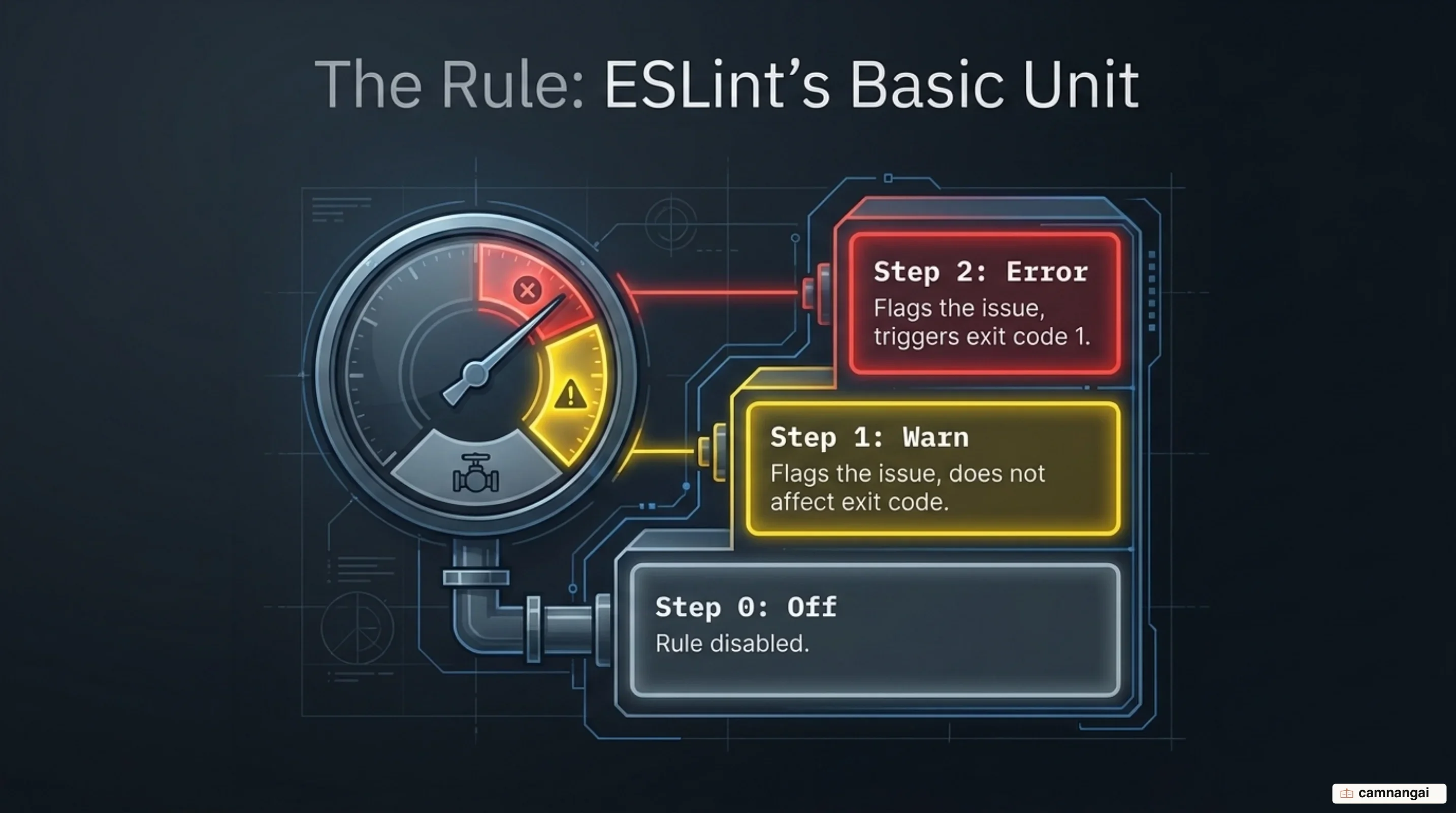
You control the engine by configuring individual rules with their own options, starting with one of three severity levels:
"off"(0): The rule is disabled and no analysis is performed."warn"(1): The rule reports issues but does not trigger a non-zero exit code."error"(2): The rule reports issues as failures, which blocks a CI build or a commit.
Many rules can repair what they find, through the --fix CLI option. Those fixes (🔧) apply only
when the correction cannot alter the underlying application logic. Suggestions (💡) are the more
invasive category: they might change how the program behaves, so ESLint refuses to apply them for
you. You approve each one manually through an editor extension. That caution is the right default. An
autofix that silently changes behavior is worse than no autofix at all.
Bundled rules stay generalizable, and you enable them one at a time or through a predefined configuration. Whatever ends up running on your codebase is something your configuration explicitly sanctioned.
eslint.config.js and the flat config system
Flat config is the current standard for telling ESLint how to treat your project files. It lives in
a file, usually eslint.config.js, that exports an array of configuration objects. Build them with
the defineConfig helper imported from the eslint/config package, which gives you structural
guidance and type safety instead of guesswork.
Each configuration object targets files and defines their environment through a few keys. The files
key sets which globs or patterns the object applies to. The languageOptions key defines global
variables and other environment-specific settings. The rules key is where you switch on and
configure the rules those files need, and nothing outside that list gets checked.
ESLint stays neutral by default: it lints nothing until a configuration turns rules on or extends a
shared configuration. Start with js/recommended for a baseline of high-impact logic checks. The
explicitness is the point. When a file in a complicated directory tree is mysteriously not being
analyzed, you have a config array to read rather than a black box to interrogate.
Plugins, parsers, and shareable configs
Three pieces do the extending. Plugins are npm modules that teach ESLint about specific libraries like React or frameworks like Angular, packaging rules, configurations, and processors together. A parser turns your source code into an Abstract Syntax Tree (AST), the structured representation every rule actually evaluates.
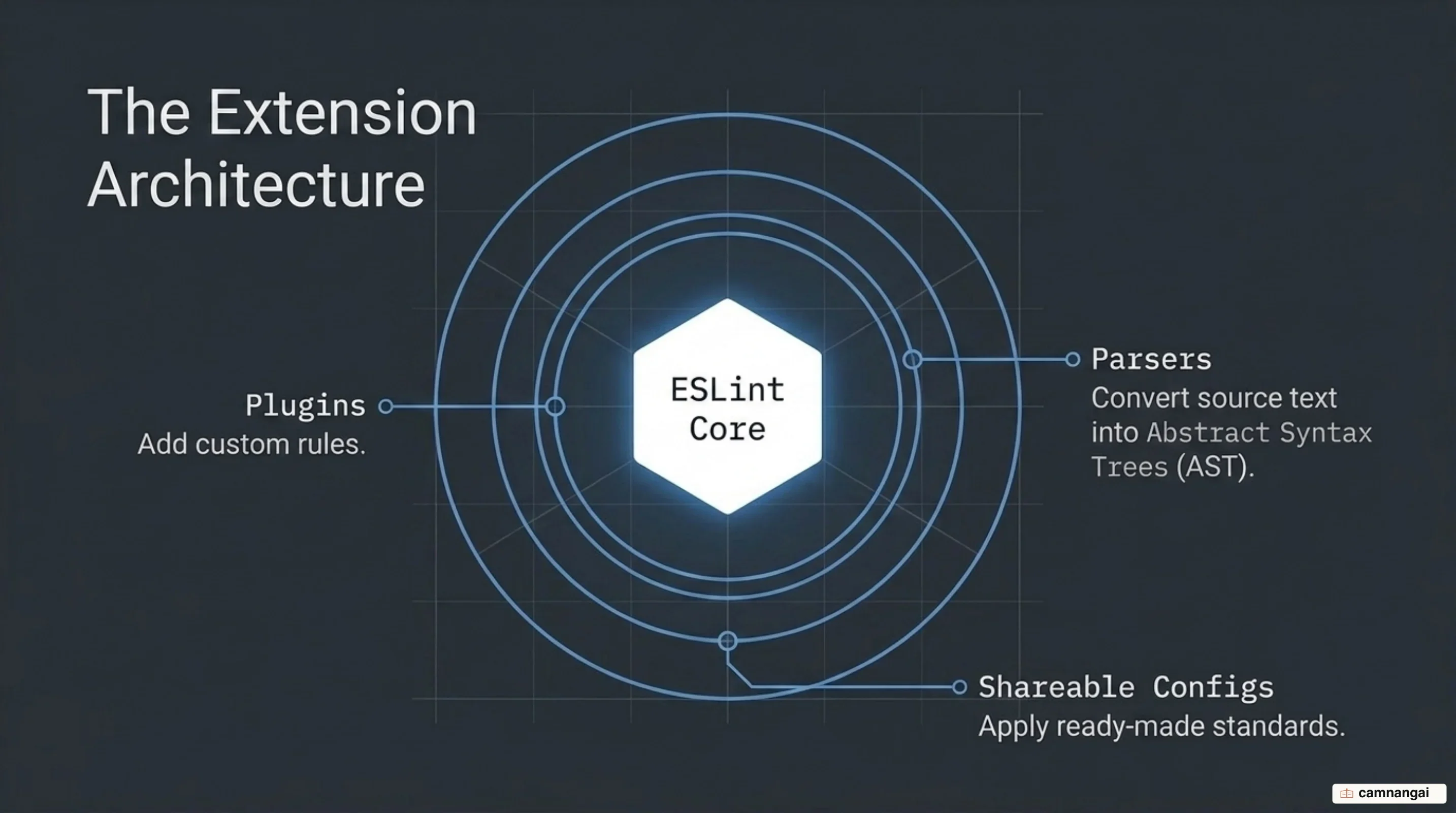
By default ESLint parses standard JavaScript with Espree, and you can swap in a custom parser for non-standard syntax or newer language features. Espree and ESLint Scope now include built-in type definitions, which matters if you build custom linting tools or integrations on top of them. For code that lives inside a non-JS file, such as a JavaScript block in a Markdown document, a custom processor extracts that code so the rules can see it.
Shareable configurations ship through npm and let a team inherit a whole rule set at once. Extending
a package like eslint-config-airbnb-base is the fastest way to get consistency across repositories,
and also the fastest way to inherit several hundred opinions nobody on your team voted on. It saves
project leads an enormous amount of maintenance work. It also guarantees that the first argument on
some future pull request will be about a rule none of you chose.
Assembled together, these pieces produce an analysis setup shaped like your project: a parser for your language variant, plugins for your framework, a shareable configuration for the house style. The modularity is what keeps ESLint useful as the stack underneath it changes.
How ESLint works with TypeScript
Analyzing TypeScript starts with the @typescript-eslint/parser, which converts TypeScript syntax
into something the rules can read, interpreting types, interfaces, and other language-specific
features as part of the AST. Using ESLint's built-in TypeScript type definitions for your
configuration requires TypeScript 5.3 or later.
Type information buys a deeper class of analysis than plain JavaScript linting can reach. With the types known, ESLint finds logical inconsistencies that are invisible without them, the kind of defect where every individual line looks fine and the combination does not.
Some options exist purely because TypeScript writes code differently. The max-params rule carries a
countThis option. Set it to "never" and ESLint skips the this annotation in a function's
argument list, treating it as metadata rather than a real parameter. Small thing, but it stops a
type-annotation convention from tripping a parameter-count rule, so you never have to choose between
clean type definitions and a passing lint run.
Writing your own rule: walking the AST
Custom rules are how you enforce the architectural standards that only exist inside your company, or
kill a bug that keeps coming back in the same shape. A rule has two parts: meta and create. The
meta object holds metadata such as the rule's type, its fixability, and the languages property,
which for JavaScript must be set to ["js/js"] to declare compatibility. The create function holds
the logic that walks the code and identifies violations.
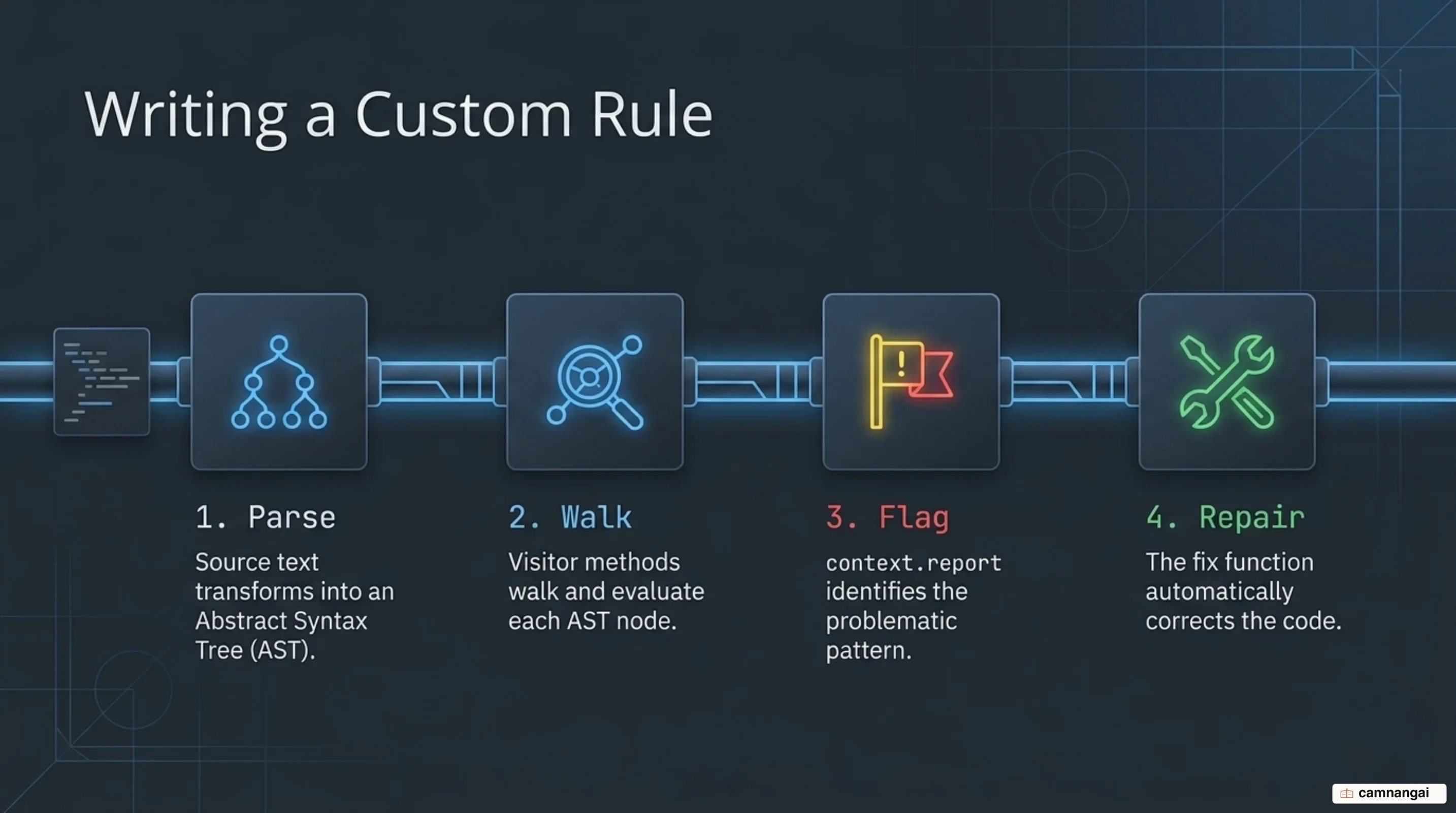
Inside create you follow the visitor pattern: return an object whose keys are ESTree node types,
such as VariableDeclarator. As ESLint walks the AST it calls your function every time it meets a
matching node, and you inspect that node's properties to decide whether it breaks your standard. Keep
the Code Explorer open while you write one. It shows the ESTree representation of any snippet, and
guessing node types from memory is how an hour disappears.
When you find a violation, call context.report() to flag it and give its location. If the rule can
repair the problem, include a fixer object describing the transformation. This is the point where
linting stops being generic best practice and starts encoding the specific things your own team keeps
getting wrong.
Running ESLint in your editor and CI
The command line is the most direct entry point. npx eslint scans the directories or files you name
and returns a detailed report of every violation. The CLI takes options including --fix, which
resolves the remediable issues on the spot, and --color, which forces colored output in terminals
that support it. That programmatic access is what makes everything downstream possible.
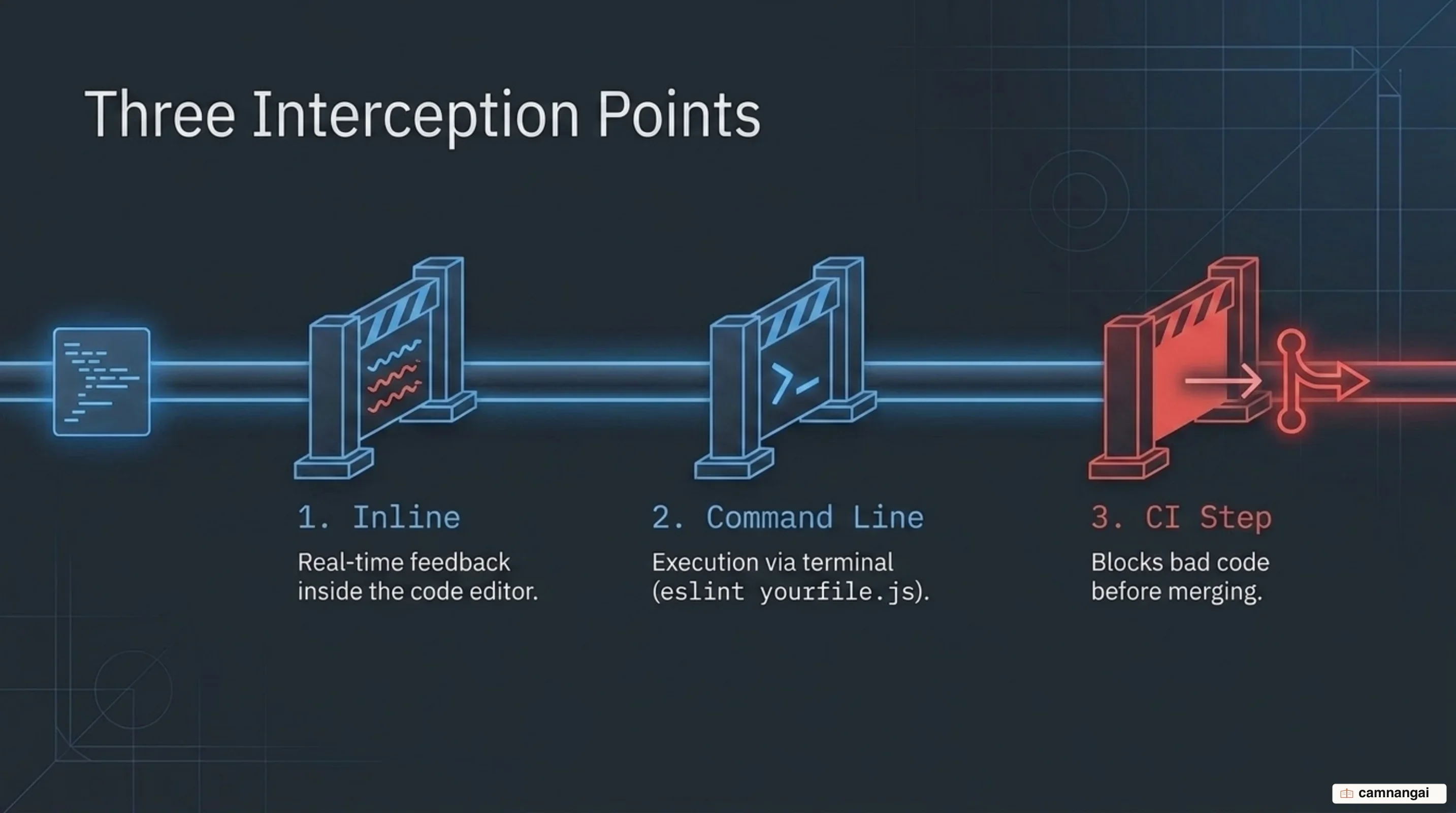
Editor integrations shrink the feedback loop to almost nothing: squiggles appear under problematic code as you type, showing the exact rule you violated and offering the suggestions that need manual approval. Catching a logic error the second it enters the file, without leaving the editor, is worth more than any report generated later.
Rule authors get a RuleTester utility for checking custom logic against valid and invalid test
cases. And in a CI pipeline the CLI becomes the gate: code carrying
an error-level violation does not merge. That is the arrangement that keeps a production codebase
honest, because the standard is enforced by something that cannot be talked out of it.
What changed in ESLint v10
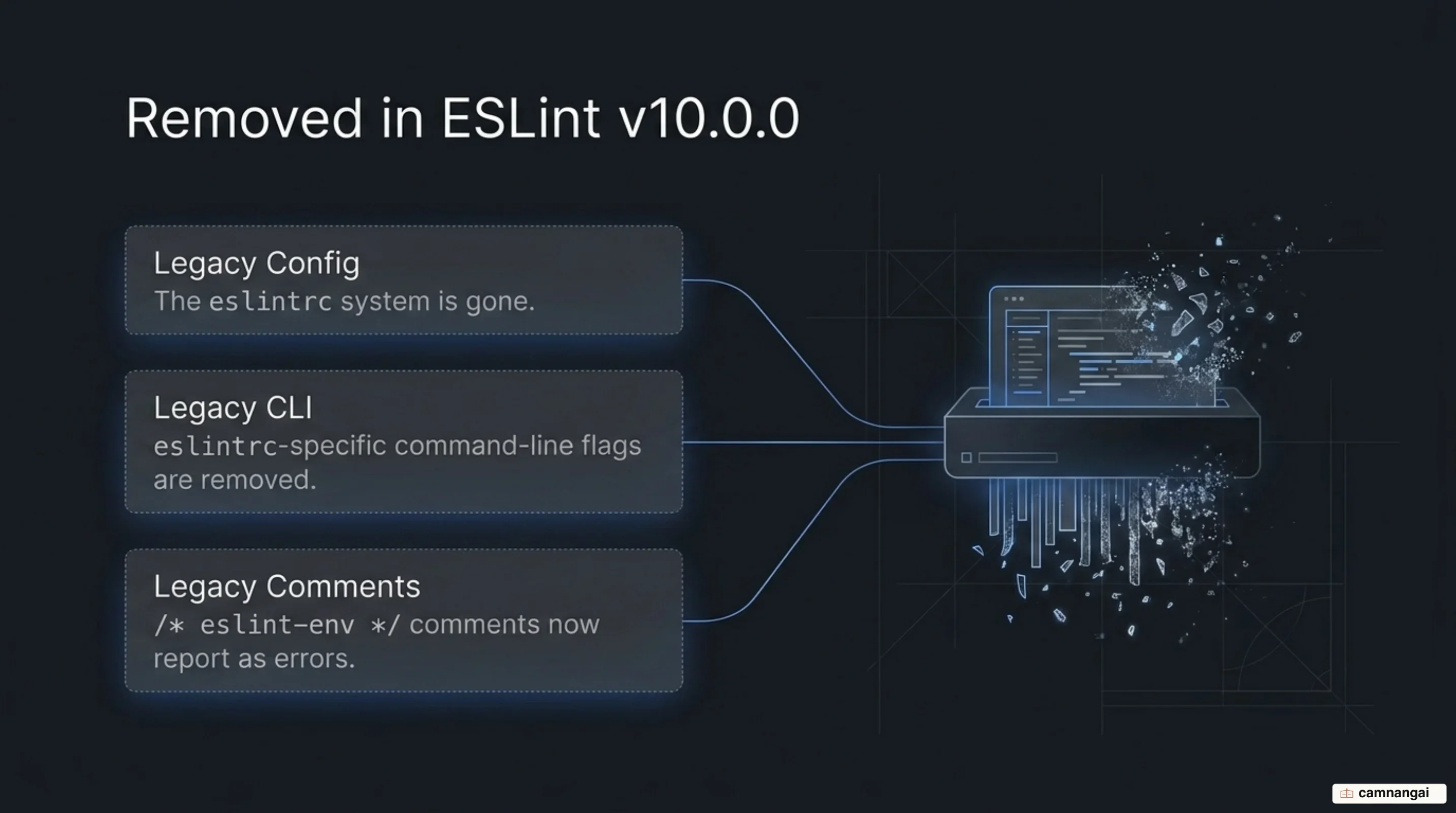
Version 10 is a cleanup release with teeth. The legacy eslintrc system is finally gone: .eslintrc.*
and .eslintignore files are no longer honored, the ESLINT_USE_FLAT_CONFIG environment variable
has been removed, and the Linter constructor accepts only "flat" for its configType argument.
The legacy CLI arguments went with it, including --no-eslintrc, --env,
--resolve-plugins-relative-to, --rulesdir, and --ignore-path. /* eslint-env */ comments are
now reported as errors rather than quietly ignored.
Node.js requirements moved to ^20.19.0 || ^22.13.0 || >=24; v24.x was the LTS release when v10
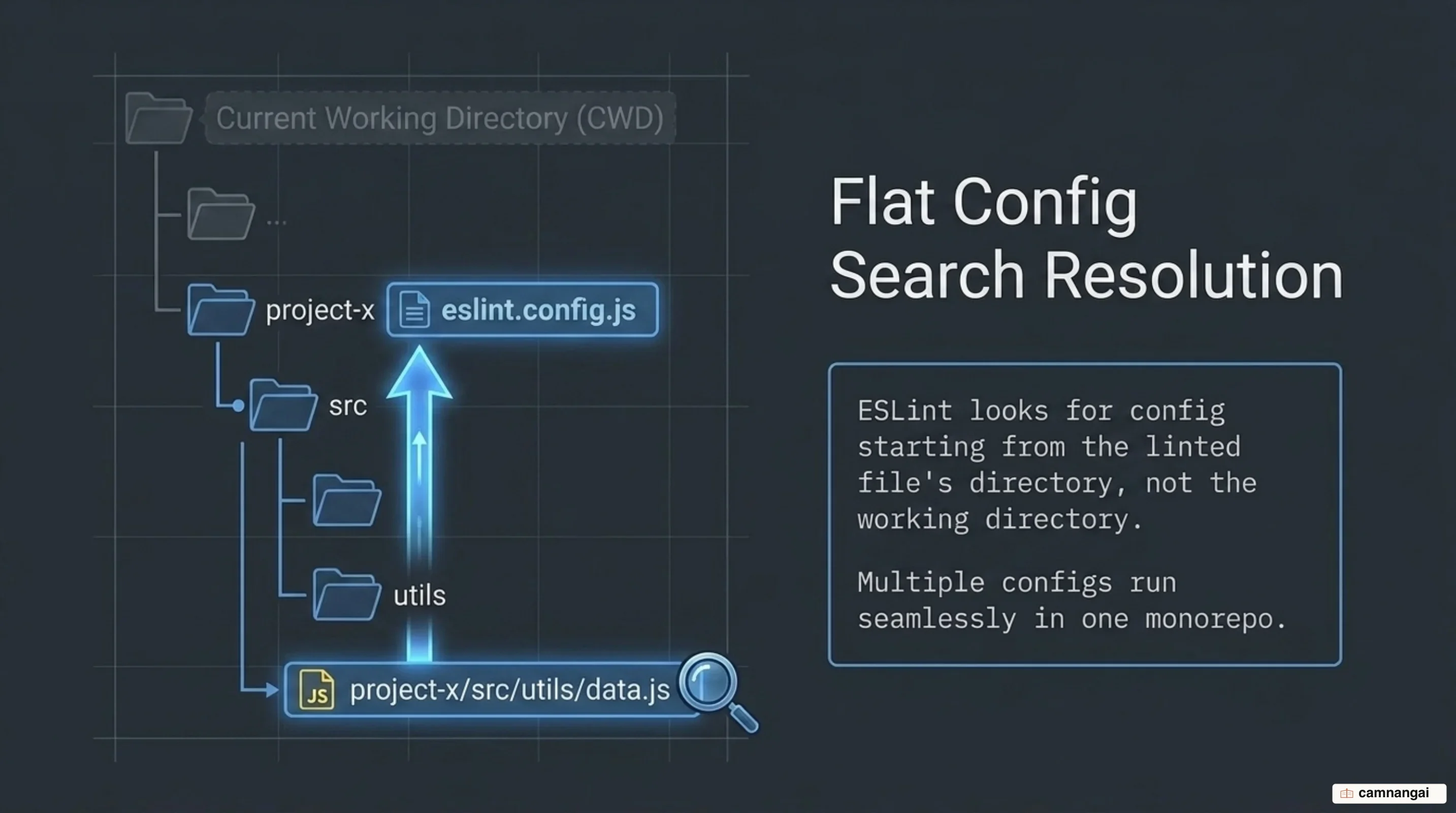
shipped in February 2026, and versions 21.x and 23.x are not supported. The configuration lookup
algorithm now starts from the directory of each linted file and walks upward, which fixes a genuine
source of confusion in monorepos where several configuration files coexist.
Rule authoring got stricter too. RuleTester gained assertion options such as requireMessage,
requireLocation, and requireData, so a test can insist on precise expectations instead of
settling for "something was reported". The Program AST node's range now spans the entire source
text, leading and trailing whitespace and comments included. If you write tooling that depends on
exact range calculations for automated fixes, read that line twice.
Version 10 also tracks JSX references during scope analysis. Previously JSX identifiers were not
counted as references at all, which produced false positives in no-unused-vars and false negatives
in no-undef. Treating JSX elements as ordinary references to variables in scope means ESLint
finally understands variable usage in a modern web project the way you always assumed it did.
References
- About - ESLint - Pluggable JavaScript Linter
- Core Concepts - ESLint - Pluggable JavaScript Linter
- Getting Started with ESLint - ESLint - Pluggable JavaScript Linter
- Rules Reference - ESLint - Pluggable JavaScript Linter
- ESLint v10.0.0 released - ESLint - Pluggable JavaScript Linter
- Custom Rule Tutorial - ESLint - Pluggable JavaScript Linter
- typescript-eslint
- Static analysis | web.dev