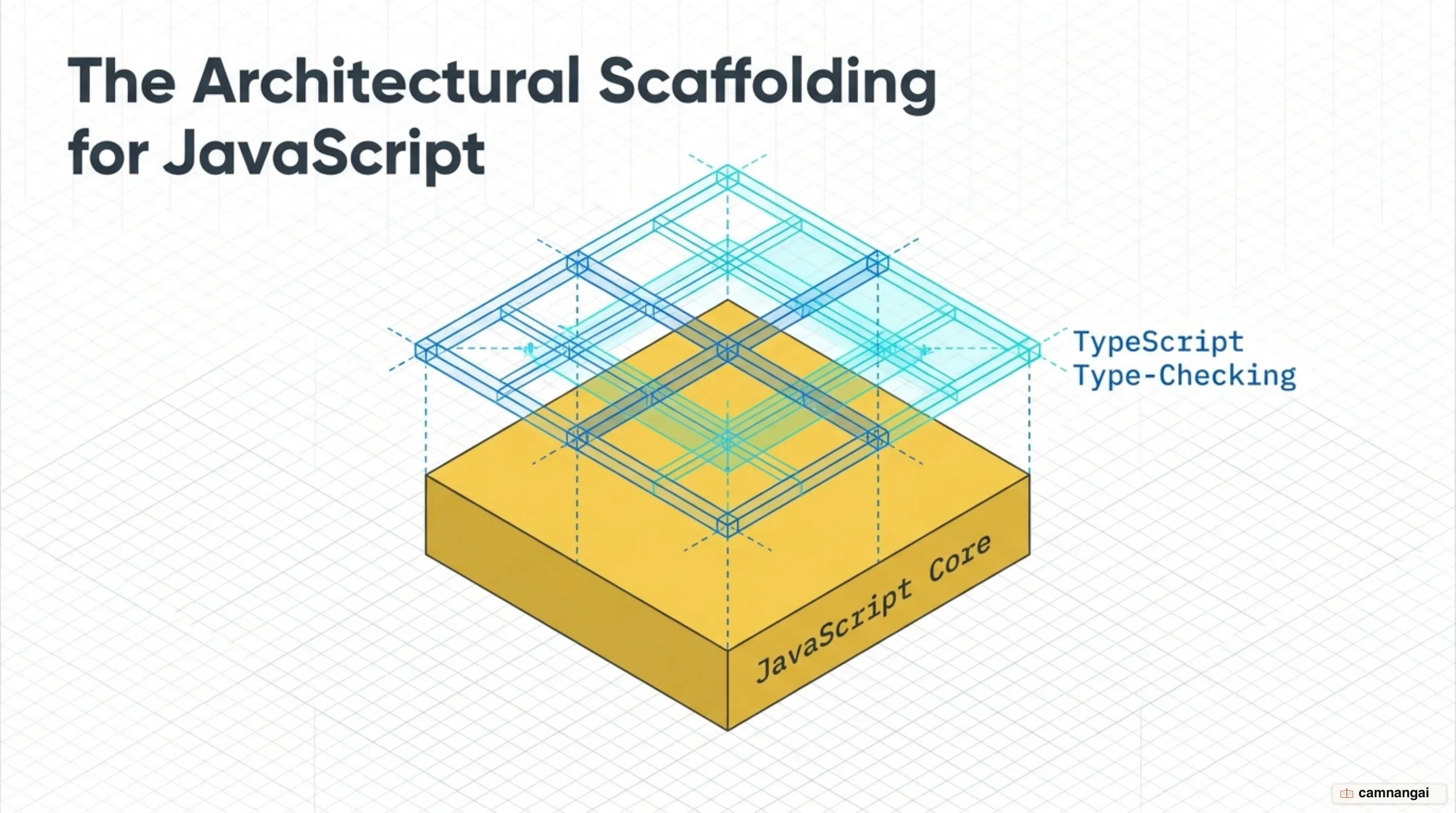
TypeScript is a statically typed superset of JavaScript developed by Microsoft that catches errors before code execution.
By adding an optional layer of type safety, it lets engineering teams build high-quality, non-trivial applications that scale across platforms and environments. And because it is a superset, all existing JavaScript code is valid TypeScript code — which is what makes it essential for managing the complexity of modern web development.
Most of the technical debt in modern systems traces back to JavaScript's scripting origins. The language was originally designed for short-lived tasks, and today we use it to power massive codebases. TypeScript answers that fragility with a static type system that describes the shapes and behaviors of your values, so you find architectural flaws during development rather than in production.
TypeScript preserves JavaScript's runtime behavior exactly — an unusual relationship for two languages. Divide a number by an array or divide by zero, and the result stays identical to JavaScript's native behavior (Infinity). TypeScript adds no runtime libraries and changes nothing about how your code behaves when it runs; it adds a checking phase that disappears after compilation.
TypeScript is JavaScript's runtime with a compile-time type checker bolted on. Even when the compiler finds type errors, it still emits standard JavaScript. That flexibility matters during legacy migrations, where the type system guides you without blocking the deployment pipeline.
What is TypeScript?
TypeScript is a typed superset of JavaScript, meaning it includes every ECMAScript feature and adds a layer of type-checking on top. Optional static typing is what makes it viable for large-scale applications. You define the structure of your data, and the compiler catches nonsensical operations before the program ever reaches a test or production environment.
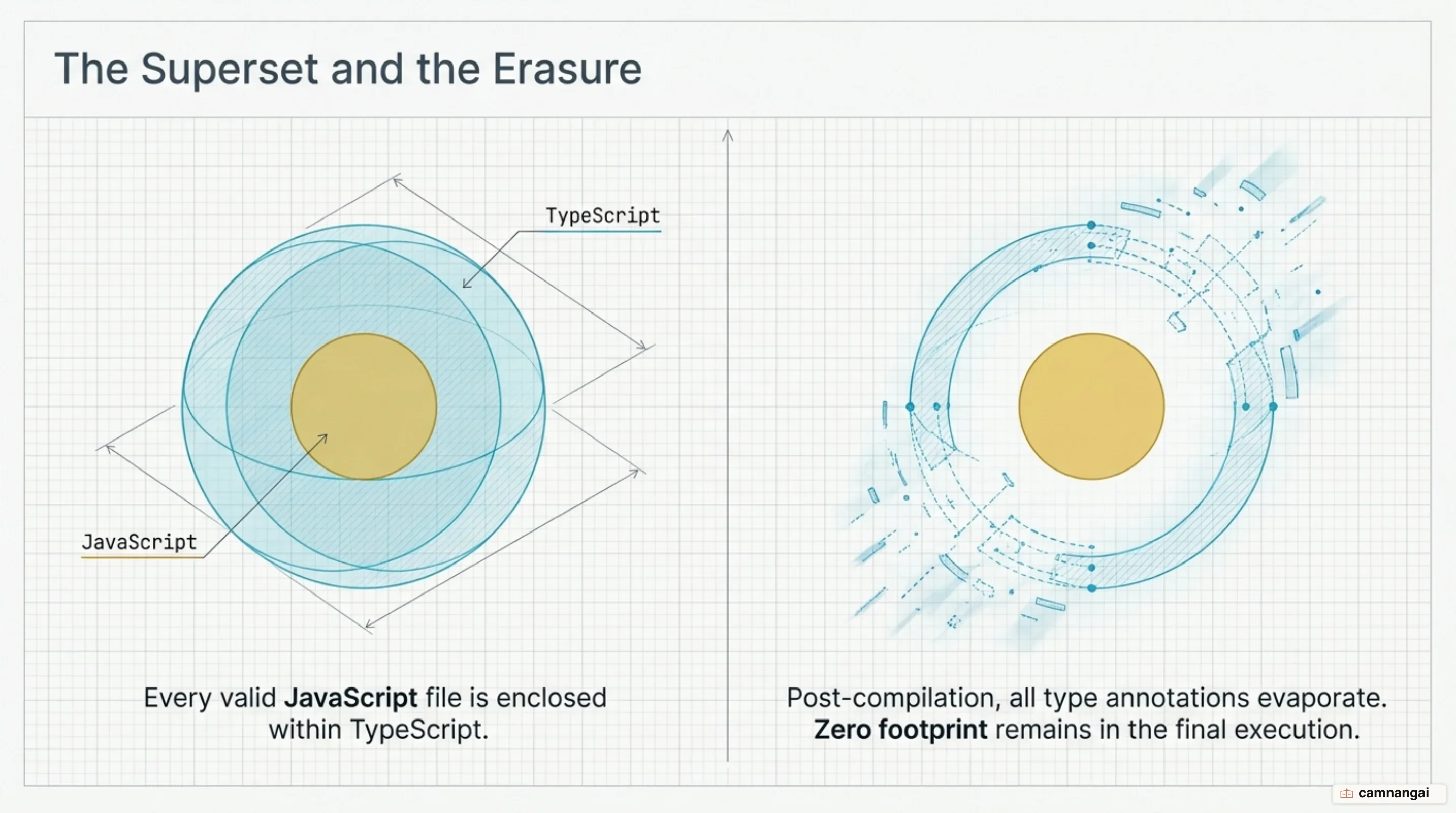
A core mechanic of the language is the "erased types" principle. During compilation, the TypeScript compiler (tsc) checks your type annotations and then removes them completely. The output is plain, clean JavaScript that any browser or runtime like Node.js can execute. So the type system costs nothing at runtime. That last point is the one I end up repeating most: people assume a type system has to cost something while the program runs, and here there is nothing left of it to cost anything.
Because TypeScript respects JavaScript's runtime behavior, it ships no unique runtime libraries and no alternative logic for basic operations. It follows the ECMAScript specification faithfully. TypeScript may flag an operation like dividing a number by an array during development, but the emitted JavaScript still executes that operation and returns Infinity or NaN, exactly as the underlying engine would on its own.
The fundamental distinction is static checking versus dynamic typing. JavaScript uses dynamic typing, where errors surface only when the code runs. TypeScript uses static type checking to predict what the code will do before it runs. That lets the tool find crashes, typos, and logic errors without you manually triggering every possible code path.
Why JavaScript needs a static type layer
JavaScript was created as a simple scripting language for browsers, where writing more than a few dozen lines was unusual. As it grew into a platform for applications spanning millions of lines, its original quirks became liabilities. JavaScript often fails silently through "non-exception failures" — cases where it returns undefined or NaN instead of throwing an explicit error.
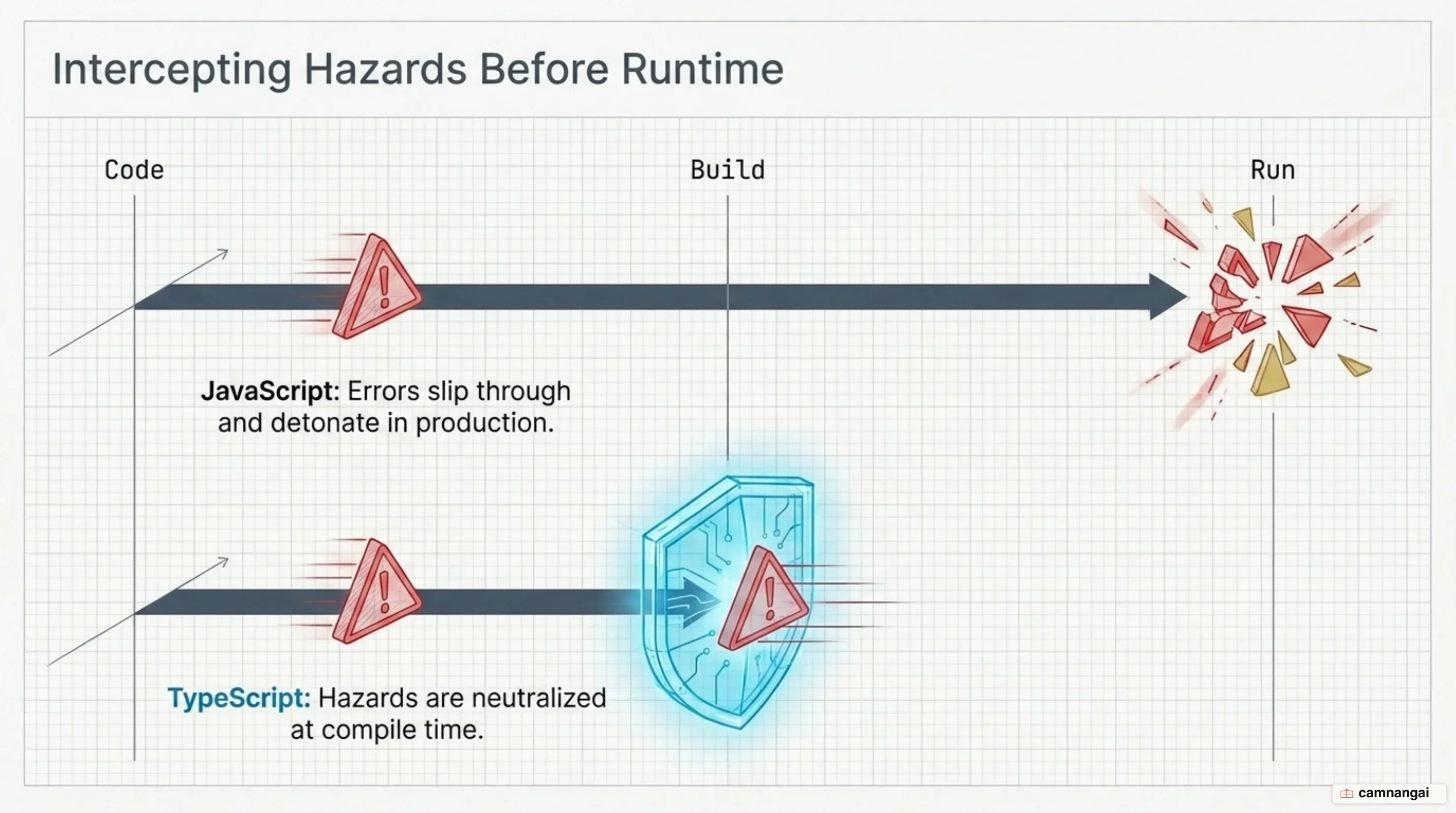
Consider accessing a non-existent property, or a simple typo. In plain JavaScript, reading user.location on an object that lacks that property returns undefined. In a large application, that value can propagate through several layers of the stack before causing a crash that is hard to trace. TypeScript flags the problem immediately: the property does not exist on the defined type, and a silent failure never becomes a production incident.
The consequences of these silent failures are concrete. A fintech startup hit a critical production outage because a JavaScript function was passed a date string instead of a numerical timestamp. The non-exception failure led to incorrect transaction processing and cost $18,000 in lost revenue. Nothing crashed, which is the uncomfortable part, because the code ran, returned a value, and processed the money wrong. After migrating to TypeScript, similar errors were caught at compile time, and runtime failures dropped by 70% in the next release.
Static analysis also catches deep logic errors that human review misses. It flags uncalled functions in comparisons — comparing a function reference to a number, for instance — and identifies unreachable code. If a variable is known to be a string and a logic gate checks whether it is simultaneously a number, TypeScript tells you the block is unreachable because those types have no overlap.
The type system: inference, interfaces and structural types
The TypeScript type system stays powerful without being noisy, thanks to type inference. You do not always have to write explicit annotations; the system determines types from assigned values. Declare a variable and assign it a string, and TypeScript infers the type and protects that variable from being used as a number or object elsewhere.
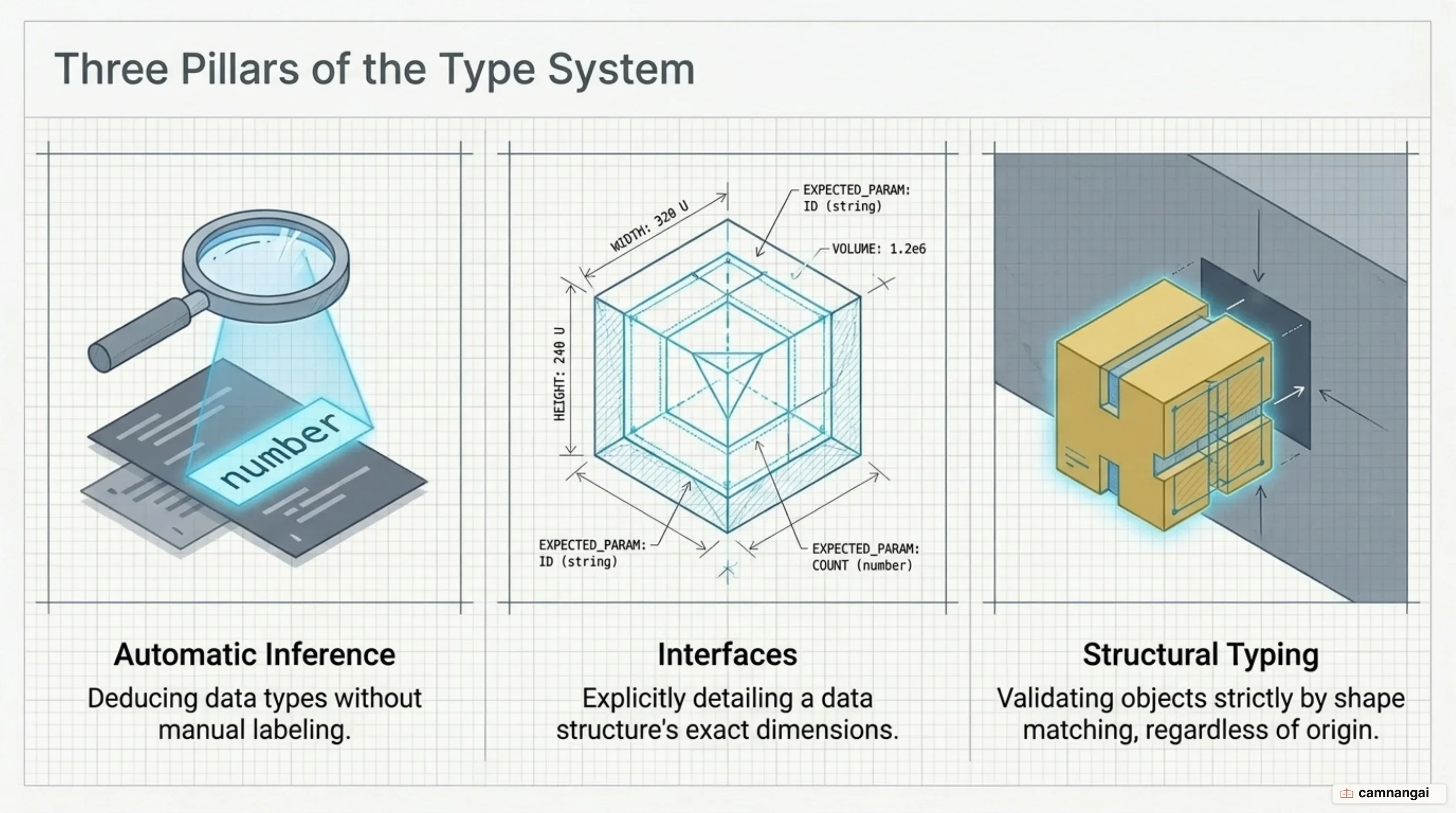
TypeScript uses a structural type system, or duck typing, which pays off when you build decoupled systems. The type checker looks at the shape of values rather than their declared name. Objects satisfy interfaces without explicit inheritance, so different components interoperate as long as they provide the required properties, which fits JavaScript far better than a class hierarchy would, because JavaScript code has always passed plain objects around.
This example shows a Point interface describing a required shape, and a plain object literal accepted simply because it matches:
interface Point {
  x: number;
  y: number;
}

function logPoint(p: Point) {
  console.log(`${p.x}, ${p.y}`);
}

// Matches the shape of Point, so it is accepted
const point = { x: 12, y: 26 };
logPoint(point);

// Also matches even with extra properties (z)
const point3D = { x: 10, y: 20, z: 30 };
logPoint(point3D);
For more complex data you compose types with unions and generics. Unions let a type be one of several options, such as string | number, which matters for variables that hold different kinds of data. Generics provide variables for types, so you can write flexible, reusable components like a Box<T> container or an Array<T> collection that stay type-safe across diverse data structures.
From TypeScript to JavaScript: the tsc compiler
Turning source code from .ts into .js is the job of tsc, the TypeScript compiler. The process strips away all type annotations and can also downlevel the code. Downleveling rewrites modern ECMAScript features, such as template literals or arrow functions, into older versions like ES5, so the application still runs on legacy browsers while you write modern syntax.
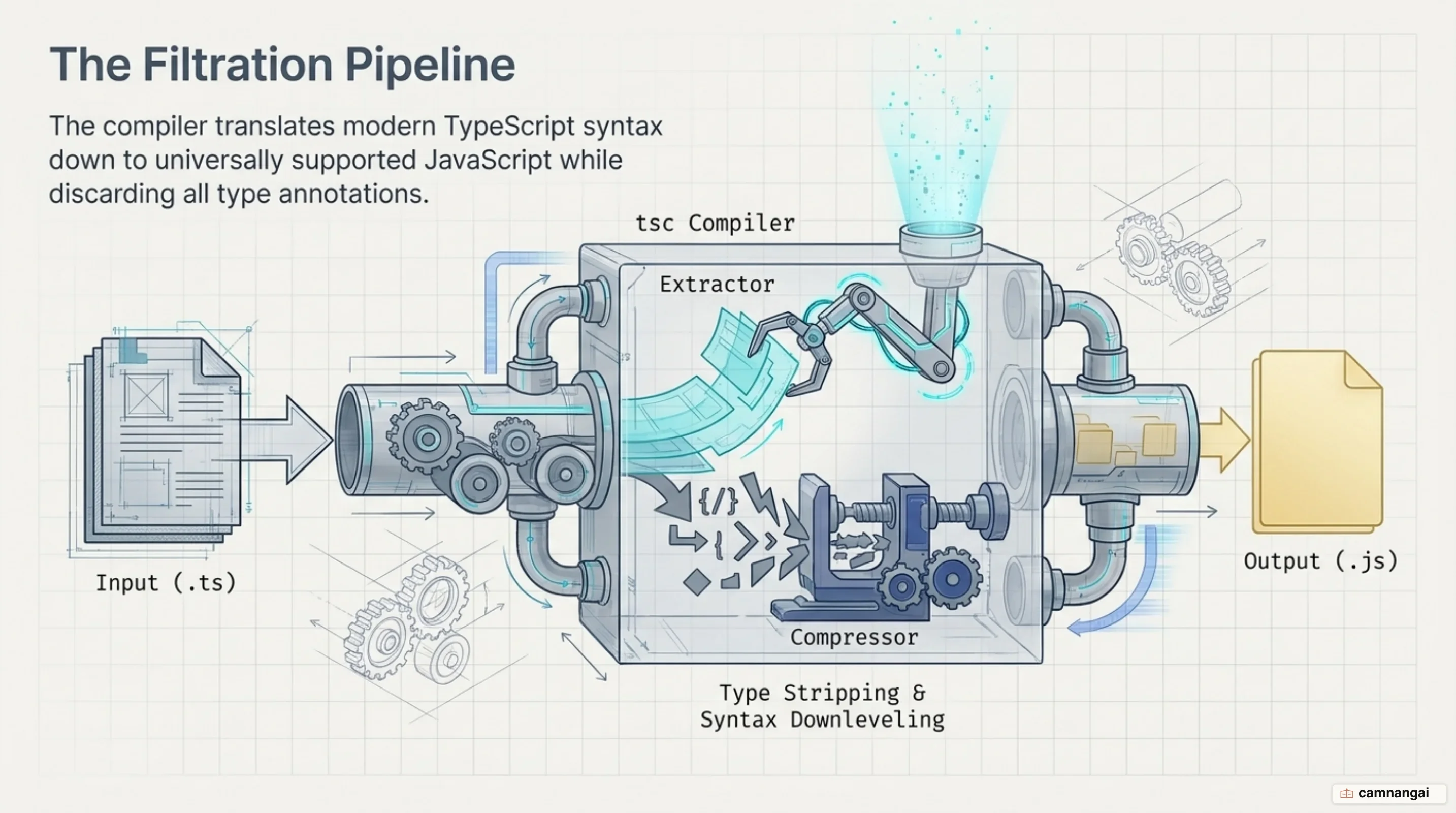
The standard workflow takes your .ts source files and emits matching .js files. By default tsc targets older environments to maximize compatibility, but you can point it at ESNext for modern ones. You write the most expressive code you can, and the compiler handles the target constraints.
One of TypeScript's core values is that it should not slow you down. Even when tsc finds type errors, its default behavior is to emit the JavaScript anyway. That matters when migrating a legacy project, where you may have working JavaScript that does not yet satisfy the type checker but still has to run.
That stance respects your judgment, because there are cases where you have more context than the tool does, and it lets you adopt type safety incrementally without breaking an existing build and deployment pipeline. It is also a footgun once the migration is over, since a build that reports success while type errors scroll past is exactly the build you do not want, so it is worth turning the behavior off as soon as the codebase can take it.
Strict mode: choosing the right level of checking
TypeScript gives you a dial for strictness, so you choose how aggressively the tool validates the codebase. On any new project, turn on the strict flag in tsconfig.json. That single setting enables every strictness check at once, giving you the highest level of type safety and the most accurate tooling.
A critical part of strict mode is noImplicitAny. In a loose configuration, if TypeScript cannot infer a type it falls back to any, which opts that value out of type checking entirely and puts holes in your safety net. Turning on noImplicitAny forces you to be explicit wherever a type cannot be inferred. any is less a type than an opt-out, and every one you leave behind is a hole you find later, usually at the worst moment.
The other essential check is strictNullChecks. It spares you the "billion dollar mistake" — runtime errors when a value you expected to be an object turns out to be null or undefined. Making those types explicit forces you to handle the null case before accessing properties, which removes the most common category of production crash.
A basic compilerOptions block that enables these features while also preparing for build-less workflows looks like this:
{
  "compilerOptions": {
    "target": "esnext",
    "module": "nodenext",
    "strict": true,
    "noImplicitAny": true,
    "strictNullChecks": true,
    "erasableSyntaxOnly": true,
    "outDir": "./dist"
  }
}
Running TypeScript with no build step: type stripping in Node.js
Recent versions of Node.js run TypeScript natively through type stripping. Node executes .ts files directly by replacing type annotations with whitespace in memory, producing a valid JavaScript string that the V8 engine runs without a separate compilation step.
Do not confuse Node's lightweight built-in support with the full support a loader like tsx gives you. Node's built-in type stripping is designed purely for speed: it performs no type checking and ignores tsconfig.json. If you need the compiler to validate code or resolve path aliases during development, a full-featured loader or tsc is still the answer.
Type stripping has specific limits because it only removes types — it never transforms code logic. Any TypeScript feature that requires generating new JavaScript logic fails at runtime. That covers Enum declarations, namespace blocks containing runtime code, parameter properties in class constructors, and import aliases. None of these map one-to-one onto JavaScript, so stripping cannot handle them.
A namespace used only to export types works correctly, but one that exports a variable triggers a failure. Decorators are still a proposal requiring transformation, so they produce a parser error under Node's native type stripping. For those features, keep using tsc or a loader that does full code transformation.
TypeScript 7 and the new compiler written in Go
TypeScript 7 rewrites the compiler as a native port in Go — a major architectural change. Native code and shared-memory multithreading are where the order-of-magnitude speedup comes from, and you feel it directly in how fast you can iterate.
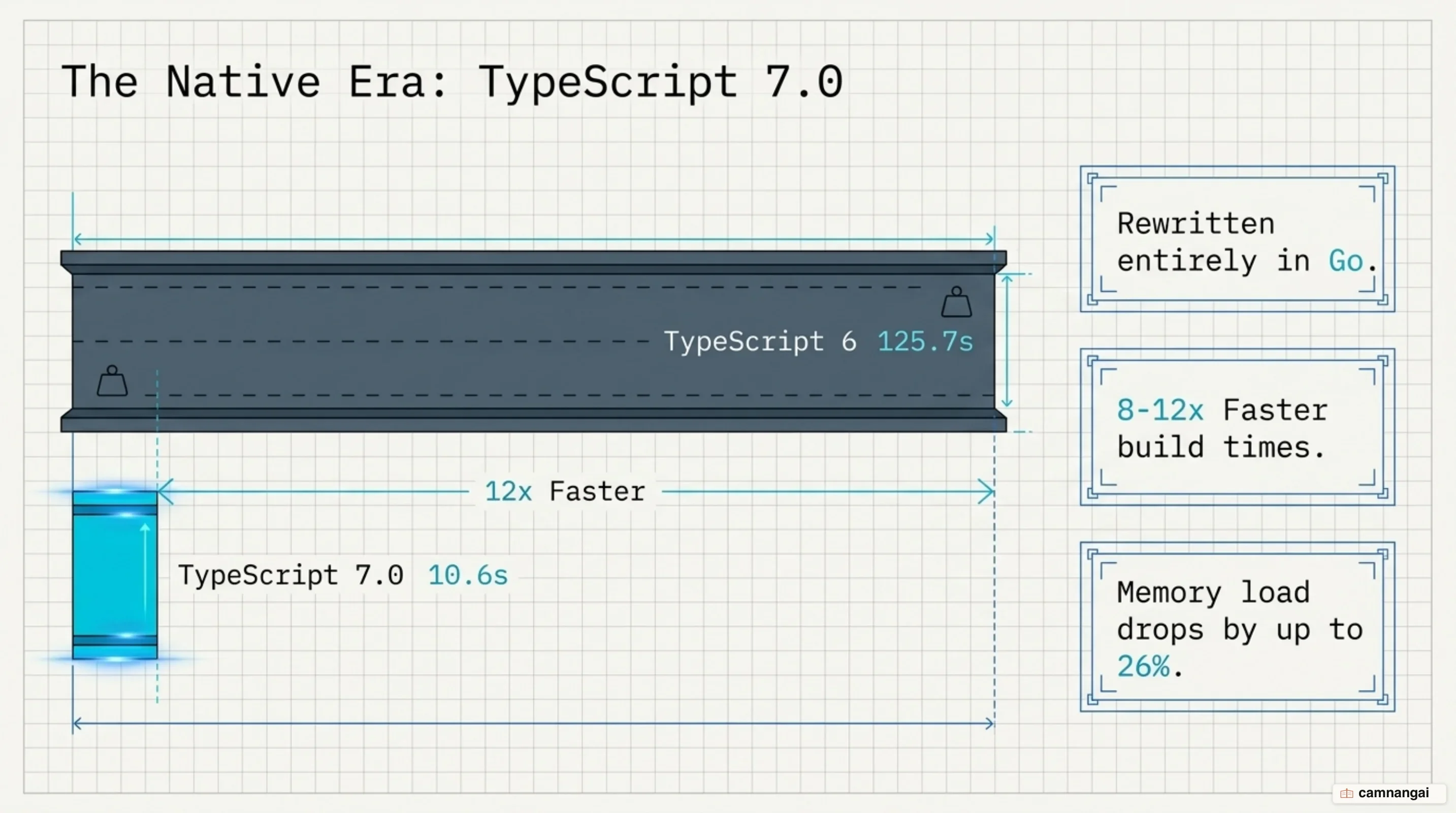
The speed gains typically run between 8x and 12x. On the vscode codebase, full build times dropped from 125.7 seconds on TypeScript 6 to 10.6 seconds on TypeScript 7. For individual file edits, seeing the first error in the editor now takes under 1.3 seconds, against 17.5 seconds previously — over 13x faster feedback.
The new parallelization flags, --checkers and --builders, let the compiler use modern multi-core hardware, and they are what you tune when you want faster CI. Slack reported that type-checking in CI fell from about 7.5 minutes to 1.25 minutes and eliminated 40% of its merge queue time, while Vanta measured up to a 9x speedup on one of its largest projects. A 7.5-minute check falling to 1.25 minutes changes what a team is willing to run on every commit, and that shows up in daily work more than the headline build number does.
Beyond raw speed, the native port is more memory efficient, which keeps shared build runners stable. Memory use during a build dropped across the board: 18% on vscode, and between 6% and 26% on other projects. Even on constrained machines, the language server stays responsive instead of crashing.
When to use TypeScript, and when JavaScript is enough
The choice comes down to your long-term maintenance goals. Developers now spend 77% of their coding time in TypeScript, and 86% of browser-bound JavaScript passes through a build step — but the biggest complaints in the ecosystem are still code architecture and state management. TypeScript gives you the structure to manage that complexity; it does not solve it for you.
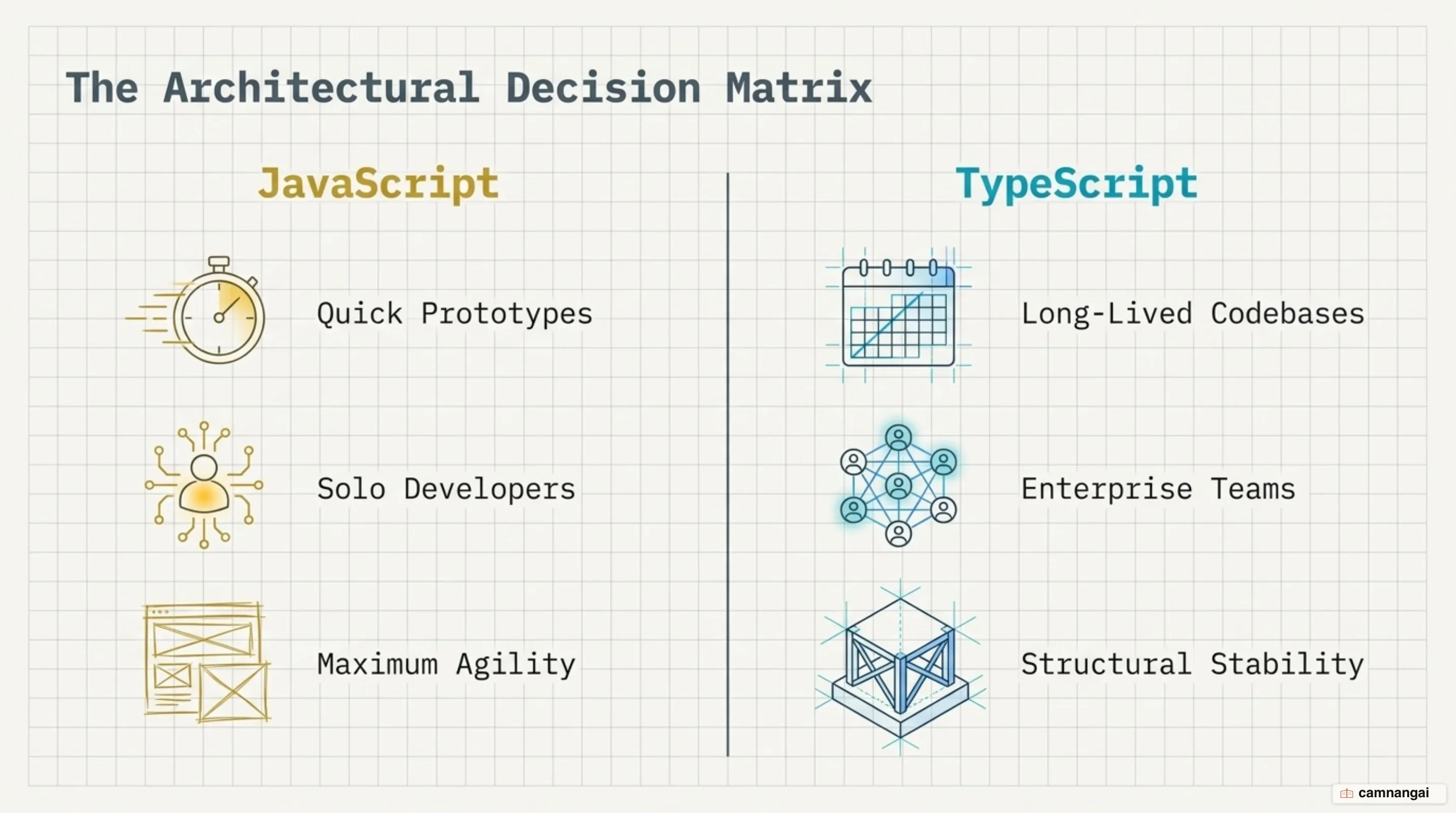
JavaScript is still a pragmatic choice for rapid prototyping and small projects where a compile step interrupts the flow of iteration. If you are building a solo project or a game prototype whose mechanics need constant, fast tweaking, plain JavaScript lets you experiment without writing type definitions first.
TypeScript is the right call for larger teams and applications meant to last. In collaborative work, types are documentation that cannot go stale, and they state exactly what a function expects and returns. That is what makes long-term maintenance tractable and cuts the risk of the silent runtime bugs that cost real money.
My own rule is cruder than any of that: if the code will still be running in a year, or if anyone other than me will have to touch it, I write it in TypeScript, because the rigor pays for itself in the errors I never have to reproduce. If initial speed matters most and the architecture is simple, JavaScript remains a capable, lightweight tool.
Where should you start learning TypeScript?
You cannot really learn TypeScript without a solid foundation in JavaScript. Since TypeScript is JavaScript's runtime with a compile-time type checker, every core concept — closures, the event loop — applies directly, and most everyday solutions are identical to their JavaScript counterparts.
Start with the official TypeScript Handbook or the Playground. The Playground is the fastest way to see the erased-types principle for yourself: write TypeScript on one side and watch exactly what plain JavaScript the compiler emits on the other.
References
- TypeScript: Documentation - TypeScript for the New Programmer
- TypeScript: Documentation - TypeScript for JavaScript Programmers
- TypeScript: Documentation - The Basics
- Learn TypeScript – A Comprehensive Guide for Beginners — freeCodeCamp
- TypeScript vs. JavaScript: Differences and use cases for each — LogRocket
- Announcing TypeScript 7.0 — Microsoft
- Modules: TypeScript — Node.js Documentation
- State of JavaScript 2025: Usage