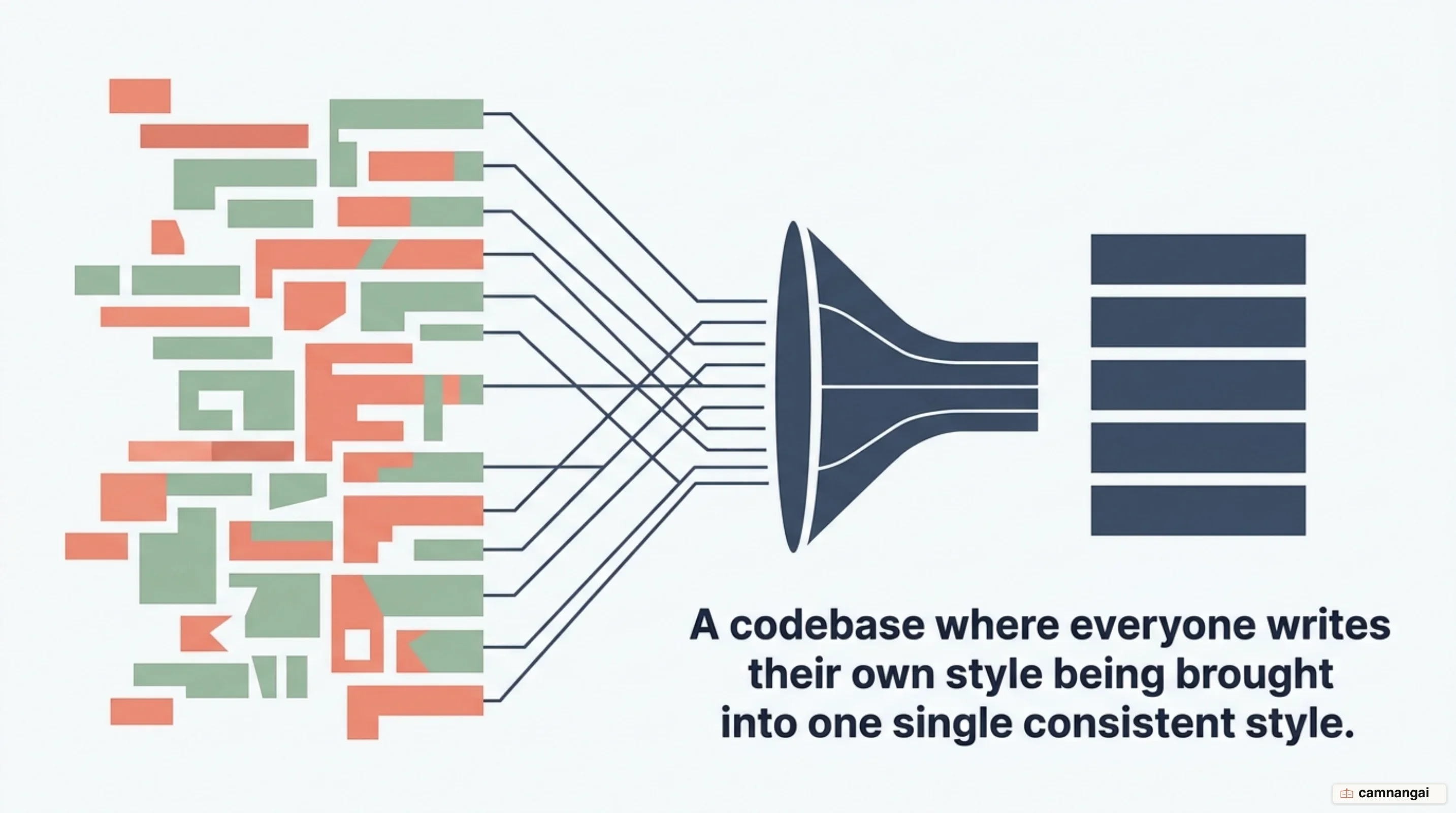
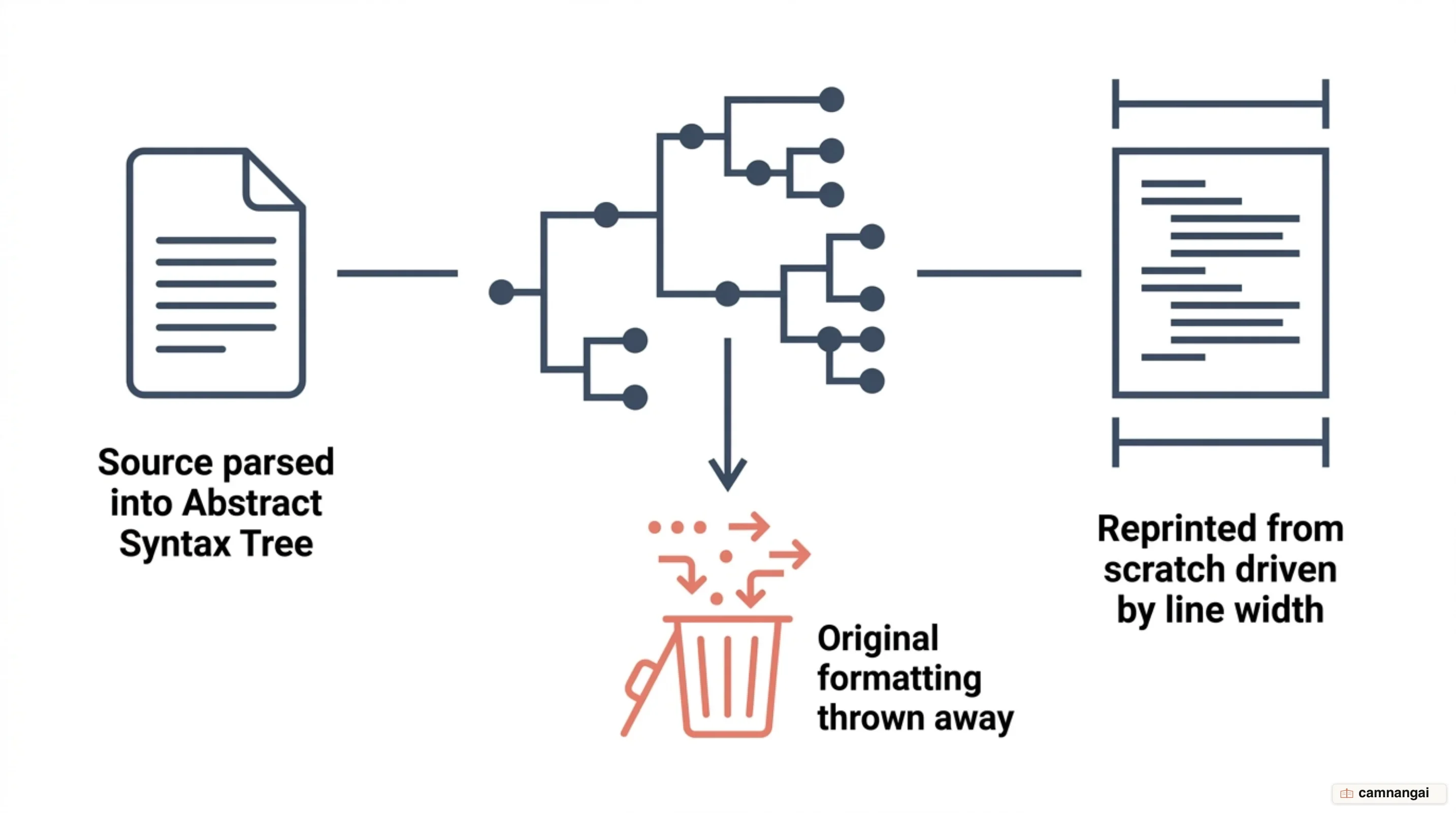
Prettier is an opinionated code formatter that enforces a consistent style by parsing source code into an Abstract Syntax Tree (AST) and reprinting it from scratch.
It throws away your original styling and applies one set of rules based on a line length you specify, so every file comes out in the same predictable, rigid format. Developers no longer have a way to slip stylistic inconsistencies in, and a task that used to be manual and prone to human error now happens on its own.
What Prettier really buys an engineering team is an end to style debates. The format is standardized and non-negotiable, which cuts the maintenance overhead and the cognitive load of a code review. Instead of arguing about indentation, bracket placement, or quote types, the team can look only at logic and functionality, knowing the tool lays the code out the same way every time. That design puts global consistency ahead of individual preference, and that is the actual bargain: you hand over your own preferences and stop having to argue with everyone else's.
Because Prettier operates by reprinting the AST, it guarantees that the formatting remains the same regardless of how the code was originally written.
The "opinionated" philosophy exists to smooth out the development workflow and keep large, collaborative projects readable without constant manual cleanup or a long style guide.
What is Prettier?
Prettier was created by James Long in 2017 to solve the constant friction of mismatched code styles on shared projects. Since then it has grown into an industry standard with broad language support. The tool currently supports JavaScript, TypeScript, JSX, Angular, Vue, Flow, CSS, Less, SCSS, HTML, Ember/Handlebars, JSON, GraphQL, Markdown, YAML, LWC, and MJML. That coverage lets you apply one formatting standard across almost every file type in a modern web stack.
The "opinionated" philosophy of Prettier is its defining characteristic. Unlike traditional tools that offer hundreds of configurable rules, Prettier makes the formatting decisions so the developer does not have to. It aims to give you one way to format code, which removes the need for a manual style guide and the arguments that come with it. By design it keeps configuration to a few essential options, so the codebase follows one collective standard.
Adopting Prettier moves a project from individual formatting preferences to one standardized, project-wide style. Without it, every contributor might have a different setup for tabs, spaces, or line breaks, which leads to "formatting wars" and noisy version control diffs that bury the actual logic changes. Prettier applies a uniform style automatically, so the codebase reads as if one person wrote it, no matter how many engineers contribute.
The shift toward automated consistency pays off most in enterprise organizations. As a project grows, a manual style guide gets harder and more time-consuming to maintain, and it is the document a team is least likely to keep current. With Prettier, style consistency falls out of the build process instead of sitting on a developer's checklist. Teams can then scale without giving up code readability or piling up formatting-related technical debt that can mask subtle bugs.
How does Prettier format your code?
The mechanism behind Prettier is a printing algorithm that works nothing like traditional
linting logic. When Prettier processes a file, it first ignores the original styling entirely. It
parses the source code into an AST, which represents the logical structure of the program without
any formatting information. It then reprints that AST from scratch, following its own internal rules
and treating the specified printWidth (maximum line length) as its main layout constraint.
Line wrapping follows a logic that weighs how complex a block of code is. A function call with
several short arguments might fit comfortably on a single line within the printWidth. But if the
arguments are long or there are many of them, Prettier sees that the line runs past the width limit.
It then reprints the function call with each argument on its own line, indented properly, with
trailing commas where appropriate, so the result stays clean and readable.
Prettier focuses strictly on the visual "style" of the code and never alters the AST or the logical behavior of the program. Because it works on the tree structure, the structural logic is identical before and after formatting. It does not transform code—no renaming variables, no refactoring logic—it just does the "painstaking work" of reflowing the code to fit the line width and indentation standards you asked for.
The reflow is exhaustive. Add a single character that pushes a line over the printWidth limit and
Prettier restructures the whole block on the next save to keep the layout it prefers. That constant
adjustment keeps the codebase perfectly formatted no matter how many changes land. Manual formatting
and traditional rule-based flagging never reach that level of precision.
What does Prettier preserve, and what does it leave alone?
Prettier is mostly destructive to your original formatting, but it does keep a few things where
the original intent carries meaning. With strings, it picks between single and double quotes to keep
the number of escape characters down. It will use double quotes if a string contains a single
quote—such as "It's gettin' better!"—rather than forcing a single-quote style that would need
backslashes.
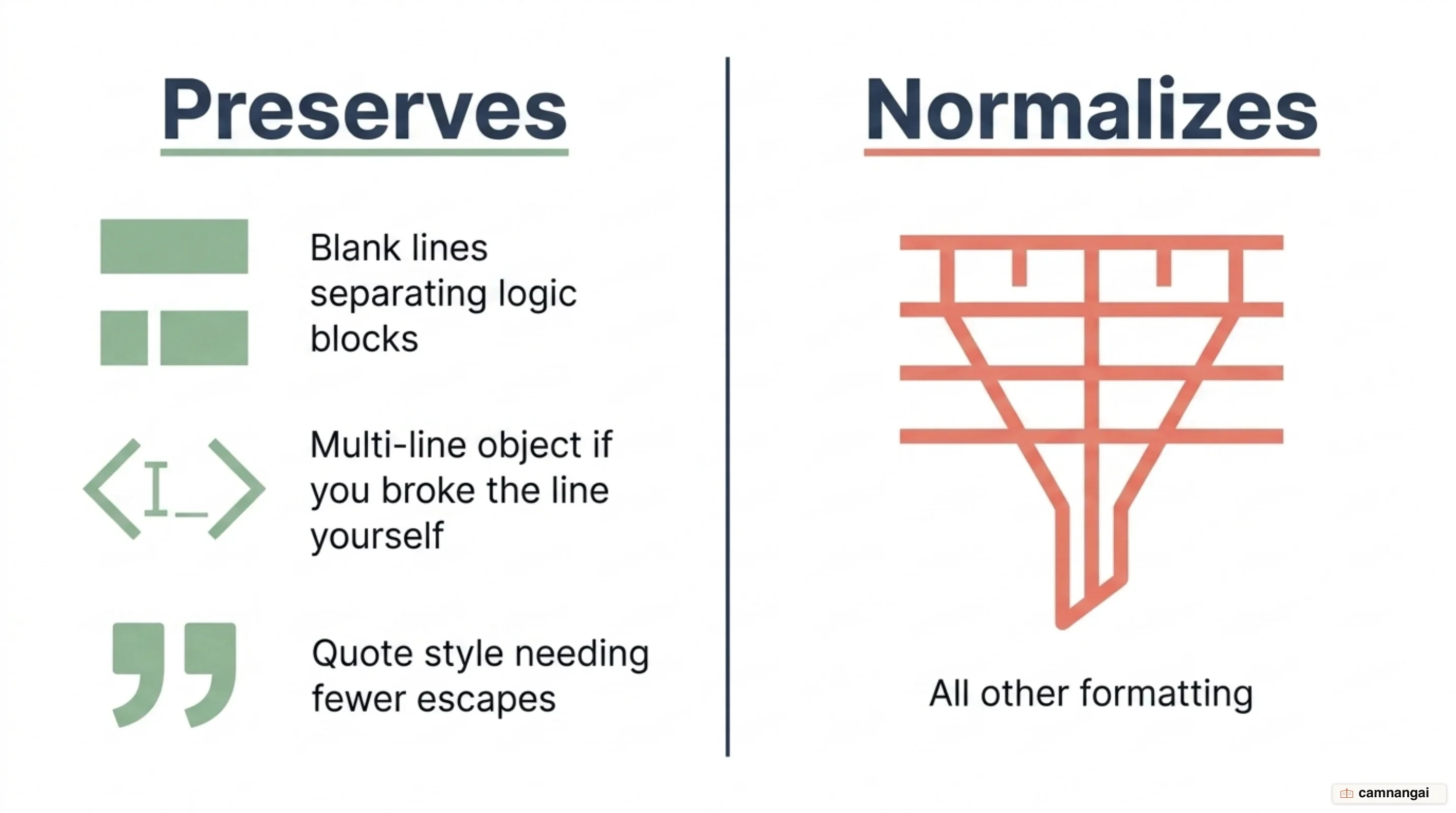
Empty lines are the other place where Prettier applies logic instead of wiping everything. It generally keeps them, since they carry the logical grouping of the original source, but it enforces two strict rules: several blank lines in a row collapse into one, and empty lines at the start or end of blocks (and whole files) are removed. The code stays concise, and your manual spacing survives where it separates one idea from the next.
For multi-line objects, Prettier uses a "reversibility" workaround to determine layout. If a developer manually inserts a newline after the opening brace of an object, Prettier will keep that object in a multi-line format. Conversely, if the opening brace and the first key are on the same line, Prettier will attempt to collapse the object into a single line if it fits within the width.
// Prettier keeps this multi-line because of the newline after {
const user = {
  name: "John Doe",
  age: 30,
};

// Prettier will collapse this if it fits on one line
const user = { name: "John Doe", age: 30 };
For decorators and template literals, Prettier sometimes does not have enough semantic information
to decide. It avoids breaking template literals into multiple lines unless a break already exists,
because dropping a newline into a natural-language sentence is usually the wrong call. For
semicolons, if the semi option is set to false, Prettier still inserts a leading semicolon before
certain characters (a [ or ( at the start of a line) as a safety override. That prevents the bugs Automatic Semicolon Insertion (ASI) causes when it makes a line depend on the previous statement. A line that starts with a semicolon looks wrong the first time you see one, and I still think it is the right call over letting ASI quietly change what a line means.
Why does Prettier have so few options?
The Prettier team's "Option Philosophy" comes down to killing "bike-shedding"—the habit of spending far too long debating trivial stylistic choices. Every option added to a formatter is one more thing to argue about. A highly configurable tool does not settle style arguments; it moves them out of the code and into the configuration file, which is where "formatting wars" over the right settings start.
Prettier did ship a small set of options early on, to ease adoption and to handle technical
necessities like HTML whitespace rules or trailing commas for compatibility. But the team now calls
many of those older options, such as arrow-parens or jsx-single-quote, "hard to motivate." They
are kept as historical artifacts, not as an argument for adding more. Adding "just one more" option,
the team believes, only starts a never-ending cycle of requests.
As the tool matured, the project officially "froze" its option set. Formatting-related option requests are no longer accepted. The decision came out of a research phase in which the team found that social metrics—GitHub reactions, Twitter polls—often did not represent the "silent majority" of users who value consistency over configuration. The stance holds Prettier to what it set out to do: one global standard for code formatting, so code looks familiar no matter which project or organization it comes from.
How is Prettier different from ESLint?
Prettier and ESLint do different jobs, and a professional toolchain wants both. The difference is scope: Prettier is a formatter, ESLint is a linter. Formatting rules concern visual style, such as maximum line length, indentation, and spacing. Prettier handles that entire category by reprinting the program. ESLint looks at code-quality rules instead, spotting problem patterns like unused variables, implicit globals, or potential bugs that would change how the code runs.
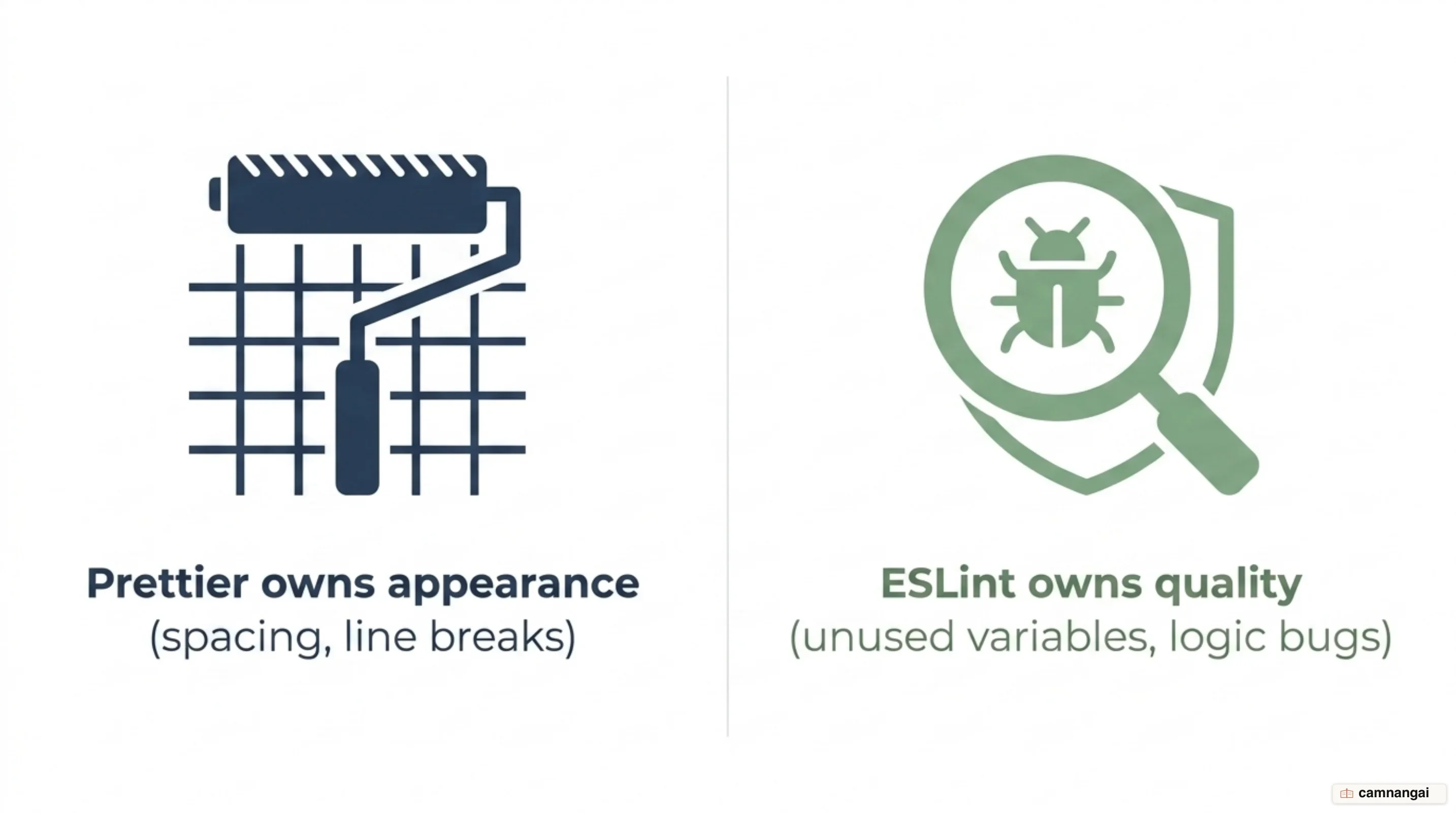
ESLint can be configured to fix some formatting through auto-fixes, but its main approach is "issue flagging": it reads the code and reports violations against a large rule set. Prettier's approach is "rewriting"—it does not flag a line that is too long, it restructures the whole block to fix it. That makes Prettier better at holding style in place, while ESLint stays essential for the logic errors a formatter cannot see.
To run both, engineers add eslint-config-prettier, which turns off every ESLint rule that would
conflict with Prettier's formatting. Prettier then owns the "look" of the code, and ESLint sticks to
finding and fixing bugs and anti-patterns.
| Feature | Prettier | ESLint |
|---|---|---|
| Primary Focus | Code formatting | Code quality and bug prevention |
| Configuration Options | Minimal, opinionated | Highly configurable |
| Error Detection | None (Formatting only) | Catches potential bugs |
| Auto-fix Capabilities | Rewrites entire code | Fixes specific issues |
Installing Prettier and formatting on save
Setting Prettier up in Visual Studio Code (VS Code) makes formatting automatic and keeps it out
of your way. The first step is installing the esbenp.prettier-vscode extension. The extension
supplies the formatting engine, but you should also install Prettier locally as a devDependency
using npm install --save-dev prettier. That way every team member and the CI/CD pipeline run the
exact same version of Prettier, and nobody gets different results from a version mismatch.
The most efficient setup is to have Prettier format a file every time you save it. You configure
that in the VS Code settings.json file: set Prettier as the default formatter and turn on
formatOnSave. No manual commands, and unformatted code never reaches version control.
{
  "editor.defaultFormatter": "esbenp.prettier-vscode",
  "editor.formatOnSave": true,
  "[javascript]": {
    "editor.defaultFormatter": "esbenp.prettier-vscode"
  }
}
If formatting does not trigger as expected, open the "Output" panel in VS Code and pick "Prettier"
from the dropdown menu. The panel carries the logs and error messages that say why a file was
ignored or why the formatter failed. Usual suspects: a syntax error in the source code, a
configuration mismatch in the .prettierrc file, or a .prettierignore file that is quietly
skipping the current directory.
Putting Prettier into your team's workflow
Formatting on save moves your attention off the layout and onto the logic, which shortens the
"time-to-commit" for a new feature. Teams run Prettier through a config file and an ignore file
so everyone shares one standard. A .prettierrc file in the project root defines the team's rules,
while a .prettierignore file excludes directories like node_modules, build artifacts like dist,
or minified files that should not be processed.
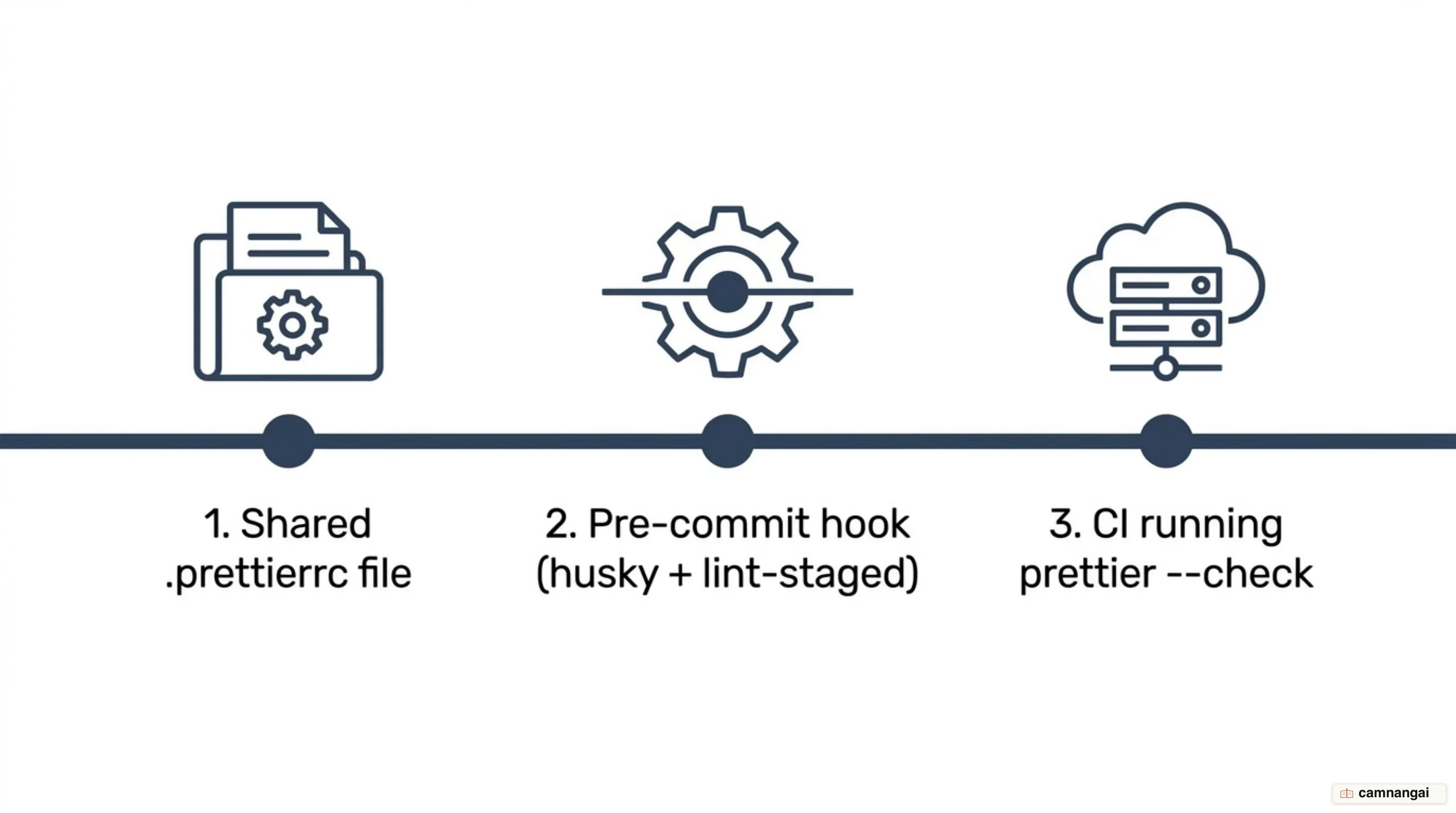
To guarantee that no unformatted code is ever committed to the repository, teams often add pre-commit
hooks. With husky and lint-staged, Prettier runs automatically on only the files staged for the
commit. A typical CLI setup in package.json makes formatting a mandatory step in the
Git workflow.
"lint-staged": {
  "*.{js,ts,tsx,css,json,md}": [
    "prettier --write"
  ]
}
You can standardize the environment further with a .vscode/settings.json file at the workspace
level, which enforces the defaultFormatter and formatOnSave settings for everyone who clones the
repository. That kills the "it works on my machine" problem: every contributor's editor behaves
identically. Finally, a script like "format": "prettier --write ." in package.json formats the
whole project, while CI/CD pipelines can run prettier --check . to fail a build when unformatted
code shows up.
Prettier, Biome, and the speed race
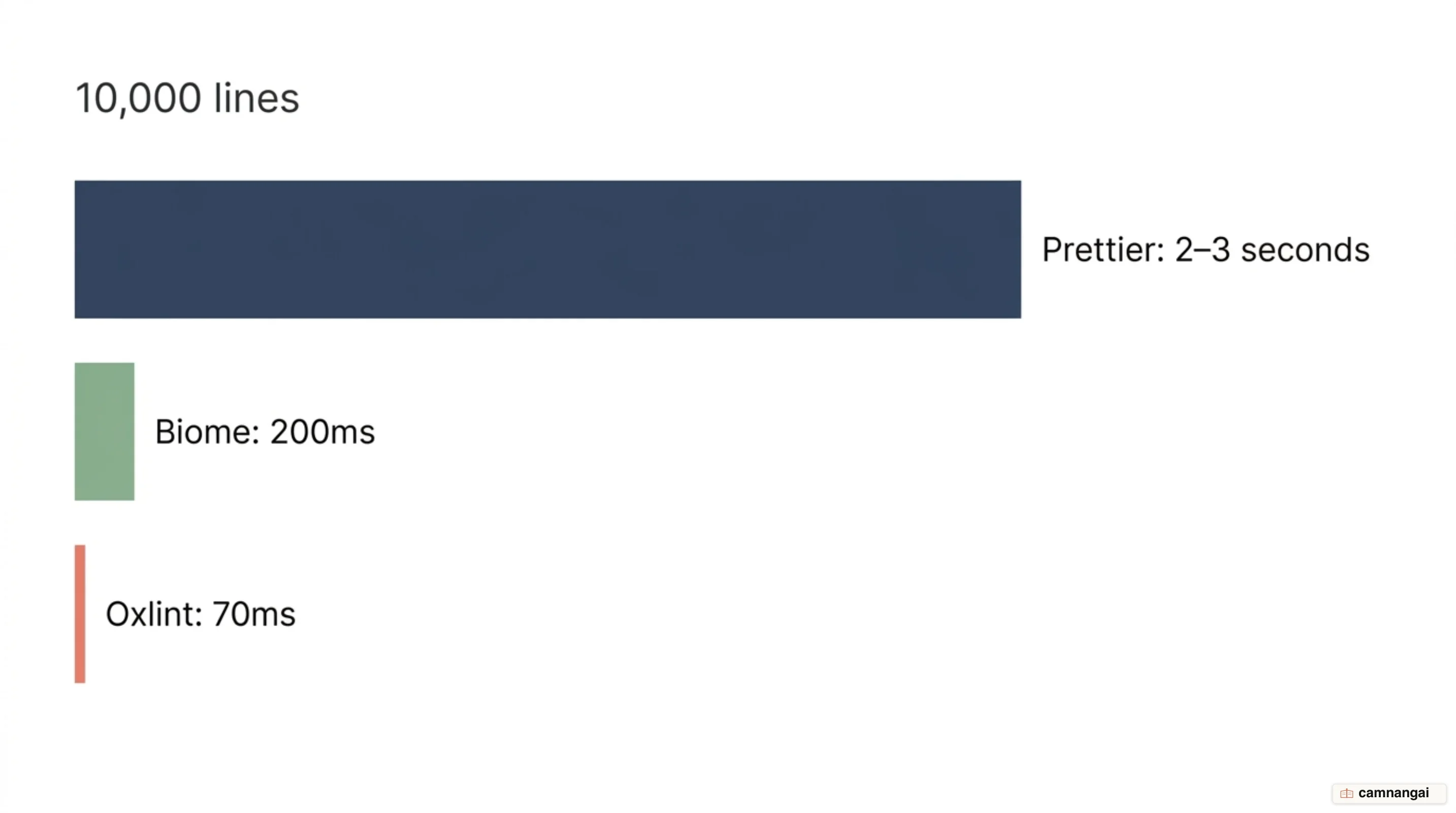
JavaScript tooling has picked up a wave of Rust-based alternatives built for raw performance. Biome and Oxlint process files far faster, which matters on a large monorepo. For a 10,000-line codebase, traditional Prettier may take 2–3 seconds to format, whereas Biome finishes in roughly 200ms, and Oxlint can lint in as little as 70ms. That gap forced a response from the Prettier team, which wants to keep its industry lead.
Prettier 3.6 answered the "speed race" with an experimental high-performance CLI behind the
--experimental-cli flag, built to cut execution time on large projects. The project also shipped
separate official plugins, @prettier/plugin-oxc and @prettier/plugin-hermes, that use faster
parsers. The @prettier/plugin-hermes plugin is meant to become the default parser for Flow syntax
support in version 4, replacing the Babel-based parser.
The trade-off between Prettier and newer tools like Biome is ecosystem stability against raw speed. Prettier has a huge plugin architecture and covers a range of languages that newer tools have not matched yet. Biome is a fast "all-in-one" for JavaScript and TypeScript, but Prettier is still the most versatile option for a project that mixes file types like GraphQL, YAML, and CSS preprocessors.
For many teams the decision comes down to project complexity and how much build time they can absorb. A few seconds of formatting is nothing on a small project, though across a CI/CD pipeline running hundreds of builds a day it is a real bottleneck. My own line is the file types: the moment a repo carries Markdown and YAML alongside the JavaScript, I still reach for Prettier, because 2–3 seconds on 10,000 lines is not what slows a team down. Prettier 3.6's high-performance CLI and its move toward faster parsers are a deliberate effort to narrow the performance gap without giving up the stability and wide-ranging language support that made it the default choice in the first place.
When should you use Prettier?
Prettier is still the industry standard for code formatting, on the strength of its stability and its language coverage. It is the right pick for mature enterprise projects and mixed codebases, where consistency across CSS, Markdown, and YAML matters as much as formatting JavaScript. Its opinionated nature ends style debates, which makes it dependable for teams that value long-term maintenance and predictable code structure over raw performance or fine-grained configuration.
Faster alternatives like Biome are gaining traction, but Prettier is still the most battle-tested option available. Stick with it if your project needs specific plugins, or if you want a formatter that works cleanly with a wide range of web technologies and takes little setup. For a new project that is only JavaScript or TypeScript, and where CI speed is the top priority, trying a faster Rust-based alternative may give your team a productivity edge.
References
- What is Prettier? · Prettier
- Rationale · Prettier
- Option Philosophy · Prettier
- Prettier vs. Linters · Prettier
- Prettier 3.6: Experimental fast CLI and new OXC and Hermes plugins! · Prettier
- Prettier vs ESLint: Choosing the Right Tool for Code Quality — Better Stack
- Format Code with Prettier in Visual Studio Code: Setup Guide — DigitalOcean
- TypeScript Linting and Formatting Tools Compared — sph.sh
- Pre-commit Hook · Prettier