CSS (Cascading Style Sheets) is the rule-based language used to define the presentation, layout, and visual styling of web documents.
While HTML provides the semantic structure for elements like headings and paragraphs, CSS supplies the specific instructions for their appearance across various media and screen sizes.
That split is the whole point of the language: content lives in the HTML, and every decision about how it looks lives in the stylesheet. By prescribing rules for colors, fonts, and complex grid layouts, engineers can ensure consistent branding and responsive behavior without cluttering the underlying markup.
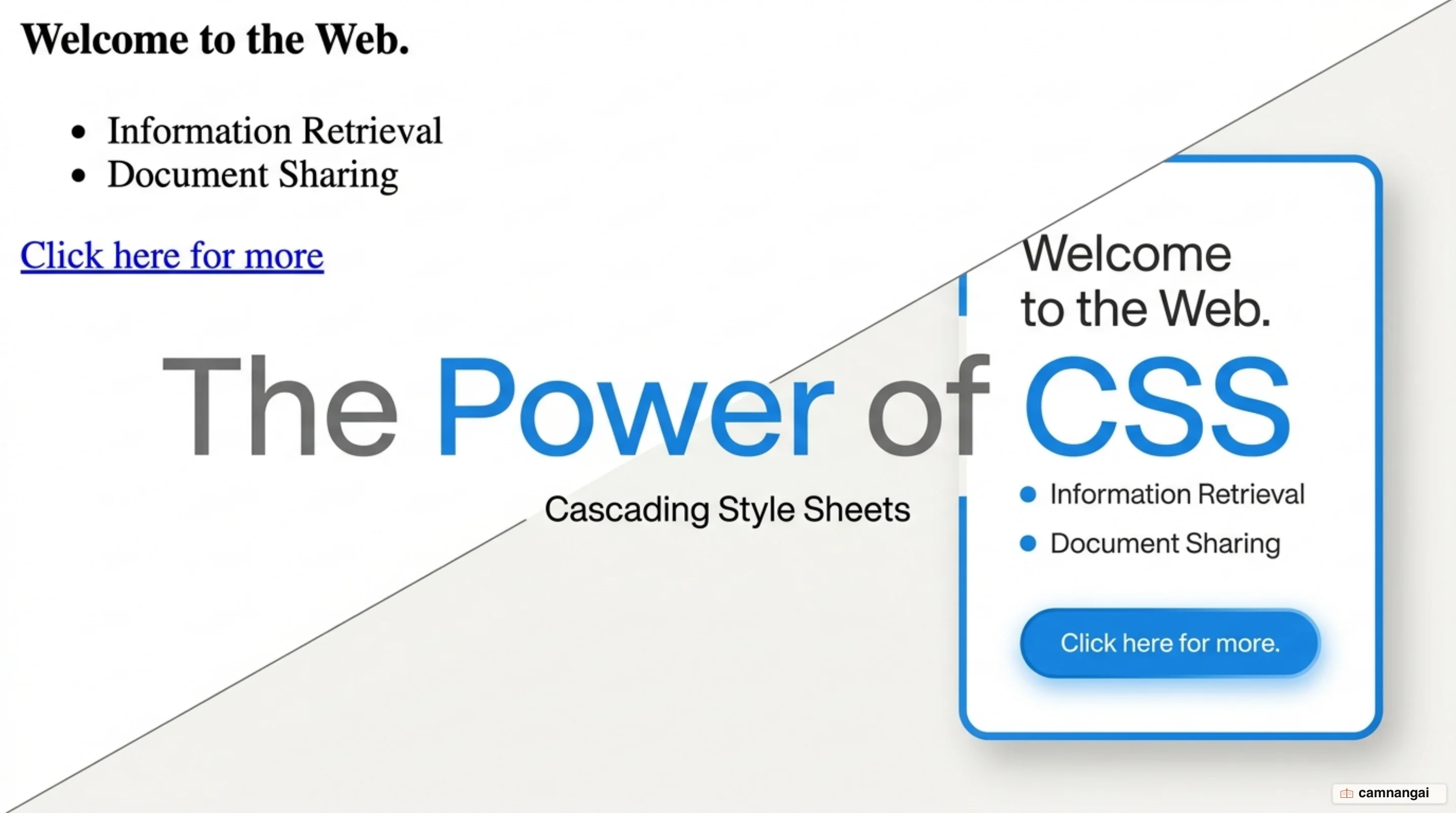
What is CSS?
CSS is a rule-based language used to prescribe the presentation of documents written in markup languages such as HTML, SVG, or XML. The language is structured into distinct Specifications, or "modules," which define related features like the Box Model, Backgrounds and Borders, or Flexbox. This modular architecture allows the language to evolve by adding new layout capabilities and animations without disrupting existing web standards.
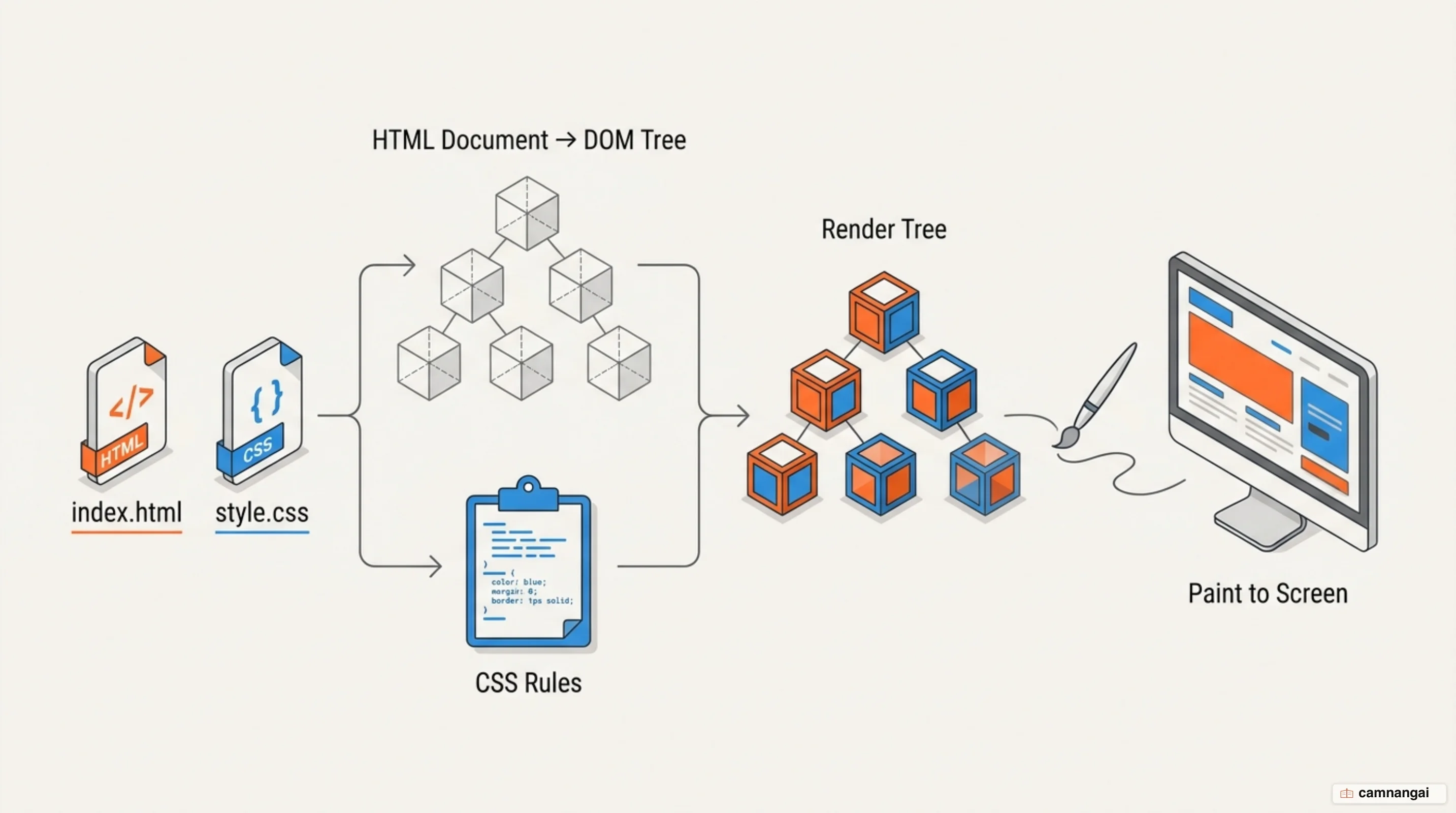
The browser executes a specific technical process to apply these styles. Upon receiving an HTML document, the browser converts the markup into a Document Object Model (DOM) tree. At the same time, it parses the available CSS, whether from external files or internal tags, and sorts those rules into "buckets" based on the elements they target. That sorting is what lets the browser know exactly which declarations apply to which elements before any rendering begins.
The browser then reconciles the DOM tree with these sorted CSS rules to construct a "render tree." This final structure contains only the nodes required to display the page, along with their computed styles. Finally, the browser performs a "paint" operation to render the pixels to the screen. This workflow allows for dynamic updates: changing a CSS rule can trigger a reflow and repaint of the document in real-time.
h1 {
  color: #258d46;
  font-size: 2.5em; /* Values specify the setting */
}
Why was CSS created?
Håkon Wium Lie first introduced CSS in 1994 while working at CERN alongside World Wide Web inventor Tim Berners-Lee. At the time, HTML was strictly intended to describe document semantics, meaning structure rather than design. However, as the web grew, developers began misusing HTML for presentation, relying on tags like <font> or layout-specific attributes that were never part of the original specification.
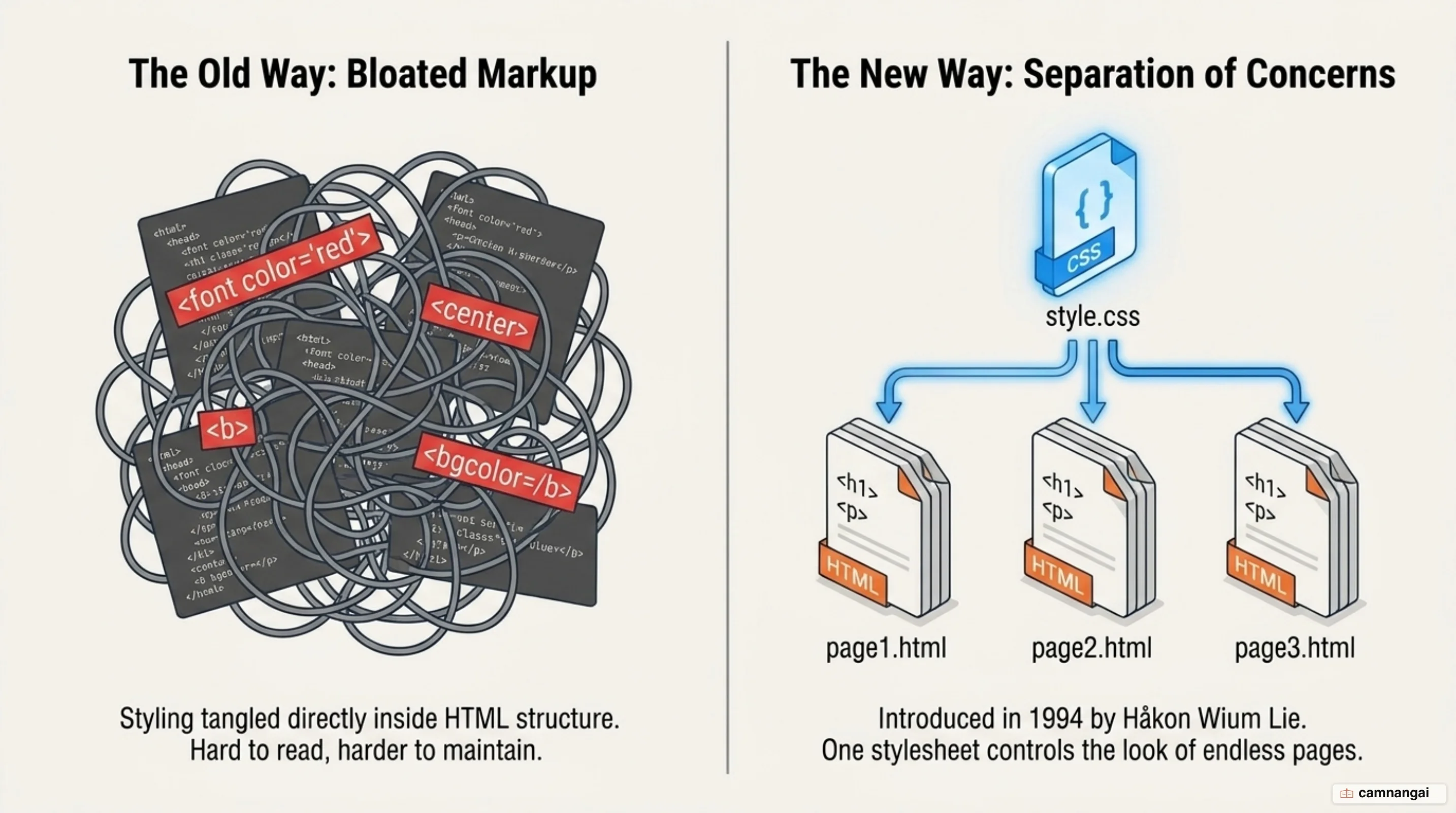
This reliance on HTML for styling created unwieldy, bloated codebases that were difficult to maintain. CSS was designed to enforce a "separation of concerns," moving all visual instructions into a separate stylesheet. This shift let engineers manage the look of an entire site from one place, which cut both page weight and busywork, because the same style attributes no longer had to be repeated inside every HTML tag.
What are the parts of a CSS rule?
A standard CSS rule consists of a selector followed by a declaration block. The Selector is the pattern (an element name, a class, an ID) that the browser uses to target specific nodes within the DOM. The Declaration Block is the container for the styling rules, marked by curly braces {}.
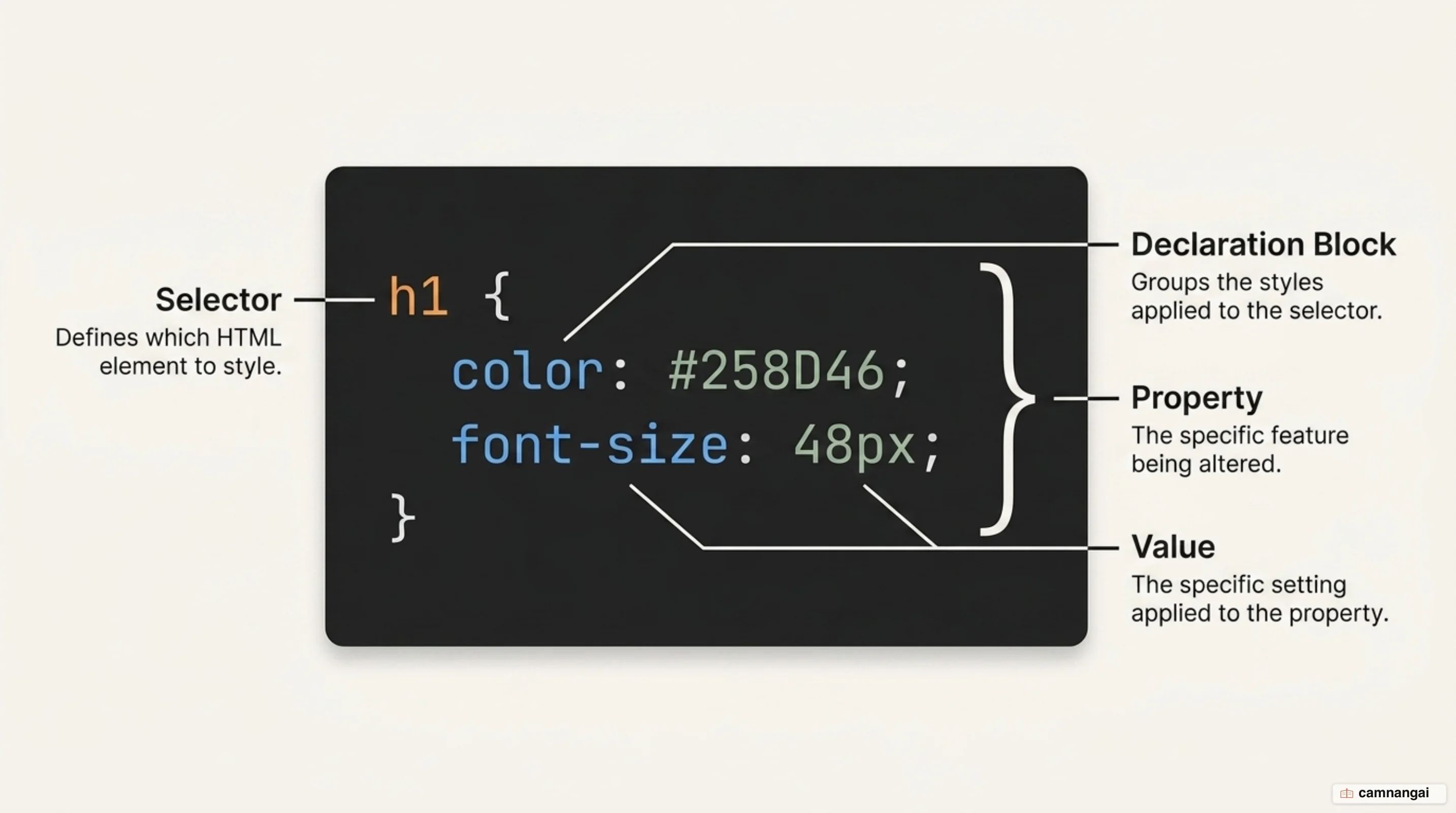
Inside the block, each Declaration consists of a Property and a Value, separated by a colon. The property identifies the feature to be modified, such as line-height or background-color, while the value provides the setting. Every declaration must end with a semicolon. This character acts as a mandatory separator that prevents parsing errors when multiple declarations are grouped within a single block.
/* 'p' is the Selector */
p {
  color: blue; /* Property: Value */
  font-size: 16px; /* Semicolon terminates the declaration */
  margin-bottom: 10px; /* Mandatory for multiple declarations */
}
Three ways to attach CSS to HTML
Engineers integrate CSS into HTML through three distinct methods: inline styles, internal styles, and external stylesheets. Inline styles involve applying attributes directly to a specific HTML tag. Internal styles reside within a <style> element inside the document's <head>. While these methods are useful for quick overrides or single-page prototypes, they often lead to code duplication and maintenance hurdles.
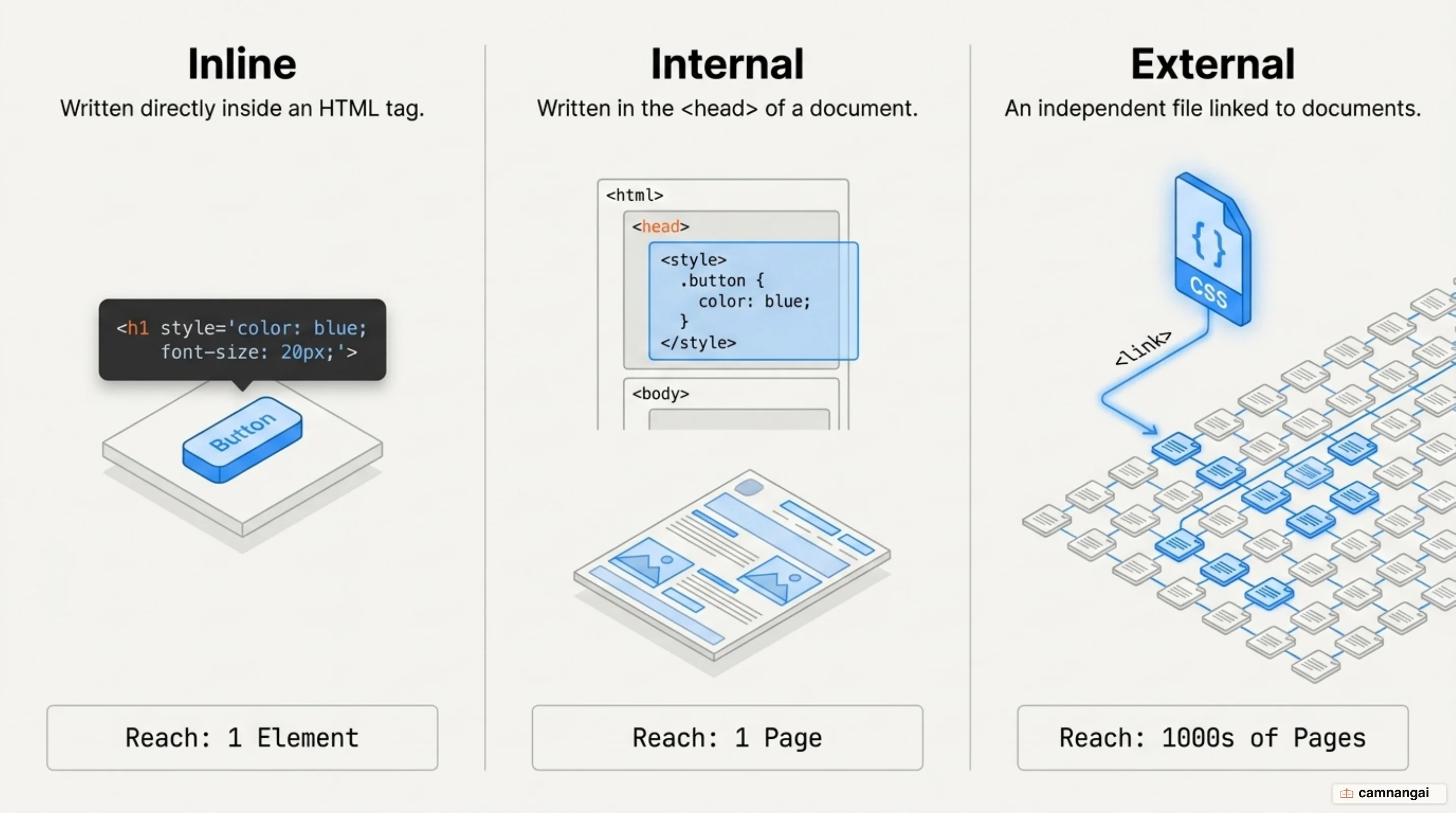
External stylesheets are the industry standard, and given the choice I would start every project there and treat the other two as exceptions. This method links the HTML document to a separate .css file via a <link> tag. By centralizing rules in a standalone file, a developer can modify the appearance of thousands of pages by updating a single document. This approach keeps the markup clean, uses browser caching for better performance, and simplifies global design iterations.
What does "cascading" mean in CSS?
The "Cascading" in CSS describes the logic the browser follows to resolve conflicts when multiple rules target the same element. At the very base of this hierarchy are "User Agent styles"—the browser's default stylesheets that ensure basic readability for unstyled HTML. When an author provides custom CSS, the browser determines conflict resolution based on Importance, Specificity, and Source Order.
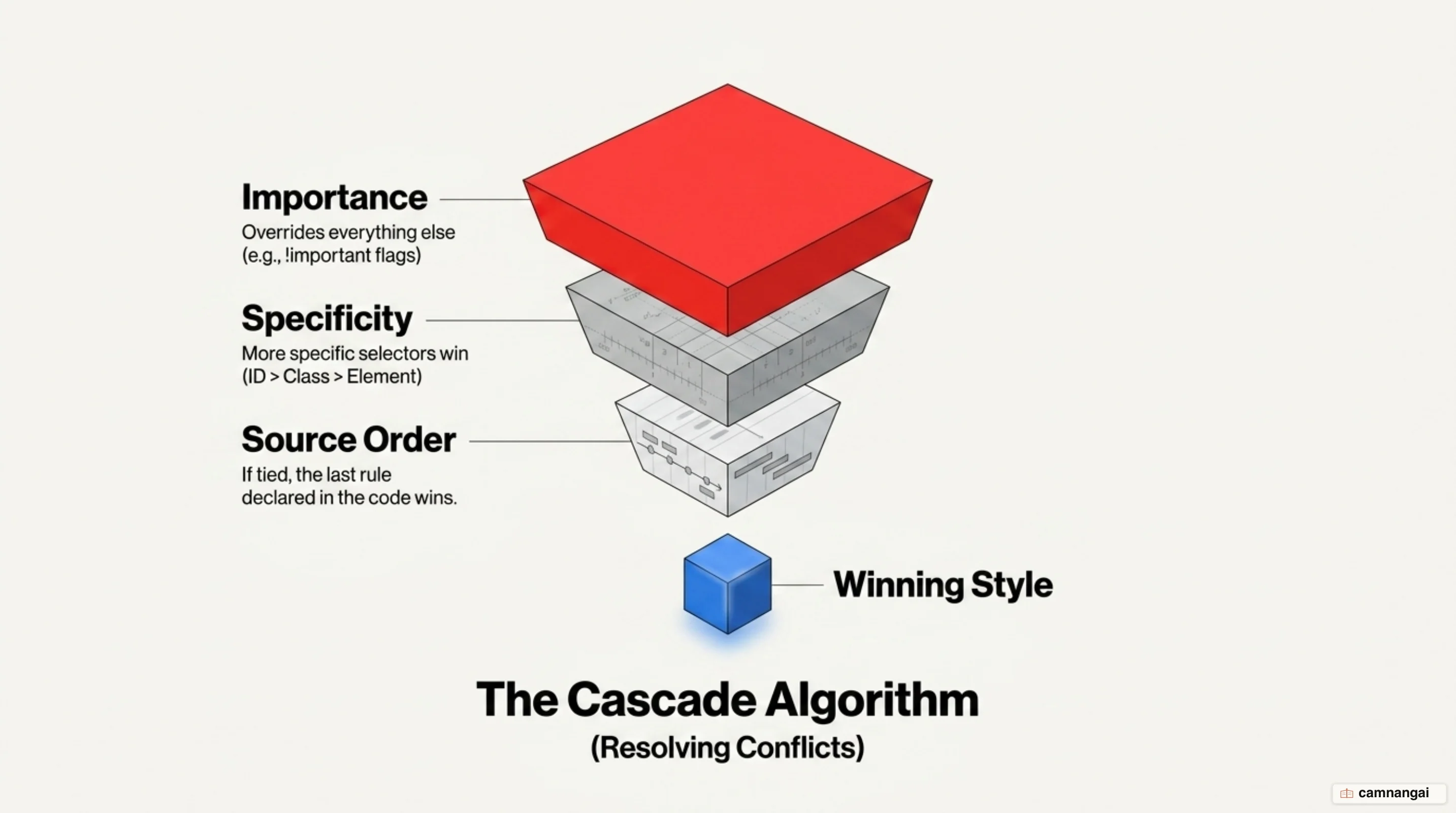
The browser calculates Specificity by weighing different types of selectors; for instance, an ID selector is more specific than a class selector and will override it. Source Order is the final tie-breaker: if two rules have the same weight, the one defined later takes precedence. That is what lets you layer styles, because a later rule refines an earlier one instead of fighting it.
To manually override the standard cascade, developers can use the !important flag. This flag grants a declaration the highest priority, bypassing normal specificity calculations. But !important is generally restricted to edge cases, as it can make debugging the cascade difficult. Inline styles sit at the top of the ordinary hierarchy, since they attach directly to the element; between an internal <style> block and an external stylesheet, neither wins by category — whichever the browser reads last takes precedence.
Where should you start learning CSS?
Start by setting up a real working environment with a code editor like Visual Studio Code. Before attempting complex styling, ensure you have a deep grasp of semantic HTML. CSS is fundamentally dependent on a well-structured DOM; without meaningful markup, your selectors will lack the stability required for scalable layouts.
Begin with fundamental text properties like color, font-family, and sizing to master the basic syntax of selectors and declarations. From there, prioritize the box model. Understanding how margins, borders, padding, and content dimensions interact is the prerequisite for mastering modern layout systems like Flexbox and Grid, and skipping it is why so much layout work turns into guesswork.