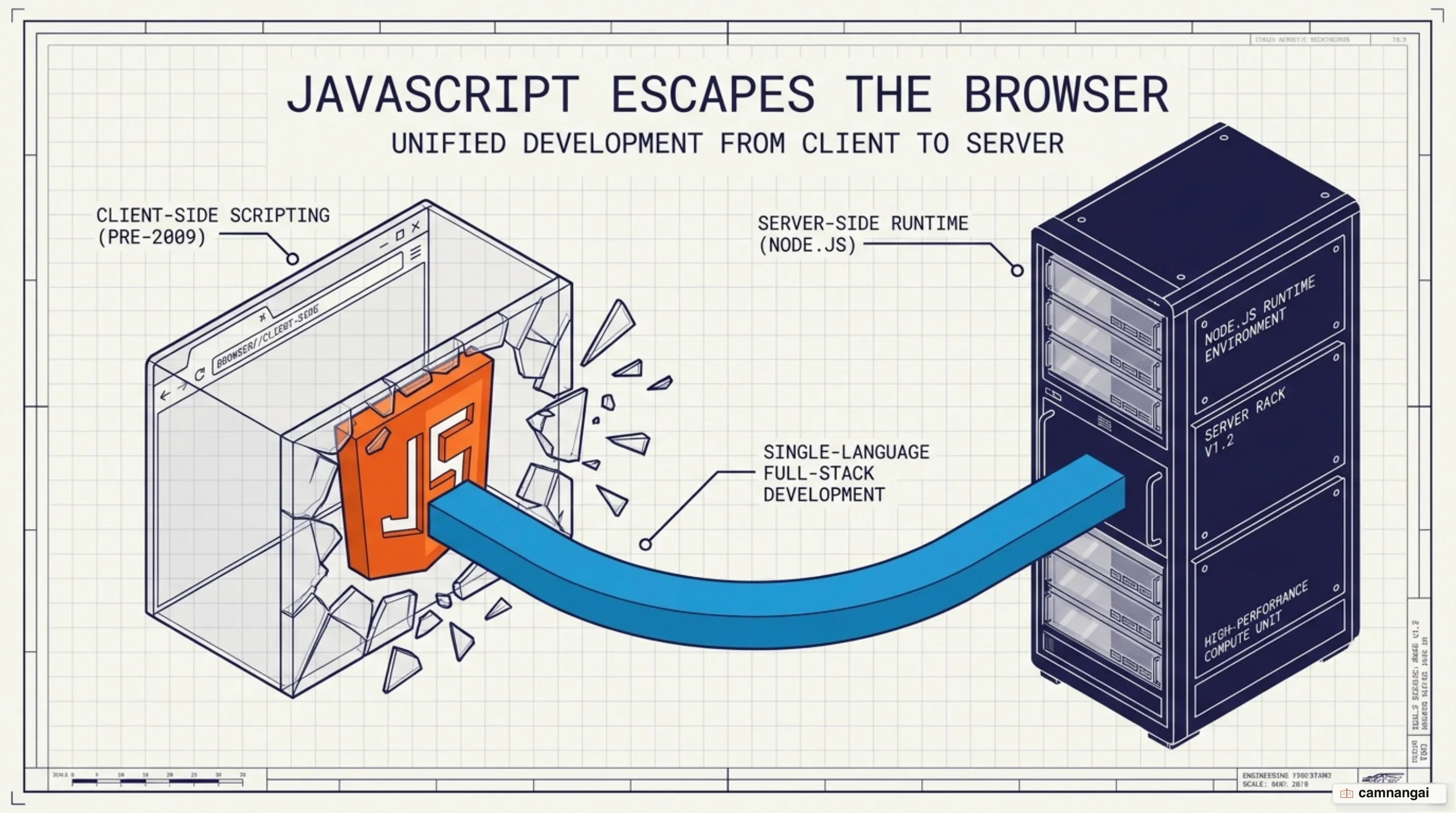
Node.js is an open-source, cross-platform JavaScript runtime environment built on Chrome's V8 engine.
While JavaScript was traditionally confined to the browser, this runtime allows you to execute code directly on a server or operating system. By moving JavaScript outside the browser, you can build backend logic, interact with filesystems, and manage network connections using a single language.
Its main job is to enable a unified stack for web development. You can use the same programming language for both your client-side user interface and your server-side application logic. This consistency eliminates the "context shift" between different language syntaxes and mental models, allowing you to build modern web applications more efficiently.
What is Node.js?
Node.js is often misunderstood as a programming language or a framework, but it is neither. JavaScript is the programming language; Node.js is the environment that executes it. Similarly, it is not a framework like Express or NestJS. Instead, it provides the raw runtime primitives that these frameworks use to add routing and structure. Think of Node.js as the engine and plumbing that web frameworks are built on.
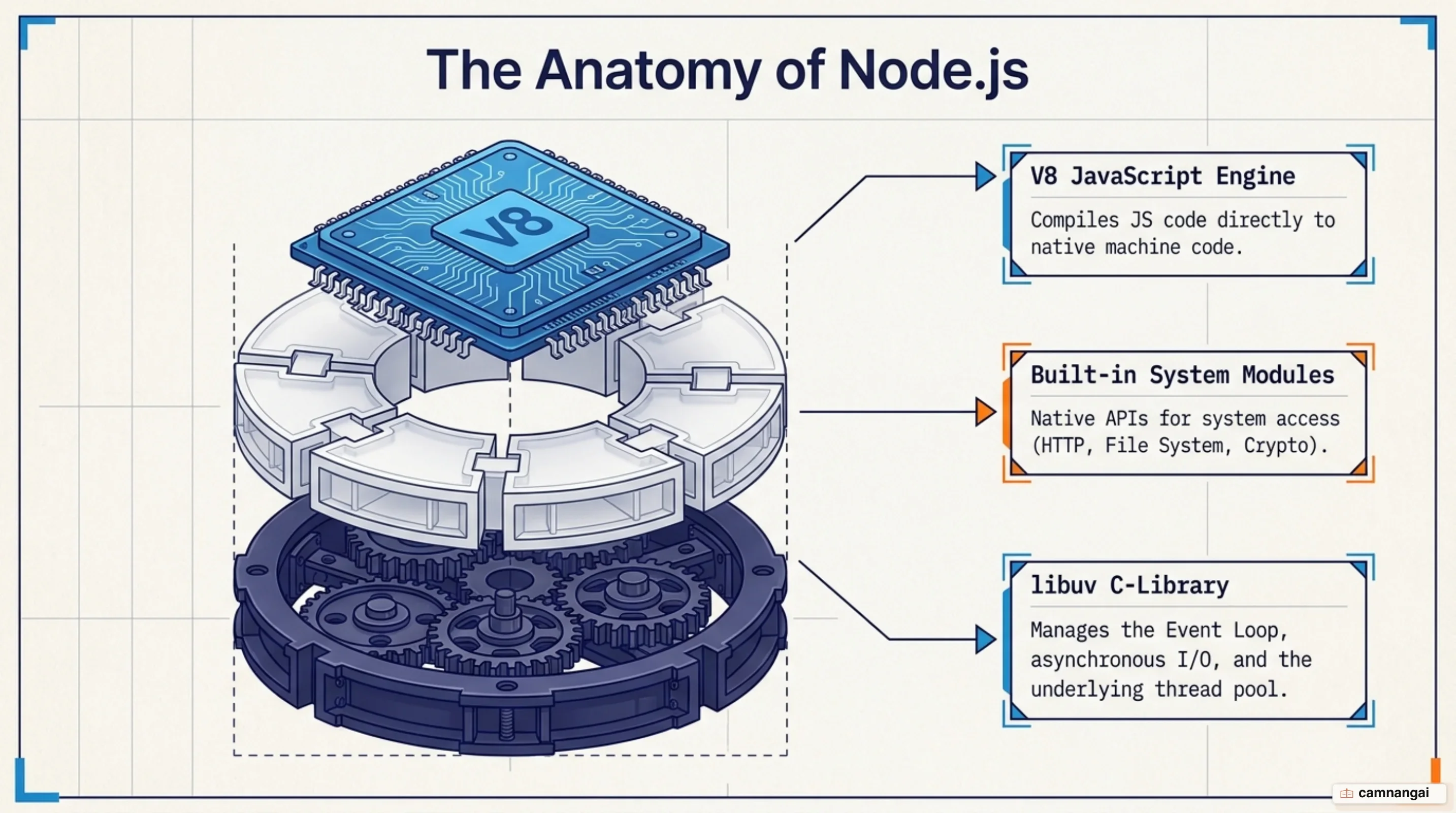
The runtime architecture consists of three core components: the V8 engine, libuv, and an event-driven model. The V8 engine compiles JavaScript directly into machine code for high performance. Underneath V8 sits libuv, a C library that handles the event loop and a thread pool. By default, libuv manages 4 internal threads to handle tasks that cannot be performed asynchronously at the OS level. This combination allows the runtime to handle thousands of concurrent connections using an event-driven architecture.
You can use the built-in http module to create a functional web server with very little code. The
following example listens on port 8000:
const http = require("http");

const hostname = "127.0.0.1";
const port = 8000;

const server = http.createServer((req, res) => {
  res.writeHead(200, { "Content-Type": "text/plain" });
  res.end("Hello World\n");
});

server.listen(port, hostname, () => {
  console.log(`Server running at http://${hostname}:${port}/`);
});
How is Node.js different from JavaScript in the browser?
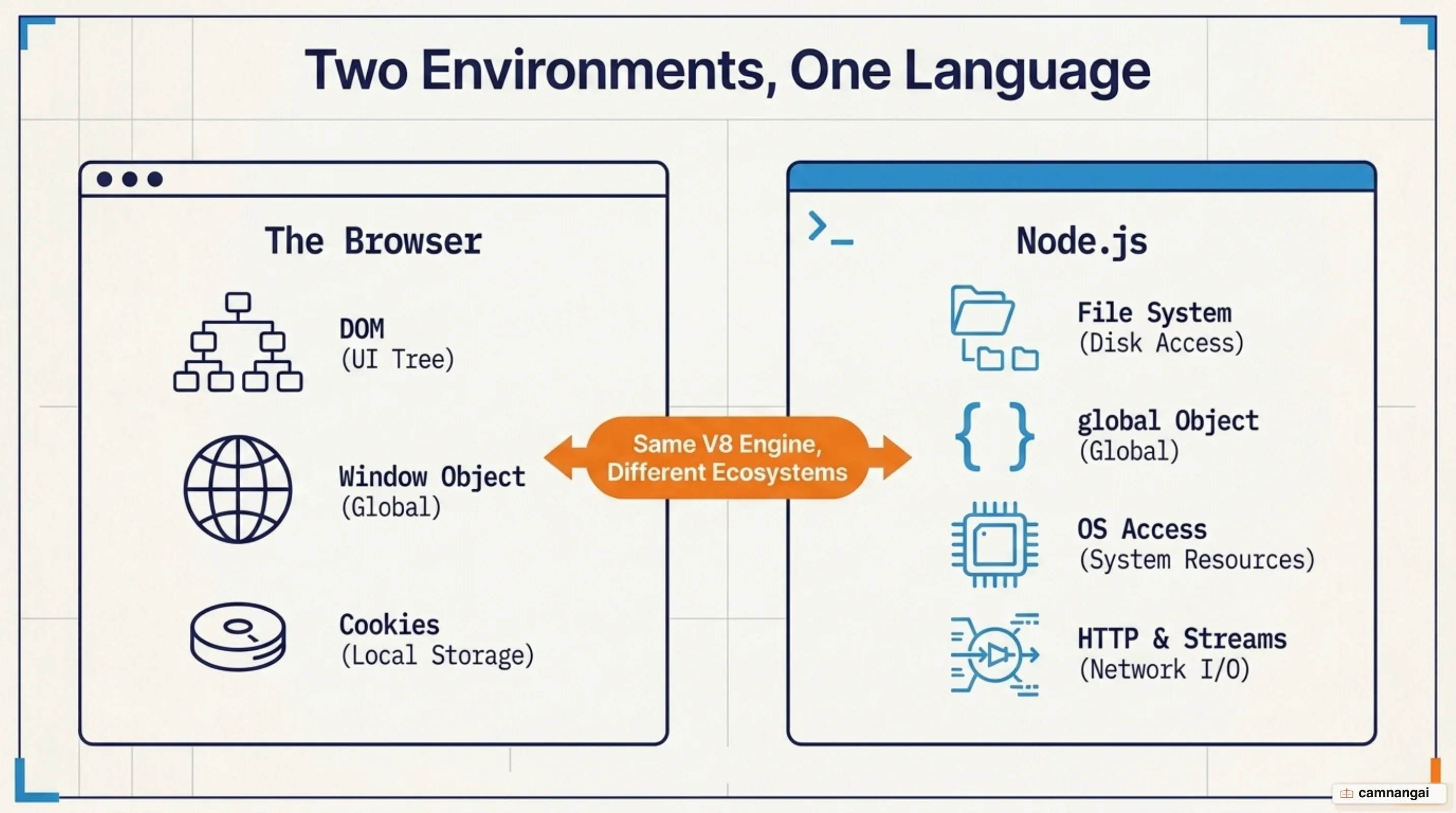
Building in Node.js requires a shift in how you think about available APIs. In
the browser, you primarily interact with the Document Object
Model (DOM) or Web Platform APIs like Cookies and the window object. These do not exist in
Node.js. Instead, Node.js gives you OS-level capabilities such as filesystem access (fs), path
manipulation (path), and the ability to manage other system processes (child_process).
The biggest advantage here is environment control. In
frontend development, you must account for varying
browser engines, often requiring transpilers like Babel to support older versions. In Node.js, you choose
the version running on your server, so you can use modern ES2015+ features natively. Of every
difference in this section, that is the one I would miss most. Node.js also supports both the
traditional CommonJS (require) and the modern ES Modules (import) systems, which gives you full
control over your module architecture.
How do the event loop and non-blocking I/O work?
The efficiency of Node.js is best explained via the "waiter analogy." In a traditional server, a waiter (thread) takes an order and stands by the table until the kitchen returns the dish, blocking them from serving others. In Node.js, the waiter (the main thread) takes an order, hands it to the kitchen (libuv and OS APIs), and immediately moves to the next table. When the kitchen is ready, the waiter delivers the plate.

This model relies on non-blocking I/O. While the single main thread executes JavaScript callbacks, "slow" work is offloaded to libuv's thread pool (for I/O-intensive tasks like File System access or CPU-intensive tasks like Crypto and Zlib) or OS-level asynchronous APIs. Fairness between clients is your job, not the runtime's. If you write "blocking" code that performs heavy calculations on the main thread, you stall the entire event loop and prevent other users from being served.
The difference shows up clearly in how you handle file operations:
const fs = require("fs");

// BLOCKING: The server stalls until the entire file is read into memory
const data = fs.readFileSync("large-file.txt", "utf8");
console.log("Sync read complete");

// NON-BLOCKING: Control returns to the event loop immediately; callback runs later
fs.readFile("large-file.txt", "utf8", (err, data) => {
  if (err) throw err;
  console.log("Async read complete");
});
console.log("The server is free to handle other requests now...");
npm and the Node.js package ecosystem
The npm registry is the largest software registry in the world, containing over 2.1 million packages as of 2024. This ecosystem lets you move faster by using reusable, vetted modules for everything from JWT authentication to database ORMs. These libraries act as high-level building blocks, allowing teams to focus on unique business logic rather than reinventing standard infrastructure.
Security hygiene and supply-chain integrity matter here too, because 2.1 million packages also means
2.1 million chances to install someone else's mistake. And because your dependency tree can get
large, you must use tools like npm audit to find vulnerabilities. For organizations operating
under SOC 2 or ISO 27001 controls, Node.js has matured to support package provenance
attestations, which verify that the code you deploy is exactly what the maintainer published.
When Node.js is the right choice — and when it isn't
Node.js is an ideal choice for I/O-bound services, real-time applications (chat, collaboration tools), and microservices. It manages massive concurrency with minimal memory overhead, which makes it a strong fit for streaming data and high-throughput APIs. If your application spends most of its time waiting for a database to return a query or a network request to complete, Node.js will excel.
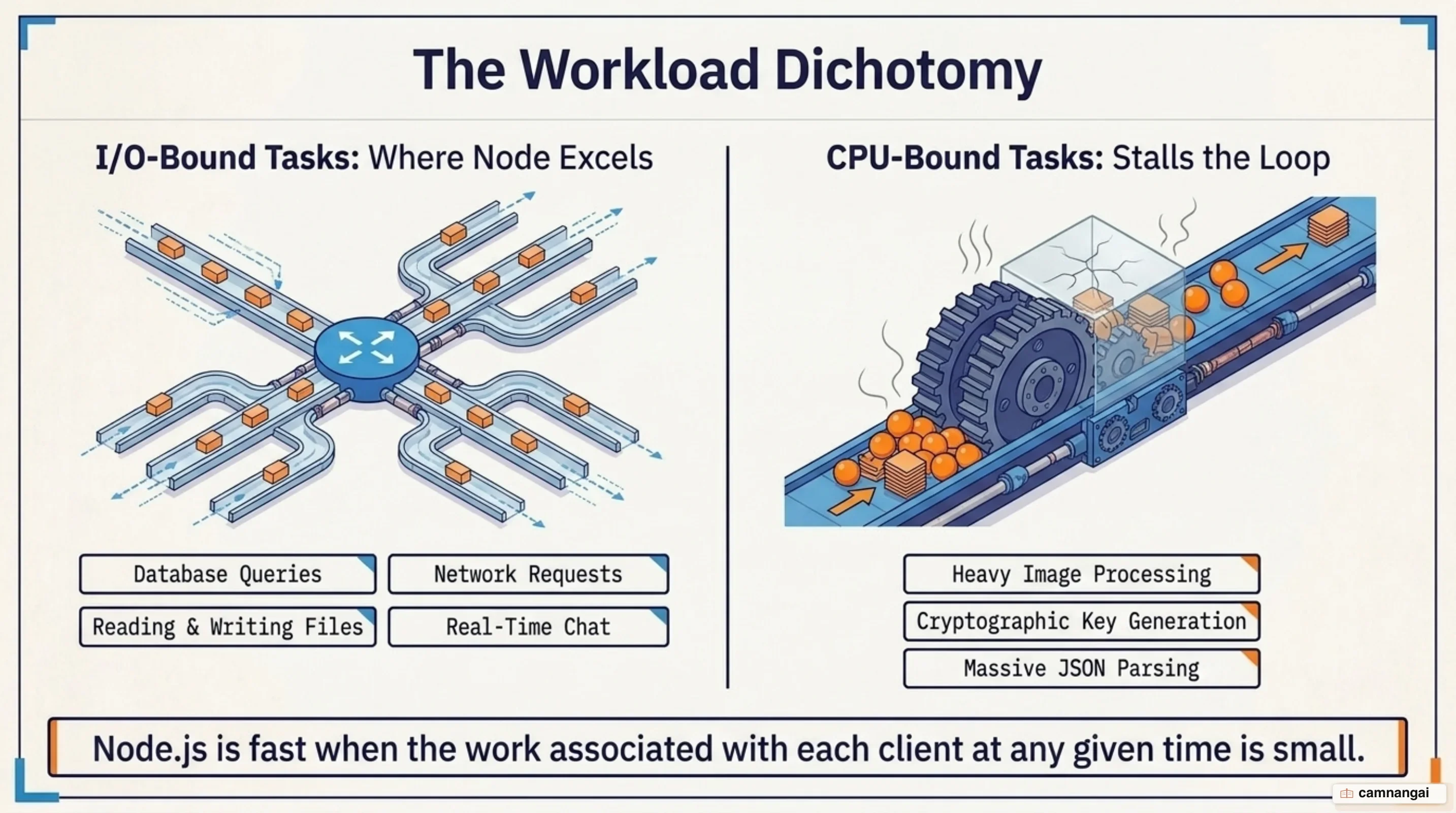
But Node.js is a poor fit for CPU-intensive tasks such as video transcoding, image processing, or complex mathematical modeling. Because these tasks saturate the single main thread, they block the event loop and degrade the experience for every concurrent user. For these specific workloads, languages with true multi-threaded parallelism, such as Go or Python (for ML-specific pipelines), are a better fit.
Which version should you start with?
Node.js follows a predictable Long Term Support (LTS) cadence. "Current" versions carry the newest features but are still being refined, so production systems belong on an LTS line, which receives critical fixes for a total of 30 months. Up to Node.js 26, odd-numbered releases stop being supported after six months while even-numbered ones move to Active LTS. From Node.js 27 the cycle becomes annual, and every major version reaches LTS after its Current phase. At the time of writing, v26 is Current, v24 (Krypton) and v22 (Jod) are Active LTS, and v20 (Iron) and v18 (Hydrogen) are in maintenance.
To manage these versions across different projects, use Node Version Manager (nvm). It lets you lock specific projects to specific runtimes, which kills the "works on my machine" class of bug. To install the latest LTS release:
nvm install --ltsReferences
- About Node.js — Node.js
- Overview of Blocking vs Non-Blocking — Node.js Learn
- Don't Block the Event Loop (or the Worker Pool) — Node.js Learn
- Differences between Node.js and the Browser — Node.js Learn
- Node.js Releases — Node.js
- Express/Node introduction — MDN
- What Exactly is Node.js? Explained for Beginners — freeCodeCamp
- Node.js Backend Development: What It Is, How It Works, and How to Start — Netguru