Angular is a TypeScript-based, open-source single-page web application framework developed and maintained by Google.
It hands you the whole architectural foundation for a scalable application, including a structured development environment and a type-safe workflow you cannot opt out of.
Angular is used by 18.2% of all developers and 19.8% of professional developers, making it a primary choice for enterprise engineering.
Those figures come from the 2025 Stack Overflow Developer Survey. Building on Angular puts your work inside an MIT-licensed framework with a published release and support schedule.
What is Angular?
Angular, often referred to as Angular 2+, is a complete ground-up rewrite of the original AngularJS (1.x) framework. Released in September 2016, the framework moved from the scope-based model of its predecessor to a stricter hierarchy of components. That structural shift was designed to use modern web standards and improve performance through modularity and strict engineering patterns.
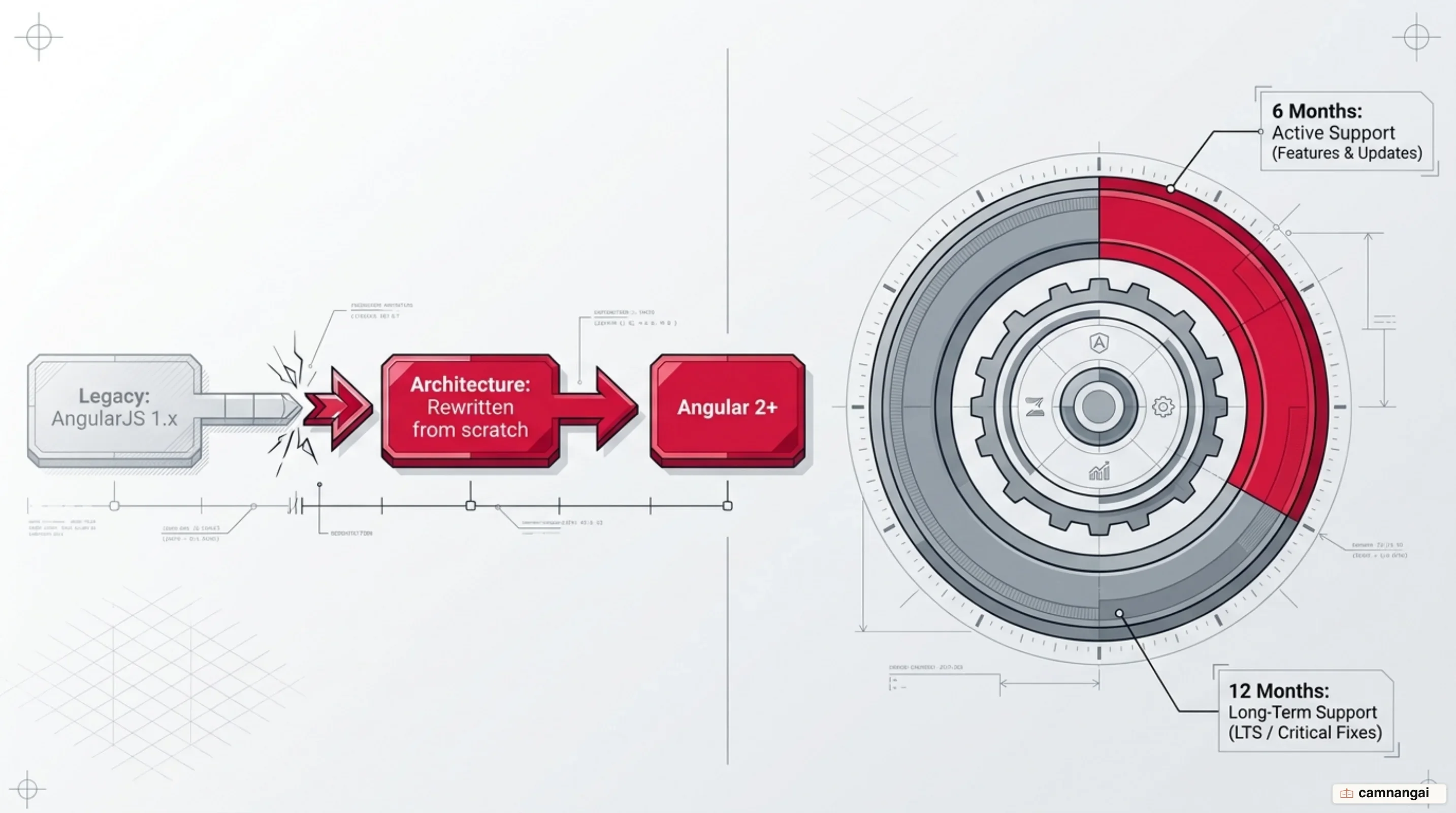
The framework follows a disciplined support policy: each major release receives 18 months of total support. This is divided into 6 months of active support, covering regular patches and feature updates, followed by 12 months of Long-Term Support (LTS) reserved for critical security fixes.
As a TypeScript-native framework, Angular requires you to use advanced language features like static typing, generics, and decorators. These tools are critical for maintaining large codebases, as they let your development team catch type-related errors at compile time rather than at runtime.
What are Angular's building blocks?
Angular's architecture rests on a few building blocks that enforce consistency across large-scale projects:
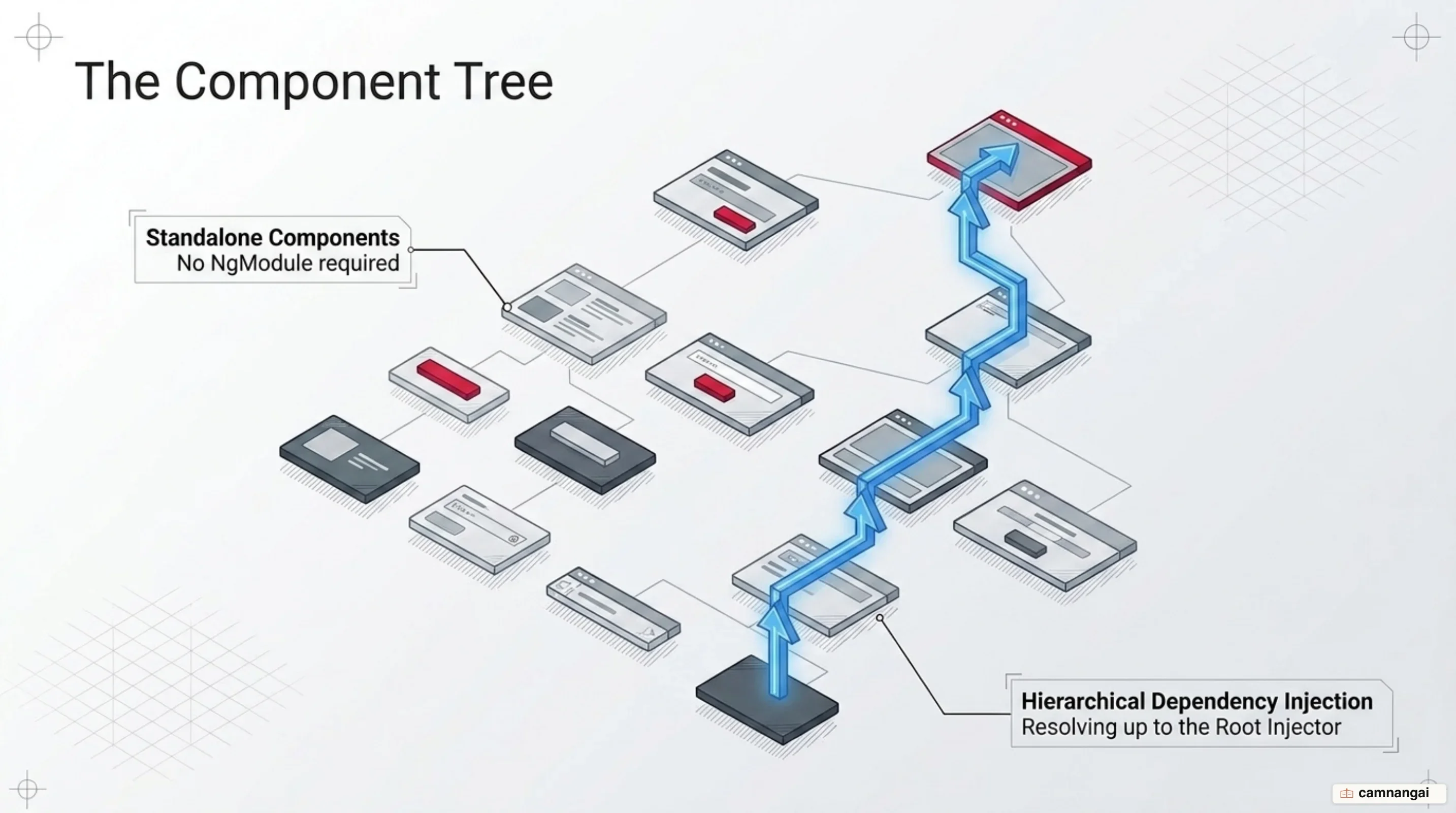
Components: Your application is structured as a tree of components. Each component encapsulates its HTML template, CSS styles, and TypeScript logic. This encapsulation prevents CSS leakage across the shadow boundary and ensures that UI units are reusable and testable in isolation. You manage the UI through these hierarchical units rather than manual DOM manipulation.
Dependency Injection (DI): Angular has a built-in DI framework that creates class instances for you. It enforces the constructor injection pattern, where dependencies are passed as parameters to the class constructor. The injector mechanism is hierarchical; if a token is not found in the local component injector, Angular traverses up the component tree to the root to resolve the dependency. This decouples service implementation from component logic, which makes unit testing easier and is the main reason Angular codebases tend to survive a change of team.
Directives, Templates, and Routing: You extend HTML behavior using directives to modify DOM
elements. A centralized router handles navigation and manages application states in a single-page
context. Templates use a specific expression syntax: square brackets [ ] for property binding
(data into the component) and parentheses ( ) for event binding (actions out of the component).
Signals and how Angular updates the UI
The framework has moved to a reactive, declarative state management model centered on Signals.
Signals track state changes at a fine grain, so Angular updates only the specific DOM nodes that
depend on that data. That is what makes a "zoneless" application possible, and it removes much of the performance overhead that comes with the Zone.js global change detection library.
The newest piece of that shift is "Asynchronous Reactivity." Angular has introduced the resource
and httpResource APIs to integrate non-blocking operations into the signal ecosystem. These APIs
allow you to manage asynchronous data fetching while maintaining the ergonomic benefits of
synchronous reactivity.
// Example of a reactive httpResource fetch
const userId = signal(1);
const userResource = httpResource(() => `/api/users/${userId()}`);

// The resource reactively re-fetches whenever userId changes
console.log(userResource.value());
What Angular v22 brings
The v22 release graduates several reactive features to production-ready status and adds new tooling for AI-native development.
Stable Features: Signal Forms, Angular Aria (which brings 12 accessible UI patterns), and the Asynchronous Reactivity APIs are all now stable. Angular Aria lets you implement accessible primitives where the framework manages the accessibility patterns while you keep control over styles and business logic. Signal Forms combine strong typing with the granular reactivity of signals.
AI Integration: You now have access to Model Context Protocol (MCP) tools for agentic workflows.
Tools like devserver.wait_for_build allow AI coding agents to programmatically verify builds and
start self-healing loops based on error logs. The new angular-developer agent skill gives AI
assistants immediate context on modern patterns such as Signal Forms, which older training data may not cover, and it is a frank admission that the framework now ships context aimed at models as much as at people.
Template and Detection Improvements: The @boundary API lets you put error boundaries directly
in templates, so a component failure stays contained instead of crashing the whole application.
Templates now support @switch exhaustive checks via the never value and spread syntax for object
and array literals. OnPush is now the default change detection strategy for new applications,
which puts the framework in line with "performance by default" standards.
Deprecations: Support for Webpack-related tools is deprecated in v22, so you should migrate your build pipelines to the new TSGo-based application builder, which compiles faster. It is also the one item in this release that costs you work rather than handing you any.
Angular compared to React and Vue
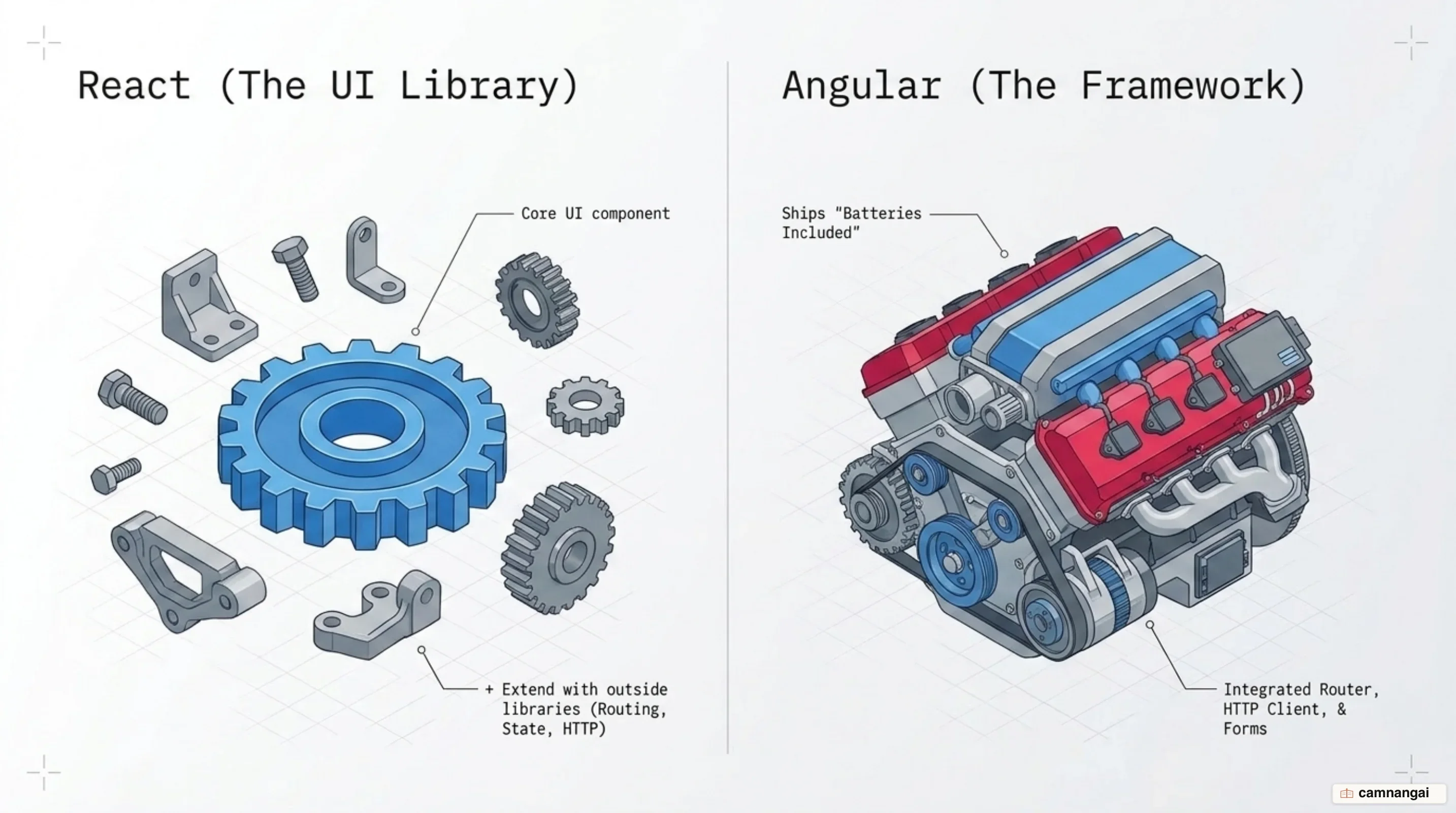
When evaluating Angular against its competitors, your primary trade-off is "Convention over Configuration" versus "Flexibility", and I read that as a question about your team more than about your code.
- Philosophy: React is a UI library focused on flexibility, so you bring in your own libraries for routing and state. Angular is an all-inclusive framework that provides these tools out of the box to ensure team-wide consistency.
- Adoption: React has higher general adoption at 46.9% among professional developers, while Angular holds 19.8% and Vue 18.4% — with Angular concentrated in enterprise sectors where strict TypeScript enforcement is prioritized.
- Performance: React uses a Virtual DOM. Angular interacts with the real DOM but optimizes
performance through the Ivy engine and
OnPushchange detection, which bypasses unnecessary checks. - CMS Integration: Both frameworks integrate with headless CMS systems like Strapi v5. While
React users may rely on
fetchorAxios, you typically use Angular'sHttpClientto manage content as observable or signal-based streams.
When should you choose Angular?
Choose Angular for large-scale enterprise applications where long-term maintainability and strict architectural standards are required. It is the strongest fit for data-heavy projects with complex forms, and for multi-team environments that demand consistency.
If your project requires a structured foundation, built-in security like automatic input sanitization, and a clear path for scaling complex systems like ERP (enterprise resource planning) systems or banking platforms, Angular is the stronger engineering choice. If you value a small starting surface and the freedom to pick your own libraries, the structure Angular imposes will cost you more than it returns.
References
- What is Angular? • Angular
- Essentials • Overview • Angular
- Announcing Angular v22 — Angular Blog
- What's new in Angular 22.0? — Ninja Squad
- Angular (web framework) — Wikipedia
- The Latest in Angular Change Detection — angular.love
- How dependency injection works in Angular — LogRocket Blog
- React vs. Angular: Ultimate Framework Comparison — Strapi
- Technology | 2025 Stack Overflow Developer Survey