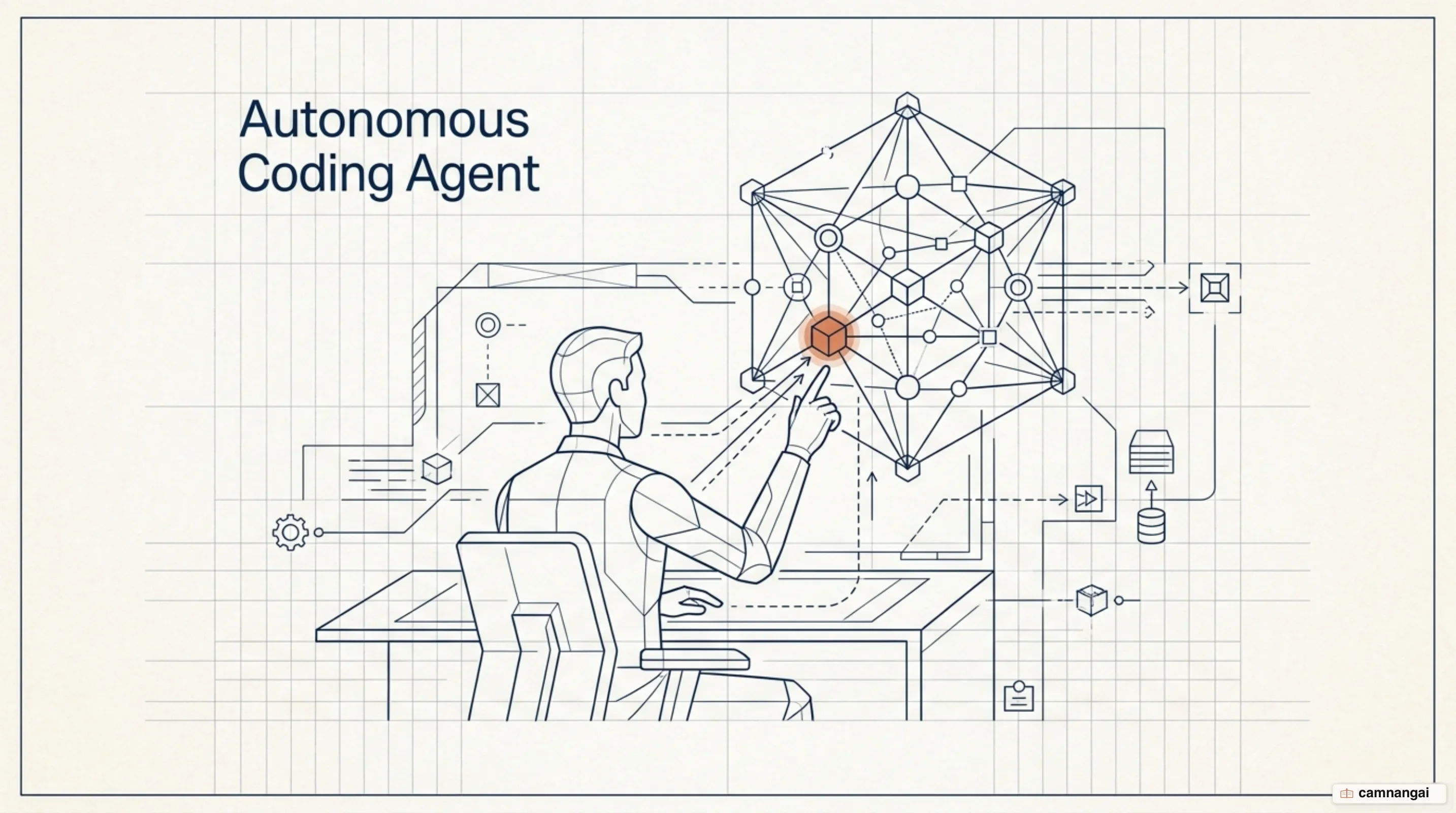
Using Claude Code well means giving up the part of the job most engineers enjoy: writing the implementation yourself. You own the architectural "what," while Claude Code handles the "how" through autonomous tool use and execution. Claude Code best practices come down to a clean context window, verification signals the model can check without you, and enough domain expertise to earn longer action chains. Get those right and the job stops being syntax and becomes an implementation cycle you run.
The shift is from editor to director. You stop building features character by character and start supplying constraints, verification criteria, and the first architectural plan. Claude works the agentic loop from there: read the codebase, propose changes, iterate until your criteria pass. The director's chair is less comfortable than it sounds. You lose the small satisfaction of typing the fix, and you inherit the harder job of stating exactly what "fixed" means. This asks you to think in outcomes and evidence rather than logic and flow.
You decide what to build, Claude decides how
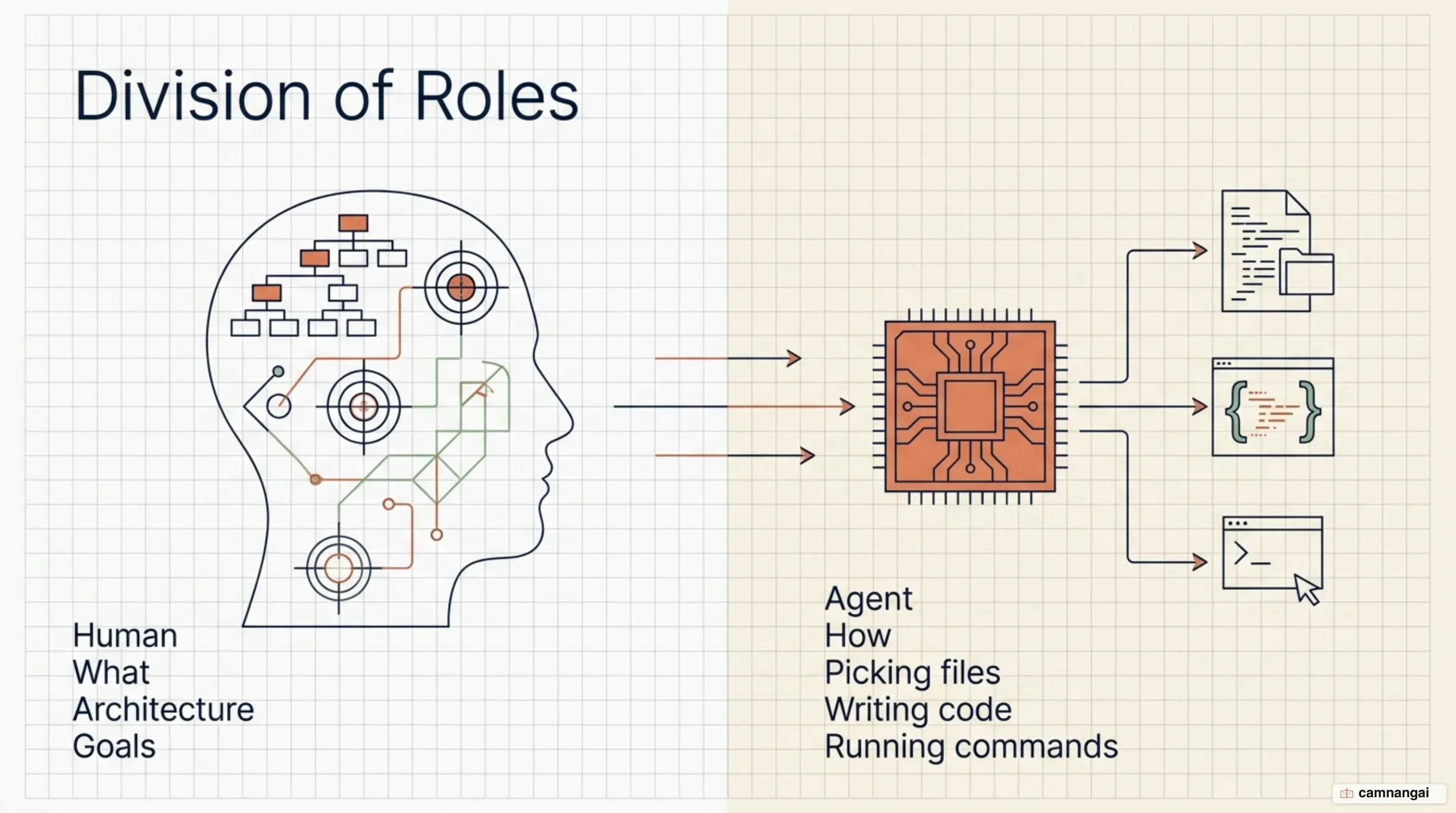
Agentic coding runs on a strict division of labor, and the numbers are lopsided. Analysis of roughly 400,000 Claude Code sessions shows humans making 70% of all planning decisions, such as defining the technical approach and setting "done" criteria, while Claude handles 80% of the execution decisions: file selection, syntax, the exact command to run. You are the architect; the agent grinds through the repository's mechanical details. That split is sharper than it feels from inside a session, where the two blur into one conversation.
How much the arrangement amplifies you depends on your domain expertise. Coding proficiency is the baseline; framing the problem precisely is what drives output. High-signal directions buy longer autonomous action chains, and the gap is measurable: a novice prompt averages 5 actions and 600 words of output, while an expert prompt, precise about framing and verification, averages 12 actions and 3,200 words.
Domain knowledge is what lets the agent run without stopping to ask. Catch the edge cases while planning, hand Claude a clear recovery path when a command fails, and it keeps working instead of stalling on an ambiguity. The agent does not replace expertise, it amplifies it. The more understanding you bring in, the more work comes back per instruction, and the more of your own time stays on the problem instead of the implementation.
As sessions move toward end-to-end use, the tool stops looking like a debugger and starts looking like an operator: deploying code, analyzing data, running automated pipelines. That raises the bar on you — it does not lower it. If you cannot state the intended outcome, the agent will not reach it. Which is the encouraging part, oddly enough: proficiency in your specific domain gets you almost as far as deep technical mastery.
Context is a finite resource — how do you manage it?
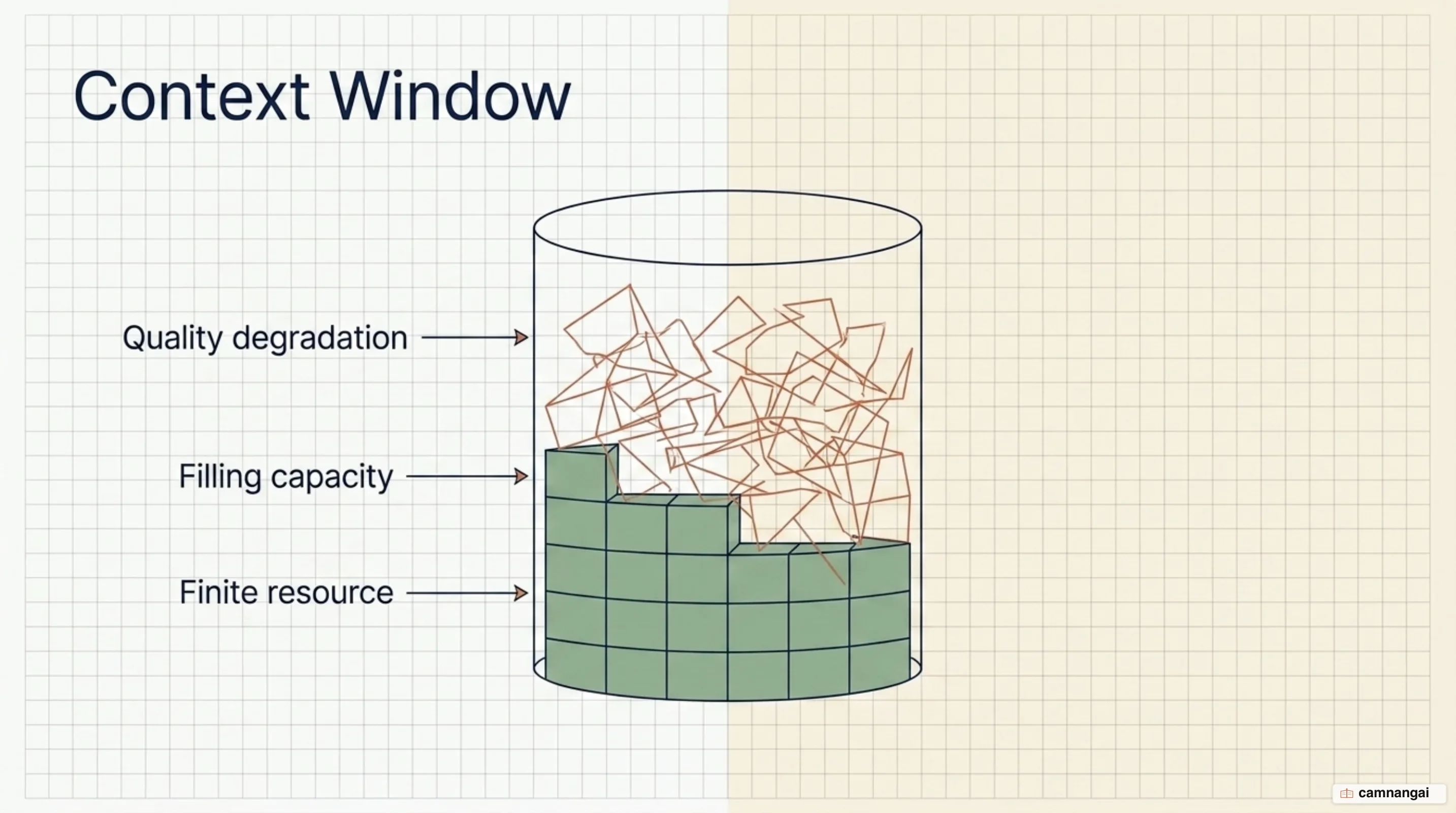
The context window is the resource that runs out, and it degrades well before it fills. Because the transformer architecture creates n² pairwise relationships between tokens, the model's ability to recall specific details decreases as the token count grows. That is "context rot." The attention budget is finite, and every irrelevant log line or stray file read spends part of it; the bill arrives later as a long-range reasoning failure, or an instruction from the top of the session quietly dropped. Manage the budget the way you would manage memory in a high-performance system.
Compaction is the built-in defense. When a session nears its limit, Claude summarizes the history to preserve architectural decisions and unresolved bugs while discarding redundant tool outputs. In Claude Code, that summary also preserves the last five accessed files, so you do not lose your place. You can trigger it yourself with the /compact command, and use /btw for side questions you want kept out of the persistent conversation history.
Retrieval should be just-in-time. Rather than pre-loading every file into the session, let Claude pull context as it needs it, using file paths, grep, and glob. It is closer to how you actually read a codebase: an index, not the whole thing held in your head. And when the task changes, be aggressive with /clear. A reset context stops yesterday's debugging cycle from steering today's feature.
Then there is "Imperfect Recall." In collaborative environments, the "deletion hazard" (the risk of a project requirement being accidentally removed or ignored) actually falls as the number of maintainers rises, and your sessions behave the same way. Persist the rules in CLAUDE.md, push research into specialized subagents, and the main session stops turning into a "kitchen sink" that degrades on its own. What you want is the smallest set of high-signal tokens that still produces the outcome you are after.
Keep the context window lean in a long session
/clear and /compact are the blunt instruments. The finer control is knowing where you stand before quality drops. Watch consumption with /usage or a custom status line and intervene around 70% capacity, because by the time the output tells you, you have already lost an exchange or two to it. The symptoms are specific: the same suggestion twice, a constraint you set an hour ago quietly ignored, an approach you already rejected coming back as a fresh proposal.
Compaction does not have to be a black box. /compact <instructions> steers the summary, so you can insist the list of modified files or the exact test command survives it. You can also compact one end of the conversation instead of all of it: from the rewind menu, "Summarize from here" condenses everything after a chosen checkpoint and leaves earlier context intact, while "Summarize up to here" does the reverse. Turning automatic compaction off hands you the timing. Do that when you know a summary is about to land in the middle of something delicate.
The rest is housekeeping — the kind that pays off over hours rather than in the moment. Keep the connected-tool list lean and load tool definitions only when they are needed; every idle MCP server costs context on every turn. Push long-running commands to the background with Ctrl+B instead of watching them scroll. And when you have to wait on a slow job, poll it with widening delays. A status check every minute for twenty minutes buys nothing that three checks would not, and it fills the window with noise.
Explore, then plan, then code
Four phases, in order: Explore, Plan, Implement, Commit. Splitting research from execution matters most on complex tasks where the architectural approach is not settled yet. Jump straight into implementation and you tend to get brittle code that ignores the patterns already in the system and the constraints nobody wrote down.
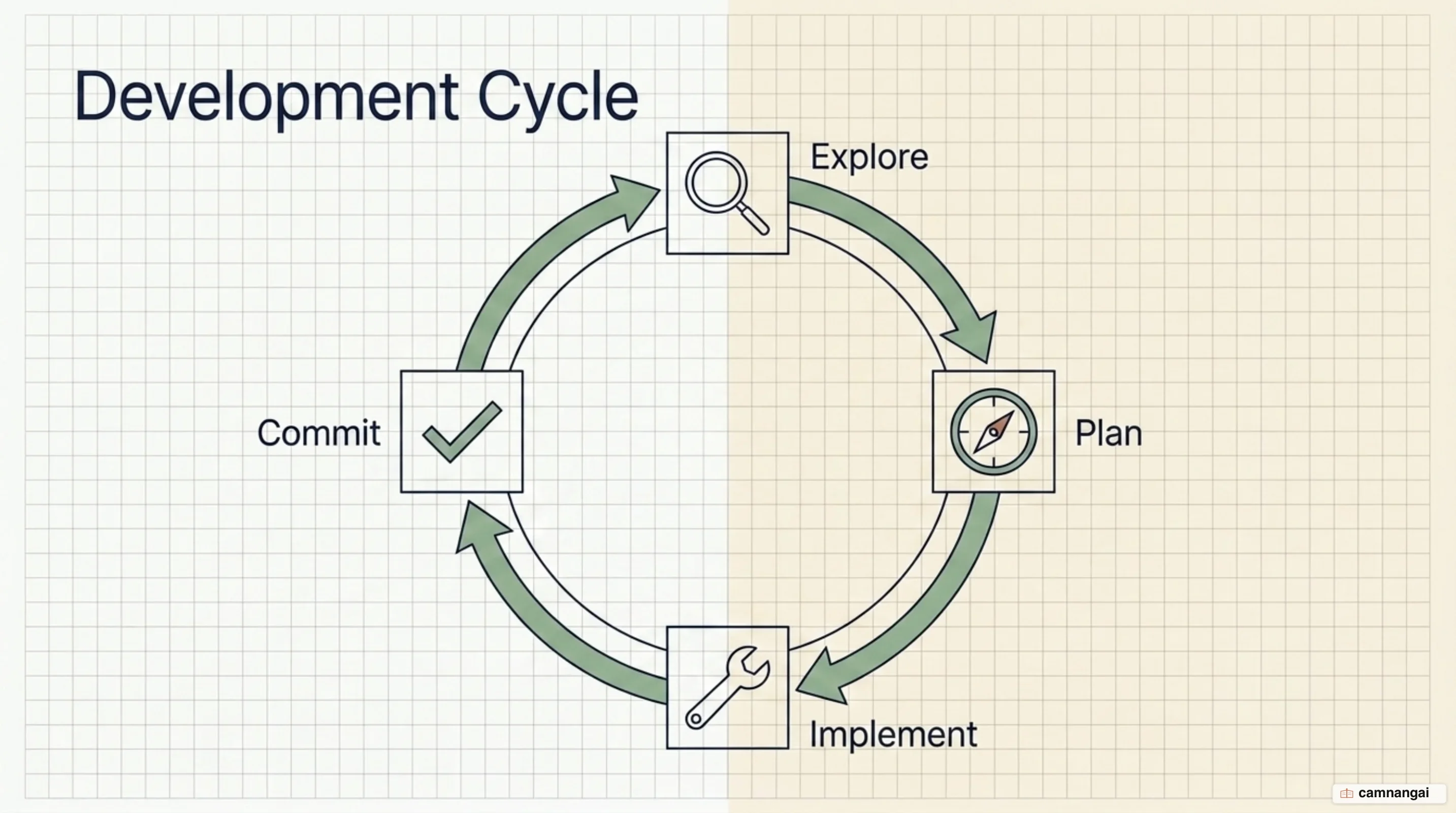
"Plan Mode" (Shift+Tab) locks the environment during research. Claude reads files and answers questions but cannot change anything, which is where you check whether it actually understood the problem, before a line of code exists. For complex migrations or feature additions, start the session there:
claude --permission-mode planOnce exploration is done, ask Claude for a detailed implementation plan and read it. Ctrl+G opens it in your text editor so you can edit it directly, and that is the primary point of control in the whole workflow. Only when the plan is sound do you leave plan mode and let implementation run. Claude executes the code changes, you verify them through tests, then you commit.
On small work the ceremony is a tax. A typo, one renamed variable, an extra log line: ask for the change directly. My rule of thumb is that if you can describe the required diff in one sentence, planning is overhead. The judgment call is weighing that overhead against the risk of an implementation that goes the wrong way.
Write prompts that carry their own context
Precision in the instruction is the cheapest correction you will ever make. Scope the task to a file and a scenario, and say what you want from the tests: "write a test for foo.py covering the case where the user is logged out, avoid mocks" gets you somewhere that "add tests for foo.py" does not. When the question is about why the code looks the way it does, point Claude at the artifact that holds the answer instead of asking it to speculate. Telling it to read a class's git history and summarize how the API came to be grounds the answer in what actually happened. And when you want consistency, name the pattern to copy: point at an existing widget implementation and tell Claude to follow it, instead of describing your conventions from memory.
Bug reports work best as symptom plus suspected location plus a definition of fixed. "Users report login fails after session timeout, check the token refresh in src/auth/, write a failing test that reproduces it, then fix it" contains a hypothesis, a search boundary, and an acceptance criterion. Compare that to "fix the login bug," which contains none of them and buys you a round of questions.
How you get content in matters as much as how you word it. Reference files with @ instead of describing where the code lives, paste or drag images straight into the prompt for anything visual, and hand over documentation URLs, allowlisting the domains you use constantly through /permissions so you stop approving the same fetch. When the input is already on disk, pipe it: cat error.log | claude beats pasting a log by hand. Better still, tell Claude to go fetch what it needs with Bash commands or MCP tools, because guessing in advance what it will want is usually wasted effort. That does not make vague prompts useless. "What would you improve in this file?" is an exploration, and it surfaces things you would not have known to ask about.
Always give Claude a way to verify its own work
An agentic loop is only as good as its verification signals. With no automated check, you are the check, reading every change by hand to catch errors. So give Claude something that comes back pass or fail: a test suite, a build exit code, a linter output. Evidence-based signals let it iterate on its own until the work is demonstrably correct, and evidence beats the model's assertion that it succeeded every single time.
Which gate you use depends on the task, and the options form a ladder rather than a switch. Whichever rung you pick, when the requirements really are ambiguous Claude can call the AskUserQuestion tool instead of guessing, so verification runs against the intent you meant and not the one it inferred.
Verification strategies
| Strategy | Description | Technical Criteria Needed |
|---|---|---|
| UI/UX Changes | Visual correctness of design | Screenshot comparison; browser DOM state; CSS property validation. |
| Bug Fixes | Root cause resolution | Successful build exit codes (0); passing unit/integration tests; log diffs. |
| Logic/Correctness | Algorithmic accuracy | Passing specific test cases; linter outputs; type-checker success. |
| Security Review | Vulnerability prevention | Clean scans from security subagents; static analysis tool reports. |
For high-stakes implementation, spawn a verification subagent: a fresh model instance that reviews the primary agent's work. A second opinion from a subagent that didn't write the code is worth more than the same model checking itself, because the verifier's job is to refute the result, not defend it. You end up with more confidence and less manual review, and your own role shifts to reading the evidence at the end.