The .claude folder is the primary configuration entry point for managing Claude Code's behavior within a repository. Efficient project management requires a hierarchical configuration structure that prioritizes low token overhead and high instruction adherence.
A high-performance setup uses a multi-layered approach: a lean, memoized root CLAUDE.md for baseline context, path-scoped rules for modularity, skills for on-demand workflows, and a settings.json for deterministic tool control. By separating instructions based on frequency of access and technical concern, you optimize the context window for actual development tasks.
Well-structured configurations prevent context drift during long-running sessions. By loading specific instructions only when they are relevant to the active file path, you minimize the risk of the model ignoring critical constraints or spending compute on irrelevant data.
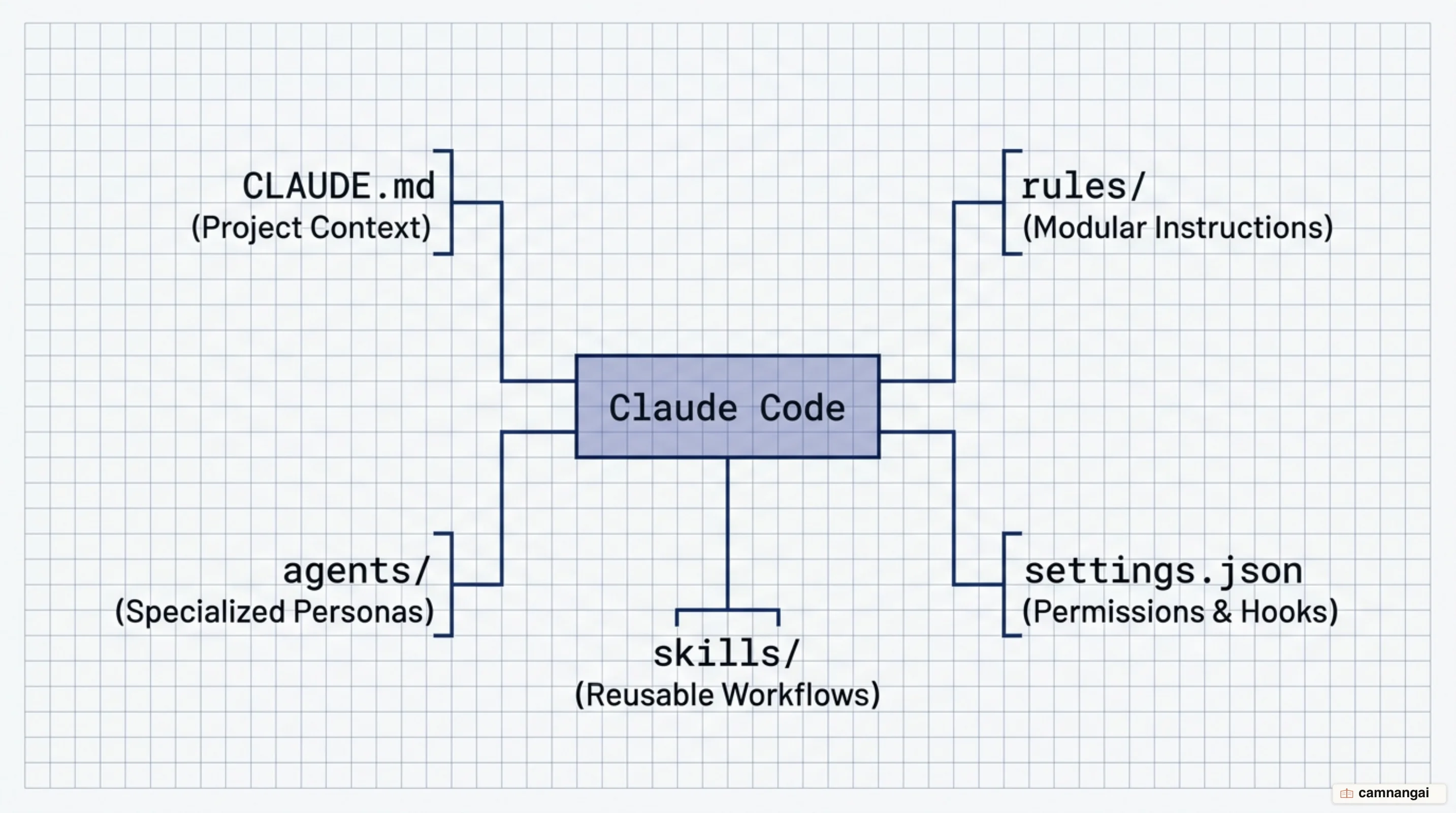
Two .claude folders: project scope and global scope
You manage two distinct .claude directories to balance team standards with personal environment needs. The project-level .claude/ directory, located in the repository root, should be committed to Git to ensure consistent behavior across the engineering team. The global ~/.claude/ directory (at %USERPROFILE%\.claude on Windows) manages personal state, including session history and machine-specific auto-memory.
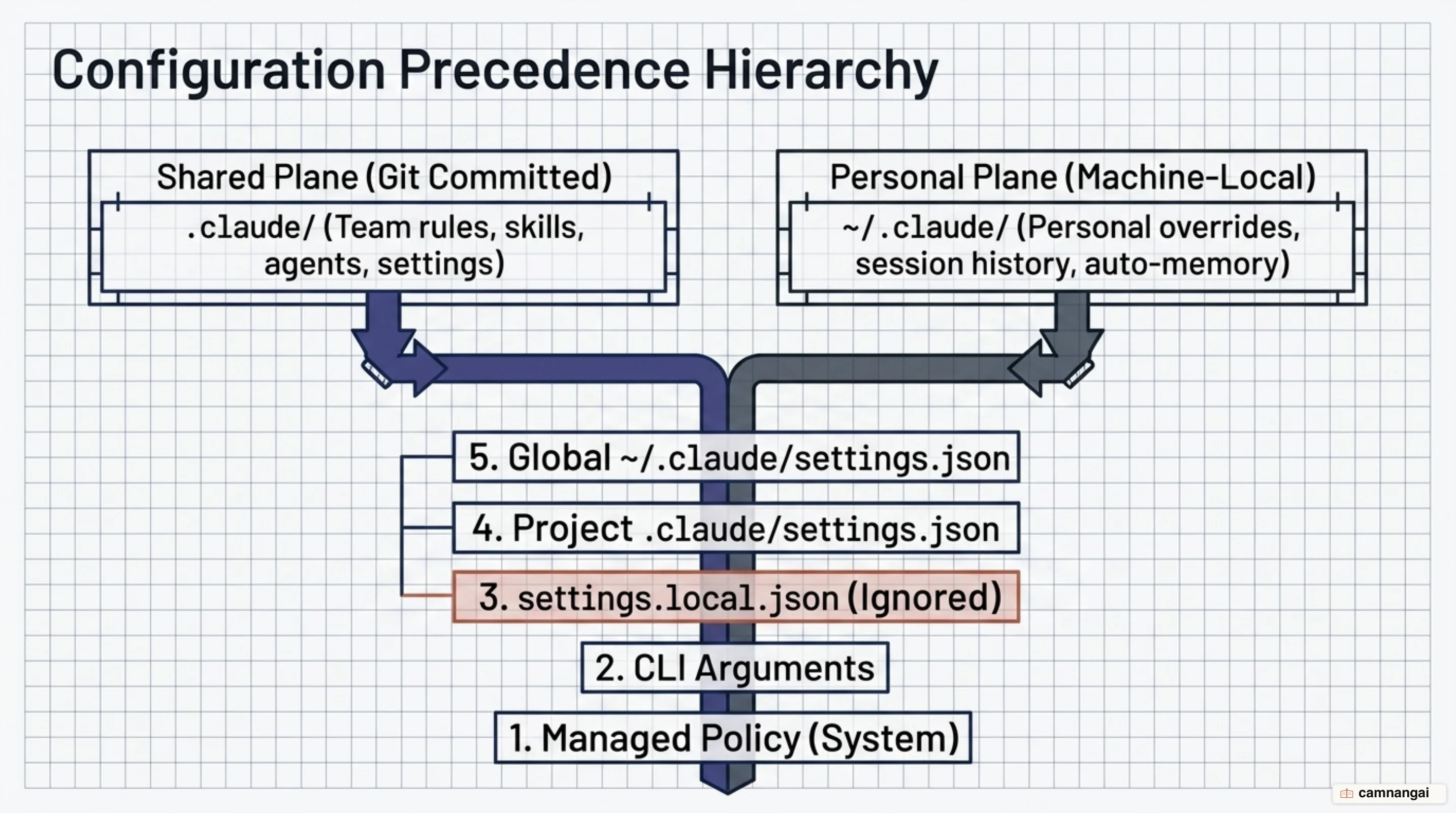
Claude Code resolves settings through a strict precedence cascade. Higher-priority levels override lower-priority configurations.
| Priority | Source | Location |
|---|---|---|
| 1 (Highest) | Managed Policy | System-level (deployed via MDM or config management) |
| 2 | CLI Arguments | Command-line flags passed at invocation |
| 3 | Local Overrides | .claude/settings.local.json |
| 4 | Project Settings | .claude/settings.json |
| 5 (Lowest) | User Settings | ~/.claude/settings.json |
For project-specific preferences that should not be shared — debug flags, local paths — use .local files. CLAUDE.local.md and settings.local.json are automatically ignored by the Claude Code Git integration, so personal overrides never pollute the shared repository.
CLAUDE.md — the foundation file, keep it under 200 lines
CLAUDE.md is the initial context for every session. It is memoized — read once and cached for the duration of the session — and the cache is only cleared and re-read after a conversation compaction. Include high-level technical data here: build and test commands, tech-stack specifics, core architecture decisions, and the critical "gotchas" Claude can't infer from code.
Strictly hold to a 200-line limit. Excessive length increases token costs and causes the model to ignore instructions. If the file grows past this limit, migrate specific conventions into path-scoped rules.
Root files load at startup. Subdirectory CLAUDE.md files (e.g. src/api/CLAUDE.md) load on demand when Claude accesses files within that path. In monorepos, this ensures teams only consume tokens for their own modules.
# Project: Analytics API

## Commands

- Build: docker-compose build
- Test: pytest
- Lint: ruff check .

## Architecture

- FastAPI with SQLAlchemy (PostgreSQL)
- Business logic lives in app/services/
- Schemas use Pydantic v2 in app/schemas/

## Conventions

- Use file-scoped dependencies for Auth
- Async methods must use the Async suffix
- Return types must use the ApiResponse wrapper