Claude Code usage limits run on two independent counters: a five-hour rolling window that governs bursts, and a weekly cap measured in active compute hours
and hitting either one throttles your access until that specific window resets.
This pool is not isolated to the CLI. It is a shared bucket across Claude Code, the Claude.ai web interface, and Cowork, so a heavy morning of web chat directly shrinks what your terminal has left in the afternoon. Optimizing is not about typing less.
It is about not paying for context Claude never needed in the first place.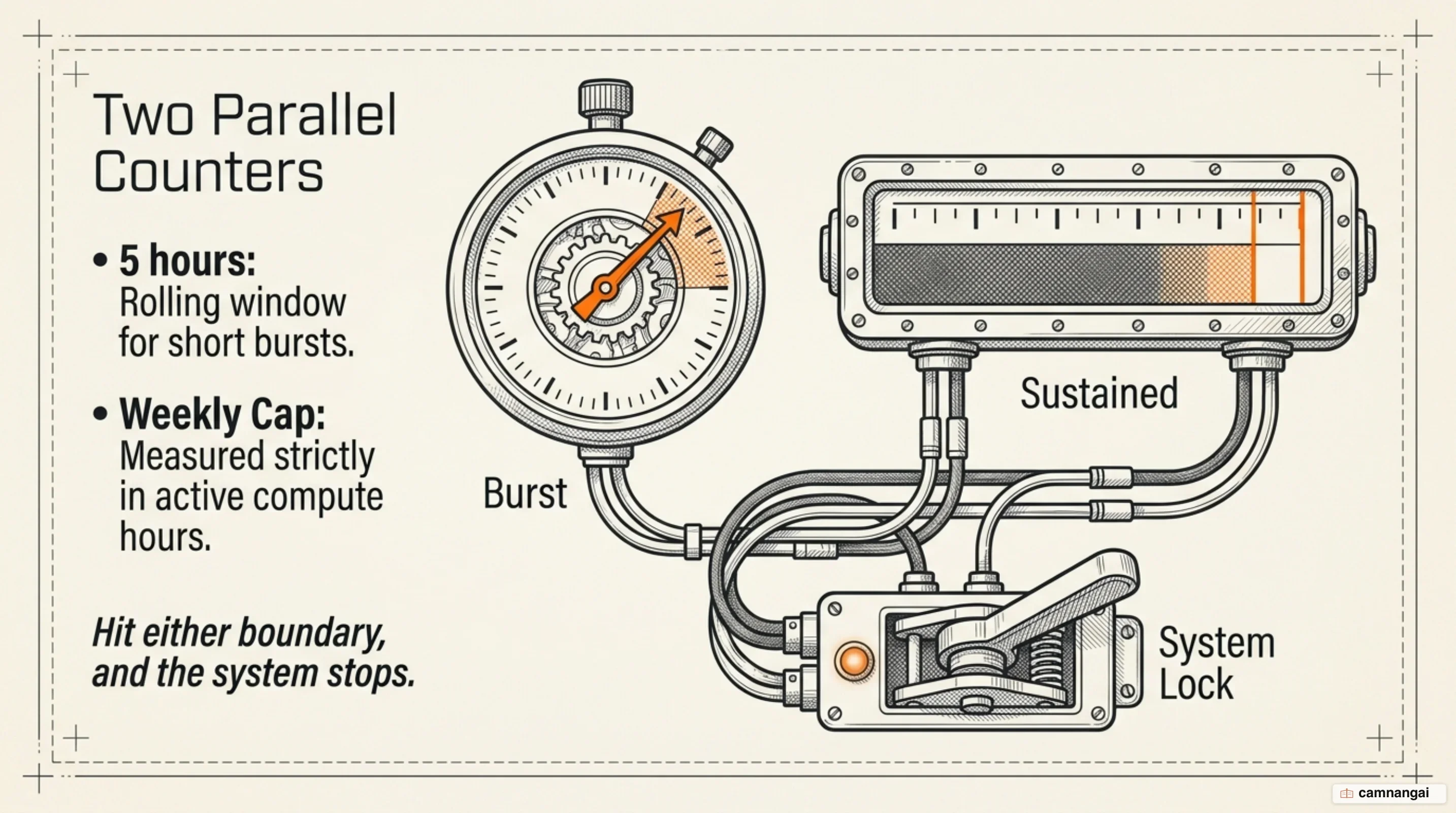
What the quota counts, and why a full context window is not a usage limit
You have to separate two things that fail in completely different ways. The context window is how much text the model can hold in a single conversation, up to 1M tokens on some paid plans. The usage quota is the metered allowance for total work performed over time. You can have plenty of context space left and still be locked out, because the quota tracks cumulative compute across every session you run.
The two counters work differently. The five-hour rolling window limits prompts based on context length and model choice, resetting five hours after your first prompt in a session. The weekly cap is measured in active compute hours, meaning time when the model is genuinely processing tokens or reasoning. Time you spend reading output or browsing files does not count against it.
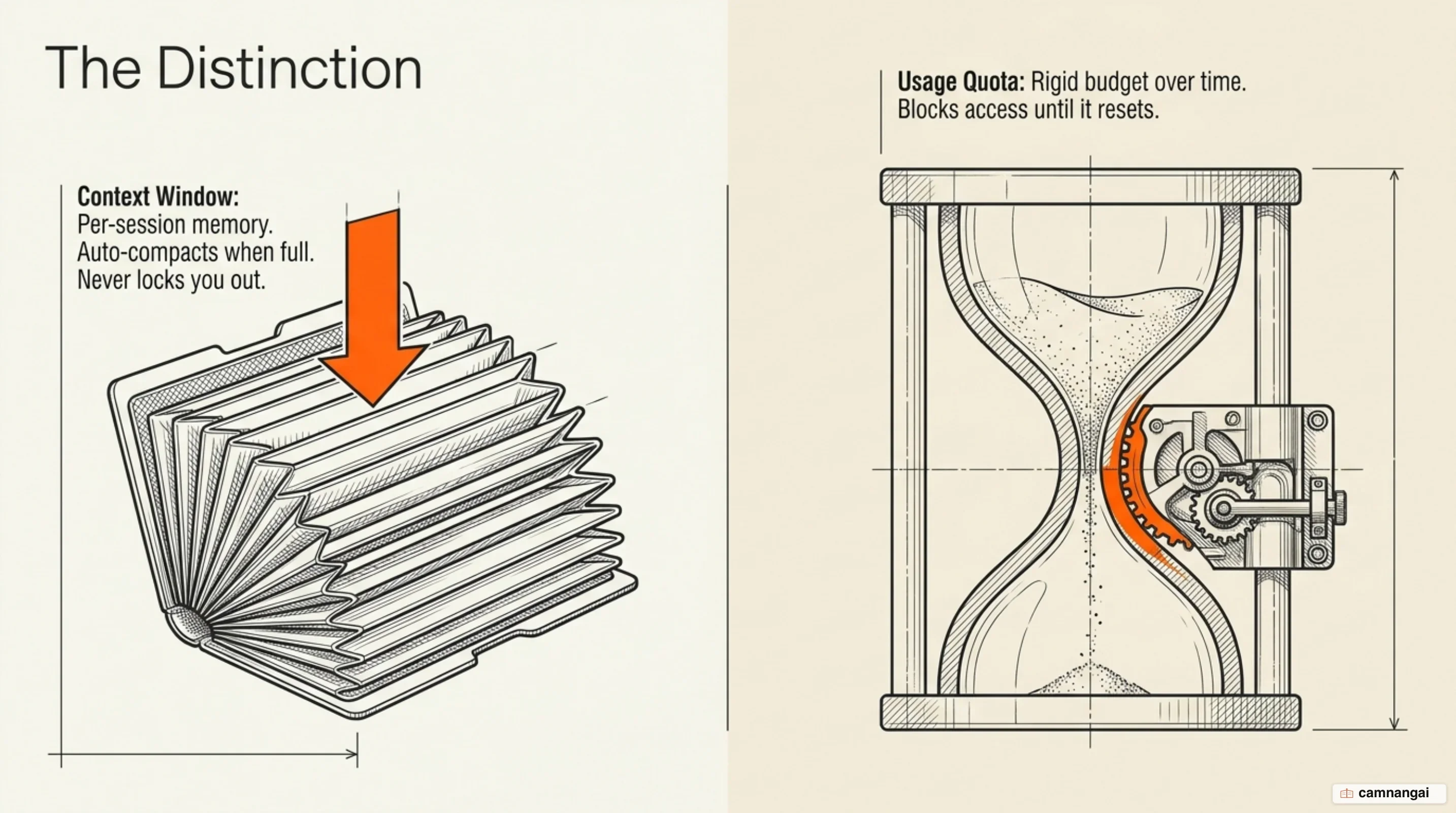
This is where most people get confused, and Anthropic's documentation states it plainly: a context or auto-compact warning is not a usage limit. When your context window fills, Claude Code summarizes older history to free space and you keep working. When your quota runs out, you stop until the window resets. Different problem, different fix.
One caveat before you trust any number you read online. Anthropic does not publish exact token quotas. It publishes multipliers: Pro at 1x, Max at 5x and 20x. Every "45 prompts per five-hour window" figure in circulation is a community estimate, not a specification, and it shifts with your context length and model choice.
One more piece of old advice is worth retiring: "work off-peak" is no longer the fix. In May 2026 Anthropic doubled the five-hour limits across paid Claude Code plans and removed the peak-hours reduction entirely for Pro and Max. Any guide still telling you to code at midnight to stretch your quota is out of date. Hitting the wall today is almost always a workflow problem, not a scheduling one.
Why your usage drops fast even when you type very little
The primary driver is context accumulation. Every message you send resends the entire conversation history, every file currently loaded, and all tool definitions. The 50th turn in a session is dramatically more expensive than the first, which is why a one-line question late in a long debugging session still draws heavily on your quota. Prompt caching softens this — repeated content bills at the cheaper cache-read rate — but the volume is still traveling with every request.
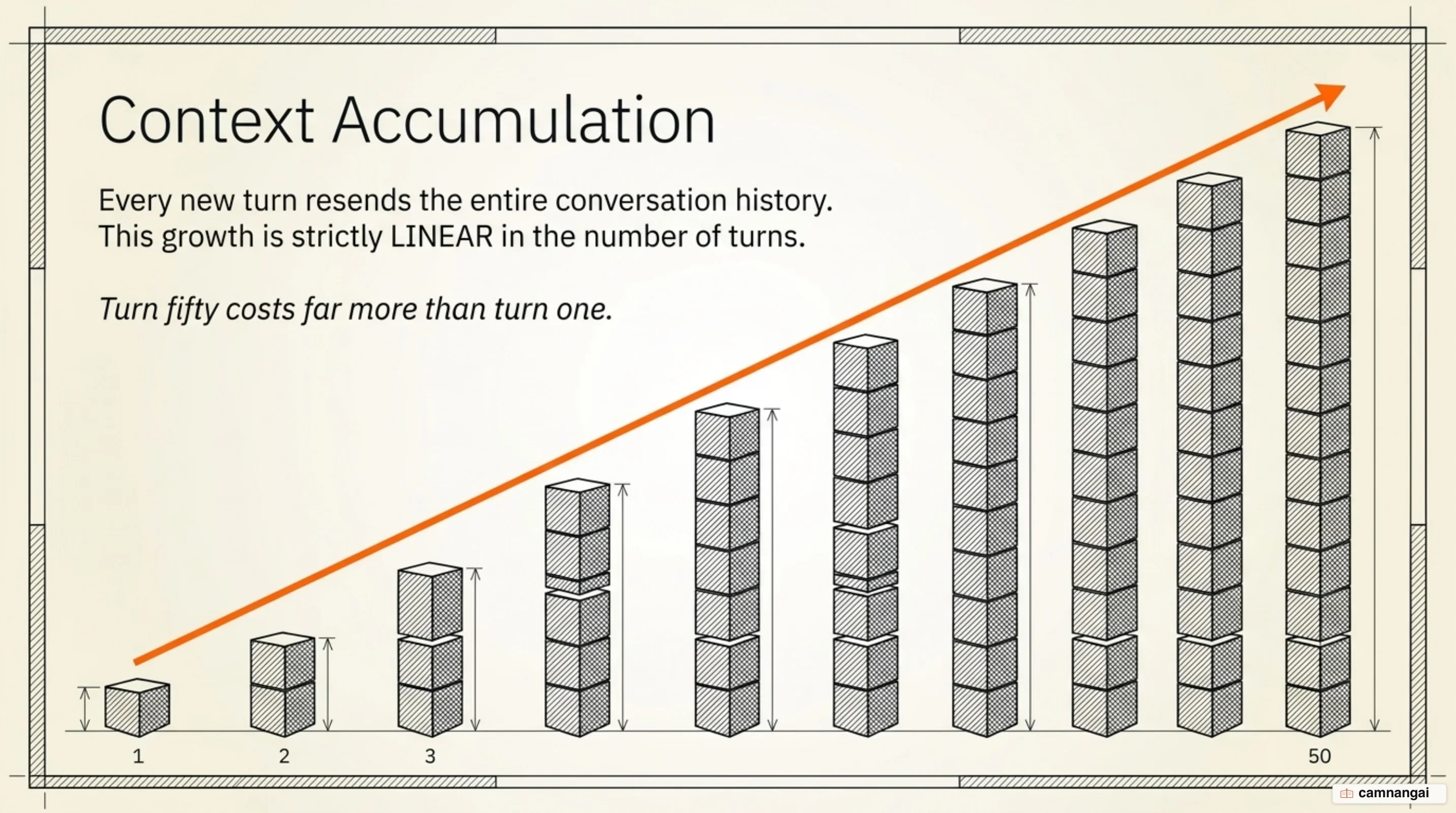
The mental model that helps most: the scoreboard is context weight, not message count, meaning the mass of old history, files, memory, and tool definitions Claude has to carry into the next turn. Dump a log file into turn one of a thirty-turn session and you do not pay for it once. You pay for it thirty times.
A few things consume disproportionately. Agent teams use roughly 7x the tokens of a standard session when teammates run in plan mode, because each teammate maintains its own context window and runs as a separate instance. Pasting file contents directly into the terminal is far more expensive than referencing a path, because whatever you paste sits in context in full for the rest of the session. And leaving Opus as your default burns premium compute on work Sonnet handles at a fraction of the cost.
There is also a quiet baseline. Background conversation summarization for the resume feature and status-checking commands consume a small amount even when you are idle, typically under $0.04 per session. Individually trivial; worth knowing about when you are auditing where your week went.