Model selection is an optimization problem across three variables: intelligence, speed, and cost.
To choose the right AI model, you have to look past leaderboard hype and write down what your workload actually needs.
The "best" model is rarely the smartest one available; it is the cheapest one that still clears your performance bar.
In a production pipeline, judge models by Pareto efficiency. Match the complexity of a task to what a model is actually good at — deep reasoning, long-context retrieval, or high-throughput generation — and you cut real waste out of your weighted average cost.
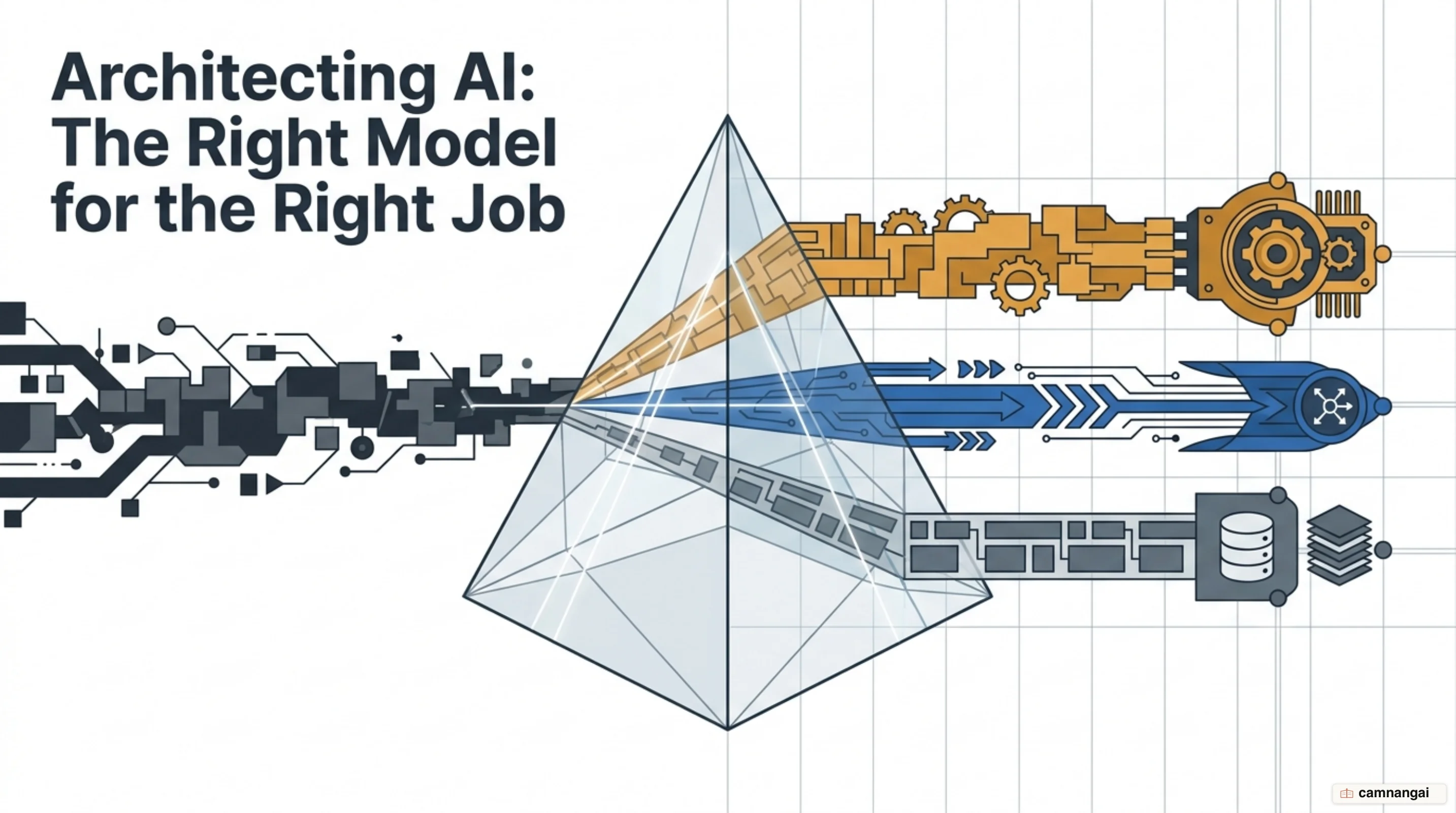
Why is there no single "best" AI model?
There is no universal "best" model because peak reasoning and raw throughput pull against each other. On the Artificial Analysis Intelligence Index v4.1, Claude Opus 5 (max) leads at 61, with Claude Fable 5 (max) at 60 and GPT-5.6 Sol (max) at 59 — the models you reach for on complex agentic work. That intelligence costs you both time and money.
The speed leaders go the other way and optimize for volume. Mercury 2 pushes close to 978 tokens per second, and the chasing pack — Gemini 3.5 Flash-Lite among them — sits around 409. They are efficient for real-time applications, but they don't have the reasoning depth for the hardest scientific or logic problems. Run it in reverse — a top-tier reasoning model on a high-volume, low-complexity task — and you burn resources for nothing.
Then there is the price gap. Claude Opus 5 (max) leads on agentic knowledge work at a weighted average cost of $2.03 per task. DeepSeek V4 Pro (max) still scores 44 on the index while charging $0.435 per 1M input tokens — roughly $0.18 per 1M on a blended basis. Reaching for the most intelligent model by default ignores how often a "good enough" model does the same job for an order of magnitude less.
Start from your constraints, not the leaderboard
Model selection starts with your own constraints, not with the top of a general leaderboard. A legal Q&A system needs high precision and a long context — often up to 1M tokens — to work through dense procedural manuals. What that actually demands is recursive navigation: split the document into 20 equal chunks that respect sentence boundaries, and keep a scratchpad of the decision criteria as the model drills down through the document hierarchy.
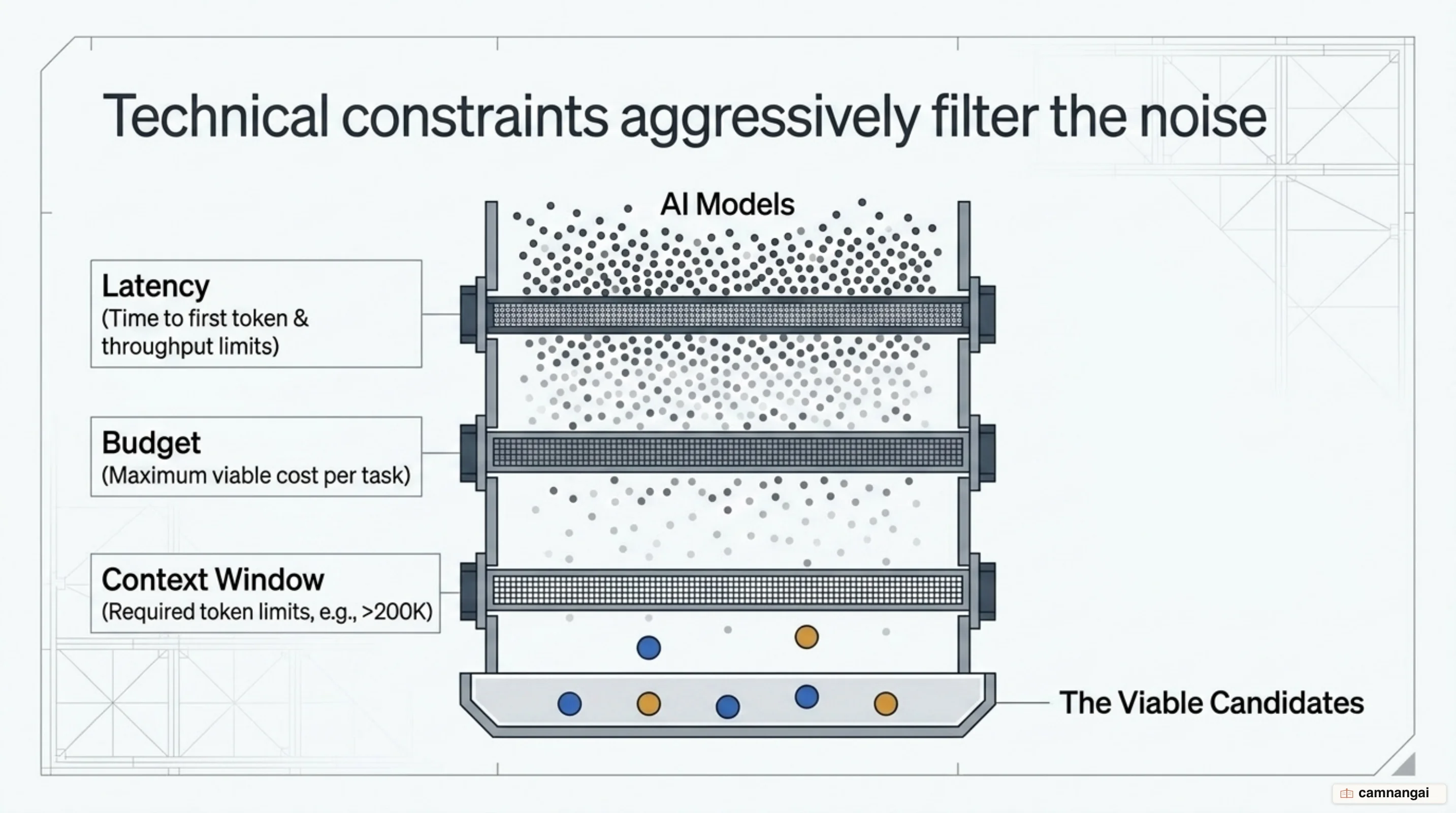
Skip that analysis and you fall into the default-model trap. Many teams reach for a flagship model like GPT-5.6 Sol (max) on brand recognition alone, and pay $1,500 a month for API calls a more efficient model could have handled. Work out the weighted average cost — it accounts for input, cache hit, cache write, reasoning, and answer tokens — and you can see exactly where you are overpaying by 5-10x.
So decide which one you are optimizing for: accuracy, latency, or cost. For damage cost estimation you may want the best reasoning available and not care how long it takes. For a customer support bot, latency and cost per response are the metrics you cannot move on.
Quality, speed, cost: where should you start?
To tune your pipeline you need the Pareto frontier — the set of models where no other model is both cheaper and better on a given metric. The Artificial Analysis "Intelligence Index vs. Cost per Task" chart, on a log scale, shows that most models on the market are a bad deal: for almost any model you pick, something cheaper matches or beats it.
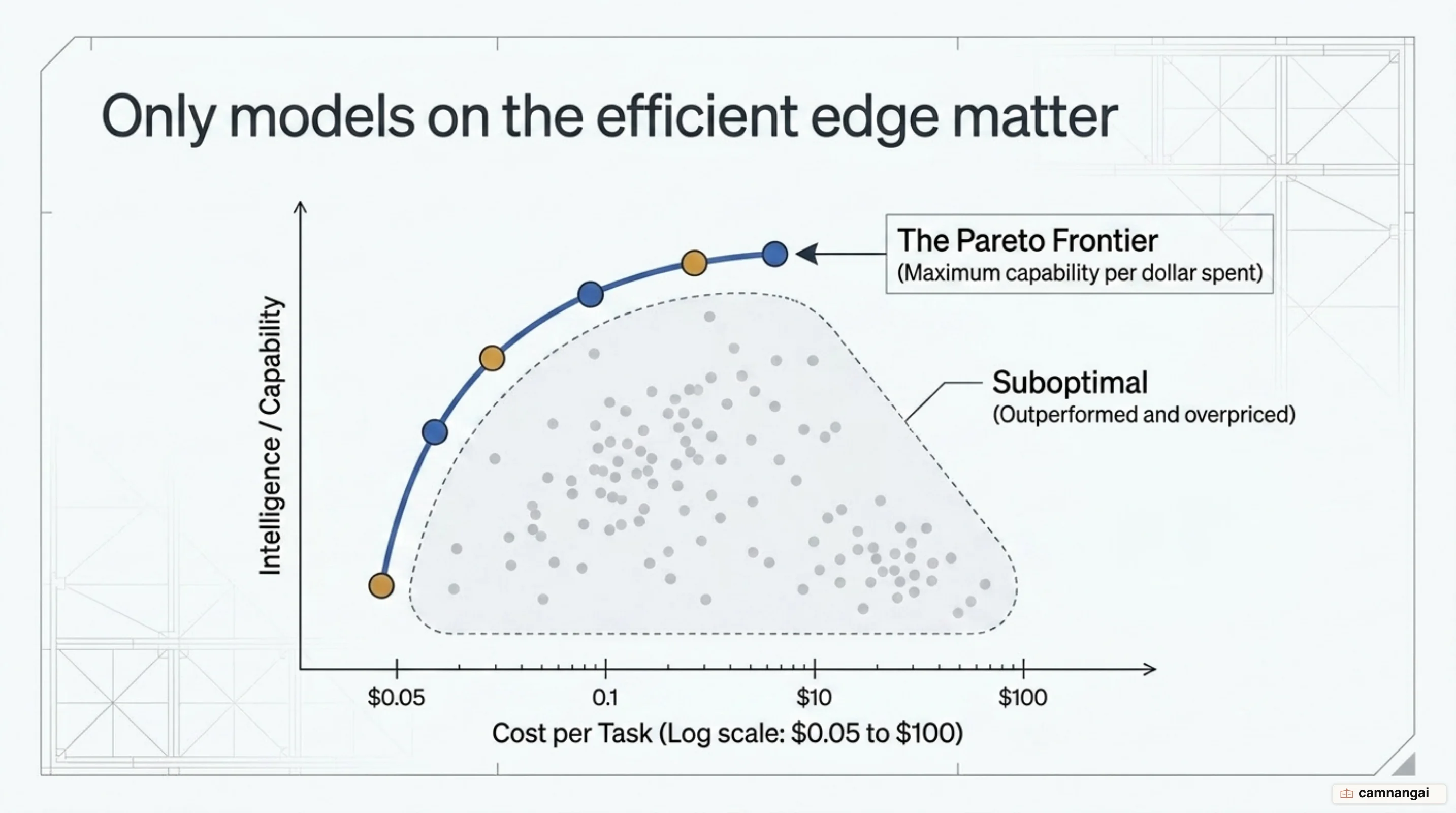
You are aiming at one quadrant — high intelligence, low weighted average cost per task. The
trade-off shows up inside a single model, not just between models. On AA-Briefcase, Claude Opus 5 at
high effort scores 1606 Elo at $10.41 per task; at max it reaches 1720 Elo but costs $17.79.
That is 71% more money for 114 Elo, and it only pays off if your task actually lives in that
margin — which is why effort settings are a budget lever you manage deliberately.
Starting at max effort for bulk triage or catalog enrichment is a design mistake. Escalate only when a cheaper model or a lower effort setting can't reach the accuracy you need. Check the log-scale chart to see where a model sits against its peers before you commit to it in production.
How do you read benchmark leaderboards properly?
Reading a leaderboard properly means looking underneath the headline Elo scores. The Artificial Analysis Intelligence Index v4.1 is a composite of specialized evaluations, including GDPval-AA v2 for agentic work, 𝜏³-Banking for tool use, and SciCode for coding. A model might rank high on GPQA Diamond (scientific reasoning) but struggle with AA-LCR (long context reasoning).
The icons carry information too. A lightbulb marks a reasoning model — Claude Opus 5 and Kimi K3, for example — which uses adaptive reasoning to work through multi-step problems. Keep those separate from general-purpose models: on long-horizon tasks, measured by the AA-Briefcase benchmark, they score well above the standard ones.
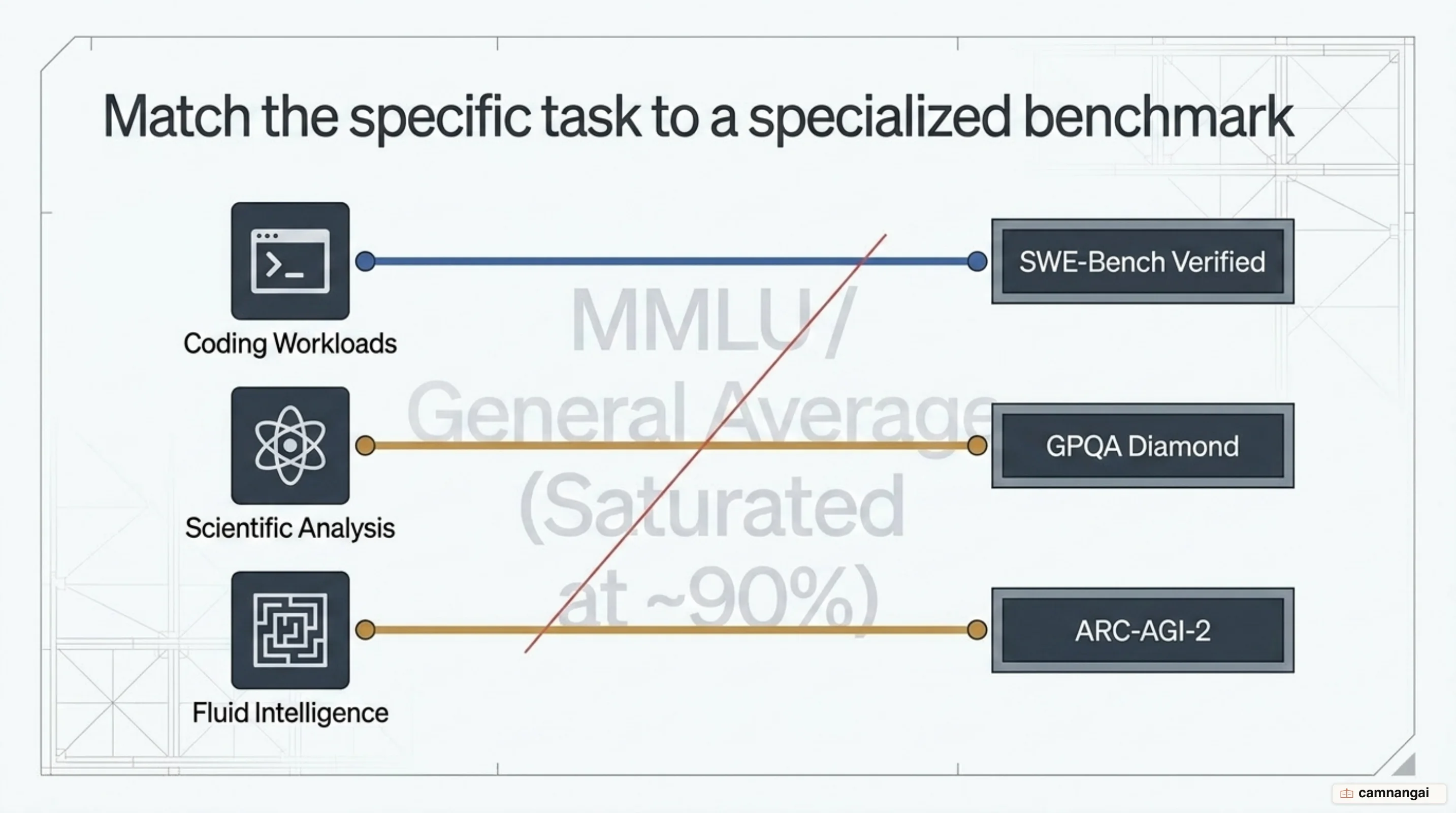
A specialized index usually tells you more than a general one. If your workload is mostly software engineering, read the Coding Index first. There, Claude Opus 5 (xhigh) running Claude Code is joint first and holds the highest score on SWE-Atlas-QnA. Even inside coding the answer moves, though: Kimi K3 takes the top spot on the Frontend Code Arena. Picking a model on its general MMLU score when the job is Python generation is a common mistake, and an avoidable one.
Benchmark on your own workload
General benchmarks are rough indicators. They do not tell you how a model will handle your damage cost estimation prompt or your Playwright data extraction prompt. Run your own five-step benchmark instead:
- Collect real examples: pull actual support chats or production prompts out of your own systems.
- Define expected output: write a golden set of ideal responses for those examples.
- Create a dataset: combine your prompts with the expected answers in one standard format.
- Run all models: aggregators like OpenRouter let you test your dataset against 100+ models at once.
- Score with LLM-as-judge: use a strong model to score the responses. Make the judge give the reasoning behind the scores so you can refine the prompt from there.
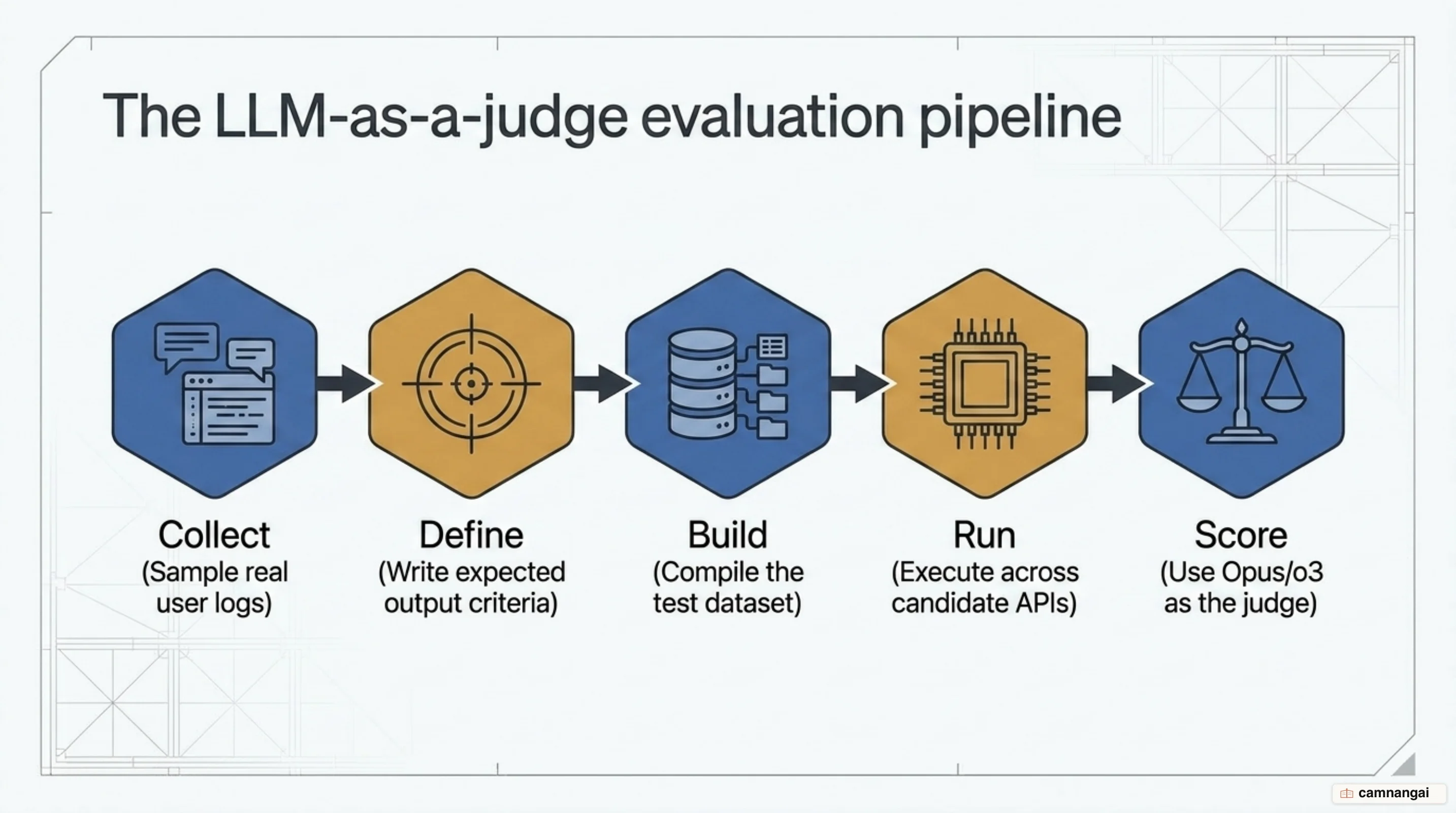
The LLM-as-judge pattern scales to hundreds of responses. With the reasoning attached to each score, you can see why a model misses the quality bar on your own dataset — which makes its public leaderboard rank beside the point for your use case.
Which model is strong at what right now?
Current models cluster by peak capability area:
- Coding: Claude Opus 5 (xhigh) running Claude Code is joint first on the Coding Index, with the highest score on SWE-Atlas-QnA. Kimi K3 leads the Frontend Code Arena.
- Reasoning and logic: Claude Opus 5 and Claude Fable 5 top the Intelligence Index at 61 and 60. On AA-Briefcase, Opus 5 leads at 1720 Elo — 146 ahead of Fable 5, which held that spot until Opus 5 shipped.
- Multimodal and vision: for work like insurance OCR, split it into two stages. Stage 1 runs the pages through a high-fidelity vision pass to extract the text; stage 2 hands the result to a cheaper reasoning model for validation, so you only pay frontier prices for the step that needs them.
- Long context: Claude Opus 5 carries a 1M-token context window, which is what lets you work through huge document sets with no preprocessing. AA-LCR is the benchmark to read for this.
When should you route instead of picking one model?
In production you rarely want to rely on a single model. The RouteLLM framework lets you send simple queries to a weak model and call the strong one only when you have to. The original paper paired Mixtral 8x7B and Llama 3 8B against GPT-4; today you would drop DeepSeek V4 Pro, Claude Haiku 5.5 or a Flash-tier model into the cheap slot and Claude Opus 5 into the expensive one. A router works out how complex an incoming query is, then assigns it.
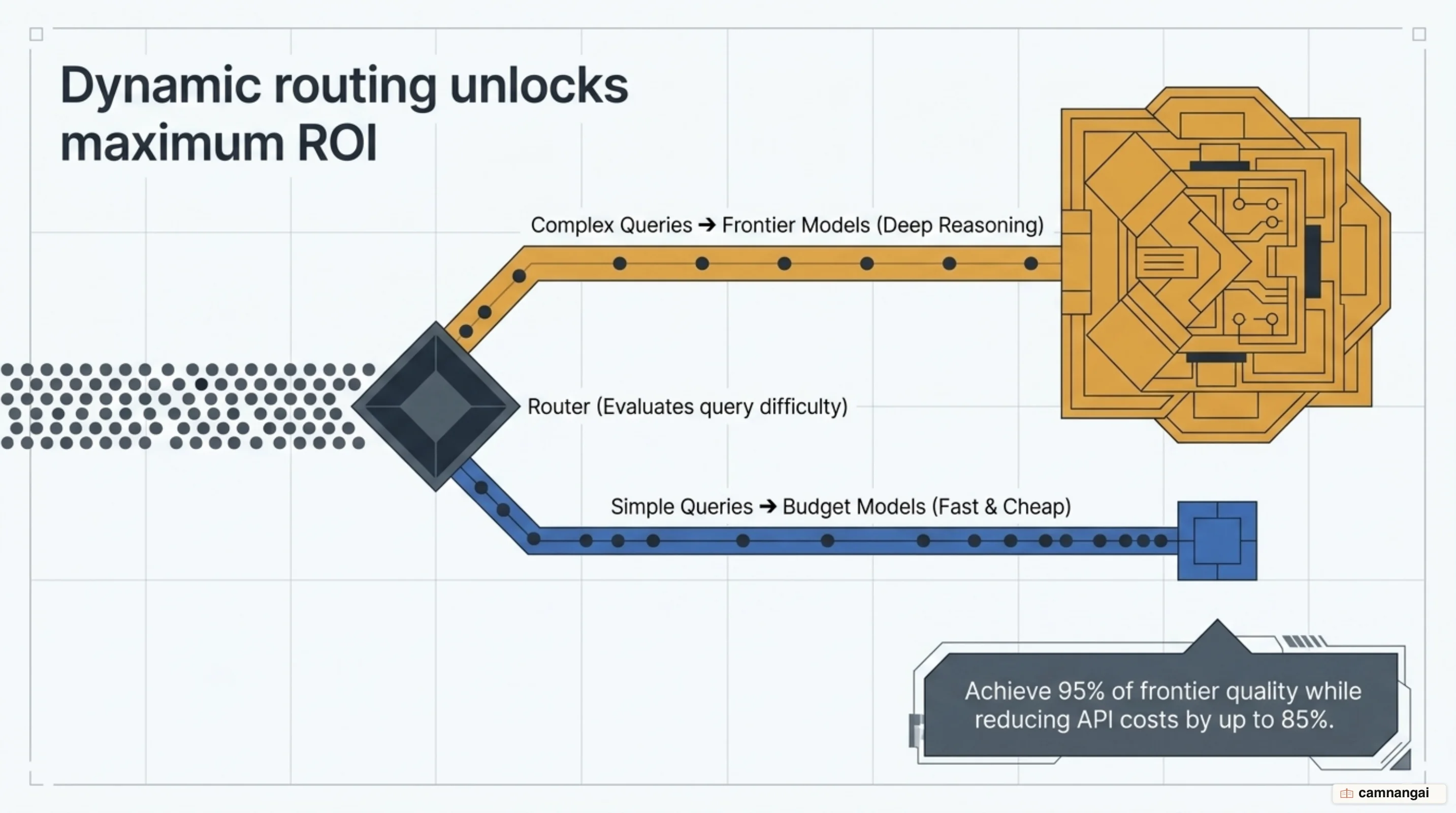
In that 2024 study, routing achieved 95% of GPT-4's performance while reducing costs by over 85% on MT Bench. It learns model strengths from preference data using methods like similarity-weighted ranking and matrix factorization, and because it generalizes across model pairs, the result still holds after several model generations. With a router in place, you stop paying frontier rates on a query that a model costing a fraction as much answers just as well.
Choosing a model is not a one-time decision
Treat model selection as a running process. Your prototype-to-production checklist has to include
version pinning — a dated identifier like claude-haiku-4-5-20251001 — so you don't wake up to a
silent performance drift or an unexpected spike in your weighted average cost.
The field moves fast: DeepSeek made a 75% price cut permanent and moved V4 Pro onto the Pareto frontier, and new inference optimizations cut costs week over week. Keep an automated eval suite and you can swap models as soon as a more efficient option reaches the Pareto frontier. A second judge model checking the output is the most reliable way to hold quality in production; it catches hallucinations before they reach the end user.
References
- Choosing the right model — Claude Platform Docs
- Practical Guide for Model Selection for Real-World Use Cases — OpenAI Cookbook
- Choose the Right AI Model for Your Workload — Azure Architecture Center
- LLM Evaluation Benchmarks: What They Measure & Miss — LangChain
- AI Model & API Providers Analysis — Artificial Analysis
- Claude vs ChatGPT vs Gemini Compared (2026): 6-Round Scorecard — TeamAI
- RouteLLM: An Open-Source Framework for Cost-Effective LLM Routing — LMSYS Org
- LLM Selection Guide 2026 — Iternal
- Without Benchmarking LLMs, You're Likely Overpaying — Karl Lorey