You reduce Claude Code token usage by up to 90% by integrating CodeGraph to eliminate the "exploration tax." Most AI agents waste much of their token budget flailing through a repository, reading files sequentially via grep and glob to locate symbols. This process fills your context window with redundant data, driving up per-turn costs while leaving less room for the model's actual reasoning.
CodeGraph is a local-first knowledge graph that feeds the agent context over MCP. By pre-indexing your codebase into a structured map, the agent can retrieve entry points and related symbols in a single tool call. That way your tokens go to engineering logic instead of expensive, repetitive file discovery.
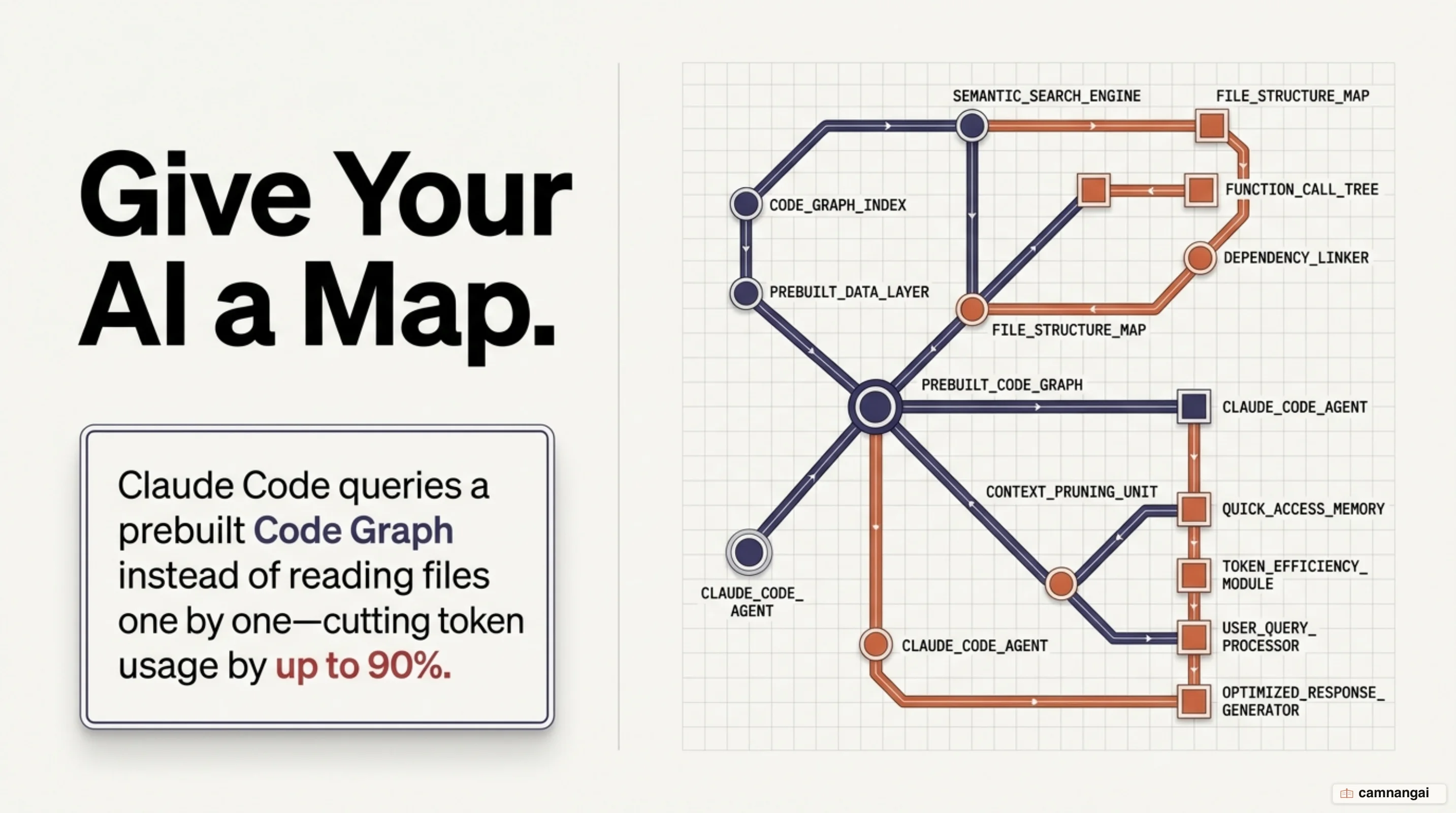
Why does Claude Code burn so many tokens?
The primary driver of high costs is the "exploration tax." When you ask a question about an unfamiliar codebase, an AI agent lacks a persistent mental map. It must identify where relevant code lives by spawning sub-agents that crawl through files using grep, ls, and read commands. This process is sequential and repetitive; for a single architecture question, an agent may perform 50 to 60 tool calls just to locate the necessary symbols.
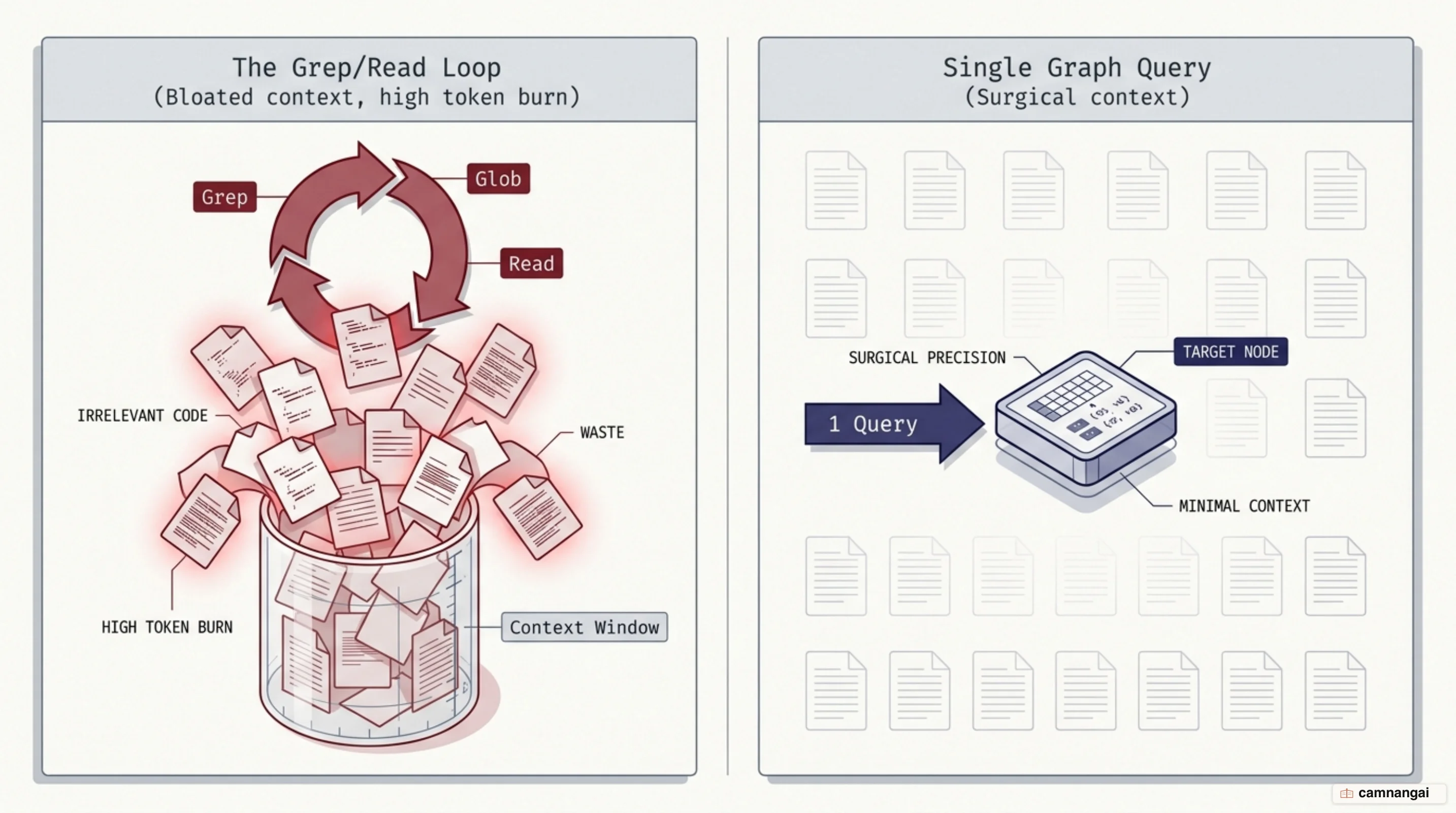
This exploration bloats the context window. Every file the agent reads is appended to the session history and persists for the duration of the task. As the conversation continues, every subsequent message sent to the model includes all the previously read discovery files, driving up the cost per turn. By the time the agent is ready to refactor or debug, the context window is already saturated with irrelevant code found during the search phase.
The core inefficiency is the confusion between reasoning and exploration. In a standard session, the vast majority of tokens are spent on finding code rather than thinking about it. While human engineers use their internal mental model to jump to the right file, agents without a graph must pay to "read their way" into that understanding, which eats into your reasoning budget and makes errors more likely as the context saturates.
What is Code Graph and what problem does it solve?
CodeGraph is an MIT-licensed, open-source knowledge graph designed to provide AI models with a pre-constructed map of a codebase. It parses source files, extracts the relationships between symbols—such as functions, classes, and imports—and stores them in a local SQLite database using WAL (Write-Ahead Logging) mode. This architectural shift moves the agent from "searching" through a haystack to "querying a map" for immediate, deterministic results.
Unlike vector-based semantic search, which relies on probabilistic similarity, CodeGraph understands explicit structural relationships. A vector search might find functions with similar names; CodeGraph knows exactly which function calls another or which class implements a specific interface. It natively recognizes 14+ web frameworks (including Django, NestJS, and FastAPI) and handles cross-language bridging, such as Swift to Objective-C auto-bridging or React Native TurboModules, so the agent can trace flows end-to-end across language boundaries.
The tool supports over 20 languages, including TypeScript, Python, Go, Rust, Java, C/C++, Swift, Kotlin, Scala, Dart, COBOL, Solidity, and Terraform. This local-first architecture requires no API keys, and no proprietary code ever leaves your machine. By feeding the Model Context Protocol (MCP) tool surface with deterministic data, CodeGraph hands the agent factual structural reports rather than a list of semantic hints.
How does Code Graph work?
The technical core of CodeGraph relies on tree-sitter, a fault-tolerant incremental parsing library. Language-specific queries traverse the resulting Abstract Syntax Trees (ASTs) to identify symbol nodes and relationship edges. Unlike traditional compilers, tree-sitter produces partial ASTs even when files contain syntax errors, which is essential for development environments where code is frequently in an intermediate, non-compilable state.
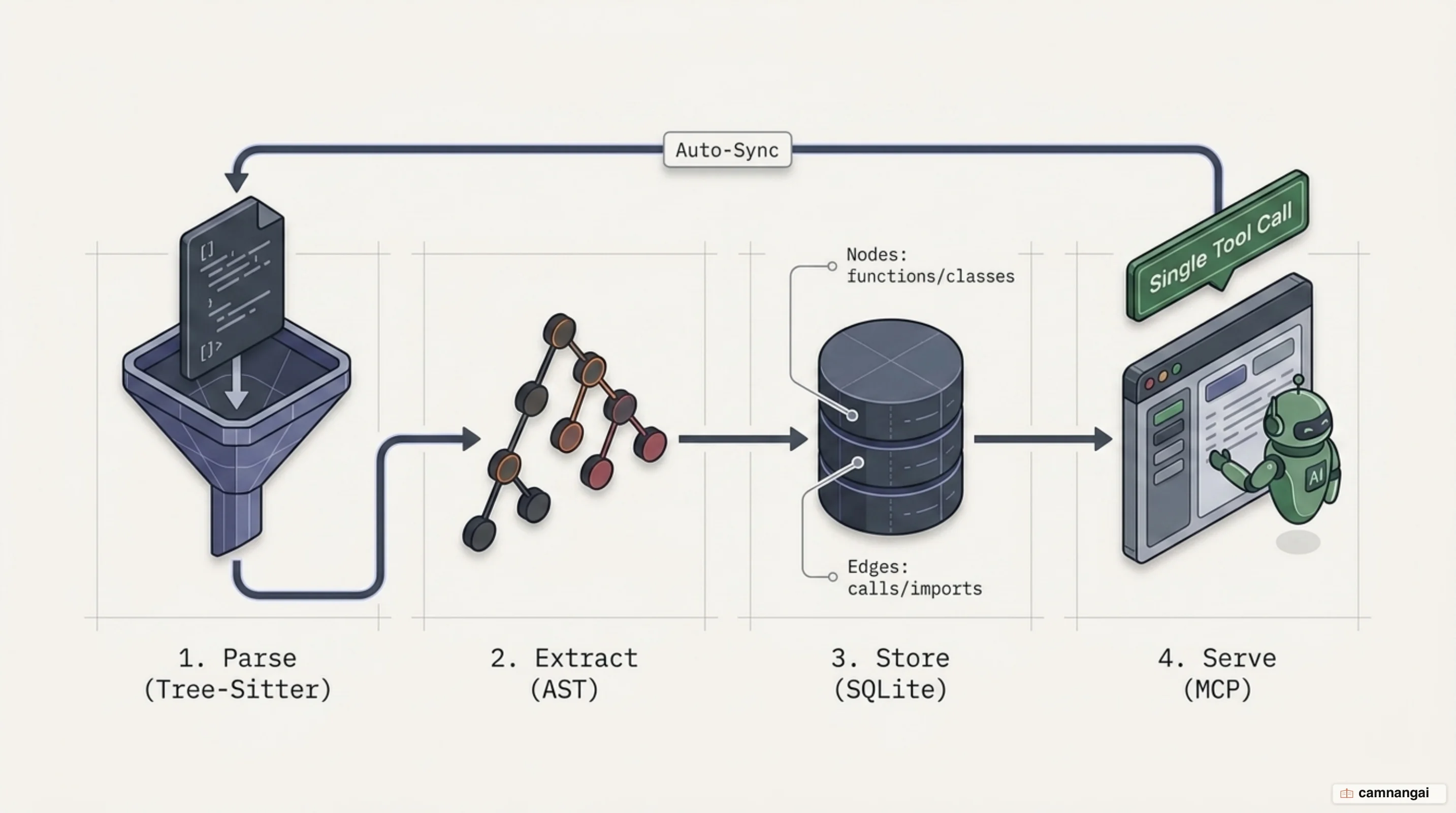
To maintain accuracy, CodeGraph uses a three-layer auto-sync architecture. The first layer uses native OS file watchers (macOS FSEvents, Linux inotify, and Windows ReadDirectoryChangesW). The second layer employs debounced batching with a default 2000ms debounce window to collapse bursts of edits into a single incremental sync. The third layer manages a per-file staleness banner: if the agent queries the graph during the debounce window, a warning is prepended to the response telling the agent to read the file directly for the live content, preventing the "two sources of truth" problem.
Integration with AI agents is handled via the MCP server, which exposes the codegraph_explore tool. In a single call, the server returns the verbatim source of relevant symbols, their call paths, and a blast-radius summary. Because the SQLite database operates in WAL mode, concurrent reads from the AI agent do not block the background writer during indexing, so the tool surface stays responsive even during large repository synchronizations.
Installing and integrating Code Graph with Claude Code
Install the CLI via the shell wrapper to bypass Node.js dependency requirements. The installer identifies your operating system and pulls the correct self-contained binary, so the runtime works without external compilation.
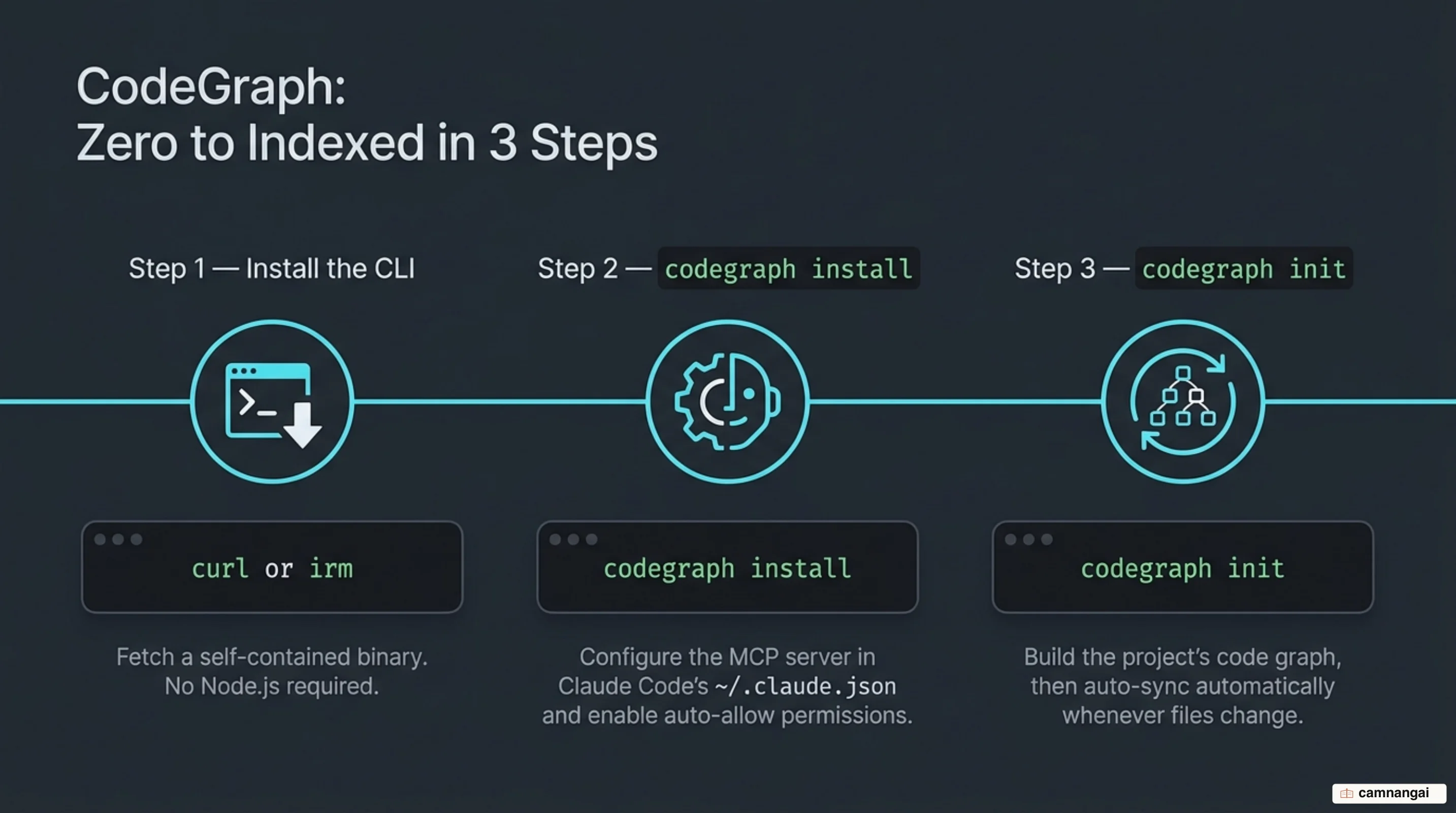
Run the following to download the binary and initialize the global configuration:
curl -fsSL https://raw.githubusercontent.com/colbymchenry/codegraph/main/install.sh | sh
# Followed by the agent wiring step:
codegraph install
The codegraph install command is a distinct step that finds your ~/.claude.json file and configures the MCP server. It also sets up "auto-allow" permissions so Claude Code can query the graph without prompting for every tool call. Note that this command wires the agent but does not index your code. To build the graph for a specific project, navigate to the project directory and run the initialization:
cd your-project-folder
codegraph init -i
The -i flag triggers the initial full-graph build, which parses every symbol and relationship into the local .codegraph/ directory. For standard repositories, this takes seconds; for large monorepos, it may take several minutes. Once initialized, the background file watcher automatically manages all subsequent incremental syncs.
How much token and cost does it actually save?
Benchmark data across real-world open-source projects shows that savings are substantial but scale-dependent. In tests using Claude Opus, the VS Code repository (approximately 10,000 files) saw a 78% reduction in token usage and an 85% ops cut, for a 52% speedup. The raw token count for a single task dropped from 2.8 million tokens to just 601,000.
Other high-impact results include:
- Excalidraw: 90% token reduction and a 96% ops cut (73% speedup).
- Tokio (Rust): 86% token reduction and an 82% cost savings (dropping from $2.41 to $0.42 per run).
- Alamofire: 64% token reduction and a 33% speedup.
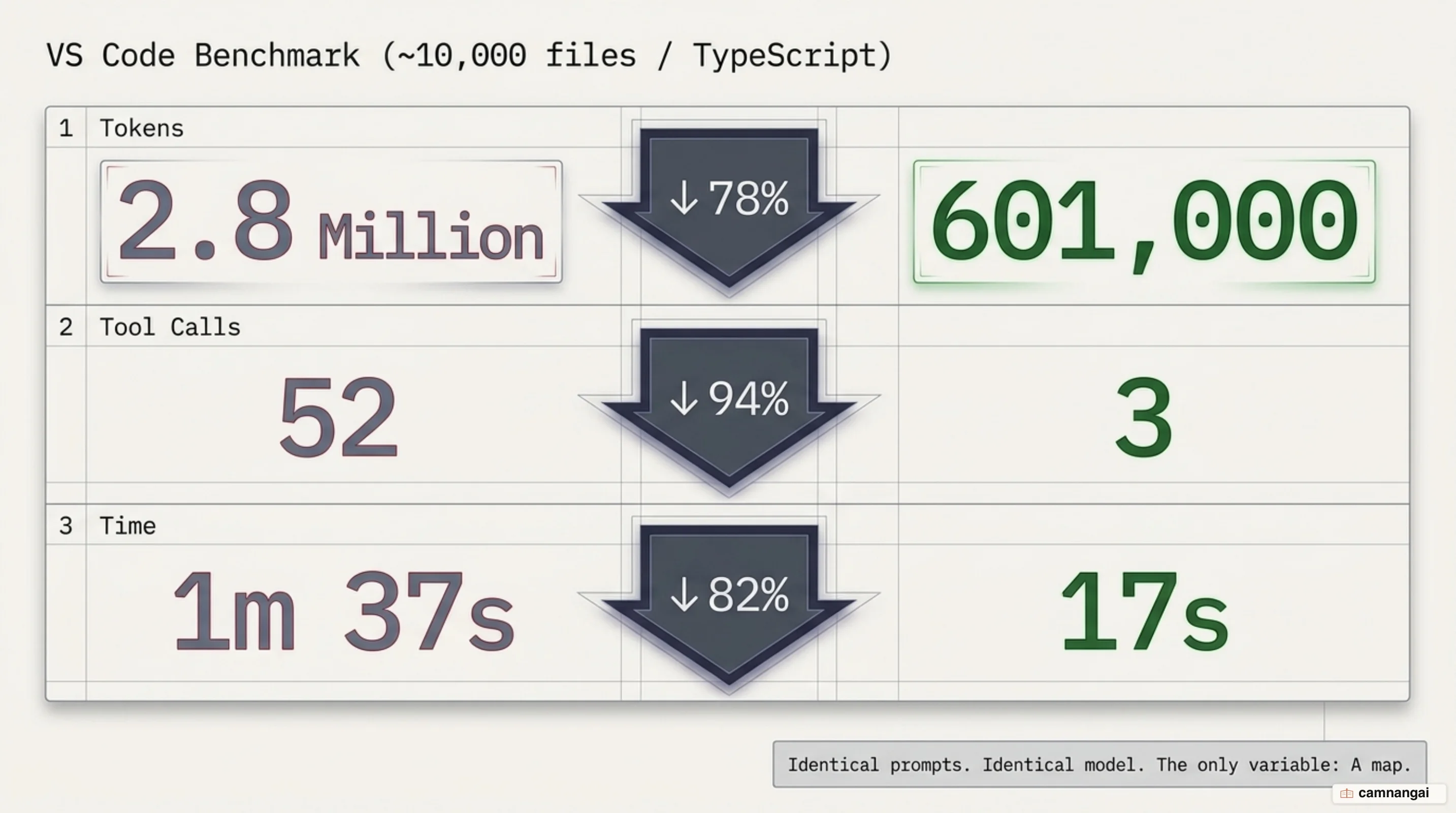
These are not model improvements—the same Claude Opus model runs in both arms, so every token saved is mechanical file exploration eliminated. The result I keep coming back to is Tokio's $2.41 to $0.42 per run, because a percentage is easy to wave away and a bill is not. The larger and more "tangled" the codebase, the higher the returns, as the graph prevents the agent from thrashing through deep directory structures to resolve dependencies.
Limitations and complementary strategies
The primary limitation of CodeGraph is "graph drift," which occurs if the synchronization daemon is interrupted. While the staleness banner mitigates this, you should periodically run codegraph status to verify the index age. The graph covers 20+ languages, but depth varies: TypeScript and Rust have mature coverage, while support for others like Objective-C is partial. CodeGraph is an enhancer, not a replacement—it reduces tokens spent on code exploration, but the reasoning-intensive work still rests with the model.
To push efficiency further, you can pair it with complementary tools such as RTK (Rust Token Killer) and caveman. RTK focuses on output compression, targeting server logs and test results to strip noise before it reaches the context window. Caveman provides "message thinning" by stripping linguistic filler from the AI's responses, which can shorten session history by nearly 50% without significantly degrading answer quality on straightforward tasks.
The trade-offs involve precision and memory. RTK's compression is lossy; it may occasionally omit a critical log line needed for deep debugging. Caveman thins the model's "memory," which can hurt performance on long, multi-step tasks where the agent relies on its own previous reasoning to stay consistent. These tools are best used when cost is the primary constraint and the task involves clear, transactional requests. The skill is not installing all three, but knowing which one to switch on for the task in front of you, and when to switch it back off.
References
- colbymchenry/codegraph — GitHub
- I Cut Claude Code Exploration Time and Costs by 90% With One Tool — Colby McHenry (Medium)
- How to Reduce 90% of Claude Code Token Usage — John Kim (Push To Prod)
- CodeGraph: The Open-Source Knowledge Graph That Makes AI Coding Tools Dramatically Cheaper — KD Agentic (Medium)