Caveman is a communication style and Claude Code skill designed to maximize semantic density while cutting API costs. By stripping away linguistic filler, pleasantries, and redundant grammar, this caveman mode forces Large Language Models (LLMs) to deliver the same technical accuracy using far fewer tokens.
Think of Caveman as a lossless semantic compression layer. It separates the model's internal reasoning — which stays high-quality — from its external expression, which is reduced to its factual core. That distinction matters most in high-volume automated pipelines, where verbose, chatty responses create needless latency and expense without producing a better answer.
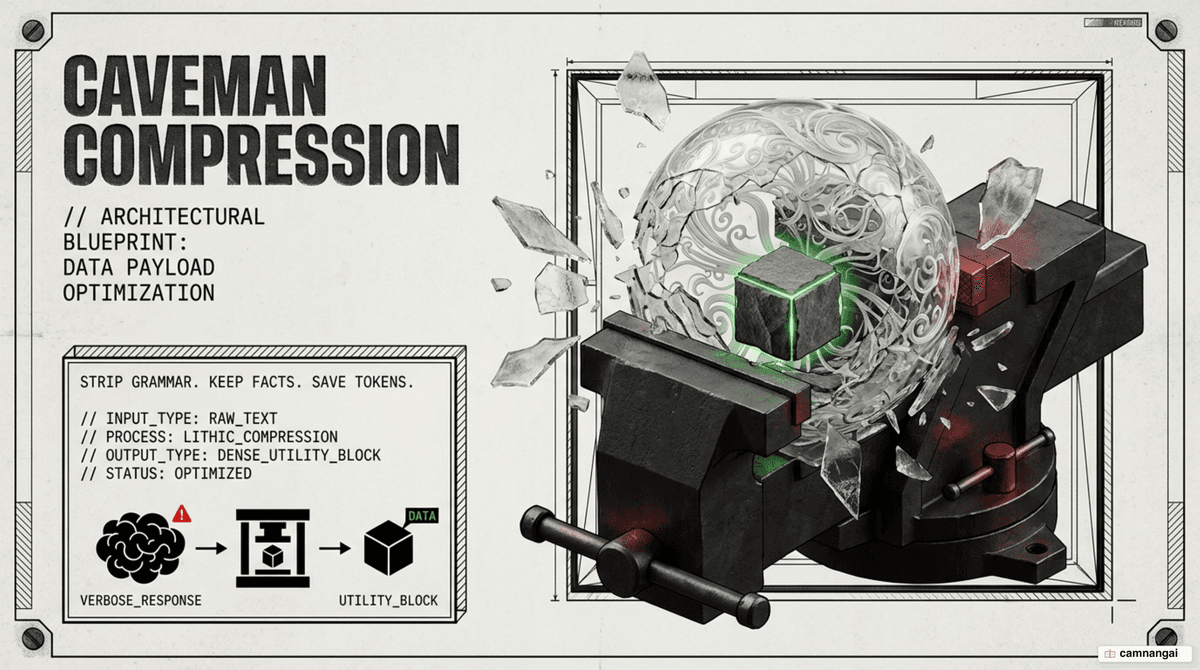
What is Caveman mode?
Caveman mode is both a specialized Claude Code skill and a method of lossless semantic compression. It works by giving the LLM a primitive persona that enforces consistent brevity. By adopting a character that speaks in stripped-down, telegraphic sentences, the model overcomes its training-induced tendency to be polite, thorough, and verbose. Simply telling a model to "be concise" often fails because its underlying safety and helpfulness training pulls it back toward verbosity; the caveman persona is a stable anchor that holds brevity across a long session.
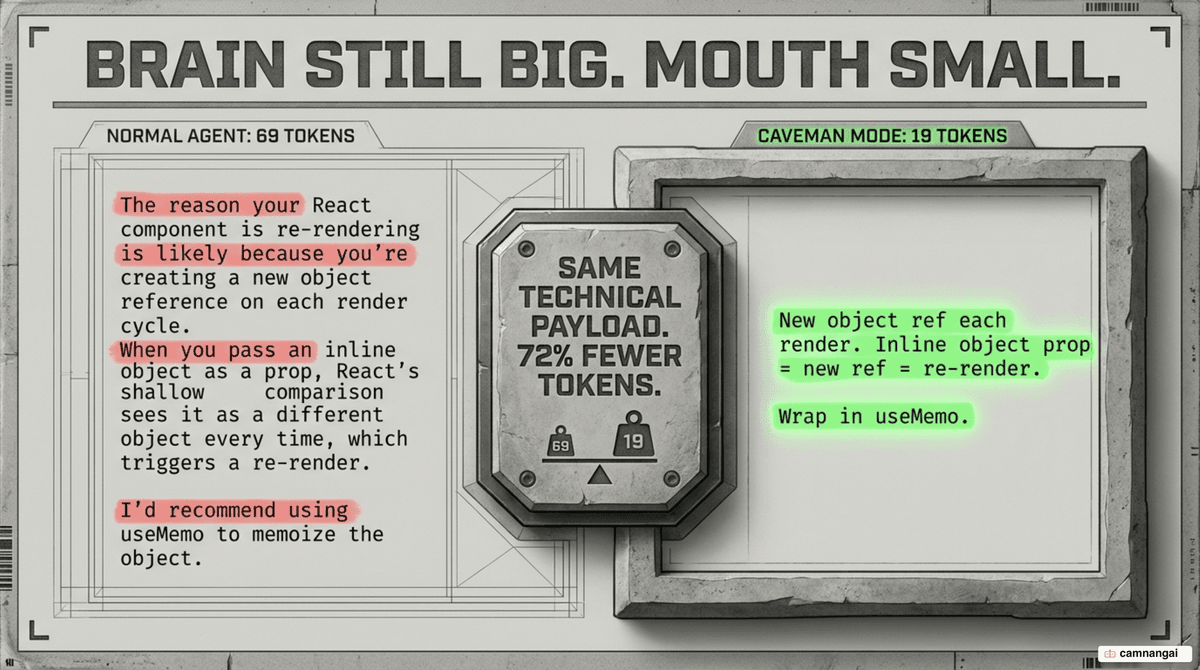
Technically, Caveman is a semi-formal language sitting between telegraphic communication and formal logic. It prioritizes semantic density — the amount of information per token — over human readability conventions. The internal reasoning (thinking tokens) stays robust while the external narration is compressed. The brain of the AI stays large while the mouth becomes small: you keep the nuanced understanding and drop the footprint of the response.
Why stripping filler saves tokens without losing meaning
The efficiency of Caveman mode rests on the asymmetry between predictability and factuality. Human language is full of glue words — articles (the, a), conjunctions (because, therefore), and pleasantries — that are highly predictable but carry zero unique information. LLMs reconstruct these grammatical structures from context for free. Spelling them out in a prompt or response wastes expensive context, because the model has already seen billions of tokens of this glue in training.
Specific facts like "Stockholm," "42%," or "PostgreSQL," by contrast, are unpredictable and must be preserved. Caveman mode strips the predictable glue while keeping the unpredictable facts intact — a process you can think of as rehydration. When a human or another AI reads the compressed text, the underlying logic stays clear because the factual anchors are byte-preserved. The model fills in the gaps using its internal weights, so a low token count does not mean low information transfer.
Here is the same fix before and after:
- Normal: "The reason your React component is re-rendering is likely because you're creating a new object reference on each render cycle. I'd recommend using useMemo to memoize the object." (42 words)
- Caveman: "New object ref each render. Inline object prop = new ref = re-render. Wrap in useMemo." (15 words)
How much does Caveman actually save?
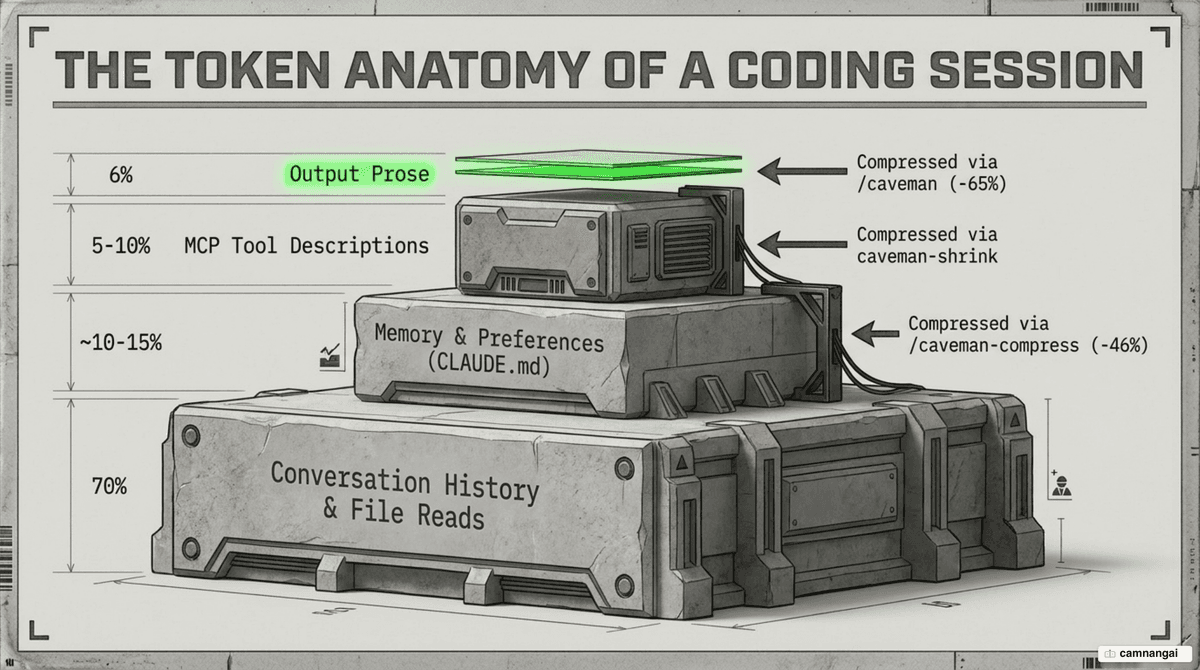
Output token reduction yields the highest short-term ROI. Total session savings are more modest (4–15%) because input tokens and conversation history make up the bulk of the context window, but the cost and speed improvements on output are substantial. Across a range of engineering tasks, the cross-task average for output reduction sits around 65%.
| Task Type | Standard Response (Tokens) | Caveman Mode (Tokens) | Reduction |
|---|---|---|---|
| Explain React re-render bug | 1180 | 159 | 87% |
| Set up PostgreSQL connection | 2347 | 380 | 84% |
| Fix auth middleware | 704 | 121 | 83% |
| Docker multi-stage build | 1042 | 290 | 72% |
| Architecture suggestion | 446 | 310 | 30% |
| Average across all tasks | 1214 | 294 | 65% |
For a high-volume pipeline on Claude 3.5 Sonnet, the savings work out like this:
Baseline: 10k calls/day * 200 output tokens = 2M tokens (~$30/day)
Caveman (70% reduction): 600k tokens (~$9/day)
Annual savings: ~$7,665 on output tokens alone.
Compression levels and extra features
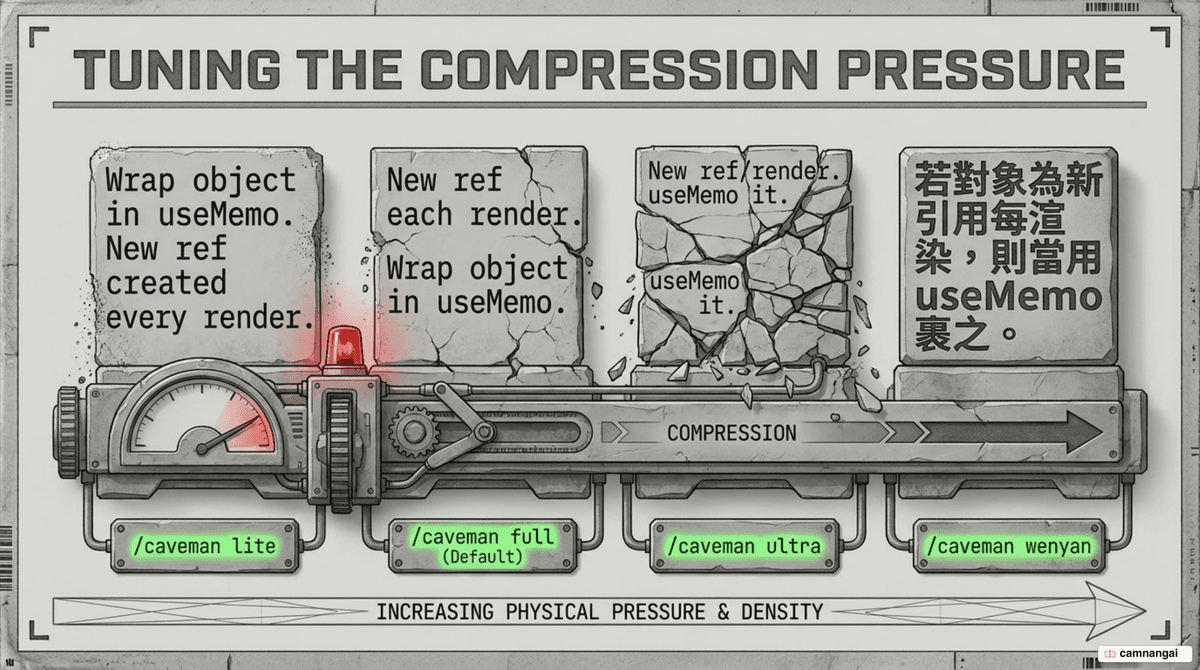
Caveman offers several intensity levels to balance brevity against readability. Switch levels with the /caveman <level> command:
- Lite: Drops pleasantries; grammar stays intact.
- Full (default): Fragmented sentences; articles dropped.
- Ultra: Maximum compression with heavy abbreviations.
- Wenyan: Uses classical Chinese patterns for the highest possible token density.
The ecosystem includes the caveman-code terminal agent, which uses end-to-end compression to consume roughly 2x fewer tokens than Codex on identical tasks, and caveman-2, which adds a team-wide dashboard to verify realized savings. Caveman also ships a "confused user" safety behavior: it automatically pauses compression when it detects confusion or a repeated question, then resumes once you are back on track.
Beyond output style, the /caveman-compress command rewrites memory files like CLAUDE.md for a permanent 46% cut in input tokens. Specialized cavecrew subagents (Investigator, Builder, Reviewer) let you delegate discrete tasks without bloating the main thread, and the caveman-shrink MCP middleware compresses tool descriptions — often a hidden source of high token overhead.
How to turn on Caveman mode
You can set up Caveman through the universal installer or through manual context injection. The universal installer auto-detects installed agents and configures them in about 30 seconds.
# macOS / Linux / WSL
curl -fsSL https://raw.githubusercontent.com/JuliusBrussee/caveman/main/install.sh | bash

# Windows (PowerShell)
irm https://raw.githubusercontent.com/JuliusBrussee/caveman/main/install.ps1 | iex
The plugin uses SessionStart and UserPromptSubmit hooks so the caveman persona stays active across turns without manual re-activation. For agents without a plugin system, activate Caveman by injecting instructions into a CLAUDE.md file: "Respond like a caveman. No articles, no filler words, no pleasantries. Short. Direct. Code speaks for itself." Commands like /caveman toggle the state, while the Claude Code status-line indicator [CAVEMAN] tracks lifetime tokens saved.
When to use Caveman — and when not
Caveman mode is a strong fit for engineering-heavy environments where efficiency outweighs social convention.
Good use cases:
- CI/CD pipelines: Reduce noise and cost in automated logs.
- Internal developer tools: Fast, scannable feedback for senior engineers.
- Rapid prototyping: Tighten the iteration loop.
- Log analysis: Strip verbosity from error triage.
Bad use cases:
- Customer-facing apps: Compressed speech can alienate or confuse non-technical users.
- Documentation generation: High-quality docs need full sentences and context.
- Junior developer support: Beginners often need the nuance Caveman strips away.
Research from March 2026 suggests brevity constraints can improve accuracy by 26 points on certain benchmarks. Elaboration creates more hallucination surface area; forcing the model to be brief keeps the logic focused and cuts the room to wander into incorrect justifications.
References
- Caveman — why use many token when few token do trick (GitHub, Julius Brussee)
- Caveman Compression: Shrinking LLM Contexts Without Losing Meaning — William Peltomäki
- The Complete Guide to Caveman — AI For Developers
- Caveman Claude: The Token-Cutting Skill That's Changing AI Workflows — DEV Community
- What is Caveman Prompt? Reduce LLM token usage by 60% — Mehul Gupta