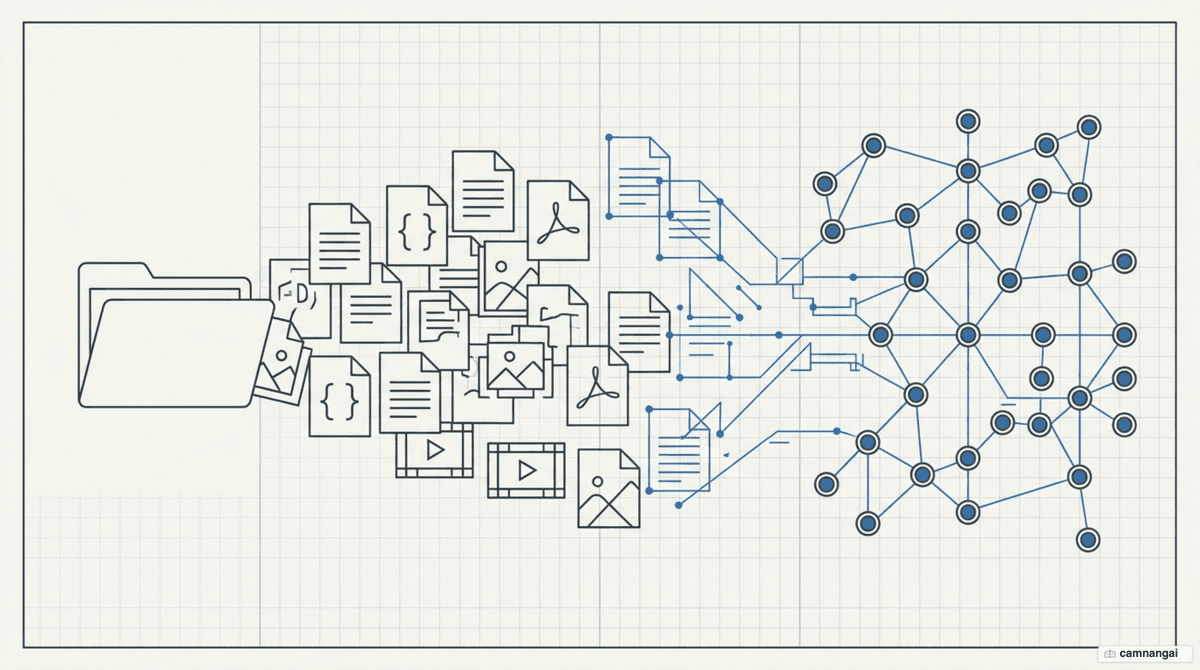
Graphify is an open-source skill that turns any project folder — code, documentation, PDFs, and media — into a queryable knowledge graph. Its job is to give AI coding assistants a structural map of a codebase, so they navigate by architecture instead of keyword search or grepping.
It runs local-first: the core structure is extracted with tree-sitter AST parsers on your own machine, with zero LLM calls, so sensitive source code is processed privately. Once built, the graph acts as a persistent memory layer for platforms like Claude Code, Cursor, and Gemini CLI — structural context stays consistent across sessions without redundant re-indexing.
What is Graphify?
Graphify is an open-source "skill" for AI assistants that parses a data folder into discrete entities and relationships. It works local-first: the core structure of the codebase is extracted using tree-sitter AST (Abstract Syntax Tree) parsers deterministically on your machine. This process requires zero LLM calls and keeps source code private.
The tool writes all output into a graphify-out/ directory, giving you three distinct views:
- graph.json: a machine-readable knowledge graph for automated querying and persistence.
- GRAPH_REPORT.md: a human-readable report identifying "god nodes," detected communities, and architectural highlights.
- graph.html: an interactive, browser-based visualization for inspecting node clusters and dependencies by hand.
Structure over similarity: the problem Graphify solves
Traditional vector RAG (retrieval-augmented generation) relies on embeddings that hit a "similarity wall." Vector search is good at finding related words, but it fails to surface structural connections — call graphs, inheritance chains, cross-module dependencies — where two related pieces of code use completely different vocabulary. That is not a prompting problem; it is a similarity problem.
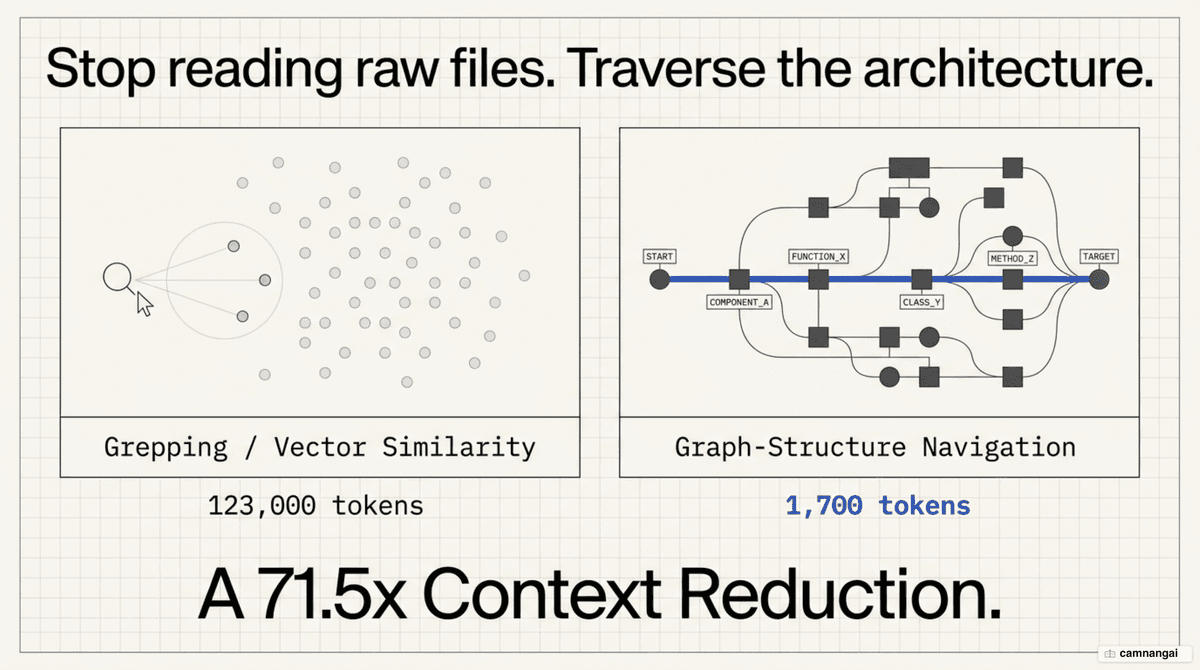
Graphify prioritizes topology over keyword proximity. On a benchmark using the Karpathy corpus (nanoGPT, minGPT, micrograd plus papers and images), a structural query cost roughly 1,700 tokens against the graph versus 123,000 tokens reading the raw files — a 71.5x reduction. By mapping the actual architecture, the tool surfaces "god nodes" (central hubs everything routes through) and surprising cross-module connections that manual searching often misses.
How Graphify builds the knowledge graph
Graphify runs a three-pass extraction pipeline, each pass at a different cost:
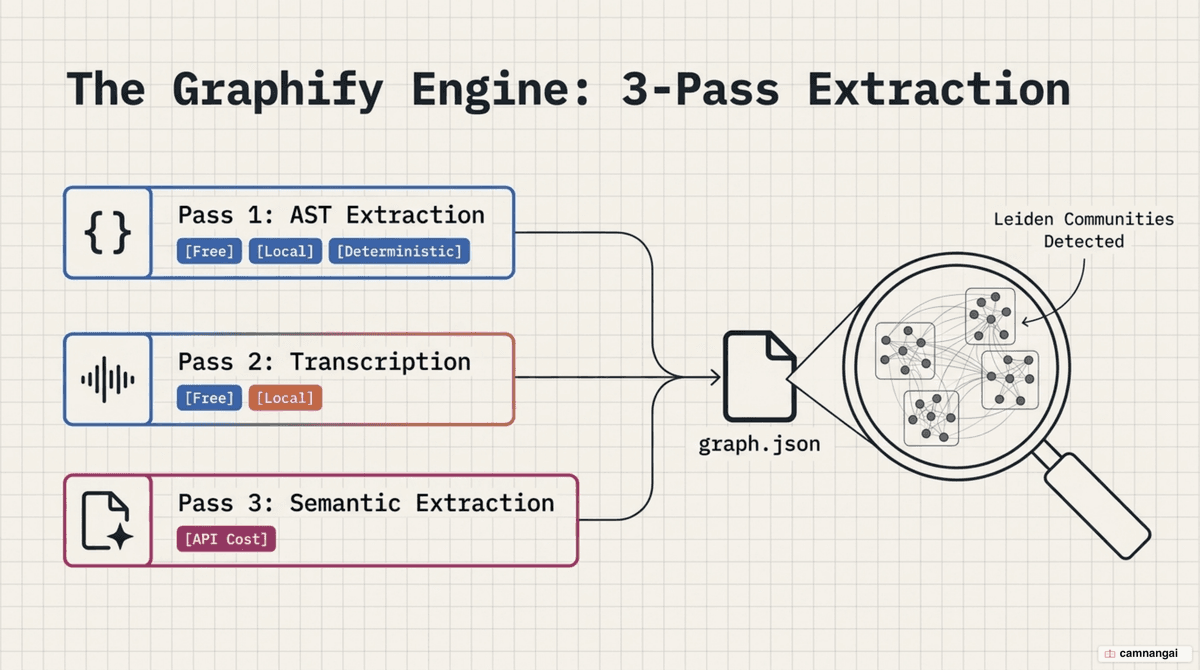
- Pass 1 (AST): tree-sitter locally extracts classes, functions, imports, and call graphs across 36+ languages. This pass is deterministic and free.
- Pass 2 (Transcription): audio and video are transcribed with
faster-whisper, using a domain-aware prompt derived from the most-connected nodes found in Pass 1. YouTube links work too. - Pass 3 (Semantic): LLM subagents process PDFs, images, and documents, pulling design rationale out of docs and linking those concepts to the code that implements them. This is the only pass that costs API tokens.
All three passes merge into a single graph. Every relationship is tagged so you know what was found versus what was guessed: EXTRACTED (explicit links in source) or INFERRED (a reasonable inference with a confidence score). Graphify then applies the Leiden algorithm for community detection, grouping tightly connected components into labeled subsystems that often span multiple directory boundaries — without an LLM in the loop.
Installing and running Graphify
Install with uv (or pipx). Note that the PyPI package is named graphifyy — with a double y — though the CLI command is graphify:
uv tool install graphifyy
# then, inside your project directory
graphify .
To scope the extraction, add a .graphifyignore file (identical syntax to .gitignore); Graphify also respects your existing .gitignore by default. For Claude Code, add graphify-out/ to your ignore rules so a graph rebuild does not invalidate the prompt cache on every run.
Querying the graph and integrating it into your coding assistant
Enable native integration per platform with a setup command:
- Claude Code:
graphify claude install - Cursor:
graphify cursor install - Gemini CLI:
graphify gemini install
For Claude Code and Codex, Graphify installs a PreToolUse hook. Before the agent reaches for search-style tools like grep or glob, the hook nudges it to consult the knowledge graph for structure first — so it starts from the relevant components and paths instead of reading files one by one.
You can also query the graph directly from the CLI:
graphify query "how does the auth flow connect to the database?"
graphify path "AuthService" "PostgresAdapter"
For agents that support tool calling, Graphify also runs as an MCP (Model Context Protocol) server, exposing tools like query_graph, get_neighbors, and shortest_path to any MCP-compliant IDE or agent.
When to use Graphify (and when not to)
Graphify is best for navigating large, unfamiliar codebases, spotting technical drift (legacy patterns lingering next to newer ones), and mapping dependencies across polyglot repositories. It excels at structural "how" and "why" questions. For pure "find similar text" queries, traditional vector search is still the better tool — most production systems will eventually use both.
For teams, commit the graphify-out/ directory to Git to share the map across the organization. Graphify configures a custom Git merge driver for graph.json so the machine-readable graph union-merges automatically during parallel development, avoiding manual conflict resolution.
References
- GitHub — Graphify-Labs/graphify
- Graphify: Navigate Our Codebase by Structure, Not Similarity — Pankaj
- How to Improve AI-Assisted Coding with a Knowledge Graph — Umair Ali Khan
- Graphify + Obsidian + Claude Code = CHEAT CODE (YouTube)
- This Open Source Repo Just Solved Claude Code's #1 Problem (YouTube)