AI adoption correlates with higher perceived code quality, yet it also increases delivery instability.
Test-Driven Development provides the deterministic assertion layer that validates non-deterministic agent output, so AI amplifies productivity only when its work is funneled through automated tests that catch hallucinations before they reach production.
In an AI-driven development (AIDD) environment, prompts are non-deterministic. TDD works as a technical guardrail, ensuring AI-generated logic satisfies falsifiable requirements. By defining behavior through tests before implementation, you constrain AI execution inside measurable success criteria.
That shift turns the developer's role from manual coder into system architect.
What TDD is and the Red-Green-Refactor loop
Test-Driven Development is a design practice that uses tests to drive implementation, not a retrospective testing phase.
It forces you to define the interface and expected behavior before writing logic, tightening the link between design and execution. The approach mirrors the scientific method: the test is a question and a prediction, the code is the experiment, and the result is a deterministic conclusion.
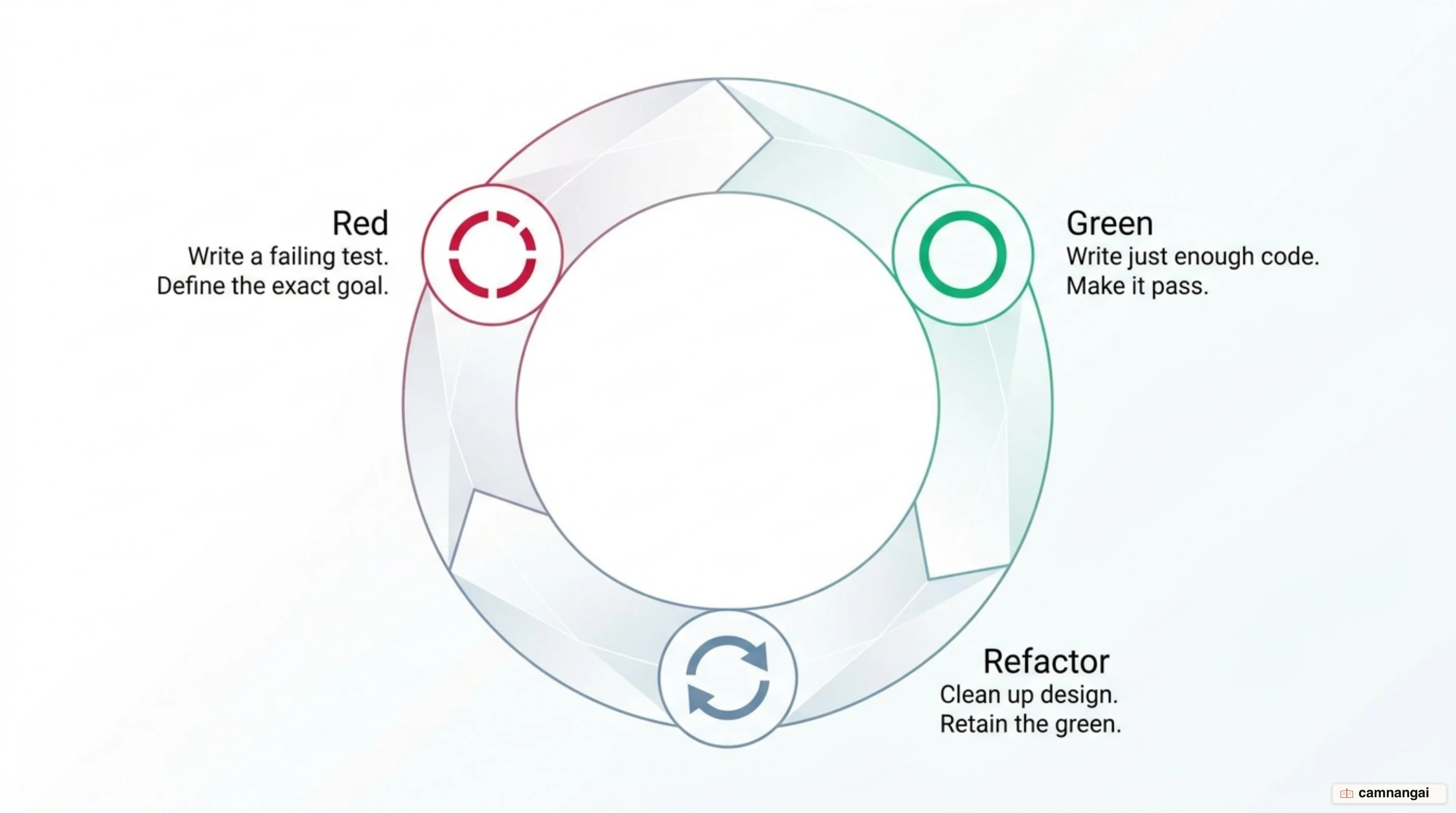
The methodology follows the Red-Green-Refactor loop, though in an AI context the final stage shifts:
- Red: You or the agent writes a failing test for a single requirement. This sets a goalpost and confirms the test works (no false positives).
- Green: The agent writes only the minimal code needed to pass. Functional correctness comes before elegance, which avoids speculative gold-plating.
- Refactor: Traditional TDD folds refactoring into the loop, but in AIDD it is best treated as a distinct review stage. This human-in-the-loop phase checks that the AI has not introduced implementation-coupled code or tautological assertions during cleanup.
Why do AI agents need TDD to write reliable code?
AI-driven development is non-deterministic; the same prompt can yield different logic across model versions. TDD protects against that entropy by giving the agent a concrete target. When requirements become tests, the agent has a clear, falsifiable goal, which sharply reduces hallucinations — plausible but functionally wrong code.
To maximize determinism, guide the AI toward pure functions and immutability. A pure function, where the same input always yields the same output with no side effects, is easier for AI to test and implement correctly. For non-deterministic dependencies such as system timestamps or random IDs, inject deterministic values through optional parameters during testing. An action creator can accept an optional id or timestamp that defaults to a generated value in production but is overridden with a hard-coded literal in the test.
The TDD loop when you code with an AI agent
When you work with a "TDD engineer" agent, the workflow has to be systematic to keep a healthy token economy. A minimal assertion API such as Riteway optimizes the context window: less test boilerplate means more of the agent's attention goes to the functional requirement.
The iterative workflow runs like this:
- Specification: Define the calling API and the functional requirements.
- The 5 questions: Every generated test must answer — what is the unit, what is the requirement, what is the actual output, what is the expected output, and how do you reproduce the failure?
- Red phase: The agent writes the test and runs the runner to confirm it fails.
- Green phase: The agent writes the minimal implementation to pass.
- Validation: The runner confirms success. Failure reports must answer the 5 questions to stay useful.
// Riteway keeps the test terse, focusing the agent on the requirement.
import { describe } from "riteway";
import { calculateTotal } from "./cart-logic";

describe("calculateTotal()", async (assert) => {
  assert({
    given: "an empty cart",
    should: "return zero",
    actual: calculateTotal([]),
    expected: 0,
  });
});
Which test type gives the fastest agent feedback?
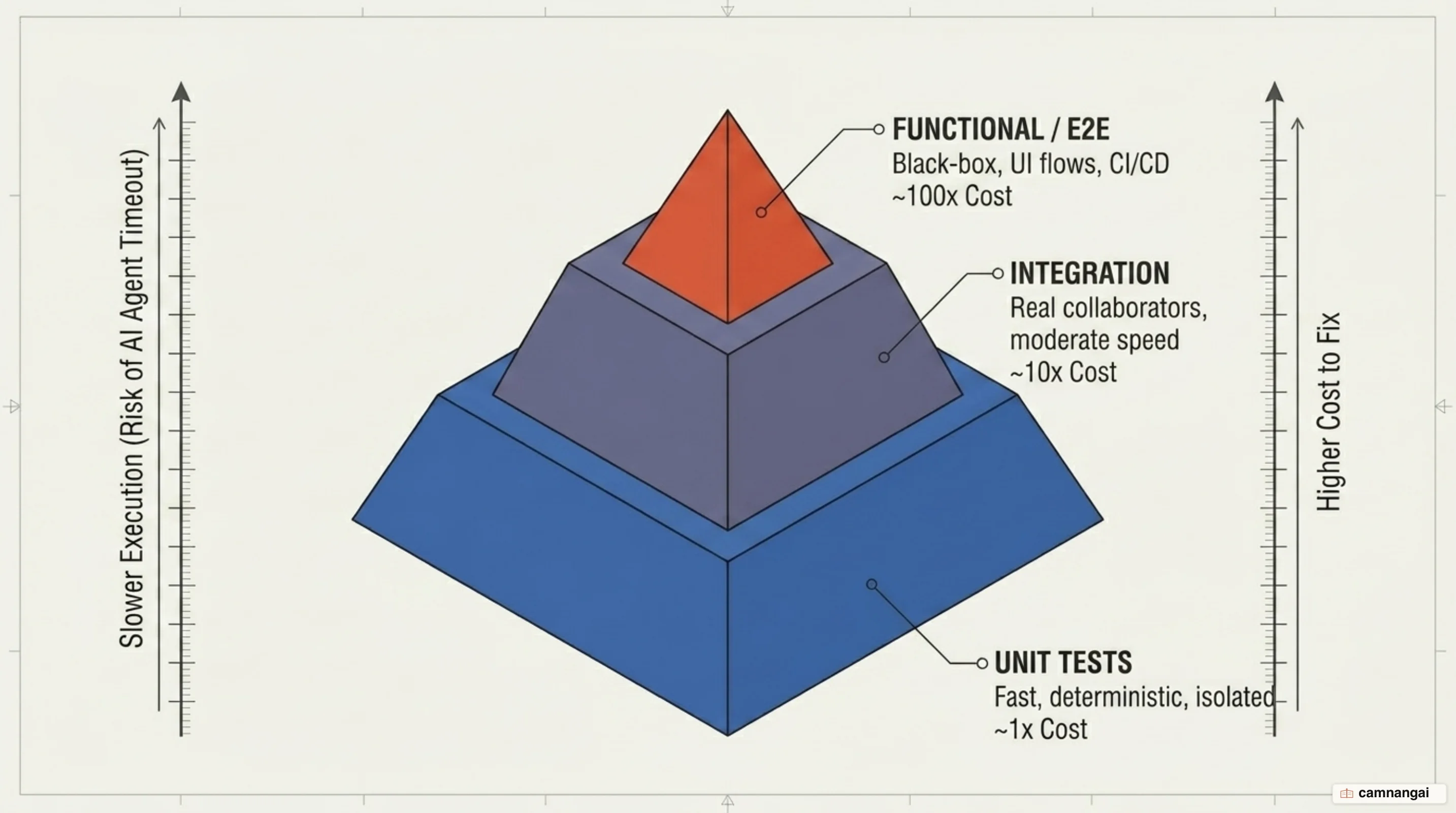
AI agents run under execution timeouts, so the test hierarchy has to prioritize speed and cost:
- Unit tests: Ideal for AI agents. They test isolated units — ideally pure functions — and run at hundreds per second, giving near-instant feedback that avoids timeouts. Cost: 1x.
- Integration tests: Validate that units work together, such as a service and its database. They run from 30ms to 30s and are viable inside AI loops with longer timeouts. Cost: 10x.
- Functional/E2E tests: Validate user-visible behavior from the outside in. They are slow and brittle, often taking minutes or hours, so they belong in CI/CD rather than the inner AI loop. Cost: 100x.
Common mistakes when combining TDD with AI
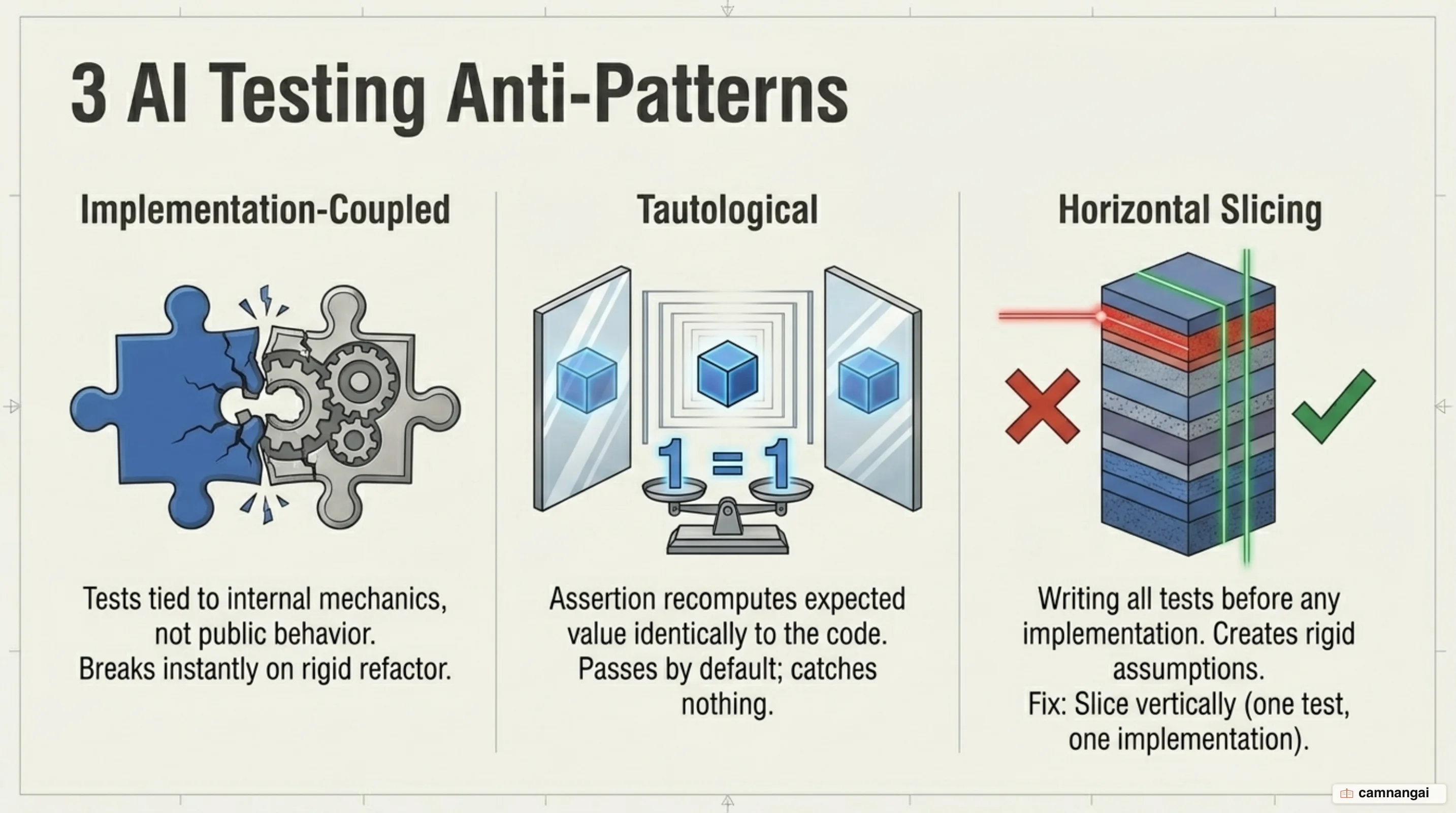
- Testing at unconfirmed seams: A seam is the public boundary where behavior is observed. Testing internal implementation details is a critical error — those tests break during refactoring even when behavior is correct.
- Tautological tests: Assertions that recompute the code's own logic, for example
expect(add(1, 2)).toBe(1 + 2). They pass by construction and never catch a logic error. - Horizontal slicing: Writing an entire test suite before any code, which tests imagined behavior. Use vertical slicing — one test, then one implementation.
- False confidence: Assuming passing unit tests guarantee system integrity. TDD proves components work in isolation; it does not replace high-level architectural oversight.
Apply it with a ready-made TDD skill
You don't have to hand-build this discipline. Both TDD references below are agent skills — self-contained playbooks you drop into your AI coding agent so it runs the workflow for you: it writes the failing test first, tests only at the seams you confirm, works one vertical slice at a time, and reproduces a bug with a test before touching the fix. You steer at a high level; the skill keeps the agent honest.
Matt Pocock's tdd skill slots into any project through the skills.sh installer:
npx skills@latest add mattpocock/skillsPick the tdd skill and the agents you use (Claude Code, Codex, and others), run the setup command it prints, then just ask the agent to build a feature — it works red-green-refactor by default, with built-in guidance on what separates a good test from a bad one.
Addy Osmani's test-driven-development skill ships inside a full lifecycle pack (/spec → /plan → /build → /test → /review → /ship). On Claude Code, add the marketplace and install:
/plugin marketplace add addyosmani/agent-skills
/plugin install agent-skills@addy-agent-skills
The /test command activates the TDD skill — its rule is "tests are proof; 'seems right' is not done" — and /build auto implements an entire plan test-first in one approved pass, committing each slice on its own. On Cursor, Windsurf, or Gemini, copy the skill's SKILL.md into your rules file (for Cursor, .cursor/rules/) and the agent follows the same discipline.
Once a skill is loaded, your prompts stay high-level — "add discount codes to the cart, test-first" — and the agent handles the loop while you review that it tested real behavior at public seams, not internal details.
References
- What is Test-Driven Development (TDD)? — IBM
- TDD and AI: Quality in the DORA Report — Google Cloud
- Better AI Driven Development with Test Driven Development — Eric Elliott
- Test-Driven Development with AI — Builder.io
- TDD Skill Reference — mattpocock/skills (GitHub)
- Test-Driven Development Skill — addyosmani/agent-skills (GitHub)