Claude Code commands are the /-prefixed slash
commands that control Claude Code from inside a session — switch models, manage permissions, clean
up context, or run a whole workflow with a single line.
Together with the keyboard shortcuts, they are the fastest way to get fluent with the tool. This article collects every useful command and shortcut into quick-reference tables you can use immediately.
Most of the friction new users hit doesn't come from commands being hard — it comes from not knowing a command already exists. A command is only recognized at the start of your message; any text after the command name is passed to it as arguments. You don't need to memorize this cheatsheet — you only need to know each command exists so you can reach for it at the right moment.
If you've never used the tool before, read What is Claude Code first, then come back to this reference.
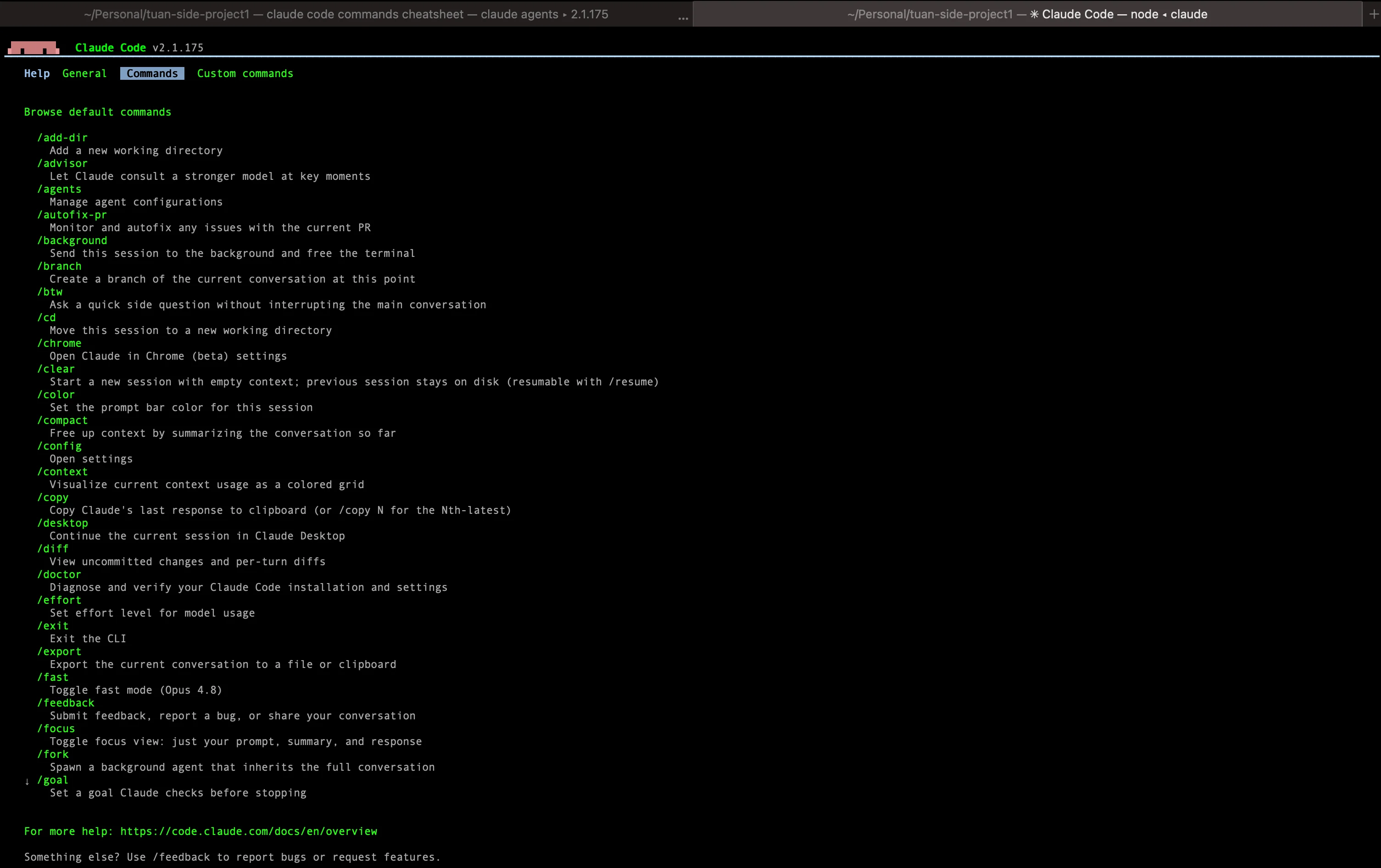
Essential commands for everyday sessions
These Claude Code commands carry you through a normal working session: starting new work, returning to old work, undoing mistakes, and getting results out.
| Command | Purpose |
|---|---|
/help | List all available commands |
/clear | Start a new conversation with empty context; the old one stays available. Aliases: /reset, /new |
/resume | Reopen a previous session by name, or open the session picker. Alias: /continue |
/rewind | Roll code and conversation back to an earlier checkpoint. Aliases: /undo, /checkpoint |
/model | View or switch the active model, with arrow keys to adjust effort level |
/fast | Toggle fast mode on or off — same model, optimized for speed. Syntax: /fast on or /fast off |
/plan | Enter plan mode before a large change, optionally with a task description |
/btw | Ask a quick side question without bloating the main conversation |
/diff | Open an interactive diff viewer: uncommitted changes and per-turn diffs |
/copy | Copy the last response, or pick individual code blocks |
/export | Export the conversation to a file or the clipboard |
/rename | Name the current session so it's easy to find in /resume |
/exit | Quit the CLI. Alias: /quit |
The standout here is /rewind: every change is checkpointed automatically, so you can try a bold direction and return to your starting point without losing anything. Press Esc twice and the rewind menu appears instantly.