Yarn is an established open-source package manager that installs and tracks the dependencies of a JavaScript project, with an emphasis on speed, correctness, and security.
It is a deterministic alternative to the npm client and stays fully compatible with the npm registry, so you still reach the same enormous catalog of packages, just through a steadier installer. Yarn also reimplements its commands rather than handing them off to the npm client, which is how it keeps control over what runs during an install and what your environment looks like afterward.
Yarn targets the two bottlenecks of a large JavaScript codebase: how fast an install runs, and how much you can trust the result. It fetches packages in parallel, keeps a cache you can install from offline, and resolves versions with a deterministic algorithm. Together, those choices mean the dependency graph comes out the same on your laptop as it does in a continuous integration pipeline.
Yarn pushed dependency management toward something more rigorous. Cryptographic checksums and lockfiles take the non-determinism out of older package managers and guarantee that two environments match. Whether you maintain a single package or a monorepo with hundreds, Yarn gives you the machinery to keep dependency boundaries strict and installs fast.
What is Yarn?
Yarn is an open-source package manager: it resolves your dependencies, fetches them, and links them into the project. It is an alternative to the npm client that gets more out of the same machine by running network requests in parallel and storing packages in content-addressable storage. Correctness is a design goal rather than an afterthought, which is why the dependency tree stays stable as a project grows more complicated.
What sets Yarn apart is that it reimplements every command from scratch instead of wrapping the npm client. That lets the core team avoid the inconsistencies and non-deterministic behavior found in other CLI tools. If you build tooling on top of a package manager, that independence matters: the interface behaves the same way every time, and so does the install.
Yarn also checks its own work cryptographically. During an install it compares the checksum of every package it fetched against the value recorded in the lockfile. That is what blocks supply chain poisoning: the files on your disk have to match the code the maintainer published. Validating the whole dependency graph this way makes an install safer than the traditional workflow.
To check that Yarn is installed and see which version you are on, run:
yarn --versionWhy did Facebook build Yarn?
Meta (formerly Facebook) built Yarn in 2016 because its internal JavaScript codebase had outgrown the tooling around it. The npm client of the day was slow and non-deterministic, which produced the classic "works on my machine" bug: two developers ran the same install and ended up with different dependency versions. At Facebook's scale, that meant broken builds and thousands of wasted engineering hours.
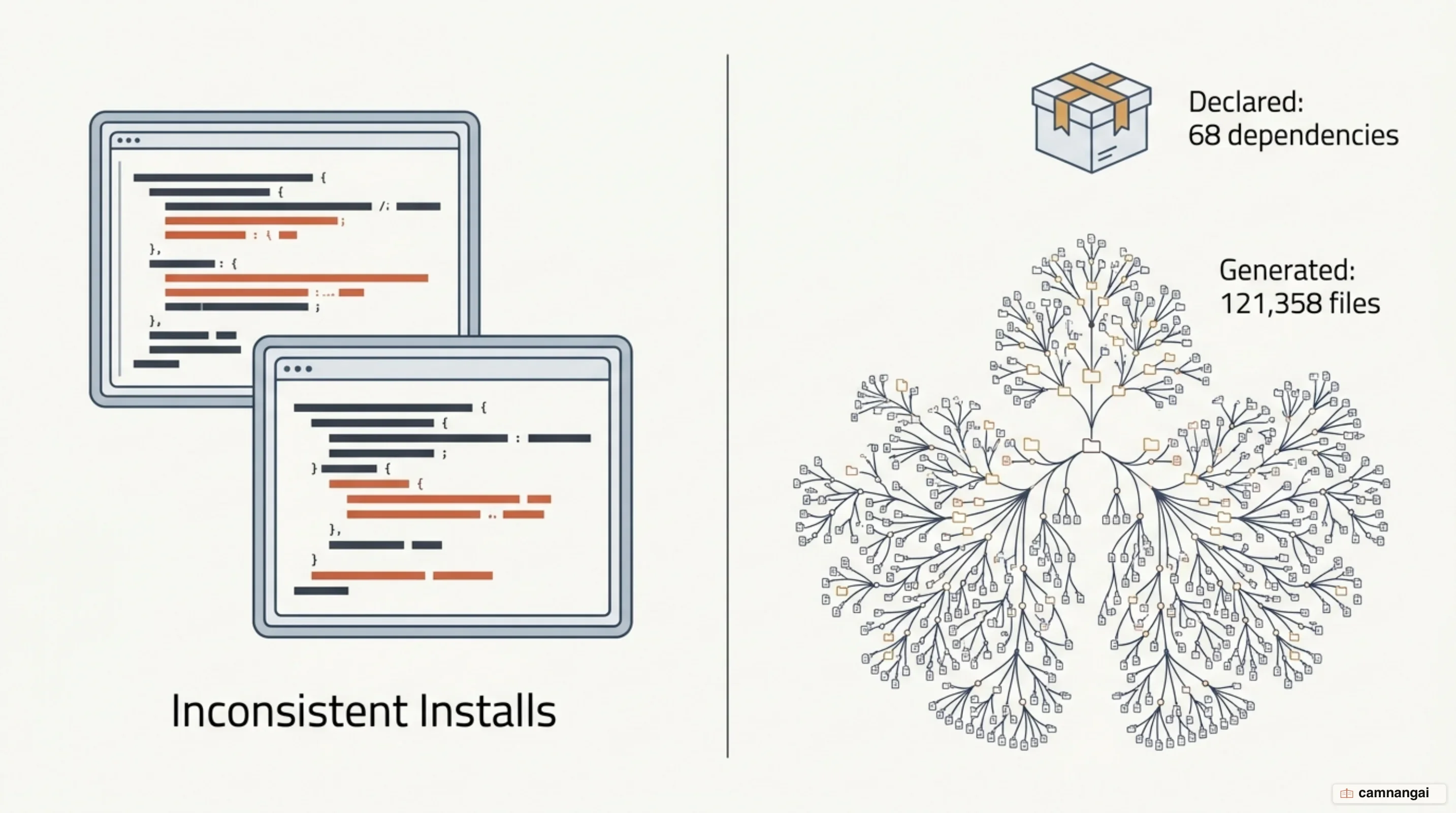
Meta's continuous integration systems were sandboxed and cut off from the internet for security, so a plain npm install was not an option. The team first tried checking the whole node_modules folder into source control. That buried them in metadata instead: a minor update to a tool like Babel produced an 800,000-line commit, and a project the size of React Native carried 121,358 files, which made merging and linting nearly impossible.
Security pushed in the same direction. The npm client back then ran lifecycle scripts from your dependencies automatically during an install — a real opening for a supply chain attack. Meta wanted a deterministic client that let it control exactly what code was allowed to run and verify package integrity cryptographically.
An ordered lockfile and a global cache changed that. Meta's engineers got the same install on thousands of machines, install times fell by an order of magnitude — from several minutes down to seconds — and CI could install with no network at all.
How Yarn works: yarn.lock, the cache, and parallel installs
Every Yarn install runs in three steps, tuned to repeat as little work as possible and to give every machine the same result. Resolution walks the dependency tree recursively and turns every version range into one pinned version. Fetching checks the global cache for each package; if it isn't there, Yarn downloads the tarball and stores it. Linking copies what the project needs out of the global cache into the local project directory.
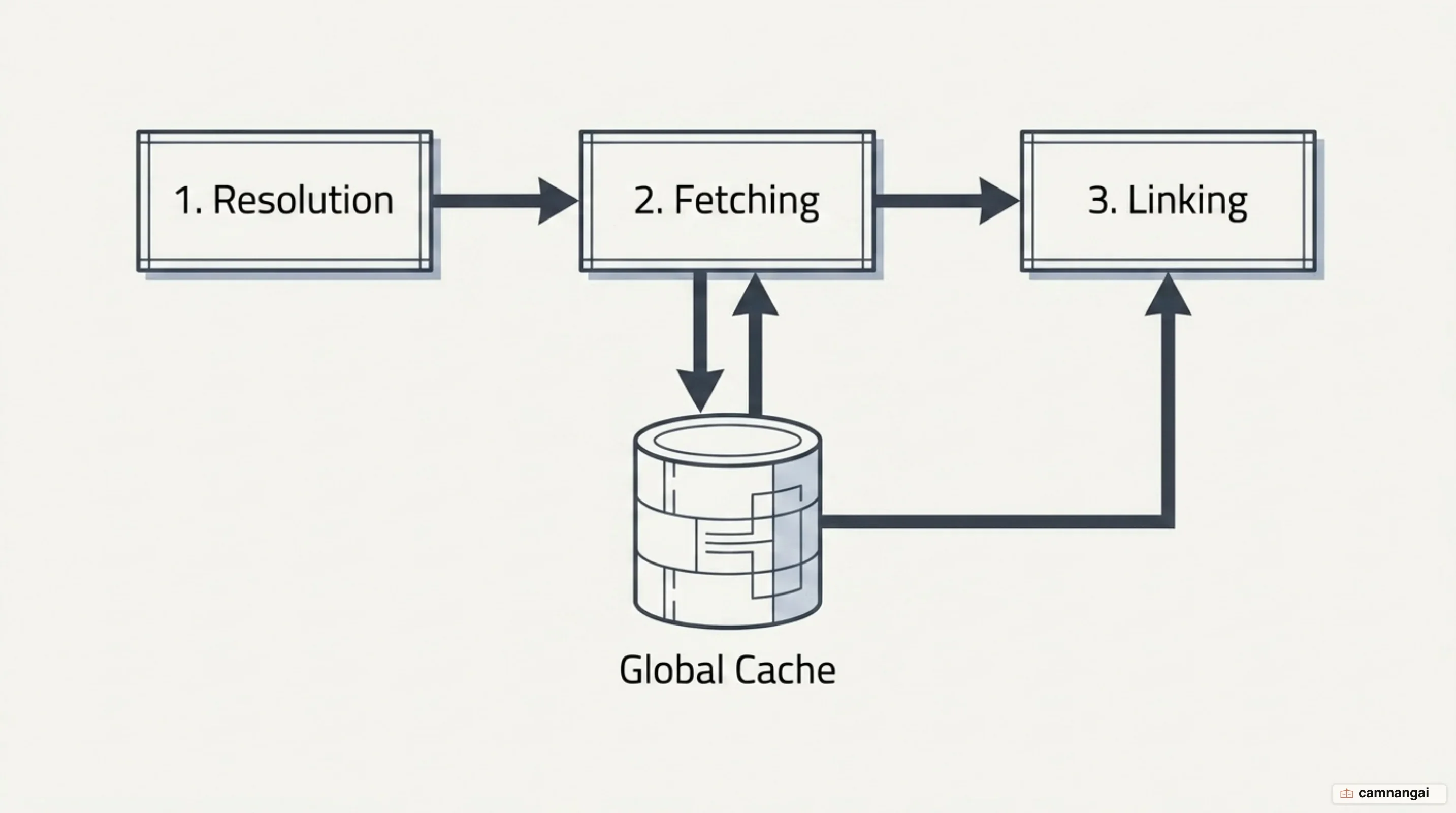
The yarn.lock file is the foundation of that determinism. A package.json allows flexible semantic version ranges; the lockfile records the exact version, the content hash, and the resolution for every package in the graph. Every developer and every CI server therefore ends up with a byte-for-byte identical structure, with none of the non-deterministic "hoisting" surprises of earlier package managers.
Speed comes from two places: parallel downloads and the global cache. Older tools downloaded packages one at a time, while Yarn runs many requests at once so the I/O bottleneck stops dominating. Once a package sits in the global cache, no project on that machine ever downloads it again — which is what lets you rebuild and test quickly, even with no connection:
yarn install --offlineWhat changed between Yarn Classic and Yarn Modern?
Moving from Yarn 1.x (Classic) to the "Berry" line (v2 through v4) changed how the tool ships. Yarn Modern recommends Corepack, a Node.js-native tool that solves the "bootstrap" problem by locking the package manager version inside package.json, under the packageManager field. Every contributor then runs the exact same installer. Yarn 4 itself requires Node.js 18+.
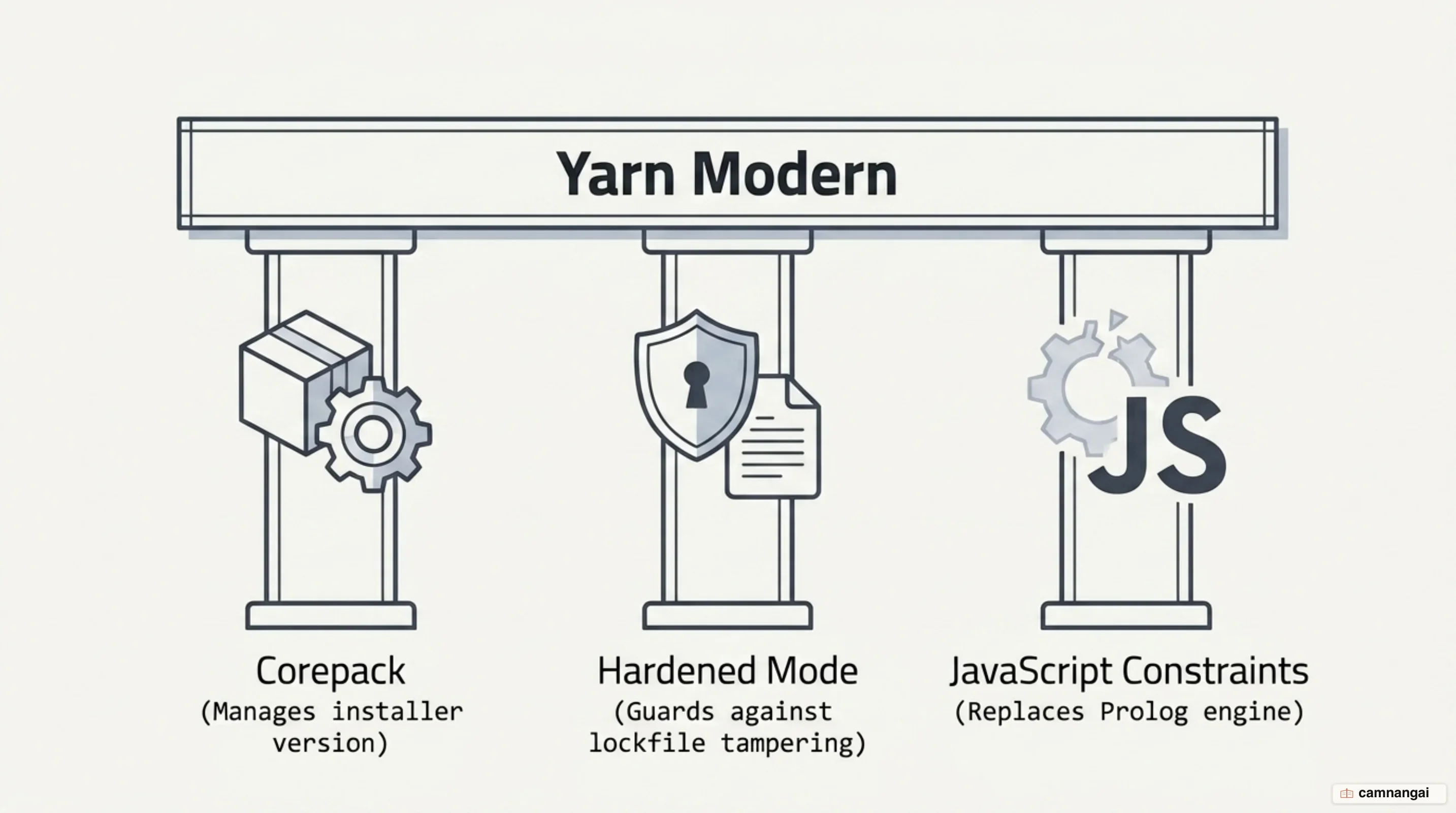
Yarn Modern also folded official plugins — the TypeScript integration, the interactive tools — into the main distribution to cut down on friction. When Yarn 4 detects TypeScript, it can add and remove @types packages for you as dependencies change. Nobody sideloads plugins any more, so there is one less piece of the tooling stack for a team to keep in sync.
Hardened Mode tightened security further. Turn it on and Yarn runs extra checks that the resolutions in your lockfile still agree with the registry's metadata. That closes off lockfile injection, where an attacker edits a pull request's lockfile to point at a compromised version of a package. On public repositories, CI usually switches the mode on by itself.
Plug'n'Play: what happens when you drop node_modules?
Plug'n'Play (PnP) is the default install strategy in modern Yarn releases, and it replaces the node_modules folder outright. Instead of unzipping thousands of files into a local directory, PnP writes a single .pnp.cjs loader. That loader "monkey-patches" Node's internal filesystem and CommonJS module systems so the runtime knows exactly where each package sits on disk — usually inside the global cache.
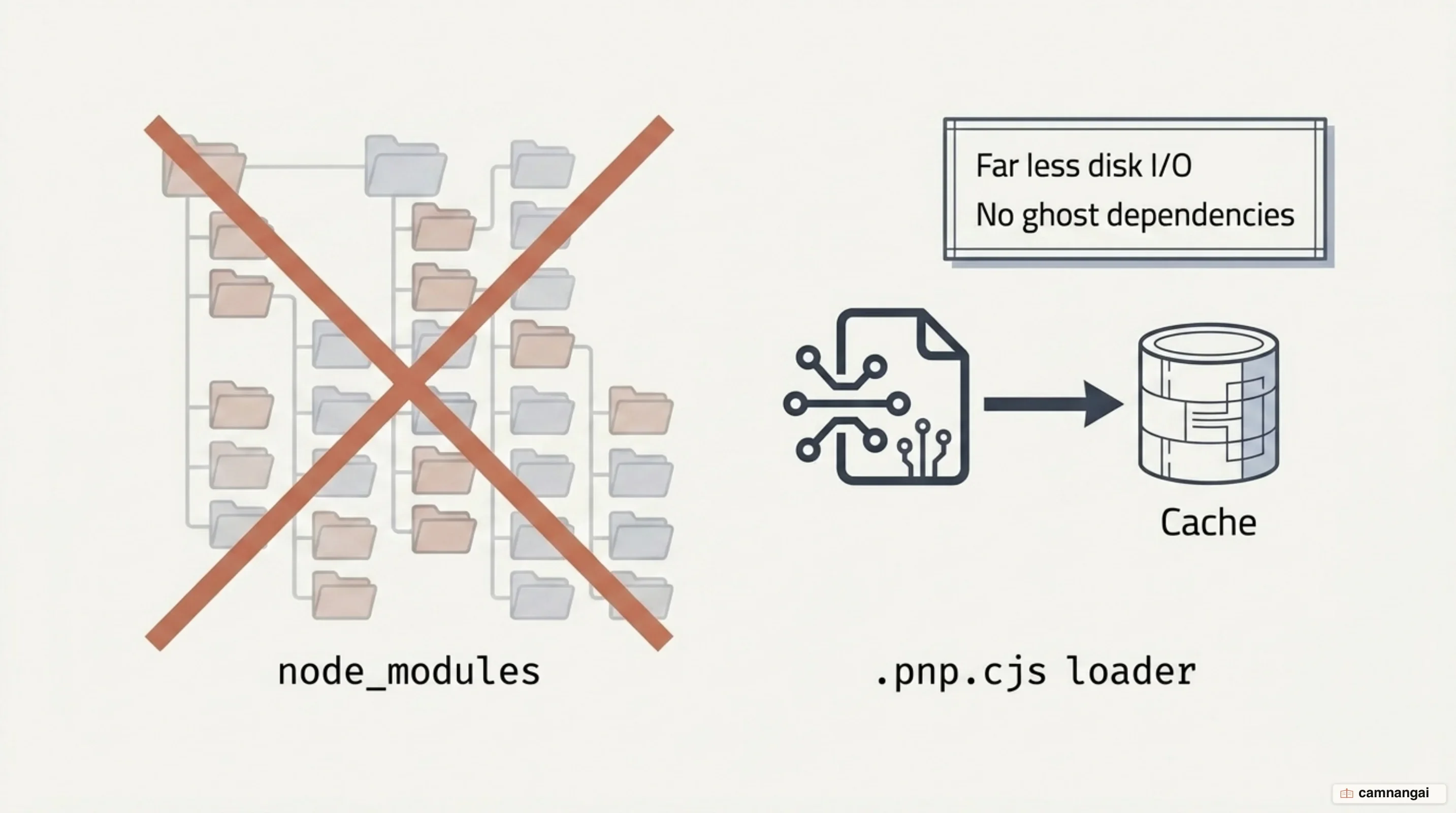
The strictness is the point: a require fails outright if the package isn't declared in your package.json. That kills "ghost dependencies", where a project accidentally imports a transitive dependency it never asked for. The errors get better too. With "semantic erroring", a broken dependency chain gives you a detailed trace naming exactly which ancestor broke it, instead of a generic "module not found".
The trade-off is editor tooling. PnP keeps the I/O footprint small and shares installs across disks, but VS Code and friends cannot resolve imports out of Zip files without Yarn's editor SDKs. And because PnP enforces peer dependency requirements accurately, workspaces with conflicting requirements can hit a "dependency explosion". For a project that simply won't cooperate, switch the linker in .yarnrc.yml:
# Toggle between PnP and traditional node_modules
nodeLinker: node-modules
Workspaces: using Yarn in a monorepo
Yarn was the first package manager with native support for workspaces: many packages living in one repository under a single dependency tree. Declare a workspaces array in the root package.json, and Yarn links the internal packages together, so cross-references just work and a shared dependency is installed once rather than once per package.
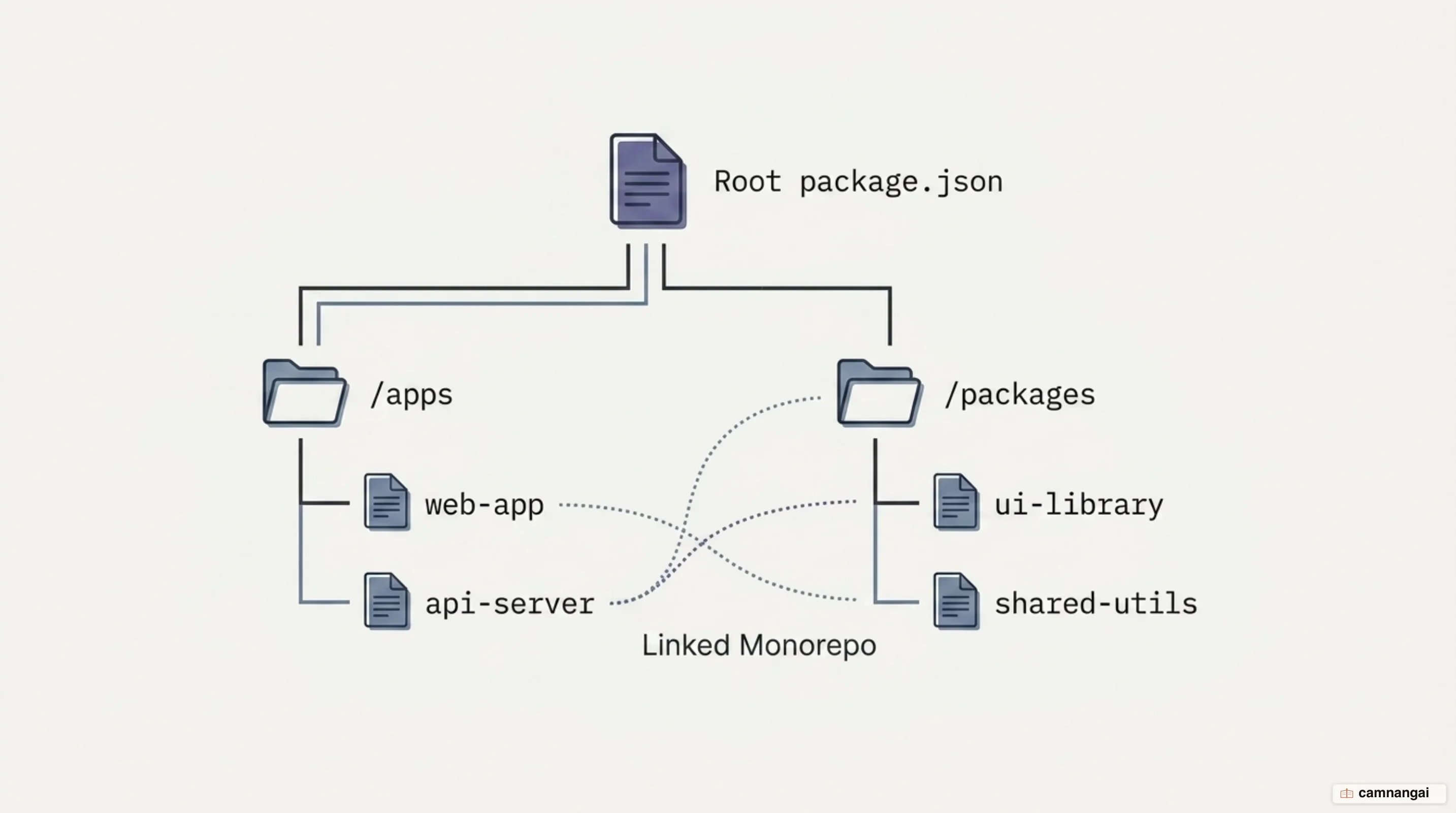
{
  "name": "my-monorepo",
  "private": true,
  "workspaces": ["apps/*", "packages/*"]
}
The workspace: protocol handles cross-references, telling Yarn to resolve that dependency to the local source instead of a registry. For deployment there are Focused Installs: yarn workspaces focus installs only the production dependencies one workspace needs, plus the local packages it depends on, and skips everything else.
yarn workspaces foreach runs a script across every package at once — tests, builds, whatever the monorepo needs. It respects topological order, so an internal library is built before the application that imports it. On a big codebase, that is where a lot of the CI/CD cycle time comes back.
Yarn 6 and the Rust rewrite
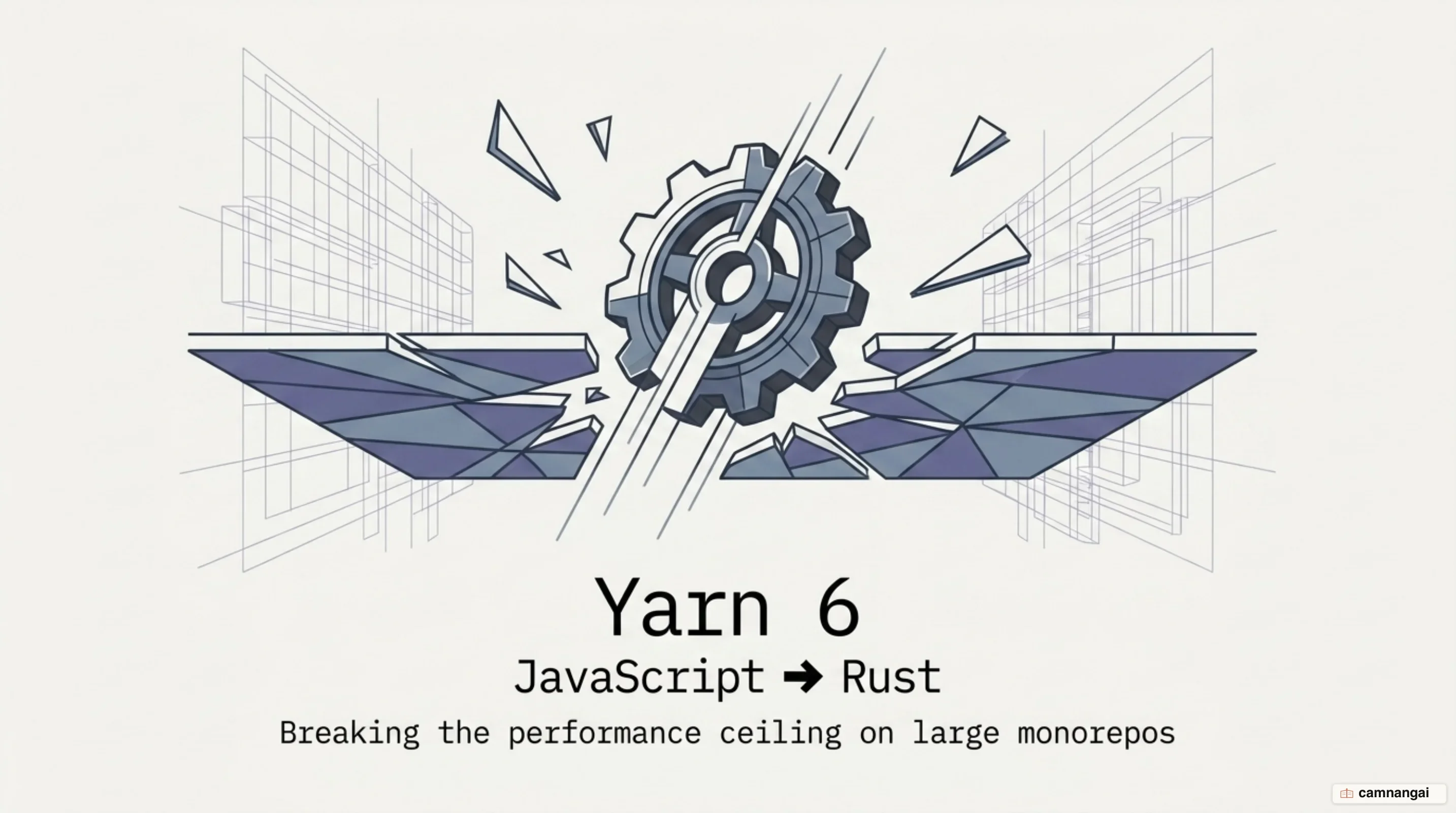
The Yarn team is porting the engine to Rust because "massive megarepos" with thousands of workspaces run into a performance ceiling. Node.js costs memory and execution overhead at that size. A native implementation responds faster and makes features practical that were simply too expensive to compute in JavaScript.
The Yarn 6 preview introduces Yarn Switch, a Rust-based binary that takes over from Corepack as a transparent version manager. It reads the packageManager field, then downloads and caches the right Yarn version for you. Lazy Installs is the other foundational piece: Yarn syncs artifacts during yarn run with negligible overhead, so you get what "Zero Installs" promised without checking binaries into Git and bloating the repository.
The preview's benchmarks show the gap. On a Gatsby project with a warm cache, an install dropped from 1.7 seconds to 0.3 seconds. With a cold cache it went from 19.8 seconds to 11.7 seconds. That keeps Yarn competitive with fast installers like pnpm and Bun without giving up its focus on correctness. The first stable release is expected no earlier than Q3 2026.
Should you pick Yarn, npm, or pnpm?
In 2026, the answer depends on what your project actually needs. npm is the default everyone already has, and it suits smaller projects where zero setup beats everything else. pnpm gets picked for disk efficiency and cold install speed; it uses content-addressable storage and hard links to manage packages on disk.
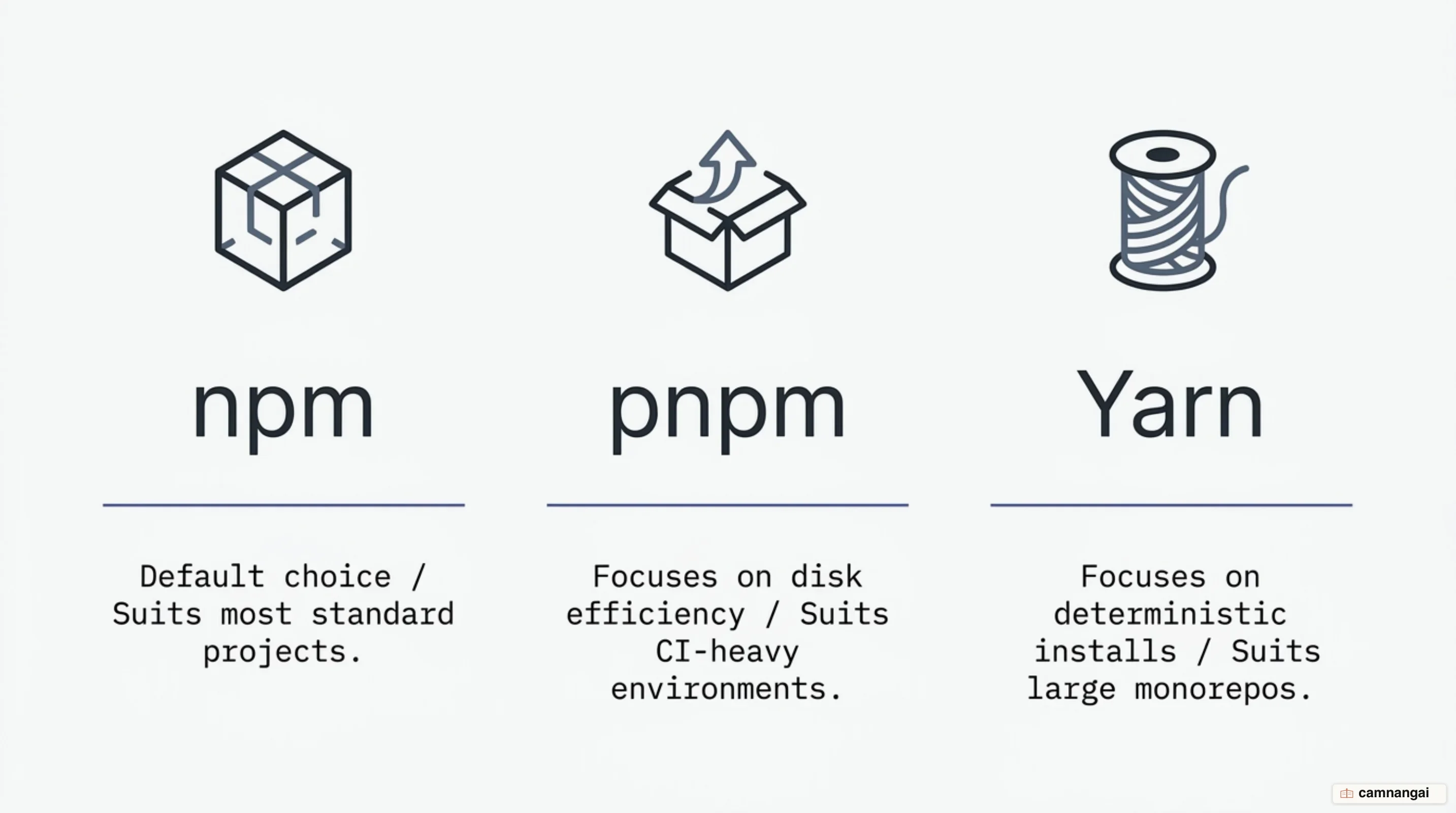
Yarn 4 (Modern) is still the strongest choice for large monorepos and for teams that want absolute control over their dependencies. Native workspace tooling, Plug'n'Play resolution, and Hardened Mode together give you the determinism and security that enterprise software needs. If your project is full of complex cross-references, or you need dependency boundaries enforced strictly so nothing breaks at runtime, Yarn Modern gives you the most to work with.
References
- Introduction — Yarn
- Yarn: A new package manager for JavaScript — Engineering at Meta
- Getting Started with Yarn: A Comprehensive Guide — Better Stack
- Plug'n'Play — Yarn
- What is Yarn PnP (Plug'n'Play) and Should You Use It? — Atomic Object
- Workspaces — Yarn
- Release: Yarn 4.0 — Yarn Blog
- Yarn 6 Preview — Yarn Blog
- npm vs Yarn in 2026: Which Package Manager Wins? — Mend.io