pnpm — short for Performant NPM — is a content-addressable package manager built to eliminate the disk space duplication and security risks inherent in traditional Node.js package managers.
By combining a global store with a non-flat node_modules structure, pnpm ensures that a specific
version of a dependency exists only once on a physical disk.
That architecture resolves phantom dependencies while cutting installation latency in high-density environments like CI/CD pipelines. If you manage a large repository or a monorepo, pnpm gives you a level of transparency and speed that npm cannot match.
As of 2026, pnpm has moved to a native-first architecture. Starting with version 11, the tool ships as pure ESM and requires Node.js 22 or later. The current roadmap centers on v12 (pacquet), a full engine rewrite in Rust designed to bypass Node.js runtime overhead and maximize filesystem throughput through native I/O handling.
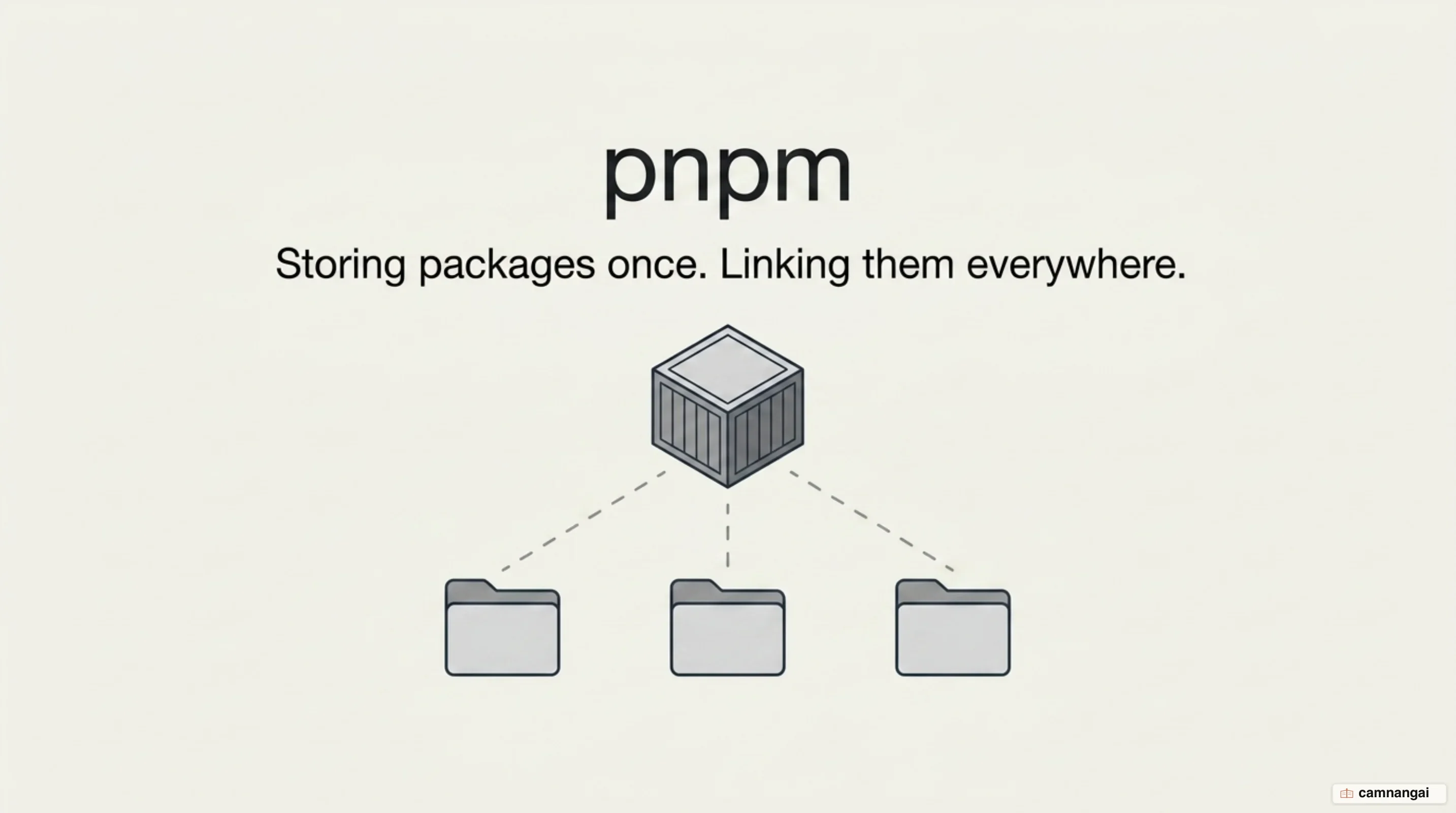
What is pnpm?
Zoltan Kochan started pnpm in 2016 as a systems-level improvement over npm, and version 1.0 followed in 2017. Its core design goal was to replace the standard flat node_modules layout with a linked structure that optimizes disk usage and enforces dependency correctness.
pnpm maintains a single global store, typically in .pnpm-store. Inside a project, dependencies are not copied. pnpm creates hard links from the global store into a local virtual store, then uses symbolic links to map those packages into the project's node_modules. v11 is the current stable line, and it introduced a native publishing flow that removes the legacy delegation to the npm CLI for commands like publish, login, and view.
The day-to-day command surface stays close to what you already know from npm. pnpm init scaffolds a project — since v11 it writes devEngines.packageManager rather than packageManager, and defaults type to "module". pnpm install installs dependencies through the content-addressable store, pnpm add <pkg> adds a package to dependencies, pnpm remove <pkg> removes a package and its links, and pnpm run <script> executes project scripts with less environment-variable pollution.
How does pnpm store packages differently from npm?
pnpm uses a hybrid linking strategy. Hard links connect the global content-addressable store (CAS) to the local .pnpm virtual store, so files appear as real files to the operating system without taking up extra space. Symbolic links then construct the nested dependency graph, ensuring only declared dependencies are reachable from your application code.
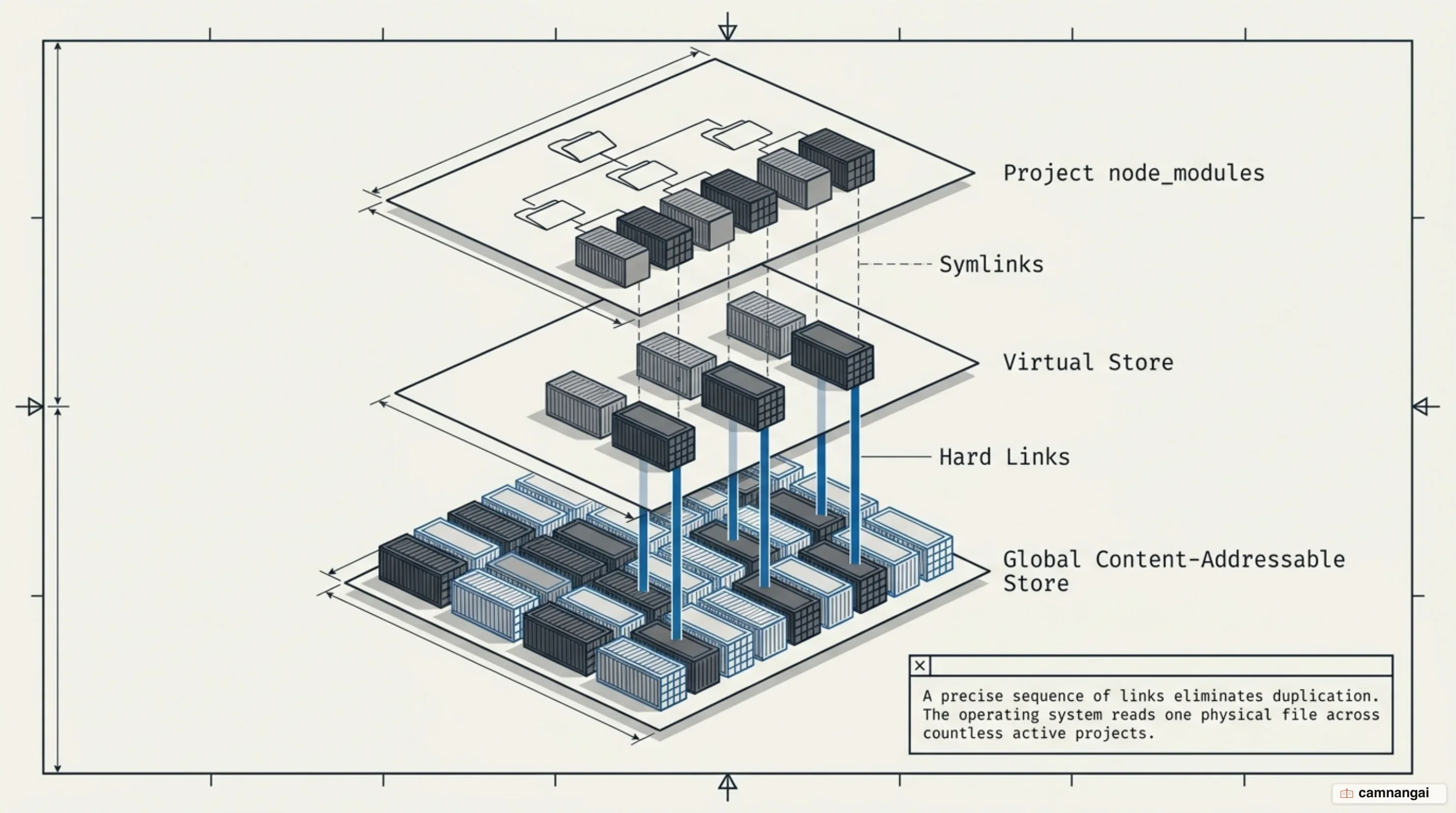
The layout below shows foo@1.0.0 depending on bar@1.0.0:
node_modules
├── foo -> ./.pnpm/foo@1.0.0/node_modules/foo
└── .pnpm
    ├── bar@1.0.0
    │   └── node_modules
    │       └── bar
    │           ├── index.js     -> <CAS>/001
    │           └── package.json -> <CAS>/002
    └── foo@1.0.0
        └── node_modules
            ├── foo -> <CAS>/003
            └── bar -> ../../bar@1.0.0/node_modules/bar
In v11 the store index became a single SQLite database at $STORE/index.db, with MessagePack values and WAL mode for concurrent access, replacing millions of individual JSON files. Bundling manifests — bin, engines, scripts — directly in that index removes the need to read those files separately during resolution.
Two further I/O optimizations landed in the same release. pnpm now writes CAS files directly to their content-addressed path instead of using a temp-file-then-rename sequence, saving roughly 30,000 rename syscalls per cold install. And the Global Virtual Store generates hashes that exclude engine-specific metadata such as platform and architecture, so about 95% of packages survive a Node.js upgrade or an architecture change without being re-imported.
How much faster is pnpm than npm?
pnpm performs resolution, structure calculation, and linking in parallel for each package. npm processes those stages globally and sequentially, so pnpm's per-package pipelining minimizes idle time during network and disk I/O.
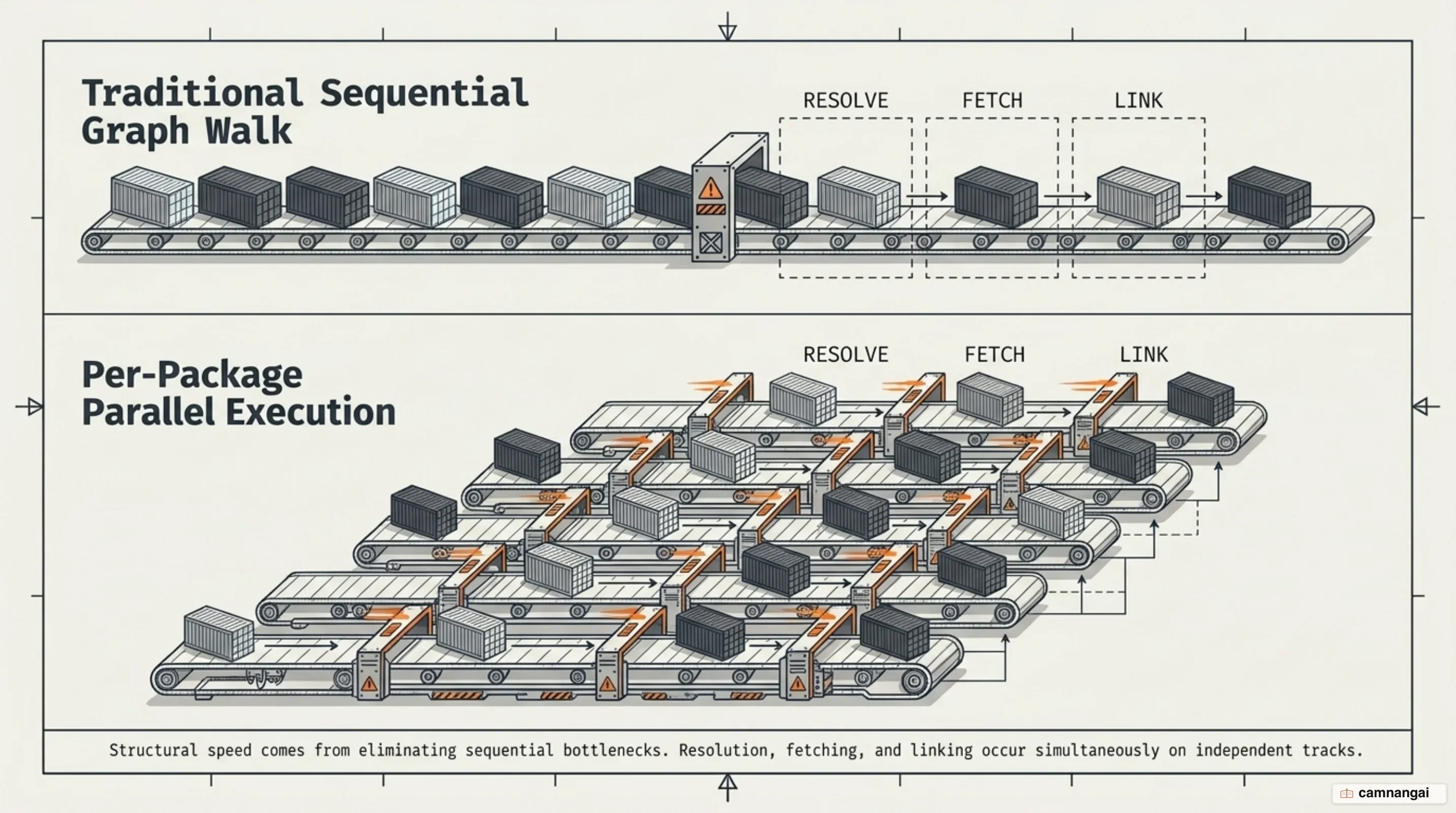
Two independent measurements exist, and they cover different things, so they should not be read as one scale. The first is a large monorepo in CI, benchmarked in 2022:
| Package manager | Without cache | With cache |
|---|---|---|
| Yarn 2 | 6m 31s | 1m 11s |
| Yarn 3 (optimized) | 1m 10s | 45s |
| pnpm | 58s | 24s |
The second compares pnpm's own engine — v11 running on Node.js against the v12 Rust rewrite:
| Scenario | pnpm v11 (Node) | pnpm v12 (Rust) |
|---|---|---|
| Clean install, no cache | 6.5s | 2.2s |
| Repeat install (warm) | 381ms | 12ms |
The Rust engine reaches that warm-install figure by eliminating the Node.js runtime bootstrap cost: it verifies the existing tree without booting a launcher, and handles file I/O fan-out without the overhead of a single-threaded JavaScript runtime. The rollout has been incremental rather than a flag day — from v11.7 you can already delegate installs to the pacquet backend end to end.
What are phantom dependencies, and how does pnpm stop them?
npm and Yarn Classic use hoisting to flatten the node_modules tree. That places transitive dependencies at the root, which lets your source code import packages it never declared in package.json. The code works today and breaks the moment a parent package updates or drops that transitive dependency.

pnpm uses symlinks so only direct dependencies are visible in the root node_modules. Transitive dependencies stay isolated inside the .pnpm virtual store, unreachable from application code. Import something you did not declare and Node.js fails immediately, because the resolution path is blocked. package.json becomes the single source of truth for the dependency graph.
That strictness is sometimes too much for older codebases. Setting shamefully-hoist=true in pnpm-workspace.yaml restores a flat structure for legacy packages that require one, and node-linker=hoisted reverts to an npm-style layout entirely — at the cost of the guarantee that made pnpm worth adopting.
What can pnpm do in a monorepo?
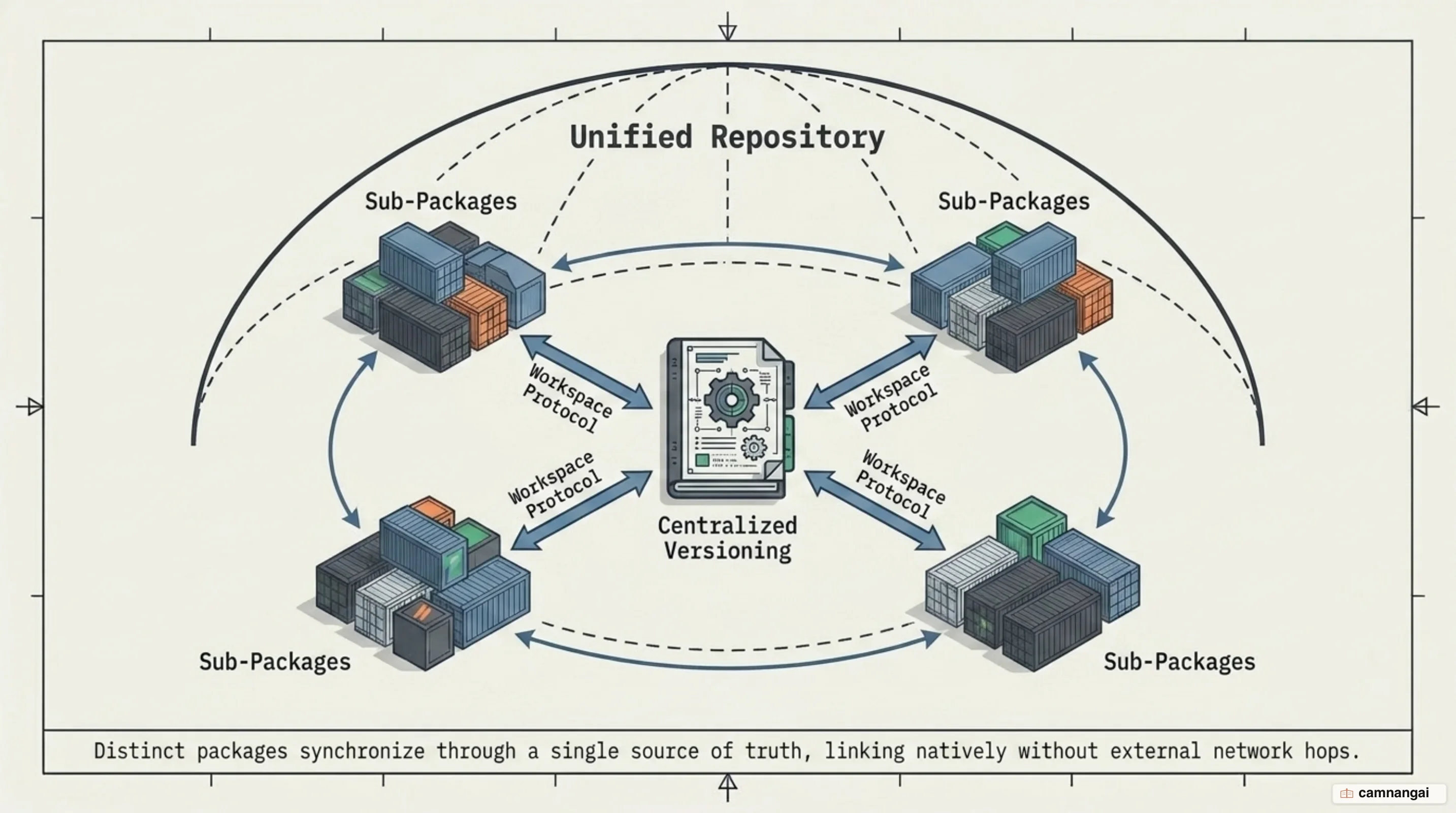
pnpm has first-class monorepo support through pnpm-workspace.yaml. It treats multiple packages as a single unit, so packages can link to each other and a single command can run recursively across the whole repository.
packages:
  - "packages/*"
  - "apps/*"
The workspace: protocol is the core of it. Writing "foo": "workspace:*" forces pnpm to resolve that dependency to the local package rather than the public registry, and those references convert to standard semver ranges on publish. Catalogs, added in v9.5, centralize shared dependency versions: instead of maintaining identical version strings across dozens of package.json files, you define each version once in the workspace configuration and reference it through the catalog: protocol.
Recursive filtering handles the rest. The --filter flag (short form -F) targets commands precisely — pnpm -F "...@my-org/api" test runs tests for the API and everything it depends on locally, while pnpm -F "@my-org/ui-kit..." build builds the UI kit and every package that depends on it.
Why does pnpm block package install scripts?
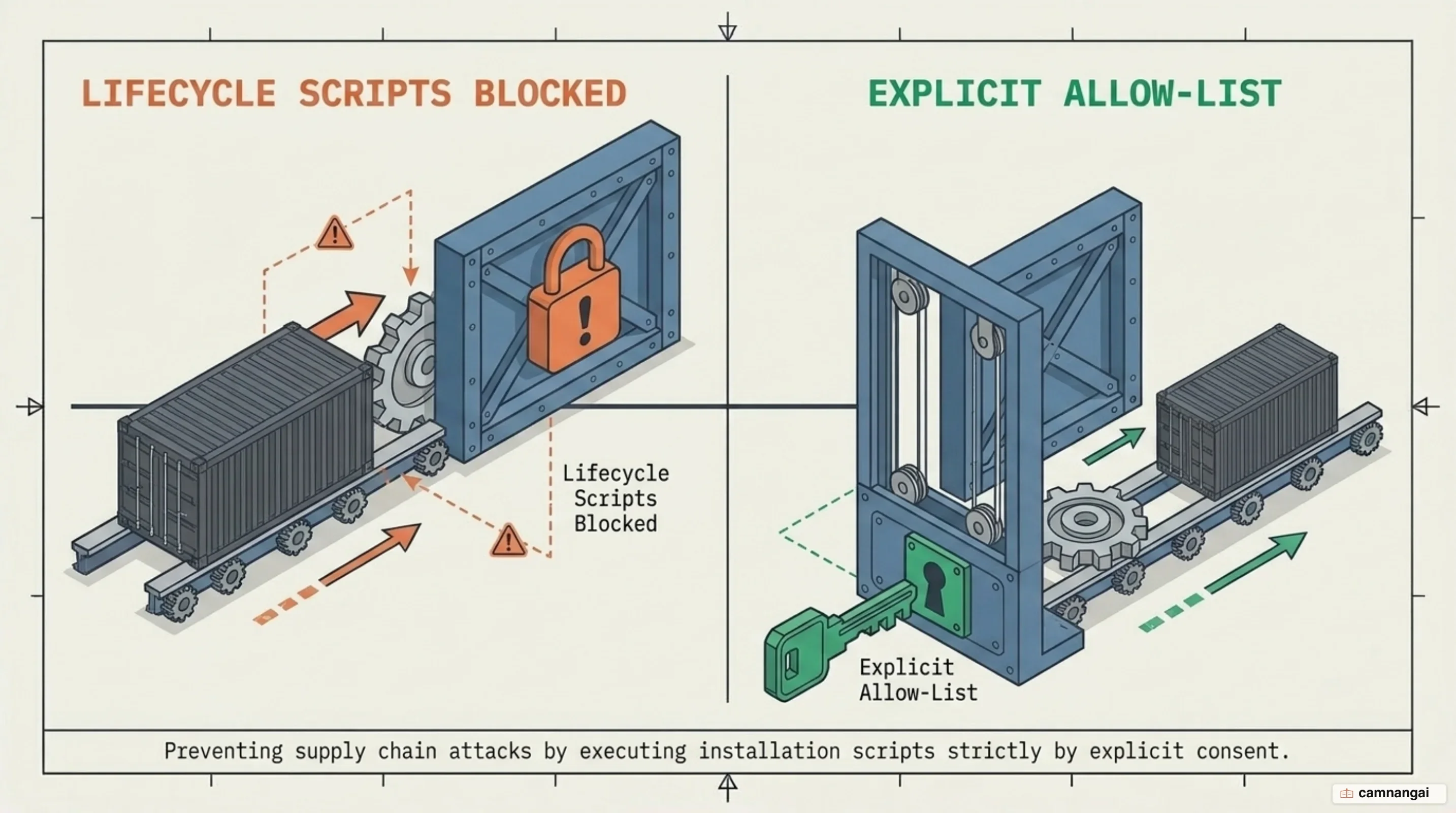
Starting with v10, pnpm blocks lifecycle scripts — preinstall, postinstall, and the rest — by default. Installing a package previously meant executing arbitrary code from it, and that is the vulnerability this closes. The change followed incidents like the Rspack attack, where a postinstall script distributed cryptomining malware.
v11 added a second layer with a default minimumReleaseAge of 1440 minutes, or one day. A newly published package will not resolve until it clears that age threshold, which blunts flash attacks where a compromised version is pulled by CI within minutes of being pushed.
Enabling scripts for packages you trust is explicit. v11 uses the allowBuilds map in pnpm-workspace.yaml, which replaced onlyBuiltDependencies and several related legacy settings. pnpm approve-builds lets you review and whitelist scripts interactively, writing the result into the configuration so the rest of your team inherits the same decision.
pnpm, Yarn, or Bun — which should you pick?
| Feature | pnpm | Bun | Yarn Modern (v4+) |
|---|---|---|---|
| Core philosophy | Disk efficiency and strictness | Raw speed, native runtime | Reproducibility, zero installs |
node_modules | Symlinks (non-flat) | Standard (flat) | PnP (none) or standard |
| Performance | High (Rust engine in v12) | Extreme (native Zig) | Moderate, fast when cached |
| Monorepo | Advanced (catalogs, filters) | Basic | Advanced (constraints) |
Pick pnpm for large monorepos where disk efficiency, dependency correctness, and supply-chain controls are requirements rather than preferences. Pick Bun when installation speed is the measured bottleneck and the project is compatible with the Bun runtime. Pick Yarn Modern if your team wants zero installs — vendoring dependencies as zip archives in Git — or relies on cross-package constraints.
Where should you start with pnpm?
Install it with npm install -g pnpm, then run pnpm import in an existing project to convert package-lock.json or yarn.lock into a pnpm-lock.yaml. Migration is worth doing when CI install times exceed what your team will tolerate, or when phantom-dependency bugs start costing real debugging hours.
One v11 change will catch you out if you skip it: .npmrc is now read for authentication and registry settings only. Everything else must move to pnpm-workspace.yaml or a global config.yaml; upgrade without moving them and your configuration quietly stops taking effect. A starting point:
packages:
  - "packages/*"
  - "apps/*"

registries:
  default: https://registry.npmjs.org/
  "@internal": https://npm.pkg.github.com/

allowBuilds:
  typescript: true
  esbuild: true
References
- Motivation | pnpm
- Symlinked node_modules structure | pnpm
- Workspace | pnpm
- pnpm 11.0 | pnpm
- pnpm v12 Is Being Rewritten in Rust — Dennis Morello
- pnpm 10.0.0 Blocks Lifecycle Scripts by Default — Socket
- A story of how we migrated to pnpm — ‹div›RIOTS
- PNPM vs. Bun Install vs. Yarn Berry — Better Stack Community