GitHub is the industry-standard cloud platform for version control and collaborative software engineering.
It is where Git repositories live online — one central place for developers to store, review, and work on code. Because those repositories sit in the cloud, a team can sync its local work with a single shared source of truth.
The platform turns distributed version control into a shared professional workflow, and it is what modern CI/CD, security scanning, and AI-assisted development are built on. It handles both locked-down private work inside a company and the open collaboration that public open source runs on.
What is GitHub?
If Git is the "coffee" — the actual engine of version control — then GitHub is the "coffee shop," the global hub where code is served, shared, and scaled. It is the authoritative remote for over 180 million developers, the one place where a project's history and everyone's work come together. Almost nothing in systems engineering runs at this scale, and a new developer joins the platform every second.
The platform is far more than a cloud backup. It is where 2025's global software output lives: developers created more than 230 new repositories every minute. For an individual engineer, a GitHub profile — and especially the "profile README" — is a technical identity and a living portfolio, a permanent record of what you have contributed to the wider developer community.
The infrastructure is built for volume, and in 2025 developers merged an average of 43.2 million pull requests a month. That centralization gives everyone the same workflow, whether the code is a private company project or public open source. And because the repositories sit in one secure, managed place, teams avoid the mess of scattered local histories and keep the project in one coherent shape across a distributed team.
How is GitHub different from Git?
Git and GitHub are two different things that do two different jobs. Git is a local, distributed version control system that tracks a project continuously, recording what changed, when, and by whom. It manages three local zones: the working directory, where you edit files; the staging area, where git add queues the changes you want to keep; and the local repository, where git commit freezes them into a snapshot.
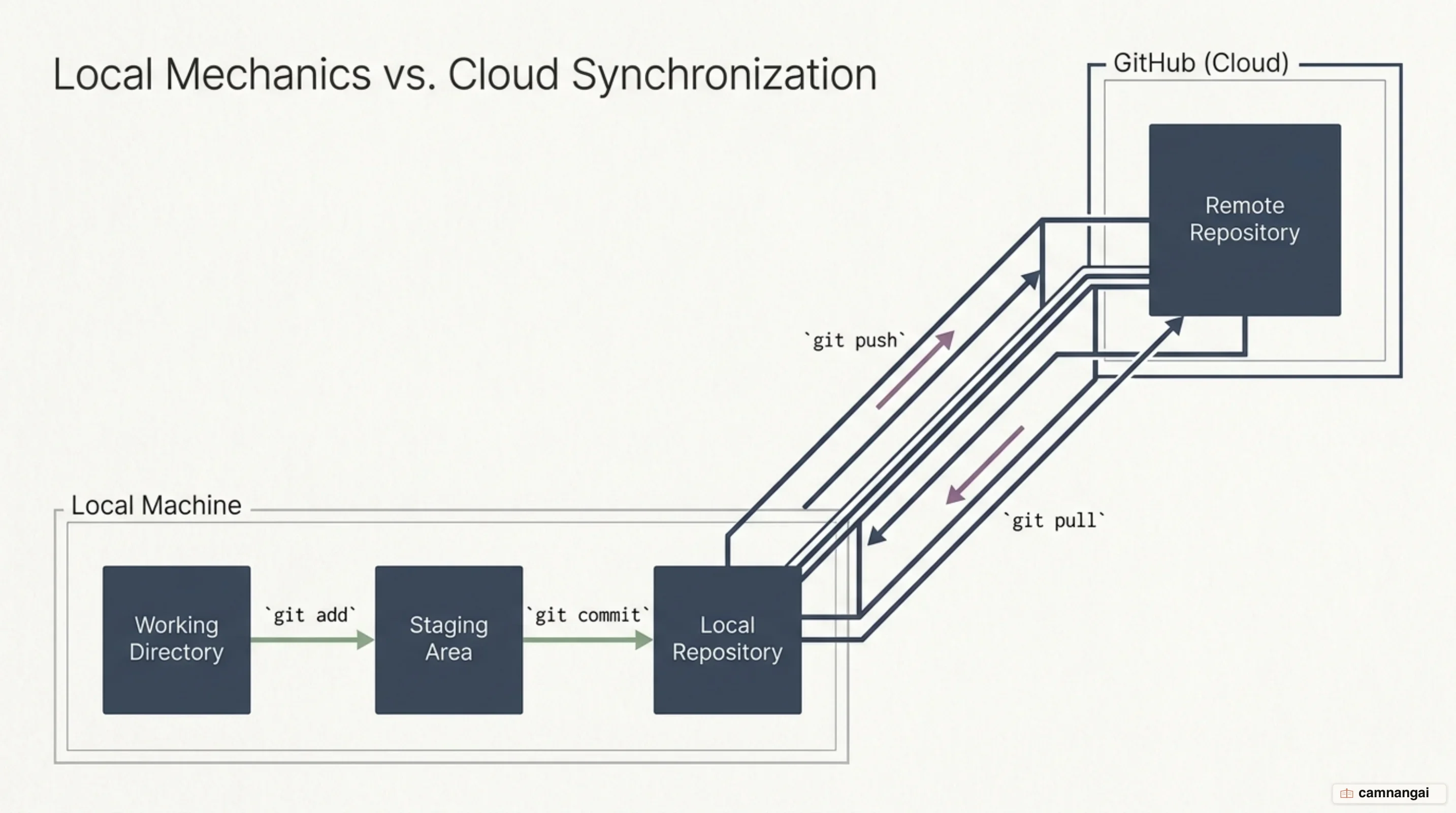
GitHub provides the "remote" side — specifically the origin pointer — that connects those local copies. Git alone is enough while you are tracking your own work. The moment a team has to merge separate histories, you need GitHub: the central online server that holds the project's definitive version, so a global team never drifts into a dozen out-of-sync local copies.
"Pushing" and "pulling" are what connect the two layers. You run git push to upload your local commits to the remote, and git pull (which is git fetch plus git merge) to bring in what your collaborators changed. That loop keeps every contributor working against the same project state, and keeps the history intact for the whole team.
How do repositories, commits, and branches work?
A repository, or "repo," is the basic unit of organization on GitHub — a digital cabinet holding a project's entire history. It stores code, images, and documentation, and it keeps a permanent ledger of every change ever recorded. That permanent record is what makes a repo a home base, letting engineers and agents work together without overwriting or losing each other's work.
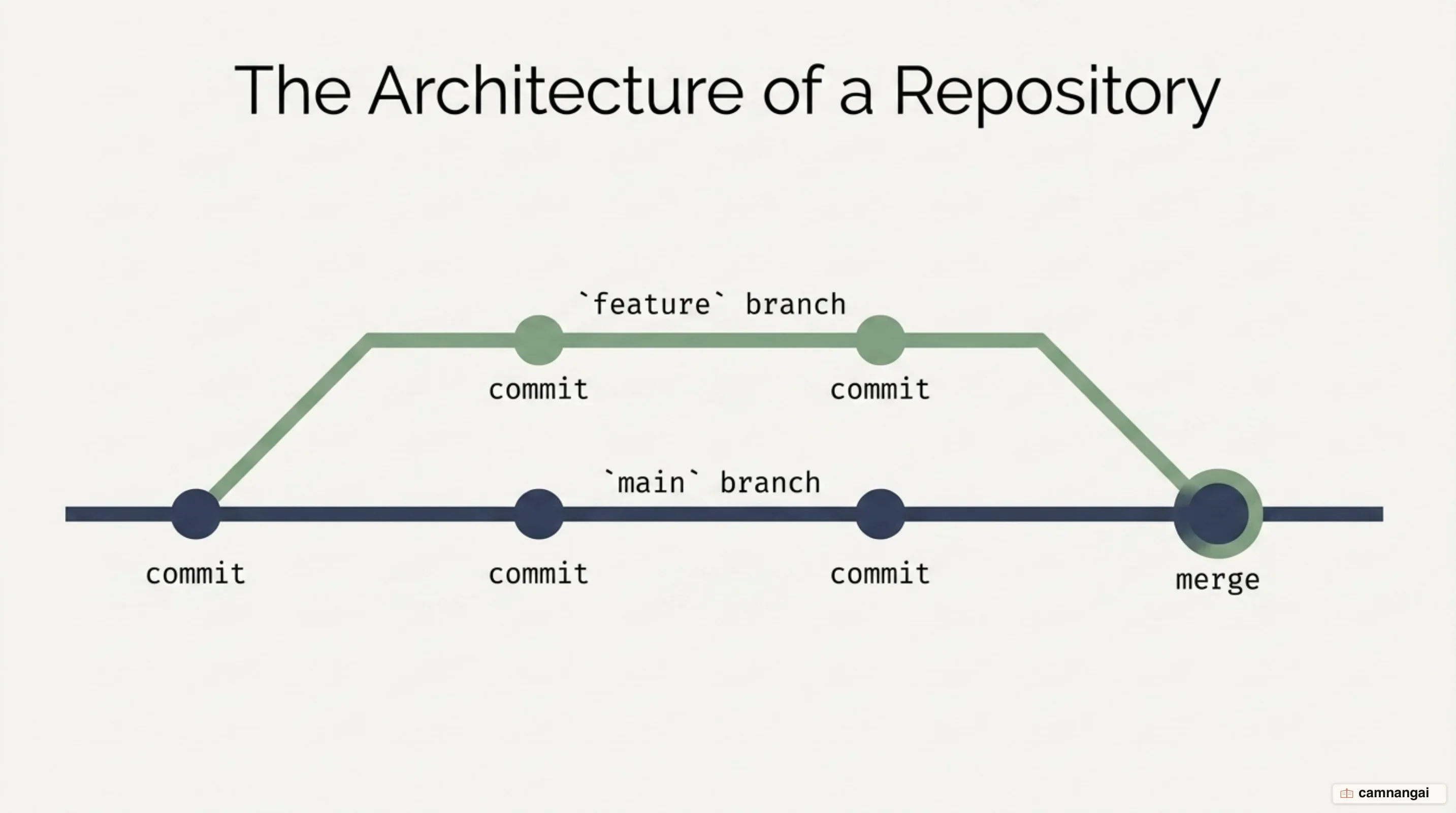
Work inside a repo is split into "commits" and "branches." A commit is a single, permanent snapshot of the changes you staged, plus a message explaining why you made them. To keep the project stable, engineers use "branches" as isolated test environments. The "test kitchen" analogy fits here: the main branch is the production kitchen where finished code is served, while feature branches let you experiment without ruining service.
These are the basic Git commands that start the whole workflow on your own machine:
git init
git add .
git commit -m "initial commit"
Branches give you parallel workspaces, keeping new feature work away from the project's stable core. With each piece of work isolated in its own branch, a team can fix bugs and build complex features at the same time without breaking the main codebase. This is the standard way to manage technical debt and make sure every change is deliberate, reviewed, and validated.
Pull requests: how a change gets reviewed and merged
The Pull Request (PR) is the heart of collaboration — a formal proposal to merge changes from a feature branch into the target codebase. A PR shows you the "diff": line by line, what the change adds (green) and what it takes away (red). That view is what human and agent reviewers work from, because it lets them see what a change does to the codebase before it becomes a permanent part of the project's remote history.
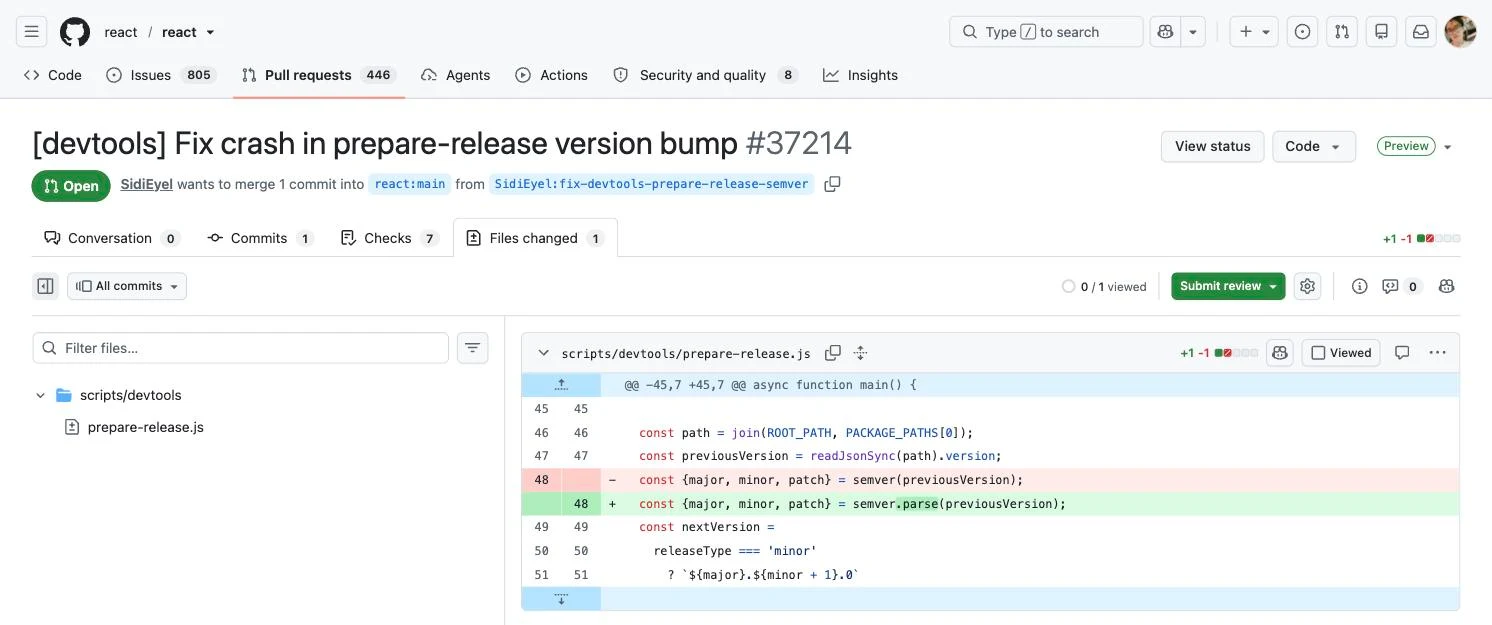
Opening a PR follows a set path: create a feature branch, commit the changes with clear intent, then open the PR for discussion. This is the stage where code quality gets enforced. Reviewers can comment on specific lines, suggest refactors, and trigger automated checks against the team's standards. In 2025, small, atomic PRs are strongly preferred: safer to merge, faster to review, and much easier to read back later.
Once a PR has been vetted and all status checks have passed, a merge brings the changes into the destination branch. The merge is a gate the change has to pass. By requiring formal review and automated validation, the PR process keeps the codebase from decaying and makes sure "LGTM" (Looks Good To Me) means something was actually verified. That is what lets a team grow without giving up reliability.
Issues, reviews, and how a team coordinates on GitHub
Teams use GitHub Issues and Projects to coordinate asynchronously, without the overhead of constant status meetings. Issues are shared, trackable units of work: bugs, tasks, feature requests. They show up on Kanban-style project boards, so you can see the whole engineering pipeline at a glance. Every task ends up documented, assigned, and linked to the code changes it belongs to.
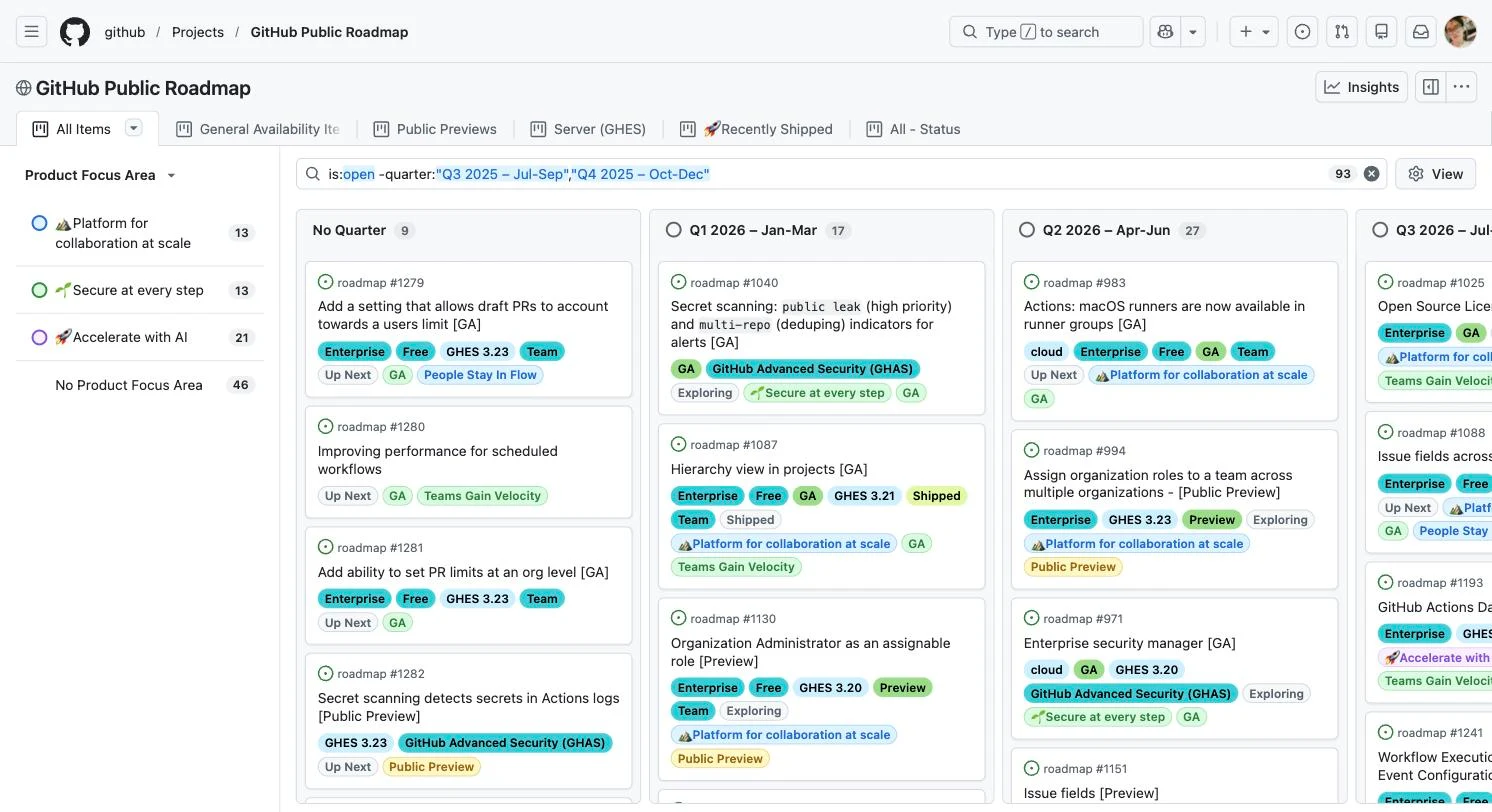
The closing keywords are where this gets genuinely useful. Write Closes #42 in a PR description and you have linked the code to the task that asked for it. Once the PR is merged, GitHub closes the matching issue and updates the project board on its own. That saves a lot of manual bookkeeping and keeps the board honest about what the code is actually doing.
All of it leaves a searchable record of how decisions got made. Because every issue and PR carries its own discussion thread, the reasoning behind a particular design choice never disappears. That matters most for distributed teams: one central source of truth, readable across every time zone and every level of experience.
What does GitHub Actions automate?
GitHub Actions is the native CI/CD (Continuous Integration/Continuous Deployment) and automation engine behind modern software delivery. You write YAML configuration files in the .github/workflows/ directory, and they trigger complex automated runs — unit tests, security scans, cloud deployments — on specific repository events like a push or a newly opened PR.
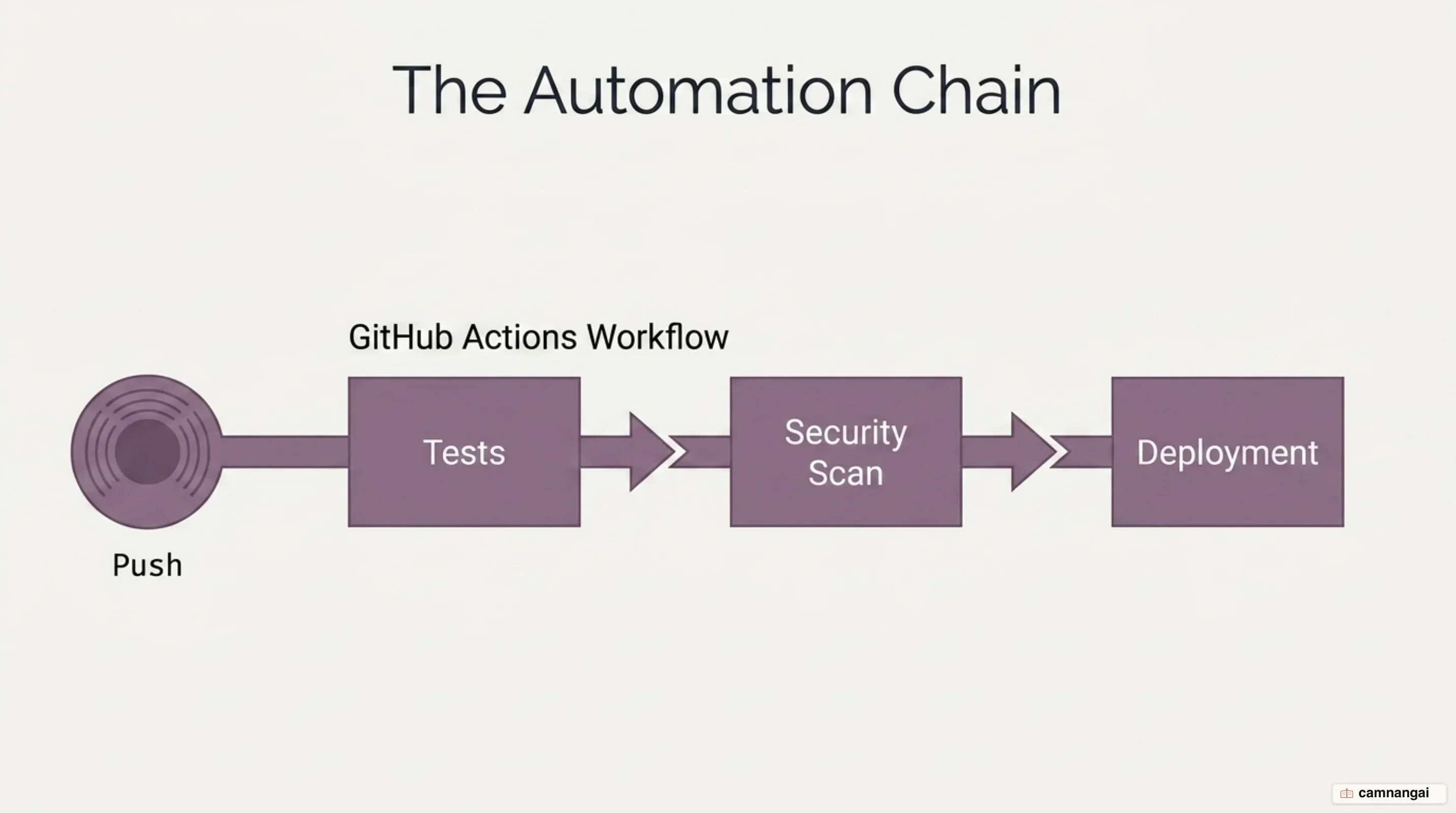
A workflow file defines the automation through triggers and steps:
name: CI-Build
on: [push, pull_request]
jobs:
  build:
    runs-on: ubuntu-latest
    steps:
      - uses: actions/checkout@v4
      - name: Run Tests
        run: npm test
In 2025, automation on the platform reached 11.5 billion Actions minutes in public projects. That volume is what shifting security and testing "left" looks like in practice: errors get caught early in the development cycle, before they can reach production. By taking the manual steps out of the loop, Actions keeps code quality high even as a team ships faster.
Forking and contributing to open source projects
In Open Source Software (OSS), "forking" is the standard way to contribute to a project where you do not have direct write access. Branching happens inside a single repository; a fork copies the entire repository into your own account. From there you can experiment in complete isolation, with no effect on the original upstream codebase.
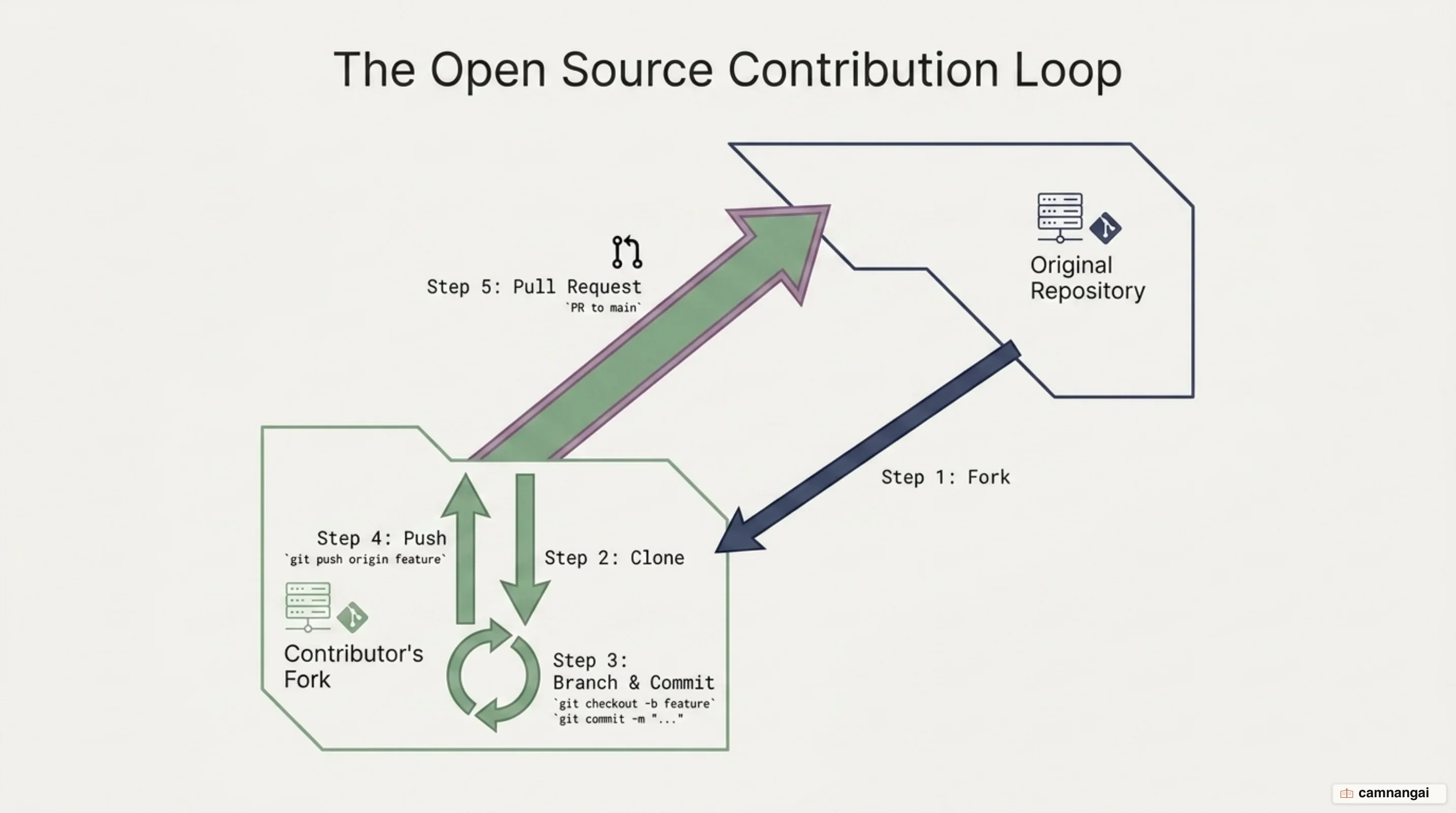
The typical OSS workflow is a short loop: fork the project, create a feature branch on the fork, then open a PR from the fork back to the original repository. Maintainers often smooth the path for newcomers with the "good first issue" label, which marks the low-friction places to start. Forking gives the global developer community a safe, scalable way to work on shared infrastructure together.
Forking is also what makes Git genuinely "distributed." Ideas and software can spread without a central gatekeeper, and the PR system is how those improvements funnel back into the authoritative source. That combination is why GitHub is still the home of open source, with millions of developers running the fork-branch-PR loop to build the world's most critical software projects.
How big is GitHub, and where is it heading?
The 2025 Octoverse data shows a major shift across global engineering. For the first time, TypeScript has overtaken Python and JavaScript to become the most used language on GitHub. The move toward typed languages is a direct response to the rise of AI-assisted development: strict type systems make the code an agent generates more reliable and more predictable in production.
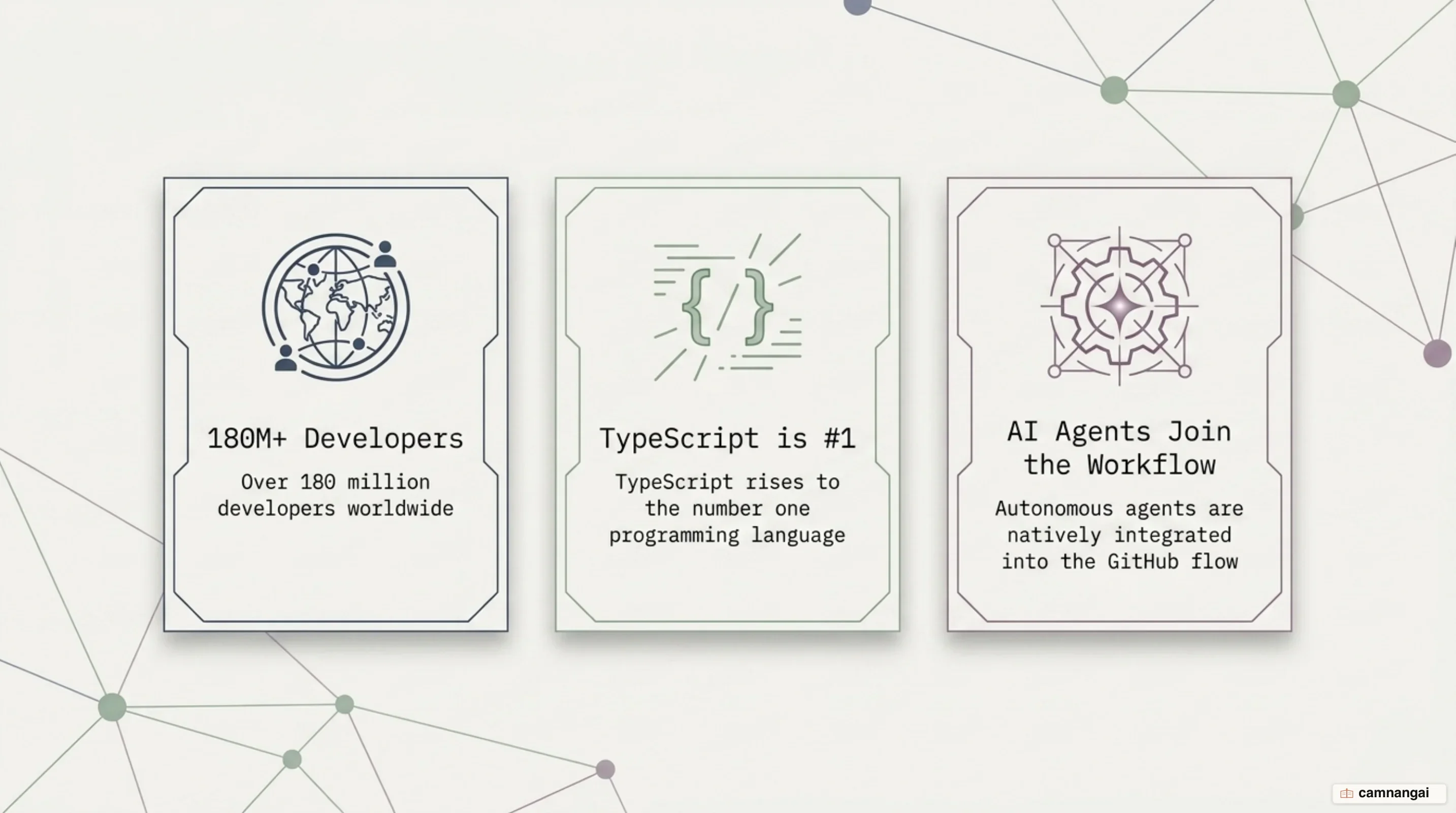
GitHub is moving fast toward "Agent HQ," an open ecosystem with AI agents built natively into the development flow. The adoption numbers back that up — nearly 80% of new developers on GitHub use Copilot in their first week. Agents from Anthropic, OpenAI, and Google are becoming part of the standard toolkit, running complex, parallel tasks through the same GitHub primitives developers have used for years.
The center of gravity is also shifting toward India, which added more than 5.2 million developers in 2025 alone. At that rate, India is on track to account for one in every three new developers on GitHub by 2030. As global activity climbs — 43.2 million merged PRs a month on average — GitHub is positioning itself as the command center for human-agent collaboration.
Where should you start with GitHub?
If you are new to all this, start by creating a "Hello World" repository. That one small exercise gives you the whole branch-commit-PR cycle end to end. Practicing these primitives somewhere with no stakes is how you build the muscle memory professional engineering asks for.
Git and GitHub are career-long skills that outlast individual tools and trends. They are the foundational logic of modern software delivery, and they make shipping code simpler rather than noisier. Learning them well is the most effective way to take part in how the world builds software.
References
- What is GitHub? - GitHub Docs
- Hello World - GitHub Docs
- Understanding GitHub Actions - GitHub Docs
- Version control - Learn web development | MDN
- GitHub for Beginners: Your roadmap to mastering the GitHub essentials - The GitHub Blog
- Learn How to Use Git and GitHub – A Beginner-Friendly Handbook
- Octoverse: A new developer joins GitHub every second as AI leads TypeScript to #1 - The GitHub Blog
- Introducing Agent HQ: Any agent, any way you work - The GitHub Blog