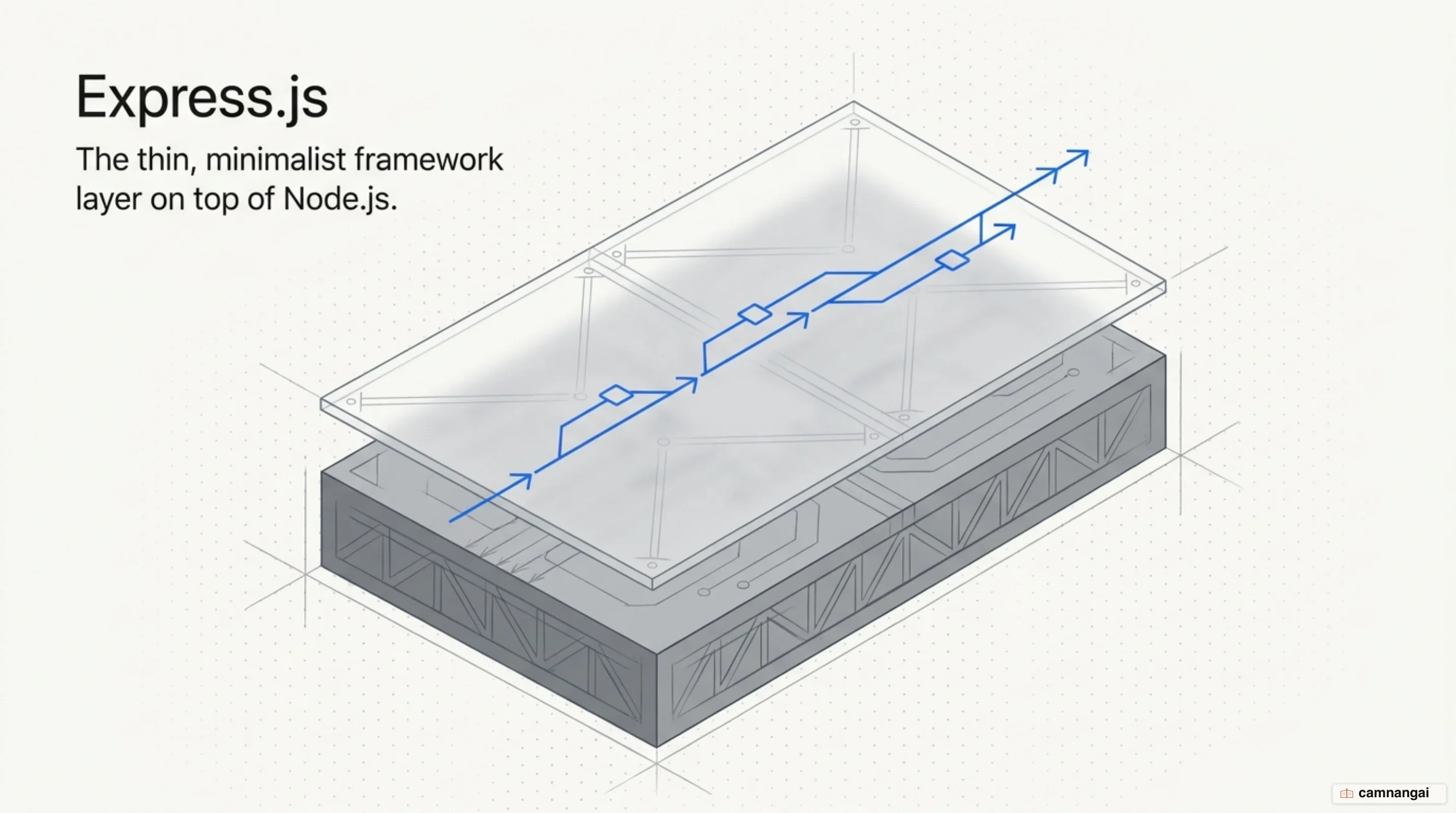
Express.js is a fast, unopinionated, minimalist web framework for Node.js. It gives you a thin layer of fundamental web features, routing and middleware, without hiding the core capabilities of the Node.js runtime.
Running JavaScript on both the client and the server removes the mental context switch between the two halves of a project. Express gives you structure for server-side logic while keeping the full flexibility of plain JavaScript.
What is Express.js?
Express.js is a lightweight routing and middleware framework that runs inside the Node.js runtime. Node.js supplies the cross-platform environment for executing JavaScript on a server, including low-level APIs for the file system and HTTP. Express adds the high-level structure a web application needs on top of it. Node runs on Linux, macOS, Windows, Solaris, FreeBSD, and OpenBSD, so Express is a viable target almost anywhere you can deploy.
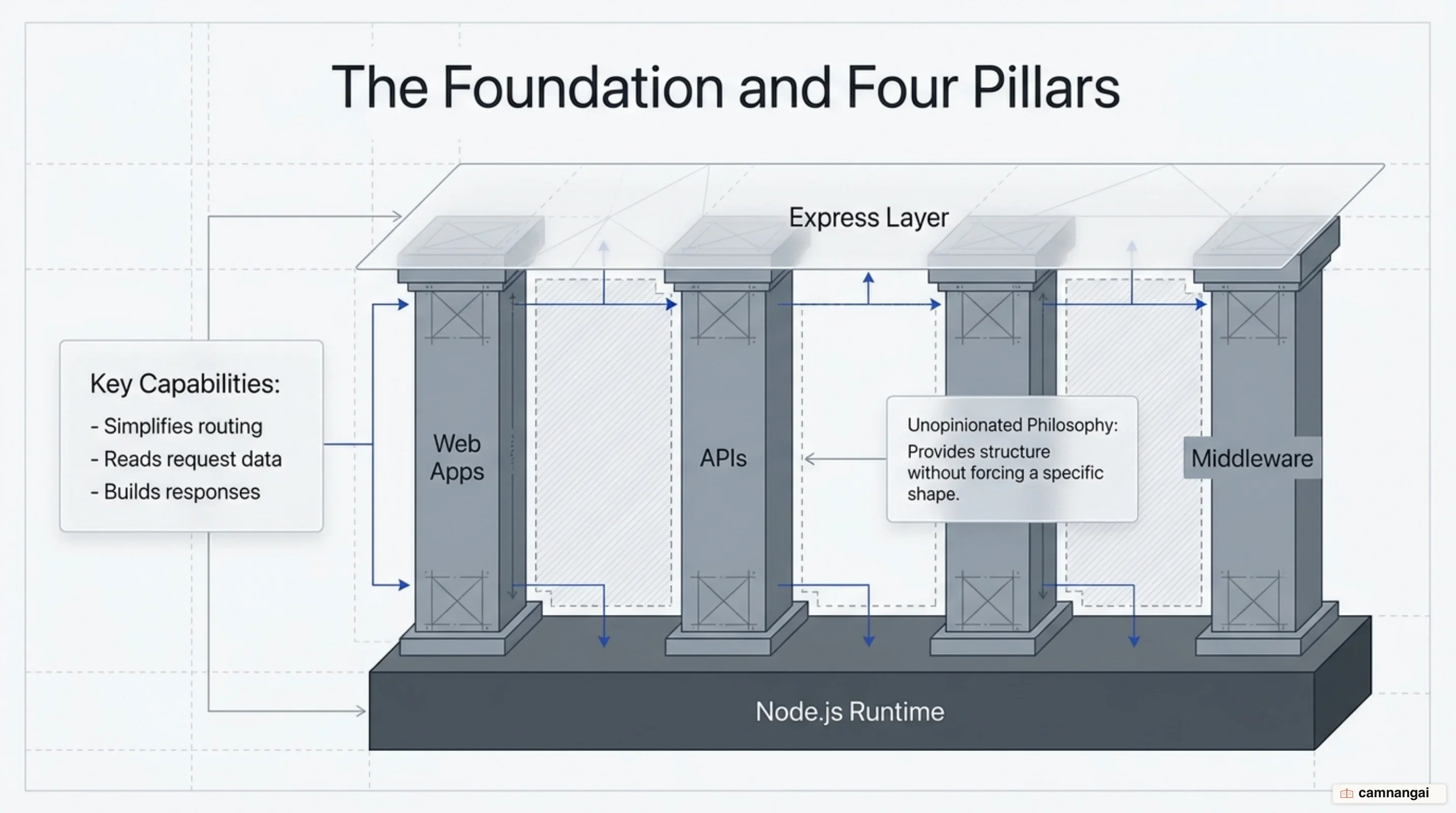
What defines Express is its unopinionated philosophy. Opinionated frameworks mandate a directory structure and an architectural pattern, and Express mandates neither. You choose your own database layer, your own template engine, and your own middleware, and you carry full responsibility for how the architecture holds together. That is the best thing about Express and the worst thing about it, depending on the week. Without deliberate conventions agreed up front, an Express codebase drifts toward sprawl faster than most.
What you get in the box is narrow. Express maps HTTP verbs (GET, POST, PUT, DELETE) to the URI endpoints you define. It plugs into rendering engines such as Pug or EJS, which generate HTML by injecting data into templates. It manages application configuration: environment settings, port definitions, and route sensitivity. That is close to the whole list.
Express preserves the performance profile of Node.js by staying inside its single-threaded, event-driven execution model. That architecture leans on non-blocking asynchronous APIs, which is what keeps throughput high under production load. The framework's job here is mostly to stay out of the way, and it does.
What does a minimal Express application look like?
A "Hello World" server shows how little of the API you need to start.
const express = require("express");
const app = express();
const port = 3000;

app.get("/", (req, res) => {
  res.send("Hello World!");
});

app.listen(port, () => {
  console.log(`Example app listening on port ${port}`);
});
The application object
Importing the express module and invoking it creates the app object. Everything else in the
application hangs off it: the methods for routing requests, registering middleware, and configuring
global settings.
Route definition and callbacks
The app.get() method defines a handler for HTTP GET requests at the site root. The callback takes
the standard req (request) and res (response) arguments. Calling res.send() sends the
response body and ends the request-response cycle. That is the whole contract.
Starting the server
The app.listen() method binds the application to a port and an optional hostname, then starts
listening. Express 5 changed how this callback behaves on failure: where Express 4 threw server
errors, Express 5 passes them to your callback as its first argument. Check for that error before
logging a success line, or a port collision will look like a clean startup.
Middleware: the core mechanism of Express
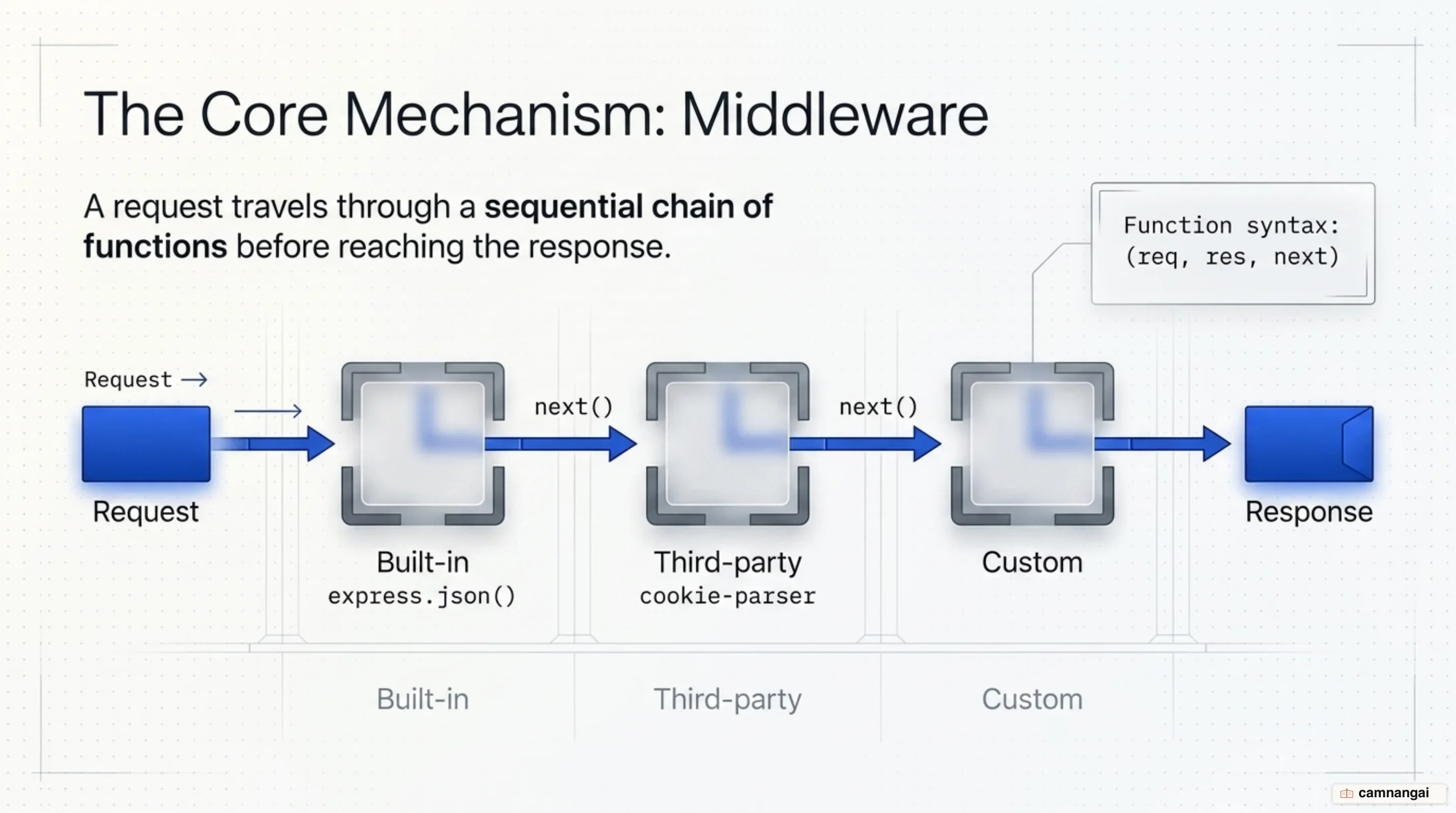
Middleware functions sit in the pipeline between the incoming request and the outgoing response, which is where logging, authentication, and body parsing belong. Learn middleware properly and you have learned most of the framework.
The middleware signature
Middleware follows the (req, res, next) signature. These functions can run code and modify the
request and response objects, and each one must either end the request-response cycle or call
next() to pass control forward. Do neither and the request simply hangs — the client waits until
it times out.
Categories of middleware
- Built-in: Express ships five middleware functions in core:
express.staticfor static assets,express.jsonfor JSON payloads,express.urlencodedfor form data, andexpress.rawandexpress.textfor Buffer and text payloads. - Third-party: packages installed from npm, such as
morganfor request logging orcookie-parserfor reading cookies. - Custom: functions you write for your own domain logic, such as an authorizer.
The stack and execution order
Middleware and routing functions execute in the exact order they are declared. This sequence
matters more than it first appears. Register express.json() after your route handlers and
req.body is undefined inside them, with nothing in the logs to explain why. Register an error
handler above your routes and it will never catch anything they throw.
The next() function
The next() function drives the stack forward, telling Express to move to the next function in the
chain. Passing an argument to next() signals an error, unless that argument is the string
'route'. Express then skips every remaining non-error-handling middleware.
Routing and express.Router
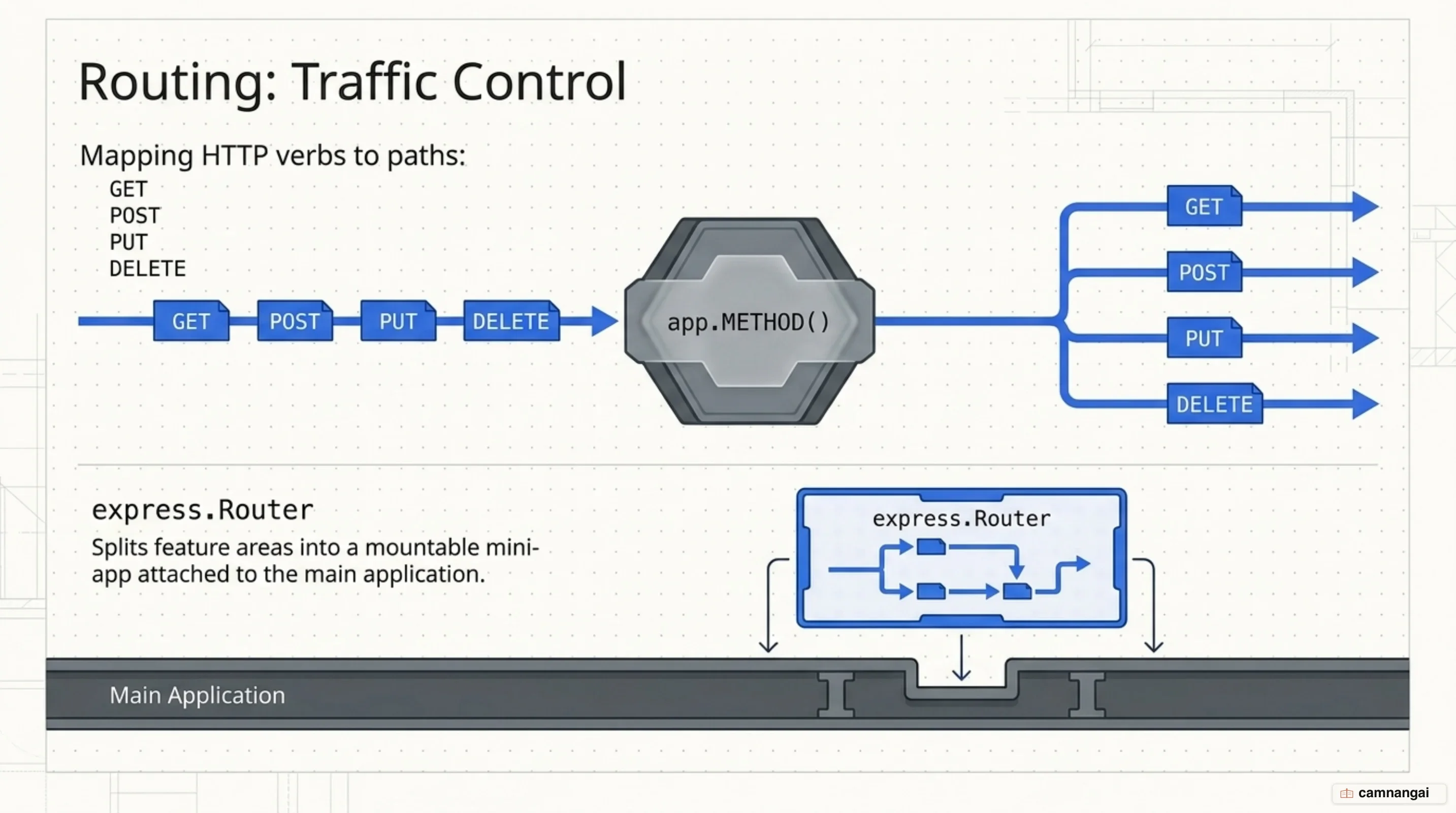
Routing is the part of Express you touch every day: which URI, which verb, which handler.
Basic routing and HTTP verbs
Express maps endpoints with app.METHOD(), covering all the standard HTTP verbs. The app.all()
method is a special case that applies logic to every verb at a given path, which is useful for
forcing authentication on a protected endpoint.
Path matching and parameters
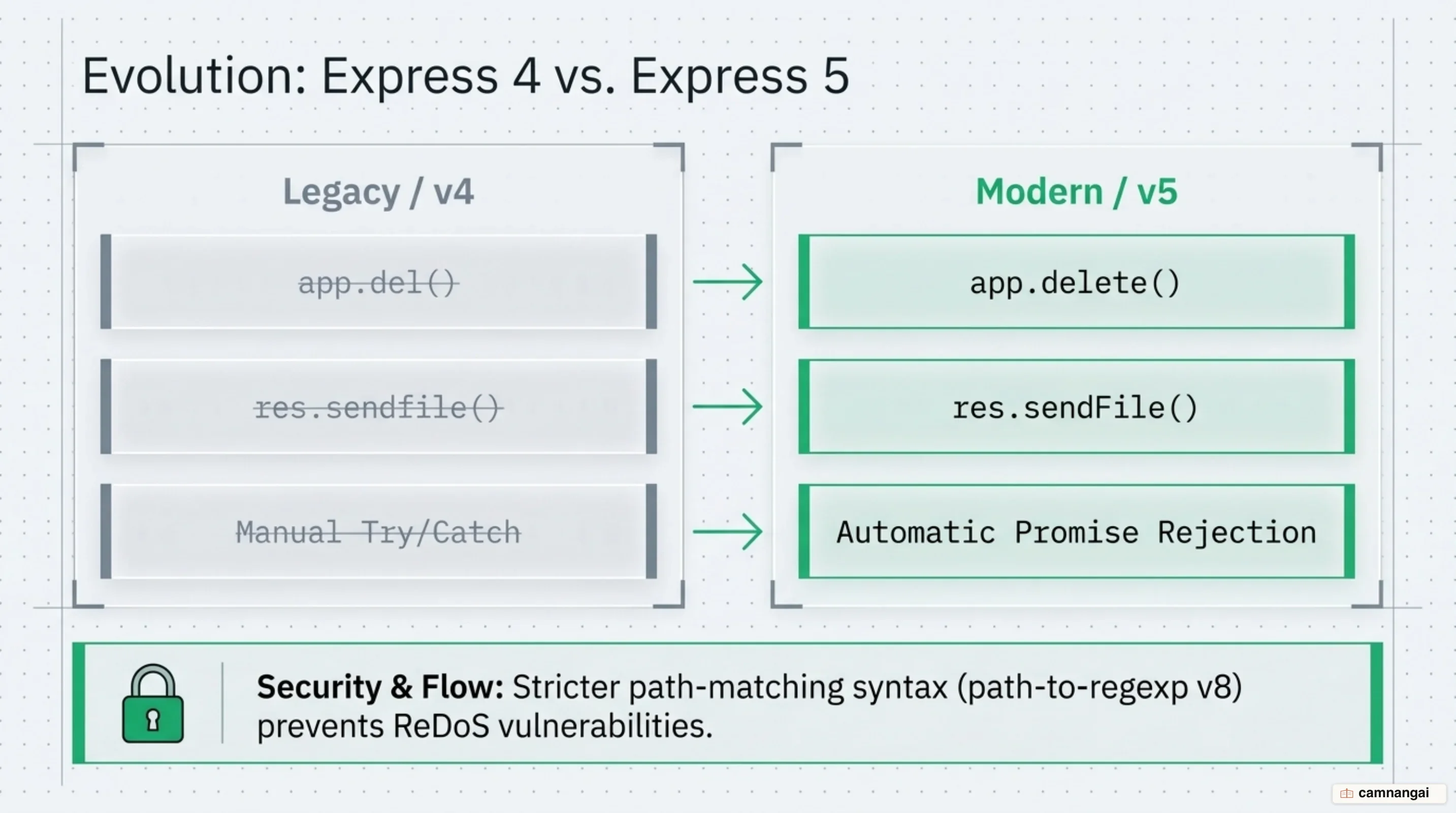
Express 5 uses path-to-regexp v8 for matching route paths, and its syntax is stricter than
Express 4's. Route paths can be literal strings, regular expressions, or carry named parameters:
/users/:userId populates req.params.userId. Regex characters are no longer supported inside
string paths, so use an array of paths or a genuine regular expression instead.
express.Router for modularity
The express.Router class creates mini-apps: modular, mountable route handlers that keep a growing
codebase organized. Split each feature area into its own file, then mount it with app.use(). One
common snag is that a nested router does not inherit its parent's path parameters by default.
Passing { mergeParams: true } to the Router constructor restores access to them.
Chainable route handlers
The app.route() method defines multiple handlers for a single URI in one place. Chaining this way
cuts repetition and removes a common source of typos in path strings.
Error handling in Express
Express keeps a dedicated middleware tier for catching errors, synchronous and asynchronous alike.
The four-argument signature
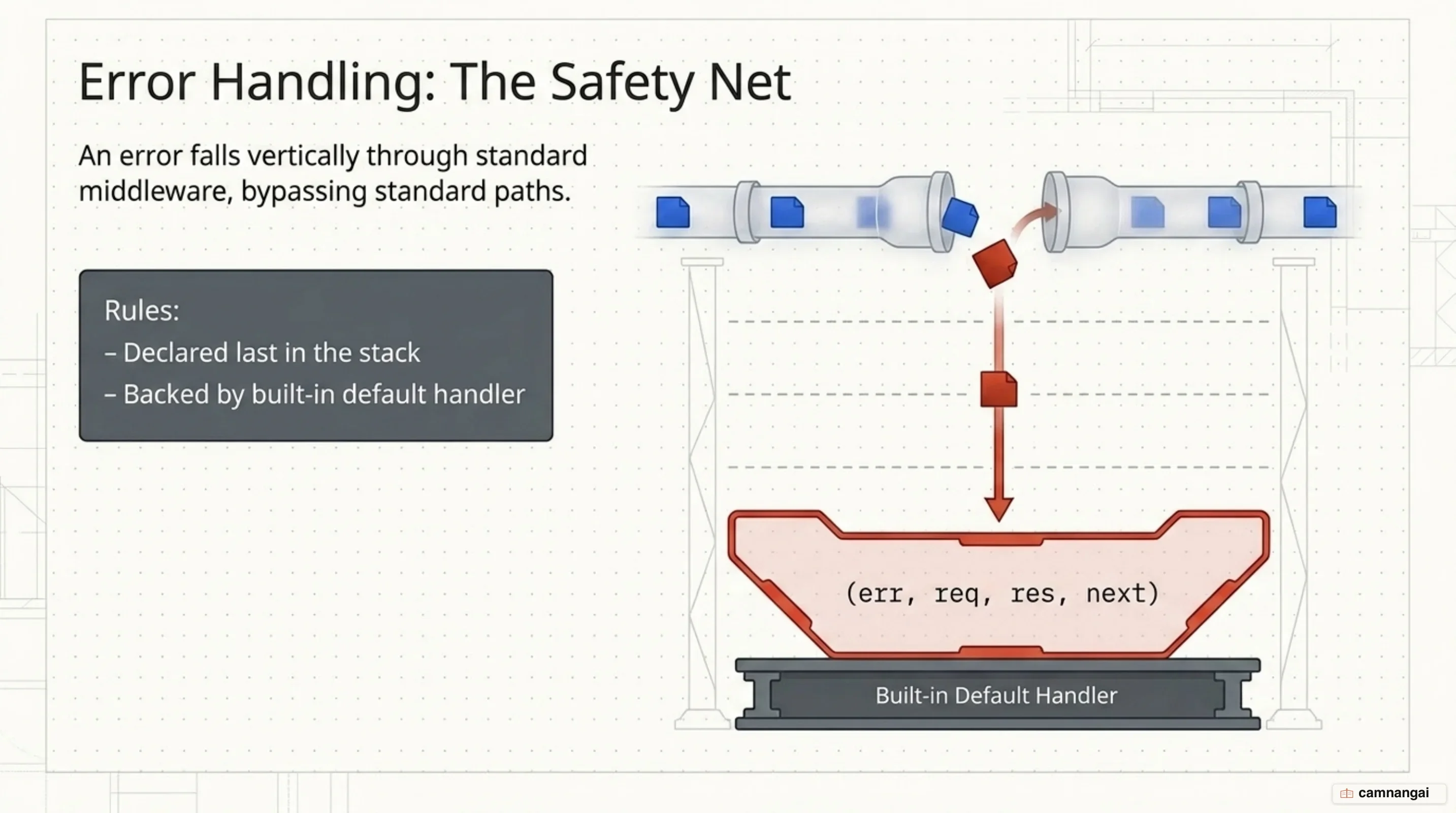
Error-handling middleware is declared with four arguments: (err, req, res, next). Express
recognizes that specific signature and invokes these functions only when an error travels down the
pipeline. Omit err and Express treats the function as ordinary middleware, silently skipping your
error logic.
The default error handler
Express includes a built-in error handler at the end of the stack. In development it returns the
full stack trace. With NODE_ENV=production it suppresses the trace, which is the behavior you
want, because shipping a stack trace to a client is a real security problem. If an error surfaces
after headers have already been sent, call next(err) to delegate to the default handler so it can
close the connection cleanly.
Synchronous versus asynchronous catching
Express 5 automatically catches errors from handlers that return a promise, async functions
included. A rejected promise is forwarded to your error handler with no try/catch around it.
Legacy callback-based APIs such as fs.readFile are the exception. There you still catch the error
yourself and pass it to next(err).
Placement
Custom error handlers must be declared last, after every other app.use() and route definition, so
they sit downstream of everything that might fail.
What changed between Express 4 and Express 5?
Express 5 modernizes the framework and pays down technical debt rather than adding features, but several breaking changes need real migration work. Most of it is mechanical. A few parts are not.
Infrastructure and automation
Express 5 requires Node.js 18 or higher. Codemods automate most of the mechanical migration, and
@expressjs/v5-migration-recipe runs the full recipe across a codebase.
Removed and replaced methods
app.del()is gone; useapp.delete().- The generic
req.param()is removed. Readreq.params,req.body, orreq.queryexplicitly. res.sendfile()became the camel-casedres.sendFile().- Pluralized methods:
req.acceptsCharset()is nowreq.acceptsCharsets(), and the same applies to Encodings and Languages. express.static.mimeis no longer exported; use the standalonemime-typespackage.express.urlencodednow defaultsextendedtofalse.
Route matching and path syntax
After the upgrade to path-to-regexp v8, wildcards must be named, so /* becomes /*splat. The
optional ? character is replaced by braces, which turns /:file.:ext? into /:file{.:ext}. This
is the part of the migration I would still read by hand, codemod or no codemod.
MIME type changes
JavaScript files are now served as text/javascript instead of application/javascript, following
an update to the underlying mime-db dependency.
Improved promise handling
Express 5 forwards rejected promises to error-handling middleware automatically. If an async
handler throws or an awaited promise rejects, the error reaches your handler without a manual
try/catch wrapping the asynchronous logic.
Is Express still well maintained?
In 2024 Express was raised to "Impact Project" status under the OpenJS Foundation, recognition of how much of the JavaScript ecosystem depends on it.
The project also refreshed its Technical Committee, adding eight new members including Blake Embrey, Ulises Gascón, and Wes Todd. That group works under the "Express Forward Plan," a strategy for managing dependencies and engine support transparently.
Security became a top priority. The 2024 security audit led to adopting the OSSF Scorecard for ongoing health monitoring, and a partnership with HeroDevs offers Never-Ending Support for organizations still running legacy versions. None of that is glamorous work. It is the kind of work that decides whether a dependency is still safe to build on five years from now.
Backed by the Sovereign Tech Fund, the 2025–2026 roadmap covers three things:
- Automated releases: automating npm publishing to remove manual error.
- Scoped packages: moving official modules under an
@expressjs/scope. - Deep optimizations: performance work in the core libraries, expected to deliver a faster, more scalable framework by mid-2026.
When should you choose Express — and when not?
Choose Express when you want a low-overhead foundation and real control over every layer of the middleware stack. It is the natural fit for high-throughput APIs, microservices, and the small intermediary services where a heavyweight framework only gets in the way. Those are the cases where I still reach for it first.
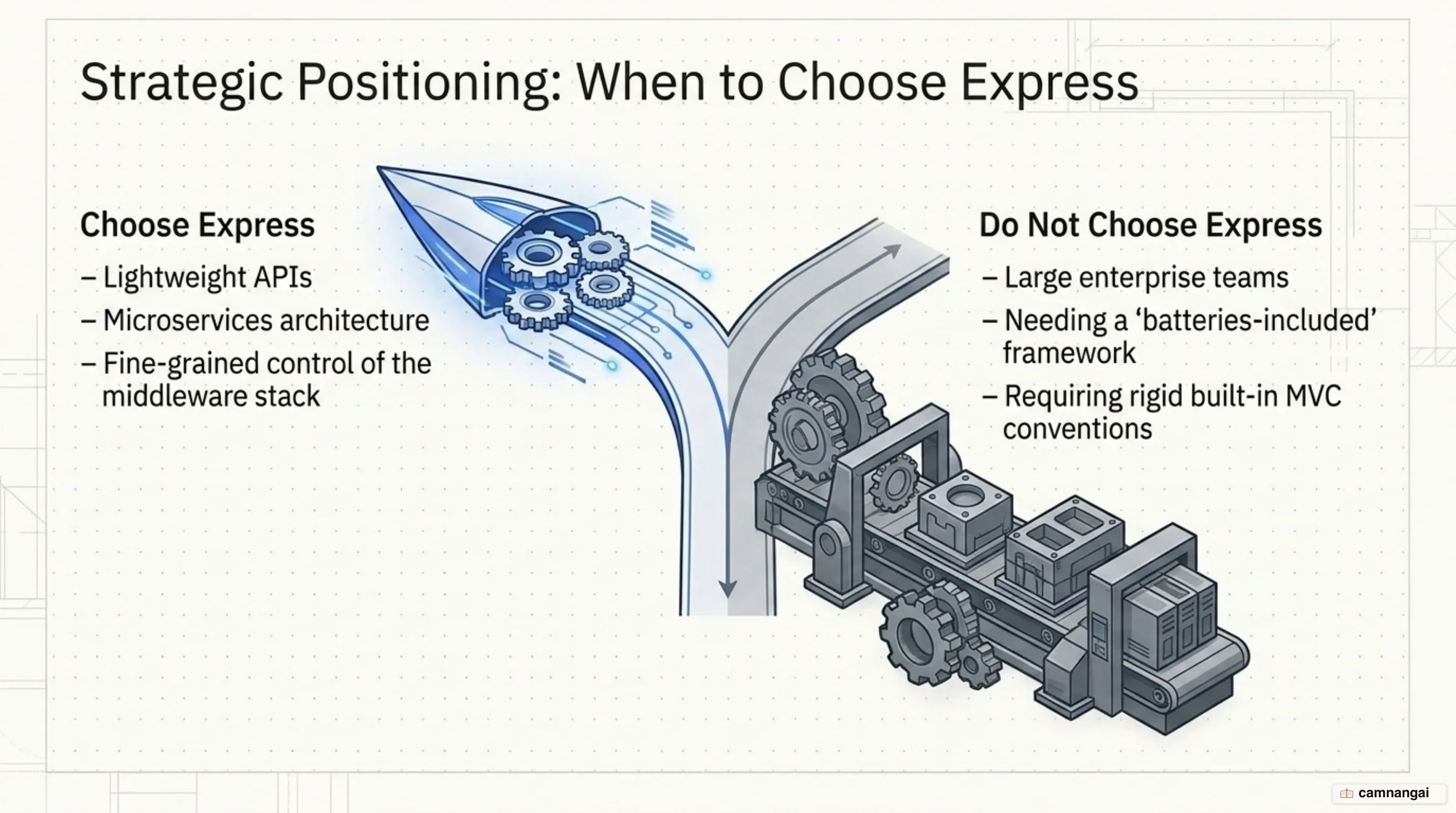
Look elsewhere if you want a batteries-included framework with rigid conventions and a built-in ORM so a large team can move fast without designing an architecture first. Express hands you the decisions instead, and the responsibility that comes with them. If your team is not ready to own that, its flexibility will cost you more than it returns.
References
- Express.js · Node.js web application framework
- Express/Node introduction — MDN
- Using middleware · Express.js 5.x
- Routing · Express.js 5.x
- Error Handling · Express.js 5.x
- Upgrade to Express v5 · Express.js
- What's New in Express.js v5.0 — Better Stack Community
- A New Chapter for Express.js: Triumphs of 2024 and an ambitious 2025 · Express.js