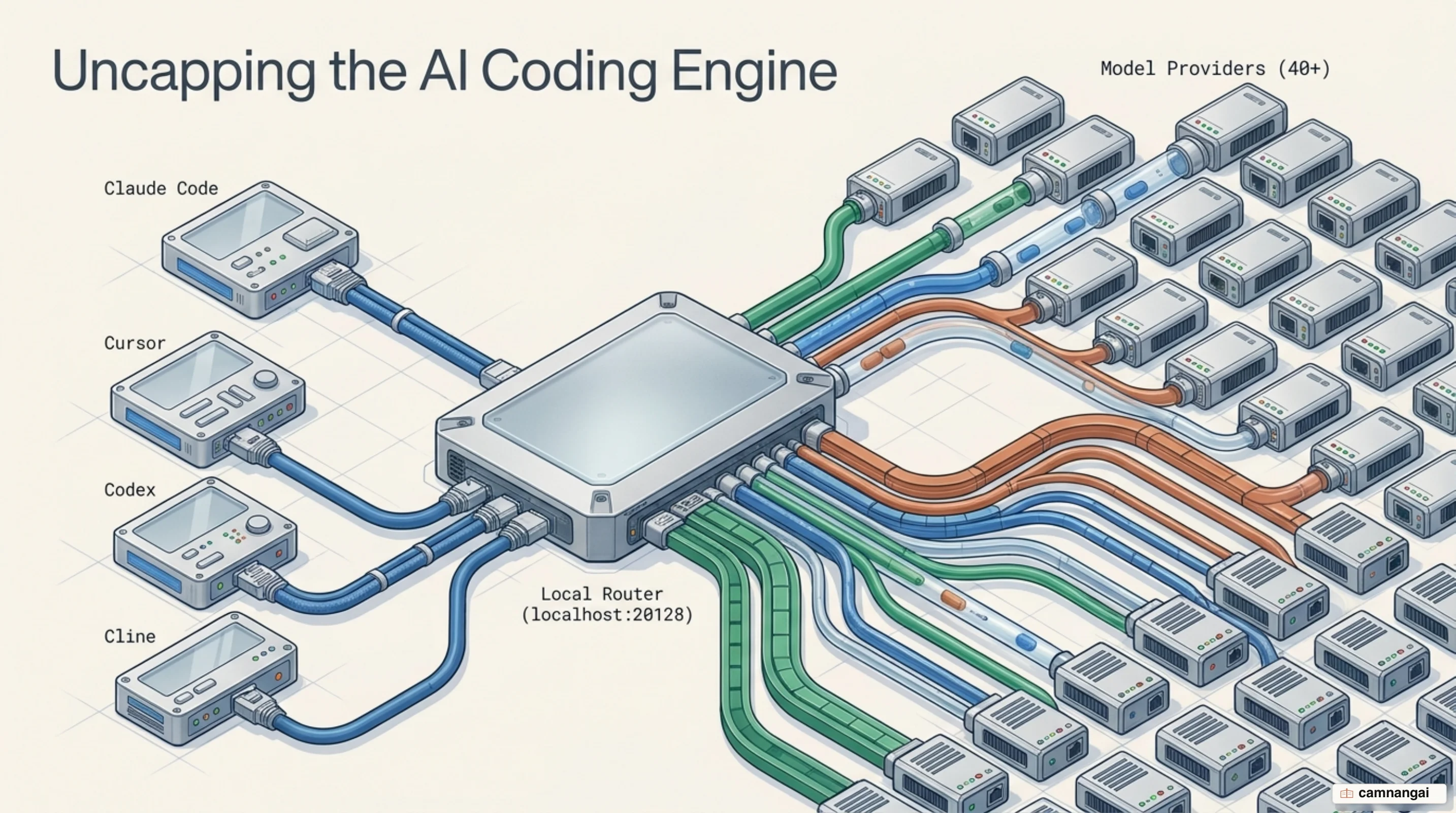
You have probably watched a deep refactoring session stall because your AI provider hit a rate limit or your daily quota ran out. 9Router is a local, open-source AI API gateway (MIT licensed) built to remove those interruptions by unifying multiple LLM providers into a single, OpenAI-compatible endpoint. It sits between your CLI tools and your backends.
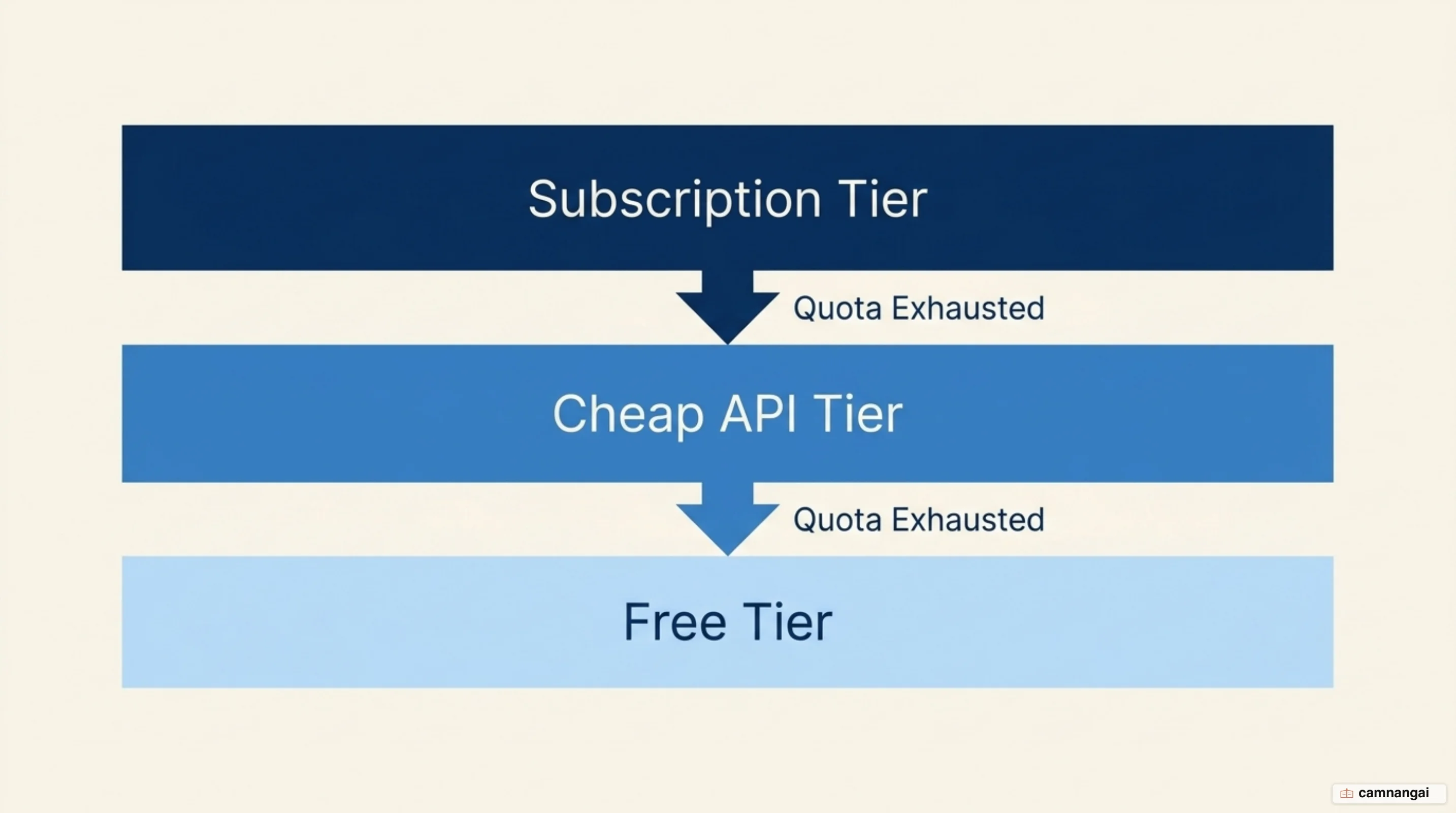
9Router's main draw is its tiered fallback system (Subscription → Cheap → Free) and its specialized token compression. Instead of managing fragmented API keys across separate tools, you point your agents to one local address. This architecture prevents session-killing 429 errors by automatically switching to a backup model when your primary choice fails or runs out of credits.
By running 9Router locally, you gain a centralized control plane for over 40 providers and 100+ models. It turns a volatile set of third-party APIs into one reliable local utility. Whether you are squeezing the most out of a premium subscription or running on free tiers, 9Router keeps you working instead of watching credit balances.
What is 9Router?
9Router is a smart proxy and open-source alternative to enterprise tools like Portkey, engineered specifically for the high-concurrency traffic of coding agents such as Claude Code, Cursor, and Cline. It is one gateway where you manage dozens of provider accounts. That removes the overhead of juggling different API keys and model-specific configuration across every project.
The project grew out of the everyday bottlenecks in AI coding: format incompatibilities, rapid token consumption from CLI output, and the workflow stalls when provider quotas expire. By unifying these resources, 9Router lets engineers treat LLM access as a shared pool of compute rather than a collection of isolated, fragile accounts.
Under the hood, 9Router runs on Next.js, React, and Tailwind CSS. Earlier versions kept state in a db.json; the current build stores provider connections and settings in SQLite at ${DATA_DIR}/db/data.sqlite. This local-first approach means your API credentials never leave your infrastructure unless you explicitly enable cloud sync.
Self-hosting the router means you can audit every AI request and response yourself. It exposes a standard OpenAI-compatible interface, so any tool that can talk to a custom endpoint gets 9Router's routing and compression logic immediately. It is the infrastructure layer for developers who treat AI as a core part of their engineering stack.
How does 9Router work?
9Router is a local switchboard between your development tools and upstream backends. It exposes a single endpoint at localhost:20128/v1. When a tool like Claude Code sends a request, that request hits the local 9Router process first, which picks the best provider and model from the priority rules you set.
The internal request flow follows a four-layer chain:
- Client request: Your CLI tool or IDE sends a payload to the 9Router endpoint.
- Endpoint processing: 9Router validates local credentials and resolves the requested model or Combo.
- Provider selection and auth refresh: The router selects the highest-priority active account, automatically refreshing OAuth tokens if it detects an impending expiry or a 401/403 error.
- Model execution: 9Router translates the request into the provider's native schema and runs it against the upstream API.
The format translation engine is 9Router's most useful feature: it converts payloads between OpenAI, Anthropic, and Gemini schemas on the fly.
This cross-compatibility means any tool can talk to virtually any model, regardless of whether the provider supports that tool's native protocol. If your agent only speaks Anthropic's format but you want to route through a cheap GLM API, 9Router handles the schema mapping in real time.
Installing 9Router and connecting your first provider
The installation offers three paths: npm, Docker, or building from source. For a standard local setup, the global npm install is the quickest. Run npm install -g 9router followed by the 9router command to start the service. For process isolation or deployment on a VPS, the Docker method gives you a reproducible environment.
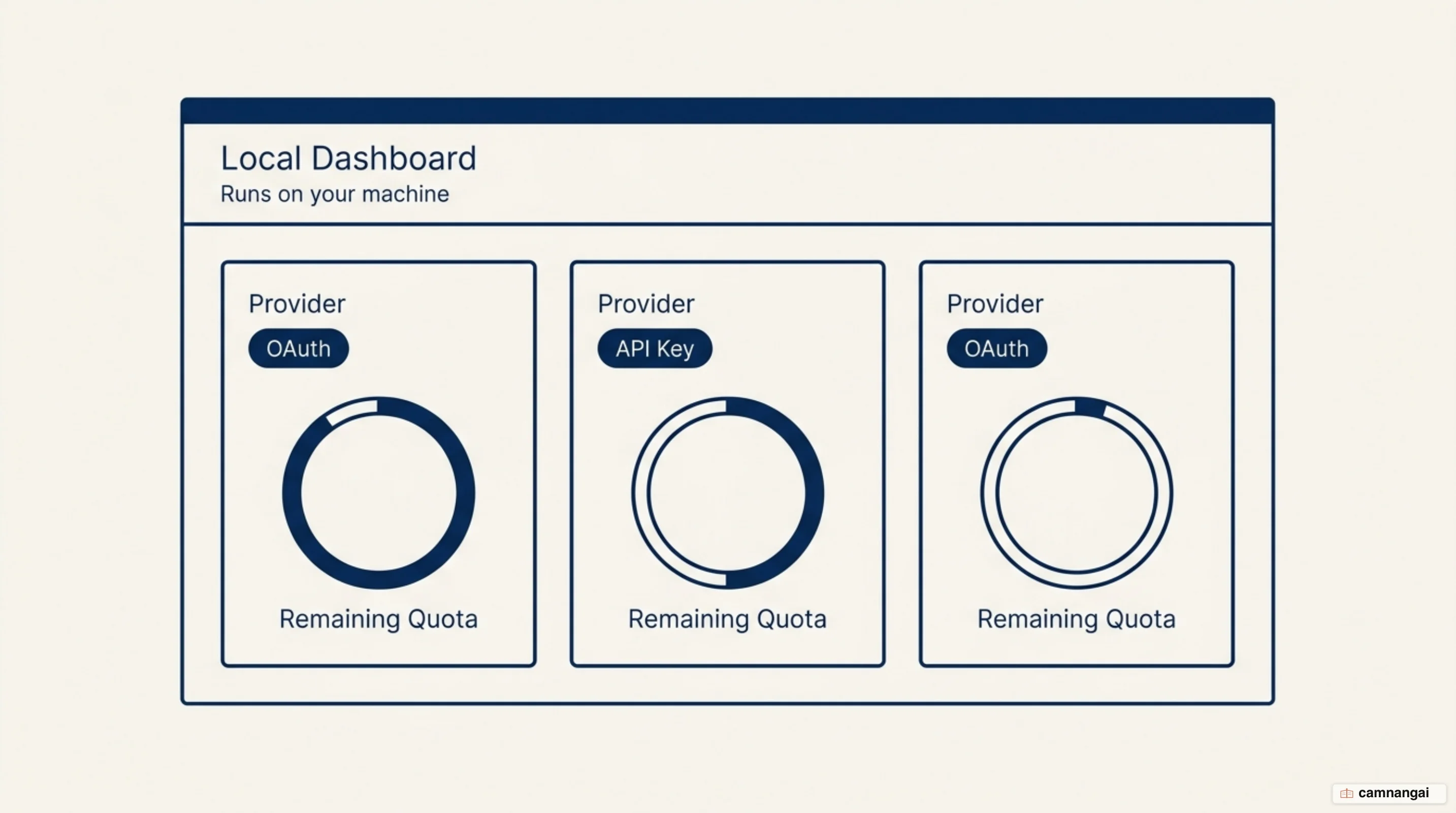
You manage the router from a local dashboard at http://localhost:20128. This is where you configure providers, monitor real-time quotas, and view request logs. Every provider connection, alias, and combo you create lives in the local SQLite database, so the dashboard is the source of truth for what your tools can actually reach.
To confirm the install works right away, connect a free-tier provider like Kiro AI or OpenCode Free. Kiro AI gives you access to models including Claude 4.5, GLM-5, and MiniMax with roughly 50 free credits per month, which makes it a good baseline for testing your routing logic without a credit card. OpenCode Free needs no authentication at all. Once connected, your dashboard shows the model prefixes (for example kr/) needed for routing.
For a persistent Docker deployment that maps your host directory for data durability, use the following command:
docker run -d \
  --name 9router \
  -p 20128:20128 \
  -v "$HOME/.9router:/app/data" \
  -e DATA_DIR=/app/data \
  decolua/9router:latest
Connecting Claude Code to 9Router
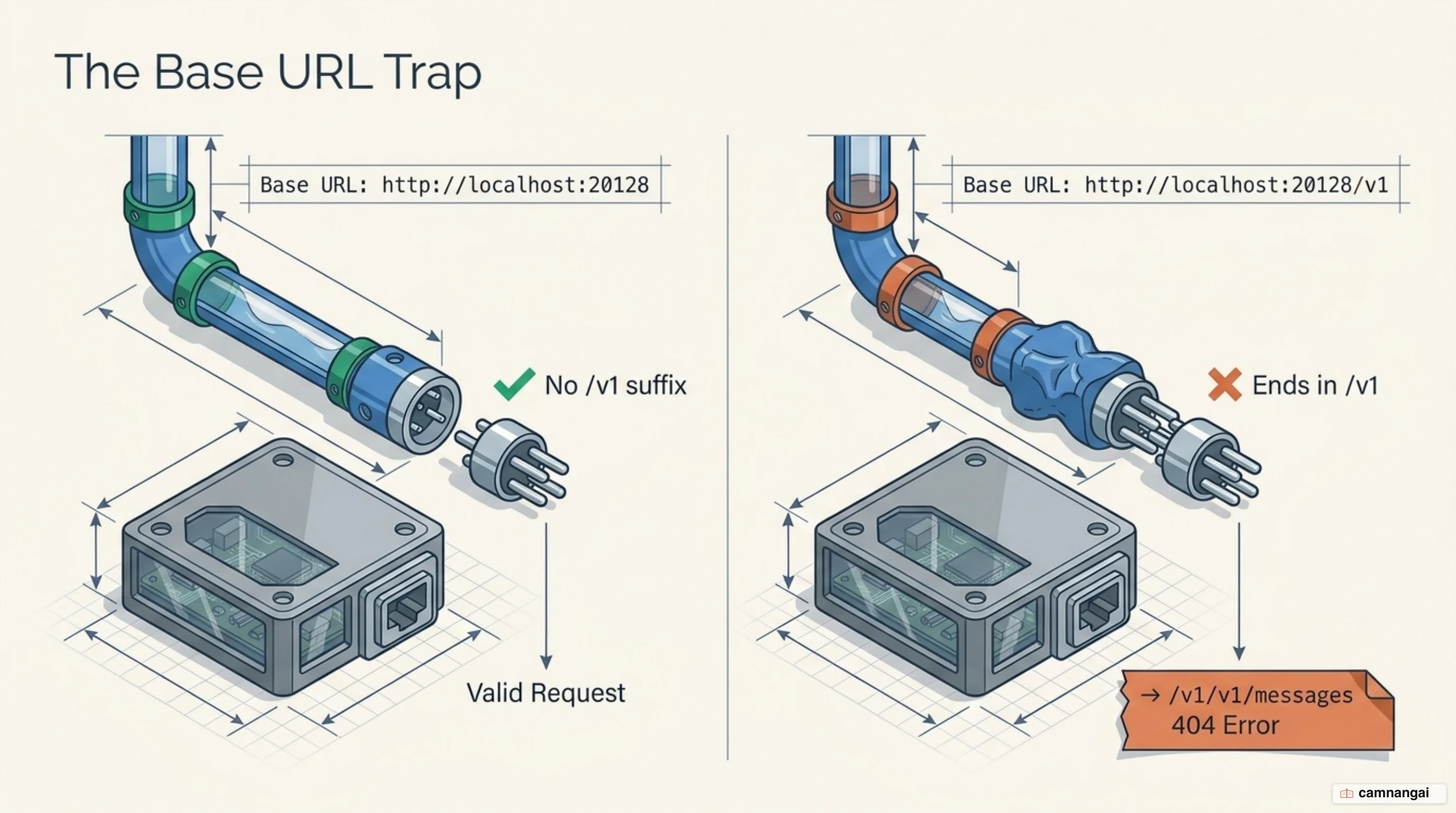
The handshake between the Claude CLI and 9Router relies on three environment variables: ANTHROPIC_BASE_URL, ANTHROPIC_AUTH_TOKEN, and ANTHROPIC_MODEL. One distinction trips up almost everyone: the router dashboard shows the endpoint with a /v1 suffix because that is the address OpenAI-compatible clients need. Claude Code appends /v1/messages itself, so its base URL must omit the suffix — include it and your requests resolve to /v1/v1/messages and return 404.
For a session-based setup, export the variables in your terminal. On macOS, Linux, or WSL:
export ANTHROPIC_BASE_URL="http://localhost:20128"
export ANTHROPIC_AUTH_TOKEN="YOUR_9ROUTER_API_KEY"
export ANTHROPIC_MODEL="your-combo-name"
export CLAUDE_CODE_ENABLE_GATEWAY_MODEL_DISCOVERY="1"
On PowerShell:
$env:ANTHROPIC_BASE_URL = "http://localhost:20128"
$env:ANTHROPIC_AUTH_TOKEN = "YOUR_9ROUTER_API_KEY"
$env:ANTHROPIC_MODEL = "your-combo-name"
$env:CLAUDE_CODE_ENABLE_GATEWAY_MODEL_DISCOVERY = "1"
To make the configuration permanent, edit ~/.claude/settings.json so every launch of claude uses your router by default. CLAUDE_CODE_ENABLE_GATEWAY_MODEL_DISCOVERY is what makes your custom Combos appear in the /model picker; it requires Claude Code v2.1.129 or later. A gateway credential set here takes priority over any saved claude.ai login — and keep it out of a repository's committed .claude/settings.json.
{
  "env": {
    "ANTHROPIC_BASE_URL": "http://localhost:20128",
    "ANTHROPIC_AUTH_TOKEN": "YOUR_9ROUTER_API_KEY",
    "CLAUDE_CODE_ENABLE_GATEWAY_MODEL_DISCOVERY": "1"
  },
  "model": "your-combo-name"
}
Building a fallback combo for Claude Code
9Router uses Combos to create virtual model stacks, which is where the failover logic actually gets configured. A typical stack follows the 3-tier hierarchy: Tier 1 is premium subscriptions, Tier 2 is cheap APIs (GLM, MiniMax, or Kimi), and Tier 3 is free providers or trial credits (Kiro, OpenCode, or Vertex AI). When you point Claude Code at a Combo name, 9Router handles the selection.
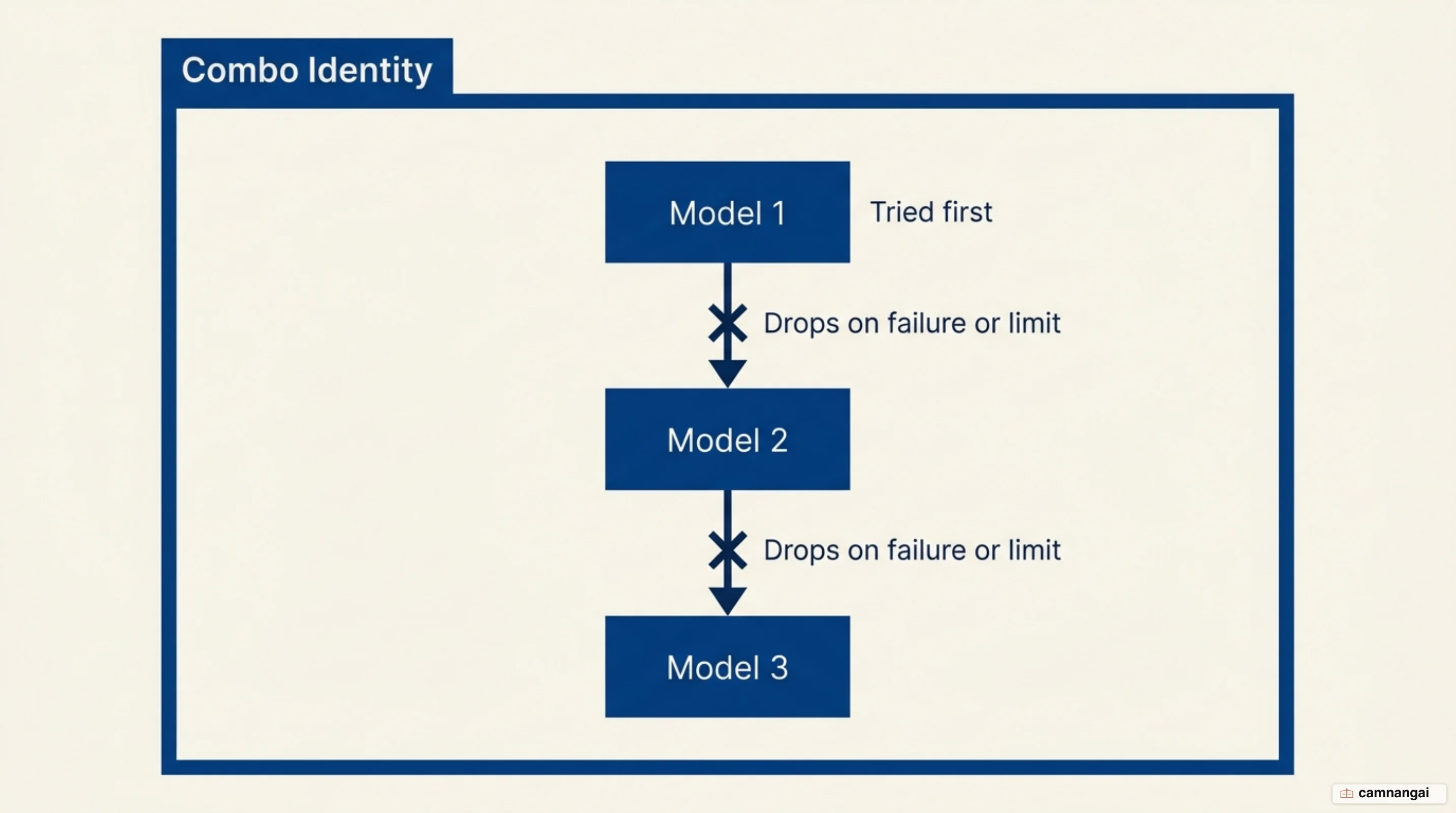
The routing engine uses sticky round-robin logic. If a primary Tier 1 account returns a 429 or indicates quota exhaustion, 9Router marks that account temporarily unavailable and switches to the next model in the Combo sequence. The transition is transparent to the Claude CLI, so a long-running task keeps its accumulated context instead of dying mid-refactor.
Account for the reasoning trade-off when you design these stacks. Falling back from a top-tier subscription model to a Tier 3 free model changes the quality of what you get back; the session continues, but the model may struggle with complex architectural work that the primary handled fine. Use your strongest model for logic and architecture, and reserve the cheap tiers for boilerplate, documentation, and unit tests.
To get more out of the 3-tier strategy, add multiple accounts per provider where you legitimately have them. 9Router load-balances between them, which effectively multiplies your rate limits. Combined with automatic failover to cheaper APIs, that gives you a setup that absorbs usage spikes instead of stopping at them.
How much do RTK and Caveman Mode actually save?
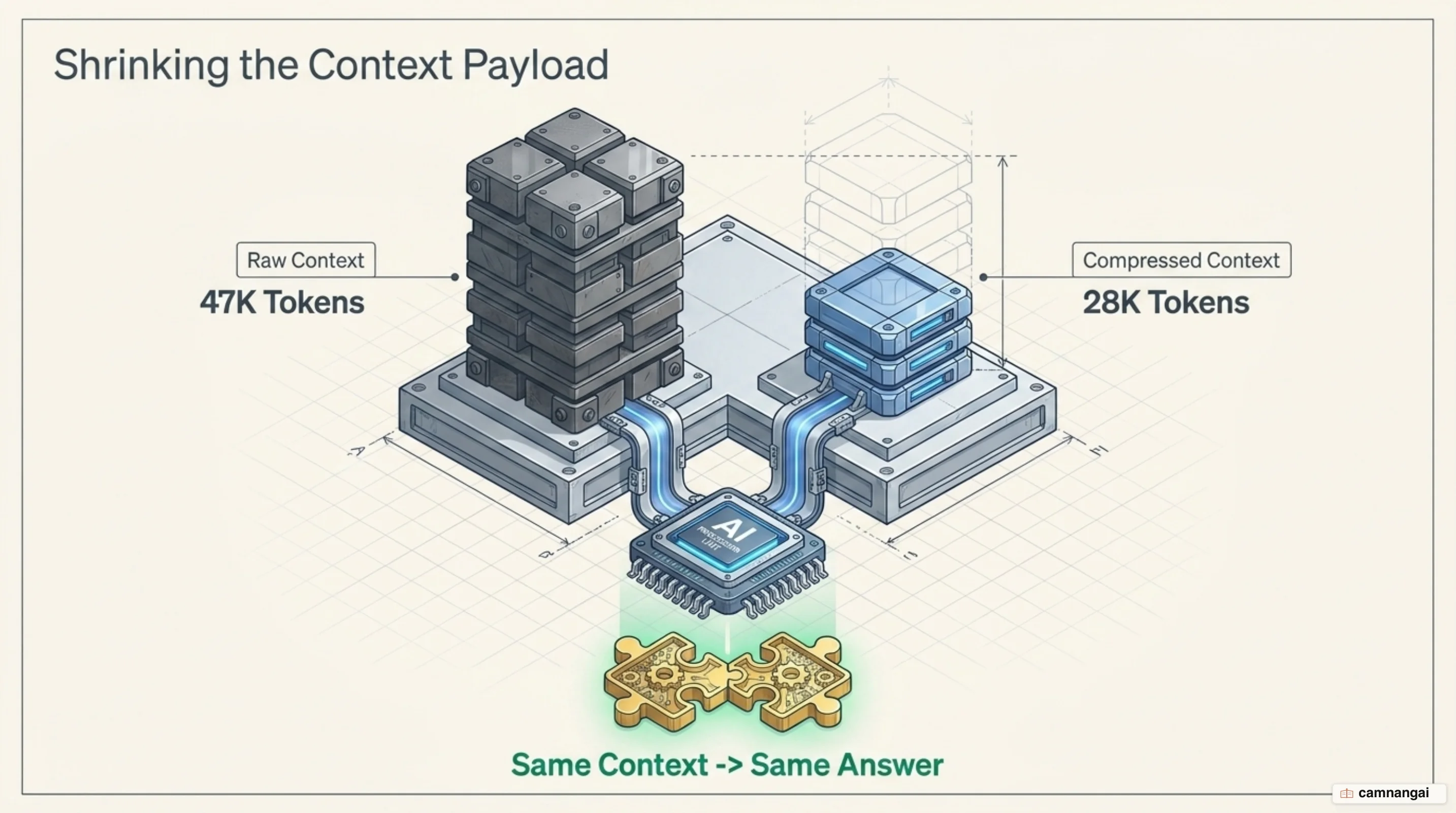
9Router addresses the two main sources of token waste: verbose CLI output and conversational overhead. The RTK Token Saver targets tool_result content such as git diff, grep, ls, and tree — output that routinely eats 30–50% of a prompt budget. RTK applies lossless compression to those payloads, cutting input tokens by 20–40% without changing what the model understands about your code.
For output, Caveman Mode injects a prompt style that forces the model into terse, telegraphic answers. By stripping polite filler, it can reduce output tokens by up to 65% across five intensity levels. This works best during iterative bug-fixing, where you want the technical fix rather than a paragraph explaining it.
Ponytail Mode takes a different angle, acting as a "lazy senior developer" persona. It follows a YAGNI-first ladder — stdlib, then native, then existing dependencies, then a one-liner — so the model favors minimal code. Instead of generating speculative abstractions, it biases toward deletion over addition, which shrinks the generated diffs as a side effect.
The savings are documented rather than theoretical: a request carrying 47K tokens compresses to 28K with RTK alone, same context and same answer. Combined with Caveman and Ponytail, heavy users stay inside their free or cheap tiers considerably longer. If you need full fidelity for one specific request, the header X-9Router-Token-Saver: off bypasses compression.
Verifying it works and fixing common errors
Once configured, run /status inside Claude Code. It prints the active Anthropic base URL; if that line shows http://localhost:20128, requests are routing through your gateway. Watch the 9Router dashboard's usage log at the same time and you should see requests appear in real time as you interact with the agent.
Common errors fall into three buckets:
- 401 (Unauthorized): The key in your CLI settings doesn't match the one your 9Router instance issued — or it's in the wrong variable.
ANTHROPIC_AUTH_TOKENis sent asAuthorization: Bearer, whileANTHROPIC_API_KEYis sent asx-api-key; a credential in the header the gateway doesn't read fails with 401. - 404 (Not Found): Almost always the leftover
/v1onANTHROPIC_BASE_URL. Remove it. - Model not found: The model name is missing the router's prefix or alias, for example calling a bare model name instead of
kr/claude-sonnet-4.5.
The fastest way to troubleshoot is to start from a minimal configuration: one provider, one model, no combos or token-saving modes. Once that handshake is stable, layer in the tiered combos. If a combo then fails, you know the problem is the routing rule rather than the network or the credential, which is a much smaller space to search.
Risks and limits to know before you rely on it
Self-hosting a gateway comes with operational responsibility. Because 9Router stores your provider credentials, the local database and its backups are sensitive assets. The dashboard's default login password is 123456 via INITIAL_PASSWORD — change it first. For any VPS or internet-exposed deployment, also set JWT_SECRET, API_KEY_SECRET, and MACHINE_ID_SALT, and enable REQUIRE_API_KEY so the /v1/* routes require a bearer key.
Stability depends on third-party providers that move quickly. The iFlow and Qwen Code free tiers were discontinued during 2026, and Google shut down the Gemini CLI in June 2026. The $300 for new GCP accounts is still valid, but since March 2026 the Gemini API endpoint no longer draws on it — you have to call the Vertex AI Studio endpoint instead. Keep at least one paid pay-as-you-go API as a hard backup in your combo.
Anthropic's position is worth reading before you build a workflow on top of this. Anthropic does not endorse, maintain, or audit third-party gateway products, and does not support routing Claude Code to non-Claude models through any gateway. Separately, while a gateway credential is active, that session does not use your claude.ai subscription at all — the traffic is billed per token to whoever owns the credential the gateway forwards. Connecting a personal subscription over OAuth is your call, but make it with the current terms in front of you.
Finally, there is the consistency question. Automatic fallback from a strong Tier 1 model to a free Tier 3 model changes both coding style and reasoning depth. Watch your logs to make sure code produced by a fallback model isn't quietly adding technical debt, because the failure mode here is not an error message — it is code that looks fine and isn't.
When should you use 9Router?
9Router earns its place if you code with AI heavily enough to hit quotas regularly, or if you are already juggling several provider accounts and want the cheap tiers absorbing your boilerplate. On sprawling repositories, RTK compression is the piece you notice most: instead of sending raw tree and git diff dumps, you keep a usable context window for longer.
If you are content with one hosted subscription and rarely hit its ceiling, the honest answer is to skip it. 9Router does not create free tokens; it manages access you already have — and that management is infrastructure you now operate. Start local with a free provider, confirm the routing works end to end, and add tiers only once you have hit the limit that made you look for this in the first place.
References
- 9Router Claude Code Setup: API Base URL, Model Routing, and Common Errors
- 9Router Setup Guide: Cut AI Coding Costs with Smart LLM Routing — Agus Narestha
- 9Router Setup Guide: Route Claude Code, Codex, and Cursor with Fallback
- 9Router — Free AI Router | Smart Fallback for Claude, Codex & More
- 9Router: Open Source Alternative to GitHub Copilot and Cursor
- 9router/docs/ARCHITECTURE.md at master · decolua/9router
- GitHub — decolua/9router
- How to Make Claude Code Virtually Unlimited With 9Router — Jugal