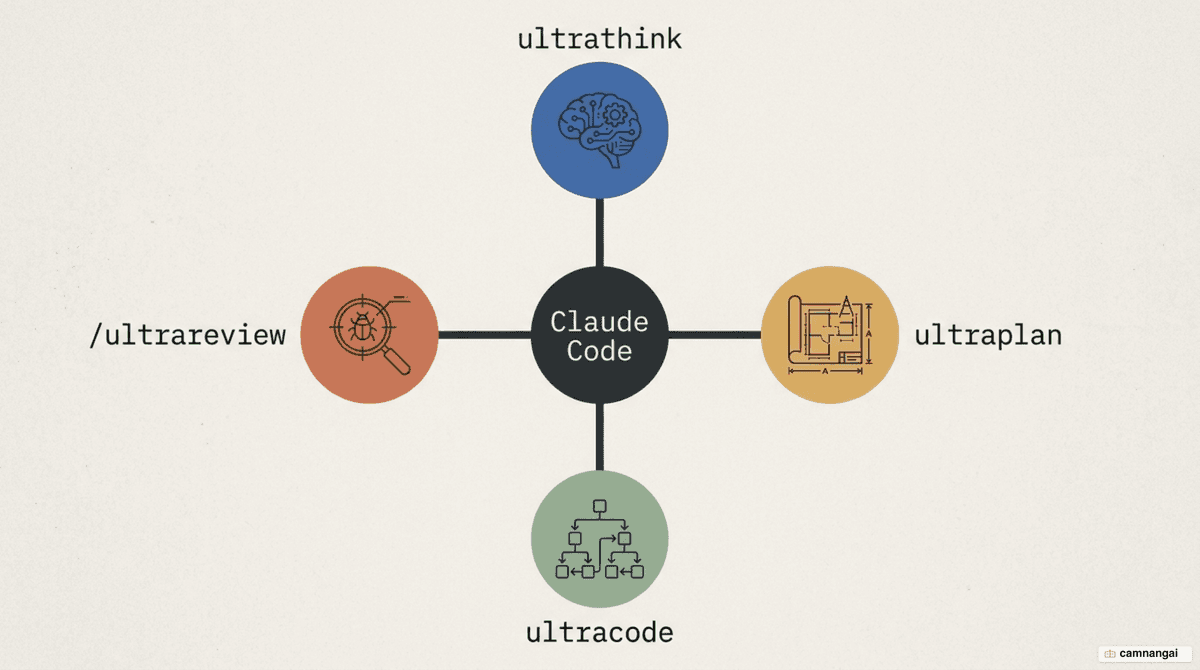
Ultrathink, Ultraplan, Ultracode, and Ultrareview are Claude Code's four "ultra" power commands — its highest-effort features, built for work a single normal response can't handle.
They turn Claude Code from a code editor into an agentic coding environment: architectural deliberation, codebase-wide migrations, and verified bug detection.
What they share is a trade — more compute time and tokens in exchange for precision and autonomous coordination, by extending the reasoning budget, offloading to Anthropic's cloud, or running many sub-agents in parallel.
You don't reach for them on every task; you pull them out when the problem is hard enough to be worth the time and tokens.
New to the tool? Read What is Claude Code? first, then come back.
Ultrathink: telling Claude exactly how hard to think
Ultrathink gives you explicit control over how deeply the model reasons. Standard inference predicts the next token immediately; extended thinking lets the model deliberate step by step before answering, which stops it from pattern-matching its way through complex architectural logic. With the maximum budget, Claude has room to run adversarial lines of thought and catch hidden bugs like race conditions.
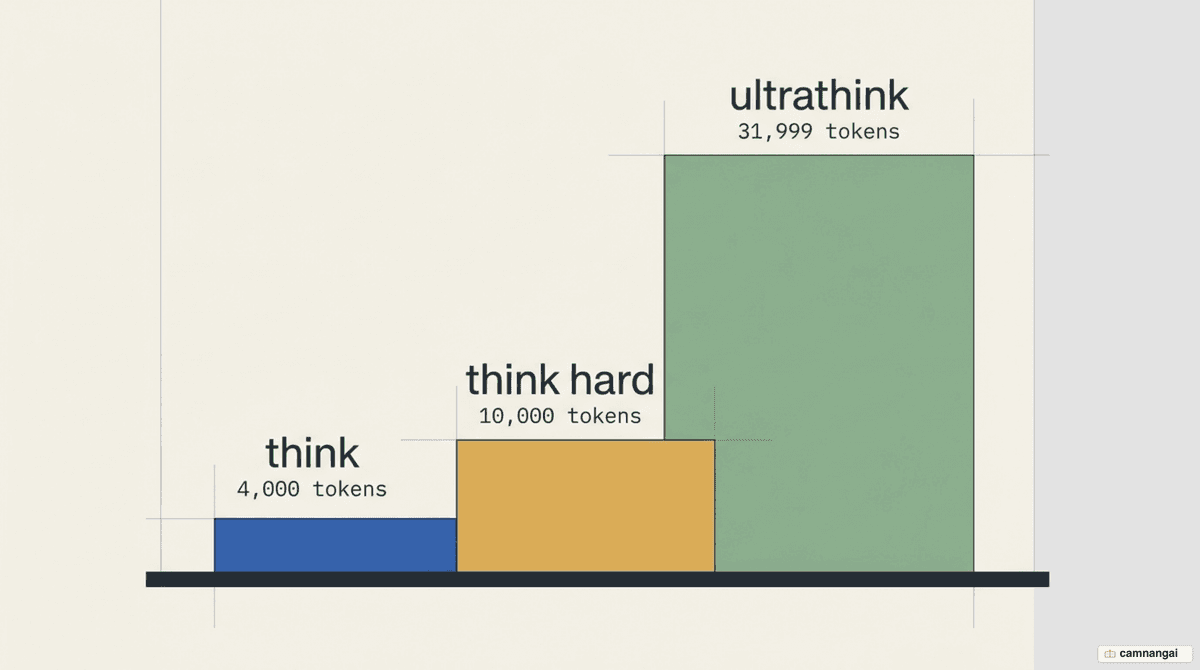
Drop these keywords anywhere in your prompt to set the reasoning depth:
think: allocates 4,000 tokens for standard extended thinking — fine for moderate refactoring.think hard: allocates 10,000 tokens for deep thinking — best when weighing options and hunting edge cases.ultrathink: allocates the maximum 31,999 tokens — for root-cause analysis of intermittent failures or a major architectural shift.
While it runs, the model works through codebase structure, evaluates race conditions and timing, and weighs competing implementation strategies rather than committing to the first one that fits.
claude "ultrathink about migrating our auth module to microservices"Ultraplan: draft your plan in the cloud before you code
Ultraplan is a research-preview feature that hands a planning task from your local CLI to a Claude Code web session. You draft complex changes in the cloud while your terminal stays free for other work, and the browser gives you a richer review surface — inline comments and emoji reactions on specific sections of the draft instead of replying to one long block.
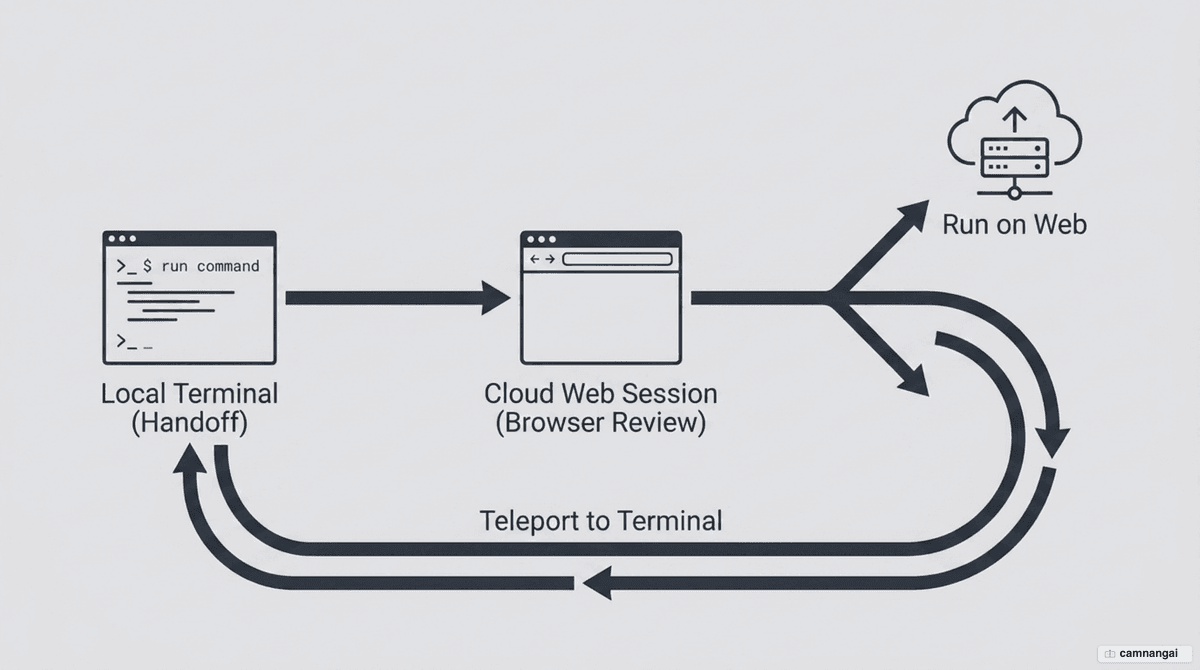
There are three ways to launch it from the CLI: run /ultraplan followed by your prompt, drop the
keyword ultraplan anywhere in a normal prompt, or pick the Ultraplan option when Claude finishes a
local plan and shows the approval dialog. The first two open a confirmation dialog before launching.
/ultraplan migrate the auth service from sessions to JWTsIt requires Claude Code v2.1.91 or later, an authenticated Claude.ai account, and a project in a GitHub repository. If Remote Control is active, it disconnects when Ultraplan starts. While the cloud session works, your CLI shows a status indicator:
◇ ultraplan: Claude is researching your codebase and drafting the plan.◇ ultraplan needs your input: a clarifying question is waiting in the web session.◆ ultraplan ready: the plan is ready to review in the browser.
Once the plan looks right, you either approve it to run in the cloud and open a pull request, or
"teleport" it back to your terminal. Teleporting gives you three options: Implement here (inject
the plan into the current conversation), Start new session (clear the context and start fresh with
the plan), or Cancel (save the plan to a file for later).
Ultracode: orchestrate many sub-agents in parallel
Ultracode (requires Claude Code v2.1.154 or later) combines extra-high xhigh reasoning with
automatic dynamic-workflow orchestration. Instead of working sequentially, Claude acts as an
orchestrator: it writes a JavaScript script that spawns many sub-agents, each handling an independent
piece of the job. The script lives in .claude/workflows/, so you can read, diff, or edit it before
it runs.
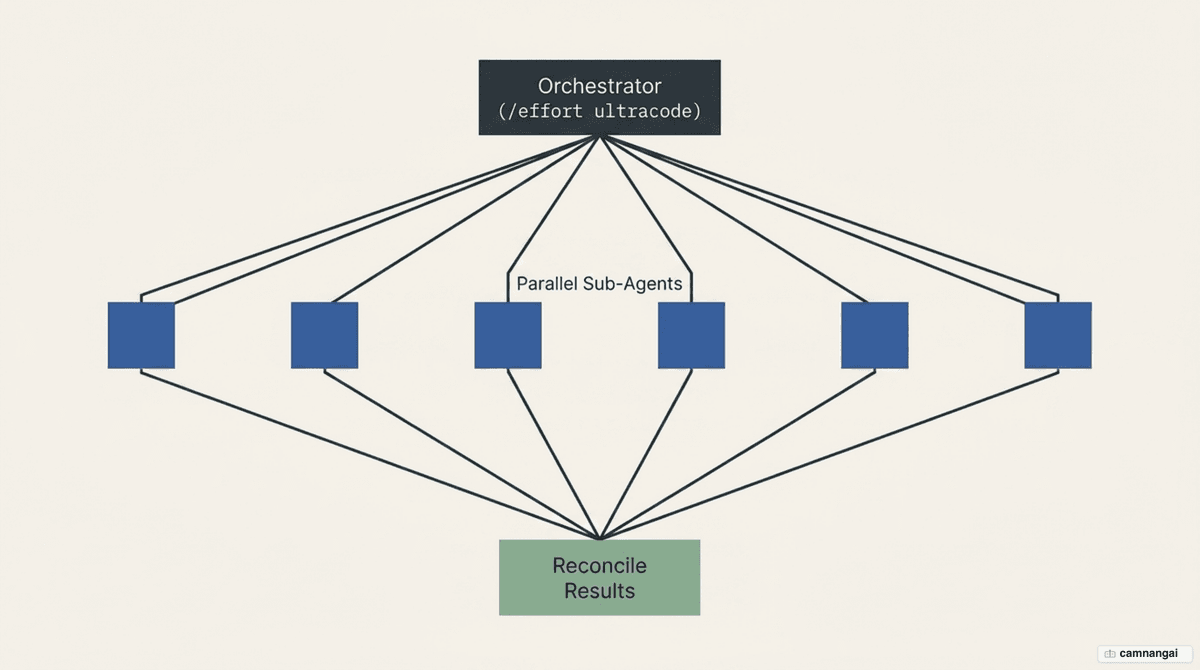
A few numbers show the scale:
- Up to 16 agents run in parallel, fewer on machines with limited CPU cores.
- A hard cap of 1,000 agents per run prevents runaway loops.
- A "Large workflow" warning fires when a run schedules more than 25 agents or is projected to pass 1.5 million tokens.
It shines on large migrations — say, moving hundreds of files from REST to GraphQL. Claude splits the files across sub-agents that work at the same time, then reconciles the results for project-wide consistency. To kick off a session like that, set the effort level:
/effort ultracodeUltrareview: catch bugs with multiple agents before you merge
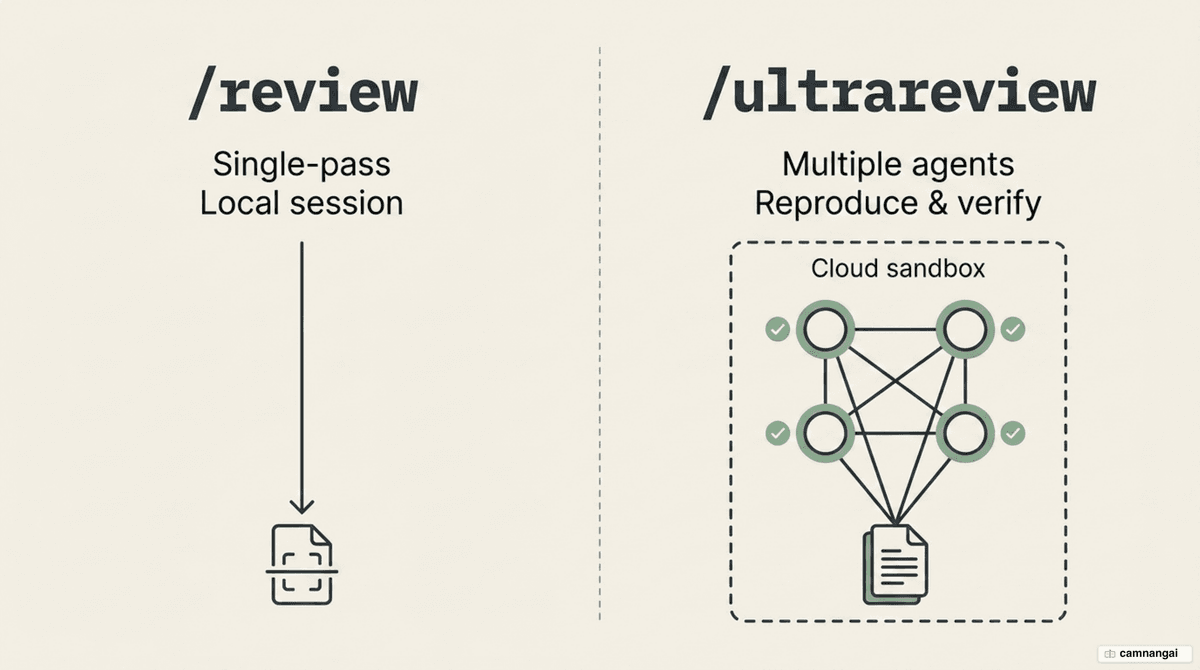
Ultrareview (requires v2.1.86 or later) launches several independent agents in a remote cloud
sandbox. Unlike the local /review, which scans in a single pass, it makes each agent reproduce and
verify a finding before reporting it — which sharply cuts false positives.
You launch it from any git repository. With no arguments it reviews the diff between your current branch and the default branch; pass a pull request number to review that PR instead:
/code-review ultraThe older /ultrareview spelling still works as an alias for the same command.
On a real Flask API test, it surfaced serious vulnerabilities:
- A hardcoded
SECRET_KEY, opening the door to forged JWTs. - Passwords stored in plaintext instead of hashed with bcrypt.
- SQL injection through direct string interpolation.
- The "silent None" bug: when an environment variable is unset, the JWT library still signs tokens
with a
Nonekey and raises no error — a dangerous gap ordinary scans miss.
On cost: Pro and Max users get three free runs. After that, each run costs between $5 and $20 depending on the size of the diff, and Claude Code always shows an estimate you confirm before it charges you.
Which command should you use, and when?
You don't need an ultra command for everything, and overusing them just burns money. Don't call
ultrathink to look up loop syntax — you pay in tokens and waiting. For everyday work like
refactoring a basic function, /review and the think keyword are enough and cheap.
Reach for /ultrareview and ultracode when code is heading to production, especially changes that
touch authentication, the database, or payment flows. Spending $5–$20 on a multi-agent sandbox
review is cheap insurance against the cost of cleaning up a data leak in production.
References
- What Is the Ultra Code Mode in Claude Code? — MindStudio
- Claude Opus 4.8 Ultra Code Mode: Dynamic Workflows vs /goal — MindStudio
- Plan in the cloud with ultraplan — Claude Code Docs
- I Tried Claude Code Ultra Review — Joe Njenga (Medium)
- Orchestrate subagents at scale with dynamic workflows — Claude Code Docs
- Ultrathink: Tell Claude Exactly How Hard to Think — DEV Community