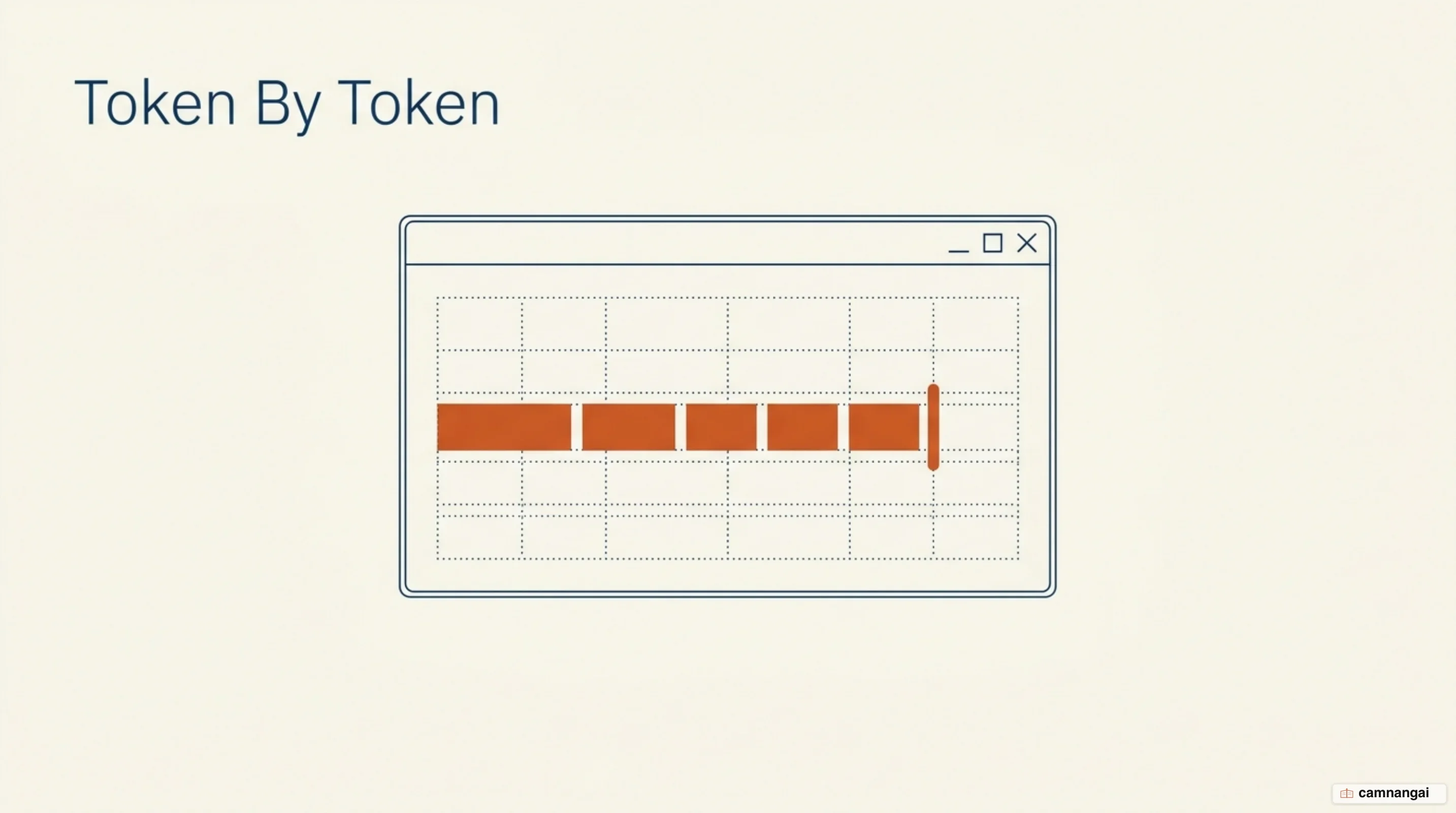
A streaming response delivers data from a model to a client in incremental chunks rather than as a single, terminal payload.
Because large language models (LLMs) are autoregressive, they generate text sequentially, one token at a time, and the probability of each next token is calculated from the entire preceding context. In a standard batch-style API, the server sits on the complete output and transmits it only after inference reaches a stop condition. With a streaming response, the server emits each token as it is computed, so the client can begin processing data immediately.
Streaming does not reduce the total wall-clock time required to generate a full response, and the GPU compute requirements remain identical. What it changes is the Time to First Token (TTFT). By shifting the delivery model from "wait-then-receive" to "receive-while-generating," you shrink the idle period between a request and the model's first visible output. That is a perceptual trick rather than a speedup, but it is also the cheapest thing you can do to make an AI product feel usable. That typewriter effect aligns with human reading speed, which makes an application feel responsive even during heavy compute cycles.
What is a streaming response?
An LLM works by predicting one token at a time, in sequence. When a model generates text, it is not writing a paragraph in its entirety; it is running a series of high-dimensional statistical operations to predict the most likely next token based on the current sequence. So in a non-streaming environment, a 500-token response requires the inference engine to finish all 500 iterations before the API returns any data, and the end user waits out the total generation time, which can span several seconds or even minutes depending on model size and hardware availability.
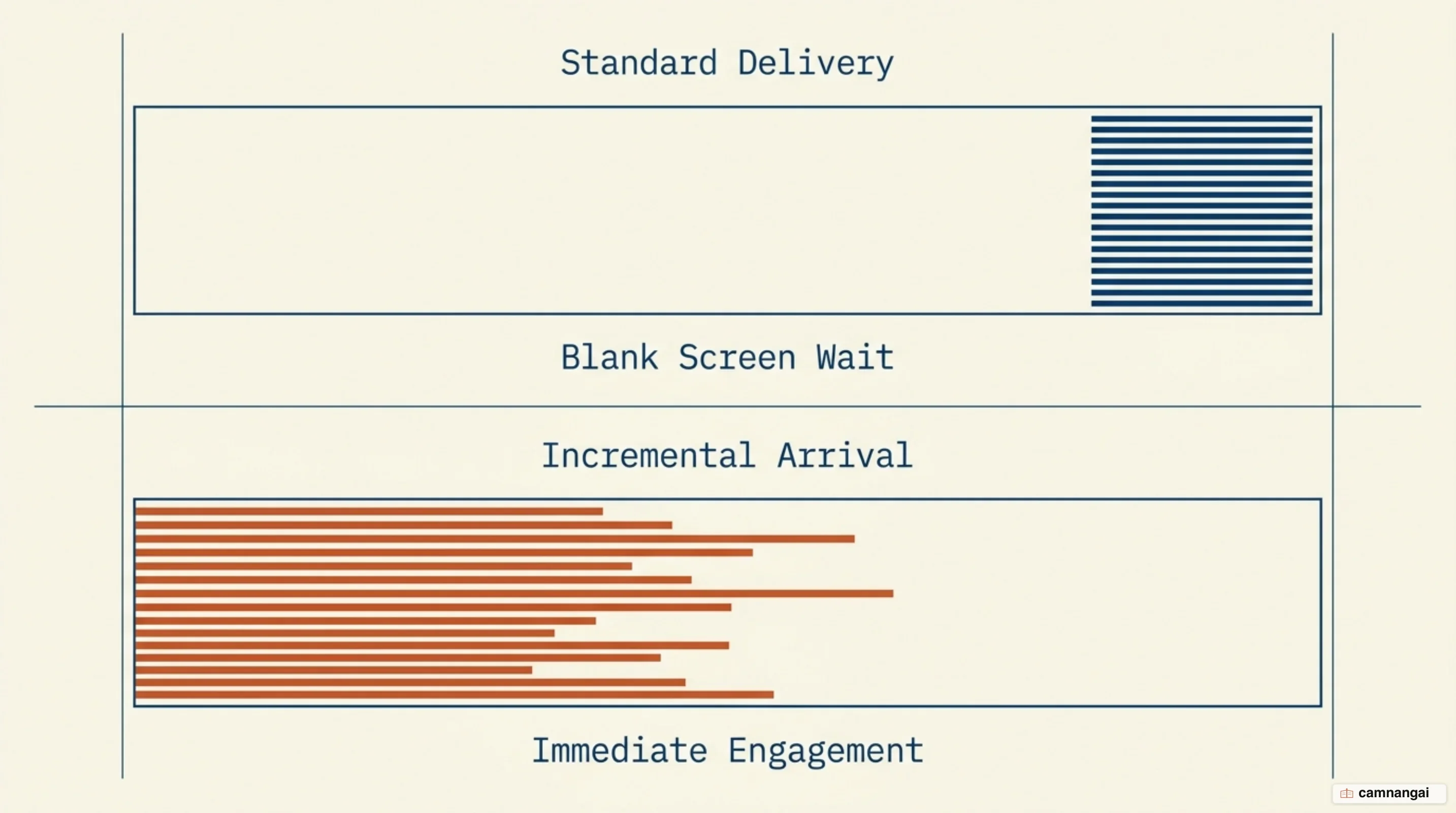
Streaming shifts the architecture from buffering to emitting. As the inference engine outputs a single token, that token is immediately pushed through the network stack, which lets the frontend begin rendering the response while the backend is still computing the remainder of the text. For you as the developer, it means the application can start providing value within 1–2 seconds of a request, effectively masking the total latency of the generation process.
Two metrics describe how these systems perform: Time to First Token (TTFT) and Time Per Output Token (TPOT). TTFT is the one users actually feel, because it is how long the system takes to acknowledge the request with visible data. TPOT is the throughput of the stream once it has started. While batch processing is more efficient for throughput in high-concurrency environments, streaming is the one you want for interactive UX such as chat interfaces and live code generation.
Interactive workflows need streaming because they involve a human in the loop. Non-interactive tasks — bulk sentiment analysis on 10,000 rows, automated model evaluations — should avoid it, because there the overhead of maintaining a long-lived HTTP connection and the complexity of handling partial data outweigh the benefits. For system-to-system communication, a standard batch payload is harder to break and easier to validate.
What a stream looks like at the protocol level
At the transport layer, streaming AI responses are primarily implemented using Server-Sent Events (SSE). SSE is a unidirectional, text-based protocol that lets a server push data to a client over a long-lived HTTP connection. Unlike WebSockets, which are bidirectional and require a protocol upgrade, SSE operates over standard HTTP, which makes it simpler to run behind ordinary load balancers and firewalls. It is the boring option, and that is exactly why it won.
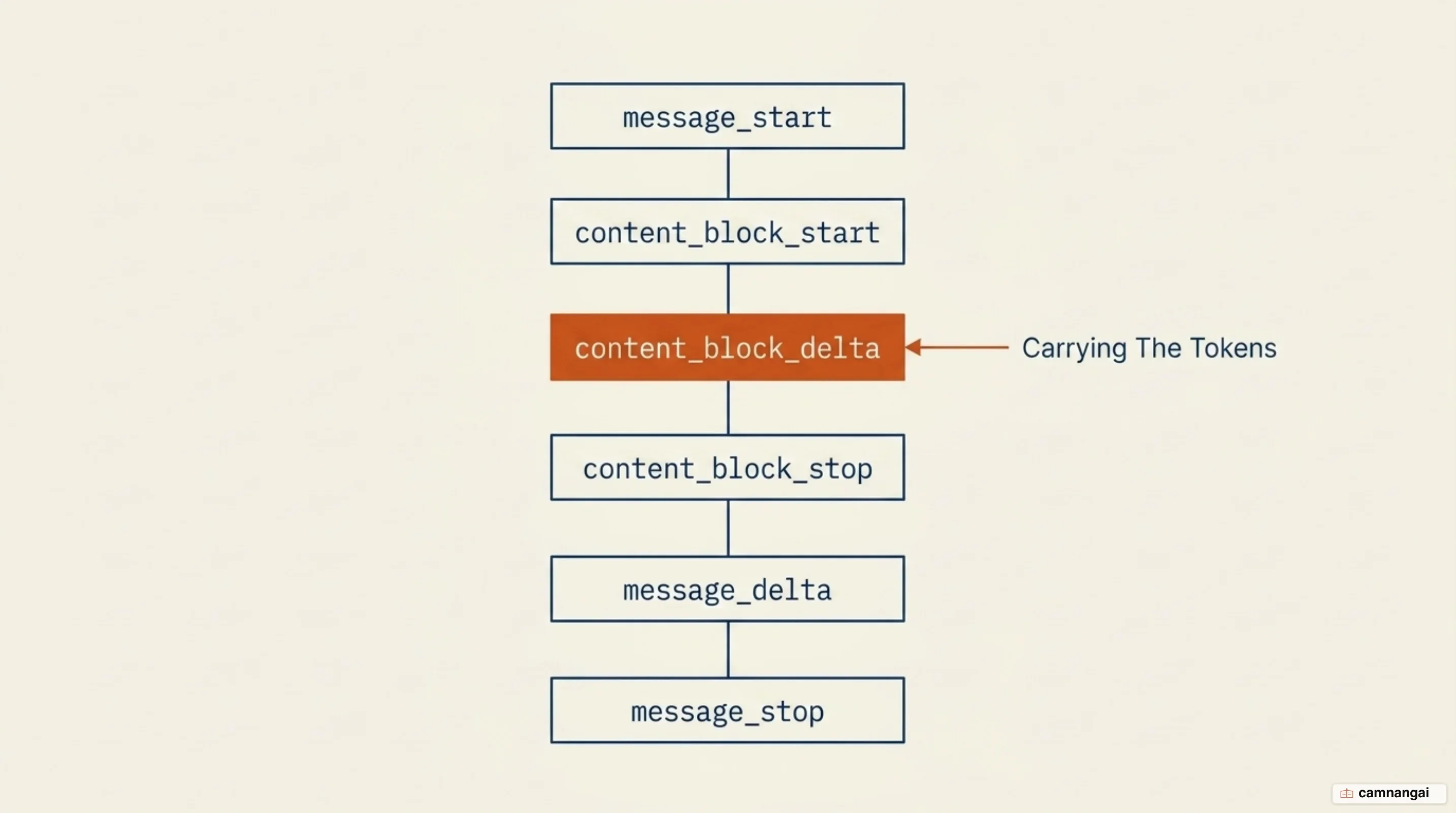
The SSE protocol requires a specific message format for the client to interpret the stream correctly. Each event begins with the data: prefix and ends with two newline characters (\n\n) to terminate the event block. On the wire, HTTP/1.1 usually carries this via chunked transfer encoding, while HTTP/2 uses native stream frames to multiplex several data streams over a single TCP connection.
event: message_start
data: {"type": "message_start", "message": {"id": "msg_123", "role": "assistant"}}

event: content_block_delta
data: {"type": "content_block_delta", "index": 0, "delta": {"type": "text_delta", "text": "Hello"}}

event: message_stop
data: {"type": "message_stop"}
The nastiest architectural trap in SSE is error handling. Because the server sends the HTTP 200 OK header at the very start of the connection, it cannot change the status code if a failure occurs mid-stream. If the inference engine crashes or the model hits an overloaded state (the equivalent of an HTTP 529 in a non-streaming context), the server has to transmit that as a JSON payload inside the stream, as an error event. So the client has to parse those internal deltas to distinguish a successful completion from a mid-stream failure, and a stream that simply stops arriving looks much the same either way. This is the kind of thing you learn about in production, once.
Why streaming feels faster when the total time has not changed
Streaming works on a user the way a progress bar does. People are willing to wait up to three times longer for a process to complete when they are given a visible indicator of progress. By delivering tokens as they are generated, the application provides constant feedback that the system is working, which moves the user from an idle wait into active consumption.
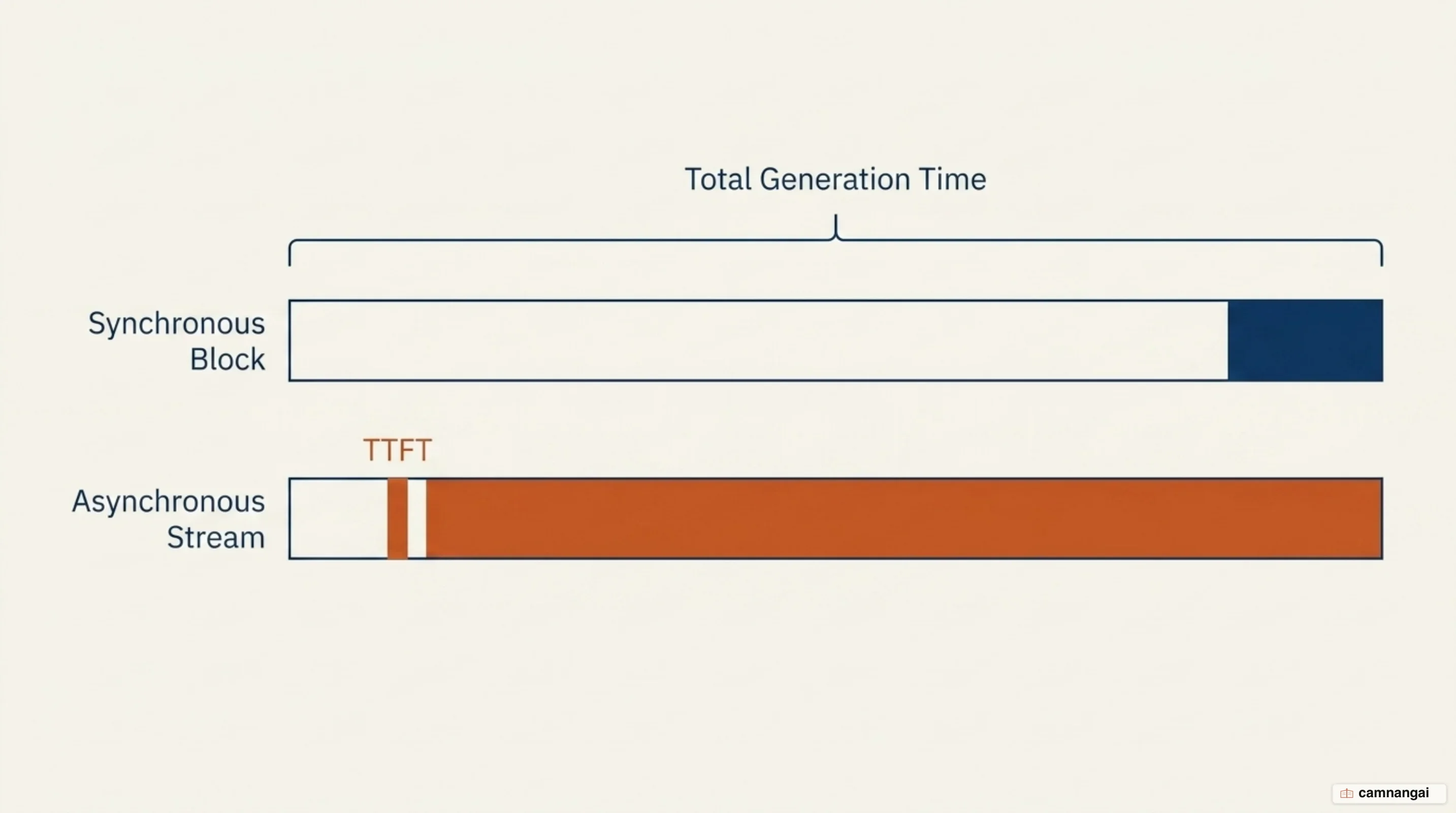
The typewriter effect works because it mimics human reading patterns. A typical person reads at a pace that closely matches the TPOT of modern LLMs, so when tokens arrive incrementally the user begins reading and processing the information immediately, which hides the remaining generation time behind the act of reading. A non-streaming response might take 10 seconds to appear at all; a streaming response lets the user start gaining value at second one.
Standard UX thresholds define 0.1 seconds as instantaneous and 1.0 second as the limit for keeping a user's flow of thought uninterrupted. Streaming lets AI applications meet that 1-second threshold for TTFT regardless of total response length, which makes the interaction feel like a real-time conversation rather than a static database query. It also lets users fail fast, because if the model starts generating something clearly wrong, they can cancel early and save both time and compute.
Streaming inside an AI agent: tokens, tool calls and intermediate steps
Agentic workflows introduce more complexity than simple text generation. An agent may perform internal reasoning, call multiple tools, or consult sub-agents before answering. Frameworks like LangChain handle this by offering different stream modes (updates, messages, and custom) to surface intermediate steps to the client.
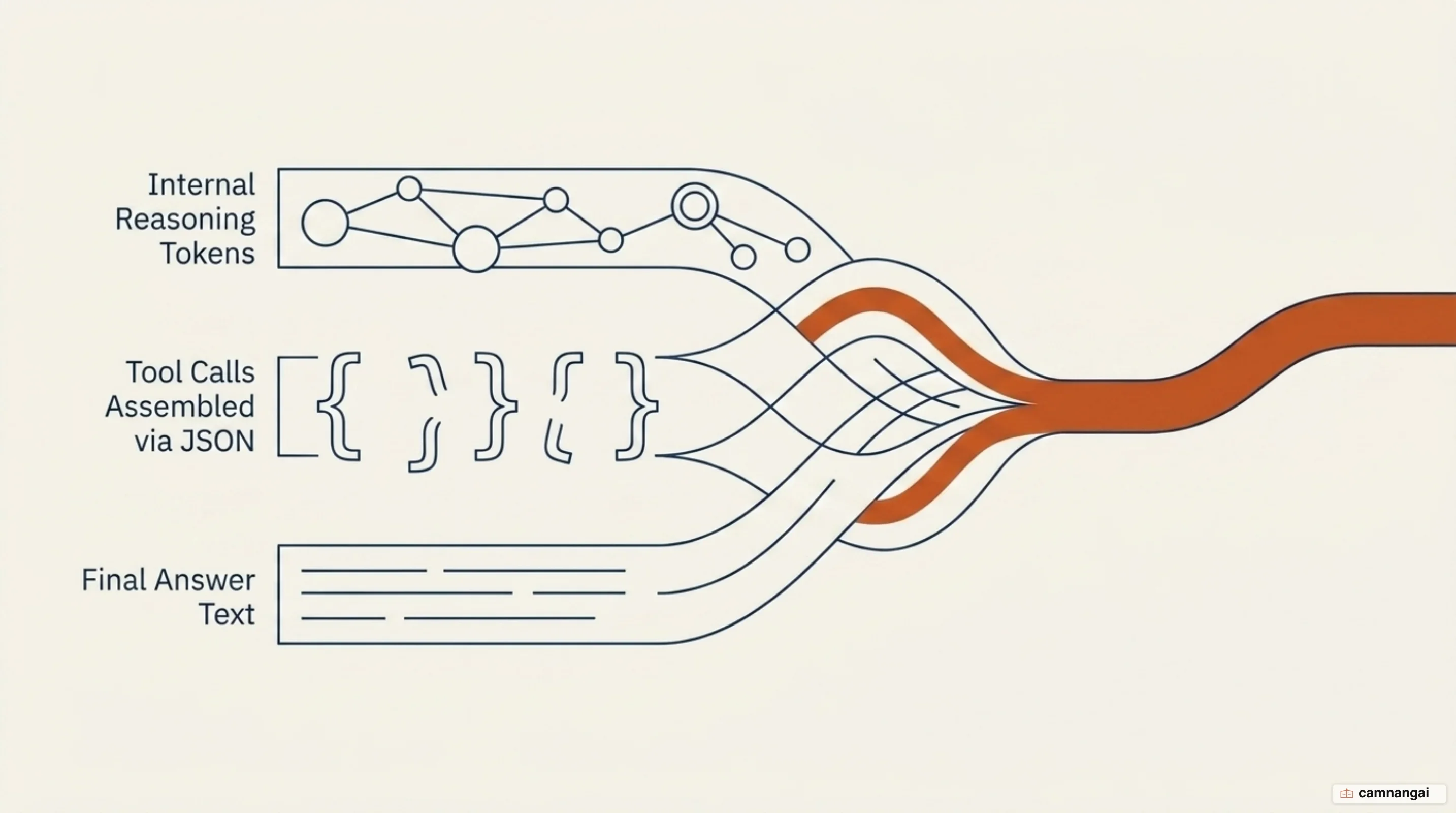
When an agent invokes a tool, the model emits tool call chunks, which are partial JSON strings representing the arguments for the function. A model might stream {"lat": followed by 40.7, "lon": and -74.0. Current models generally emit only one complete key and value property at a time, which produces slight pauses between property deltas. You must accumulate these partial strings into a valid JSON object before the tool can actually be executed.
For nested agents, a common hurdle is streaming from sub-graphs. In LangChain, if you wrap an agent as a node inside a parent graph, the tokens from the inner agent are not emitted by default, so you have to set subgraphs=True in the stream configuration. Without it, the inner model calls appear as silent gaps in the parent stream, breaking the responsive UX you added streaming to get in the first place.
Advanced models also emit thinking or reasoning deltas — internal chain-of-thought blocks that show the model's logic before the final text appears. By filtering for these reasoning blocks in the stream, you can show a "thinking…" status in the UI or display the full logic for transparency. That interleaved stream of thought, tool calls, and final text is the closest thing to a debugger an agent hands you.
On the client: EventSource, fetch and what you have to handle yourself
On the frontend you choose between the EventSource API and the fetch API. EventSource is the native browser implementation for SSE, and it handles connection drops and automatic reconnection out of the box, but it is limited to GET requests. For AI applications that pass large JSON bodies such as conversation history, fetch with ReadableStream is more common, though it requires manual stream management. EventSource is the nicer API, and you will almost never get to use it.
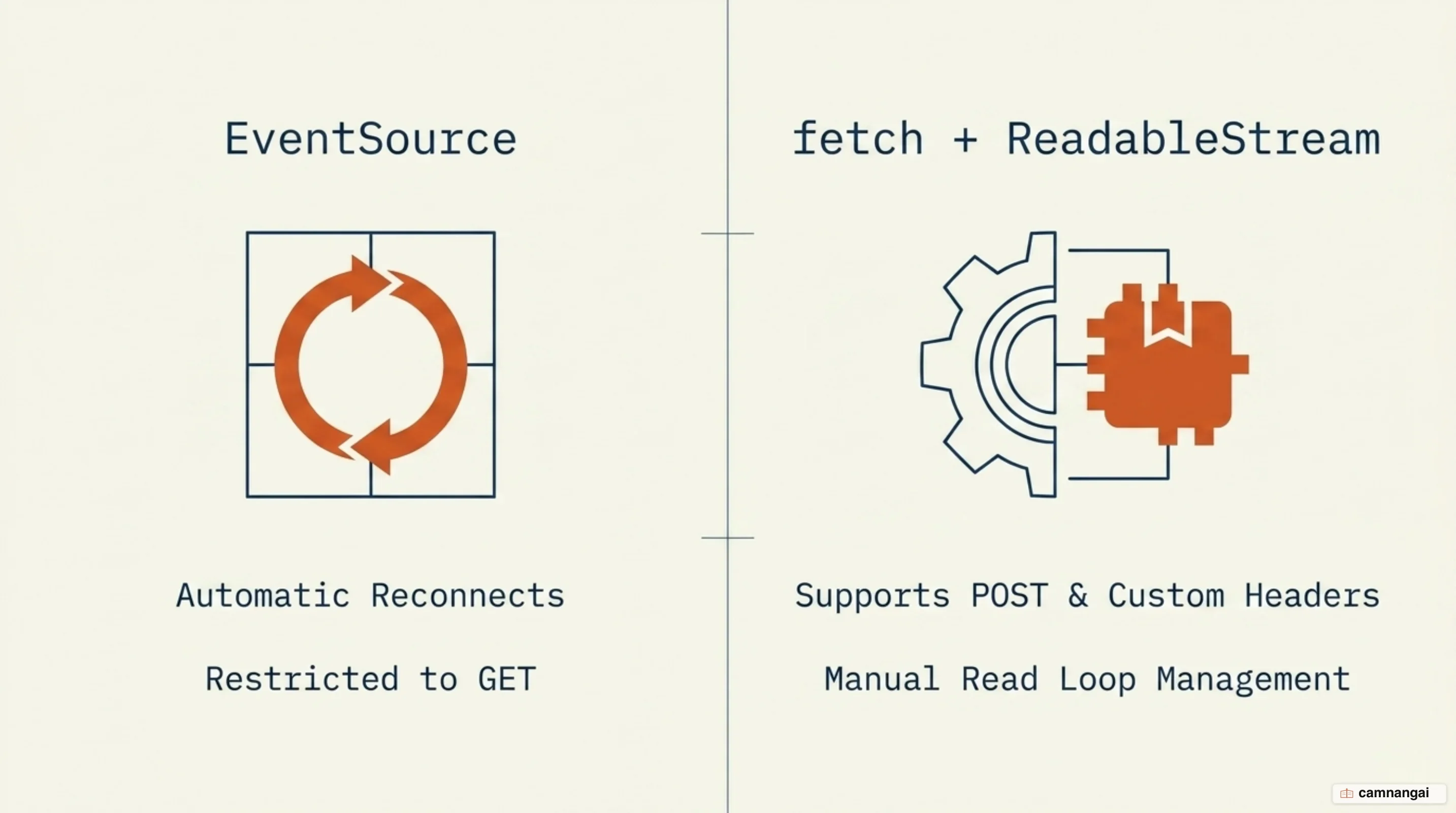
When using fetch, get a reader from the response body and use a TextDecoder. Initialize the decoder with the { stream: true } option, which ensures a multi-byte UTF-8 character split across two network chunks is buffered correctly instead of surfacing as a replacement character.
const response = await fetch("/api/chat", { method: "POST", body: JSON.stringify({ prompt }) });
const reader = response.body.getReader();
const decoder = new TextDecoder("utf-8");

while (true) {
  const { value, done } = await reader.read();
  if (done) break;
  // Use { stream: true } for multi-byte character safety
  const chunk = decoder.decode(value, { stream: true });
  // Buffer and update UI
}
Implementation also needs a Markdown buffer. Because LLMs frequently output Markdown, a raw stream often cuts formatting tags mid-sequence — sending **bo in one chunk and ld** in the next. If the UI renders those chunks immediately, the Markdown parser will not recognize the bold tag until the second chunk arrives. To avoid flickering or broken layouts, accumulate the text and re-render the formatted Markdown with a library such as marked.js on every new delta.
The cost of streaming: half-finished JSON, moderation, caching and proxies
Streaming has a bill attached, and the item that catches most teams is the reverse proxy problem. Many proxies, load balancers, and compression middlewares buffer responses to optimize packet sizes, which effectively turns a stream back into a batch response. You have to explicitly set headers like X-Accel-Buffering: no or disable compression on streaming routes so that tokens reach the client in real time.
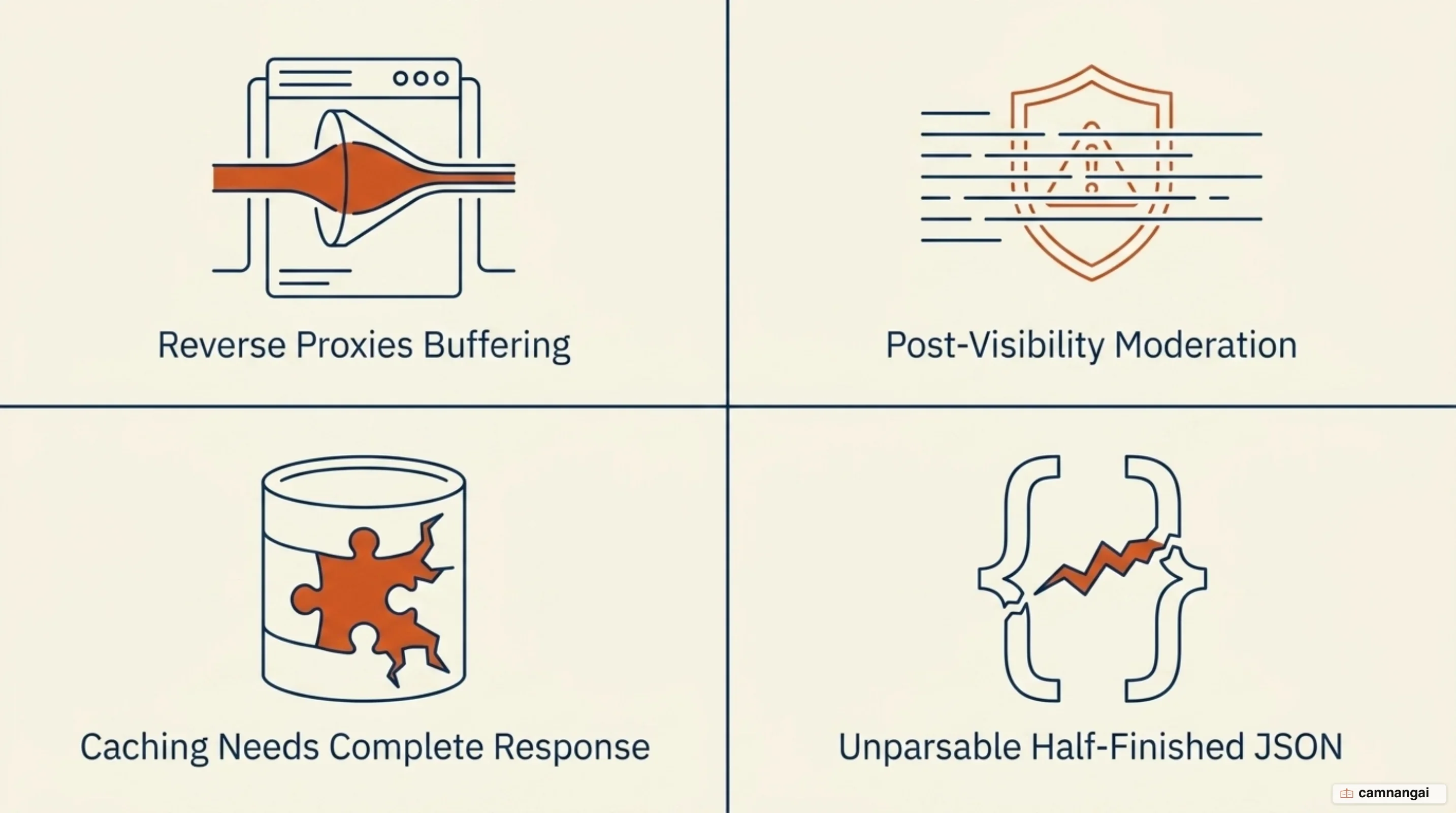
Content moderation is harder to enforce. In a batch workflow you run a safety filter over the entire response before it leaves the server, but with streaming the content is already reaching the user while it is being checked. If a violation is detected mid-stream, the server has to cut the connection or send a refusal event, and the prohibited content may already be visible on screen. There is no clean fix for that one, only damage control.
Caching has a natural tension with streaming, because standard caching needs a complete response to serve as a value. Two specific kinds of caching still help. Semantic caching stores full responses for similar queries, so on a hit the system skips the model and returns the cached result instantly. Prefix caching reduces TTFT by reusing previously computed attention key-value pairs for static prompt headers such as long system instructions, so the model avoids re-processing the same prefix on every request.
Structured data extraction is where streaming and correctness pull against each other, because parsing half-finished JSON is fragile. If your application requires a strict JSON object for a downstream process, it is usually better to use parallel calls — one stream for the user, one non-streamed call for the data — or streamed separation, where the model sends conversational text first and appends a JSON block at the very end of the stream.
When you should not stream
Avoid streaming in purely programmatic, system-to-system workflows where no human is watching the output. If the result feeds an automated evaluation pipeline or a data extraction script, the overhead of SSE and the risk of network-level stream interruptions buy you nothing. Batch processing also cuts cost by 50% for that class of work. And if you need guaranteed, valid JSON to keep your application from crashing, a non-streamed response is significantly safer.
The rule is: stream for humans, batch for systems. Use streaming to minimize perceived latency in interactive chat or code interfaces. For background tasks, evaluations, and structured data pipelines where consistency matters more than feel, stick to standard batch payloads.
References
- Using server-sent events — MDN Web Docs
- Streaming messages — Claude Platform Docs
- Batch processing — Claude Platform Docs
- Streaming LLM Responses: Make Your AI App Feel Fast — Redis
- Streaming — Docs by LangChain
- Consuming Streamed LLM Responses on the Frontend: A Deep Dive into SSE and Fetch — Tamas Piros
- Using Server-Sent Events (SSE) to stream LLM responses in Next.js — Upstash
- Balancing Act: Using Structured Output with Streaming in LLMs — Rahul Kavale