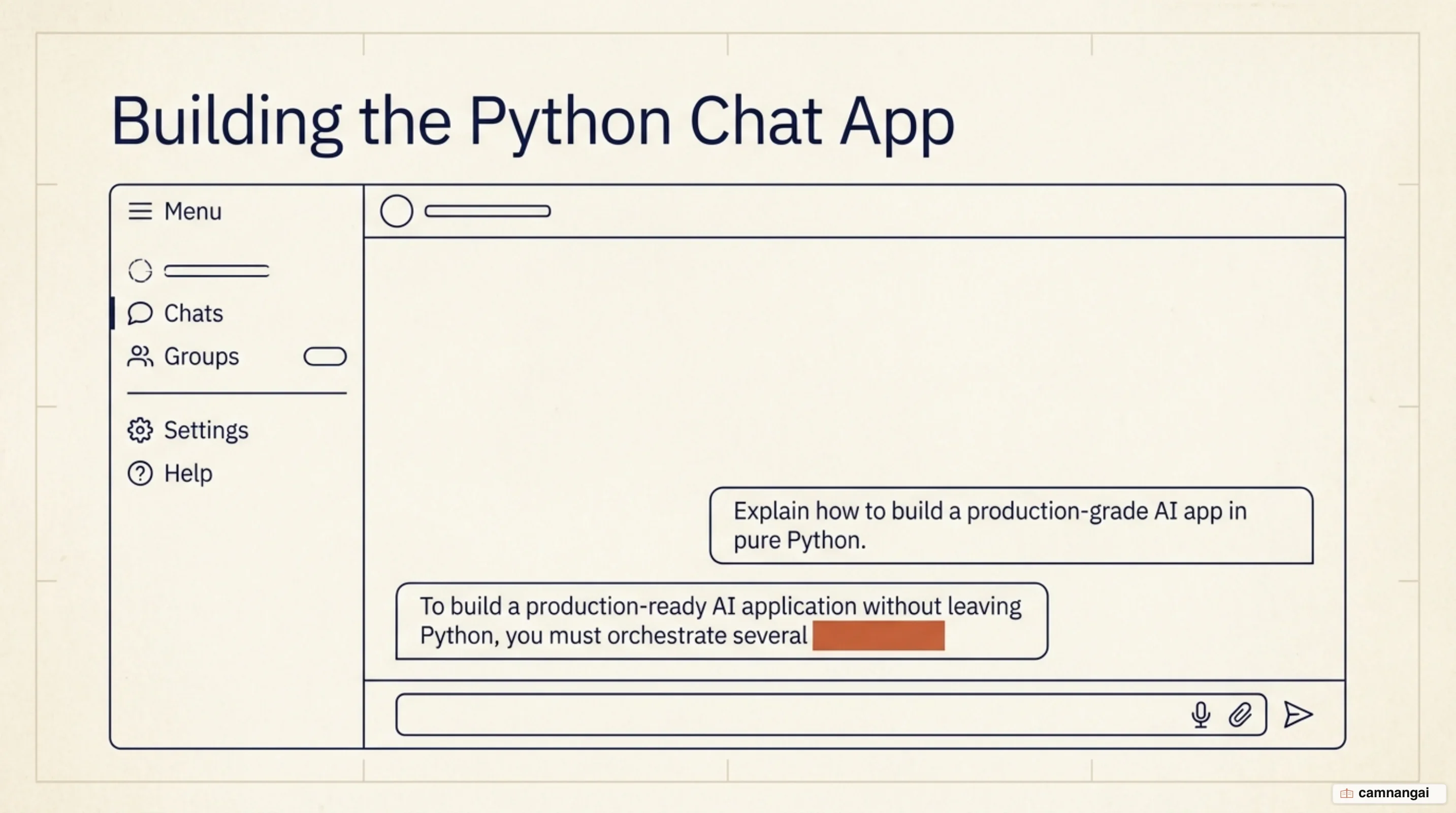
You are going to build a stateful chatbot with Python. By the end you will have a working system that streams replies in real time and runs behind a web interface.
You need Python 3.10 or higher, a terminal, and an API key from either OpenAI or Anthropic. The API call itself is the easy part, so almost everything below is about what surrounds it: memory, streaming, and an interface someone else can actually use.
Step 1 — Set up your Python environment and API key
Isolate the project's dependencies in a virtual environment:
python -m venv chatbot_env
source chatbot_env/bin/activate  # On Windows: chatbot_env\Scripts\activate
Your prompt changes to include (chatbot_env) once the environment is active. Then install the SDKs and the environment loader:
pip install openai anthropic python-dotenvCreate a .env file in the project root and put your keys in it:
OPENAI_API_KEY=your_openai_api_key_here
ANTHROPIC_API_KEY=your_anthropic_api_key_here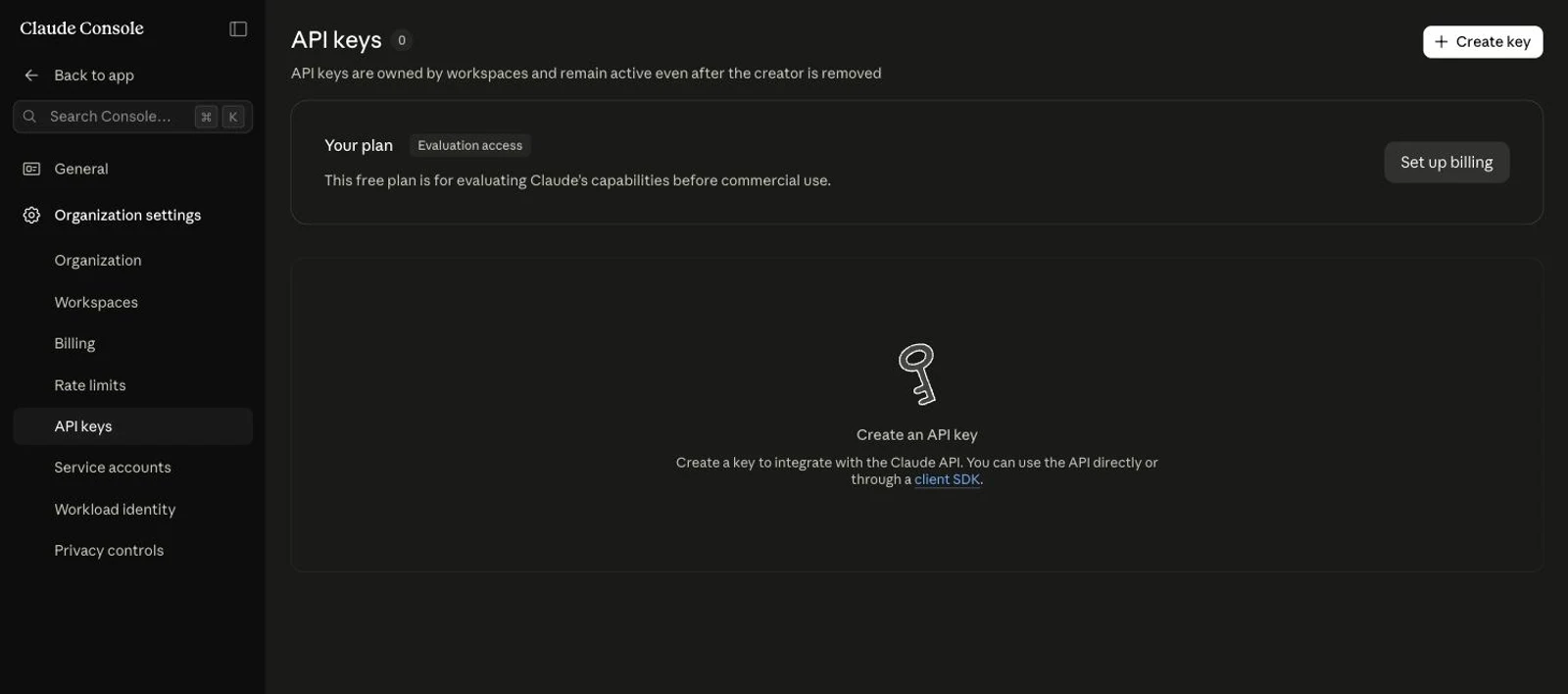
Step 2 — Make your first API call and confirm it works
Pick one provider and skip the other section, because this step exists to separate a bad API key from bad code before you write any more of either.
OpenAI Variant
This snippet uses the Responses API with gpt-5.6. It takes an input parameter rather than the legacy messages array.
from openai import OpenAI
from dotenv import load_dotenv
import os

load_dotenv()
client = OpenAI(api_key=os.getenv("OPENAI_API_KEY"))

response = client.responses.create(
    model="gpt-5.6",
    input=[
        {"role": "system", "content": "You are a helpful assistant."},
        {"role": "user", "content": "How do I print a list in Python?"}
    ]
)

print(response.output_text)
Anthropic Variant
This one uses the Anthropic Messages API with claude-opus-5.
import os
from anthropic import Anthropic

client = Anthropic(api_key=os.environ.get("ANTHROPIC_API_KEY"))

message = client.messages.create(
    max_tokens=1024,
    messages=[{"role": "user", "content": "What is Python?"}],
    model="claude-opus-5",
)

for block in message.content:
    if block.type == "text":
        print(block.text)
A coherent text response in your terminal means the key and the SDK both work.
Step 3 — Give the chatbot conversation memory
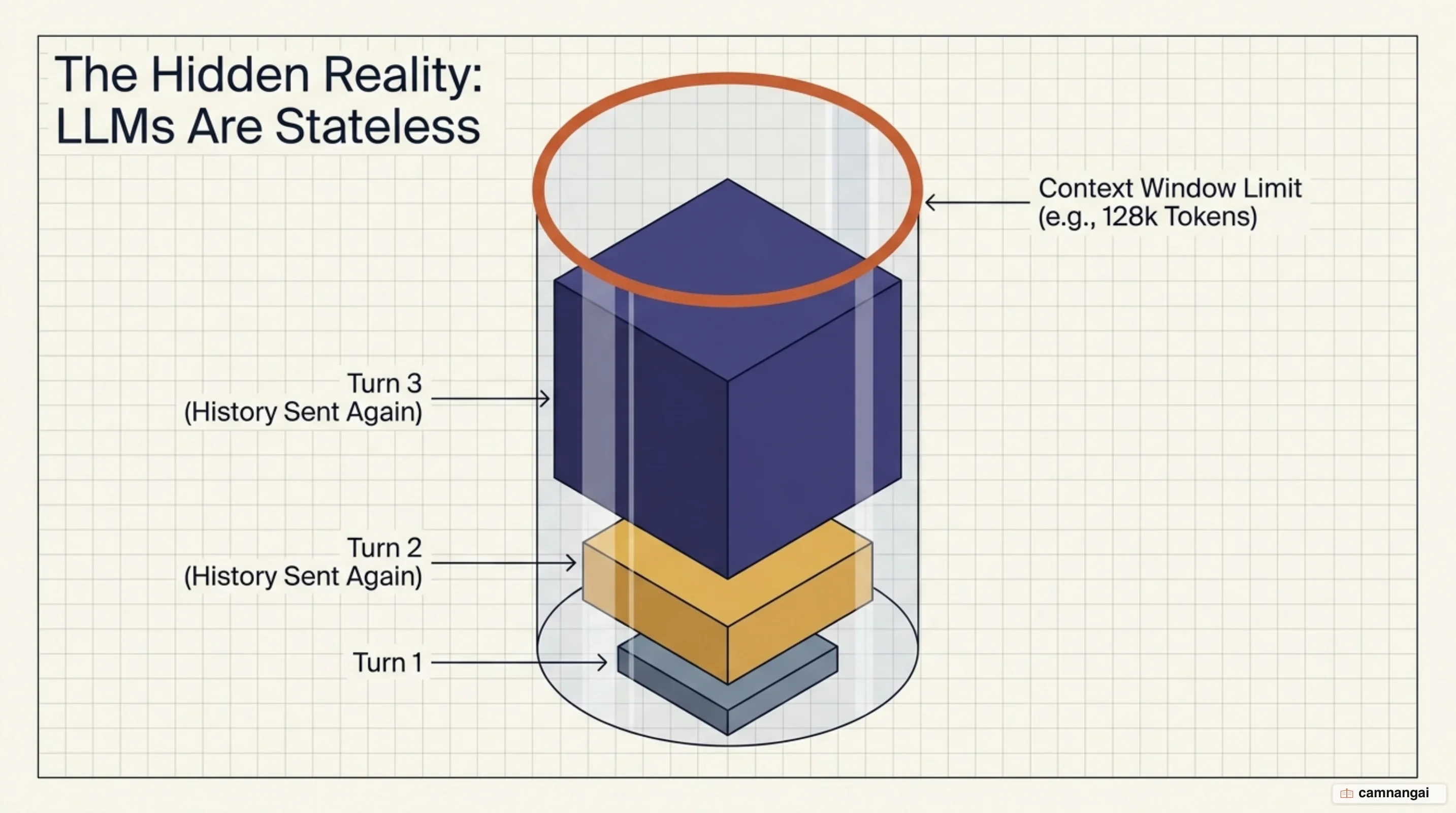
Large language models are stateless, so you must send the conversation history — a list of dictionaries — with every request.
If that model of memory is new to you, read what an LLM is first. In
the OpenAI Responses API, previous_response_id threads the turns for you.
# Initial turn
response = client.responses.create(
    model="gpt-5.6",
    input=[{"role": "user", "content": "Tell me a joke."}],
    store=True
)

# Subsequent turn using threading
second_response = client.responses.create(
    model="gpt-5.6",
    previous_response_id=response.id,
    input=[{"role": "user", "content": "Explain why that's funny."}]
)
If you build the history list yourself, cap it before it outgrows the model's context window. gpt-4o-2024-08-06, for example, has a total context window of 128k tokens; go past it and the response gets truncated.
Step 4 — Stream the reply so it appears as it is generated
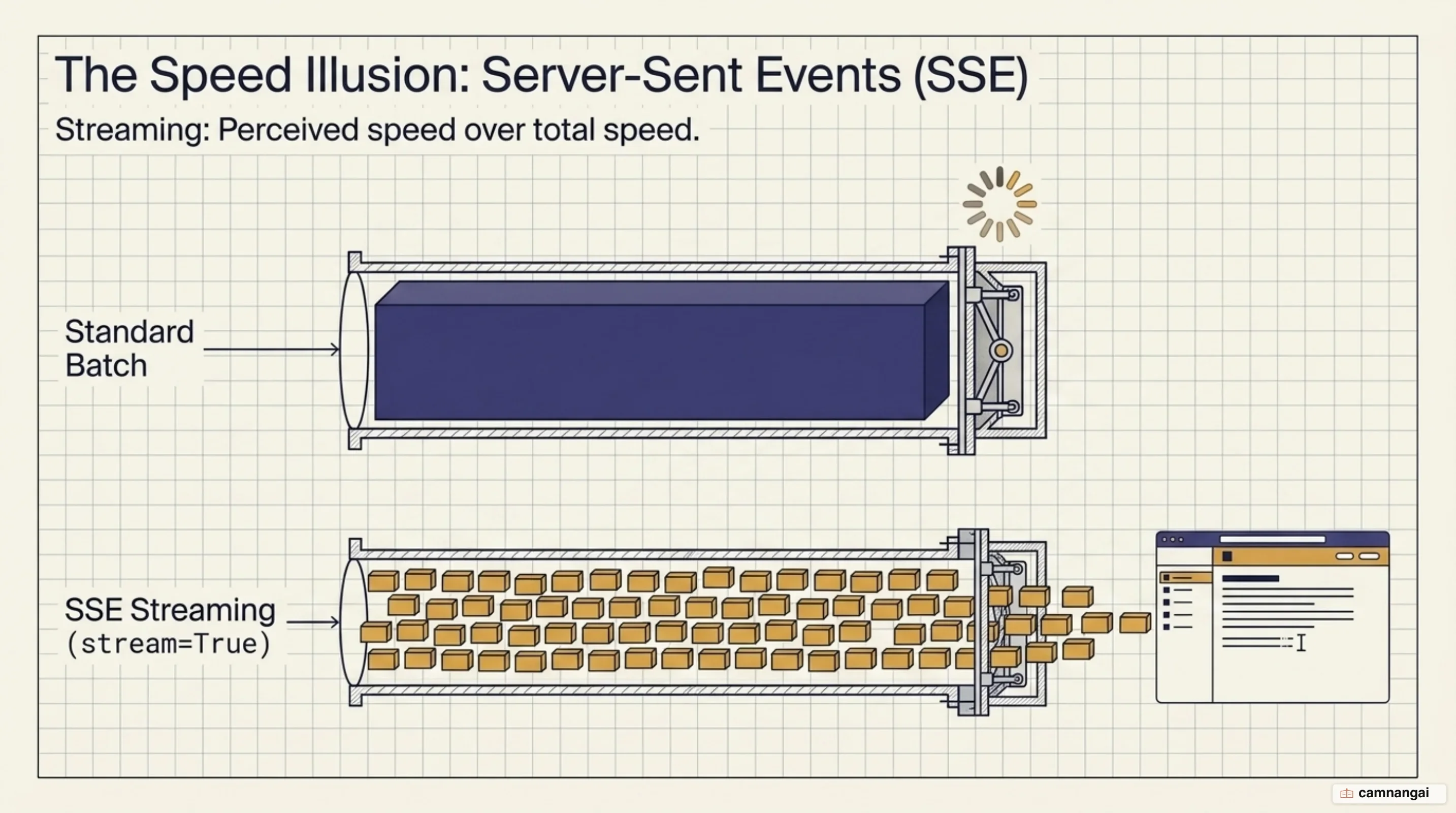
Use whichever provider you set up in Step 2, because both SDKs stream, but they do it through different APIs.
OpenAI Streaming
Set stream=True and iterate the typed events the API emits, keeping the text deltas.
stream = client.responses.create(
    model="gpt-5.6",
    input=[{"role": "user", "content": "Write a long poem about AI."}],
    stream=True,
)

for event in stream:
    if event.type == "response.output_text.delta":
        print(event.delta, end="", flush=True)
Anthropic Streaming
Use the client.messages.stream context manager to reach the text_stream helper.
with client.messages.stream(
    max_tokens=1024,
    messages=[{"role": "user", "content": "Write a long poem about AI."}],
    model="claude-opus-5",
) as stream:
    for text in stream.text_stream:
        print(text, end="", flush=True)
Tokens appear one at a time, typewriter style, instead of landing in a single block.
Step 5 — Put the chatbot behind a Streamlit web interface
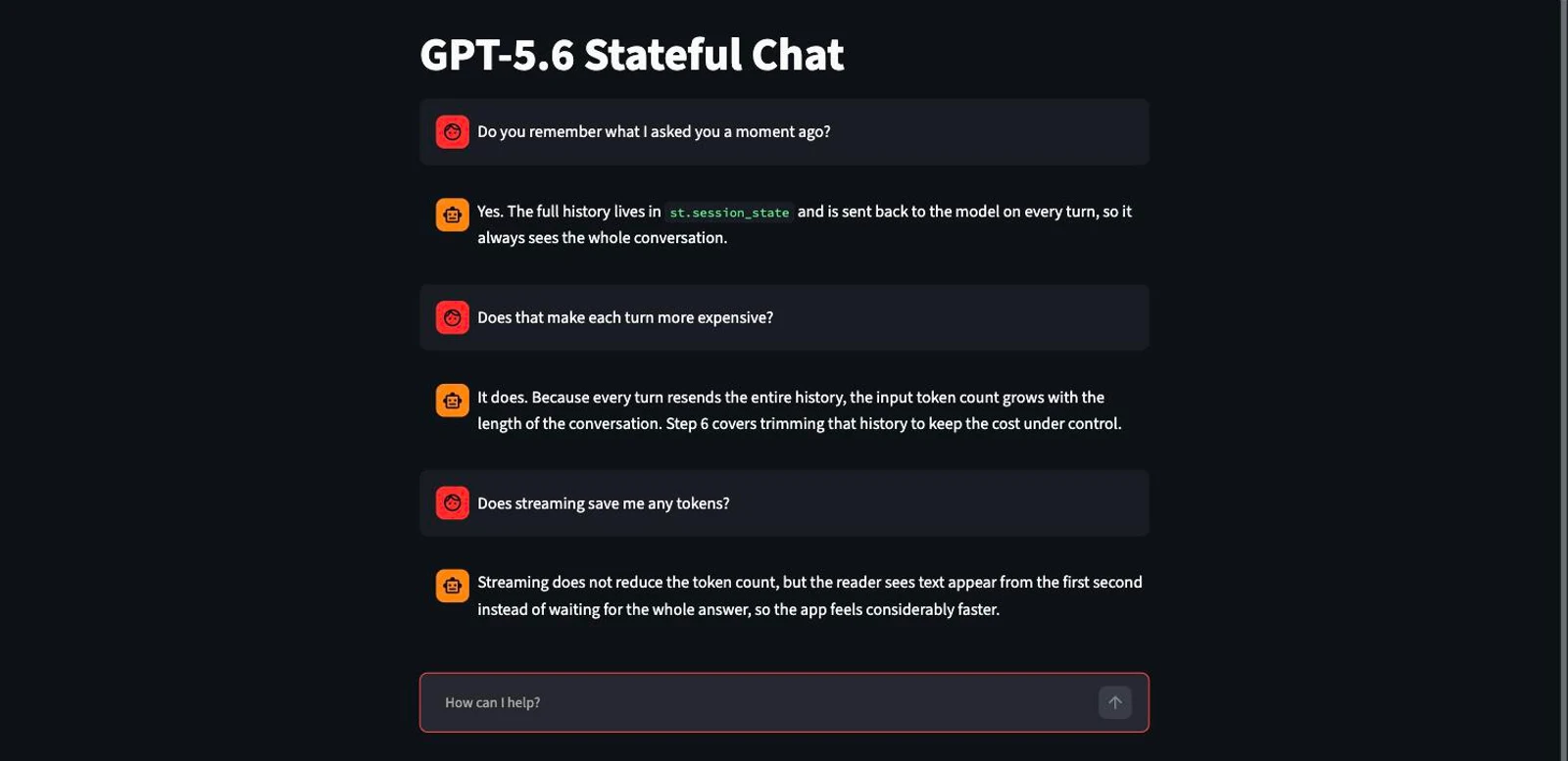
Streamlit does not read the .env file from Step 1, so the key you already set will not be there; it reads st.secrets instead. Create
.streamlit/secrets.toml in the project folder before you run anything:
OPENAI_API_KEY = "your_openai_api_key"This version keeps the full history in st.session_state and feeds Streamlit's chat elements from it.
import streamlit as st
from openai import OpenAI

st.title("GPT-5.6 Stateful Chat")
client = OpenAI(api_key=st.secrets["OPENAI_API_KEY"])

if "messages" not in st.session_state:
    st.session_state.messages = []

# Display history
for message in st.session_state.messages:
    with st.chat_message(message["role"]):
        st.markdown(message["content"])

if prompt := st.chat_input("How can I help?"):
    st.session_state.messages.append({"role": "user", "content": prompt})
    with st.chat_message("user"):
        st.markdown(prompt)

    with st.chat_message("assistant"):
        def stream_reply():
            events = client.responses.create(
                model="gpt-5.6",
                input=st.session_state.messages,
                stream=True,
            )
            for event in events:
                if event.type == "response.output_text.delta":
                    yield event.delta

        # st.write_stream accepts a generator and renders the typewriter effect
        response_text = st.write_stream(stream_reply())

    st.session_state.messages.append({"role": "assistant", "content": response_text})
Run streamlit run app.py.
Step 6 — Handle errors, retries and token cost
Real traffic drops connections and hits rate limits. Use tenacity to back off exponentially and retry:
from openai import RateLimitError, APIError
from tenacity import retry, wait_exponential, stop_after_attempt

@retry(wait=wait_exponential(multiplier=1, min=4, max=10), stop=stop_after_attempt(5))
def safe_generate(messages):
    try:
        response = client.responses.create(model="gpt-5.6", input=messages)
        # Track token usage via the usage property
        print(f"Usage: {response.usage.input_tokens} in, {response.usage.output_tokens} out")
        return response
    except (RateLimitError, APIError) as e:
        print(f"API Issue: {e}")
        raise e
Log the usage property on every response. Those input and output token counts are your cost audit trail, and I would rather have them from the first day than try to reconstruct a bill from a month of traffic later.
Choosing a UI framework and when to move to an agent SDK
| Framework | Best Use Case |
|---|---|
| Streamlit | Fastest for building internal tools and rapid prototyping. |
| Reflex | Pure Python, production-grade web apps with solid state management. |
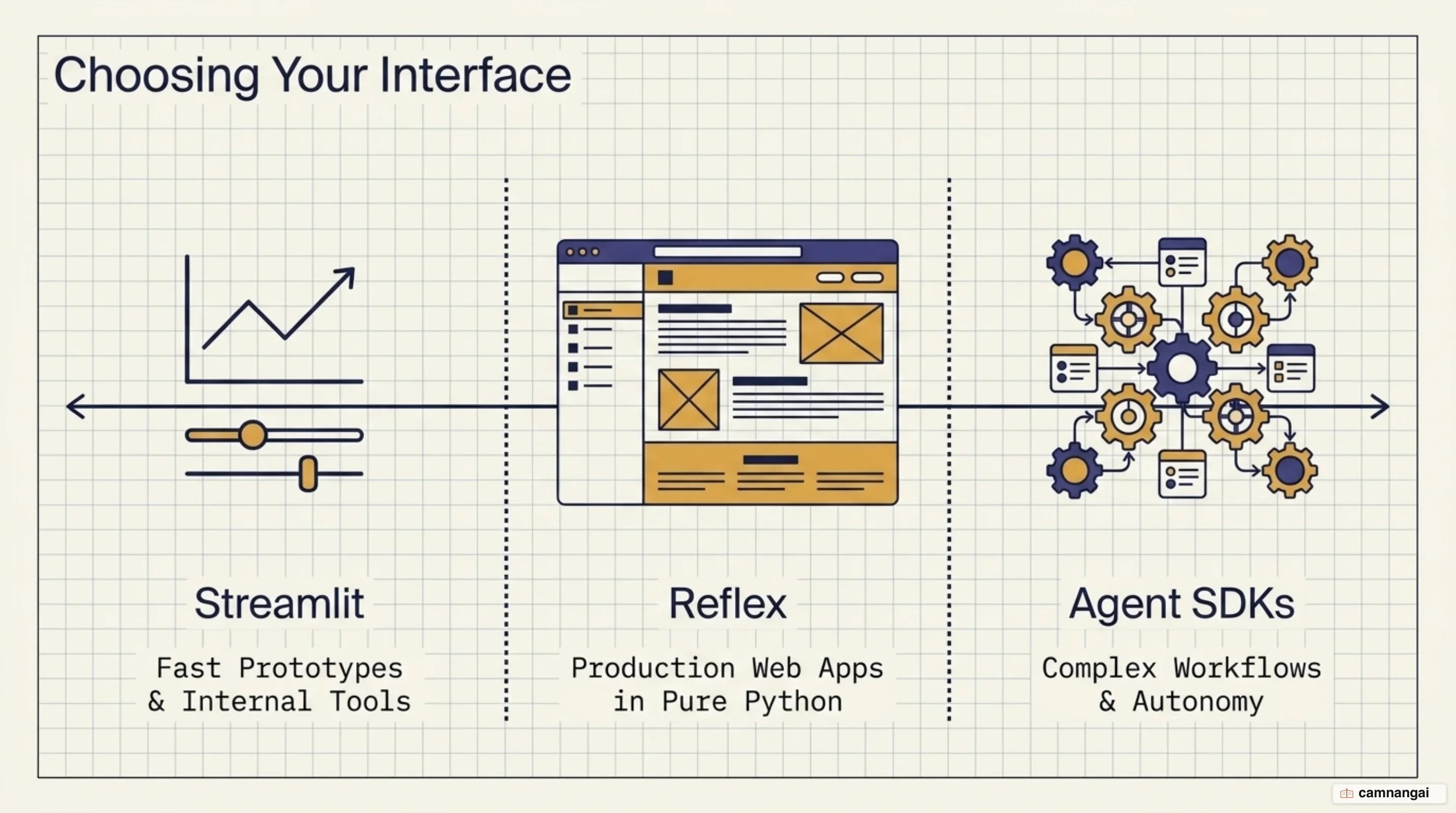
Move to the OpenAI Agents SDK once the logic outgrows a single call. You need it for handoffs between specialized AI agents, or for the isolated Sandbox workspaces that run generated code safely. Skip LLM routers: choosing the model yourself keeps behaviour consistent and output quality predictable.
Troubleshooting common errors
| Error Text | Probable Cause | Technical Fix |
|---|---|---|
RateLimitError | High request frequency. | Implement exponential backoff using tenacity. |
AuthenticationError | Invalid API key. | Check .env format and ensure load_dotenv() is called. |
| Reply truncated mid-sentence | Message history too long. | Truncate older messages or summarize history. |
| "Intermediate update treated as final" | Missing phase field in GPT-5.5. | Preserve the phase field by replaying the complete output array. |
What to do next
Add Retrieval Augmented Generation (RAG) next. Connect a vector database such as ChromaDB so the bot answers from your own documents rather than from the model's training data alone.
References
- Python SDK — Claude Platform Docs
- Conversation state — OpenAI API
- Streaming API responses — OpenAI API
- Build a basic LLM chat app — Streamlit Docs
- Build LLM Chat App in Python — Reflex
- The 3 Best Python Frameworks To Build UIs for AI Apps — GetStream
- OpenAI Agents SDK
- Everyone is building LLM routers, we deprecated ours — Manifest