A load balancer sits quietly between your users and a pool of backend machines, the "server farm," and splits network traffic evenly across them so the hardware stays busy and the responses stay fast.
Think of a restaurant manager working the floor: they hand each arriving customer to the waiter who still has room, instead of stacking six parties on the one nearest the door. A load balancer does the same with incoming requests and servers, so no single machine drowns while the others sit idle.
Get that split wrong and a high-traffic system turns slow and unreliable, no matter how good the servers behind it are.
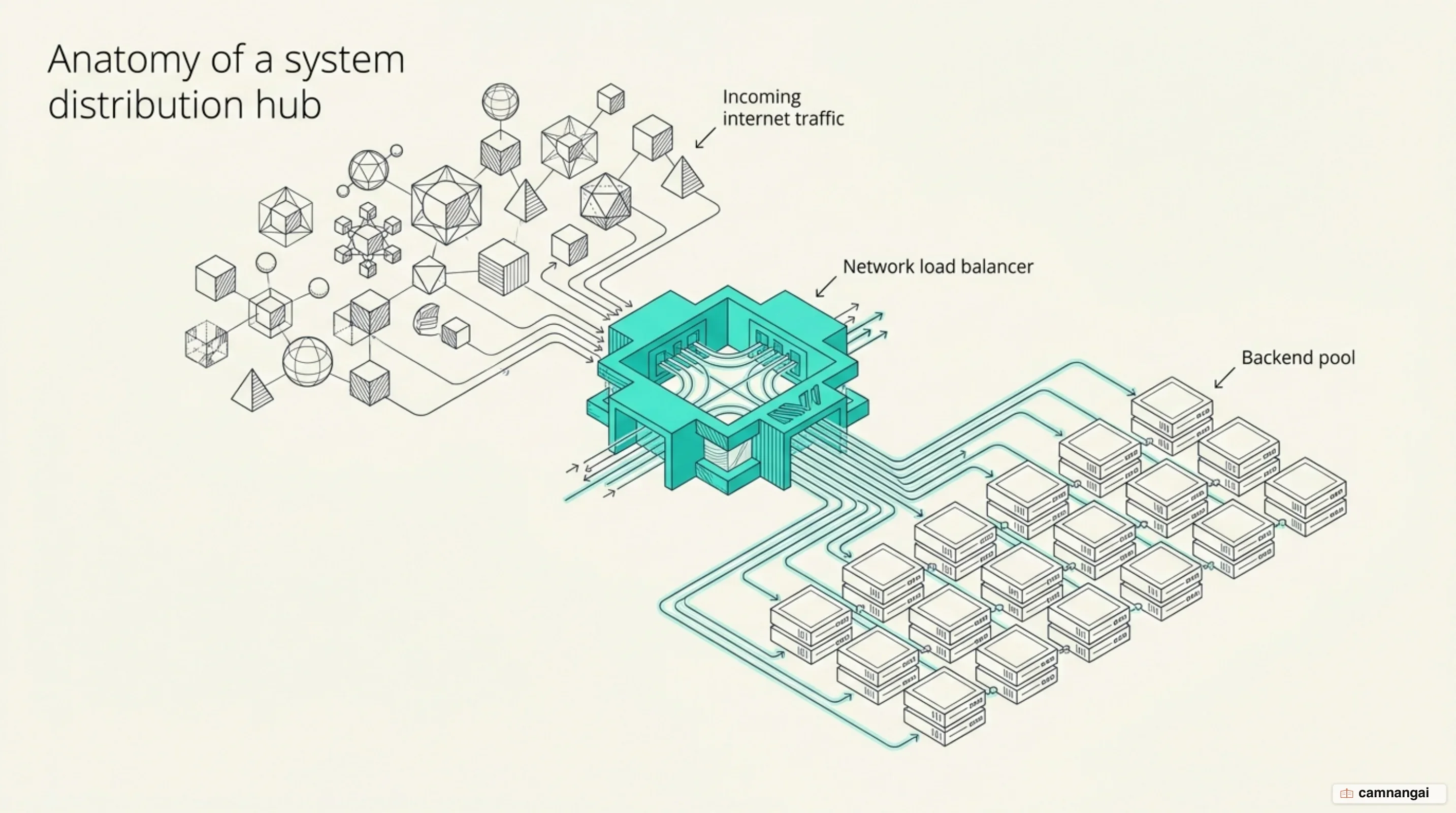
What is a load balancer?
A load balancer is a device, physical or virtual, that stands at the front door: every client request arrives there first, and it decides which backend server does the work. The job is to push as much throughput through that pool as possible while making sure no single resource becomes the bottleneck. Once an application serves millions of simultaneous users, one computer stops being an option, however expensive the hardware is. The limit is not the CPU — it is the speed of light in fiber optic cables, which puts a hard floor on latency based on the distance data must travel.
Spreading the load also lets one architecture serve jobs with completely different priorities. A latency-sensitive service like Google Search has to route requests to the nearest available datacenter, because round-trip time (RTT) is what the user feels. A throughput-sensitive job like a video upload wants the opposite: a more distant but underutilized link, where the transfer has a better chance of succeeding on the first attempt. Running a fleet instead of a single server also removes the "single points of failure" that keep on-call engineers awake, and it is the only way a system scales to meet global demand.
How does a load balancer work?
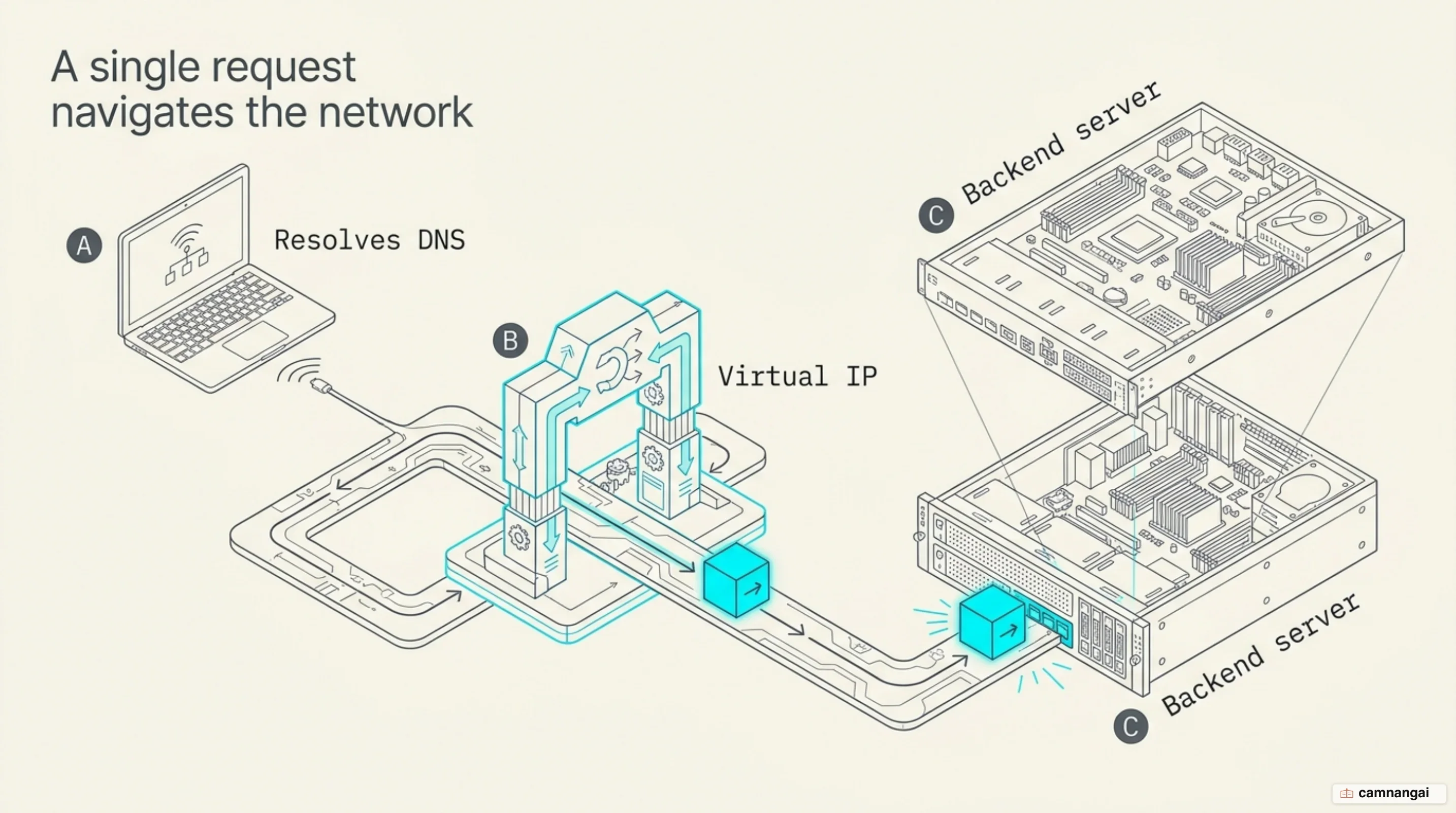
It starts by intercepting the traffic, and the trick that makes that possible is the Virtual IP address (VIP). A VIP is not bolted to one physical network interface; it is shared across devices, yet from the outside it looks like a single destination. The load balancer then behaves as a reverse proxy: it accepts the client's connection, then opens a separate one to a backend server. Before any of that happens, the client resolves the service address through DNS, which is already a coarse first layer of distribution.
Standard methods for forwarding these packets include:
- Network Address Translation (NAT): The balancer rewrites the IP headers on packets going in and coming back out.
- Direct Server Response (DSR): The balancer rewrites only the destination MAC address at Layer 2, so the backend server answers the client directly and the return traffic never touches the balancer, which saves bandwidth on the way out.
- Packet Encapsulation (GRE): The balancer wraps the original packet inside another IP packet using Generic Routing Encapsulation, so the balancer and the backend can sit on different networks, or different continents.
GRE is not free, though: the encapsulation adds 24 bytes of overhead, enough to push a packet past the MTU (Maximum Transmission Unit) and fragment it. The usual answer in a modern datacenter is to raise the ceiling rather than shrink the payload, by supporting larger Protocol Data Units (PDUs) — "Jumbo Frames" — so the extra headers fit without splitting anything. The other piece I would not skip is consistent hashing, which solves the id(packet) mod N problem, that is, picking a backend by hashing the packet and taking the remainder over the number of servers, so the mapping shifts the moment that number changes. With plain hashing, losing one server reshuffles the map for everybody; with consistent hashing, one dead server resets only a small fraction of existing connections and leaves the rest where they were.
Common load balancing algorithms
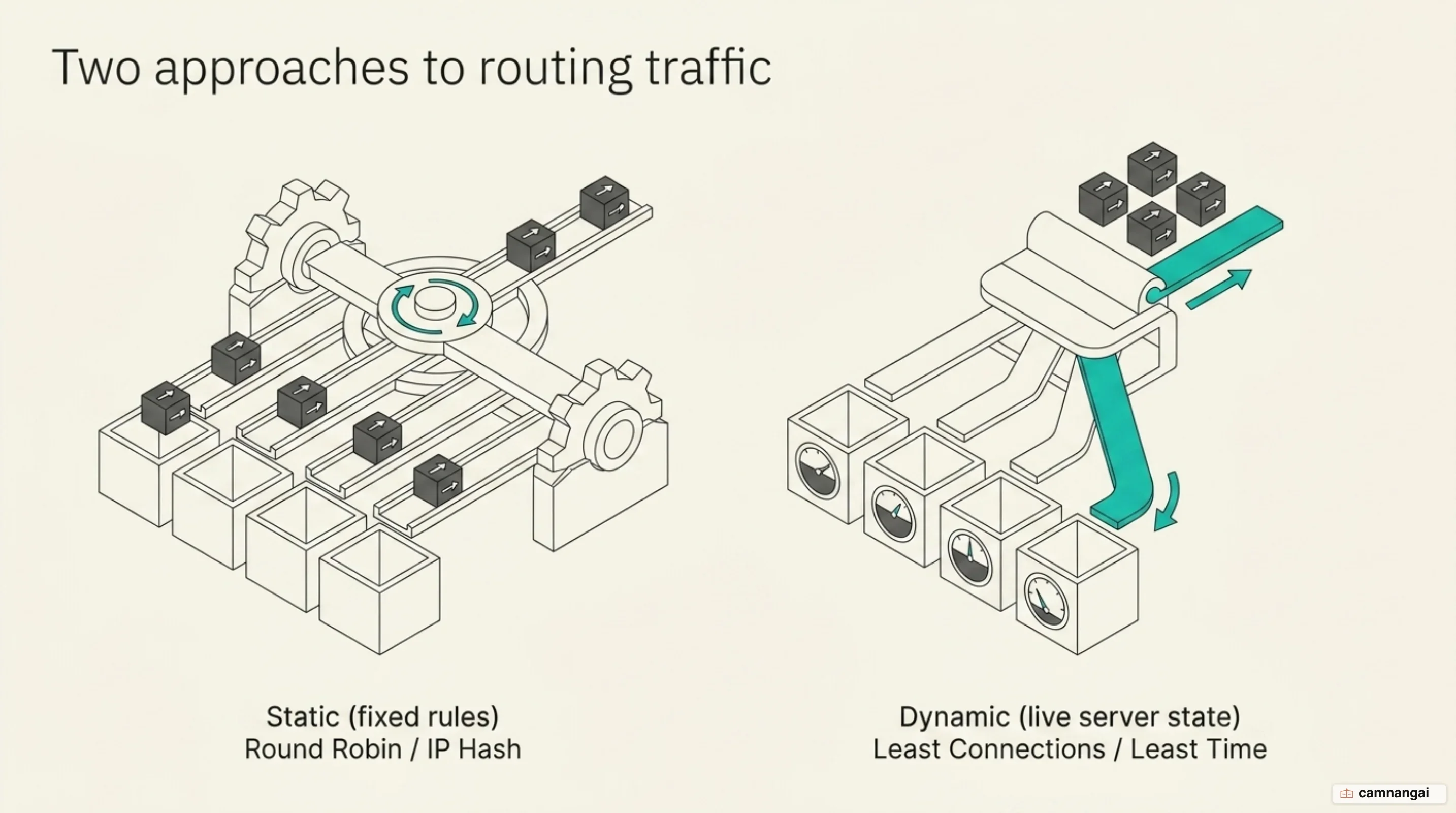
Which server gets the request comes down to an algorithm, and they split into two camps: static rules, and dynamic ones that look at what the servers are doing right now.
Static algorithms
A static method applies its rule regardless of how loaded a server is. Round-robin walks the list and hands each new request to the next machine, while weighted round-robin admits the machines are not identical and sends more traffic to the higher-specced ones. IP hash turns the client's source IP into a unique key and uses it to pin the same user to the same backend every time, which is what keeps session persistence working.
Dynamic algorithms
A dynamic method reads real-time telemetry before it decides. Least connections sends the request to whichever server holds the fewest active communication channels. Least response time sharpens that by combining the lowest average latency with the connection count, so a server that is free but slow does not win the round. Resource-based steering goes further and runs agents, small programs sitting on the backends, that report actual CPU and memory use back to the balancer for granular steering.
Here is that "least-connected" logic as an Nginx block:
http {
    upstream backend_cluster {
        least_conn; # Routes traffic to the server with the fewest active connections
        server srv1.example.com;
        server srv2.example.com;
        server srv3.example.com;
    }

    server {
        listen 80;
        location / {
            proxy_pass http://backend_cluster;
        }
    }
}
Health checks: how a load balancer knows a server is down
A load balancer is only as good as its picture of which backends are alive, so before it routes anything it verifies that they are ready.
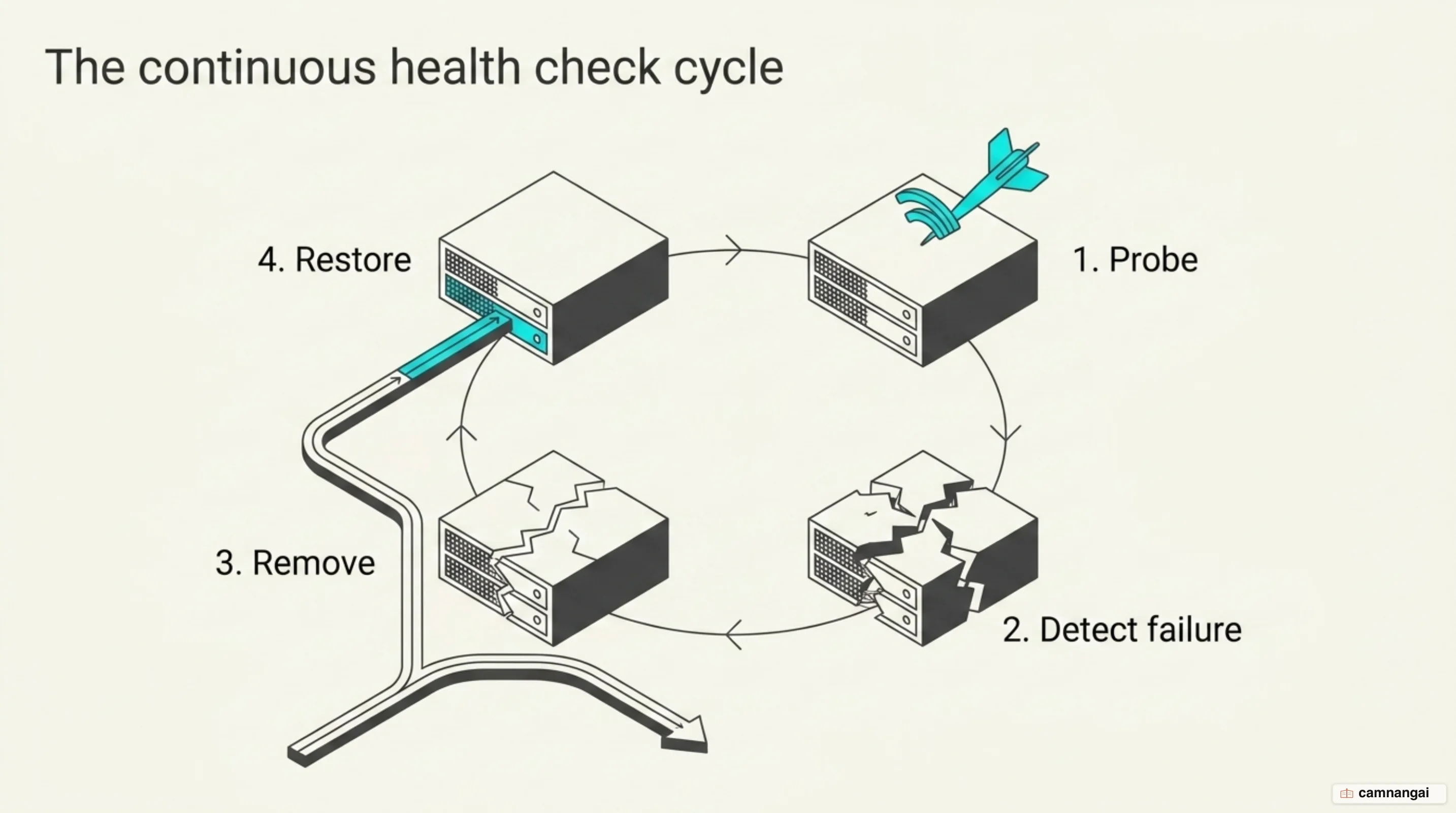
Active health checks. The balancer goes out and asks, on a timer. A TCP health check is satisfied by a SYN/ACK coming back, while an HTTP health check sends a GET or OPTIONS request to a path like /healthz and expects a 2xx or 3xx status code. How many failures pull a server out, and how many successes put it back, are set by the fall (failure threshold) and rise (success threshold) parameters.
Passive health checks. Instead of adding probe traffic, passive monitoring watches live traffic for errors. In HAProxy, for instance, observe layer4 tracks connection failures at the transport level, while observe layer7 reads response codes and counts the HTTP 5xx errors. If a server goes past the error limit you defined, it gets ejected from the rotation for a while.
Agent checks. Here a specialized program on the server reports internal health — things like disk I/O or CPU idle time — straight to the balancer. That is the only one of the three that sees trouble coming, because it lets the balancer "drain" traffic off a box before it fails.
An HAProxy backend with those health parameters spelled out:
backend web_servers
  option httpchk GET /healthz
  http-check expect status 200
  server srv1 10.0.0.1:80 check inter 3s fall 3 rise 2
  server srv2 10.0.0.2:80 check inter 3s fall 3 rise 2
Layer 4 and Layer 7: what is the difference?
Where in the OSI model the balancing happens decides how much the balancer can see, and what that visibility costs in performance.
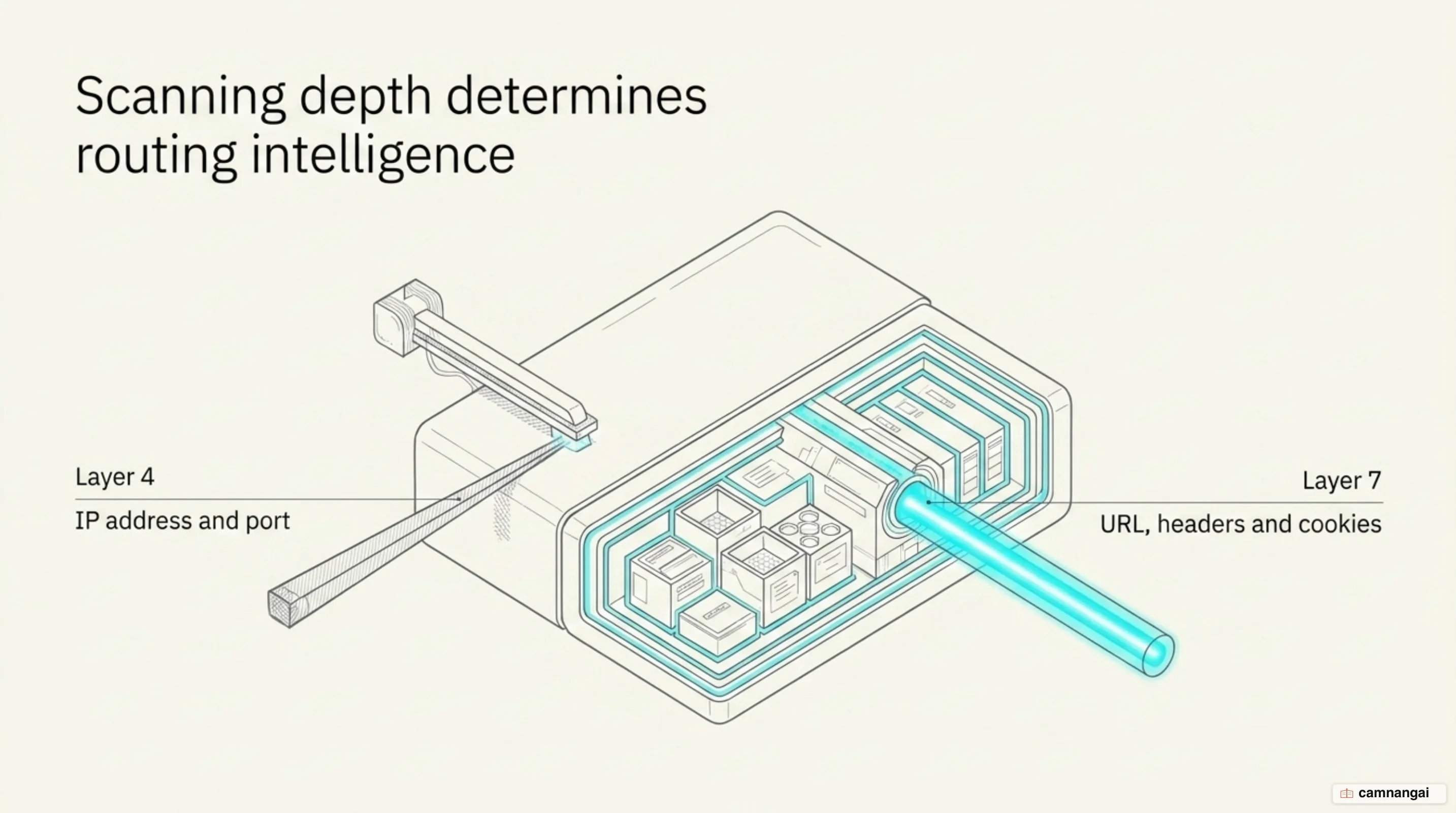
| Feature | Layer 4 (Transport) | Layer 7 (Application) |
|---|---|---|
| Routing basis | IP and port number | URL, headers, cookies, payload |
| SSL termination | No (pass-through) | Yes (offloaded to balancer) |
| Performance | High throughput, low CPU | Higher latency, high CPU usage |
Layer 4 (transport layer) load balancing does not care what protocol is inside, and it is fast for exactly that reason, because it never opens the packet payload, which makes it the right pick for raw TCP/UDP traffic, like a database cluster or SMTP.
Layer 7 (application layer) load balancing knows what the application is saying. It terminates the connection to inspect the content, which buys you "request multiplexing" (reusing backend connections to cut overhead) and "content caching" (storing static assets on the balancer). It also allows intelligent path-based routing — /api calls to one service, /images to another — along with "sticky sessions" through cookie injection. You pay for all of it in CPU and latency, which is why the table above matters more than it looks.
Why does a load balancer matter so much?
Four things come out of load balancing, and together they are why nobody ships a serious system without one:
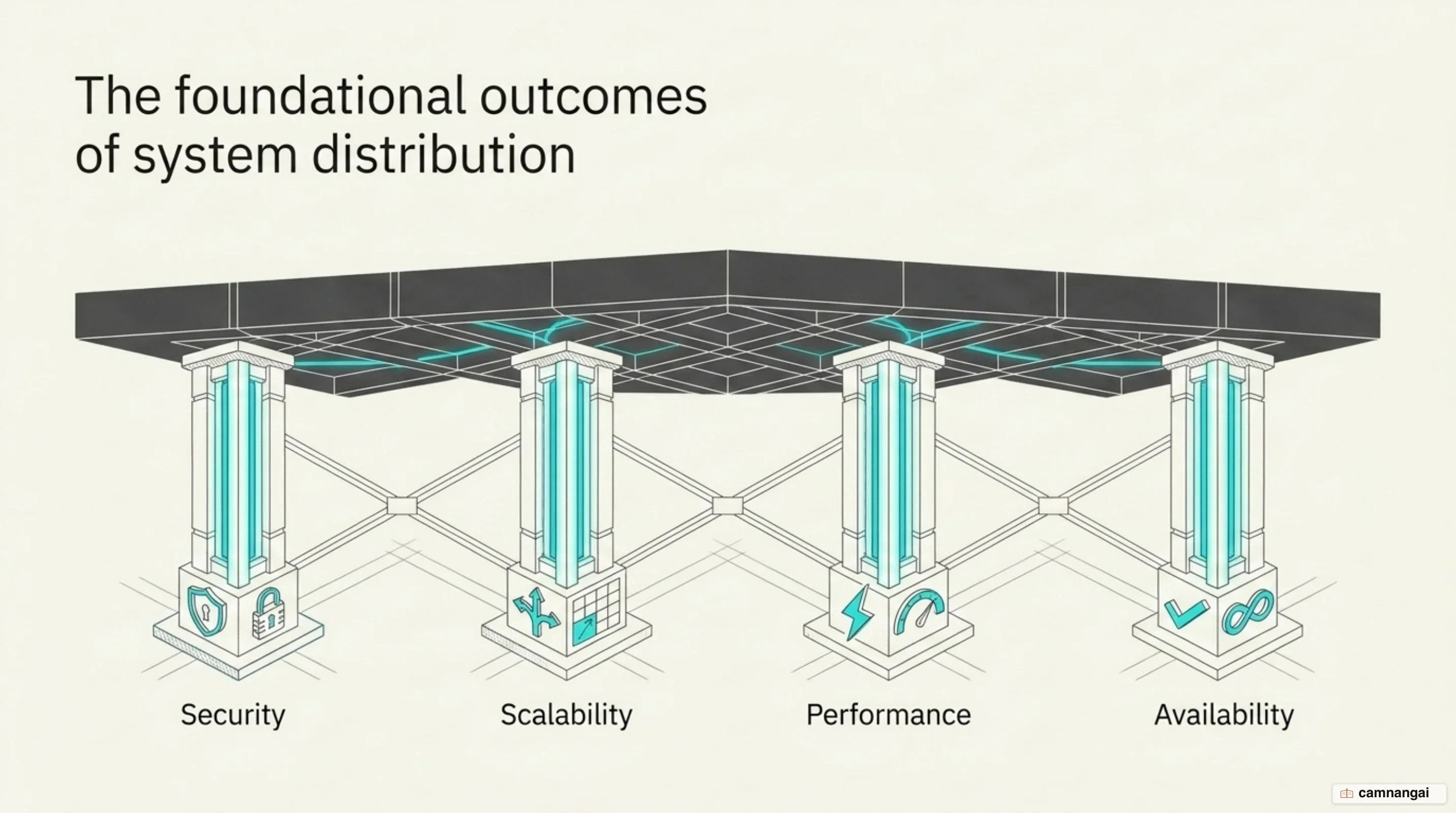
- Availability: Failover happens on its own, because the moment a server fails a health check the balancer reroutes around it, and the user sees no downtime.
- Scalability: You can add servers to the pool or take them out without interrupting the service, which is what lets the infrastructure grow with demand.
- Security: The balancer is your frontline defense against DDoS attacks, and it can integrate a Web Application Firewall (WAF) that filters malicious requests at the edge.
- Performance: Offloading SSL/TLS decryption frees web server compute for actual work, and geographic routing shortens the trip for users far from your primary region, so load balancers cut the compute burden and the latency at once.
When do you actually need a load balancer?
You need a load balancer once the application scales beyond a single regional backend, or once you want high-performance SSL/TLS offloading badly enough to stop spending web server resources on it. Microservices force the question too, because path-based routing to various independent services is exactly the job a Layer 7 balancer exists to do.
It helps to stop thinking of load balancing as a strategy for traffic spikes: it is the requirement underneath high availability itself, because redundancy and fault tolerance only mean something if something routes around the failure. That is the balancer's whole job: eliminate the single point of failure, then keep deciding, request by request, which machine is in the best shape to answer.
References
- What is Load Balancing? - Load Balancing Algorithm Explained — AWS
- Using nginx as HTTP load balancer — nginx
- Layer 4 vs Layer 7 Load Balancing — A10 Networks
- Health checks — HAProxy config tutorials
- What is High Availability Load Balancing? — A10 Networks
- What is an Application Load Balancer? — AWS Elastic Load Balancing
- Load Balancing Options — Azure Architecture Center
- Load Balancing at the Frontend — Google SRE Book