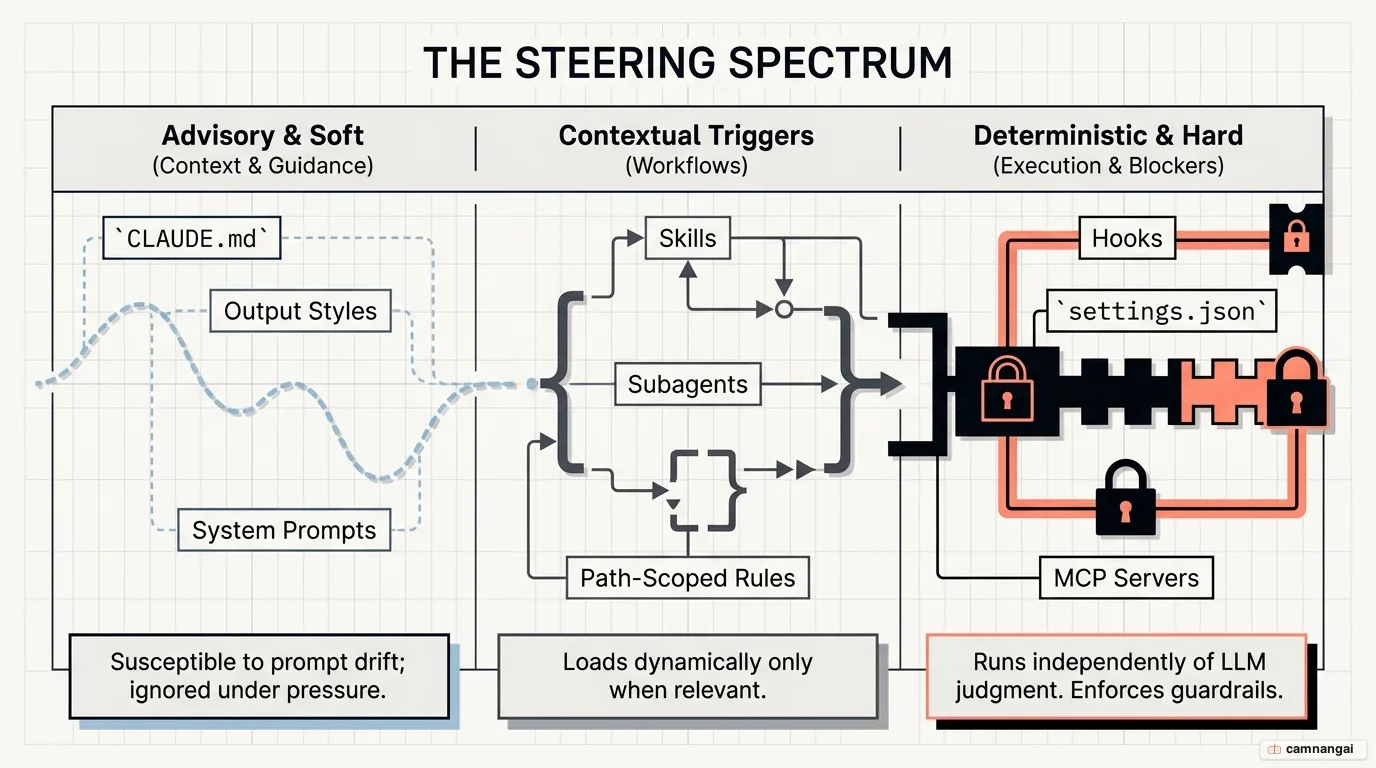
Claude memory files are the architectural mechanism for giving an AI agent project-level persistence and steering.
Without a structured memory system, Claude Code starts every session from zero, wasting tokens and forcing you to repeat architectural constraints. A well-designed setup treats Claude as programmable infrastructure that keeps the context you care about across sessions, so you are not babysitting it by hand.
To stop Claude from forgetting context, you engineer three pillars of memory: storage, injection, and recall. Storage determines how information is written during a session; injection defines what is pushed into the system prompt at start; and recall establishes a framework for recovering long-term facts. Progressive disclosure keeps context lean — you retrieve information only when the task actually needs it.
Why you need memory files for Claude
Out-of-the-box memory in Claude Code lags behind current open-source community solutions. Standard behavior is often selective, capturing only what the agent deems "important," which leads to lost decision-making context. A good setup solves this by answering three questions: how information is saved (storage), how it is pushed to the agent (injection), and how it is recovered (recall).
Efficient memory management relies on "frozen snapshots" and "progressive disclosure." Instead of loading tens of thousands of tokens, you provide lean, curated files as snapshots of the current state. Long-term recovery uses a four-tier recall system:
- Tier 0: Check existing context (e.g.,
memory.mdor daily logs). - Tier 1: Semantic match in a local vector database.
- Tier 2: Metadata expansion for surrounding context.
- Tier 3: Raw dialogue retrieval for exact transcripts.
This hierarchy lets Claude retrieve meaning (such as "monetization" when you ask about "pricing") without cluttering the primary context window with raw logs.
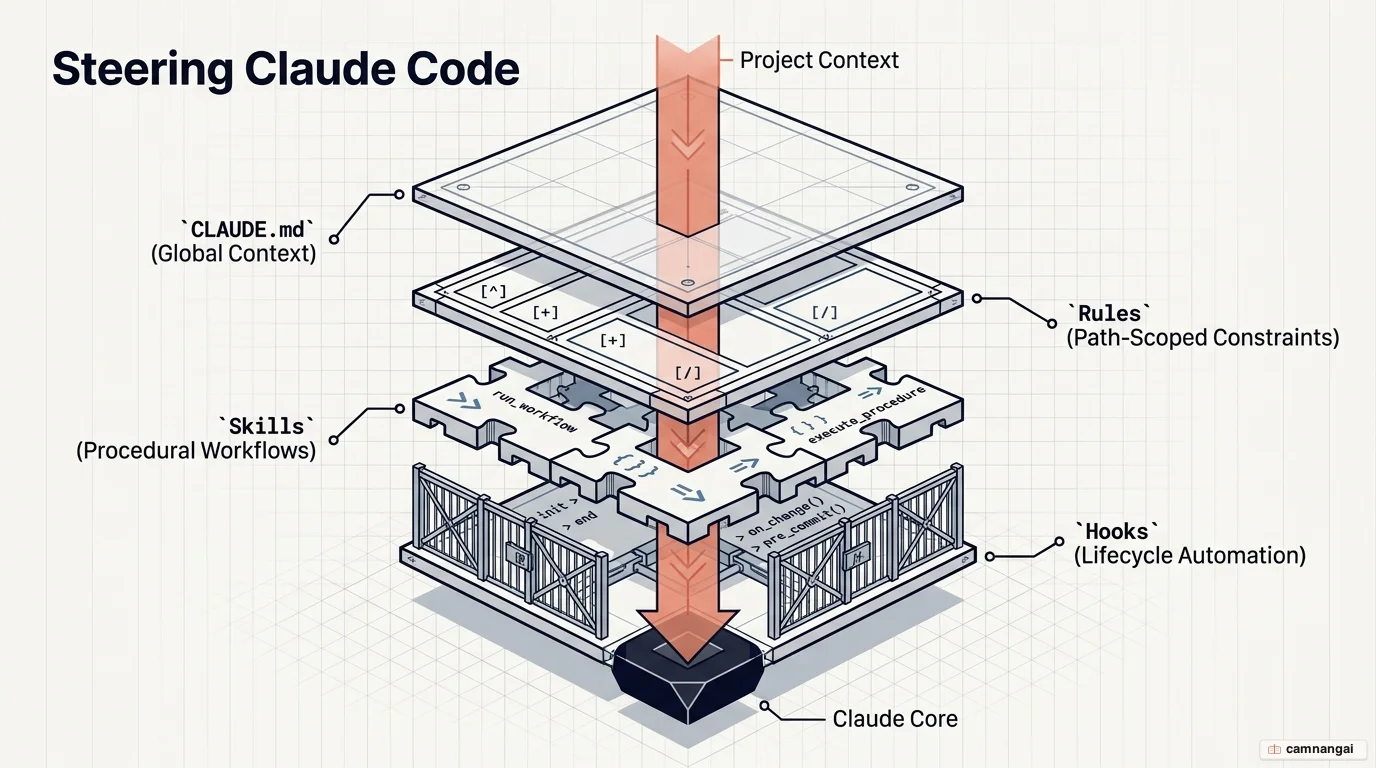
The types of Claude memory and steering files
Instructional files follow a strict hierarchy of authority. Global files in ~/.claude/CLAUDE.md
apply everywhere, while project-root and subdirectory files provide localized context. Use extreme
caution with output styles; these carry the highest weight but will strip critical default
engineering instructions — like security checks and test verification — unless you explicitly set
keep-coding-instructions: true.
The following table summarizes the primary steering methods:
| Method | When it's loaded | Compaction behavior | Context cost | When to use |
|---|---|---|---|---|
CLAUDE.md (root) | Session start | Memoized; re-read after compaction | High | Build commands, directory layout, team norms |
CLAUDE.md (subdir) | On-demand (dir touch) | Lost until dir touched again | Low | Module-specific conventions |
| Rules | Start or path-match | Re-injected on compaction | Medium | Specific constraints (e.g., API validation) |
| Skills | Name/desc at start | Oldest dropped first when budget exceeded | Low | Procedural workflows (e.g., deploy checklists) |
| Subagents | Metadata at start | Only final summary returns | Low | Isolated parallel tasks (e.g., security audits) |
| Hooks | Lifecycle events | Bypass compaction entirely | Low | Deterministic automation (e.g., linters) |
| Output styles | Session start | Never compacted | High | Total role changes (e.g., teacher mode) |