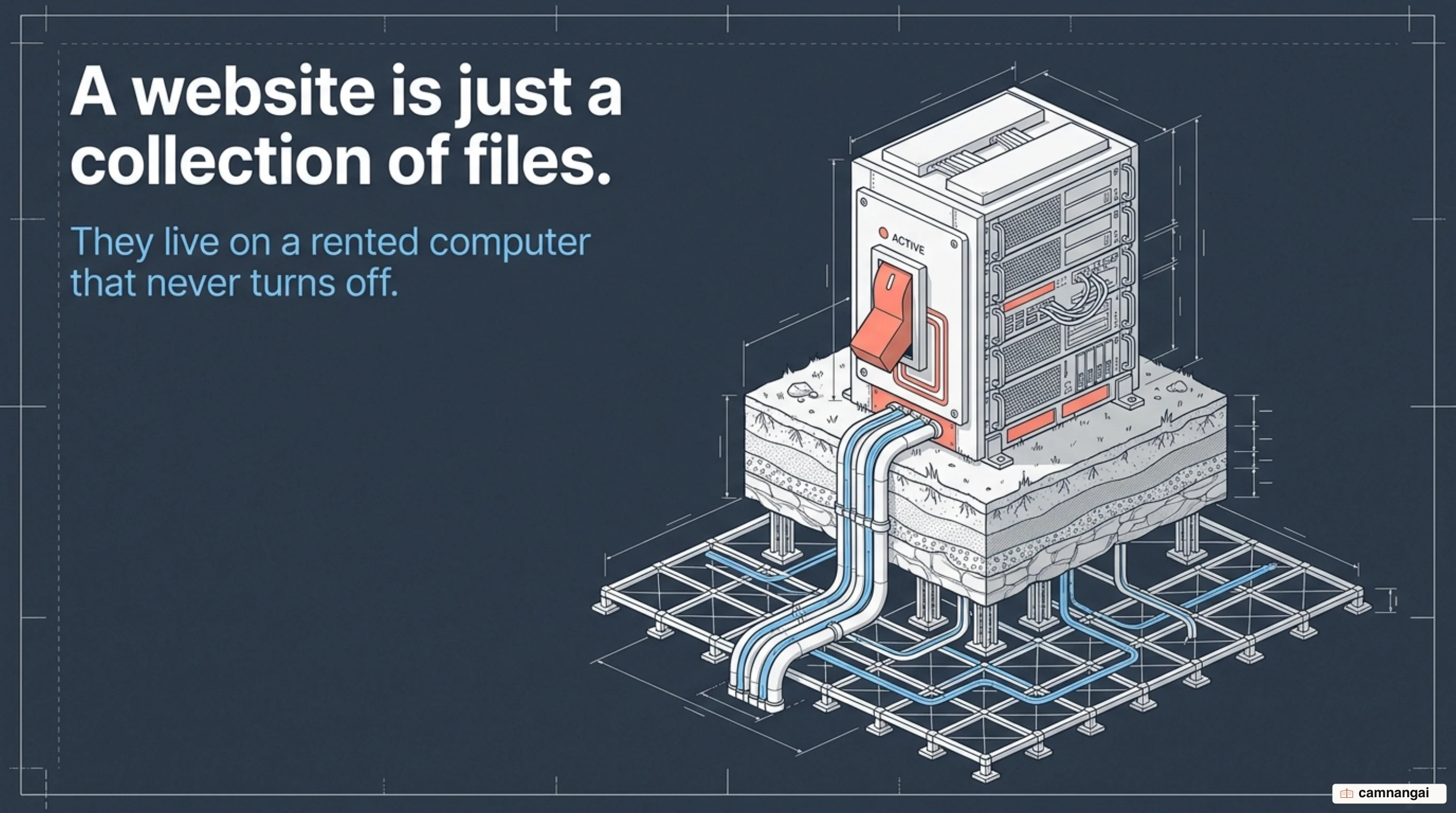
Web hosting is the infrastructure service that stores your website or web application and makes it reachable from devices across the internet.
Without it, your site's code, images, and databases would sit isolated on your local computer, invisible to the public. You are renting space on a high-powered computer, a server, that stays powered on and connected to the internet 24 hours a day, 365 days a year.
When you buy a hosting plan, you pay a provider to manage the hardware, power, and connectivity needed to serve your files to visitors. That is what makes the difference between a site that exists and a site that anyone can reach.
What is web hosting?
Web hosting is the technical service of providing storage space and computing resources on a server. A server is a specialized, high-performance computer designed to store the various files that comprise a website — HTML documents, CSS stylesheets, JavaScript code, images, and videos. The hosting provider is responsible for the physical maintenance, configuration, and operation of these machines, keeping them secure and functional.
The "plot of land" analogy helps here. If the internet is a vast stretch of open ground, the web hosting provider rents you a specific plot where you can build your house: your website. You own the house and its contents; the host provides the foundation and the connection to surrounding infrastructure, which in this case is the global network.
Professional hosting providers do more than store files. They offer managed services such as automated backups, security protocols, and performance optimization. By renting this infrastructure, you get the provider's technical expertise and hardware investment, which frees you to focus on developing your application rather than the nuances of server administration.
Why rent hosting instead of running your own server?
It is technically possible to host a website from a personal computer, but the costs and technical requirements make it impractical for most. A home-grown server involves significant hardware expenses and requires a specialized environment: industrial-grade cooling, since servers generate intense heat, plus redundant power sources to prevent downtime during outages.
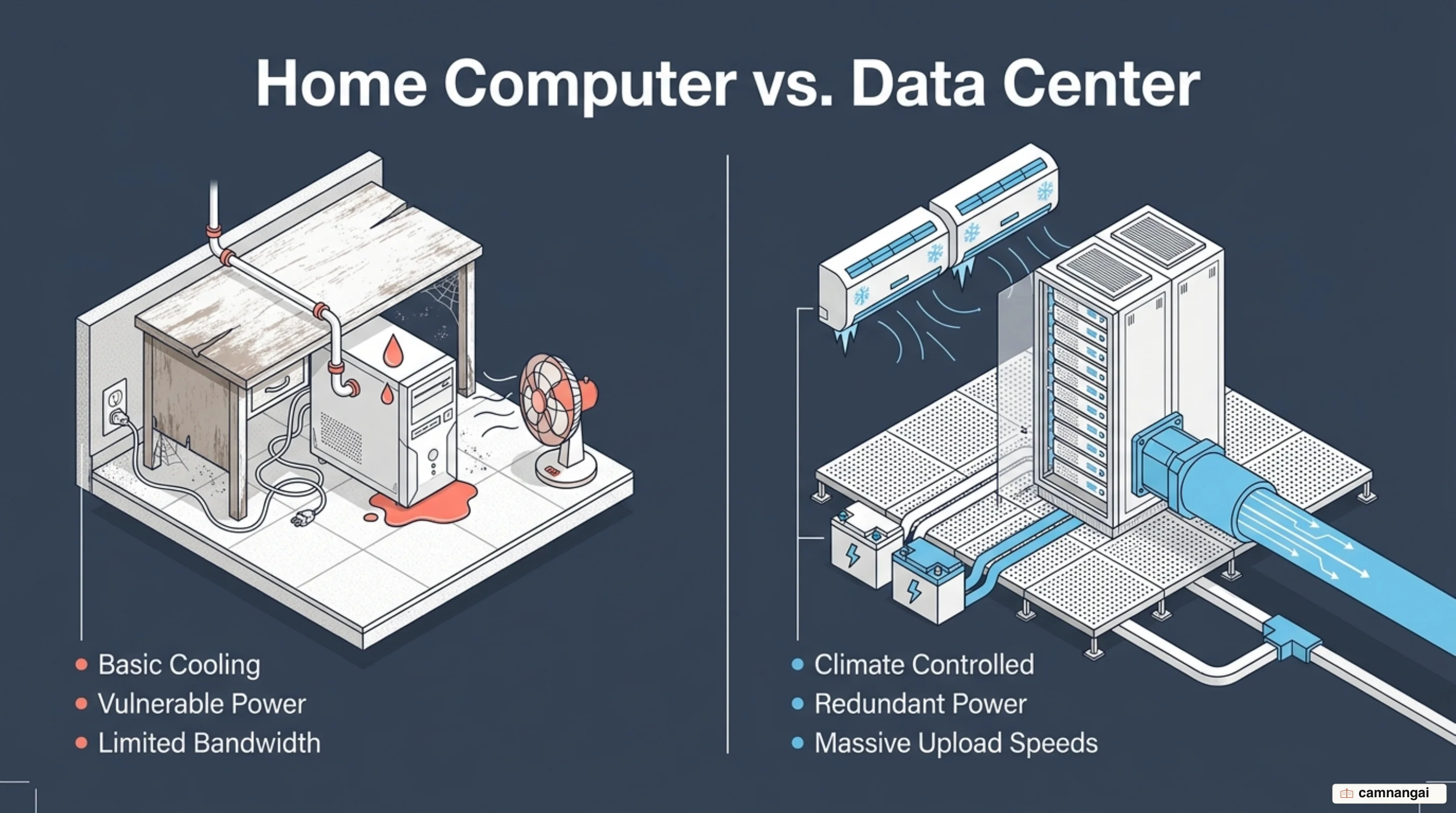
A professional data center also provides high-speed, reliable internet connections that a standard residential ISP cannot match. To keep a site functional, you would need advanced skills to configure the server from scratch, manage security firewalls, and handle 24/7 troubleshooting. Professional hosts run infrastructure already optimized for these tasks, offering 99.9% uptime guarantees that are nearly impossible to achieve in a domestic setting.
Renting from a provider also grants access to 24/7 technical support and advanced security measures such as DDoS protection and malware scanning. That takes server management off your own plate so you can focus on shipping your application, and it is worth more than the monthly fee on the day something actually breaks.
How does web hosting work?
The technical process of serving a website begins when a user makes a request. When you enter a domain name into a browser, the Domain Name System (DNS) acts as a translator, converting that human-friendly name into a numerical IP address. That address identifies the specific server where your website files are stored. Once the browser locates the server, it sends a request for the site's data.
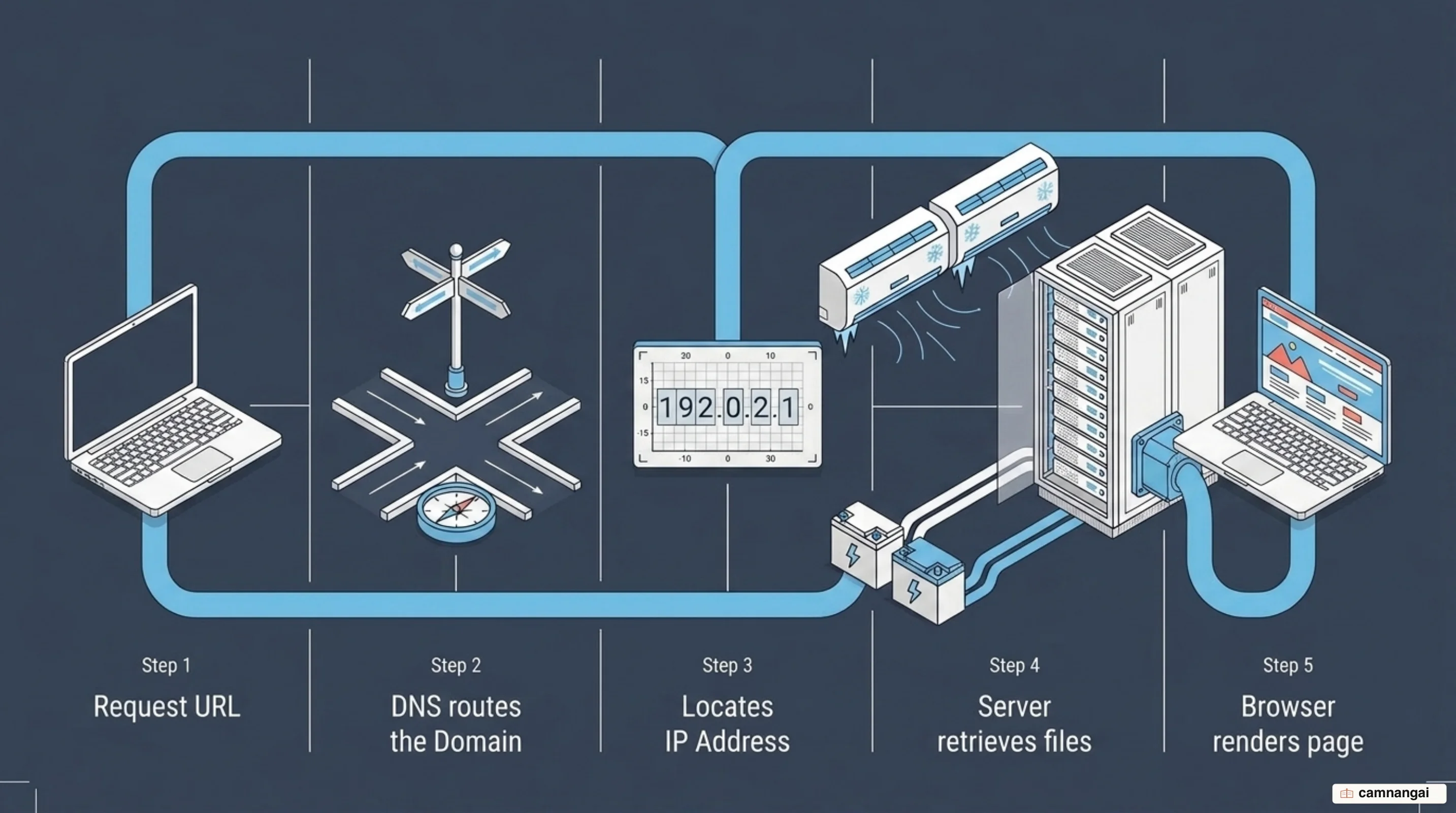
The server processes the request and delivers the necessary files (images, code, markup) back to the user's computer. The browser renders those files into the visual interface the user interacts with. This communication happens over a metaphorical pipe known as bandwidth. The larger the pipe, the more data can flow through it at once, which keeps the site fast even when many users arrive simultaneously.
Most providers offer a management interface such as cPanel or a proprietary dashboard for interacting with your server space. Through it you can upload files via FTP, manage databases, and configure email accounts. The dashboard abstracts the server's command-line operations into a friendlier environment, making it possible to run professional-grade infrastructure without being a systems administrator.
How is hosting different from a domain name?
This is a common point of confusion, but hosting and domain names are two distinct services. The domain name is your website's unique address (for example, example.com), while hosting is the physical space where your data actually lives. You cannot run a functional website without both: the domain provides the where, and the hosting provides the what.
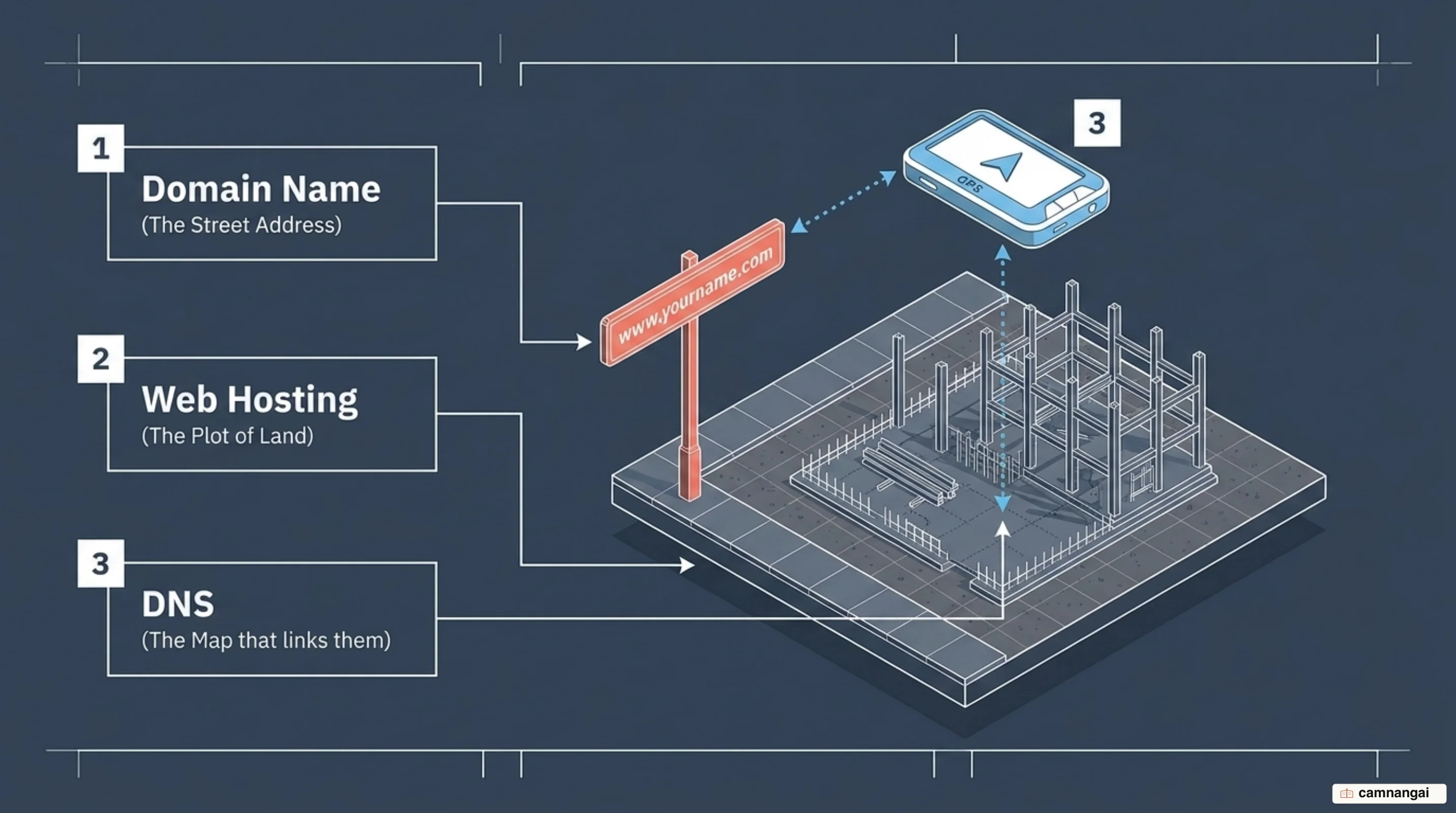
The Domain Name System bridges the two. Servers are identified by complex strings of numbers — IP addresses — that are difficult for people to remember, so DNS maps your memorable domain name to the server's numerical address. When you buy a domain, you are reserving a specific name in that directory.
Many companies sell both domain registration and hosting, but they remain separate technical requirements. You can register a domain with one company and host your files with another. To make the site live, you point the domain at your hosting provider's servers by updating your DNS settings, linking your address to your physical server space.
What resources does a server give you?
When you rent a server, you are allocated a specific set of hardware resources. These do not operate in silos — they have to be balanced for the system to stay stable. If your application has high request concurrency but insufficient memory, the system swaps data to disk and performance collapses. How well these specs balance against each other is what determines whether the hardware sustains your workload without throttling.
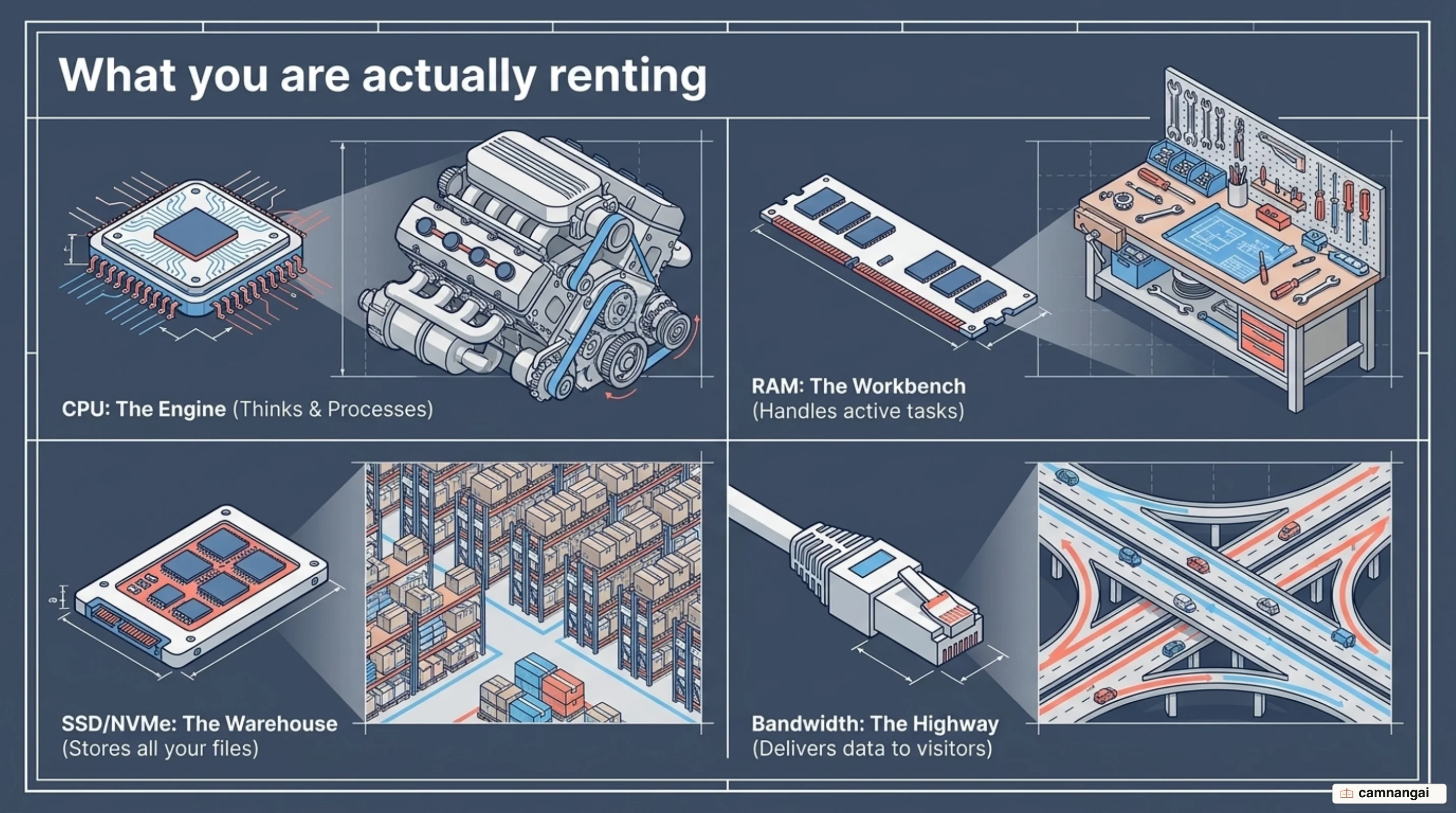
Beyond core compute power, a plan also comes with the plumbing: the file systems, network protocols, and management services you use to get at the raw hardware. Knowing where each of those tops out is how you see a bottleneck coming before your traffic finds it for you.
Quality matters as much as quantity. A host offering NVMe drives will substantially outperform one running legacy mechanical disks even when the advertised storage size looks identical. I would audit the provider's hardware stack before trusting the number on the pricing page.
Storage (disk space)
Storage is the space available on the server for your files, including databases, media, and email. Modern hosts typically use SSD or NVMe (Non-Volatile Memory Express) storage. NVMe is the better option because it delivers significantly higher IOPS (input/output operations per second), letting your site retrieve data and serve pages faster than traditional drives.
Bandwidth and data transfer
Bandwidth is the maximum volume of data that can move from your site to visitors at one time; data transfer is the actual volume moved over a period. In the water-pipe analogy, bandwidth is the pipe's diameter and data transfer is the water flowing through it. Too little bandwidth and your site slows down or crashes during traffic spikes.
Processing power (CPU and RAM)
The CPU and RAM are the server's brains. The CPU handles processing tasks and page generation; RAM manages active data and request concurrency. Higher allocations let your server handle more simultaneous visitors and run complex applications without lagging or timing out.
Email and FTP
Hosting typically includes email management, letting you create addresses on your own domain. This runs over POP3 for inbox management, or through aliases that redirect mail to a primary account. File Transfer Protocol (FTP) or SFTP access provides a way to move large batches of files between your local machine and the server.
What types of web hosting are there?
Picking a hosting model looks like a pricing decision, and it is really a decision about what happens when traffic spikes or a disk dies. Whether you rent a single physical machine or an elastic cluster of virtualized ones, that choice sets your uptime, your security posture, and how many hours a month you spend administering a server.
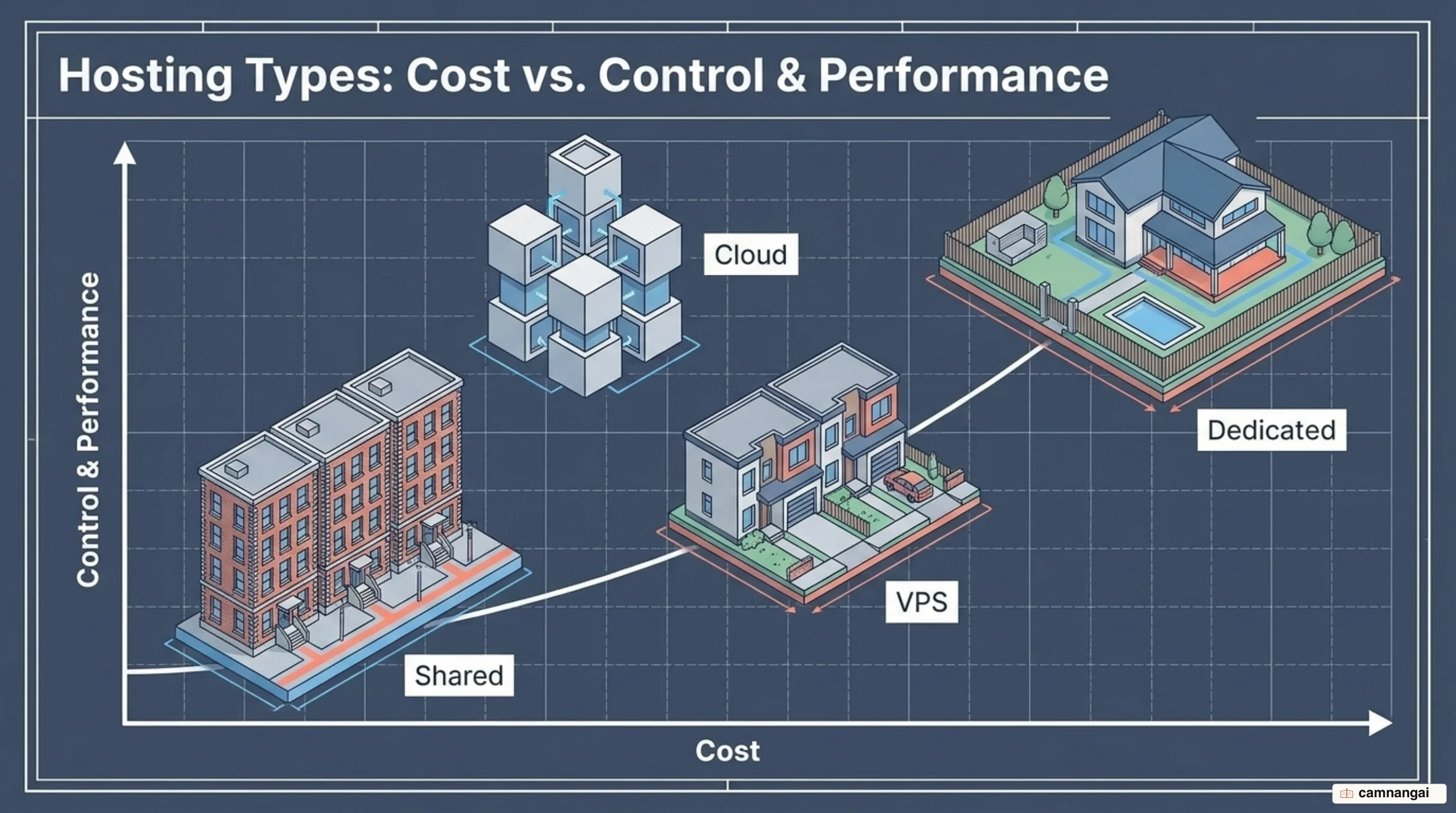
Infrastructure growth generally follows a path from shared environments toward more isolated, powerful setups. Early on, cost efficiency tends to be the priority, which points most projects at shared plans. As an application matures, root access and dedicated slices of hardware become necessary for consistent performance.
Modern infrastructure also offers models that abstract the hardware entirely. Cloud and serverless architectures changed how capacity planning works, moving away from fixed monthly fees toward pay-as-you-go consumption and letting infrastructure expand and contract with real demand.
Shared hosting
Shared hosting is the most cost-effective option, with hundreds of websites sharing one server's resources. It works like a shared flat: rent is low because you share the kitchen and bathroom — CPU, RAM, and storage. If one roommate consumes everything, everyone else suffers. It suits small blogs and new businesses.
Virtual private server (VPS)
A VPS uses virtualization to partition a physical server into private slices. You still share the physical machine, but you get a guaranteed allocation of resources that other tenants cannot touch. This gives more control and better performance than shared hosting, which makes it a fit for growing businesses and developers who need root access.
Dedicated hosting
Dedicated hosting gives you an entire physical server for your exclusive use, with full control over hardware, operating system, and security configuration. Because nothing is shared, it delivers the highest performance and reliability. It is also the most expensive option, generally reserved for large enterprises and high-traffic sites.
Cloud hosting
Cloud hosting uses a network of interconnected servers to provide redundancy and elasticity. If one server fails, another in the cluster takes over, which keeps availability high. The model scales sharply: you can add or remove resources instantly to absorb traffic spikes, and you pay only for what you consume.
Specialized hosting
Specialized hosting covers managed WordPress plans and serverless architecture. Options like AWS Amplify and Google Cloud Run let you host applications without managing any underlying infrastructure. These platform-as-a-service models scale automatically based on code execution, removing server maintenance from your plate entirely.
Choosing a host: the criteria that actually matter
Prioritize technical performance over marketing claims. The most critical metric is uptime — how often the server is operational. Professional standards aim for "five nines" (99.999%), which works out to roughly six minutes of downtime per year. A host that cannot guarantee at least 99.9% is not suitable for professional use.
Speed and latency matter just as much. A site that takes longer than three seconds to load can lose half its visitors. Make sure your host has data centers near your primary audience to shorten the distance data must travel, and look for a performance stack that includes NVMe storage and CDN (content delivery network) integration.
Security is not an afterthought. A reputable host provides SSL certificates for encrypted connections, strong firewalls, and DDoS protection. Look also for a web application firewall (WAF) and automated malware scanning to protect the application layer from more sophisticated attacks.
Finally, prioritize 24/7/365 technical support. In a hosting emergency, immediate access to knowledgeable staff over chat or phone is the difference between a minor hiccup and a serious loss of revenue. Check for a solid knowledge base and transparent service level agreements before committing.
Where to start, and when to upgrade
For most new projects, shared hosting is the logical starting point: low cost, easy setup, and everything a blog or small business site needs to get online without deep technical knowledge. Watch your resource usage in the provider's dashboard as you grow.
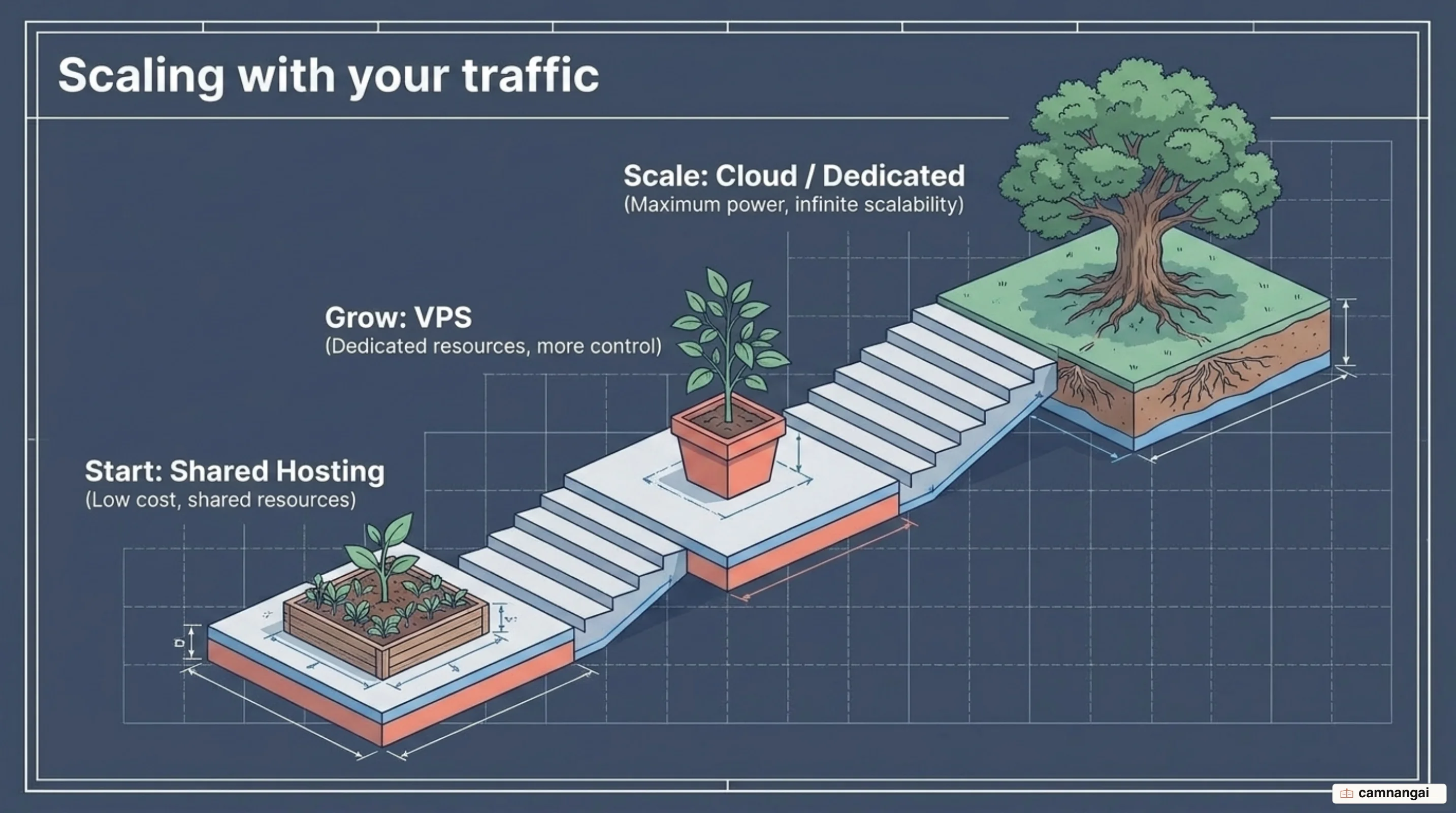
You will eventually hit the limits of a shared environment, and it shows up as performance bottlenecks or latency spikes. When your site outgrows its shared allocation or needs custom software installed, move to a VPS or cloud plan — that is where the dedicated resources, elasticity, and redundancy live.