OpenAI AgentKit is a centralized ecosystem of visual and administrative tools — the Agent Builder, Connector Registry, and ChatKit — designed to standardize how enterprises build and deploy agentic workflows.
By providing a unified interface for orchestration, OpenAI set out to replace fragmented patterns that traditionally required manual prompt tuning and custom glue code.
While AgentKit covers the administrative and visual layers, the OpenAI Agents SDK is the underlying, code-first orchestration framework. It is the production-ready successor to the experimental Swarm framework, built to give you precise control over agent turns, tool execution, and multi-step tasks.
By standardizing the agent loop — the recurring cycle of planning, tool invocation, and state management — these frameworks remove the need for complex, proprietary abstractions.
That lets your team focus on agent instructions and domain-specific tools rather than the infrastructure required to manage session persistence or specialist collaboration.
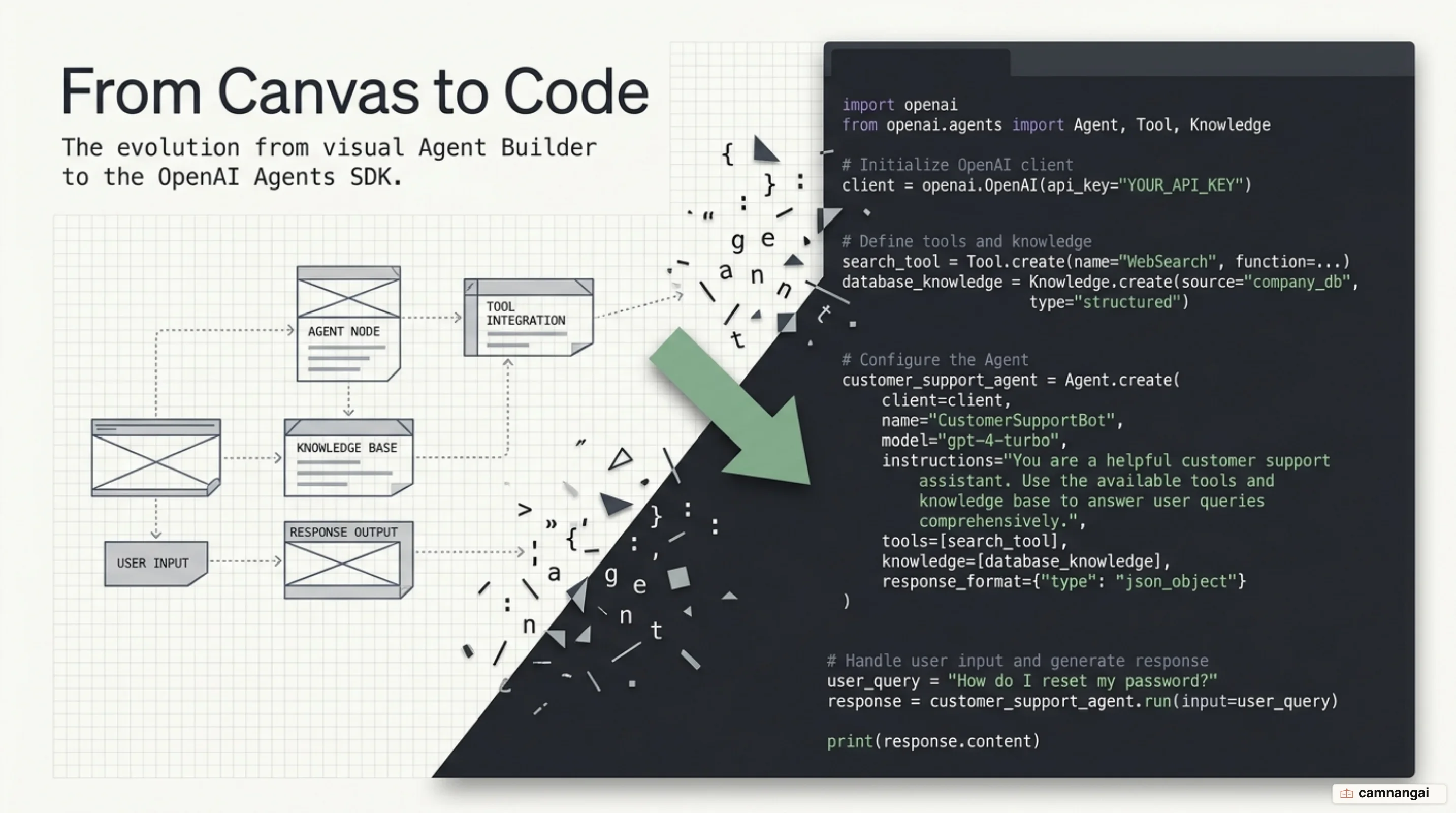
What is OpenAI AgentKit?
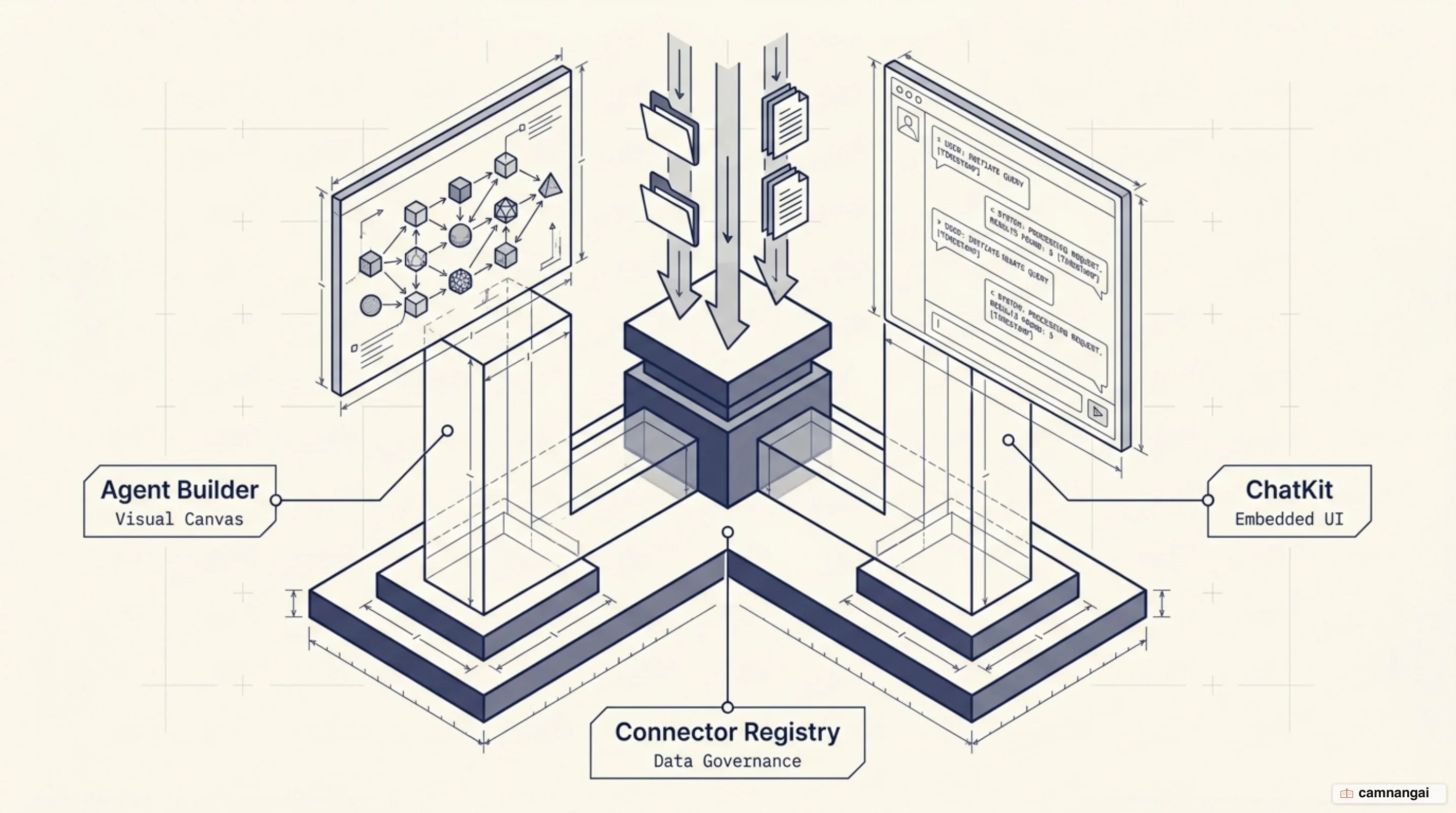
OpenAI AgentKit was introduced to cut the friction of juggling separate tools for versioning, data connections, and frontend deployment. It rests on three pillars: visual orchestration, centralized data governance, and rapid UI integration. Consolidating these lets you move from initial design to production while keeping visibility into agent logic and performance.
Agent Builder
The Agent Builder is a visual canvas for designing and versioning multi-agent workflows through a drag-and-drop interface. You compose the logic visually, node by node, so engineers and product managers can work on the same flow. Ramp used it to go from a blank canvas to a live buyer agent in hours, and LY Corporation built and ran its first multi-agent work assistant in under two hours.
Connector Registry
The Connector Registry is a central admin panel for governing data connections across an organization's OpenAI products, spanning both ChatGPT and the API. It cuts the setup work for common sources such as Dropbox, Google Drive, SharePoint, and Microsoft Teams, alongside third-party MCP (Model Context Protocol) servers. Using the registry requires a Global Admin Console, which is a real gate rather than a checkbox, because that console is what lets Global Owners manage domains, SSO, and multiple API organizations from one place.
ChatKit
ChatKit is a frontend toolkit built for the hard parts of deploying agentic chat interfaces. It handles streaming responses, thread state, and the "model thinking" indicators that give users transparency during long reasoning steps. Canva used ChatKit to turn static documentation into a conversational experience, integrating a support agent into its developer community docs in under an hour.
When do Agent Builder and Evals shut down?
OpenAI has set a clear sunset timeline for the visual Agent Builder and the Evals platform, consolidating the ecosystem around the Agents SDK and the Responses API. Following a deprecation notice on June 3, 2026, both are scheduled for final shutdown on November 30, 2026.
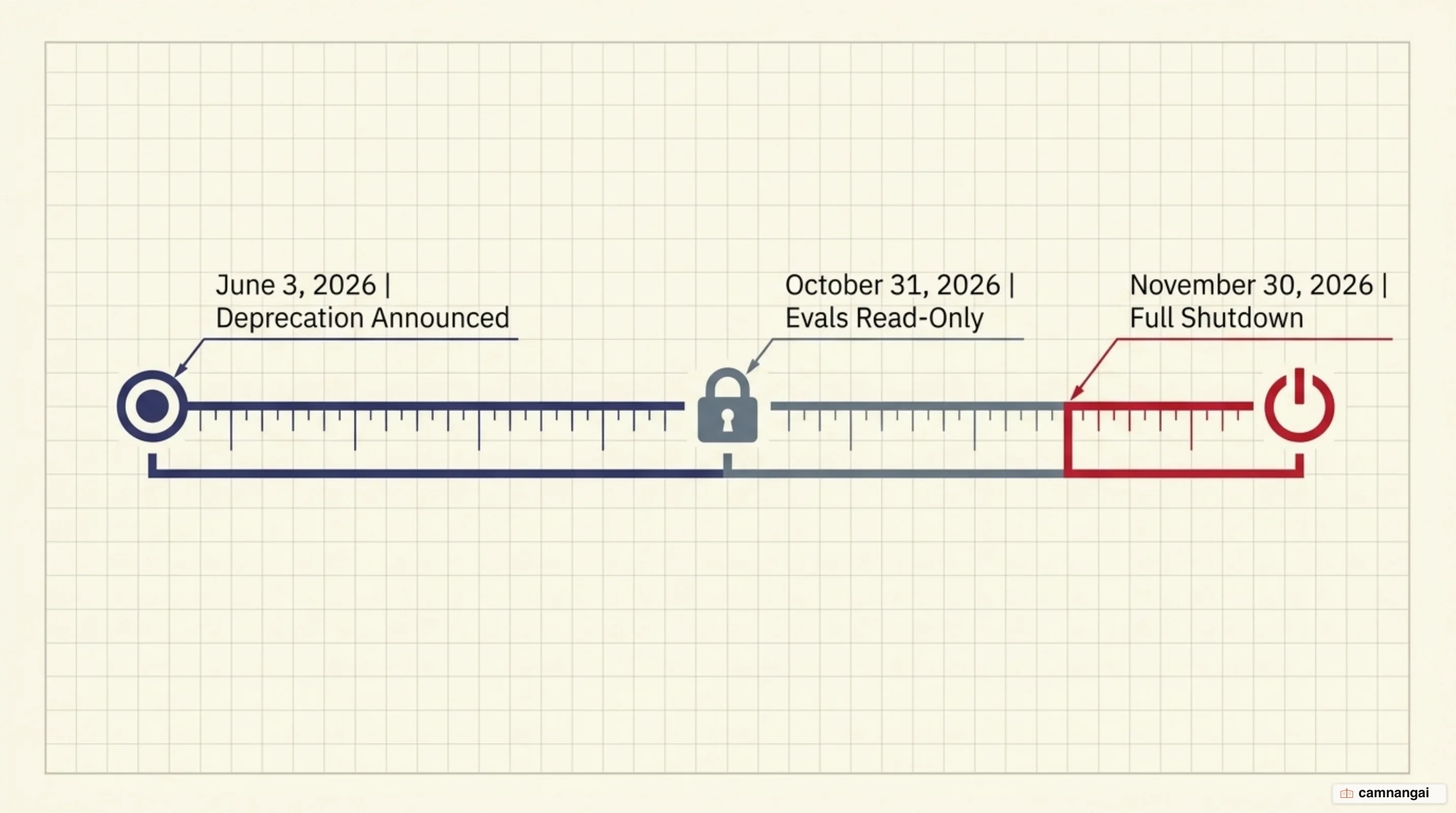
The Evals platform is being retired in stages: it moves to a read-only state on October 31, 2026, followed by full removal of the dashboard and API a month later. The shutdown also covers the Graders used in evaluation workflows, and Promptfoo is the named replacement for teams that still need an evaluation pipeline.
At the same time, Prompt Objects and the reusable prompts API are being retired on the same November 30 deadline. Move prompt content directly into your application code rather than into dashboard-managed objects — otherwise you migrate twice.
What is the OpenAI Agents SDK?
The Agents SDK is a production-ready evolution of the experimental Swarm framework, designed to manage complex AI agent tasks with minimal abstractions. It follows a Python-first philosophy, letting you use standard language features for orchestration instead of a proprietary DSL (domain-specific language). The SDK handles the agent loop, automating the recurring cycle of tool execution and state processing until a task finishes.
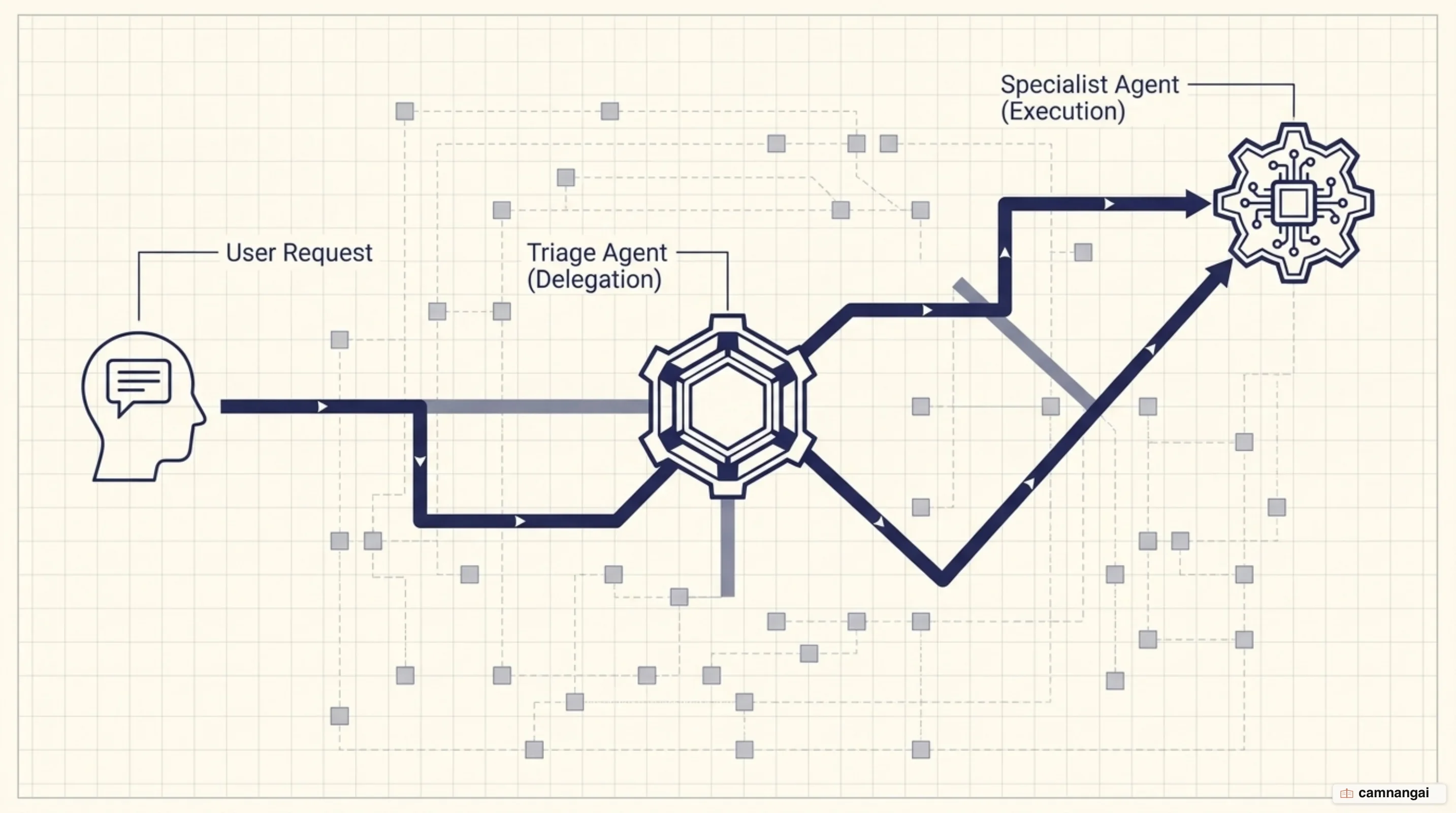
The framework rests on three primary primitives:
- Agents: language models packaged with specific instructions, tools, and modular guardrails.
- Handoffs: a mechanism that lets one agent delegate control to a specialist when a request falls outside its domain.
- Guardrails: safety layers that validate inputs and outputs in parallel to detect jailbreaks or mask PII (personally identifiable information).
For systems engineers, the SDK offers automatic schema generation for tools and Pydantic-powered validation for structured outputs, which keeps tool definitions typed and verifiable. Here is a basic synchronous run using the Agent and Runner classes:
from agents import Agent, Runner

# Define the agent with instructions
agent = Agent(name="Assistant", instructions="You are a helpful assistant")

# Execute a synchronous run using the SDK runner
result = Runner.run_sync(agent, "Write a haiku about recursion in programming.")
print(result.final_output)
Native sandboxes and the new harness in the Agents SDK
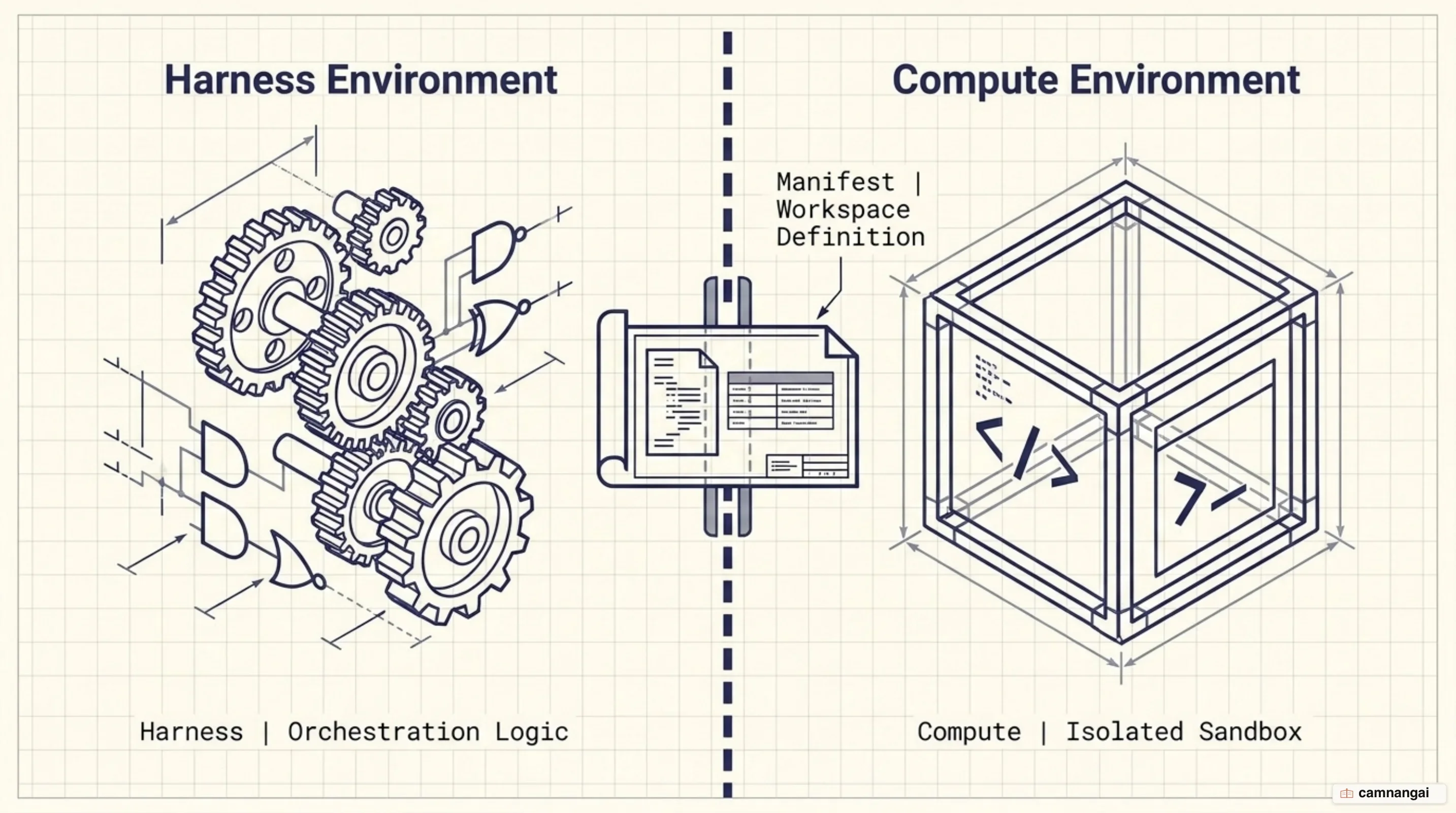
The April 15, 2026 release let the Agents SDK run agents inside isolated, container-based environments called native sandboxes. The core of this is the Manifest abstraction, which lets you describe the exact files, output directories, and external data an agent's workspace needs. That gives the model a predictable workspace: where to find inputs, where to write outputs, and how to keep work organized across a long-running task.
The SDK supports snapshotting and rehydration to maintain continuity across long workflows. When agent state is externalized, losing a sandbox container no longer means losing the run — the SDK can restore state in a fresh container and continue from the last checkpoint if the original environment fails or expires.
The SDK separates the harness (control logic and orchestration) from compute (the actual execution environment). Design agent systems assuming prompt-injection and exfiltration attempts, because that assumption is what the separation is built for: it helps keep credentials out of environments where model-generated code runs. It also makes runs more scalable, so you can use one sandbox or many, route subagents to isolated environments, and parallelize work across containers.
Where do you go if you are using Agent Builder?
Existing Agent Builder users need to migrate before the November 2026 deadline. There are two paths, and the right one depends on where you want ownership of the agent loop to sit.
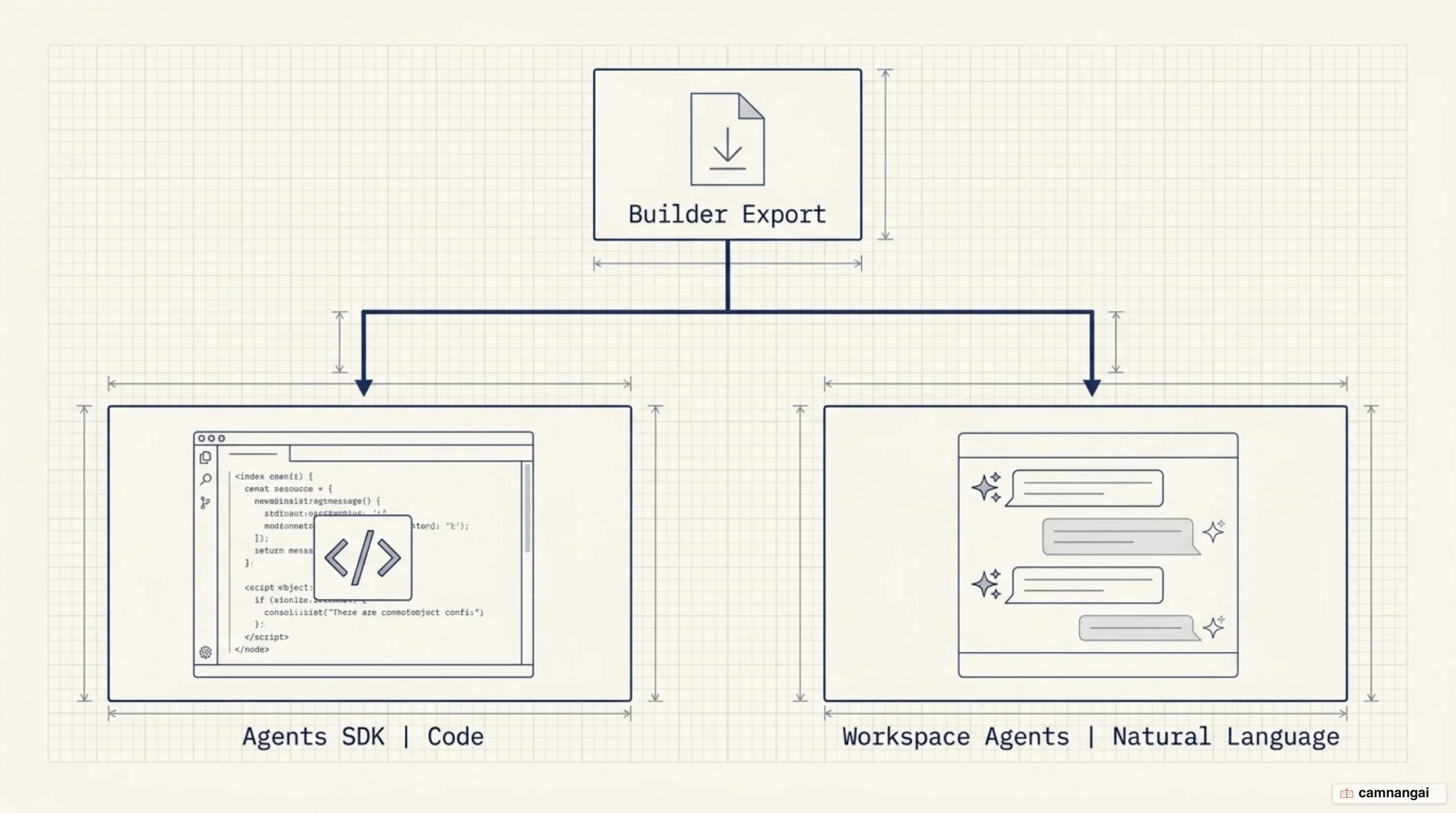
Path 1: the Agents SDK. This is the path for custom, integrated applications. Open your workflow in Agent Builder, go to the "Code" tab, and export the logic as Python or TypeScript. Deploy that code on your own server, where the Agents SDK is the runtime that manages tool loops and session persistence.
Path 2: ChatGPT Workspace Agents. For workflows better suited to natural language prompting and team sharing inside a managed environment, export the SDK code from Agent Builder and paste it into the ChatGPT studio, which will help convert the logic into a hosted agent. I would treat that conversion as a first draft rather than a port, since you are asking a model to reconstruct logic you already had working.
Either path requires manual verification. Re-configure tool authentication, verify permissions and connected apps, and run deterministic logic checks. Workflows whose core logic is strongly deterministic may not migrate faithfully to a workspace agent, so test representative inputs in the new runtime before you retire the original.
When should you use the Agents SDK instead of the Responses API?
The choice comes down to how much orchestration you want to own. The Responses API is a low-level primitive for developers who want to own the tool loop, dispatching, and state management themselves. It is a superset of Chat Completions and a flexible foundation for custom tool routing. The Agents SDK is a managed runtime that automates the agent loop and recurring turns.
| Feature | Responses API | Agents SDK |
|---|---|---|
| Best for | Custom, low-level control; direct model calls | Managed orchestration; multi-step tasks |
| Core abstraction | A model response | An agent run |
| Tooling | Platform tools and function calling | Reusable agents and local/remote MCP |
| State management | Manual history and chaining | Built-in sessions and resumable state |
These primitives are not mutually exclusive. You might use the Responses API for simple, one-off model queries while leaning on the Agents SDK to manage a support pipeline that involves multiple specialist handoffs and sandbox execution.
Where should you start?
Start with the Agents SDK quickstart and get the agent loop working in code before you expand into multi-agent handoffs or sandboxed execution. If your team wants a natural-language interface for collaboration instead, ChatGPT Workspace Agents is the other supported destination.
Both paths point the same way: away from the visual builder and toward code you own. The November 30 shutdown shows why — logic that lives in a vendor's dashboard can be retired on the vendor's schedule, while logic that lives in your repository cannot.
References
- Introducing AgentKit — OpenAI
- The next evolution of the Agents SDK — OpenAI
- Deprecations — OpenAI API
- Migrate from Agent Builder — OpenAI API
- Agents SDK — OpenAI API
- OpenAI Agents SDK — Python Documentation
- New tools for building agents — OpenAI
- OpenAI unveils AgentKit that lets developers drag and drop to build AI agents — VentureBeat