Ollama is an open-source local model runner and REST API that lets you download and execute large language models (LLMs) directly on your own hardware. It removes the cloud dependency and the environment configuration that used to sit between a set of model weights and a working prompt.
The project's technical lineage runs through Docker. Its founders, Jeff Morgan and Michael Chiang, met in college and built Kitematic, which made Docker simple to run; Docker acquired it in 2015, and their work became Docker Desktop, now used by over ten million developers. That heritage shows in the design: Ollama treats a model as a portable, versioned unit you pull and run with one command.

What problem does Ollama solve?
Running an LLM locally used to be a high-friction process that assumed familiarity with AI research environments. You managed multi-gigabyte weight files by hand, worked through the NVIDIA CUDA toolkit to get GPU acceleration, and debugged fragile Python dependency chains. That barrier kept local AI out of reach for engineers who were not already specialists.
Ollama collapses all of that into a single tool that automates the hard parts of the hardware and software stack. It detects whether you are on NVIDIA, AMD, or Apple Silicon and tunes the execution environment to match. It also handles quantization — reducing numerical precision so a model fits into consumer-grade VRAM — so large models stay usable on a normal desktop.
Three properties follow from running the model on your own machine. Sensitive data never leaves it, which is why 85% of the Fortune 500 run Ollama in areas like government, healthcare, and finance. Per-token billing disappears, so you can iterate or run continuous RAG workloads without watching an invoice. And once the weights are on disk, the model works offline.
What is Ollama built on?
Ollama is a Go wrapper that orchestrates two inference engines underneath. On x86 systems with NVIDIA or AMD hardware it drives llama.cpp. On Apple Silicon it uses the MLX framework to take advantage of unified memory and the M-series accelerators. Recent releases have concentrated on MLX reliability, including a fix for a recurrent model cache leak that grew memory use across requests.
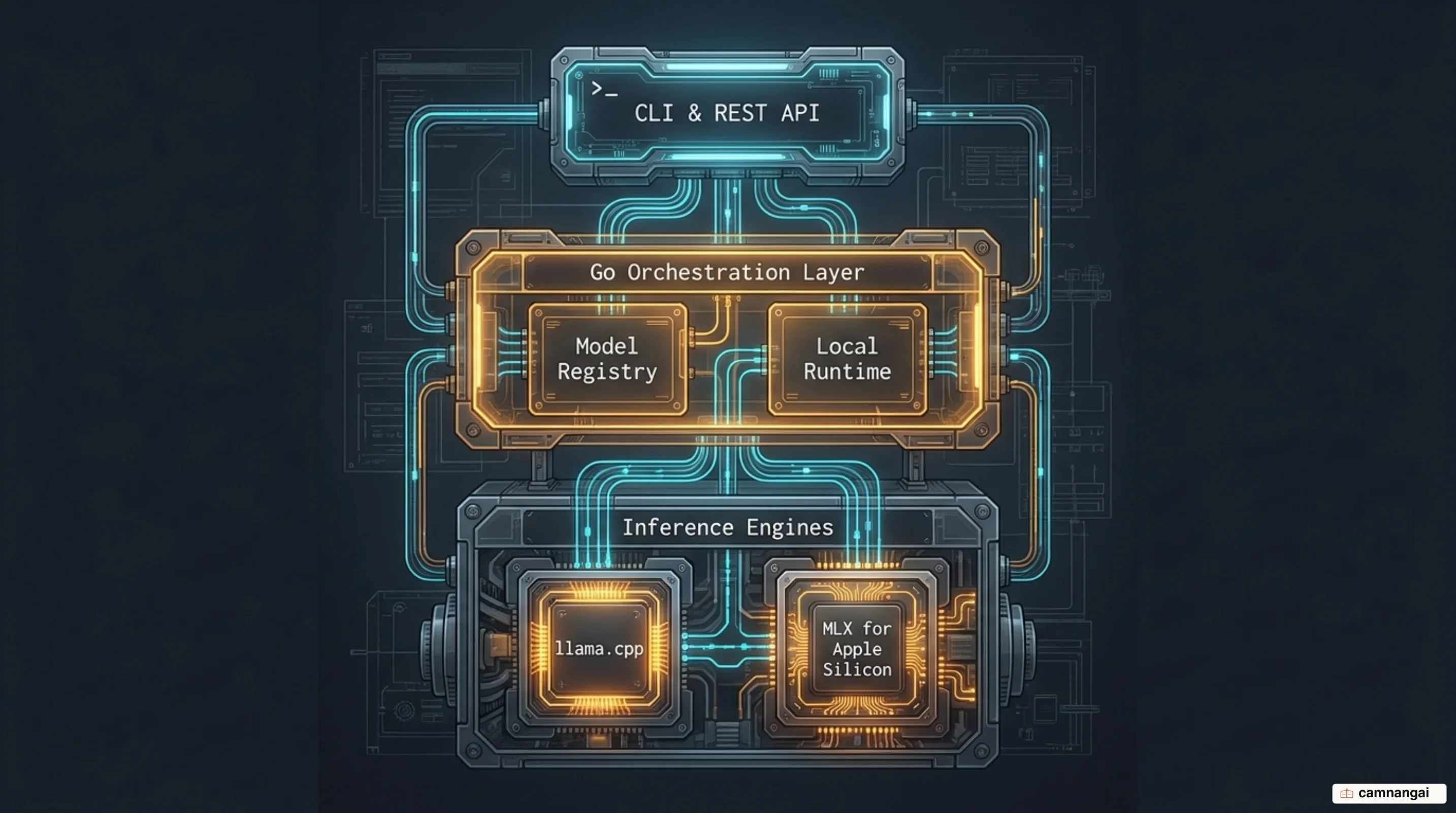
The local library is built on the GGUF format, which is what makes aggressive quantization practical. What your machine can actually run follows from parameter count and VRAM:
| Model size | Recommended VRAM | CPU-only usable? | Tokens/sec (GPU) |
|---|---|---|---|
| 1B–3B | 4 GB | Yes | 80–120 |
| 7B–8B | 8 GB | Slow (~5–8 t/s) | 40–55 |
| 13B–14B | 12–16 GB | No | 25–35 |
| 30B–34B | 24 GB | No | 15–22 |
| 70B+ | 48 GB+ | No | 8–15 |
Plan on 16 GB of system RAM as the floor and 32 GB if you want to keep working while a model is loaded. For the reasoning behind quantization levels and how to size a machine, the local AI guide covers that ground in depth.
What do you actually do with Ollama?
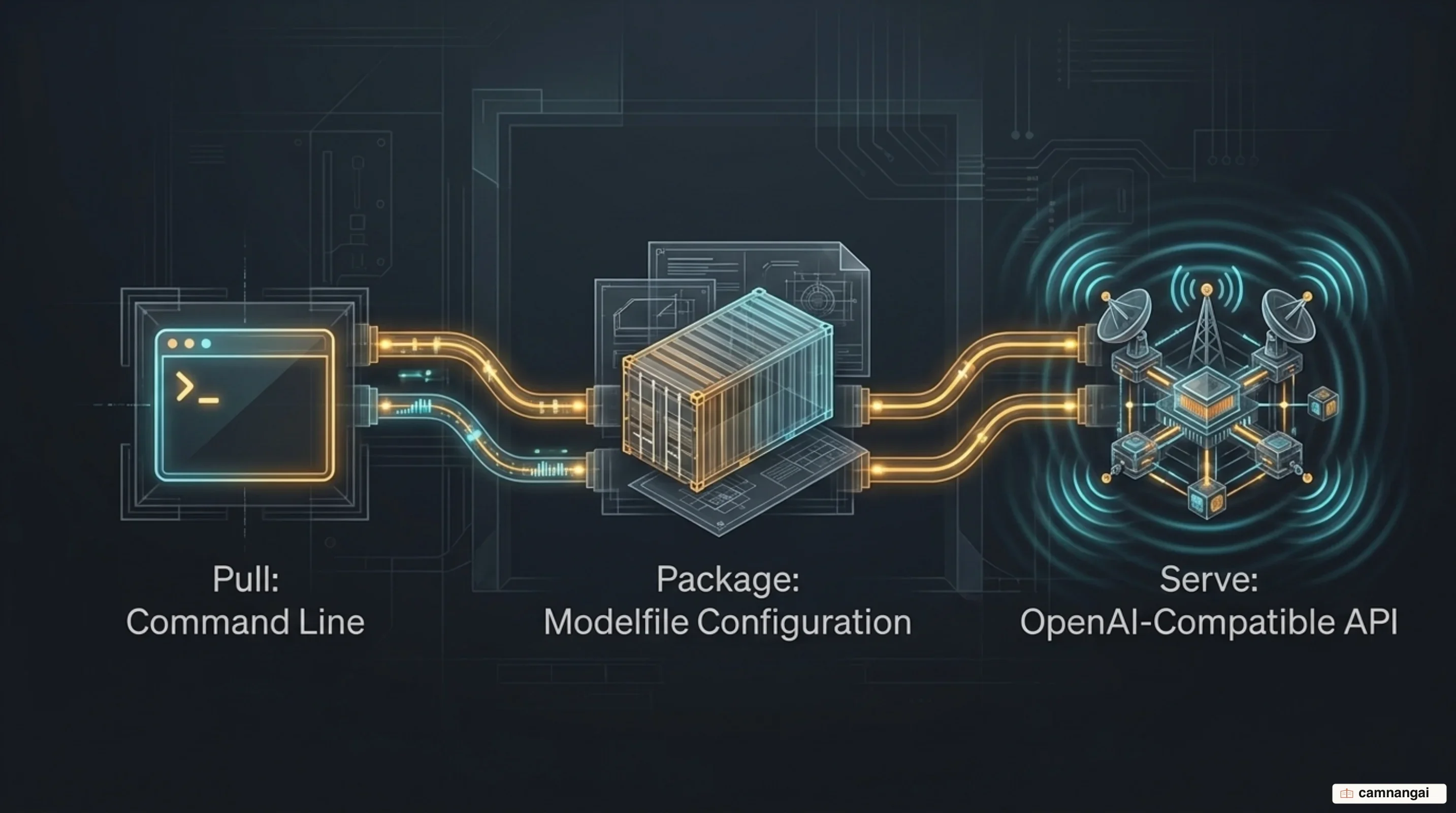
You reach Ollama two ways: a CLI for direct control, and an OpenAI-compatible REST API on localhost:11434. That compatibility makes Ollama a drop-in replacement for a proprietary provider across tools like Open WebUI, Continue.dev, and AnythingLLM, usually by changing a base URL.
Day to day, you pull a model and run it:
ollama pull gemma4
ollama run gemma4
For behavior you want to reuse, Ollama has the Modelfile. It packages a model configuration the way a Dockerfile packages an environment: you set a persona and tune parameters without touching weights or paying to fine-tune.
FROM gemma4

SYSTEM """
You are a senior technical writer.
Write clear, concise explanations using a professional tone.
Use Markdown headings and bullet points for structure.
"""

PARAMETER temperature 0.2
PARAMETER num_ctx 4096
Register it with ollama create tech-writer -f Modelfile. The num_ctx value matters more than it looks: it governs the KV cache footprint, which is what keeps a long context window from exhausting the VRAM you have left.
Local models or Ollama's cloud?
Ollama's 2026 expansion added Ollama Cloud, backed by a $65 million Series B that brought total capital raised to $88 million. The design goal is that the CLI and API stay the same whether the model runs on your laptop or on someone else's GPU. Cloud token volume has more than doubled every month on average.
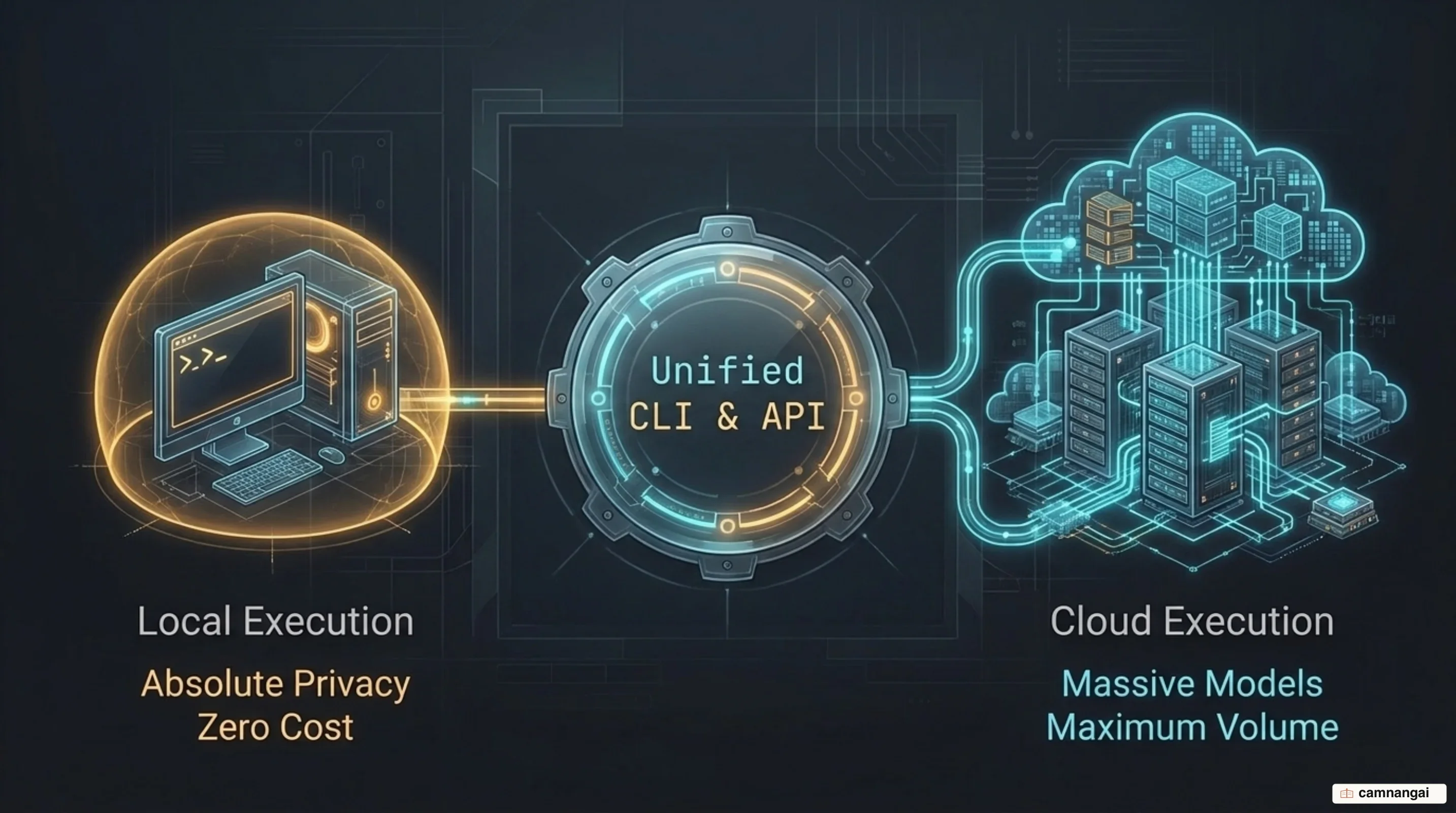
Choosing between them is a question of scale and sensitivity. Local is the right default for maximum privacy, offline reliability, and zero-cost prototyping; Ollama loads only the weights and the active context into VRAM, so you keep room for other GPU work. Cloud earns its place when the token volume is large or the model is bigger than your hardware.
The hybrid path is the point. Keep sensitive development local, push heavy inference to the cloud when it is worth paying for, and avoid rewriting your integration to move between them.
Where Ollama stops working
Ollama has a concurrency ceiling, and it is architectural rather than a tuning problem. By default it queues requests and serves one prompt at a time. Single-user throughput is competitive — roughly 62 tokens/sec against vLLM's 71 — but most of that gap traces to quantization rather than the engine, so it understates the real difference. Push past a handful of simultaneous users and the picture inverts: vLLM keeps scaling with batch size, on the order of 15–20x, while Ollama serializes. You can raise OLLAMA_NUM_PARALLEL above its default of 1, but the throughput stays modest.
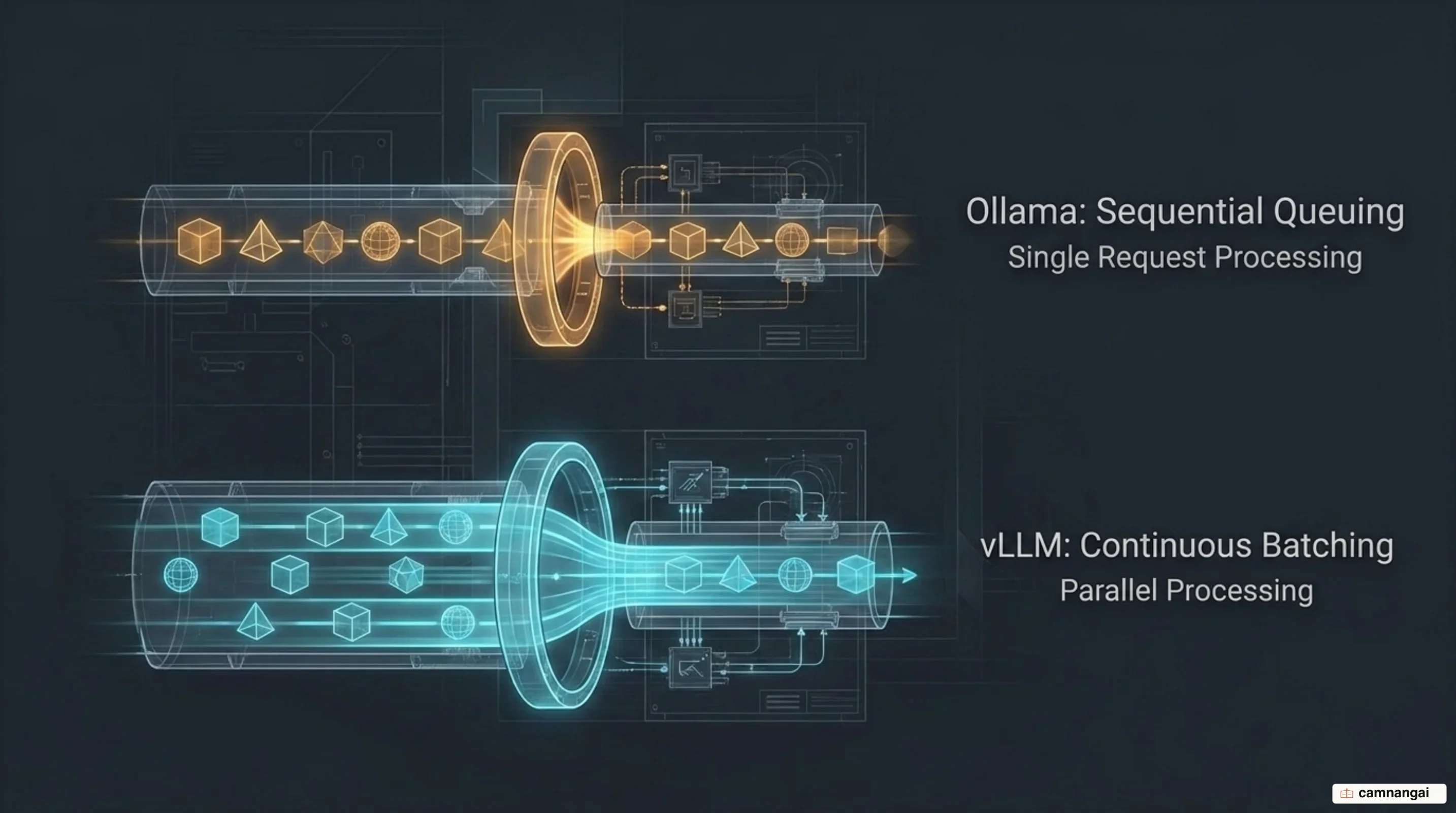
Memory management differs for the same reason. Ollama allocates KV cache contiguously per request, and that fragmentation is what limits concurrent capacity; vLLM's PagedAttention stores the cache in fixed-size blocks and assumes the GPU is dedicated, pre-allocating most of the VRAM it can see. Wrapping llama.cpp also costs something — measurements put the overhead somewhere between 5% and 25% depending on configuration.
The format story is narrower too. Ollama's focus on GGUF is a hurdle if you need GPTQ, AWQ, exl2, or FP8 weights. None of this makes Ollama a bad tool; it makes it a development tool. For serving a public API to hundreds of concurrent users, it is the wrong layer of the stack.
Where to start
Install it in one command:
curl -fsSL https://ollama.com/install.sh | shOn Windows, use irm https://ollama.com/install.ps1 | iex. Then ollama run gemma4 gives you a first session running entirely on your own machine.
Reach for Ollama when you are developing solo, running local agents, or prototyping for a single user — it is the shortest path from nothing to a working local model. When your system starts serving several people at once and latency climbs, that is the signal to move to vLLM. The two tools were built for different problems, and the switch is a sign you outgrew the first one, not that you picked wrong.
References
- GitHub — ollama/ollama
- Ollama: all aboard open models — Ollama Blog
- How to Run and Customize LLMs Locally with Ollama — freeCodeCamp
- Ollama vs LM Studio vs vLLM vs llama.cpp vs MLX 2026 — Codersera
- llama.cpp vs Ollama vs vLLM: One User vs Many (2026) — InsiderLLM
- Ollama 2026 Review: The Default Local LLM Runner — AIFoss
- Open-source AI developer tool Ollama raises $65M to grow its platform — SiliconANGLE
- Ollama Release Notes & Changelog — releases.sh