You implement the Model Context Protocol (MCP) server as a standardized intermediary that sits between frontier AI models and the data and tools they need.
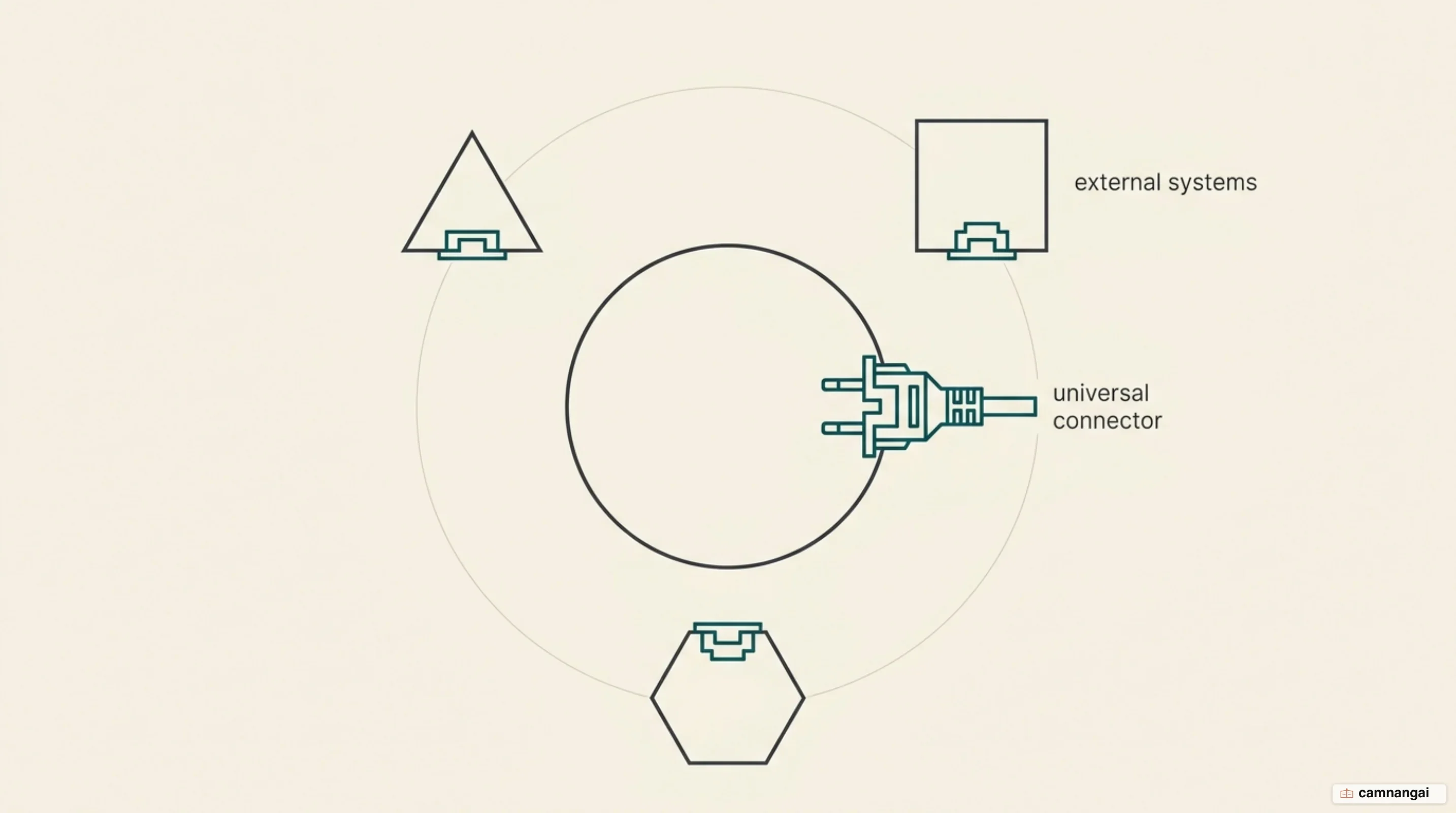
Because it gives every client the same interface, an MCP server lets you expose local or remote resources to agentic workflows without writing a custom, one-off integration for every model-tool pairing. That turns an AI model from an isolated text generator into something that can act on content repositories, business tools, and development environments. And because the interface is standard, once you build a server you can use it from any MCP-compliant client, which cuts most of the engineering overhead that used to come with scaling connected AI systems.
When you deploy an MCP server, you open a secure connection so an AI host application can discover and run specific capabilities at runtime. The server is the base layer for both data and interaction: models read structured context through it, call functions through it, and follow instruction templates you wrote in advance.
You are handing the model a machine-readable map of your infrastructure, precise enough that it can find its way around without guessing.
By dropping the brittle, hard-coded integrations, you get an architecture that survives change, one where agents work across the legacy systems and the modern APIs you already run.
One note before going further, because it recurs throughout: MCP does not use 1.0-style version numbers. It names each revision of its specification after the date that revision shipped. The 2026-07-28 revision, published by the Model Context Protocol maintainers, is the current one as this article goes up, and every technical description below follows it.
What an MCP server is, and why the role exists
The MCP server exists because AI integrations were a mess. Before the protocol launched in November 2024, connecting an AI agent to a data source meant a bespoke implementation that rarely ported to another model or platform. That was a scaling bottleneck, because every team ended up maintaining its own connectors for Slack, GitHub, Google Drive, and internal databases, and none of that work was reusable by anyone else. The MCP server replaces those one-offs with a single open standard, a "plug-and-play" interface, so you spend your time on logic instead of transport-layer boilerplate.
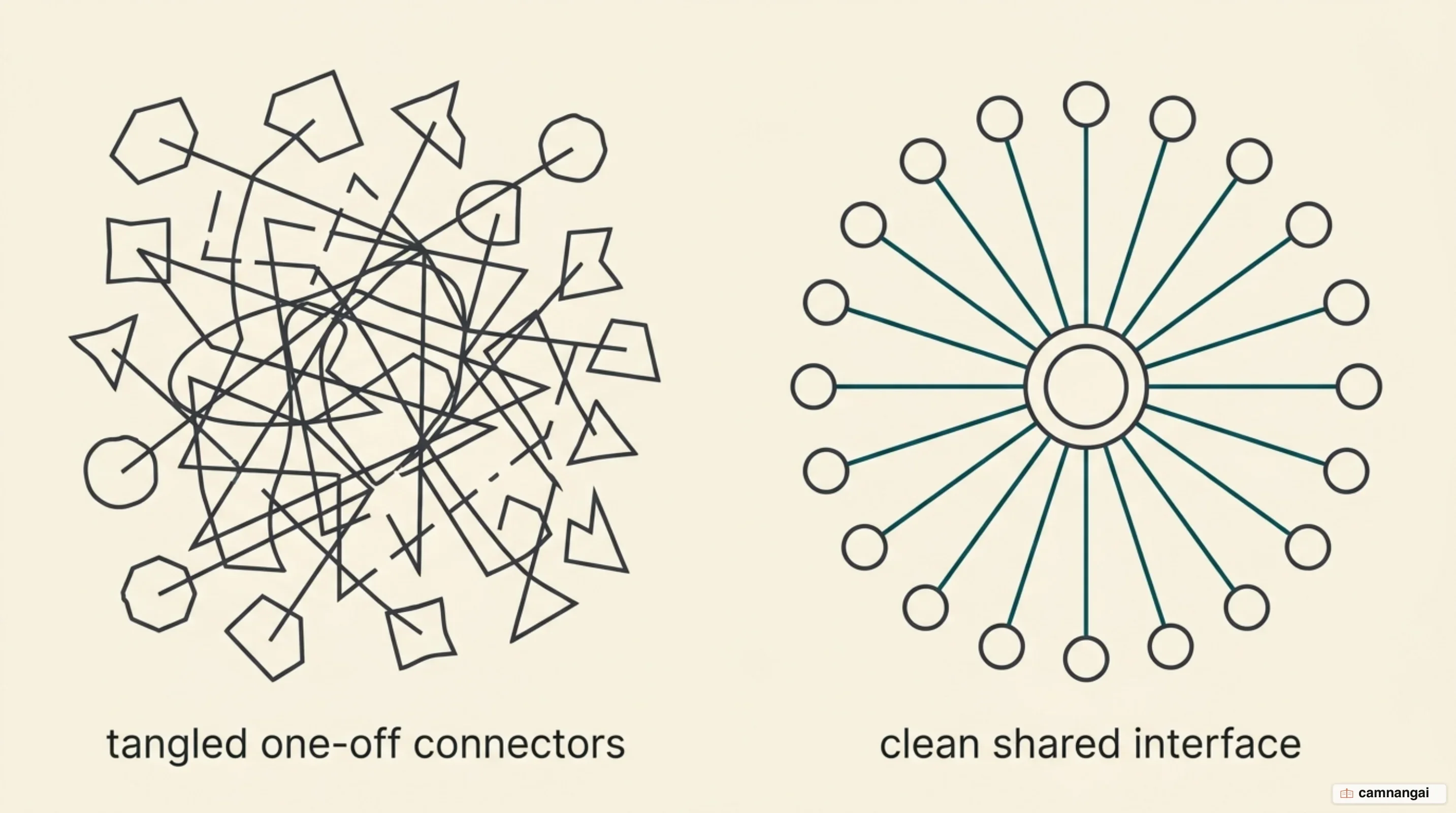
That base layer is what agentic workflows need, because in them the model is driving the system rather than answering questions about it. The server hands out data, and it also gates and structures what a model is allowed to do across several systems at once. Implement the protocol once and the data source is immediately available to every AI tool and Integrated Development Environment (IDE) that speaks it, and that list keeps growing. The industry is moving models out of the role of isolated reasoning engine and into the role of actor inside distributed enterprise systems.
The other half of the job is context. A frontier model can only give you a grounded, working answer if it can see the right material, and large language models are usually walled off from it by information silos. The MCP server opens those silos by exposing files, schemas, and workflows in a shape the model can act on, which is how a team gets its Postgres databases or its Puppeteer scripts in front of an AI assistant under some kind of governance. The server's job is dull when you say it plainly: it takes the mechanical work out of integration, so model connectivity becomes an ordinary piece of production infrastructure.
What a server exposes: tools, resources, and prompts
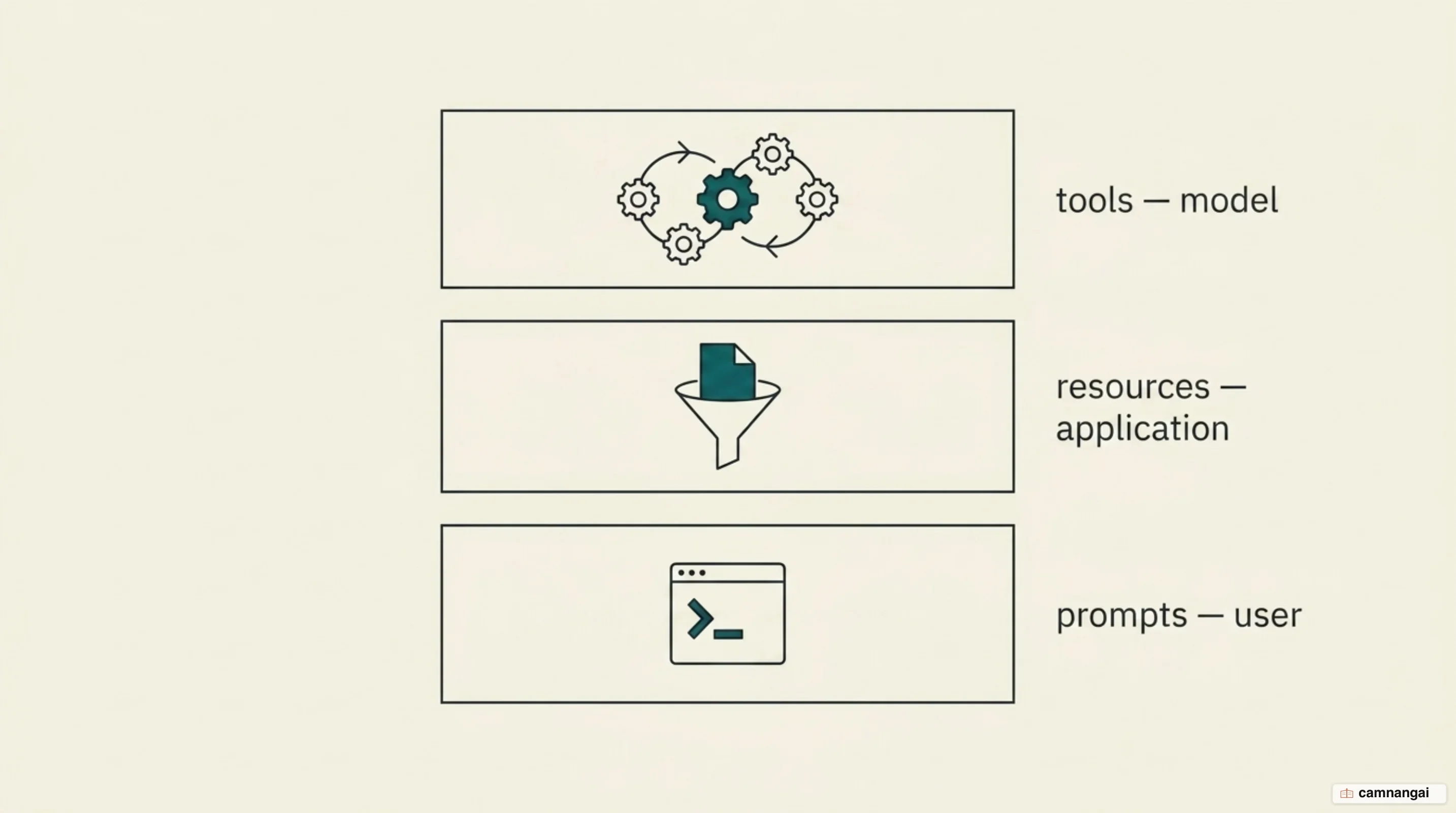
An MCP server advertises what it can do through three building blocks: tools, resources, and prompts. In a travel booking, all three work together so the user never touches the underlying APIs. Tools are executable functions the model calls to do something or to fetch live data, like searching for flights or sending a confirmation email. Resources are passive and read-only, and they are where the model's context comes from, whether that is a travel document or a user's vacation preferences sitting in a file. Prompts are instruction templates written ahead of time, like a "Vacation Planner" workflow, telling the model which tools and resources to use to reach a goal.
Tools are model-controlled, and each one needs a typed input schema, usually JSON Schema so the
arguments get validated strictly. In the travel example, a searchFlights tool takes origin,
destination, and travel dates, and returns structured flight options. Because a tool call can reach
outside the model, the protocol leans hard on human-in-the-loop oversight through approval dialogs
and permission settings. So the model can propose the call, but the execution — booking a
non-refundable ticket, say — stays with the user in the application's interface, which only helps if
that interface actually asks.
Resources carry the read-only context, and you reach them either through a direct URI or through a
resource template. A direct resource might point at passport.pdf, while a template takes
parameters, so you can ask it for the weather forecast for one city on one date. The protocol also
supports parameter completion, which helps a user find valid values for those templates: type "Bar"
and the system can offer "Barcelona" or "Barbados." That is how the model ends up pulling exactly
the data it needs, whether it is checking a calendar for a free week or reading last year's travel
documents to match a preference.
Local and remote servers: stdio and Streamable HTTP
The Model Context Protocol has two transports: stdio and Streamable HTTP. The stdio transport is for local subprocesses, where the client launches a server binary on the same machine and talks to it in newline-delimited JSON-RPC over standard input and output. As of July 2026, 9,338 servers, roughly 50% of the official registry, are local-install only. That popularity comes with a catch, because a stdio server inherits whatever privileges the host application has, and you are trading that risk against how simple it is to point a model at your own filesystem or a local Git repository.
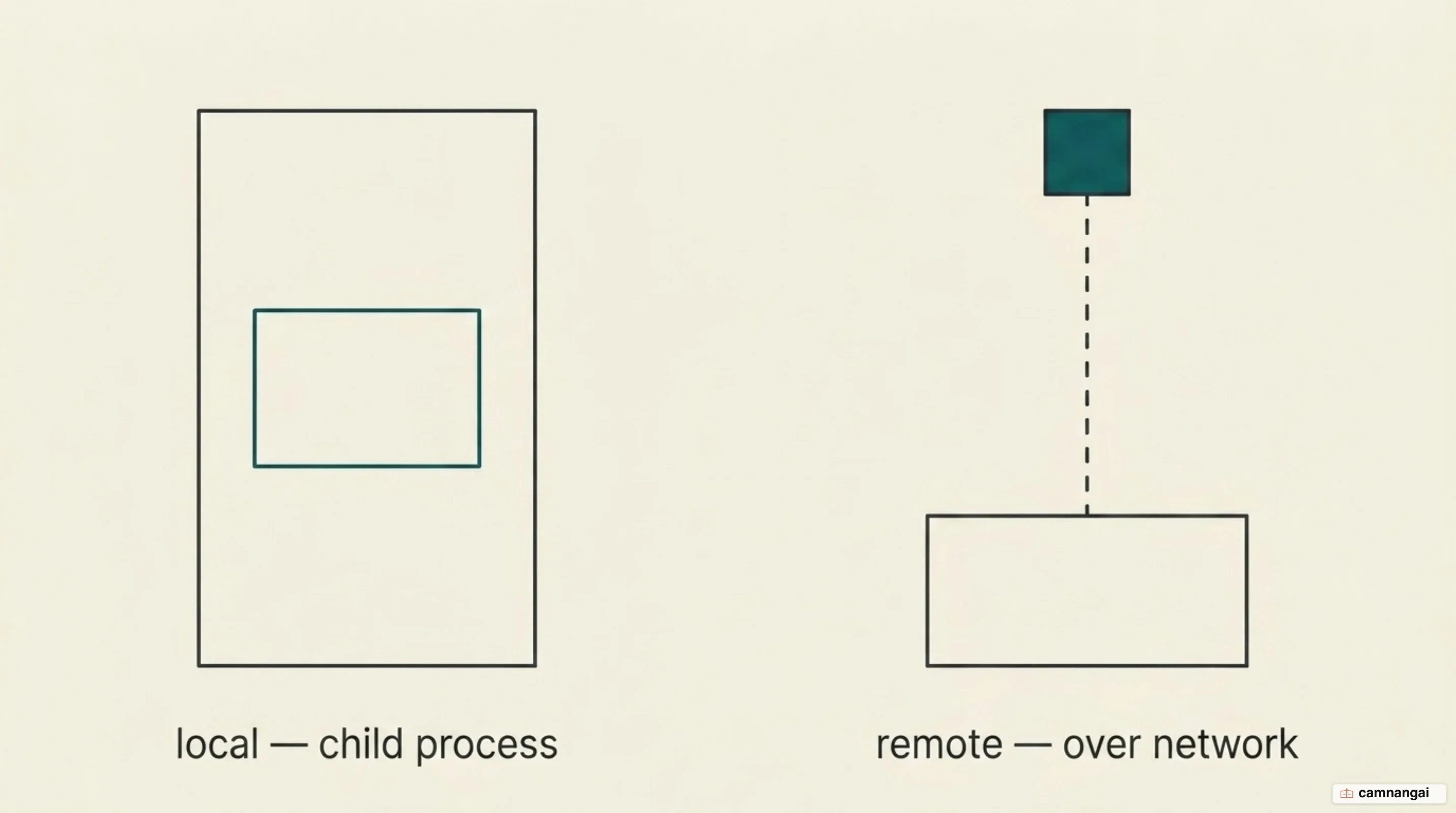
Remote servers use Streamable HTTP, where every protocol message is an HTTP POST to one endpoint. Responses usually come back as JSON objects, though a result can open a request-scoped Server-Sent Events (SSE) stream when it needs to keep sending updates. While remote servers scale better and are easier to manage centrally, they pay for it in network latency and in simply being reachable. July 2026 probing found that of the 9,326 graded remote servers in the registry, only 82.8% answered at any given time, which suggests roughly one in six has been left to rot.
Which transport you pick decides both how you deploy and how exposed you are. A local stdio server inherits the host application's privileges and never leaves the machine, which makes it the right home for sensitive personal data you do not want on a network. A remote server, on the other hand, is what you want company-wide, because one deployment can front the shared business tools or the large databases for everyone at once. Remote implementations usually gate access with OAuth, so each interaction is scoped to the user and the resource it actually involves.
What the 2026-07-28 specification changed
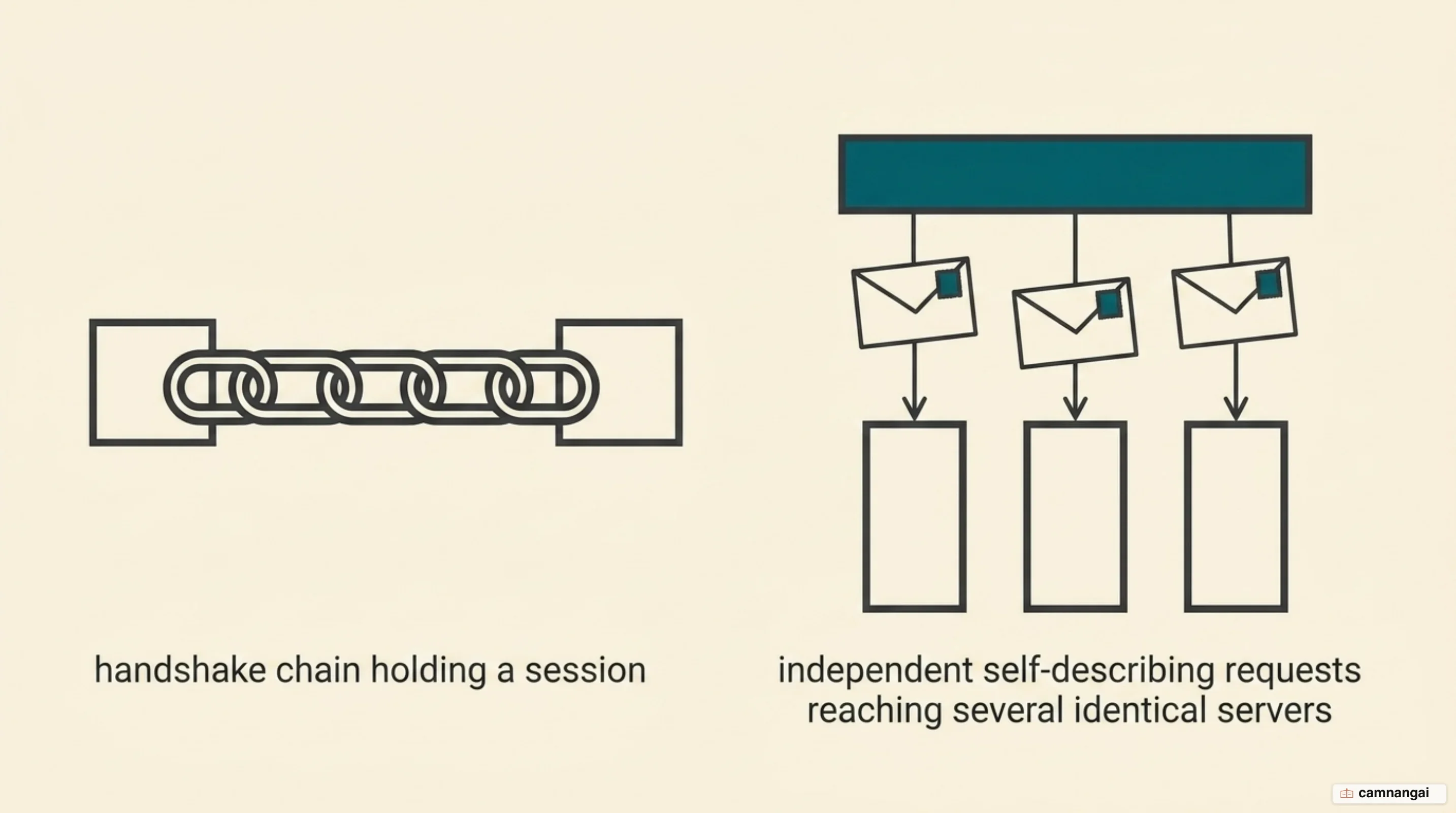
The 2026-07-28 specification pulled MCP down from a stateful, bidirectional protocol to a stateless
core. It retired the initialize and initialized handshake and the Mcp-Session-Id header that
used to carry protocol-level sessions. A request now describes itself completely, carrying its own
protocol version, client identity, and capabilities inside a _meta field. That turns the MCP
server into a REST-adjacent service pattern for AI, because any request can land on any instance
behind a plain round-robin load balancer, and nobody has to care which one it hits.
Going stateless needed one new piece, the Multi Round-Trip Request (MRTR). MRTR replaces the
server-initiated requests that used to need a bidirectional stream held open the whole time —
elicitation, where the server asks the user for extra input, or sampling, where the server asks the
client's model to generate a completion. Under the new specification, a server that needs more input
or a user confirmation mid-call returns a resultType: "input_required" response instead. The
client then retries the original call with the answers attached, so a complex interaction plays out
as a run of independent request-response cycles rather than over one fragile connection that has to
survive the whole exchange.
The same specification also made MCP behave like the rest of the web, through header-based routing
and cacheable results. Streamable HTTP requests now carry Mcp-Method and Mcp-Name headers, so
gateways, rate limiters, and load balancers can route traffic without parsing the JSON body of the
request. And responses from list operations now come with TTL (Time to Live) hints and cache scopes,
so a client can cache tool catalogs and resource definitions locally, which cuts pointless network
traffic and keeps the context window stable even across intermittent
disconnections.
Finding and trusting a server: the MCP registry
The official MCP registry is the central metadata store for finding publicly accessible servers.
Every listing gets a reverse-DNS name, such as io.github.user/server-name, so each server has one
identity nobody else can claim. Because those names are tied to verified GitHub accounts or to
specific domains, there is at least someone to point at when a server misbehaves. The registry holds
metadata — the npm package name for a local install, the endpoint URL for a remote one — but it does
not host the server code itself, which stays with package registries or with whoever hosts it.
Being listed, though, proves nothing about whether a server still works, so trust gets rebuilt on top through continuous probing and operational grades. As of July 2026 the probing data splits the registry cleanly: A-grade servers that stay reachable on one side, and on the other a 29% D/F tail — nearly a third of the listings — of dead endpoints, empty catalogs, and projects nobody maintains. So the registry gives you discovery and not much more, and an agentic application still needs real-time signals to know which servers are up and safe to call in production.
That is deliberate: the registry is meant to be an unopinionated source of truth that downstream aggregators and marketplaces build on. They are the ones who add curation, security checks, and community ratings, so a user can tell which tools are actually worth installing. And because servers go offline and come back daily, a static directory is useless to an autonomous agent, which is why everyone downstream leans on continuous probing signals instead — an agent should be calling servers that are live and that implement the authorization standards an enterprise workflow needs.
The security risks of running a server
The security risks of running an MCP server all come back to one thing: a model can be talked into doing something you never authorized. And the flaws have not been theoretical. The official Git MCP server shipped a path validation bypass and an argument injection flaw, and either could be chained with other servers to get remote code execution on the host system. A WhatsApp integration was worse in a quieter way, because researchers poisoned its tool descriptions with hidden instructions and walked entire message histories out to attacker-controlled numbers.
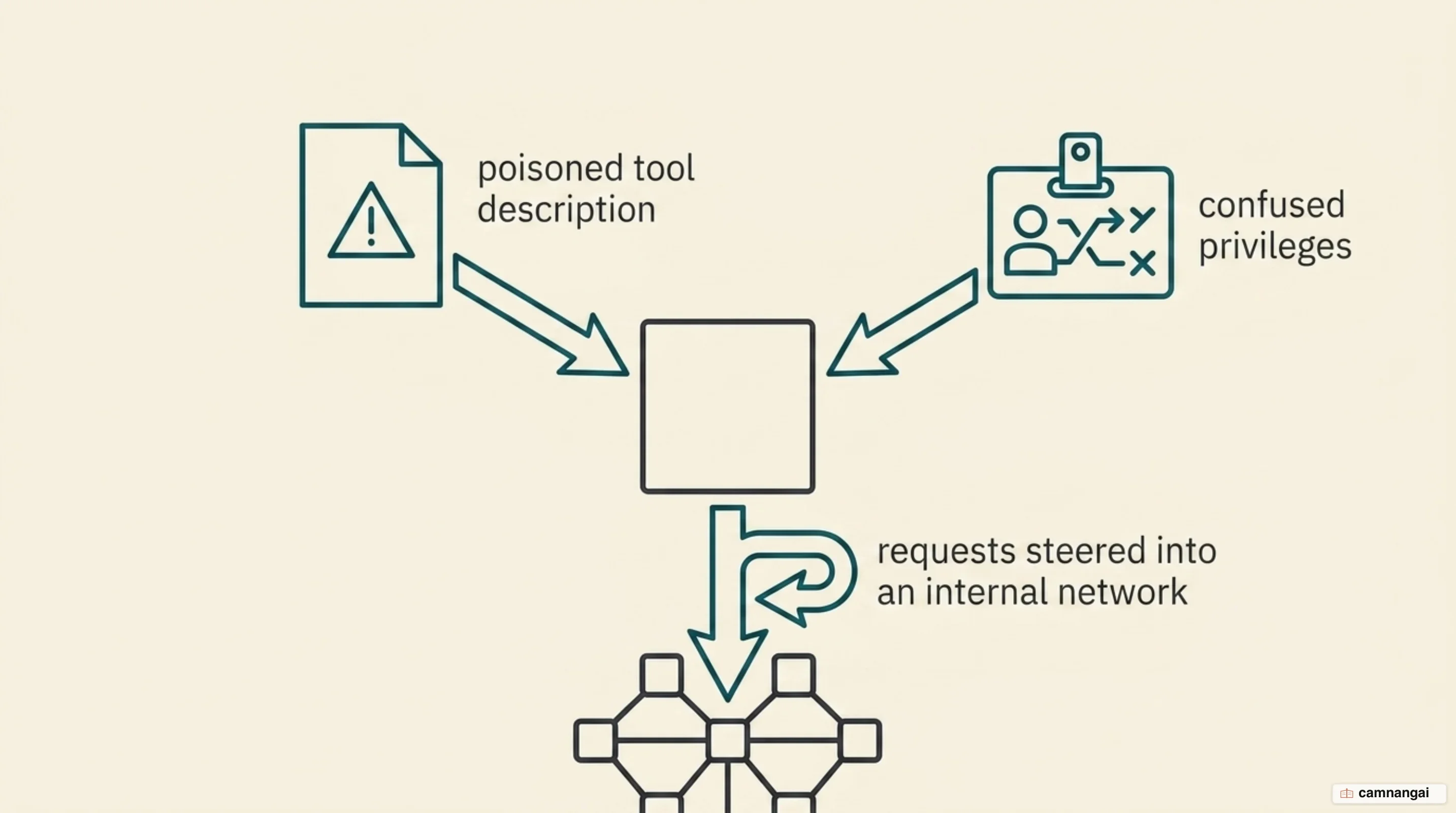
The one that worries me most is the "confused deputy" problem, where a server carries out an action
with its own service privileges rather than the narrower permissions the end user has. Malicious
instructions can also arrive as ordinary content the agent reads as context, such as a GitHub issue
or an email. That is indirect prompt injection, and the postmark-mcp package is the clean example:
it carried a hidden backdoor that quietly added a secret BCC address to every outgoing email. All of
these work for the same reason — a model cannot tell the difference between what its user meant and
what the data it just retrieved tells it to do.
Defending against that takes layers, and the first one is consent per client: every unique
client_id has to be explicitly approved by the user before it can reach a third-party API. The
second is refusing the token passthrough anti-pattern, because a server that blindly forwards a
client's token to a downstream API has given away its only control point, so tokens should be issued
specifically for the MCP server and validated by it. And strict redirect URI validation plus
sandboxing are what stop authorization codes from leaking, or a compromised component from wandering
around the local system.
What connecting many servers costs you
Once an agent is wired to hundreds of tools across several MCP servers, it runs into the token bill. Most MCP clients load every tool definition into the model's context window up front, using direct tool-calling syntax. Each tool description, parameter schema, and return type eats space, and space is latency and money. Connect an agent to a large enough catalog and the model chews through 150,000 tokens before it has read a word of the user's actual request, which often blows past the context window limit on its own.
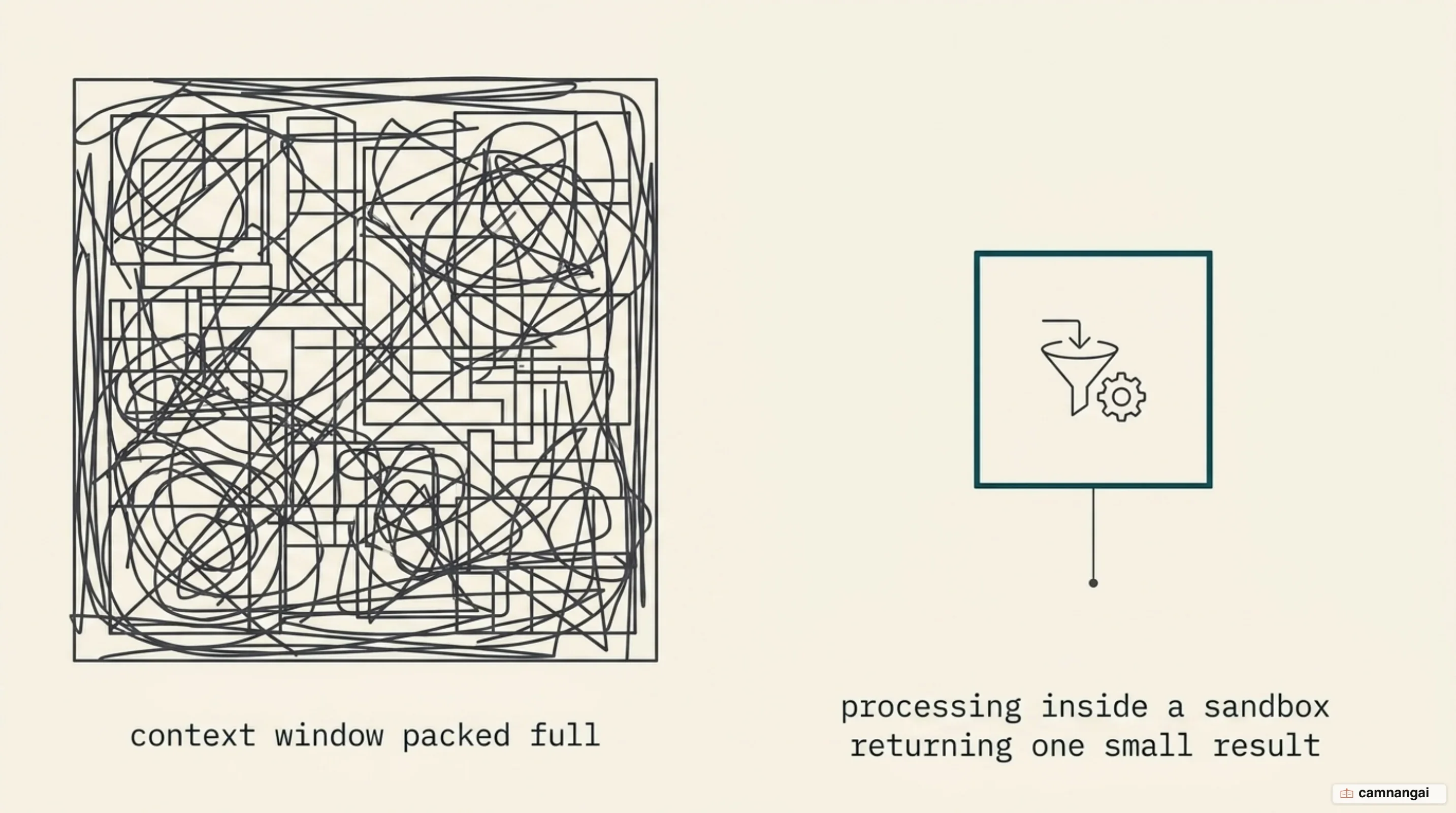
Definitions are only half of it, because intermediate results travel through the model too. Say an agent downloads a large document from Google Drive to attach it to a Salesforce record: the entire text has to pass through the context window. If that document is 50,000 tokens long, it is processed twice — once as a result, once as an argument for the next call. That is expensive, and it is also where the model starts making mistakes, because it is copying large blocks of data between calls by hand.
Code execution is the way out, and it can cut token consumption by up to 98.7%. If the client presents MCP servers as code APIs instead, it can intercept intermediate data and tokenize personally identifiable information before any of it reaches the model, so real email addresses, phone numbers, and names flow between systems without ever passing through the reasoning loop. The same setup lets an agent filter a 10,000-row spreadsheet inside a secure sandbox and hand back only the rows that matter. A 150,000-token tool-calling operation can come down to 2,000 tokens.
When you actually need an MCP server
Not every AI feature needs an MCP server behind it. While a direct tool call is fine for a basic, one-off task, you want a dedicated server the moment you need a stateless, cacheable, secure foundation under your agents, and the 2026-07-28 specification is what makes that foundation hold up under long-running tasks. Centralizing the tool logic in one server is also the only practical way to enforce the same security policy and keep one audit trail across every AI-driven interaction.
Past the first integration it becomes a maintenance question. A hardcoded integration is frozen at the moment you wrote it, while an MCP server lets tools and resources be discovered at runtime, so an agent picks up new datasets as they land in the registry without you shipping anything. If you are ready to write one, the step-by-step Python build covers the full path from declaring a tool to connecting the finished server to a host application.
References
- Understanding MCP servers — Model Context Protocol
- Transports — Model Context Protocol Specification
- Security Best Practices — Model Context Protocol Specification
- The MCP Registry — Model Context Protocol
- The 2026-07-28 Specification — Model Context Protocol Blog
- Introducing the Model Context Protocol — Anthropic
- Code execution with MCP: building more efficient AI agents — Anthropic
- MCP Security: Risks, Real Incidents & Controls — Checkmarx
- State of the MCP Ecosystem, July 2026 — MCP Queen