Codex is an autonomous coding agent developed by OpenAI, designed to execute complex engineering tasks rather than provide simple line-by-line suggestions. It is a suite of tools powered by the GPT-5.5 model family, specifically using the GPT-5.1 Codex Max model for high-end reasoning. This moves the abstraction of engineering labor from code-generation to task-completion: instead of managing syntax, you manage outcomes like green test suites or verified refactors.
The human role transitions from a primary author to a supervisor and reviewer of agent-driven outcomes.
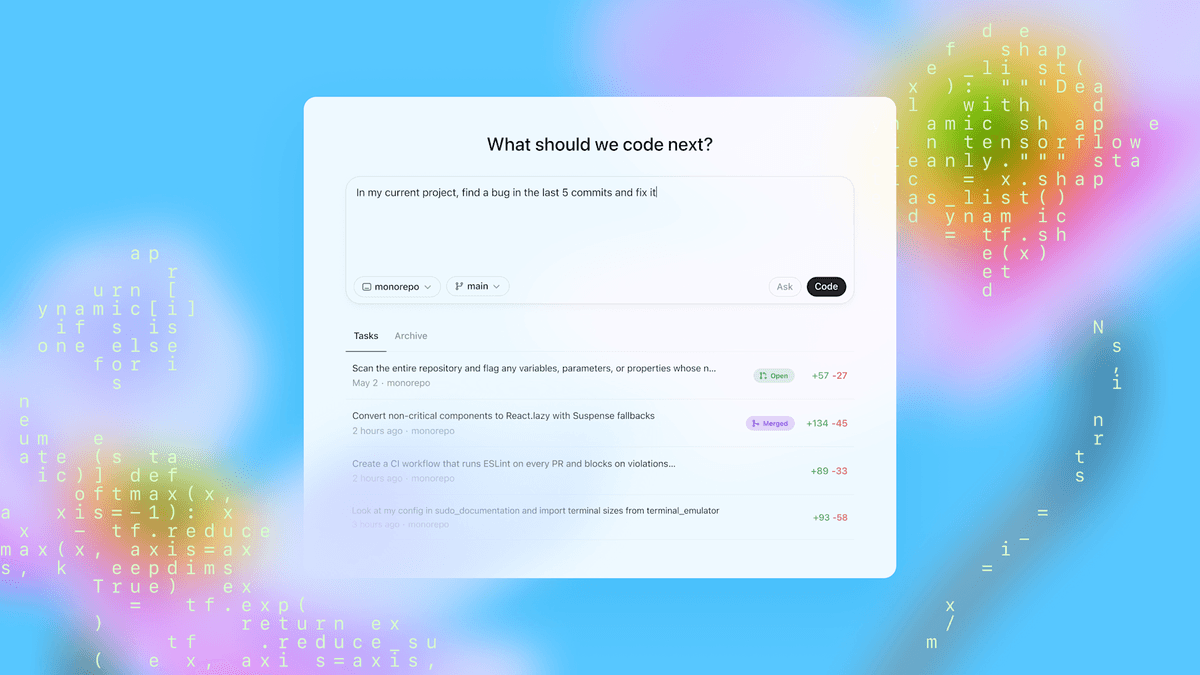 Source: Introducing Codex — OpenAI
What is Codex?
Codex is an umbrella over several interfaces — CLI, IDE, Cloud, and Review — all sharing a single underlying agent loop. Available to ChatGPT Plus and Pro users, it reached over 2 million weekly active users by early 2026. The system is built on GPT-5.1 Codex Max, a model optimized specifically for software engineering through reinforcement learning on real coding tasks.
The core architecture is the "agent loop." Rather than generating a static response, the system follows a recursive cycle:
- Inference: the model processes the current state and intent.
- Tool call: the agent decides to take an action, such as a shell command or a file edit.
- Execution: the action is performed in an isolated sandbox.
- Result: output from the tool is fed back into the loop for the next cycle.
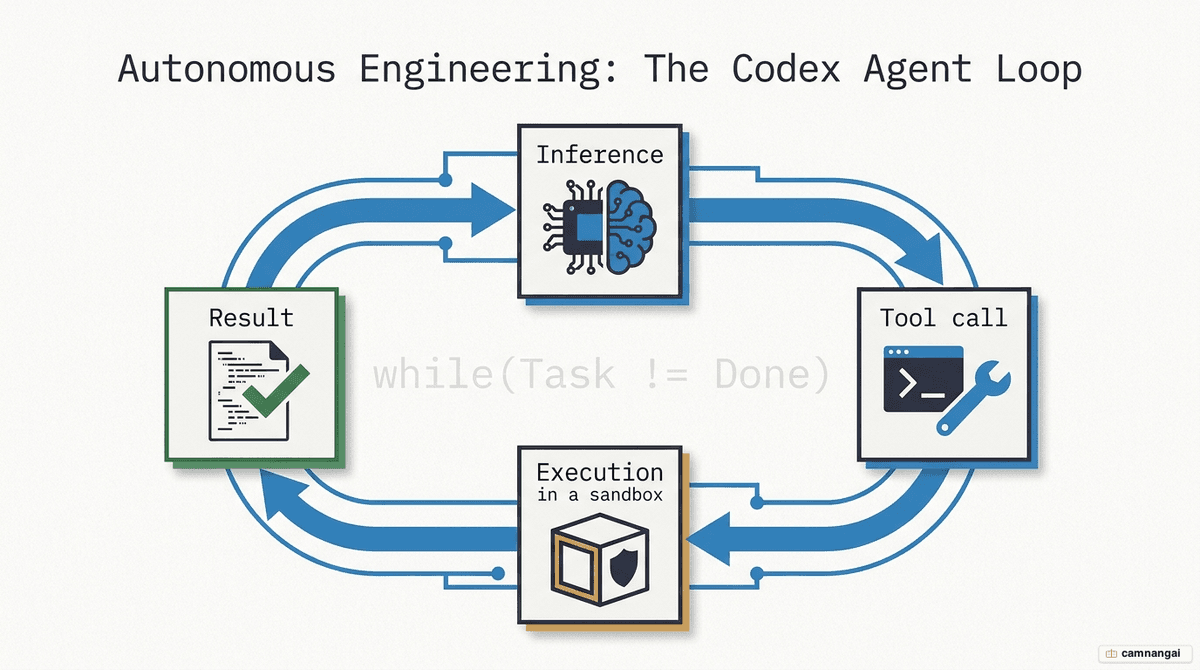
To interact with the CLI or check the agent's internal state, you use the following:
# Display CLI-level help and options
codex --help

# Enter the agent session and use internal commands
codex
> /status
# Displays current model (GPT-5.1 Codex Max), sandbox mode, and remaining context window.
How is Codex different from ChatGPT and code-autocomplete tools?
The primary distinction lies in the unit of work and the level of operational autonomy.
- Task-level execution: while autocomplete operates at the keystroke level and ChatGPT operates at the conversational level, Codex operates at the task level. It is built to own bug fixes and multi-file refactors from end to end.
- Repository access: unlike standard chat interfaces, Codex navigates local and remote file structures and executes terminal commands to verify its own work.
- The supervisor shift: you move from an authoring role to a supervisory role. You define the goal and the "Done When" criteria; the agent handles the mechanical execution.
- Thread persistence: standard terminal sessions or chat tabs lose context when closed. Codex uses "threads" that survive app restarts, retaining all accumulated context and cached tokens.
How does Codex work?
Codex manages context through a layered prompting strategy. It stacks environment context (working directory, shell), project-specific instructions from agents.md, sandbox permissions, and developer configurations above the user message.
This is technically optimized via prompt caching. Because static instructions like agents.md sit at the front of the prompt, the model's state for that prefix is cached. Reusing cached tokens costs roughly 10% of the price of fresh inputs. To stay efficient, OpenAI's own engineering teams use a "100-line rule" for agents.md files; keeping these files under 100 lines keeps the agent focused and token-efficient.
To prevent parallel tasks from colliding, Codex uses isolated cloud sandboxes and local Git worktrees. This lets an agent work on a feature branch without affecting your primary directory. A sample agents.md file provides the persistent context it needs:
# Project: Analytics Engine

## Project Overview

TypeScript-based data processing service.

## Build Commands

- Install: npm install
- Test: npm test

## Done When

- Code passes linting and unit tests.
- Documentation in /docs is updated.
What tools make up Codex?
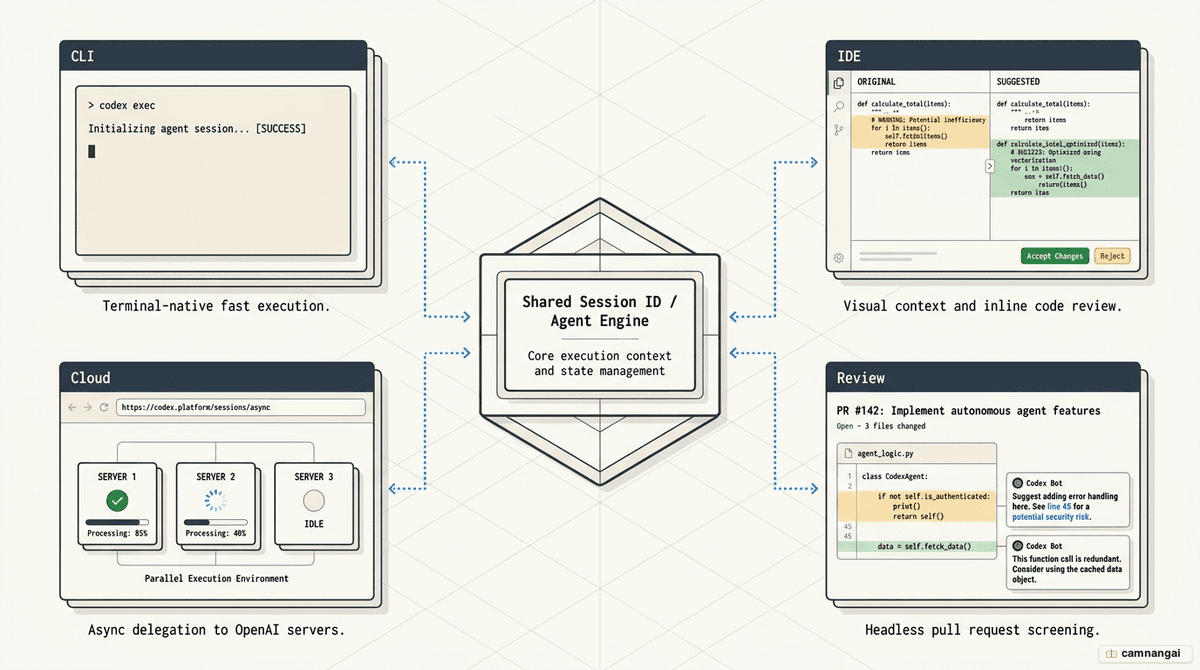
The Codex suite has four primary interfaces that share one agent loop and the same session state:
- CLI: a Rust-based terminal agent for lightweight interaction and headless SDK modes used in CI/CD automation.
- Cloud: remote containers for asynchronous tasks. This allows for 10-hour refactors that continue even if your laptop is closed.
- IDE integration: extensions for VS Code and Cursor providing graphical diffing, inline review panels, and "to-do" implementation triggers.
- Review tool: a GitHub-native bot that pre-screens PRs for P0/P1 issues, letting the agent "double-check" its own work before a human review.
What Codex does well — and what it doesn't
Strengths: Codex excels at mechanical, verifiable engineering labor. This includes large-scale refactors, generating unit tests, writing documentation, and fixing bugs with reproducible failure logs. Because it can keep iterating until the tests pass, it works best on well-scoped tasks.
Weaknesses: the agent struggles with high-level architecture decisions and ambiguous requirements. It is prone to "silent errors" where code passes weak tests but is logically flawed. It may also hallucinate APIs or behaviors that look plausible but do not exist.
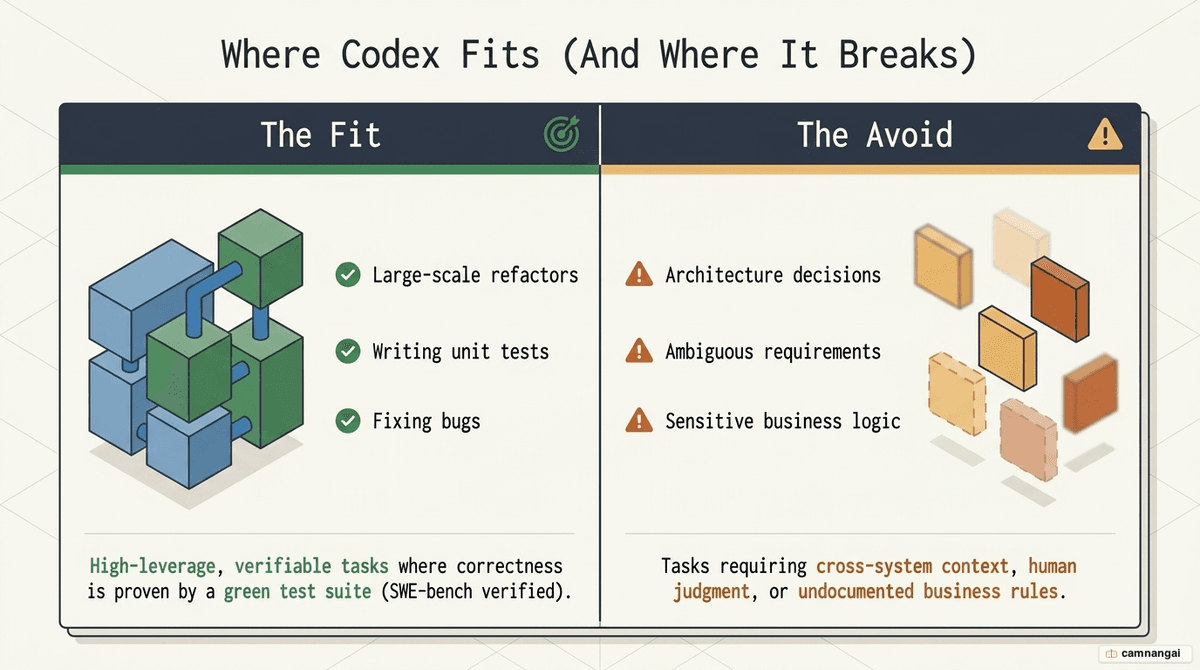
The verification principle: agent output requires human review proportional to risk. If a test suite is weak, the agent becomes a "liability multiplier." Human oversight is mandatory for any logic involving architecture, security, or financial data.
How to get started with Codex as a beginner
- Installation: use a package manager for the CLI or the extension marketplace for your IDE.
- CLI:
brew install openai/codexornpm install -g @openai/codex - IDE: search for the official "OpenAI Codex" extension in VS Code.
- CLI:
- Sign-in: run
codex loginto authenticate via your ChatGPT Plus/Pro account or SSO. - The four pillars of prompting: structure requests around Goal, Context (using
@filename), Constraints, and "Done When" validation criteria. - Plan Mode: use
Shift+Tabto enter Plan Mode. It forces a pause so you can audit the agent's logic before it executes code.
Customization is handled through a config.toml file:
default_model = "gpt-5.1-codex-max"
reasoning_effort = "medium"
sandbox_mode = "workspace-write"
approval_policy = "on-request"
FAQ
How much does Codex cost? Codex uses token-based billing, but costs are presented as credits. A typical task consumes 5 to 45 credits. Prompt caching is the primary cost-saving lever; cached input is billed at roughly 1/10th the rate of fresh input. Users with ChatGPT Plus or Pro have access at no additional subscription charge.
Codex vs Claude Code? Claude Code is noted for being exhaustive and thorough, useful for nuanced refactors. Codex tends to be more concise and token-efficient, often completing the same task with fewer tokens — which makes it a faster choice for most standard engineering work.
Do I need to know how to code? Yes. Codex is designed for engineers. It requires knowledge of Git and repository structures to manage agent-driven changes safely. Without human supervision and version control, agents can inadvertently damage a codebase in minutes through unverified automated edits.
Is my code private? Codex uses isolated sandboxes for task execution. Organizations can apply governance rules, SSO, and audit logging to manage access. Permissions can be scoped (for example, read-only) so the agent only interacts with authorized files and secrets stay protected from the execution environment.