Claude Cowork is Anthropic's agentic AI system for knowledge work that runs locally on the desktop to complete multi-step tasks.
It marks a shift from chatting with a model to handing it an outcome. Instead of producing a plan you then carry out by hand, Cowork does the work itself — start to finish.
It plugs into the Claude desktop app and connects the model's reasoning to your actual machine. Given access to your local files and a set of application connectors, Claude acts as an agent rather than a chat partner: it can run tasks that take far longer than a single back-and-forth would allow.
That takes the manual middle out of your workflow. Cowork is built for the repetitive, low-judgment parts of a job — pulling data, reformatting it, reconciling figures across tools — and gives you one consistent place to gather research, organize folders, and turn out finished files.
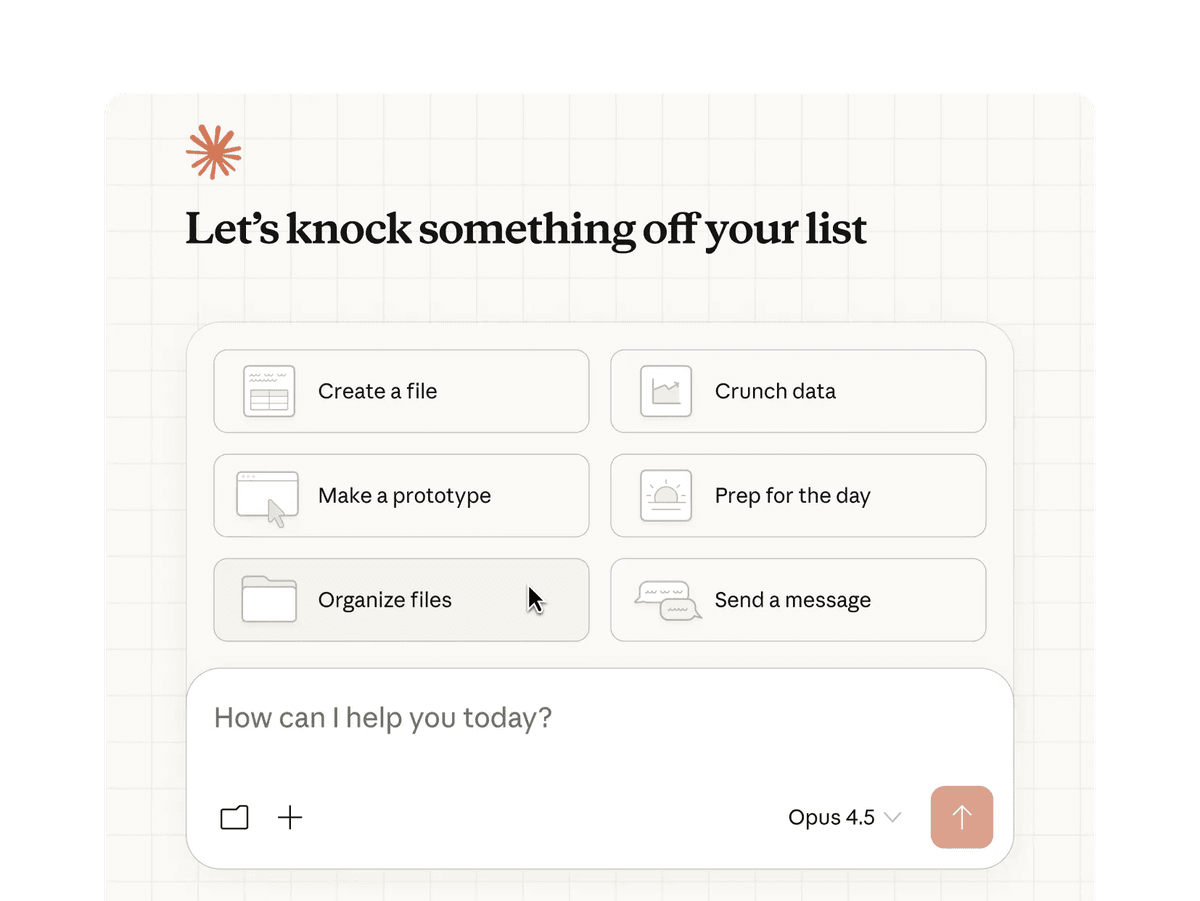 Nguồn: Claude Cowork — Claude
What is Claude Cowork?
Claude Cowork is an agentic system built into the Claude desktop app for macOS and Windows. Its job is to run tasks that need direct read/write access to your local files and to outside apps. A chat interface can only give you text back; Cowork acts on your machine, changing the local environment until it reaches the result you asked for.
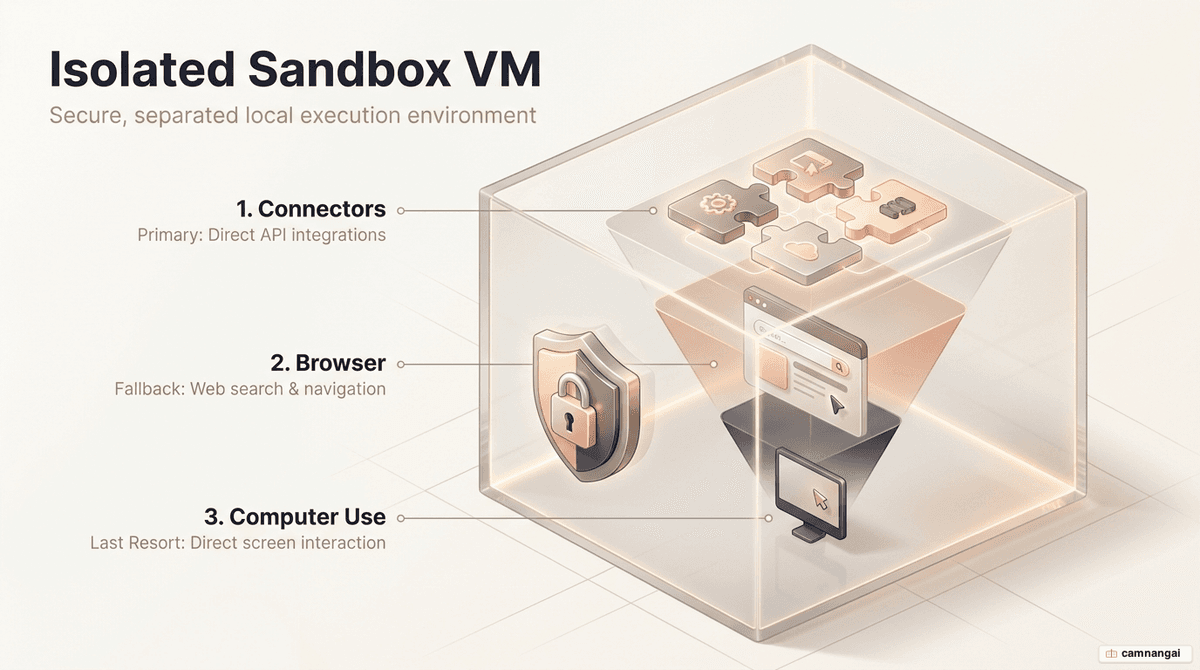
The environment it runs in is heavily sandboxed to keep your system safe. On macOS, it uses the Apple Virtualization Framework (VZVirtualMachine) to boot a custom Linux root filesystem. The folders you grant access to are mounted into that contained environment, so any code and shell commands the AI runs stay isolated from the host operating system's core processes. On Windows, the same work happens through the CoworkVMService, installed via the MSIX framework so the service stays in a consistent state.
What makes it an agent is the orchestration layer on top. Given a task description, the main Claude instance reads the requirements and works out a plan. It breaks the goal into separate sub-tasks and, where the work splits cleanly, runs several sub-agents in parallel. This is built for long-running workflows — the kind that would hit the context window or time out in a normal chat model.
Cowork vs Chat vs Claude Code: which to use when?
Picking the right mode matters for both speed and token cost. Claude gives you three environments, each suited to a different kind of work.
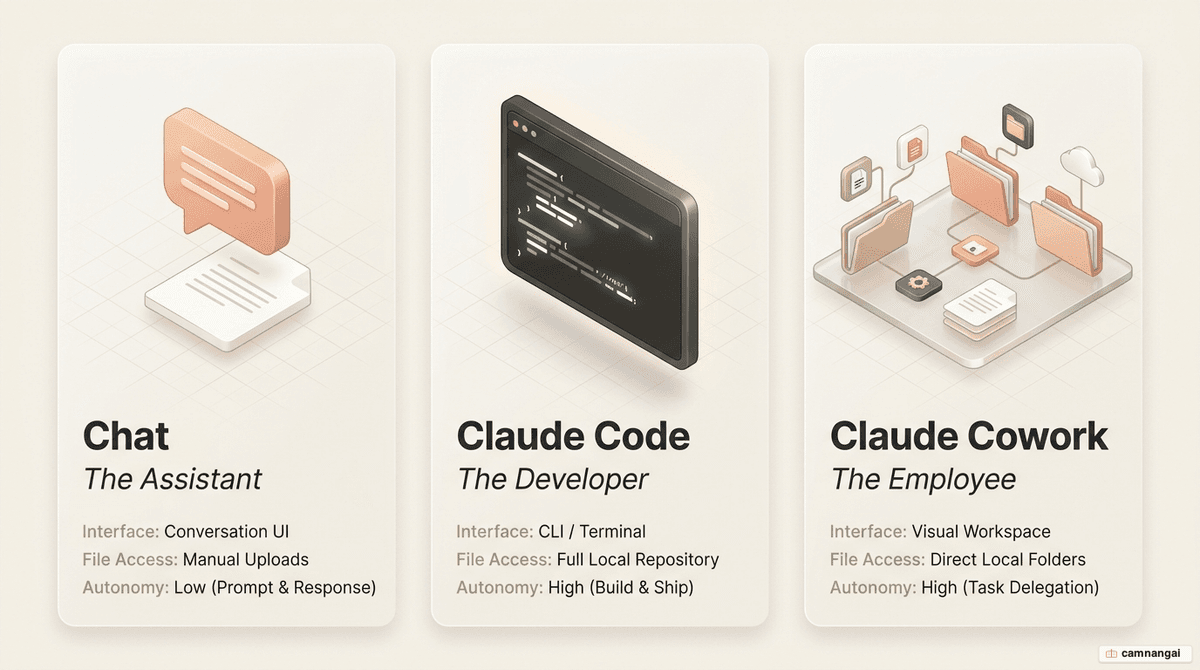
Chat is for quick back-and-forth, usually five to ten minutes. It's the right choice for brainstorming, working out a prompt, or drafting a summary you don't need written to a file. What you get back is reasoning — a "thought" you then move to its final home yourself.
Claude Code is a command-line (CLI) tool for software engineers. You drive it from the terminal: it manages GitHub repositories and runs build commands directly. It runs on the same agentic engine as Cowork, but its interface is technical and aimed at codebases.
Claude Cowork is the desktop agent for non-technical knowledge work. It's tuned for jobs where the end result is a formatted file — a spreadsheet, slide deck, or report. It gives you the same autonomy as Claude Code, but in a visual workspace built for marketing, operations, and admin work.
| Feature | Chat | Claude Cowork | Claude Code |
|---|---|---|---|
| User interface | Web / Desktop / Mobile | Desktop application | Terminal (CLI) |
| Primary output | Textual responses | Polished deliverables | Software and code |
| Autonomy level | Low (user-in-the-loop) | High (task delegation) | High (autonomous coding) |
How does Claude Cowork run a task?
A task in Claude Cowork runs through a set sequence. Once you describe the outcome you want, Cowork starts by planning out the steps it needs to take.
- Request analysis and planning — Claude reads the prompt to work out the inputs it needs, the constraints, and the output formats you're after. It then writes a step-by-step task list you can see.
- Sub-task decomposition and coordination — if the task is complex, Cowork splits the work into parallel streams. In an invoice-processing task, for example, one sub-agent might pull data out of PDFs while another sets up the final Excel structure.
- Local VM execution — shell commands and scripts Claude writes run inside the isolated VM. It uses them to read data from the mounted local folders and transform it.
- Application integration via connectors — Claude uses dedicated connectors for Gmail, Slack, Notion, and Google Drive. When there's no direct connector, the "Computer Use" research preview lets Claude work through the browser or screen as a last resort.
- Data integrity and delivery — for spreadsheet tasks, Claude reads and writes Excel formulas (such as INDEX MATCH) directly. That way the spreadsheet's own engine does the math rather than the model guessing it, which keeps the totals from being hallucinated. The finished files are written back to your local filesystem.
"Skills" are a layer of reusable workflows on top of all this. Once a task has gone well, you can use the "Skill Creator" tool to turn it into a repeatable template. The tool checks the process against a set of criteria and asks for a "handshake" — you tune and verify it — before the skill goes into your local skills library for next time.
What kinds of work fit Cowork?
What you should hand to Claude Cowork comes down to the "five ingredients" of a task it's good at. The more of these a workflow has, the better a fit it is:
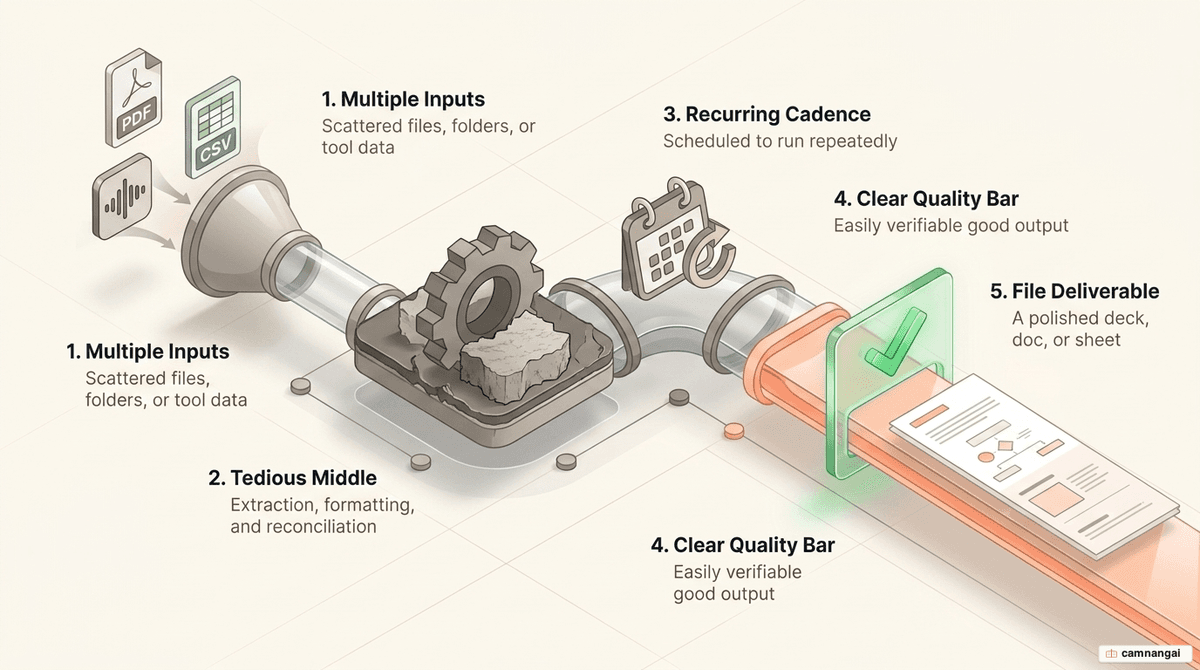
- Many inputs — the task means pulling data together from several files, folders, or app connectors.
- A file as the output — what you want is an actual deliverable (
.xlsx,.pptx,.pdf), not a text answer. - It recurs — the task is scheduled or runs often, like a weekly report.
- A clear quality bar — you can say exactly what a "correct" output looks like, so checking the result is fast.
- A tedious middle — the bulk of the work is high-volume, low-judgment labor like extracting and reformatting data.
On the admin side, people use Cowork to write a daily briefing by pulling together unread Slack threads and the emails that matter from Gmail. Marketing teams run it for budget-pacing dashboards, where Claude pulls metrics from the Google Ads and Meta Ads connectors and updates a live HTML artifact. In operations, it handles file hygiene — batch-renaming folders to a YYYY-MM-DD convention, or turning image receipts into structured spreadsheets.
Getting started with Claude Cowork
To use Claude Cowork you need an active paid plan (Pro, Max, Team, or Enterprise) and the current version of the Claude Desktop app. It doesn't run in a web browser or as a standalone mobile app, though a research preview lets Pro and Max subscribers assign tasks from their phone to the desktop.
Setting up a "Cowork playground" keeps things organized. Create a dedicated root folder (say, Documents/Claude-Workspace) with a consistent sub-folder layout:
/context— storage for standing instructions, brand guidelines, and reference materials./projects— the active workspace for ongoing task execution./output— the destination for finalized deliverables.
Persistent memory comes from two local files you create in the root of the playground folder: an instruction file and a memory file. The instruction file holds the basics — who Claude is acting as and the context for that role — while the memory file builds up over time: your preferences, feedback from past tasks, and the style rules you've set. Point to both files in "Global Instructions" and every session starts with the right context and writing constraints already loaded.
Limitations and safety notes
Claude Cowork is built security-first, around filesystem isolation. The AI can only touch the folders you've explicitly granted. Even so, you have to account for prompt injection — where outside content, like a malicious website Claude hits during a web search, tries to hijack its planning.
There are two permission modes for running a task:
- Ask before acting — Claude pauses for your approval at each step in the plan. This is the mode to use for new workflows or anything sensitive.
- Act without asking — Claude runs the whole task list on its own. Even here, it's hard-coded to ask for explicit manual approval before deleting any file.
For monitoring, Cowork exposes telemetry through OpenTelemetry (OTel), so Enterprise admins can watch tool calls and execution state in real time. Cowork activity doesn't yet show up in the standard Compliance API or basic audit logs. And because the work runs locally, the desktop app has to stay open and the machine has to stay awake for a task to finish — including tasks the scheduler kicks off.
FAQ
How do I fix a "VM service not running" error on Windows? It means the CoworkVMService isn't active. First, make sure you installed the app with the MSIX installer. Then start "Claude VM Service" or "CoworkVMServiceStore" by hand from the Windows Services console (services.msc).
What causes the "EXDEV: cross-device link not permitted" error? It shows up when the VM image download tries to cross a drive boundary (say, from C: to D:), usually because your storage settings send new content to a second drive. Set system storage back to the C: drive and reinstall the app.
Why does Cowork use more tokens than Chat? Claude Cowork does a lot more compute. It coordinates several sub-agents, calls connectors often, and runs code inside the local VM. Every step in a multi-stage plan draws more tokens from your session limit.
Can I use Cowork from my phone? Pro and Max subscribers can assign tasks from the mobile app to the desktop app. It's a research preview: your desktop has to be awake and the Claude app open, since that's where the actual work runs.
References
- Cowork: Claude Code power for knowledge work — Claude
- Get started with Claude Cowork — Claude Help Center
- First impressions of Claude Cowork, Anthropic's general agent — Simon Willison
- Best practices for getting started with Claude Cowork — Claude
- Claude Cowork Full Tutorial: How to Use Claude Cowork Better Than 99% of People
- Learn 80% of Claude Cowork in Under 20 Minutes