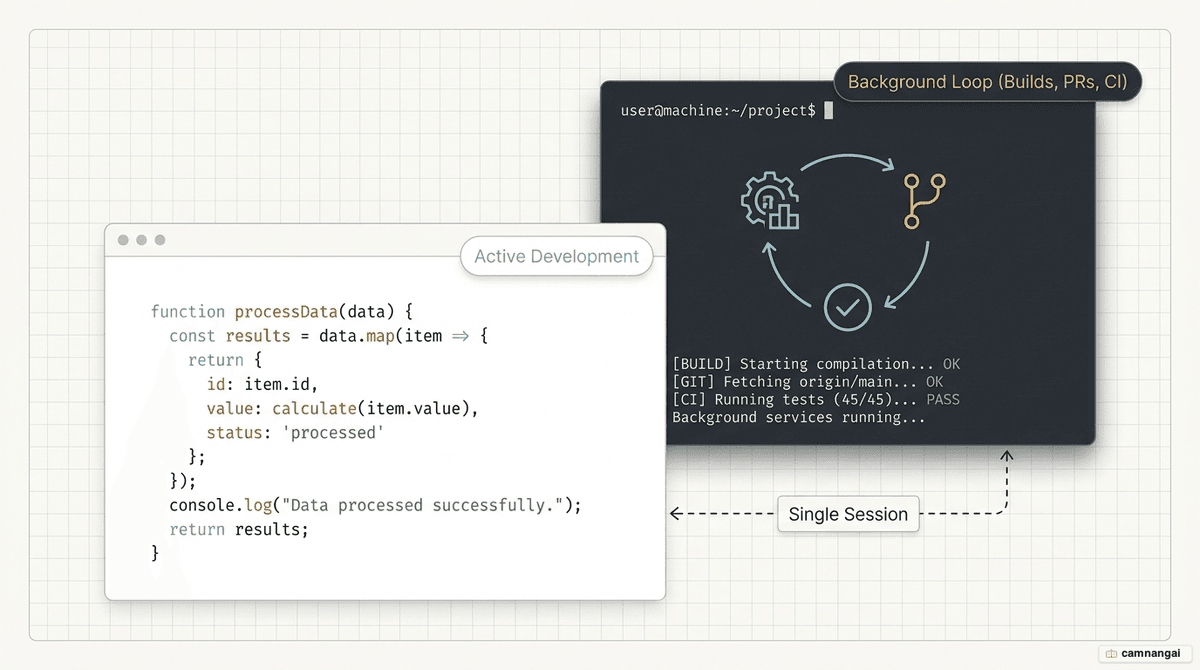
The loop command in Claude Code is an in-session automation tool that schedules prompts to run at set intervals.
For anyone who spent the early days of Claude Code hand-rolling "Ralph Wiggums" loops — iterative, self-referential prompts used to verify a task was actually done — the /loop command turns that workflow into a first-class citizen of the CLI.
To use these scheduling features you need Claude Code v2.1.72 or later. Tasks are strictly session-scoped: they are tied to your current conversation and need the terminal to stay open and idle to fire. If you are mid-response or the terminal is closed, the task waits in a low-priority queue until the next idle window.
What is /loop and how does it run?
The /loop scheduler checks every second for due tasks, but it runs at low priority. A scheduled prompt never interrupts you while you are typing or while Claude is generating a response; instead it enqueues the task to fire during the next idle period between turns.
To protect the API from "thundering herd" congestion — thousands of clients hitting it at the same wall-clock second — Claude applies a deterministic jitter. For recurring tasks the offset can be up to 30 minutes, or up to half the interval for tasks running more often than once per hour. One-shot reminders scheduled for the top or bottom of the hour may fire up to 90 seconds early. The jitter is derived from the task ID, so a given task always gets the same offset, and it does not apply to dynamically scheduled loops.
All tasks use your local timezone and survive a claude --resume or claude --continue. One exception matters for DevOps work: background Bash and monitor tasks are never restored on resume. The session context returns, but those active processes must be restarted by hand.
The three ways to call /loop
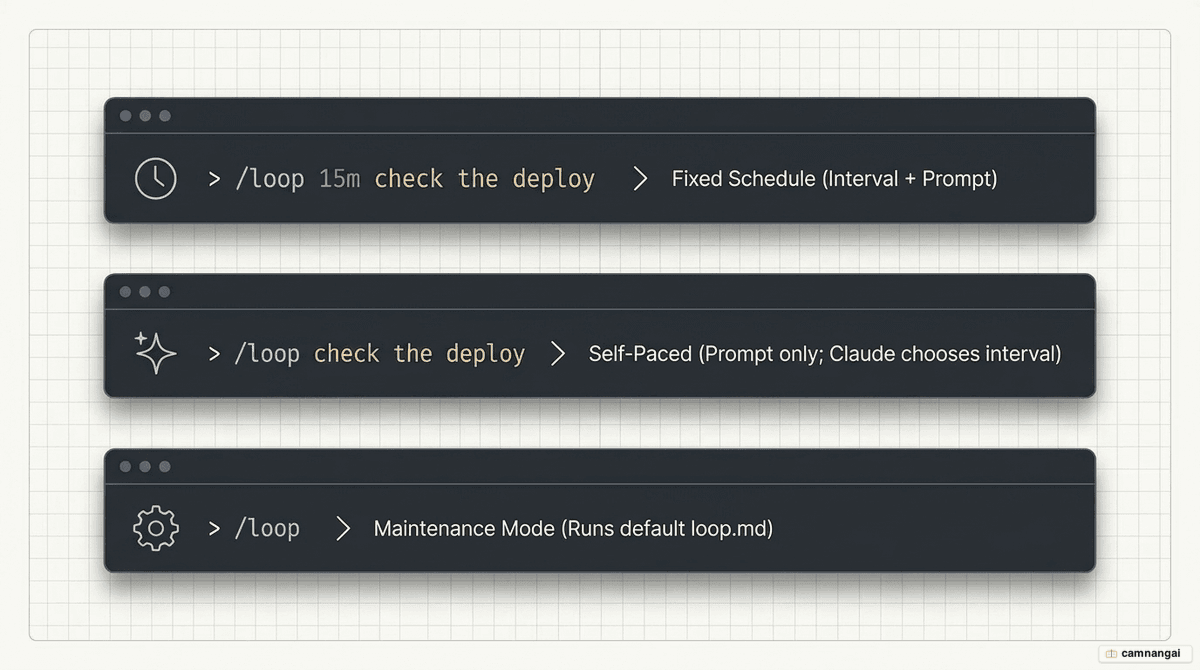
/loop adjusts its behavior to the level of detail you give it:
- Interval and prompt — a fixed schedule. A unit like
5mfollowed by a task runs the prompt on a strict cadence. - Prompt only (self-paced) — Claude enters a dynamic mode, watches the output of each iteration, and picks a delay between one minute and one hour based on activity.
- Interval only, or nothing — this triggers the built-in maintenance prompt. If a
.claude/loop.mdfile exists in your project, Claude uses those custom instructions instead.
# Poll a specific PR for status changes every 20 minutes
/loop 20m /review-pr 1234
Fixed intervals, self-paced mode, and cron
Claude Code supports standard time units: seconds (s), minutes (m), hours (h), and days (d). Because the underlying cron system has one-minute granularity, any second-based interval is rounded up.
In self-paced mode (prompt only), Claude often uses the Monitor tool to stream output lines back to the session. That is far more token-efficient than re-running a full prompt on an interval, since it avoids redundant context processing. For more complex logic, the CronCreate tool follows standard vixie-cron semantics for five-field expressions.
| Expression | Meaning |
|---|---|
*/5 * * * * | Every 5 minutes |
0 9 * * * | Every day at 9:00 AM local time |
0 9 * * 1-5 | Weekdays at 9:00 AM local time |
Customizing the default with loop.md
A loop.md file overrides the default maintenance prompt with your own instructions. Claude follows a strict lookup order: a project-level .claude/loop.md takes precedence over a user-level ~/.claude/loop.md.
These files replace the built-in maintenance instructions and are capped at 25,000 bytes. Because Claude re-reads the file on each iteration, you can refine the instructions in real time without restarting the loop.
Check the current branch for failed CI runs.
If a failure is found, analyze the logs,
summarize the root cause, and suggest a fix.
Managing, stopping, and one-time reminders
Stop an active loop by pressing Esc while Claude waits for the next interval. For broader control, use natural language — "list my tasks" or "cancel the CI monitor".
Under the hood those commands wrap the CronList and CronDelete tools. Every task gets a unique 8-character ID that serves as its key for management. You can also create one-shot tasks by describing a reminder in natural language; these single-fire events purge themselves from the 50-task session limit once they run.
When to use — and not use — /loop
Choosing the right automation tier matters for both reliability and cost. /loop is your tool for hot polling during active development, but it lacks the durability of a system-level cron.
| Feature | Cloud Tasks | Desktop Tasks | /loop |
|---|---|---|---|
| Minimum interval | 1 hour | 1 minute | 1 minute |
| Persistence | Permanent | Permanent | Session-scoped |
| Requirements | Anthropic Cloud | Machine on | Open session & idle |
Use /loop when you need to monitor a build, poll a deployment, or summarize PR comments while you are actively working in the terminal. Avoid it when you need 24/7 uptime, catch-up logic for fires missed while your machine was off, or production-critical monitoring. To disable scheduling entirely, set the environment variable CLAUDE_CODE_DISABLE_CRON=1.