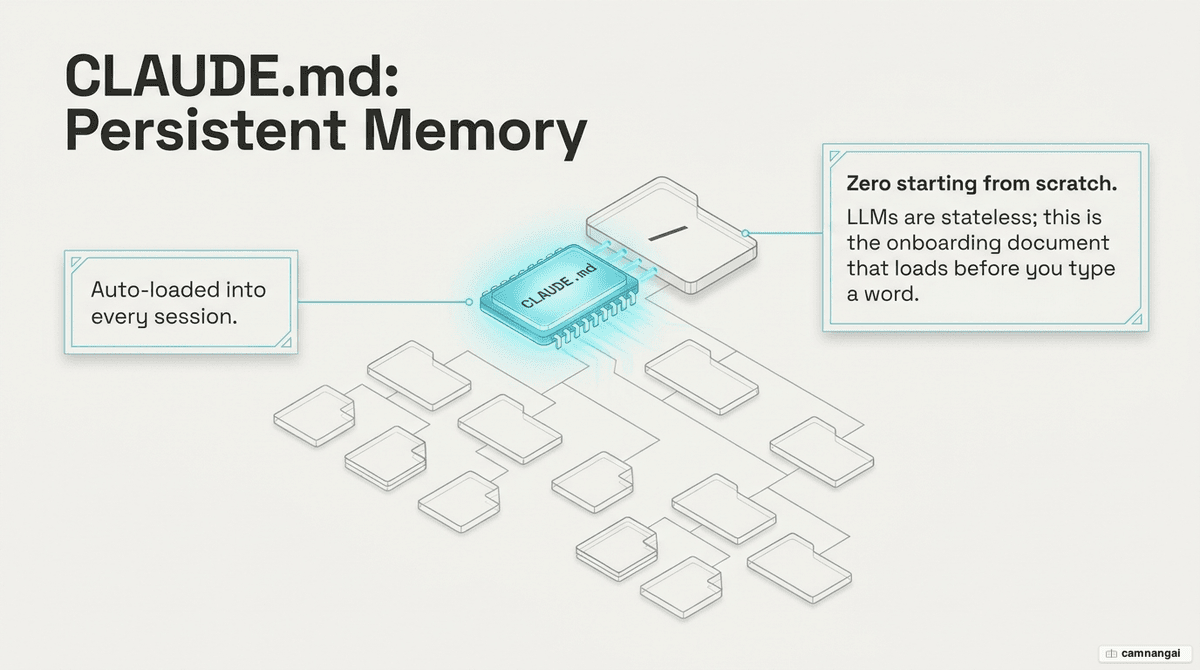
CLAUDE.md is a persistent briefing document that ensures Claude understands your architecture and norms before you send your first prompt.
Large Language Models (LLMs) are essentially stateless functions. Their weights are frozen; they do not learn from your project over time, so every new session with Claude Code begins with a total loss of project context. Without a CLAUDE.md file, you are forced into a cycle of "onboarding overhead," re-explaining your tech stack and conventions every morning.
This amnesia is a waste of your token budget and engineering time. CLAUDE.md transforms a stateless agent into a teammate that already knows your "unwritten" rules. Stop treating every session as a fresh hire walkthrough: by codifying your project's identity and behavioral constraints into this file, you ensure the AI operates with the same baseline knowledge as a senior engineer on your team.
What CLAUDE.md is and why every project should have one
LLMs are stateless functions that only "know" what is currently in the context window. Because they do not learn across sessions, the only way to maintain a consistent developer experience is to provide a persistent source of truth. CLAUDE.md is the only file that automatically enters every conversation context by default.
A high-performance context file defines three core components for your codebase:
- WHAT (Tech Map): the tech stack, project structure, and folder purposes. This is critical for monorepos.
- WHY (Purpose): the goals of the project and the reasoning behind specific modules.
- HOW (Execution): the exact verification steps, build commands, and testing strings required to ship code.
By defining these early, you stop the cycle of repeating "use pnpm, not npm" or "no default exports." You shift the workload from re-explaining to executing.
How Claude Code reads and loads CLAUDE.md
Claude Code uses a bottom-up loading hierarchy through a directory walk. It starts at the filesystem root and moves toward your current working directory, concatenating every discovered file.
The hierarchy and priority follow this path:
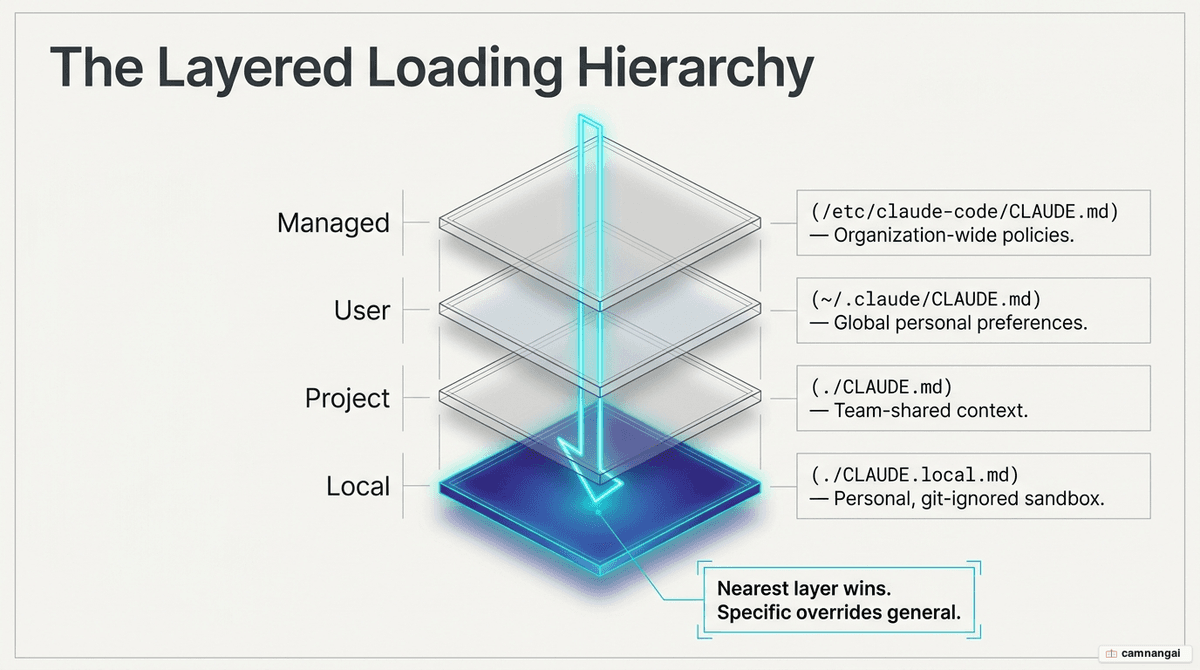
- Managed/Enterprise Policy: high-priority instructions (e.g.
/etc/claude-code/CLAUDE.mdon Linux,/Library/Application Support/ClaudeCode/CLAUDE.mdon macOS, orC:\Program Files\ClaudeCode\CLAUDE.mdon Windows). - User Instructions: personal preferences across all projects at
~/.claude/CLAUDE.md. - Project Instructions: repository-shared rules at
./CLAUDE.md. - Local Instructions: git-ignored personal overrides at
./CLAUDE.local.md.
Because LLMs exhibit recency bias—they follow instructions placed at the end of a prompt more reliably—instructions in your working directory effectively take priority. They appear last in the concatenated context, giving your local project rules more weight than broad enterprise policies.
What to put in CLAUDE.md (and how to start with /init)
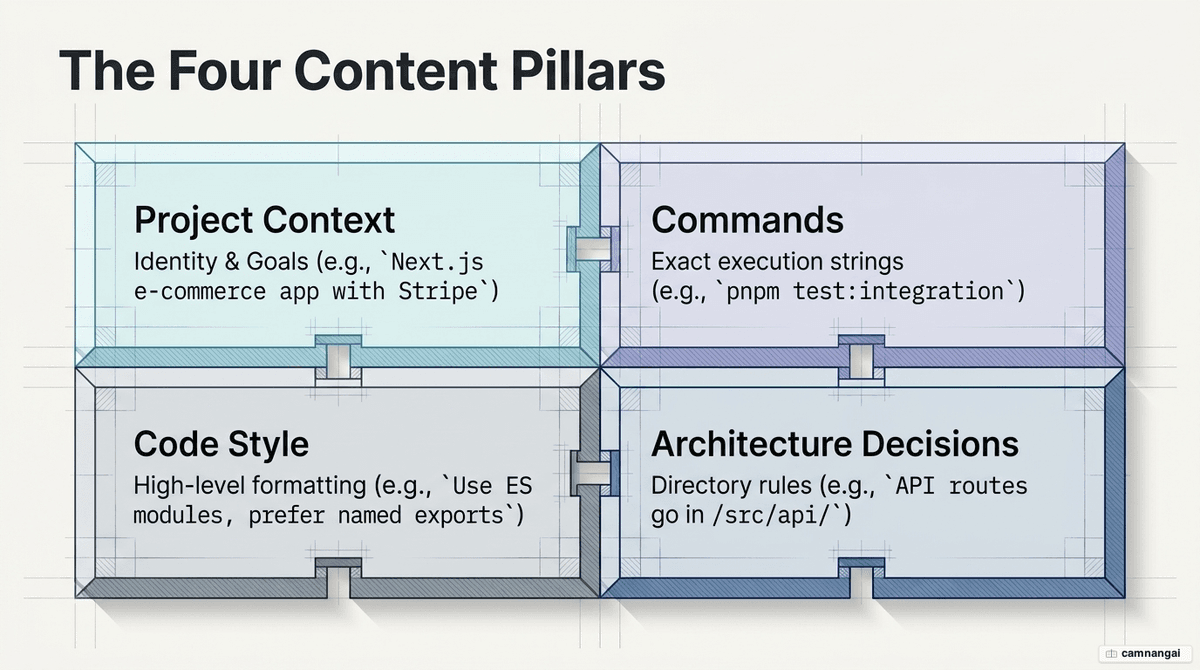
Effective context engineering requires four sections: Project Identity, Code Style, Exact Commands,
and Architecture Decisions. Avoid "filler" text that Claude can infer from a package.json. Focus on
the non-obvious.
Here is a lean example using the @import syntax to manage bloat:
# Project: Next.js E-commerce

- Stack: Next.js 15 (App Router), Tailwind, Drizzle ORM, pnpm.

## Essential Commands

- Build: `pnpm build`
- Test: `pnpm test:integration`
- Lint: `pnpm lint:fix`

## Behavioral Norms

- Use Server Actions over API routes where possible.
- Named exports only. Use 2-space indentation.
- See @docs/api-patterns.md for specific REST conventions.

## Architecture

- Repository pattern for DB access.
- API errors must return `{ error: string, code: number }`.
To bootstrap, run /init. Use CLAUDE_CODE_NEW_INIT=1 for an interactive multi-phase flow. This
command scans your repo, including other tool configs like .cursorrules or .devin/rules/, to
generate a baseline. As a senior engineer, your job is then to prune this draft: delete obvious facts;
keep only the constraints that Claude would otherwise violate.
Principles for writing an effective CLAUDE.md
Apply the Karpathy 4 behavioral guidelines to address judgment failures:
- Don't assume; surface tradeoffs: force the AI to ask questions before writing code.
- Minimum code; no speculative abstraction: no "Strategy patterns" or base classes when a single function suffices.
- Touch only what you must: require surgical diffs. Do not allow the AI to "clean up" adjacent code.
- Define success criteria: give the agent a verifiable target. Loop until the test passes.
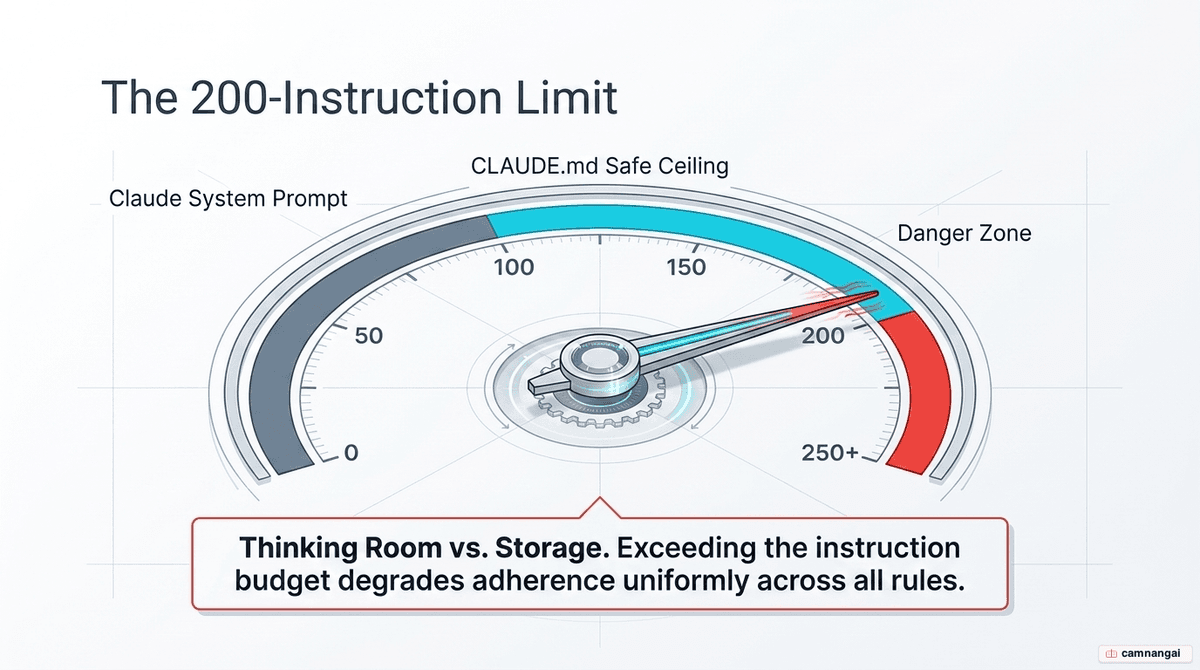
Adhere to the instruction limit. Claude can reliably follow roughly 150–200 instructions. Since the system prompt consumes ~50, your total project rules should stay under 100–150. Model size matters: smaller models decay exponentially in instruction adherence as the count increases, while larger thinking models decay linearly. If your task is complex, use a larger model and keep your rules under 300 lines.
Splitting large files: imports, .claude/rules, and progressive disclosure
To avoid instruction bloat, use the @path/to/file syntax for recursive imports. Anthropic allows a
maximum depth of four hops. This keeps the root file scannable while providing deep-dive context on
demand.
For granular control, use the .claude/rules/ directory. Create topic-specific markdown files and use
YAML frontmatter to scope them:
---
paths: ["src/api/**/*.ts"]
---

# API Rules

- Always use Zod for input validation.
This enables progressive disclosure: Claude only loads these rules when it touches matching files, which preserves the token budget and keeps the AI focused on relevant constraints.
Why Claude ignores CLAUDE.md and how to fix it
Claude Code wraps your memories in a <system_reminder> block, telling the model the content "may or
may not be relevant." If the model deems your instructions irrelevant to the current task, it will
skip them.
The technical fix is to use <important if="condition"> tags. This overrides the "relevance" gate by
signaling exactly when a rule must fire:
<important if="you are writing tests">Always use Vitest and mock the Redis layer.</important>Use this specifically for domain-heavy procedures (like deployments or testing) to prevent the AI from defaulting to generic, incorrect patterns.
How CLAUDE.md, auto memory, and AGENTS.md differ
Don't confuse user-written instructions with machine-learned patterns.
| Feature | CLAUDE.md | Auto Memory (MEMORY.md) | AGENTS.md |
|---|---|---|---|
| Written by | User (you) | AI (Claude) | User (you) |
| Content | Instructions and rules | Learnings and patterns | Universal brief |
| Persistence | Version controlled | Machine-local | Version controlled |
| Limit | Full file loaded | 200 lines / 25KB | Universal standard |
MEMORY.md is stored at ~/.claude/projects/.... It handles debugging insights and preferences
discovered during a session. If it exceeds 200 lines or 25KB, only the first portion loads at startup.
Use CLAUDE.md for team-wide behavioral rules that must persist across machines.
FAQ
Can I use symlinks for shared rules? Yes. The .claude/rules/ directory supports symlinks. This
is the preferred way to deploy a central set of organizational rules across multiple local repositories
without duplicating files.
Does CLAUDE.md replace a README? No. A README is a human-centric overview; CLAUDE.md is an agent-centric technical brief. Keep CLAUDE.md focused on exact commands, specific constraints, and behavioral triggers that an AI needs to execute tasks.
How do I update instructions mid-session? Claude loads these files at session start. If you modify
a rule mid-session, run /clear to reload the context or explicitly prompt Claude to reread the
CLAUDE.md in this folder.
What happens if I use AGENTS.md? Claude Code reads CLAUDE.md. If your repo uses AGENTS.md for other
tools, create a CLAUDE.md that contains @AGENTS.md. This ensures a single source of truth across all
AI agents.
References
- The 4 Lines Every CLAUDE.md Needs — Level Up Coding
- Claude Code for Everything: The Best Personal Assistant Remembers Everything About You — Hannah Stulberg
- How Claude Remembers Your Project — Claude Code Docs
- Writing a Good CLAUDE.md — HumanLayer
- Stop Claude From Ignoring Your CLAUDE.md — HumanLayer
- How to Use CLAUDE.md in Claude Code in 5 Minutes — YouTube
- CLAUDE.md in Claude Code (Walkthrough) — YouTube
- The Complete Guide to AI Agent Memory Files: CLAUDE.md, AGENTS.md, and Beyond — Data Science Collective