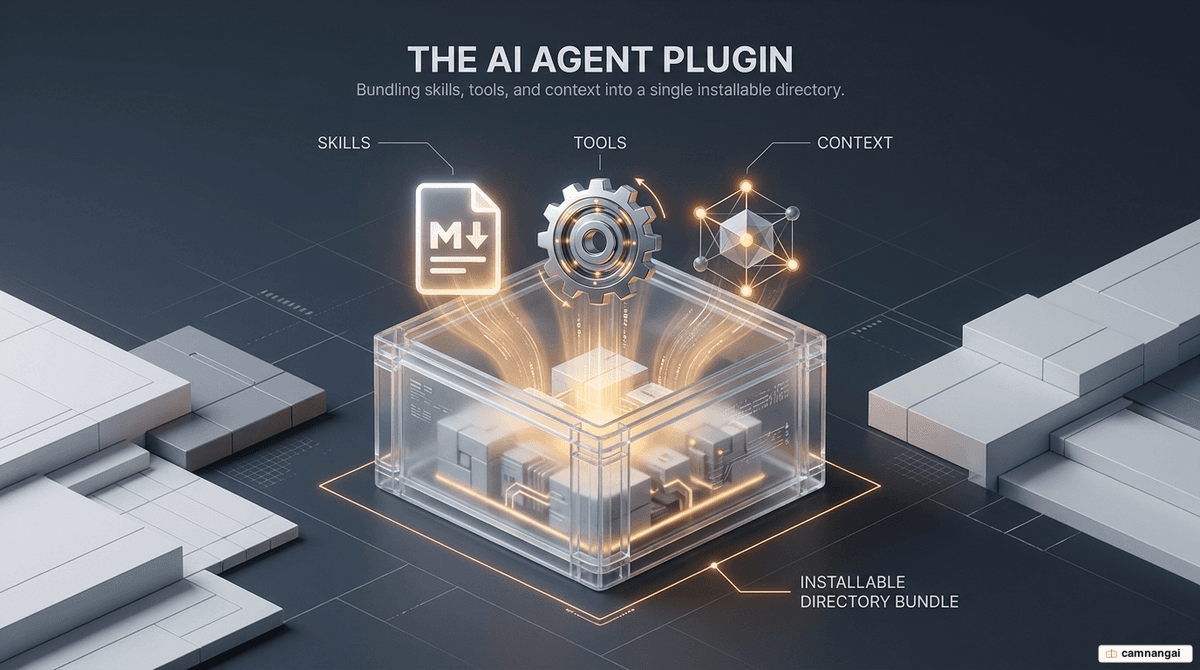
An agent plugin is a distributable package of skills, agents, and components that consolidates AI customizations into a single installable unit.
Scaling AI capabilities across a team needs standardization and distribution, not just better prompting. Plugins package that logic so it stays portable whether it runs in GitHub Copilot, Claude Code, or Gemini.
Use an agent plugin and you drop the manual overhead of configuring each local environment. Instead of every developer maintaining their own instruction set, you ship one versioned, pre-configured environment. You build a capability once and deploy it across the whole engineering lifecycle, from local IDEs to centralized CI/CD pipelines.
What is an agent plugin?
An agent plugin is a distributable package that bundles AI customizations into a single installable unit. Think of it as "npm for AI configurations." A single prompt gives the AI isolated instructions; a plugin packages that intelligence with external tool connections and automated event handlers, creating a versioned environment that prevents configuration drift across teams.
The "cookbook" analogy maps the hierarchy cleanly: a skill is the recipe — a specific set of instructions — while the agent plugin is the cookbook, holding multiple skills and the specialized assistants needed to run complex, multi-step workflows. So all the domain-specific context an AI needs stays portable and immutable.
These plugins follow the Agent Skills open standard (agentskills.io), released by Anthropic in December 2025 and later adopted by OpenAI and Google. The standard is governed by the Agentic AI Foundation under the Linux Foundation. Because the format relies on plain Markdown and JSON, it sidesteps the "black box" limits of proprietary systems and stays portable across Claude Code, GitHub Copilot, and Gemini CLI.
What components make up a plugin?
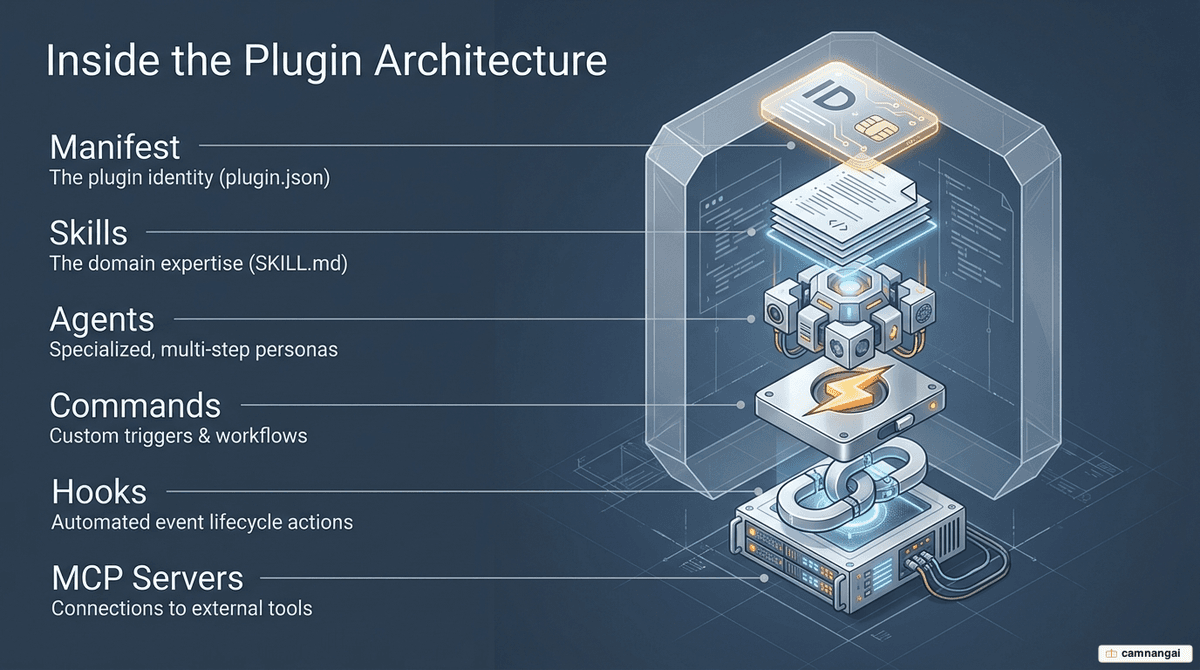
A plugin's internal structure is built for transparency and discoverability. Its core component is the plugin.json manifest file, usually in the .github/ or .claude-plugin/ directory. The manifest is the registry: it defines the plugin's identity and maps the relative paths to every asset it includes.
The standard components of a plugin include:
- Skills: folders containing a
SKILL.mdfile, using YAML metadata to define specific, repeatable tasks. - Specialized agents: persona-driven assistants (residing in the
agents/directory) tuned for specialized reasoning or job roles. - Hooks: defined in
hooks.json, these automate actions triggered by lifecycle events, such as post-edit linting. - MCP servers: integration points using the Model Context Protocol to connect the AI to external systems like Jira or internal databases.
The following example illustrates a standard plugin.json manifest. Paths are relative to the plugin root, starting with ../ to navigate from the manifest directory:
{
  "name": "enterprise-toolbox",
  "version": "1.0.1",
  "description": "Standardized skills for enterprise workflows",
  "skills": ["../skills/code-review", "../skills/jira-sync"],
  "agents": ["../agents/compliance-bot.agent.md"],
  "mcpServers": ["../.mcp.json"]
}
How is a plugin different from a skill and a subagent?
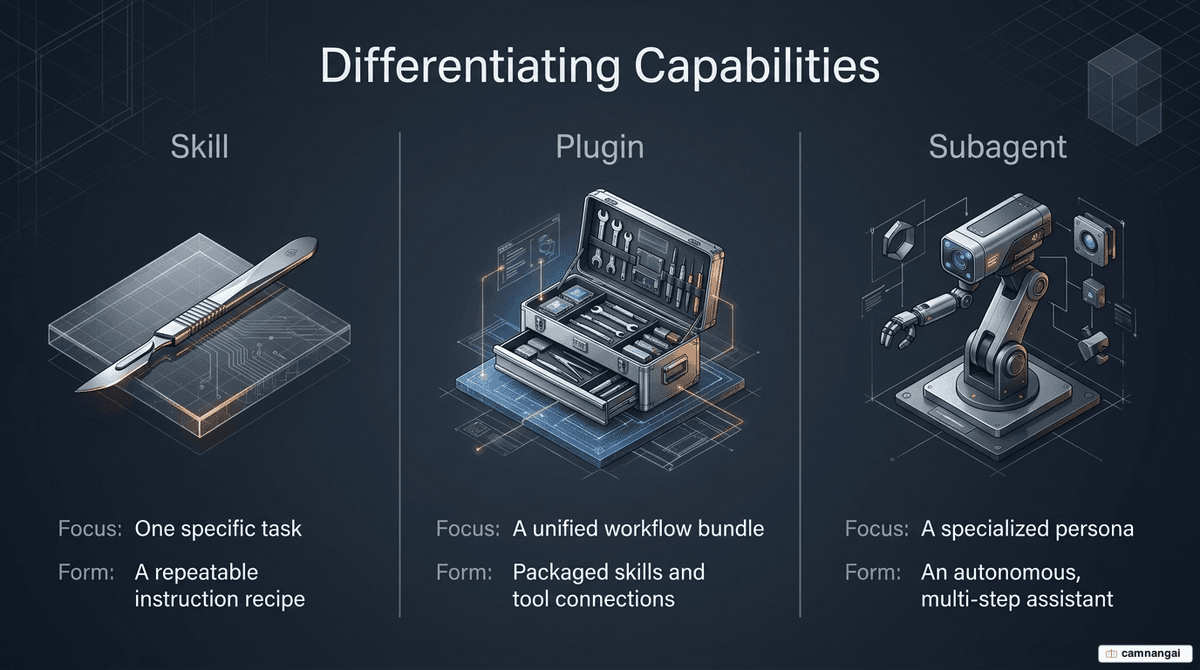
Getting the hierarchy right matters for system design. A skill is the atomic functional unit: a single folder with a SKILL.md file that instructs the AI on one specific task. The key design principle here is on-demand loading — skills load only when the AI decides they're relevant to the prompt, which keeps the context window lean and cuts token waste.
A subagent (or specialized agent) is a persona-driven assistant defined in the agents/ directory. Where a skill is a task-oriented instruction set, a subagent is a defined professional role — a "Security Auditor", say — with its own reasoning framework and tool access for multi-step work.
The plugin is the container for these assets. You reach for a plugin when a workflow needs a set of related skills to stay bundled, or when those skills depend on external system connections (MCP). A "DevOps" plugin, for example, would package skills for log analysis alongside an MCP server connection to your monitoring cluster, so the agent has the data access its role needs.
How do marketplaces distribute plugins?
The ecosystem runs on a decentralized marketplace model, where a marketplace is just a Git repository with a marketplace.json registry file. That registry points to external repositories and uses Git tags to manage versioning. Register a marketplace in your AI tool and you can install capabilities as easily as packages from a standard package manager.
Public marketplaces like copilot-plugins and awesome-copilot offer community-contributed assets, but they need technical scrutiny before you trust them. Enterprises usually keep their own private, central repositories instead. Admins use these to push approved plugins to employees, tagging each one "required," "self-service," or "hidden" for staging — so only audited tools reach production.
How do you install and use a plugin?
Installation works from both the CLI and the IDE. For terminal-based tools, run copilot plugin install <source>. This clones the plugin into a local directory — typically ~/.copilot/installed-plugins/ — where the manifest is indexed and the components are wired into the runtime environment.
For VS Code, first enable the feature by setting chat.plugins.enabled to true. Then add marketplaces to the chat.plugins.marketplaces array in your user settings. Because these settings live at the user level, the plugins persist across workspaces and project-specific containers.
Most of the time, usage is invisible. Thanks to on-demand loading, the AI invokes an installed skill on its own whenever it matches your prompt's intent. You can also trigger specialized agents or slash commands directly (for example, /jira:create-issue) to kick off specific workflows defined in the plugin manifest.
When should you package something as a plugin?
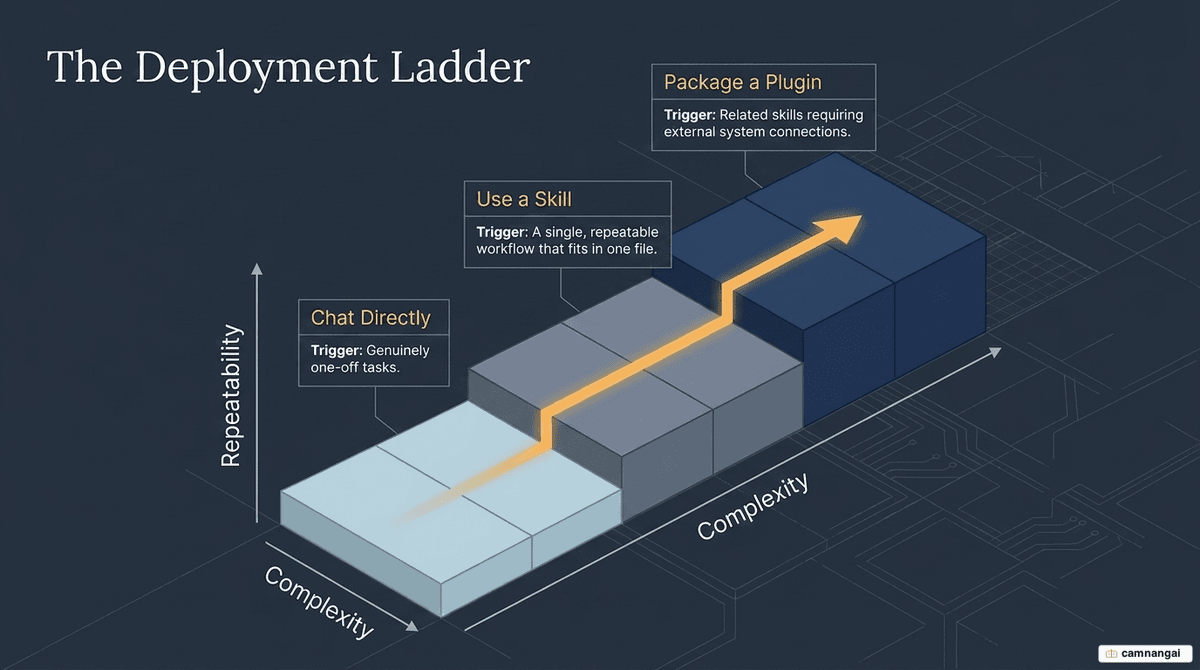
You should move from a standalone skill to a full plugin when you need to prevent configuration drift. If you have a suite of related skills that must stay synchronized — such as a specific framework's deployment logic — packaging them as a plugin ensures every team member runs the same versioned instructions.
Plugins are also mandatory when your workflow requires external system connections. If your agent needs to interact with a CRM or database via the Model Context Protocol (MCP), the plugin manifest is the only way to package those requirements so they install automatically for other users.
Don't over-engineer it: for genuinely one-off tasks, direct prompting is enough. Plugins and skills are engineering artifacts meant for repeatable, standardized, shared workflows. If a task doesn't need versioning or external system access, the overhead of packaging buys you nothing.
Plugins in the enterprise and security concerns
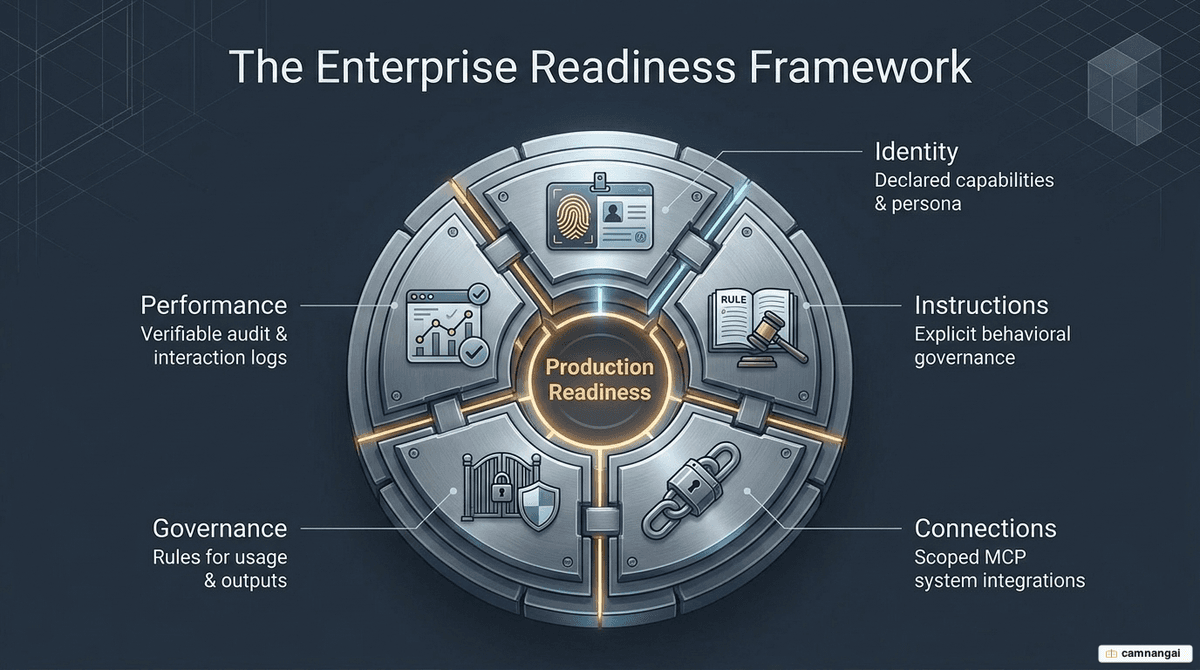
Deploying AI agents opens specific security vectors. Audits of public marketplaces like ClawHub have found that 12–20% of skills are malicious. And 1 in 8 enterprise security incidents now involve AI agent systems, often because of over-permissioned agents — a state that affected 78% of compromised systems in 2025.
The agent plugin architecture mitigates these risks by making transparency structural. Because the SKILL.md and plugin.json files are plain text, they are fully auditable: compliance officers can inspect the exact instructions and scoped MCP connections before deployment. This swaps the "black box" risk of traditional software for a verifiable record of what the agent intends to do.
Enterprise readiness is managed via a five-property evaluation framework:
- Identity: defined name and persona.
- Instructions: explicit, readable text governing behavior.
- Connections: declared and scoped system integrations (MCP).
- Governance: rules defining authorization and output handling.
- Performance record: interaction logs and escalation history for auditing.
FAQ
Are plugins compatible between Claude and Copilot? Yes. Both adhere to the open Agent Skills standard. For full compatibility, include dual manifests: plugin.json in a .github/ directory for Copilot and a .claude-plugin/ directory for Claude. The core Markdown logic and MCP connections remain identical across platforms.
Do I need to be a programmer to create a plugin? Not for the intelligence layer. Skills are authored in plain Markdown. However, configuring the infrastructure — the JSON manifest files, MCP server declarations, and event hooks — requires a basic understanding of technical environment configuration and directory structures.
How do I update a plugin I've already installed? In the CLI, run copilot plugin update to pull the latest tagged versions from the registered marketplace. In VS Code, updates are managed through the marketplace interface, provided the maintainer has updated the marketplace.json registry with a new version tag.