Standardize your environment using roughly 8 audited Claude Code skills to maximize reasoning performance. The marketplace is flooded with community tools, but a senior-level setup prioritizes a lean configuration to avoid the "context tax." Every skill you install is force-fed to the model at the start of every turn, consuming reasoning space before the agent even parses your codebase.
Anthropic's official guidance is restrictive: the total budget for skill descriptions is limited to 1% of the context window, with each individual description capped at 1,536 characters. Go past that budget and Claude Code doesn't just bloat your context — it starts trimming and then dropping the descriptions of your least-used skills to stay under the cap, so those skills silently stop firing even though they're still installed.
Shifting from a junior "stack-heavy" mindset to a senior pattern requires a 30-day audit cycle. By maintaining a curated list of high-utility tools, you reduce latency and improve the accuracy of tool selection. This checklist identifies the skills that survive technical scrutiny and explains the mechanical reality of managing them for peak efficiency.
What a Claude Code skill is — and why more isn't better
A Claude Code skill is a description-backed tool stored in ~/.claude/skills/ that the engine
compiles into the system prompt.
Every time you initialize the CLI, the model reads these descriptions to learn its capabilities. Each one is capped at 1,536 characters, and the whole listing is held to ~1% of the context window. Pile on a few dozen skills and you blow that budget — Claude Code then trims and drops the descriptions of the ones you use least, so they quietly stop triggering before you ever notice.
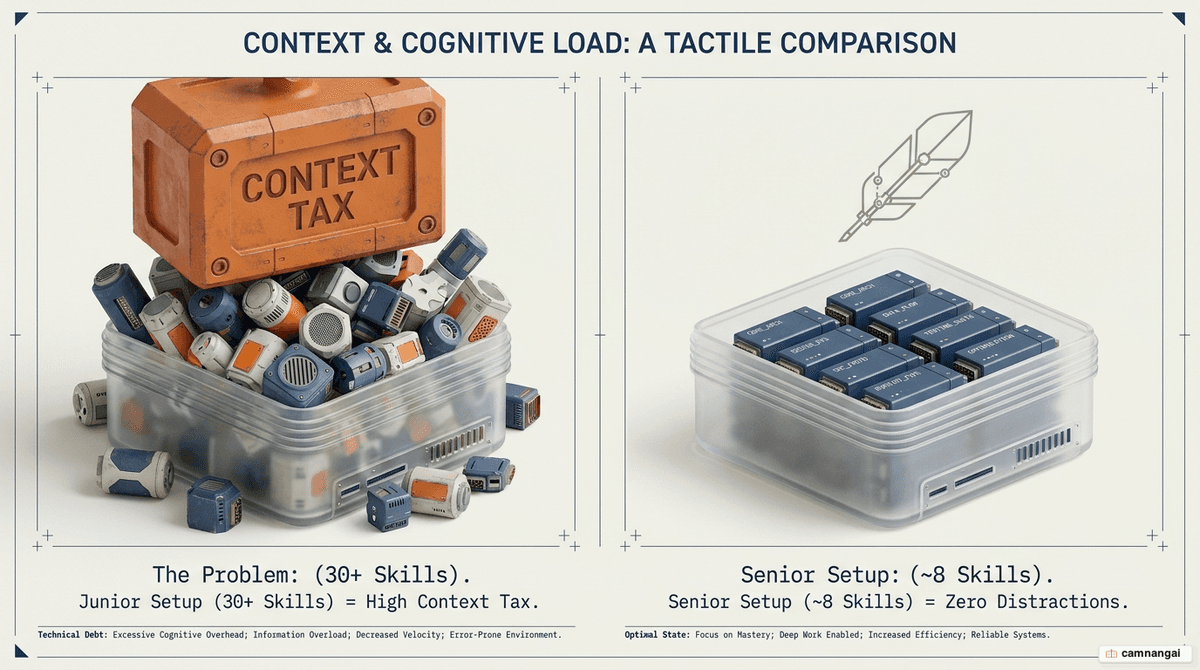
A bloated skill folder charges you a tax on every turn, whether or not a given skill fires:
- Higher latency — every description is reloaded into the system prompt on each turn.
- Wrong tool selection — too many similar skills confuse the model, which might attempt a database migration when you only asked to format a file.
- Shallower reasoning — redundant tool schemas crowd out working memory, hurting bug detection and cross-module understanding.
The difference between a junior and a senior setup isn't sophistication, it's the discipline to delete: juniors keep accumulating dozens of skills, seniors keep roughly 8 audited capability blocks.
How to install and invoke a skill
There are two installation paths:
- Official: add a marketplace with
/plugin marketplace add, then install with/plugin install [skill-name]@[marketplace]. This path handles installation and directory placement for you. - Community: clone the repository directly into
~/.claude/skills/with standard terminal commands.
A few things to know when using them:
- Hot-reload — Claude Code watches
~/.claude/skills/live, so you don't need to restart after adding or removing a folder. - Invocation — call a skill with its slash command, or let the model trigger it automatically when your request matches the description in its YAML frontmatter.
- Verify — ask "What skills are available?"; if a skill isn't listed, the engine hasn't compiled it.
- Audit community skills — poorly written YAML descriptions waste tokens or collide with existing triggers.
skill-creator: the skill to install before any other
skill-creator is a "meta-skill" — a tool for building other tools — and it belongs first in any professional setup. Instead of hand-writing YAML and execution logic, you describe what you want in plain English and let it handle the rest. It does three jobs:
- Generates clean configuration — authors YAML frontmatter with a
descriptiontuned so the model triggers it at the right time, avoiding false positives. - Detects overlap — surfaces competing trigger phrases that make the model hesitate, and suggests merging fragmented skills (e.g. collapsing three Git helpers into one).
- Flags one-shot tasks — if a request doesn't need complex logic or tool chaining, it recommends a rule in CLAUDE.md instead of a permanent skill.
name: review-pr
description: Review the current PR diff and flag risks. Use before commit.
allowed-tools: Bash(git diff *), Bash(gh pr *)
Skills that enforce senior-engineer discipline
These skills intentionally slow the model down to raise first-pass quality:
- grill-me (by Matt Pocock) — forces the agent to interview you, often 16–50 questions, mapping every branch of a decision before a single line of code is written. It kills the guessing games that cause hours-long correction cycles.
- superpowers — mandates a plan-test-review workflow in an isolated environment: plan, write tests first, then self-review. It shifts first-pass success from 60% to 80%.
Matt Pocock's skills: real engineering, not vibe coding
grill-me above is just one piece of Matt Pocock's skills collection — a toolkit built around the philosophy of "real engineering, not vibe coding," aimed at four common failure modes: drift between intent and execution, agents that talk a lot but lack domain language, untested code, and architectural entropy. The standouts worth installing:
- tdd — enforces a red-green-refactor cycle, building features one vertical slice at a time instead of writing everything and testing later.
- diagnosing-bugs — a systematic debugging loop: reproduce → minimize → hypothesize → instrument → fix.
- codebase-design — applies a deep-module philosophy with interface, seam, and adapter vocabulary to keep architecture clean.
- improve-codebase-architecture — generates HTML reports of architectural deepening opportunities.
- grill-with-docs — the "grill" interview plus domain-model building and CONTEXT.md updates.
- handoff — compacts a whole conversation into a handoff document so another agent can pick up seamlessly.
Skills for frontend and design work
Default AI output looks generic — neutral palettes, default fonts. Treat the pair below as a single "Design Bundle" when counting skills:
- frontend-design — forces a specific design direction (brutalist, retro-futuristic, editorial) by overriding the model's default weights before any CSS is generated.
- theme-factory — injects design-token schemas and generates consistent CSS variables and Tailwind config across the app, removing manual design fixes later.
- ui-ux-pro-max — a design-intelligence toolkit: searchable databases of UI styles, palettes, font pairings, and UX guidelines that generate a tailored design system before Claude writes a line of CSS.
/plugin marketplace add anthropics/claude-code
/plugin install frontend-design@anthropics/claude-code
/plugin install theme-factory@anthropic-agent-skills
Local binary generation via the Document Bundle
- document-skills — generates real PDF, XLSX, DOCX, and PPTX files instead of a Markdown blob. Language models emit text, not binary formats; this bundle runs local scripts so the agent ships files non-technical stakeholders can open.
The bundle is a core "4-to-1" senior pattern: it replaces four separate MCP servers (the ones developers run just to parse Excel or generate PDFs), so you keep document-manipulation power without loading external JSON schemas into context.
Skills for testing, security, and safe execution
This trio protects quality and your machine before code reaches the main repository:
- webapp-testing — orchestrates a headless Playwright session and reads the DOM accessibility tree, so the agent "sees" real structure and fixes UI bugs like a bad z-index or an obscured element.
- static-analysis (Trail of Bits) — integrates Semgrep and CodeQL to catch "grep-able" vulnerabilities — SQL injection, hard-coded secrets, missing CSRF tokens — before you open a pull request.
- agent-sandbox — uses E2B to run code in an isolated ephemeral environment, preventing recursive deletes or leaked
.envfiles; only the verified diff returns to your local repo.
# Example sandbox initialization command
uv run sbx init --timeout 1800
Skills for memory and context across sessions
These turn disconnected prompts into a continuous development cycle:
- context-mode — filters junk command output before it enters the agent's memory, keeping a session coherent for hours instead of failing after 30 minutes.
- claude-mem — local long-term memory: it summarizes architectural decisions and bug fixes, then auto-injects them into new sessions so you stop re-explaining the project.
Skills that extend Claude Code itself
This group extends core capability while keeping the system prompt lean:
/simplify(built into Claude Code, alongside/debug,/batch,/loop) — uses a 25K-token compaction budget to refactor a diff for maintainability; worth running before every commit.- mcp-builder — generates small, purpose-built MCP servers from plain English instead of loading bloated general-purpose ones.
The governing rule is "skills-first": use local skills for the reasoning layer, and reach for MCP (the Model Context Protocol) only when the agent must touch external systems or live data.
More skills and bundles worth installing
Beyond the individual skills above, these community tools and bundles are worth adding to your kit:
- Find Skills (vercel-labs) — discovers and installs skills on demand: ask "is there a skill for X?" and it searches the open skills ecosystem and wires the match in. The companion to skill-creator once your needs outgrow what you've built.
- gstack (Garry Tan, YC) — Garry Tan's exact Claude Code setup: ~23 opinionated slash-command skills that turn Claude into a virtual team — CEO, designer, eng manager, reviewer, QA, security, and release engineer. Adopt it wholesale or cherry-pick.
- baoyu-skills (Bao Yu / @dotey) — a 20+ skill collection for content and utility work: article illustrators, cover-image generators, diagrams, and publishing helpers. Install only the ones you need.
- NotebookLM Skill — lets Claude Code query your Google NotebookLM notebooks for source-grounded, citation-backed answers drawn from your own documents.
The monthly audit: keeping your checklist lean
Treat skill maintenance like code maintenance and audit every 30 days. The top deletion candidates are skills that spend tokens without earning them — usually better replaced by a direct instruction in CLAUDE.md. Use this four-question framework:
- Frequency — was it triggered in the last 30 days? If not, delete it; reinstalling takes seconds.
- Overlap — does its description compete with another skill? Overlapping triggers make the model hesitate. Consolidate.
- Replaceability — could this be a one-shot prompt in CLAUDE.md? If it doesn't run bash or chain tools, it's a rule, not a skill.
- Footprint — does its monthly token cost justify the hours it saves you?
The script below installs a clean "survivor" list. It creates 11 folders, but they represent the 8 capability blocks above (grouping the document and design bundles).
git clone https://github.com/anthropics/skills.git /tmp/anthropic-skills
git clone https://github.com/anthropics/claude-code.git /tmp/claude-code
git clone https://github.com/trailofbits/skills.git /tmp/tob-skills
git clone https://github.com/disler/agent-sandbox-skill.git /tmp/agent-sandbox

mkdir -p ~/.claude/skills
cp -r /tmp/anthropic-skills/skills/skill-creator    ~/.claude/skills/
cp -r /tmp/anthropic-skills/skills/pdf              ~/.claude/skills/
cp -r /tmp/anthropic-skills/skills/docx             ~/.claude/skills/
cp -r /tmp/anthropic-skills/skills/xlsx             ~/.claude/skills/
cp -r /tmp/anthropic-skills/skills/pptx             ~/.claude/skills/
cp -r /tmp/anthropic-skills/skills/theme-factory    ~/.claude/skills/
cp -r /tmp/anthropic-skills/skills/webapp-testing   ~/.claude/skills/
cp -r /tmp/anthropic-skills/skills/mcp-builder      ~/.claude/skills/
cp -r /tmp/claude-code/plugins/frontend-design/skills/frontend-design ~/.claude/skills/
cp -r /tmp/tob-skills/plugins/static-analysis       ~/.claude/skills/
cp -r /tmp/agent-sandbox/.claude/skills/agent-sandboxes ~/.claude/skills/agent-sandbox

rm -rf /tmp/anthropic-skills /tmp/claude-code /tmp/tob-skills /tmp/agent-sandbox
ls ~/.claude/skills/