Claude for Teachers is a free AI toolkit from Anthropic for verified U.S. K-12 educators: premium Claude capabilities, a dedicated library of teaching skills, and a direct connection to evidence-based curricula mapped to academic standards across all 50 states.
The platform is built to cut the time teachers spend on preparation and administrative tasks that typically run beyond contracted hours. By anchoring its output in high-quality instructional materials and academic standards, it minimizes the "checking" workload that general-purpose AI usually creates, and it connects to the Learning Commons knowledge graph to stay aligned with state-level requirements.
The rollout ships with privacy protections and data-handling agreements co-developed with a teachers' union. Those protocols keep student information secure while educators use the system for instruction and class-wide data analysis. An 18+ age restriction remains a core policy: the tool is for the adult professional in the classroom, not a student-facing resource.
What is Claude for Teachers?
Claude for Teachers is a configuration of the Claude assistant optimized for K-12 professionals. It integrates connectors and tools that link curriculum evidence to the tight time constraints of a standard school week, which is the constraint most classroom AI products quietly ignore. For now the platform is an individual-educator tool, though a district-level offering is in development to add administrative oversight and control.
Access requires a formal verification process. You register with a school-issued email address and provide secondary documentation, such as a current school ID, a teaching contract, a recent pay stub, or a professional certificate, to confirm your status. This layer ensures the premium features and privacy protections are restricted to active education professionals.
The offer provides premium features at no cost for one year if you register by June 30, 2027, including higher usage limits and access to advanced reasoning models. While the tool is available nationally, Anthropic is running a structured evaluation in the Detroit Public Schools Community District, a pilot run with the Gates Foundation that measures the tool's impact on educator well-being and instructional practice inside a large public district.
Grounding in curriculum standards: the core difference
The main technical difference is the integration with Learning Commons, a project of the Chan Zuckerberg Initiative. The system uses a knowledge graph that maps academic standards for all 50 states and identifies the granular learning competencies and sequences beneath each one. This prevents the guessing typical of general-purpose LLMs, which often produce results that are educationally thin or misaligned with grade-level expectations.
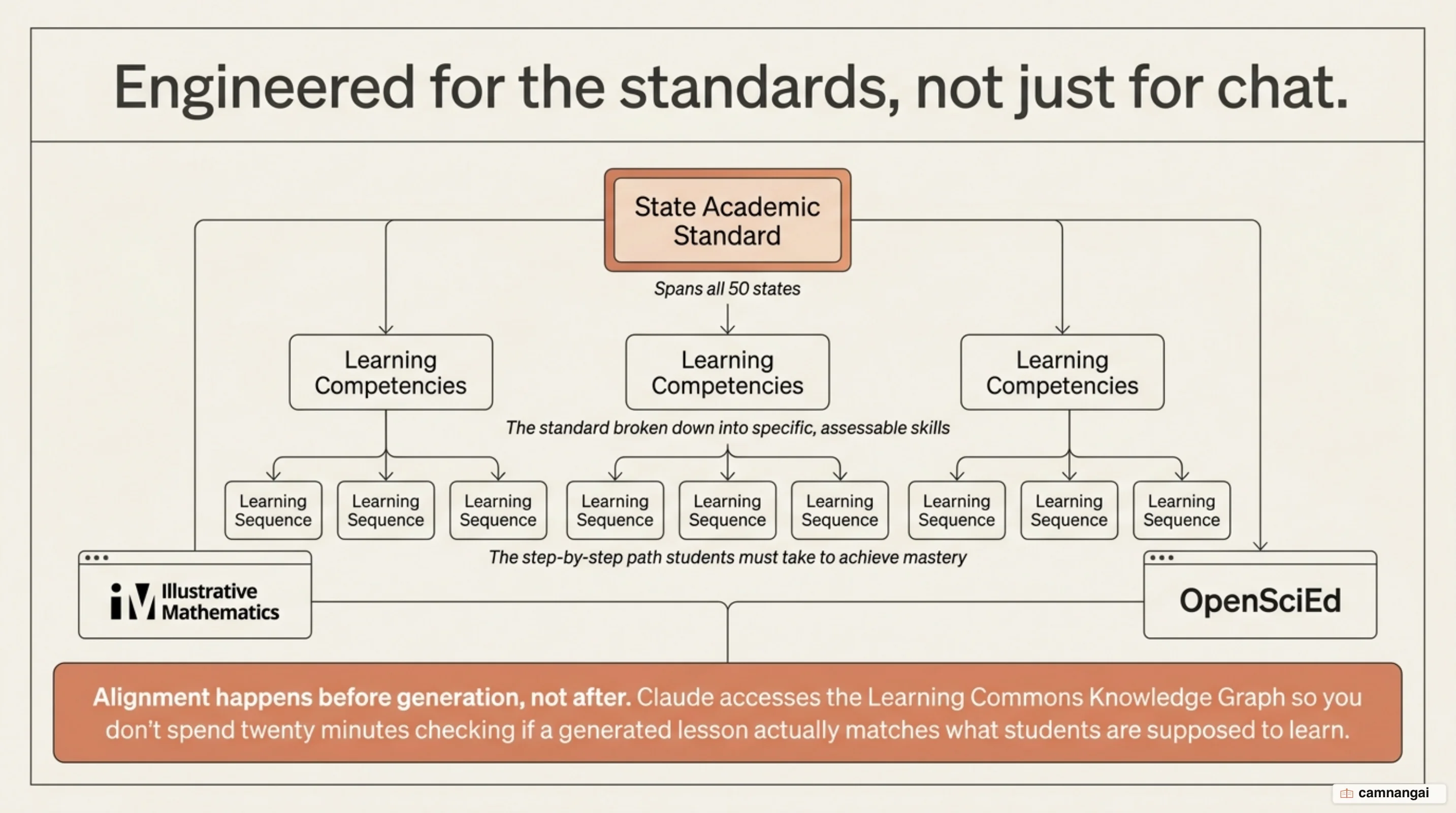
The tool grounds its output in specific, evidence-based resources such as Illustrative Mathematics (IM v.360) and OpenSciEd. Because it draws on these high-quality instructional materials before answering, it keeps lesson plans and assessments pedagogically sound. Alignment happens up front, which cuts the verification work needed to confirm that a generated resource matches the current curriculum stage. That is a plumbing difference rather than a prompting one, and it is the part a competitor would find hardest to copy.
That grounding extends to a broad ecosystem of K-12 connectors. You can integrate Claude across tools including ASSISTments, Brisk Teaching, Canva Education, Coteach, Diffit, Eedi, MagicSchool, Snorkl, and TeachFX. These integrations let it act as a central hub for auto-scored math problems, high-quality diagrams, and diagnostic questions that surface how students are thinking across multiple platforms.
What can teachers actually do with Claude?
The system automates professional workflows through a library of teaching skills. You can generate a 45-minute lesson plan for a specific grade level with student-facing materials such as do-now activities, worked examples, and exit tickets. The tool is built to anticipate common student misconceptions for a topic such as multiplying fractions, and suggest discussion questions designed to surface and correct those mental models.
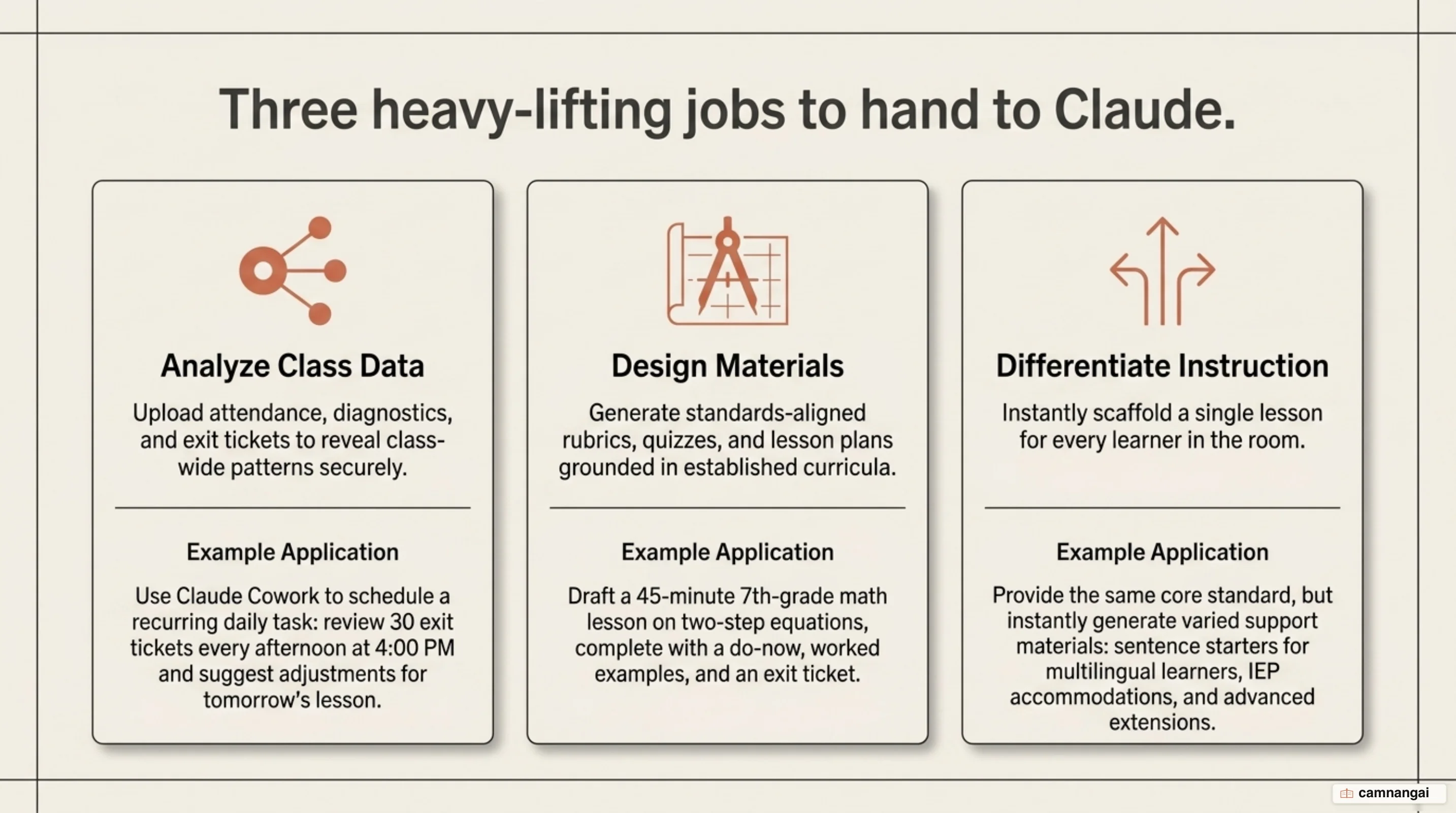
Differentiation is one of its main uses. By giving Claude context about reading levels, English language learner (ELL) status, or Individualized Education Program (IEP) accommodations, you can adapt a single lesson into multiple versions. It produces sentence starters and scaffolds for students who need support while generating extension tasks for advanced learners, so everyone works toward the same standard with calibrated help.
Heavier automation runs through the agentic tools Claude Code and Cowork, which operate on schedules you define. You can have Claude review daily exit tickets at 4:00 PM to suggest adjustments for the next day, or analyze class data sets — attendance records, rosters, and diagnostics — to spot performance patterns or group students for reteaching. The teacher still authors the intent; the tool runs the routine.
Built for teachers, not students
Anthropic keeps a strict 18+ age restriction for Claude, a policy that separates it from competitors deploying AI tutors directly to minors. The system supports the preparation, analysis, and planning phases of teaching while preserving the teacher–student relationship. It targets the professional work of the teacher rather than trying to replace direct instruction with a chatbot, and that restraint costs Anthropic the loudest part of the education market.
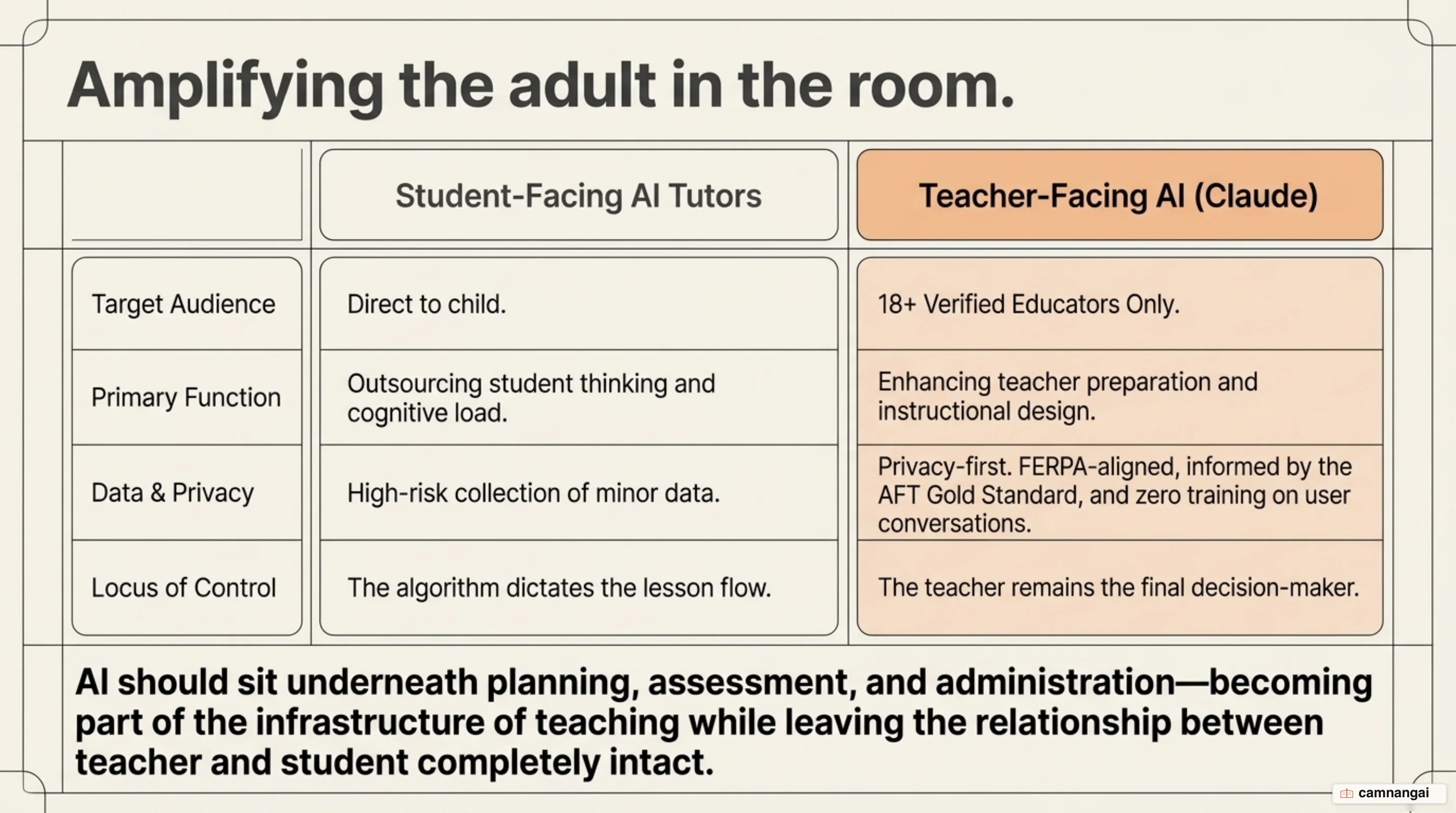
The logic of this adult-first design rests on safety and governance. Overseeing an AI tool used by trained professionals is more stable than managing one used independently by millions of children. By automating repetitive, high-friction work, the tool aims to keep the teacher as the primary instructional authority and reduce students' cognitive offloading.
This model prioritizes human judgment. While the tool drafts parent newsletters, rubrics, and lesson scaffolds, the teacher remains responsible for reviewing and authorizing every output. Anthropic has also released its teaching skills — and details of how they were evaluated — as open source, so the pedagogy inside the tool can be inspected rather than trusted as a black box.
Privacy, cost, and the concerns
Privacy runs through a "gold standard" partnership with the American Federation of Teachers (AFT). For verified teacher accounts, conversations are excluded from Anthropic's model training by default. The platform is engineered for FERPA compliance, using a K-12 Data Processing Addendum to protect student information and defined service-level agreements for data deletion.
The AFT partnership carries financial weight: the National Academy for AI Instruction is a $23 million initiative, with Anthropic contributing $500,000 in its first year toward teacher training. Despite these measures, critics flag real risks. District leaders have raised concern that marketing directly to individual teachers bypasses district-level oversight of data governance and state law. There is also the potential for de-skilling newer teachers who lean on the AI to break down standards instead of building that pedagogical skill themselves.
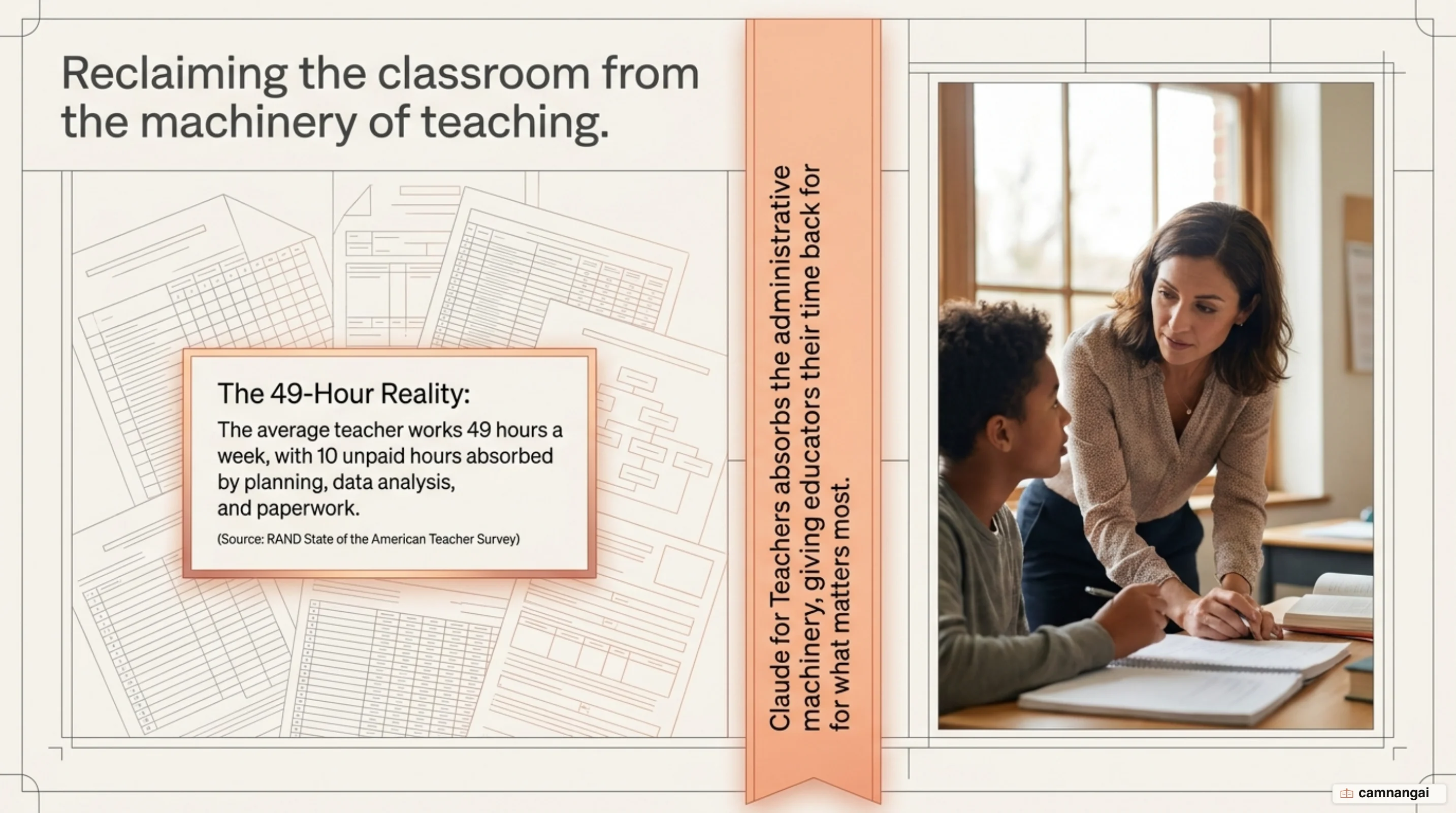
The tool addresses a measurable workload crisis. Data from RAND and Gallup put the average public school teacher at a 49-hour week, with roughly 10 of those hours unpaid and spent on administrative prep. Surveys suggest AI can save educators an average of 5.9 hours a week — but the unknown pricing after the free year remains a real concern for long-term district budgeting.
Who should use it, and where to start
Claude for Teachers is immediately useful for educators putting in long unpaid hours on differentiation and administrative planning. It links high-quality curriculum evidence to the time it takes to customize materials for a diverse room. If you need a system that keeps lesson resources standards-aligned without manual checking, the tool is a practical answer.
If I were setting this up, I would start with one high-friction, repetitive task rather than a full system overhaul — drafting a weekly parent newsletter, say, or building scaffolds for a lesson students consistently struggle with. That narrow test tells you whether the output actually reduces your workload, or whether verifying its drafts just creates a different kind of administrative work in your context.
References
- Introducing Claude for Teachers — Anthropic
- Claude for K-12 Teachers — Claude by Anthropic
- Introducing Claude for Education — Anthropic
- Anthropic launches Claude for Teachers in AI race to influence America's classrooms — Chalkbeat
- Anthropic Introduces Claude for Teachers — EdSurge
- Anthropic Launches Claude for Teachers. Why Some Critics Are Concerned — EdWeek
- Anthropic Launches AI For Teachers — Forbes (Dan Fitzpatrick)
- Anthropic is giving teachers free access to premium Claude features — 9to5Mac