Raw large language models cannot reliably complete complex, multi-file software engineering tasks when operated in single-pass isolation. Unconstrained decision loops suffer from degradation, self-evaluation leniency, and uncontrolled execution drift. To build reliable coding agents, you must shift your mental model from raw prompting to Agent = Model + Harness—engineering a deterministic runtime framework that wraps non-deterministic model calls.
Mastering production-grade Claude Code harness patterns allows you to enforce strict context resets, coordinate specialized orchestrations, and drive adversarial verification loops that catch logic and UI failures before code is committed.
Mastering these 12 harness patterns is what turns an experimental language model into a predictable, autonomous software engineering pipeline.
Why the Model Is Only Half the Story: The Agent = Model + Harness Formula
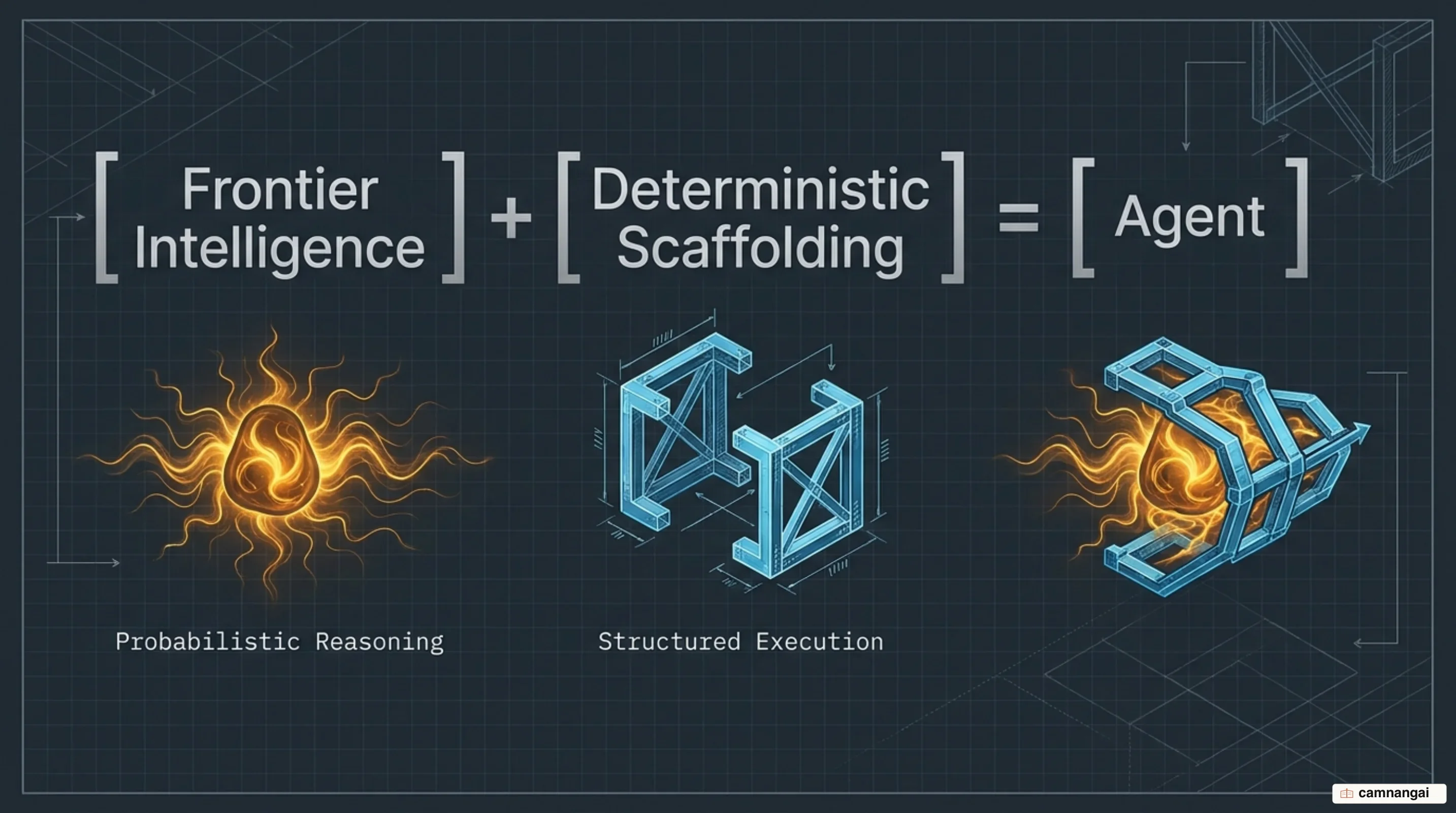
When building software engineering applications with , raw model capability quickly hits a structural ceiling. Adding agentic complexity introduces a clear engineering trade-off: you exchange higher execution latency and increased expenditure for superior execution accuracy across long-running tasks. While single LLM calls augmented with retrieval are sufficient for isolated code generation or simple queries, open-ended engineering problems—such as resolving complex SWE-bench tasks or building full-stack applications—fail under single-pass execution. The model requires an external runtime harness to structure exploration, persist architectural state, and audit non-deterministic outputs.
A primary flaw in unharnessed agent execution is self-evaluation failure. When an LLM evaluates its own output, it exhibits severe evaluator leniency—confidently approving broken implementations, unhandled inputs, or non-functional event handlers. In early agent tests, out-of-the-box models acting as QA inspectors identified legitimate bugs but repeatedly talked themselves into deciding the issues were minor, ultimately approving broken code. To solve this, you must implement Pattern 1: Skeptical Evaluator Isolation. This pattern decouples the generator agent from the evaluator agent, tuning the evaluator specifically for skepticism. Calibrating the evaluator prompt against human judgment logs and enforcing hard scoring thresholds per criterion prevents the evaluator from approving sub-par work, giving the generator concrete, objective feedback to iterate against.
The practical impact of over solo model execution was demonstrated in empirical testing using Claude Opus 4.5 to build a 2D retro video game maker from a 1–4 sentence prompt. The solo model run executed for 20 minutes at a cost of $9, producing a rigid layout where fixed-height panels left the viewport largely empty, component wiring was broken, and entity interactions failed to process input. Conversely, a full three-agent harness (Planner, Generator, and Evaluator) expanded the prompt into an explicit 16-feature product specification implemented across 10 sprints. Running for 6 hours at a cost of $200, the harness delivered a full-viewport canvas, sprite animations, behavior templates, sound effects, music, AI-assisted sprite and level generators, game export via shareable links, and fully verified playable game logic.
Quantitative benchmarks confirm these architectural results across broader software engineering workloads. Controlled A/B testing across 15 software engineering tasks demonstrated that pre-configuring agents with structured harnesses increased mean output quality from 49.5 to 79.3 (a 60% relative performance gain), achieved a 15/15 win rate over un-harnessed runs, and reduced output variance by 32%.
| Metric / Aspect | Solo Model Run (Opus 4.5) | Full Harness Architecture (Planner-Generator-Evaluator) |
|---|---|---|
| Duration | 20 minutes | 6 hours |
| Total Cost | $9 | $200 |
| Feature Scope | Rigid UI layout, empty viewports, static entity placement, broken wiring | 16-feature spec: full viewport, sprite editor, animation system, sound/music, AI generators, export links |
| Functional Correctness | Failed: Broken game loop; entity-to-runtime wiring failed; input unhandled | Verified: Fully playable runtime logic, physics engine verified via Playwright browser checks |
Memory & Context: Keeping the Agent Grounded Across Long Sessions
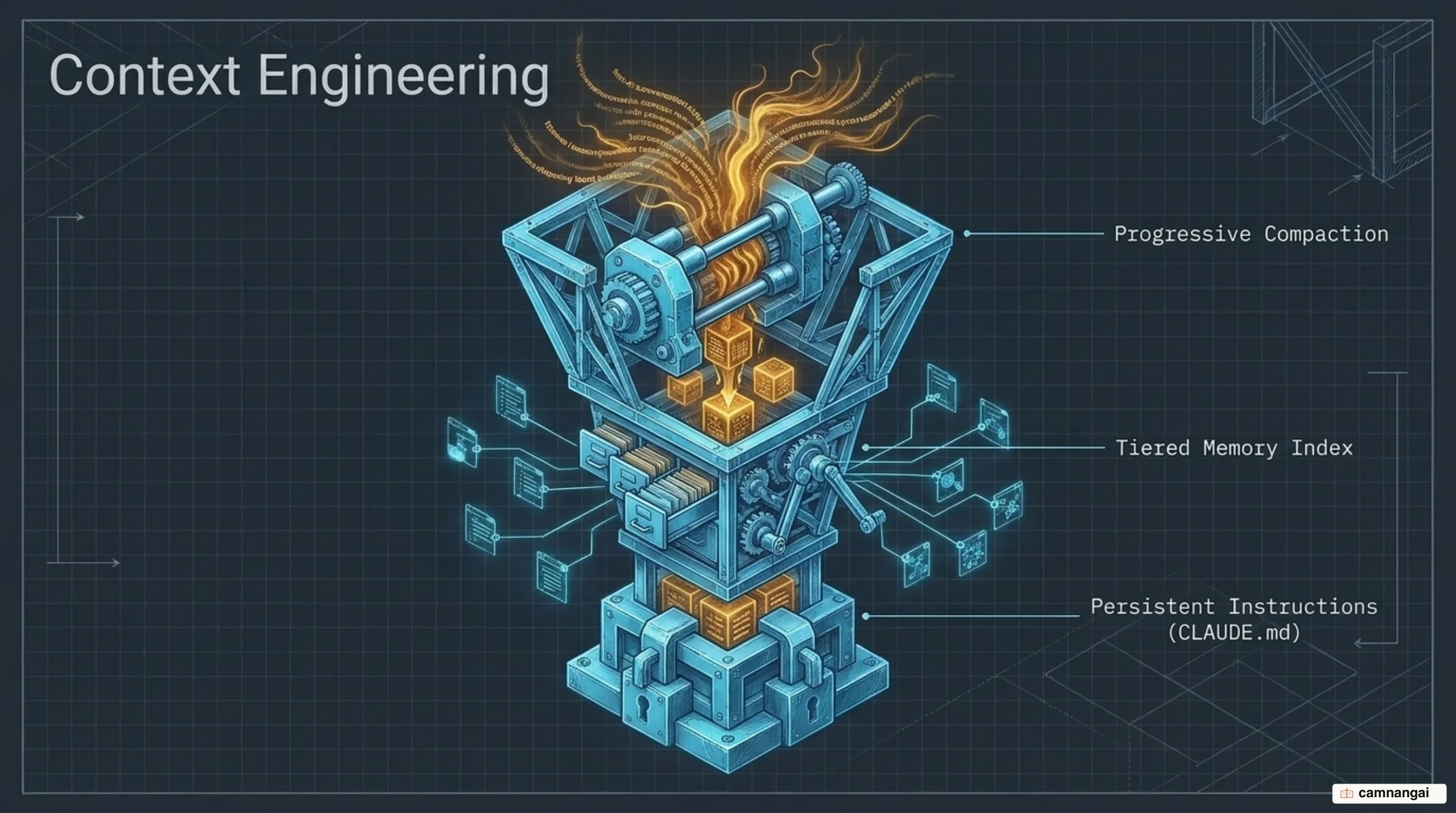
Long-running agent sessions suffer from context window degradation when memory management is left unconstrained. As token consumption approaches window limits, models exhibit "context anxiety"—a failure state where the agent prematurely wraps up complex tasks, omits implementation details, or rushes to terminate execution out of a perceived risk of running out of context space. Production harnesses deploy two distinct mechanisms to manage token state across extended runs: resets and compaction.
Under Pattern 3: Context Resets with Structured Handoffs, the harness completely wipes the model's context window clean when token utilization hits a set boundary. It spawns a fresh agent turn while preserving state through a structured handoff artifact (such as a markdown summary detailing completed features, pending tasks, and architectural decisions). Model behavior dictates how aggressively this pattern must be applied. In empirical benchmarks, Claude Sonnet 4.5 exhibited strong context anxiety, making explicit context resets mandatory to sustain long-running performance. By contrast, Claude Opus 4.5 largely eliminated context anxiety, enabling multi-hour build sessions to execute continuously using Pattern 4: In-Place Context Compaction. Built natively into frameworks like the Claude Agent SDK, dynamically summarizes prior conversation turns in-place, preserving session continuity while freeing up context space without requiring full process resets.
To maintain repository-specific coding standards across resets and sessions without manual human re-prompting, harnesses rely on Pattern 5: Repository Memory Artifacts (CLAUDE.md / AGENTS.md). Positioned at the project root, these persistent memory files outline build commands, code formatting standards, architectural boundaries, and review checklists that the agent ingests at session launch. Furthermore, agents generate auto-memory artifacts during execution, automatically writing down codebase discoveries, schema locations, and framework quirks to ensure context continuity across multi-day development cycles.
# Repository Guidelines & Architecture Standards

## Build & Test Commands

- Build: `npm run build`
- Unit Tests: `npm run test`
- Integration Checks: `npx playwright test`

## Architecture Boundaries

- React UI components must remain decoupled from database operations; route requests through FastAPI.
- Database schema changes require accompanying SQL migration files in `/migrations`.

## Harness Verification Checklist

- [ ] Absolute filepaths enforced for all file system tool calls.
- [ ] No raw code strings embedded inside escaped JSON tool payloads.
Tool interface design directly governs context reliability through Pattern 6: Absolute Pathing Poka-Yoke. In long agent runs where execution traverses deeply nested directory structures, models frequently emit invalid file operations when using relative paths after navigating outside the root directory. Mistake-proofing (poka-yoke) the tool interface by mandating absolute filepaths in tool parameter schemas eliminates this class of path-resolution error completely.
Workflow & Orchestration: The Explore-Plan-Act Loop and Subagent Isolation
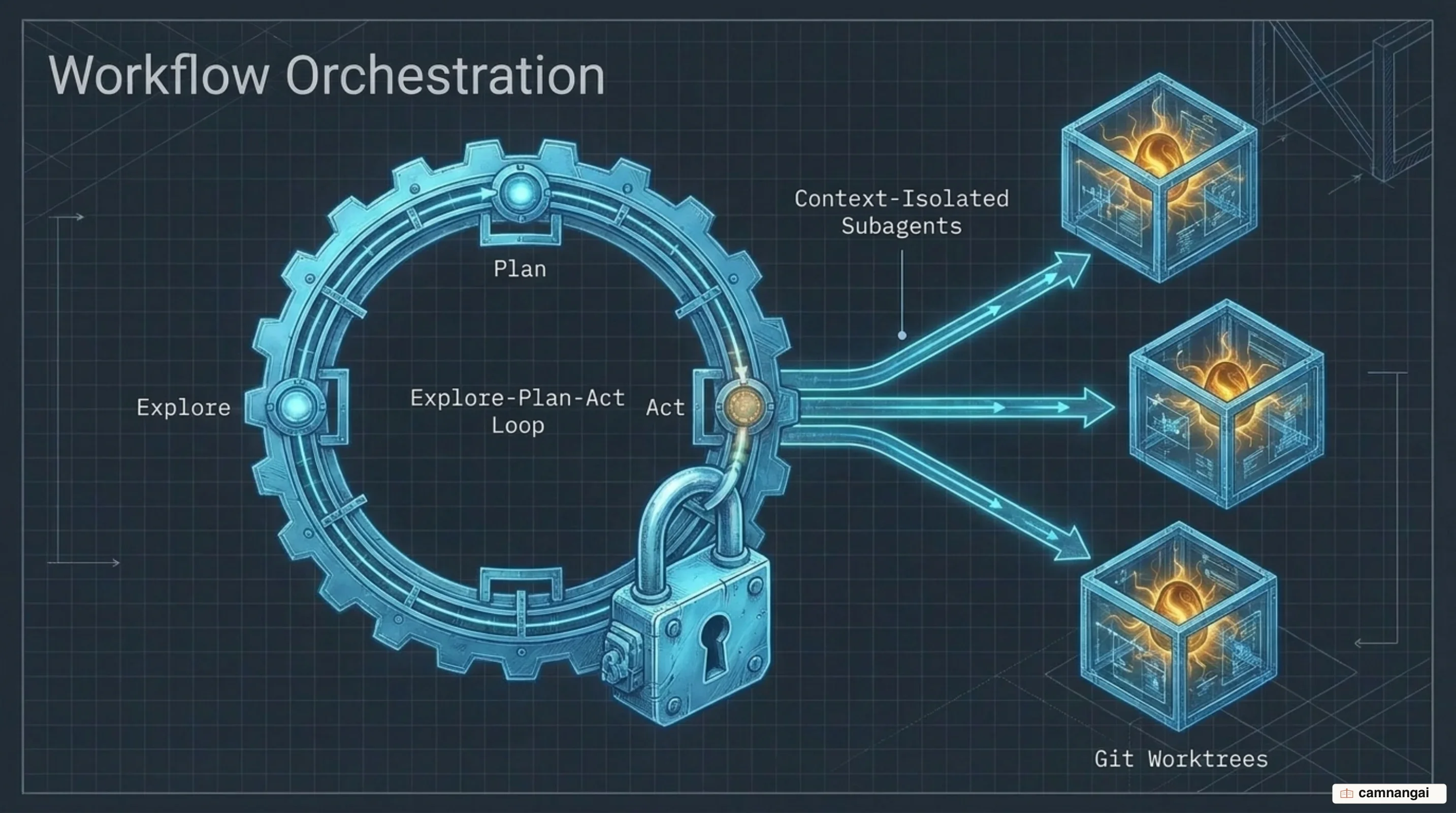
Structuring long-running tasks requires matching agent control flow to the shape of the underlying work. The Claude Code harness v2 architecture formalizes this through Pattern 7: Multi-Tier Execution Modes, providing three distinct primitives:
- Workflow Orchestration: Programmatic, deterministic scripts using control primitives like
pipeline()andparallel()along with explicit token budgets. This mode handles fixed fan-outs, verification sweeps, and high-volume background tasks. - Persistent Agent Collaboration: Named, long-lived agents (
Agent(name:)) communicating across turns via direct message routing (SendMessage) and shared task lists. In this mode, handoffs pass a structured state summary (e.g., minimal JSON/Markdown handoff objects containing completed sprint tasks, pending architectural decisions, and explicit next steps) to prevent context degradation over extended interactions. - Sub-agent Delegation: Lightweight, fire-and-forget one-shot dispatches for isolated sub-tasks where return immediate results without preserving long-term conversational state.
// Production Harness v2 Execution Script: Multi-Tier Orchestration
import { Workflow, SubAgent, Agent } from "@anthropic-ai/agent-sdk";

export async function runSprintPipeline(taskSpec: TaskSpecification) {
  // 1. Parallel Sub-agent Delegation: Deterministic Verification Sweep
  const staticChecks = await Workflow.parallel([
    () => SubAgent.run({ role: "linter", model: "claude-3-5-haiku", target: taskSpec.files }),
    () =>
      SubAgent.run({ role: "security-scanner", model: "claude-3-5-haiku", target: taskSpec.files }),
  ]);

  if (!staticChecks.every((check) => check.passed)) {
    throw new Error("Static verification sweep failed. Aborting pipeline.");
  }

  // 2. Persistent Collaboration: Generator & Evaluator Negotiation Loop
  const planner = new Agent({ name: "Planner", model: "claude-3-7-sonnet" });
  const generator = new Agent({ name: "Generator", model: "claude-3-7-sonnet" });
  const evaluator = new Agent({ name: "Evaluator", model: "claude-3-7-sonnet" });

  // Execute Sprint Contract Negotiation (Pattern 2)
  const sprintContract = await Workflow.pipeline([
    async () => planner.send("generate-spec", taskSpec),
    async (spec) => generator.send("propose-contract", spec),
    async (proposal) => evaluator.send("audit-contract", proposal),
  ]);

  return sprintContract;
}
To prevent scope creep and eliminate implementation drift, harnesses execute Pattern 2: Sprint Contract Negotiation prior to code generation. The workflow begins when a Planner agent expands a brief prompt into a high-level product specification focused on product scope rather than granular technical micro-specs (preventing spec errors from cascading into downstream code). The Generator and Evaluator then negotiate an explicit "sprint contract"—a markdown document defining exact, testable completion criteria for that sprint. The Generator proposes implementation details and verification steps, while the Evaluator audits the criteria. Code execution begins only after both agents reach mutual agreement on the contract.
Resource allocation across these workflows relies on Pattern 8: Dynamic Model Tiering Strategy. Assigning every agent step to top-tier models (such as blanket opus pins) creates unnecessary latency and rapidly depletes token budgets. Modern harnesses dynamically select model tiers (haiku, sonnet, opus) per step based on autonomy requirements, task complexity, execution duration, and latency bounds. Routine linting, initial file triage, and static checks execute on lower tiers, reserving top-tier models for high-ambiguity planning, full-stack generation, and skeptical evaluation.
Tools & Security: Strict Permission Boundaries and Single-Purpose APIs
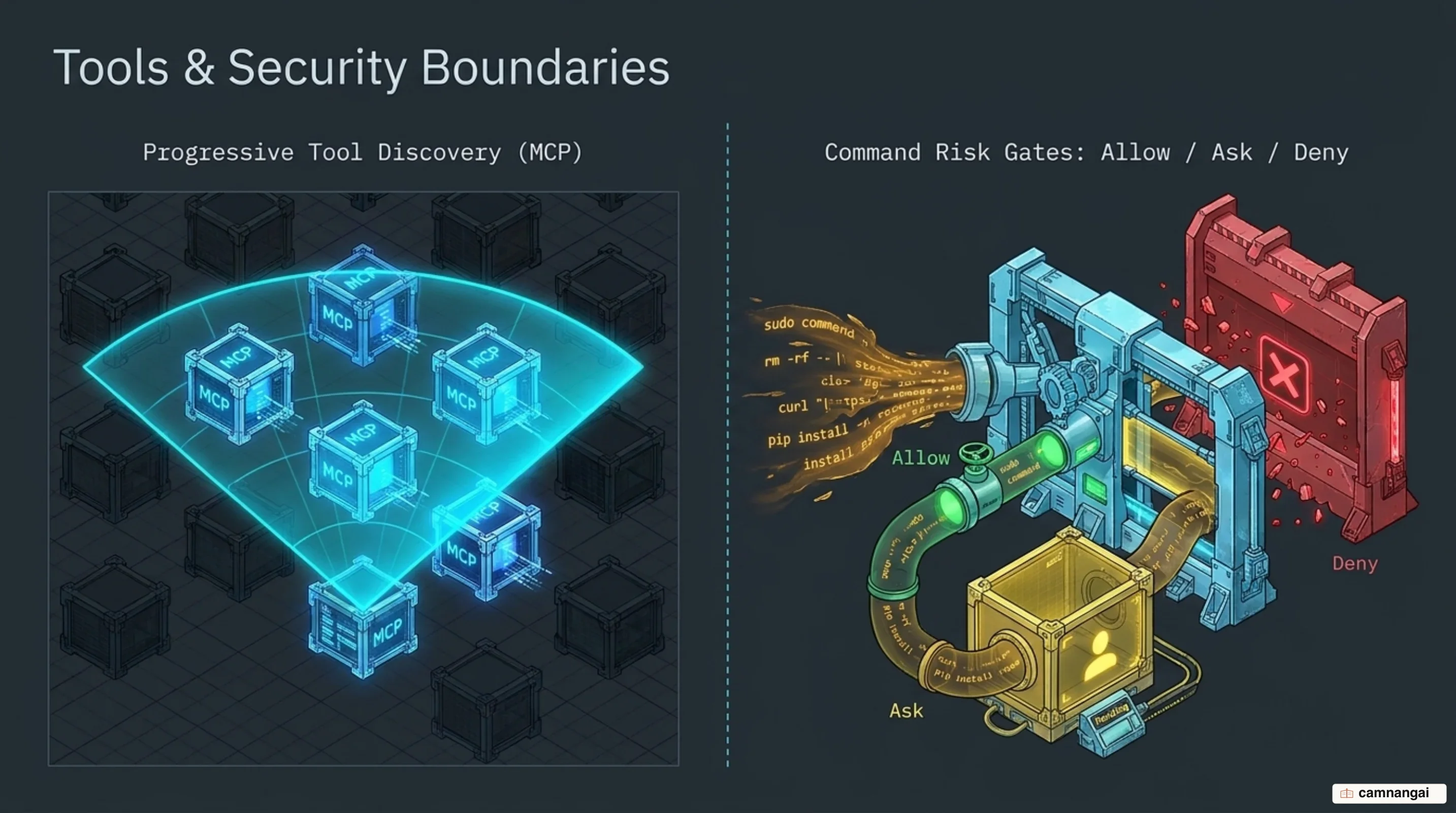
The efficiency of an autonomous agent depends directly on the engineering quality of its Agent-Computer Interface (ACI). Designing ACIs requires the same structural rigor as human-computer interface design. Poorly designed tool interfaces introduce overhead that degrades model performance. Under Pattern 9: Low-Overhead Agent-Computer Interfaces (ACI), tools are built to give models sufficient token space to output reasoning before invoking actions, maintain parameter schemas close to natural language, eliminate line-count header requirements in edit tools (which force models to calculate line shifts manually), and remove string-escaping overhead by avoiding raw source code nested inside escaped JSON strings.
 MODEL CONTEXT PROTOCOL (MCP)

 +--------------------------+
 | Claude Code Engine |
 +--------------------------+
 |
 +-----------------------+-----------------------+
 | | |
 v v v
+--------------+ +---------------+ +---------------+
| Playwright | | Jira / Slack | | Postgres DB |
| (UI E2E) | | (Issue Sync) | | (State Check) |
+--------------+ +---------------+ +---------------+
Connecting agents to real-world infrastructure is governed by Pattern 10: Model Context Protocol (MCP) Environment Coupling. provides an open standard for client implementations to expose tools, external data, and runtime state to coding agents. In full-stack application development, MCP servers connect the harness to live environments: using Playwright MCP to control browser sessions, execute user interactions, take visual state screenshots, and query live backend databases (PostgreSQL/SQLite) to confirm API side-effects.
When grading application outputs through MCP, evaluators use four explicit criteria established in Anthropic's agent research:
- Design Quality: Evaluates visual coherence, typography, and visual identity.
- Originality: Penalizes generic "AI slop" (such as default template cards with purple gradients) and rewards custom creative choices.
- Craft: Assesses technical execution, layout alignment, contrast ratios, and spacing consistency.
- Functionality: Verifies usability, navigation paths, and feature execution.
Weighting Design Quality and Originality heavily prevents the model from settling on safe visual defaults, driving significant creative pivots. In one documented experiment, a generator tasked with creating a Dutch art museum website produced a standard dark-themed landing page by iteration nine; upon receiving critical evaluator feedback on originality, iteration ten scrapped the flat page entirely to build a 3D spatial room rendered with CSS perspective floor tiles and doorway-based gallery navigation.
Operating autonomous agents safely requires strict security guardrails. Harnesses isolate shell executions inside sandboxed environments and enforce explicit user permission prompts whenever agents attempt destructive filesystem operations or network access. To catch security flaws during code generation, security plugins (security-guidance and claude-security) analyze AST diffs in real time, blocking hardcoded credentials, command injection risks, and unvalidated inputs before code is committed to source control.
Deterministic Automation: Enforcing Guardrails with Lifecycle Hooks
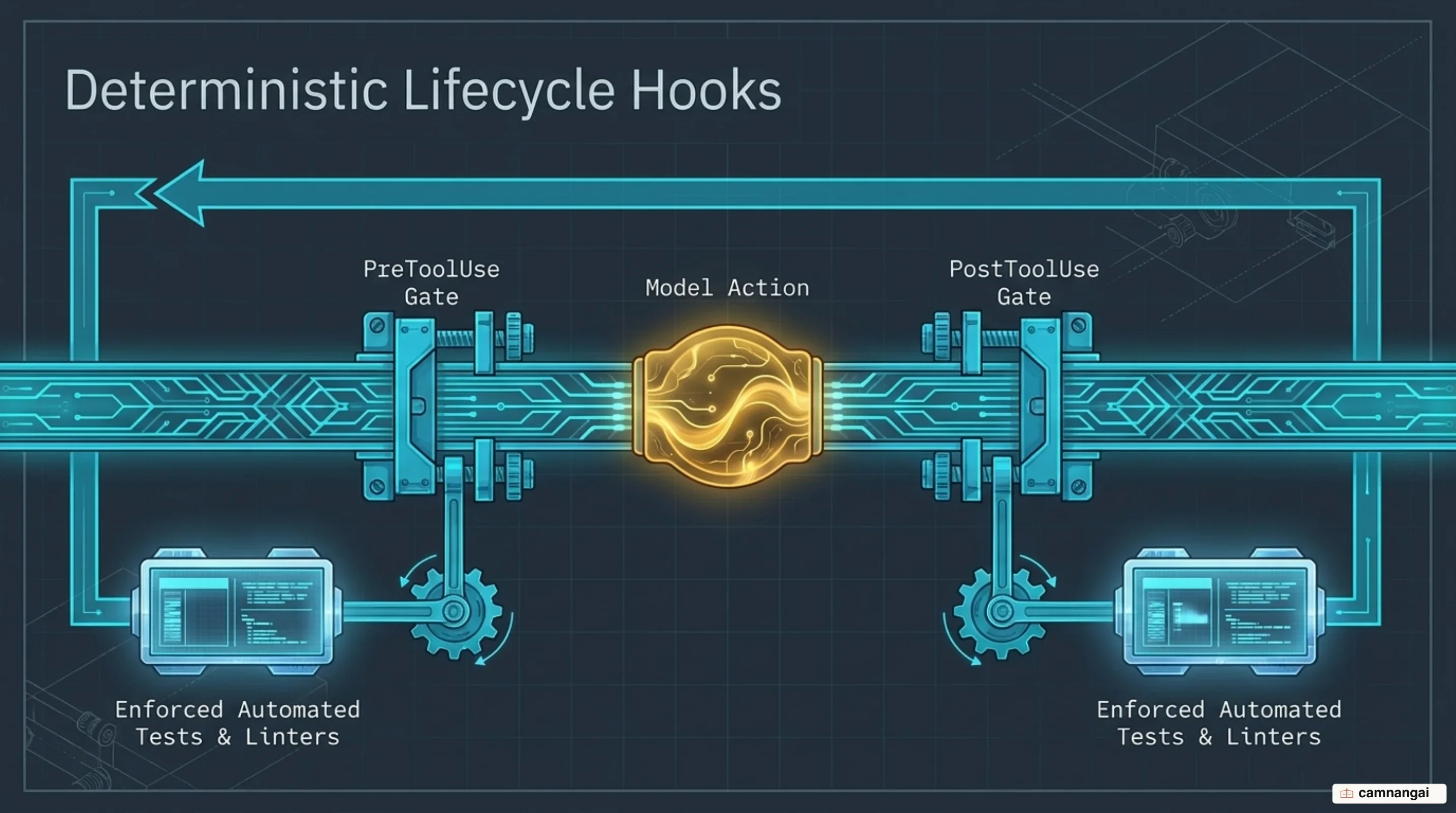
Nondeterministic model generation requires deterministic safety guardrails. Rather than relying on the LLM to remember styling or linting instructions, harnesses deploy Pattern 11: Deterministic Shell Lifecycle Hooks. These hooks execute shell commands automatically before or after specific agent events—for example, invoking post-edit hooks to run code formatters (prettier, black) immediately after file modifications, or triggering pre-commit hooks to run linter sweeps and unit tests before staging changes in git.
{
  "hooks": {
    "post-edit": [
      {
        "command": "prettier --write ${FILE_PATH}",
        "description": "Automatically format modified files immediately after agent edits."
      }
    ],
    "pre-commit": [
      {
        "command": "npm run lint && npm run test:unit",
        "description": "Execute static analysis and unit tests prior to staging git commits."
      }
    ]
  }
}
System validation reaches production grade through Pattern 12: Adversarial Playwright & Continuous Automation Loops. In long-running full-stack builds, skeptical evaluators use headless browser automation to test running applications against sprint contracts. During empirical evaluation sweeps, adversarial Playwright tests uncovered critical edge-case bugs that code-inspection agents missed:
- FastAPI Route Ordering Defects: The evaluator caught a route collision where
PUT /frames/reorderwas defined after/{frame_id}endpoints. FastAPI attempted to parse"reorder"as an integerframe_id, throwing a422 Unprocessable EntityHTTP error. - Broken Click-Drag Canvas Handlers: Playwright UI interaction revealed that the
fillRectangletool placed tiles only at the drag start and end coordinates because themouseUpevent listener failed to fire the internal fill loop. - Conditional Key Handler Logic Bugs: In
LevelEditor.tsx:892, the delete key handler required bothselectionandselectedEntityIdstates to be truthy simultaneously. Clicking an entity only setselectedEntityId, causing key presses to fail. The evaluator flagged the exact logic flaw, prompting the fix:selection || (selectedEntityId && activeLayer === 'entity').
 ADVERSARIAL EVALUATION & LIFECYCLE HOOK LOOP

[ Agent Code Edit ] ---> ( Post-Edit Hook: Formatter )
 |
 v
[ Playwright / E2E Gate ] <--- [ Local Web Server Launch ]
 |
 +---> FAIL: Feed exact log/AST error back to Generator
 |
 +---> PASS: ( Pre-Commit Hook: Linter ) ---> [ Git Commit ]
Harnesses also extend into continuous integration workflows. Headless CLI execution allows commands to be piped directly (tail -200 app.log | claude -p "Slack me if you see anomalies"), while the /loop command enables continuous polling within CLI sessions. Cloud and desktop scheduled tasks automate morning PR reviews, overnight CI failure sweeps, and dependency audits, while GitHub Actions and GitLab CI/CD pipelines run automated agent reviews on incoming pull requests.
Stealing the Architecture: Where to Start When Building Your Own Harness
When building your own agent harness, start by writing low-abstraction code using direct API calls before introducing heavy agentic frameworks. Abstract frameworks often obscure raw prompts, hide tool payloads, and introduce unnecessary operational complexity during debugging. Focus first on perfecting your Agent-Computer Interfaces: write tool docstrings with the exact detail you would provide to a junior engineer, enforce absolute filepaths in all parameter schemas to prevent navigation drift, and eliminate unnecessary string-escaping overhead.
Before building complex multi-agent orchestrations, deploy a standalone, skeptical evaluator equipped with concrete verification tools like Playwright or automated test runners. Decouple code evaluation from generation, enforce explicit sprint contract negotiations before writing code, and add agentic complexity only when controlled benchmark metrics prove a measurable gain in system performance.
References
- Steal Claude Code's Harness for Your Own Agent — Craft Better Software
- Harness Design for Long-Running Application Development — Anthropic Research
- Building Effective Agents — Anthropic Research
- Claude Code Overview & Architecture — Anthropic Documentation
- Harness Engineering for Coding Agent Users — Martin Fowler
- Anthropic Claude Code Repository — GitHub
- Claude Code Harness Execution Engine — GitHub