Input format is not a cosmetic wrapper but a functional variable, and it decides whether a large language model (LLM) holds a complex reasoning trajectory together or loses it halfway. Switching the same underlying instructions from plaintext to a structured syntax like JSON or Markdown can swing performance by up to 40% in production, which is a wider spread than most teams would tolerate from a model upgrade, let alone from punctuation. The input format is the environment the model's attention mechanism works in, and it shapes how well the model can pull the relevant variables out of the noise.
Recent benchmarks point at the attention mechanism itself: the sensitivity holds across domains, and it is not a function of how hard the task is. Semantic content gives the model its objective, while the format gives it the logic gates. As modern models evolve to follow instructions more literally, the precision of these structural containers — how you delimit roles, examples, and context — is the main lever you have on output reliability.
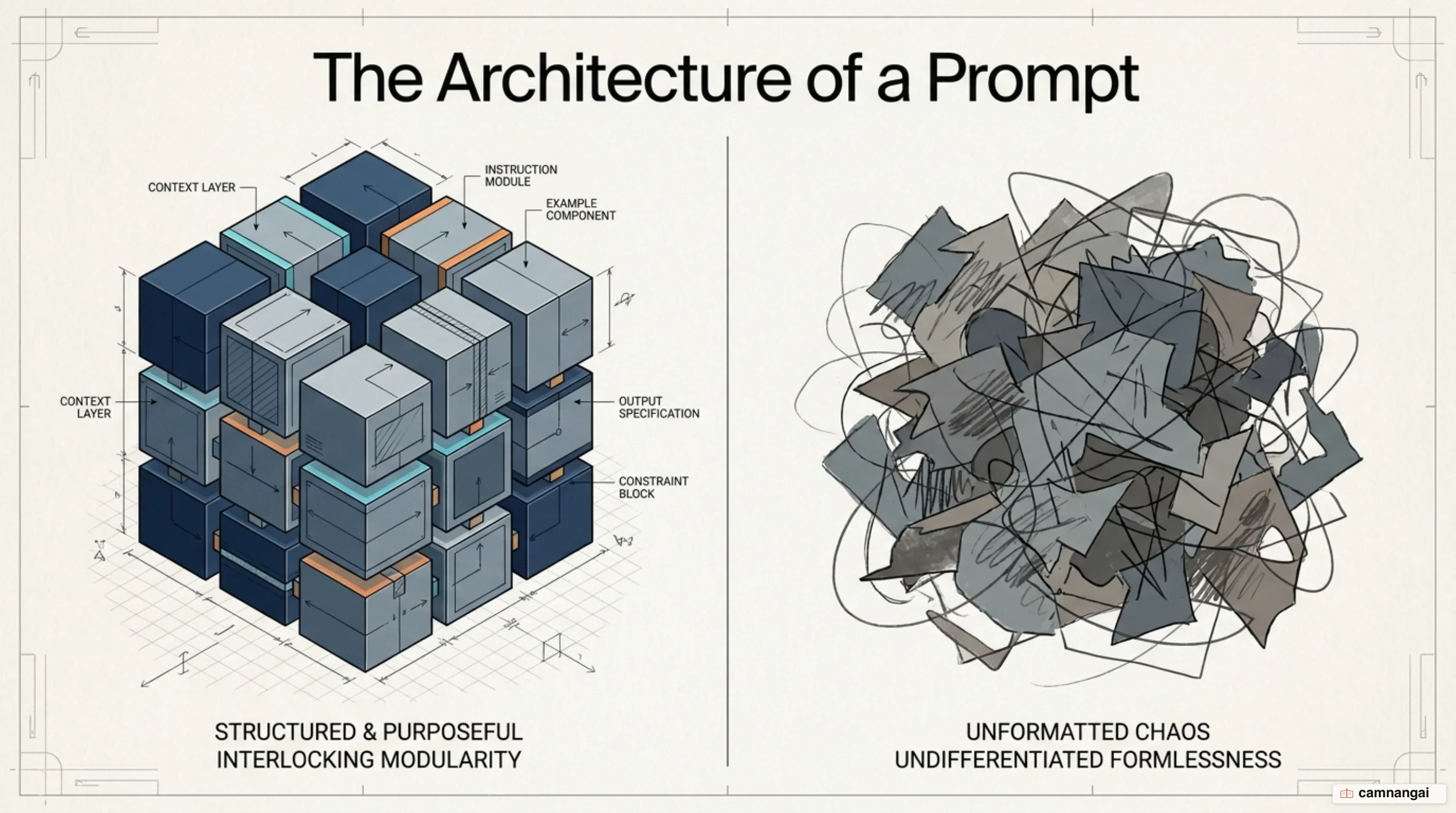
What is input format?
Input format refers to the structural organization and syntax used to present information to an LLM.
The format is the container for four components: the Instruction (the specific task), the Context (external background), Input Data (the specific query or entity), and the Output Indicator (the designated response format). A specific syntax draws hard boundaries between those elements, so the model can tell a "persona" description apart from a "task instruction," and both apart from a "few-shot example."
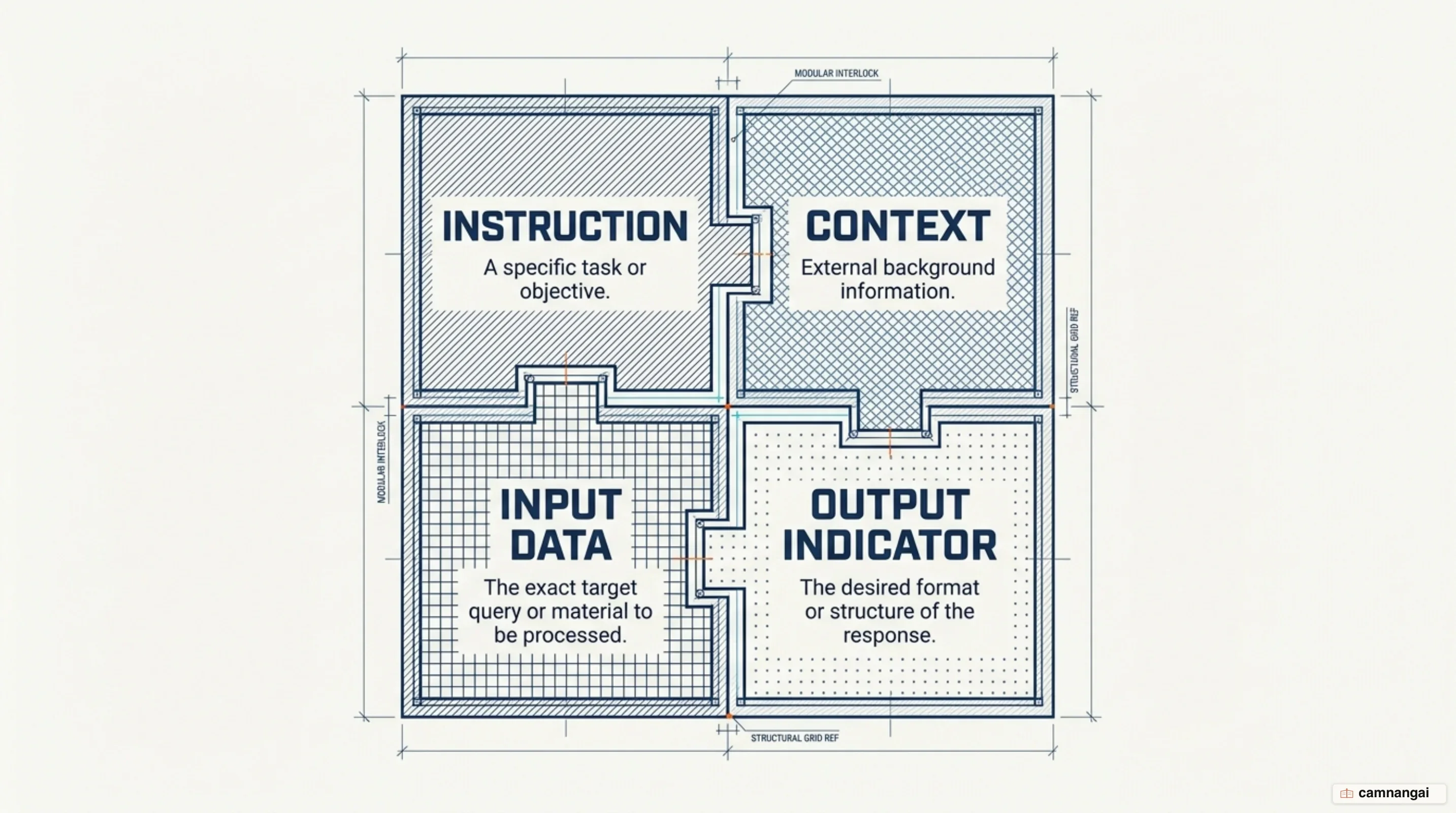
Think of those containers as "typing" for the information you hand over. Wrapping a persona and an instruction set into named JSON keys helps the model's attention mechanism land on the right variable at the right step of the execution. That rigor is what makes the model read the "environment" of the prompt as a set of distinct logic blocks instead of one continuous, undifferentiated stream of tokens.
# Basic Prompt Skeleton

## Persona

[Description of the agent's role]

## Instructions

- [Specific step 1]
- [Specific step 2]

## Context

[Relevant background information or documents]

## Input Data

{ "query": "[User question]" }

## Output Indicator

State the answer as:
Why does presentation change the result?
LLMs show high sensitivity and uneven consistency depending on the structural template you use. Research on GPT models finds statistically significant performance variations when identical context is moved between plaintext, Markdown, JSON, and YAML. GPT-3.5-turbo demonstrates a 40% performance variance in code translation based solely on format, and GPT-4-32k-0613 has shown a performance boost of over 300% on HumanEval, a code-generation benchmark, when the prompt format is changed from JSON to plain text. That second figure is the one that should bother you, because nothing about the task changed, only the packaging.
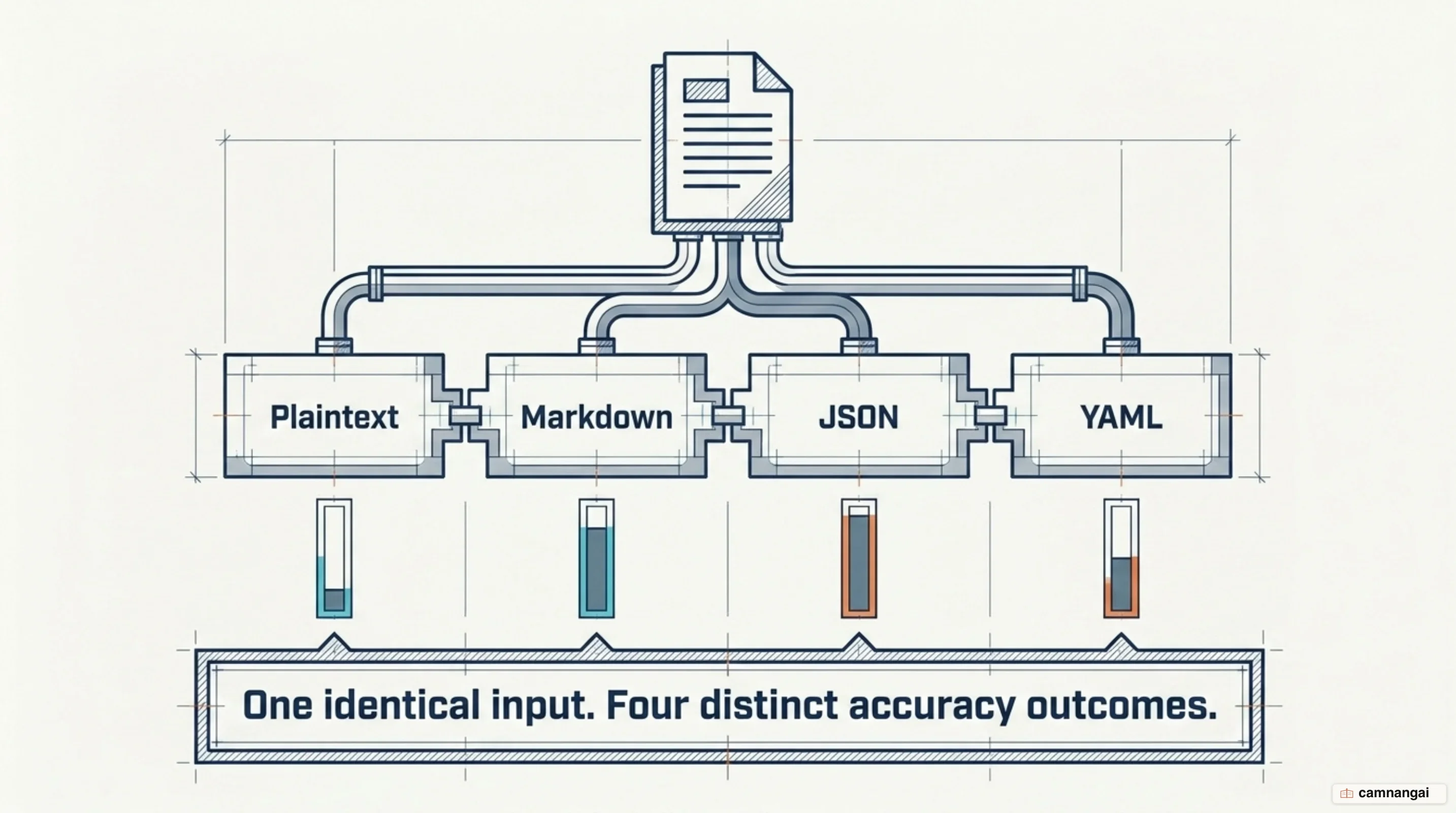
You can put a number on that with the Coefficient of Mean Deviation (CMD), the metric for how robust a model is to formatting changes: the lower the score, the more template-agnostic the model. Larger, more capable models hold much steadier — GPT-4-turbo (1106-preview) maintains a CMD below 0.036 across benchmarks, while the GPT-3.5 series shows high variability, with CMD scores reaching 0.176. Smaller models are simply more exposed to structural noise sabotaging the attention mechanism, which is the unglamorous reason a prompt that behaves on the frontier model falls apart on the cheaper one you actually ship.
The sensitivity is not a quirk of one domain either. It turns up in STEM tasks and humanities tasks alike, at every level of difficulty, because it belongs to the attention mechanism rather than to the subject matter. How a problem is framed, and not only how hard the problem is, determines the efficiency with which the model attends to the relevant tokens. So format is an engineering variable, and it deserves the same discipline you would give any other one in the system.
Markdown, XML, or JSON: which delimiter?
The delimiter is what makes a block of information stand out to the model's attention mechanism, so choose it on purpose. I start every prompt in Markdown, because headers give you a hierarchy the model already reads fluently, and I move off it mainly for long context, where XML is often superior for nested documents. XML tags (e.g., <doc id="1">...</doc>) let you wrap a document precisely and hang metadata off it, which improves the model's ability to retrieve specific facts from a 1M token context window.
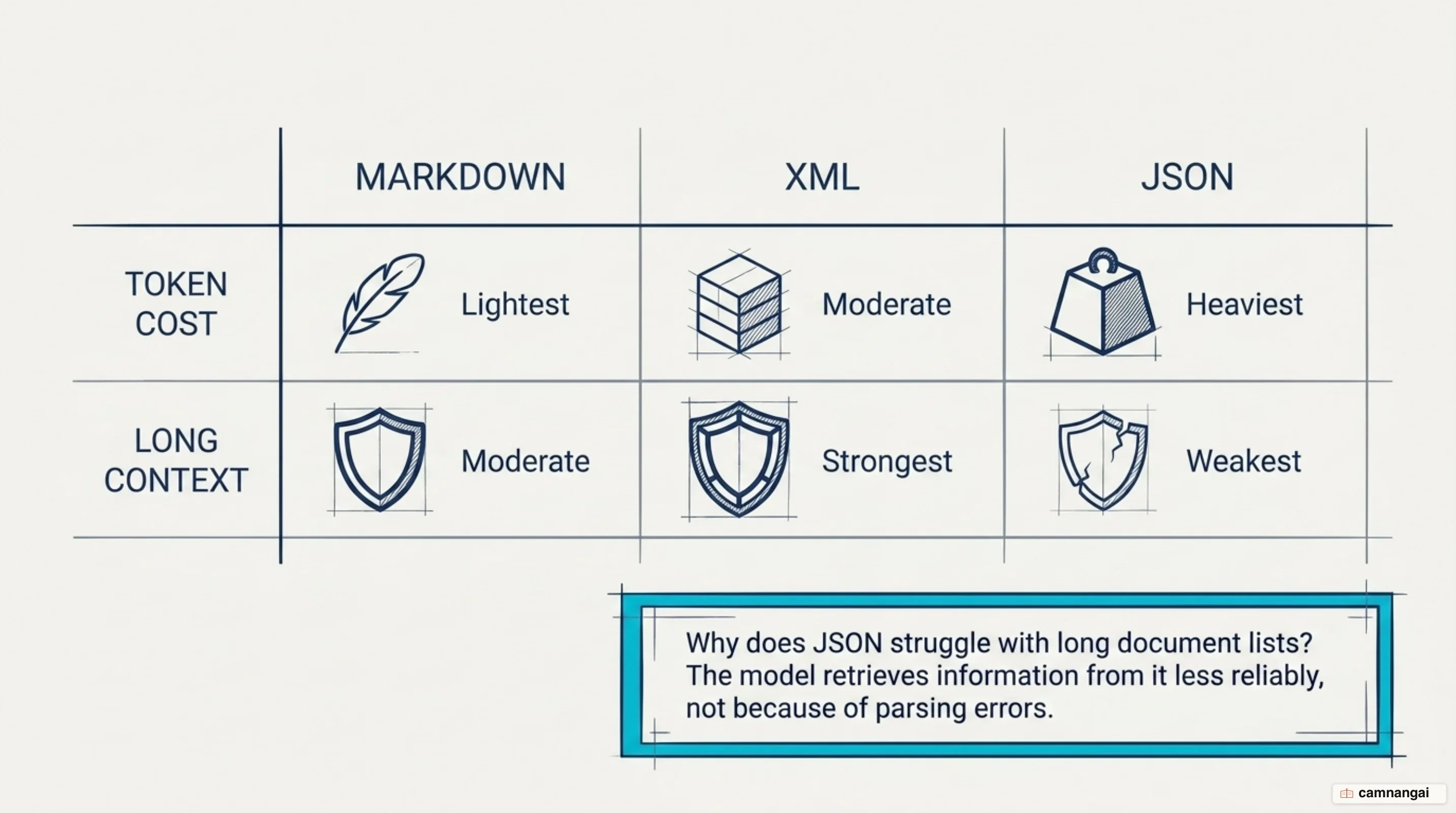
JSON is the one that trips engineers up, because it excels in coding contexts and so gets reached for everywhere else too, including long-context document retrieval, where it has real drawbacks: JSON-formatted document lists often perform poorly compared to something as plain as a pipe-delimited format, such as ID: 1 | TITLE: The Fox | CONTENT: [text]. All that character escaping also adds token overhead, and it can confuse the model during non-technical reasoning tasks.
Whatever you choose has to stand out from the text it wraps, and it must not be something that already appears inside that text, or you get delimiter collision. If a document contains a high volume of XML, using XML tags as delimiters will be less effective than using Markdown or pipe-delimited structures. The whole job of a delimiter is to draw a boundary the model cannot misread, so the winner is whichever one survives contact with your own data.
Where do instructions belong in a prompt?
Where an instruction sits matters about as much as how it is worded, and it matters more the longer the prompt gets. Models are susceptible to the "lost in the middle" phenomenon, where information positioned in the center of a large prompt is less likely to be recalled accurately. For prompts involving long contexts (up to 1M tokens), the fix is unsubtle: place the most important instructions at both the beginning and the end of the prompt, so recall holds across the entire context window.
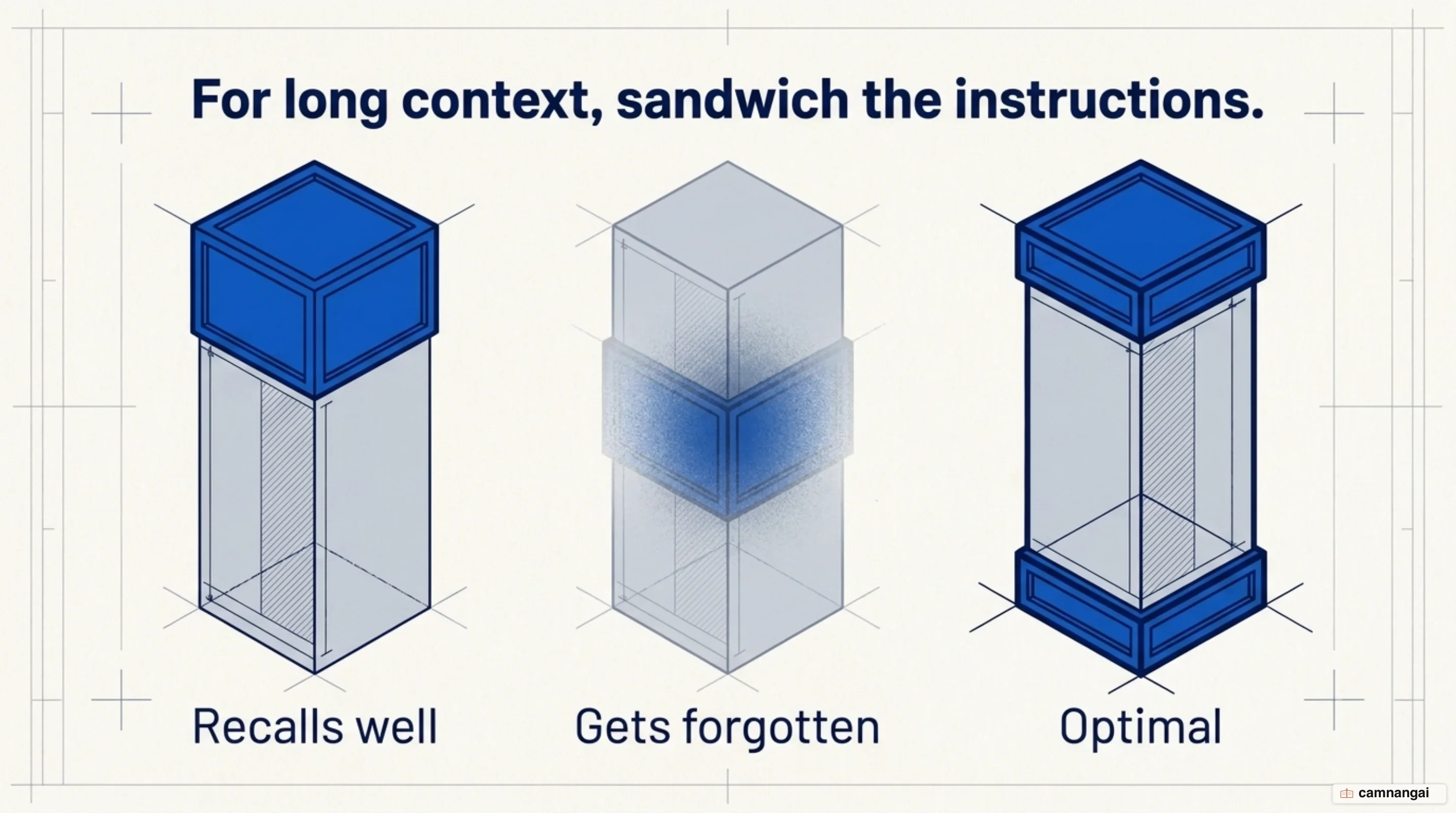
In shorter prompts, instructions typically precede the context, so the objective is set before the model processes the data. The GPT-4.1 family, however, follows instructions more literally and strictly than its predecessors, and because it adheres so closely to the provided text, it may no longer strongly infer the implicit rules. That literal adherence turns the trailing instruction block from a suggestion into a functional requirement, since it is what overrides the context noise in front of it.
If two instructions conflict, GPT-4.1 generally prioritizes the one located closer to the end of the prompt. So establish a "Response Rules" section near the top for high-level guidance, and let the final section of the prompt restate the desired reasoning steps and the specific output format without hedging. Sandwiched that way, the objective survives however much context you pack in between.
Examples in a prompt: format matters more than content
In few-shot prompting, the format of the demonstrations matters more than whether the individual labels are correct. What drives performance is the label space and the distribution of the input text your demonstrations specify. Using random labels in the correct format (labeling a positive review as "Negative," say) can still significantly outperform zero-shot settings, which prompt with no examples at all, because the model primarily uses the examples to learn the expected structure and distribution of the task, not the answers. That is an uncomfortable result if you have ever spent an afternoon hand-checking every exemplar in a prompt.
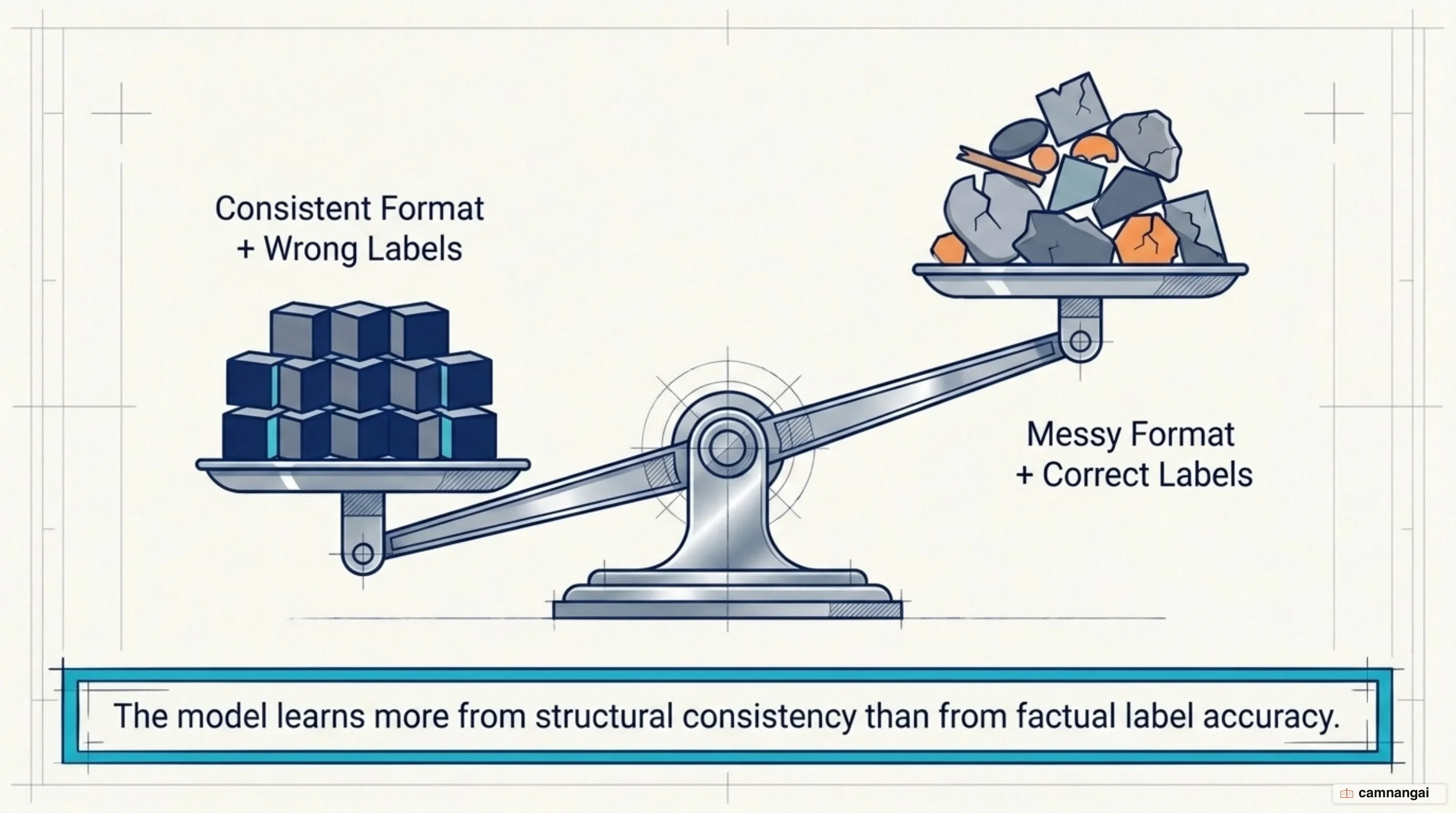
Which is why consistency of format buys you more than accuracy of labels. The efficacy of a specific format also rarely transfers between model families: measured with the Intersection-over-Union (IoU) metric, which counts the overlap of top-performing templates between models, compatibility is often below 0.2 across different model versions. A JSON-formatted example set that works for GPT-3.5 may fail to elicit the same performance from GPT-4, which typically favors Markdown or plaintext exemplars.
So prompt engineering is model-specific whether you like it or not, and a skeleton developed for one model series is likely to require structural migration when you move to another. This is the part nobody budgets for: the upgrade itself is a one-line config change, while the prompts underneath it are a rewrite. Evaluate each model's preference for structural cues before you commit, since GPT-3.5 relies on specific markers while GPT-4 handles a wider spread of formats.
How to specify the output format
If a downstream parser has to read the output, say so inside the prompt, with output indicators and explicit response rules. An output indicator is a short, terminal phrase ("Answer:") that signals where the model should begin its response. Response rules carry everything else: tone, prohibited topics, and the literal shape of the output ("State the result as a comma-separated list in square brackets").
There is a stronger method than injecting a schema by hand, though, and that is API-defined tool calls (function calling). Experiments show a 2% increase in success rates on benchmarks like SWE-bench when using API-parsed tool descriptions versus manually injecting JSON schemas into the system prompt. That margin sounds like rounding error — until you notice it costs nothing to take, and the reason it exists is that the tools field keeps the model in distribution, closer to the input shapes it was trained on, which sharply reduces formatting hallucinations.
For extraction tasks, hand the model sample phrases and explicit templates so it has something to copy. Specific placeholders and citation rules, such as the [NAME](ID) format, are what keep factual output verifiable after the fact. Specify all of it strictly in an "Output Format" section located toward the end of the prompt, where a literal-minded model reads it last.
Common mistakes when formatting a prompt
These are the failure modes that actually sabotage prompt performance in production, and the first is the nastiest, because nothing looks wrong:
- Silent failure in agentic loops: A model may return "Done!" via a tool call (such as an
apply_patchtool) even if the task failed or the patch was never applied. Instruct it to look at the warnings and logs before concluding the task is complete. - Agentic laziness: In agentic workflows, a model will cheerfully provide a plan and then fail to execute the actual tool call. Explicit "persistence" reminders are what keep it driving the interaction forward autonomously.
- Conflicting or underspecified instructions: If you instruct a model to always call a tool but provide no fallback for when information is missing, the model may hallucinate inputs. Add the conditional yourself: "If you don't have enough information, ask the user."
- Over-reliance on incentives: All-caps emphasis and "bribes" were common in older prompting, but on newer models they backfire, because the model adheres too strictly to a secondary constraint and the primary task quality degrades.
Where to start: a minimal prompt skeleton
Build a prompt in layers, moving from the high-level objective down to the specific execution steps: establish the role, define strict response rules, provide a reasoning strategy, and conclude with the context wrapped in unambiguous delimiters. For long-context tasks, make the final command reinforce the reasoning strategy, because it has to outweigh everything the model has just read.
# Role and Objective

You are a senior analyst tasked with [Goal].

# Instructions

## Response Rules

- Always [Rule 1].
- Never [Rule 2].

# Reasoning Steps

1. Analyze the <external_context> for [Variables].
2. [Step 2].

# Output Format

State the result as: [Format].

# Examples

[Input] -> [Output]

# Context

<external_context>
[Data/Documents]
</external_context>

First, think carefully step by step about the context needed to answer the query, adhering to the Reasoning Steps. Then, provide your final response.
References
- Prompting best practices — Claude Platform Docs
- GPT-4.1 Prompting Guide — OpenAI Cookbook
- Structured Outputs — OpenAI API Docs
- Prompt engineering techniques — Microsoft Learn
- Prompt design strategies — Gemini API, Google AI for Developers
- Elements of a Prompt — Prompt Engineering Guide
- Few-Shot Prompting — Prompt Engineering Guide
- Does Prompt Formatting Have Any Impact on LLM Performance?
- Quantifying Language Models' Sensitivity to Spurious Features in Prompt Design