The system prompt is the primary control surface for specifying the behavior of a large language model (LLM) — the instructions designed to persist throughout the context window and supersede conflicting user messages
— you should treat it as the foundational logic that dictates how a model parses inputs and anchors its responses.
By defining clear parameters at the start of a session, you specify the behavioral boundaries for the model's execution environment. This provides a stable logic layer that remains active regardless of how many turns a conversation lasts. It ensures that your specific requirements — ranging from tone to safety constraints — remain the primary influence on the model's behavior.
The ability of a model to follow these rules is not a hard-coded architectural feature. It is a behavior learned through supervised fine-tuning (SFT) and reinforcement learning from human feedback (RLHF). Because current models process both your system instructions and untrusted user data in a single stream, maintaining the authority of the system prompt requires constant technical attention.

What is a system prompt, and how does it differ from a user prompt?
The technical distinction between a system prompt and a user prompt is defined by the concept of learned privilege. While user prompts are transient requests for specific tasks, the system prompt sets the foundational logic and behavioral boundaries for the entire session. You are essentially defining the environment, while the user provides the data to be processed within that environment.
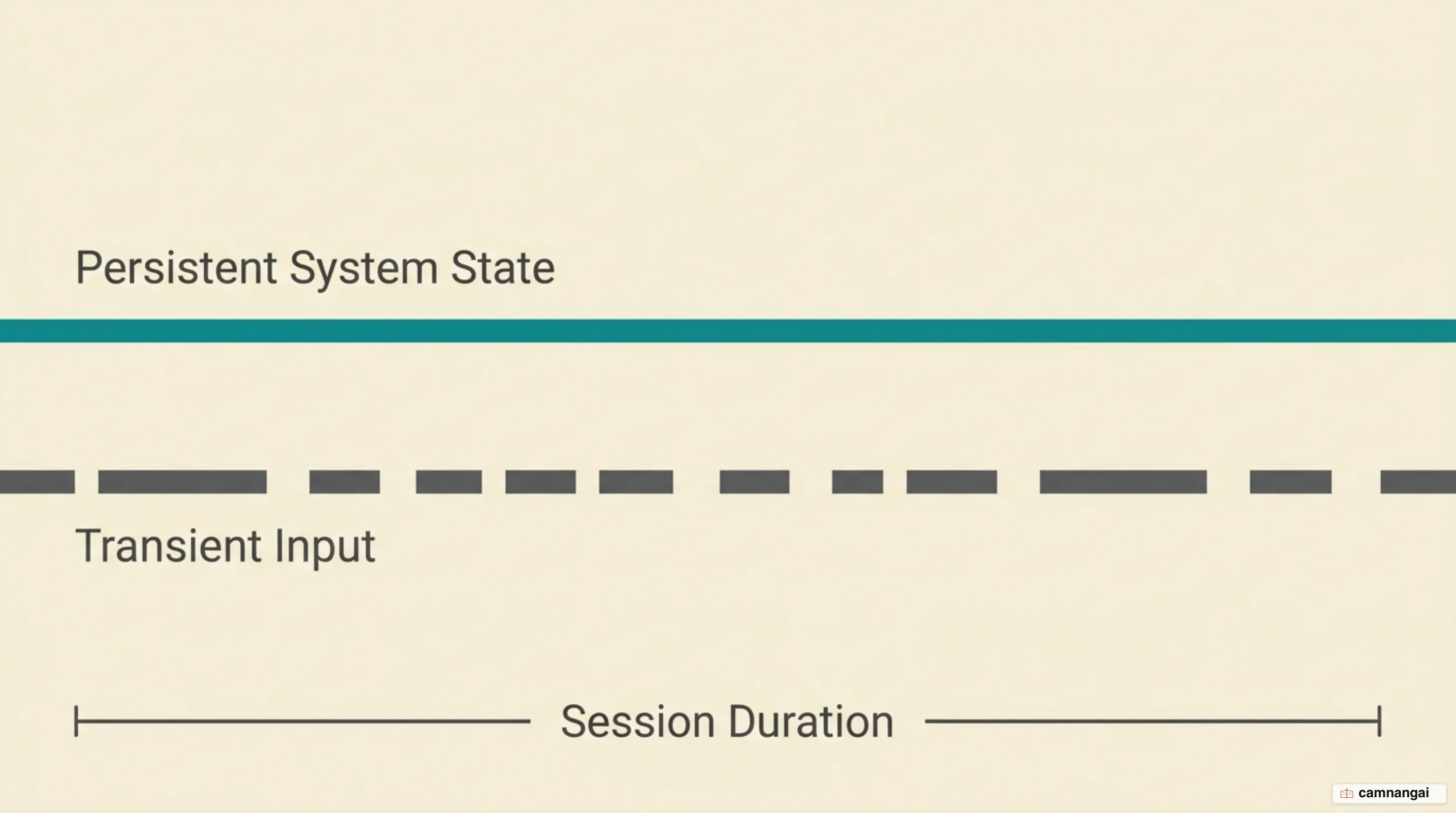
In modern LLM architectures, the system prompt functions as an authoritative layer of the instruction hierarchy. While most models support these messages, their ability to prioritize system-level commands over user-level inputs is a capability developed through extensive SFT and preference optimization. You should view precedence not as a hard architectural firewall, but as a probabilistic weighting of tokens achieved through alignment training.
When you design a production system, the system prompt acts as the permanent context. If a user instructs the model to ignore previous rules, a well-trained model relies on its system-message training to treat those rules as the authoritative source of truth. However, this precedence is often fragile; as the context window fills with complex user interactions, models can begin to weigh transient inputs more heavily, leading to a breakdown in system-level adherence.
To contrast the properties of system and user messages, consider these four factors:
- Persistence: System messages apply across the entire context window; user messages are often context-specific.
- Authority: Models are trained to give system instructions precedence over conflicting user demands.
- Scope: The system prompt defines the global behavioral envelope; user prompts operate within it.
- Intent: System prompts establish developer safety and logic requirements; user prompts represent immediate objectives.
The four jobs a system prompt has to do
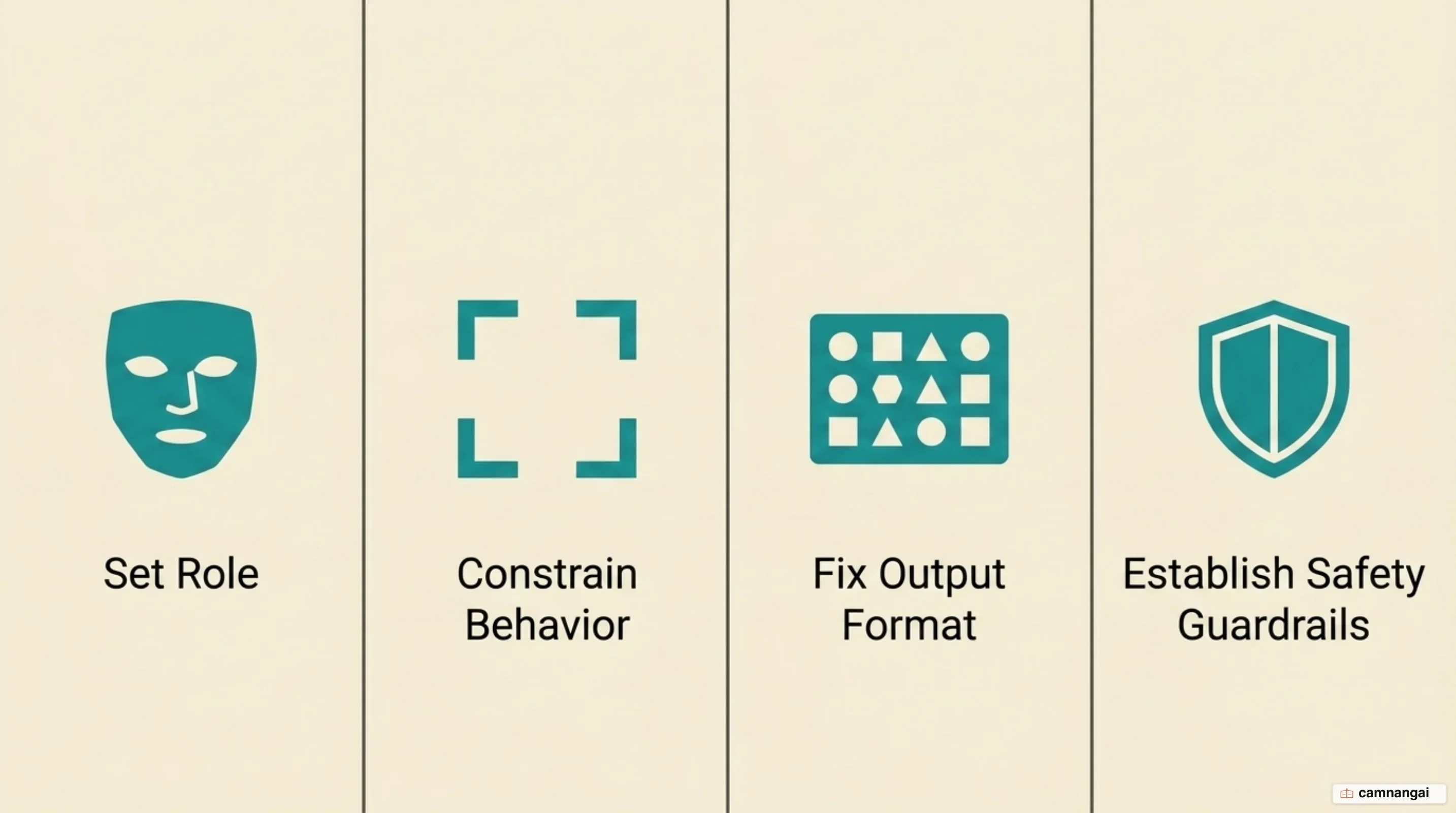
A production system prompt must categorize requirements into four functional jobs. The first is establishing a persona. This involves defining the model's background and specific traits. Providing detailed information about a role helps the model better emulate and generalize consistent behaviors across diverse scenarios.
The second job is setting behavioral guardrails. These are objective, verifiable rules for model behavior. While instructions to be "helpful" are subjective, a guardrail might mandate that a model only respond in a specific language or strictly refuse to discuss political topics. These serve as the pass/fail criteria for your content policies and safety countermeasures. Writing each kind of constraint so it actually holds is a topic of its own — see constraining prompts.
Third, the system prompt manages output formatting. You use these instructions to enforce strict adherence to specific structures, such as wrapping responses in XML tags or providing valid JSON. That matters whenever something downstream has to parse the output programmatically rather than read it.
Finally, the system prompt provides contextual grounding. This is standard in retrieval-augmented generation (RAG) workflows where the model is given a fixed set of information to reference. Grounding keeps the model anchored to your provided data rather than answering from its general training weights.
The instruction hierarchy: root, system, developer, user
Modern model training uses an instruction hierarchy to prevent models from being manipulated by untrusted inputs. The authority levels run root, system, developer, user, and guideline. Root-level instructions are mostly prohibitive and cannot be overridden by any message — not even by a system message claiming a special testing mode. System-level instructions come from the model provider; developer instructions come from whoever builds on the API; user instructions come from the person in the conversation; and guidelines are soft defaults that a user or developer may override.
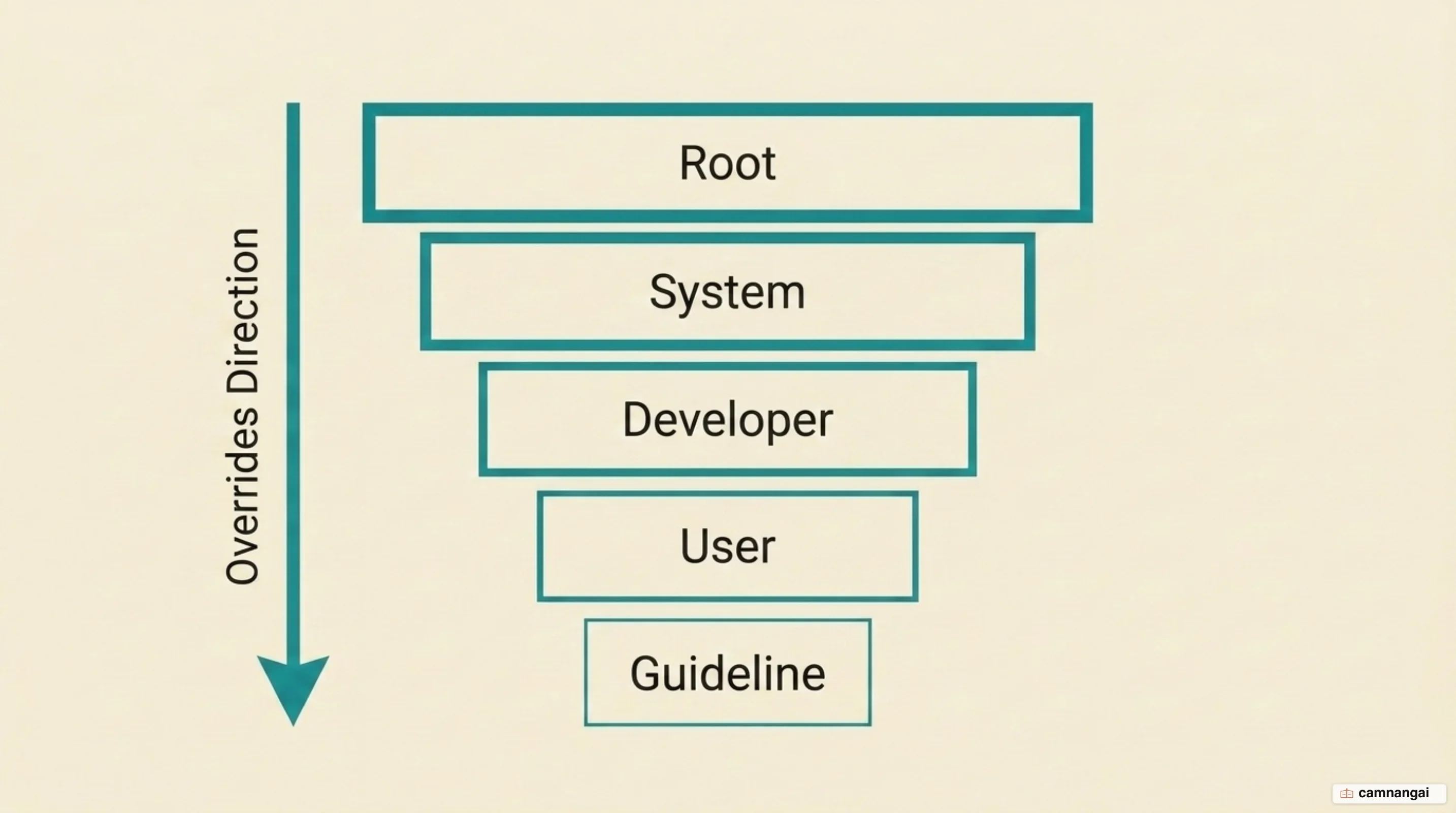
Conflict resolution follows that order. The model is expected to follow all applicable instructions while filtering out any that are misaligned with a higher level, where an instruction counts as misaligned if it conflicts with either the letter or the implied intent of something higher up. This is what makes "ignore all previous instructions" a request the model is trained to recognize and decline rather than obey.
Tool outputs, quoted text, and multimodal data are treated as untrusted by default and carry no authority unless a higher level explicitly delegates it. That default is the main structural defense against indirect attacks: if a web search result contains a hidden command, the model is expected to treat it as data to report rather than an instruction to execute, and to seek confirmation before any high-risk side effect.
The core technical challenge underneath all of this is the separation of instruction and data. Because current architectures process every token in a single sequence, there is no physical boundary between your rules and a user's attempt to break them. The hierarchy is a learned preference layered on top of that reality, not a structural partition — which is why it holds most of the time and fails under pressure.
Inside a system prompt running in production
A real production prompt is rarely a clean document written in one sitting. It is a patchwork that accumulates technical debt. An analysis published in July 2025, covering the Claude 3.7 and Claude 4.0 generations, found that production prompts collect small instructions aimed at specific behavioral bugs — and that when the next model generation is trained to avoid those bugs on its own, the patch instructions are removed again.
Deconstructing a published prompt reveals structured XML tags used to organize complex instructions. Tags such as <claude_behavior> define general behavior, <refusal_handling> holds the refusal logic, and <tone_and_formatting> governs voice and presentation:
<tone_and_formatting>
Claude keeps responses focused, brief, and concise to avoid overwhelming the person.
Claude uses lists and bullet points when asked to or when the content is multifaceted
enough that they help with clarity.
Claude avoids saying "genuinely", "honestly", or "straightforward".
</tone_and_formatting>
Production prompts also carry routing mechanisms and current-events patches. When a request sent to one model trips a risk threshold in an area like cybersecurity or biology, a safeguards routing mechanism can redirect it to a different model; those safeguards are tuned conservatively and trigger in under 5% of sessions on average. Separately, because a model's knowledge stops at its training cutoff, the system prompt is where operators inject events that post-date it, so the model can answer about them accurately instead of guessing.
All of this has a cost. The system prompt declares the model's knowledge cutoff and how to handle questions beyond it, and every character of that instruction set occupies the same context window the conversation has to share.
Constraining output format: prompt or schema?
When you need to ensure consistency, you must choose between prompt-based formatting and schema enforcement. Prompt-based formatting uses XML or JSON templates in the system prompt to guide the model. This offers flexibility for content that is difficult to represent in a rigid schema, though it relies on the model's tendency to follow the requested structure rather than any guarantee.
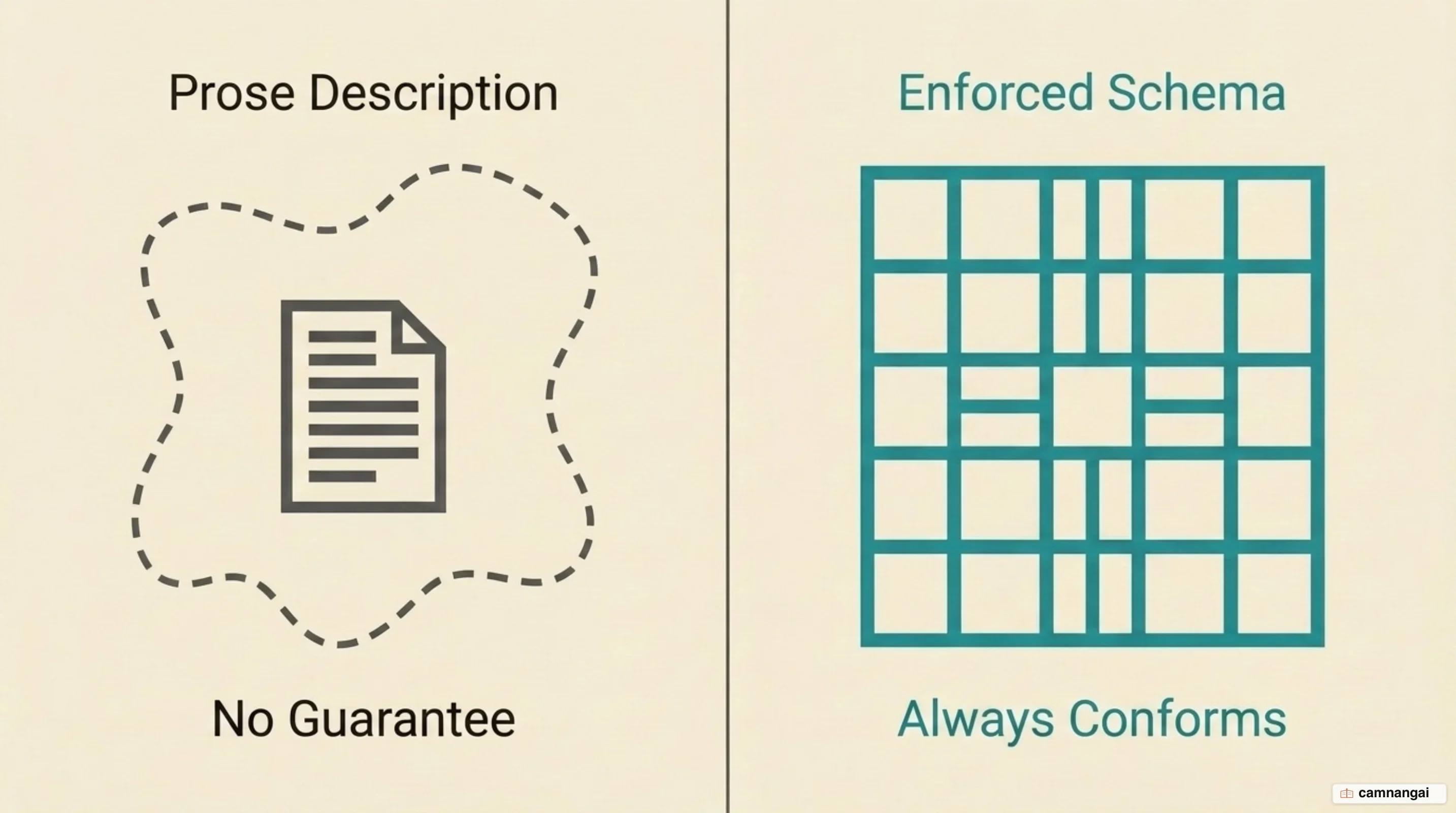
Structured outputs use direct schema enforcement instead, so responses always adhere to the JSON schema you supply. You stop worrying about a missing required key or a hallucinated enum value, and you drop the validate-and-retry step that prompt-based formatting requires. The honest framing is that this replaces strongly worded prompt instructions with an API-level guarantee — it is the evolution of JSON mode, which only promised valid JSON and said nothing about matching your schema.
Prefilling (manually starting the model's response, for instance with an opening { to force JSON) was a common technique and is worth knowing about because so much older material still recommends it. It is not supported on Claude 4.6 and later models. Use structured outputs where the model supports them, or fall back to direct system prompt instructions with worked examples.
The two approaches solve different problems, so most production systems use both. A schema handles data integrity; it cannot express tone, register, or the judgment calls that make a response useful. Specify the format precisely, give concrete examples of the output you want, and ground the model in a fixed information set where accuracy matters — then let the schema enforce the shape.
Why a system prompt is not a security boundary
You should not treat a system prompt as a security boundary. System prompts are vulnerable to adversarial inputs known as prompt injections. These vulnerabilities exist because models process data and instructions in the same stream, which makes it impossible to truly firewall the system instructions from the user data.
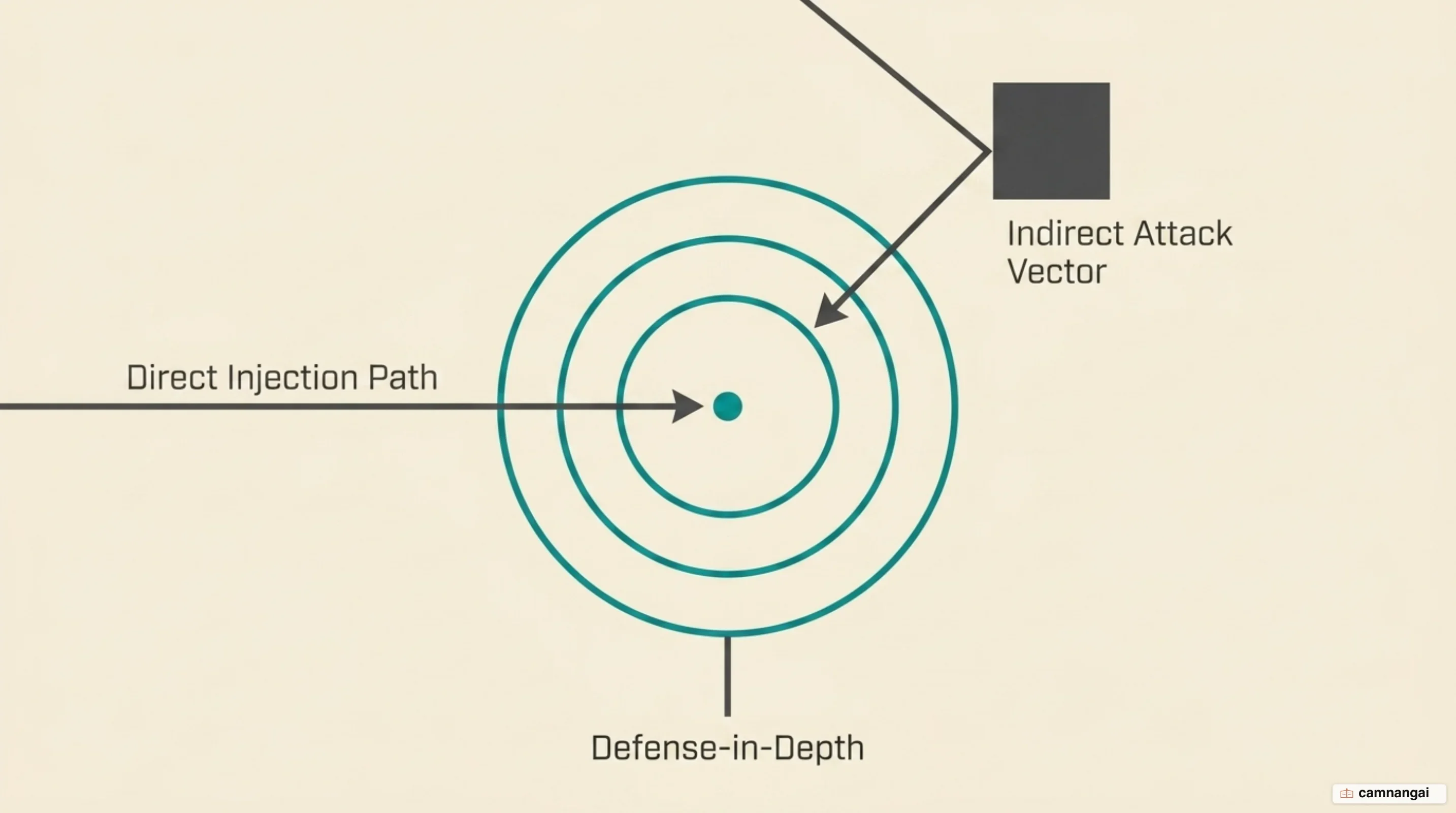
Direct prompt injection occurs when a user crafts a message to override the model's logic. Indirect prompt injection is more insidious, occurring when a model processes data from external sources — like a website or a retrieved document — that contains hidden instructions. Because the model parses all text it receives, these hidden commands can push it to disregard its initial safety protocols or reveal infrastructure details.
System prompt guardrails are behavioral preferences, not hard security controls. Jailbreaking can convince a model to disregard its instructions entirely, and while RAG and fine-tuning improve accuracy, neither eliminates the risk that a model passes injected content to a connected system. Because of how generative AI fundamentally works, fool-proof prevention may not exist at all.
What does help is defense in depth. Constrain behavior in the system prompt, but also define and validate output formats, filter input and output, give the application its own API tokens and least-privilege access, segregate and clearly denote untrusted content, require human approval for high-risk actions, and run adversarial testing regularly. The system prompt is one layer in that stack, not the wall around it.
How many constraints can a model actually follow?
There is a ceiling on how many rules a model will actually hold, and it is lower than you would expect. In a stress test built around a complex fictional scenario, model performance approaches zero as the number of guardrails rises from 1 to 20. Overloading a system prompt with rules exhausts the model's capacity to track them, and it starts dropping the ones that matter most.
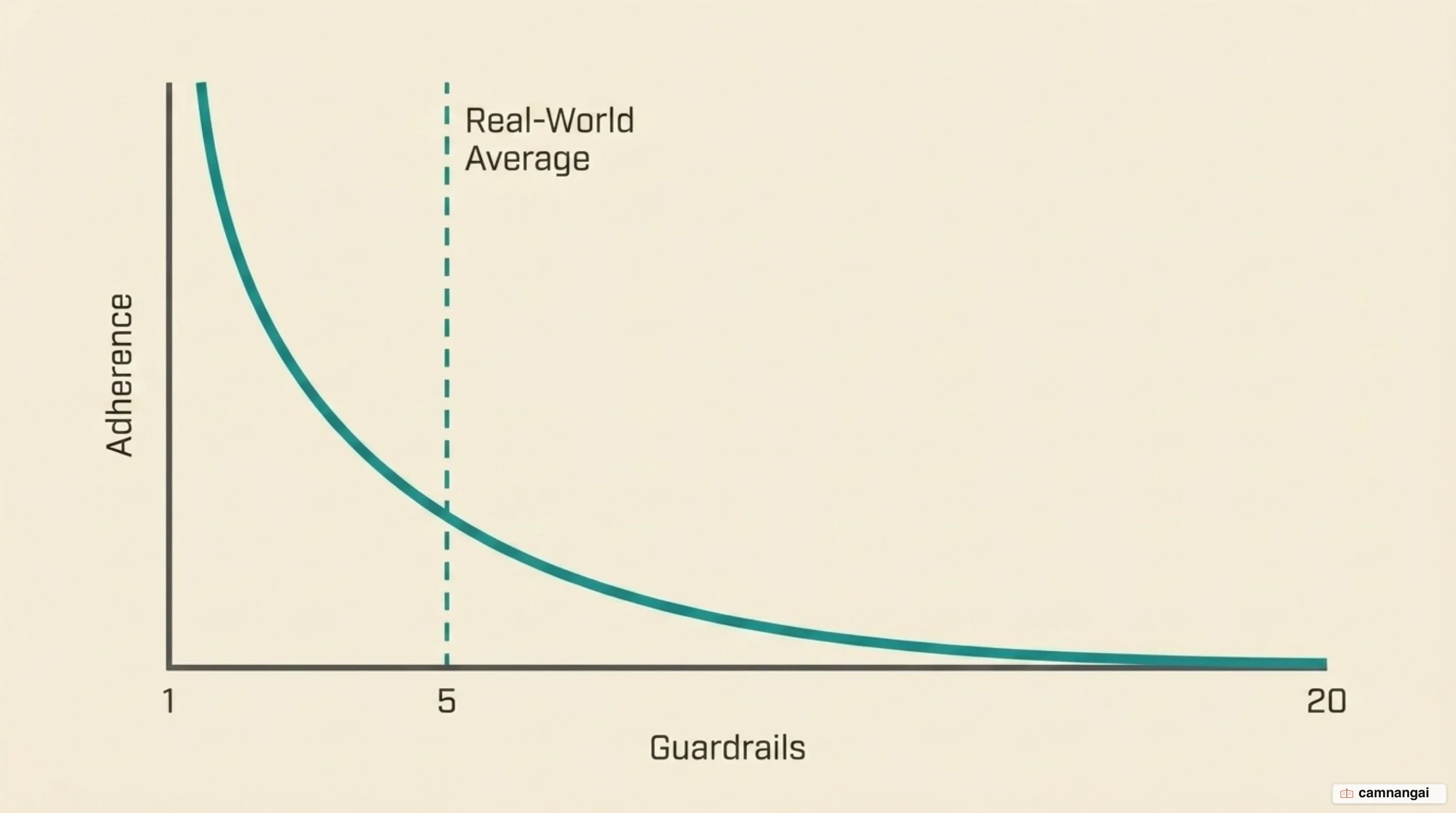
Set that against reality: real system prompts average around 5.1 guardrails. Even at that level, models fail on scenarios that are not adversarial at all: they forget to consider a relevant guardrail, or they cannot resolve two demands that conflict with each other. I think that gap is the number worth pinning above your desk, because the distance between five and twenty is a lot shorter than a several-thousand-word system prompt implicitly promises.
Model classes differ. Reasoning models such as o3-mini hold up notably better under this kind of pressure, particularly with long contexts and complex prompts, because the extra inference-time compute lets them check the constraints more systematically. They are better at retrieving instructions from early in the context and ignoring distractors.
Even so, results stay inconsistent across benchmark types, and the standing conclusion is that current techniques fall short of ensuring system prompt robustness. Practically, that means favoring a few core guardrails over an attempt to legislate every edge case in prose, or splitting the work into smaller steps so each turn carries less.
Writing your first system prompt: where to start
Start by defining a clear role, then add a small number of discrete, verifiable guardrails, focusing on the three to five that actually matter. State the output format you want and show a worked example of it. If your application needs the model to hold more than about five complex constraints at once, that is the signal to move the rigid parts into a schema or into fine-tuning rather than writing another paragraph of instruction.
Treat the prompt as a living artifact. Test it with deliberately conflicting user messages, cut the patches that a newer model no longer needs, and revisit it with each model generation — the instructions that earned their place last year are often the ones costing you context this year.
References
- Prompting best practices — Claude Platform Docs
- Increase output consistency — Claude Platform Docs
- Claude Opus 5 system prompts — Claude Platform Docs
- Model Spec (2026/08/18) — OpenAI
- Structured model outputs — OpenAI API
- LLM01:2025 Prompt Injection — OWASP Gen AI Security Project
- A Closer Look at System Prompt Robustness — arXiv
- Unpacking Claude's System Prompt — Drew Breunig, O'Reilly Radar