CrewAI is an open-source Python orchestration framework created by João Moura to build enterprise-grade agentic workflows.
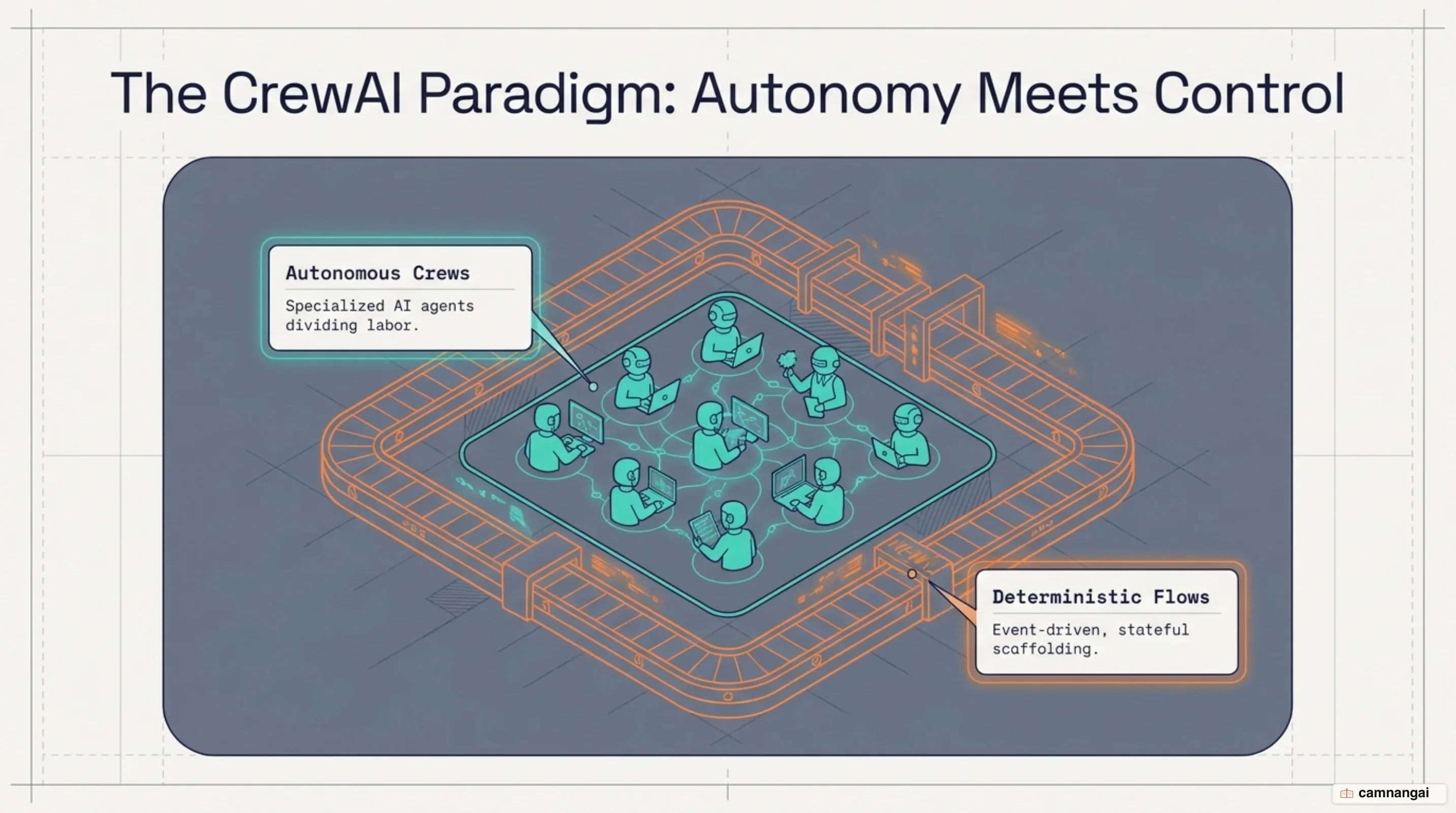
The framework operates on a dual-layer architectural model that pairs autonomous, role-playing agent teams—known as Crews—with deterministic, event-driven workflow control, known as Flows. This structure provides a pragmatic separation between open-ended reasoning and explicit system execution .
The core execution engine requires Python version >=3.10 and <3.14 and uses uv for environment isolation and fast package management. CrewAI relies on LiteLLM for LLM provider abstraction, having completely removed legacy dependencies on the LangChain framework as of version 0.86.0. This runtime architecture provides direct provider integration, reduced token management latency, and lightweight dependency trees across multi-agent deployments.
What is CrewAI and why multi-agent orchestration matters
When you build software using standard single-prompt large language model (LLM) interactions, your system processes inputs statelessly, executing single-pass completions that fail to scale across complex enterprise pipelines. Autonomous replace this single-pass model by implementing the Perceive-Reason-Act-Reflect (PRAR) cycle. Under PRAR, your agent continuously evaluates environmental state, formulates execution plans, invokes external tools, and reflects on intermediate outputs. Single-agent architectures and simple Chain-of-Thought (CoT) prompting degrade when you force them to manage non-linear, multi-step tasks because rapidly fill with unstructured tool calls, intermediate thought loops, and conflicting system prompts.
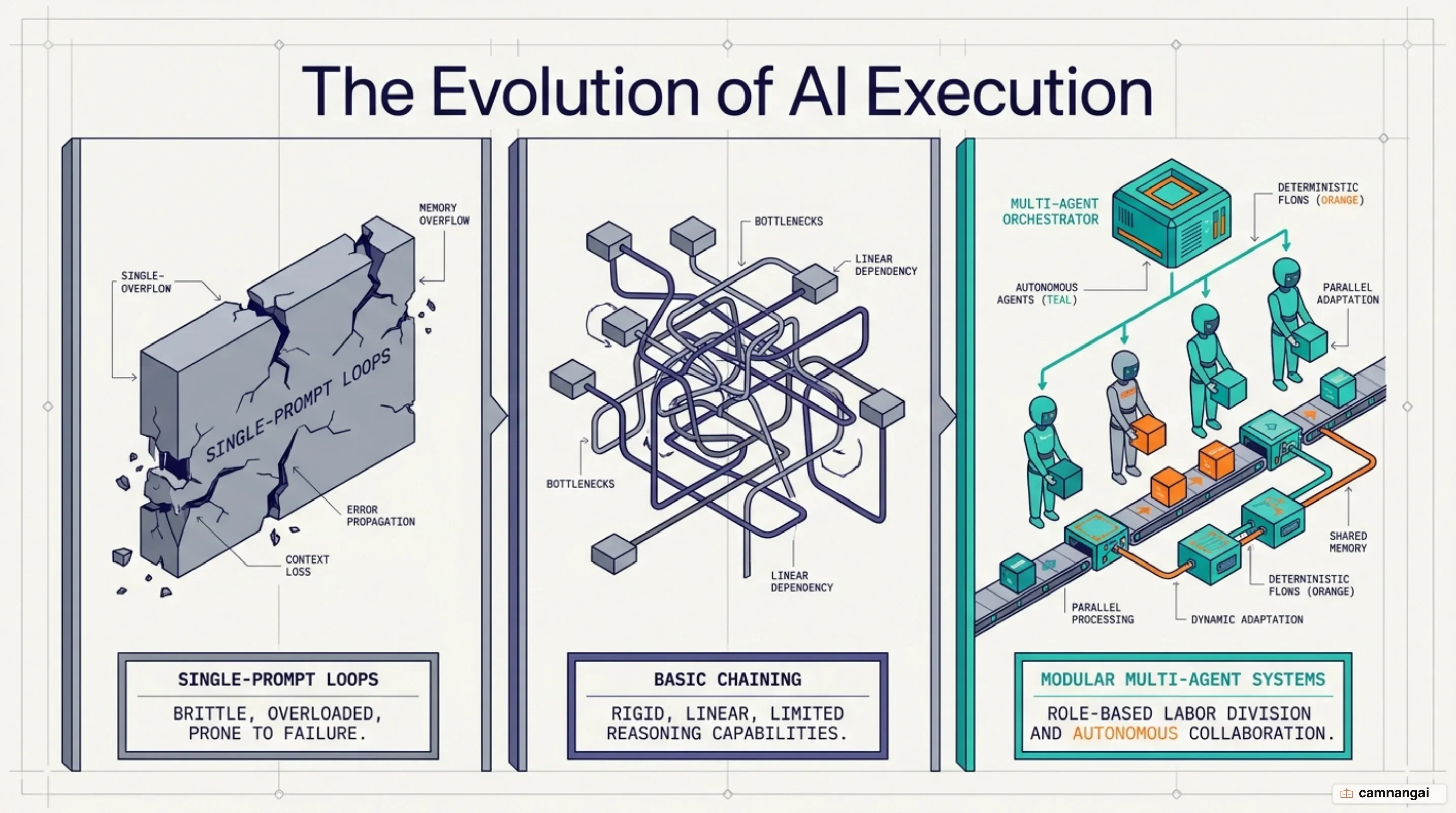
Multi-Agent Systems (MAS) resolve task complexity by partitioning operational requirements across specialized personas. Instead of treating a single LLM as a universal solver, you isolate distinct domain responsibilities into dedicated ReAct (Reason + Act) reasoning loops. This modular decomposition establishes discrete execution paths where individual agents operate within restricted domains. Consequently, you achieve higher system reliability and eliminate the need for costly model , steering agent behavior through explicit parameters and dedicated toolsets rather than retraining model weights.
To coordinate these systems cleanly, CrewAI implements a dual-layer architectural model. At the outer layer, Flows function as your stateful, event-driven management backbone written in standard Python. At the inner layer, Crews act as specialized autonomous teams executing localized sub-tasks delegated by the Flow. The framework's core runtime performance stems directly from its migration off LangChain to LiteLLM. By cutting out framework-level abstraction layers and eliminating heavy transitive dependencies, CrewAI standardizes direct API call routes and lowers runtime execution latency. You can manage project initialization and environments using the uv toolchain via standard CLI commands such as uv tool install crewai.
Core primitives: Agents, Tasks, and Crews
Agents serve as the fundamental autonomous execution units in CrewAI. You configure an agent using three primary prompt-steering parameters: role, goal, and backstory. These fields are systematically injected into the system prompt to anchor the model's ReAct reasoning loop. Operational parameters dictate how your agent executes: llm specifies the provider model (defaulting to OPENAI_MODEL_NAME or gpt-6-luna), max_iter caps maximum ReAct loop iterations before returning a best answer (defaulting to 20), direct execution is invoked via kickoff(), and automatic context boundary management is controlled via respect_context_window=True. When enabled, LiteLLM calculates context boundaries using 85% of the catalog ceiling (for instance, scaling an 8,192-token context limit down to a strict 6,963-token threshold before triggering automatic summarization). Legacy parameters such as allow_code_execution, code_execution_mode, and CodeInterpreterTool are fully deprecated; you must route secure code execution through external sandboxes like E2B or Modal.
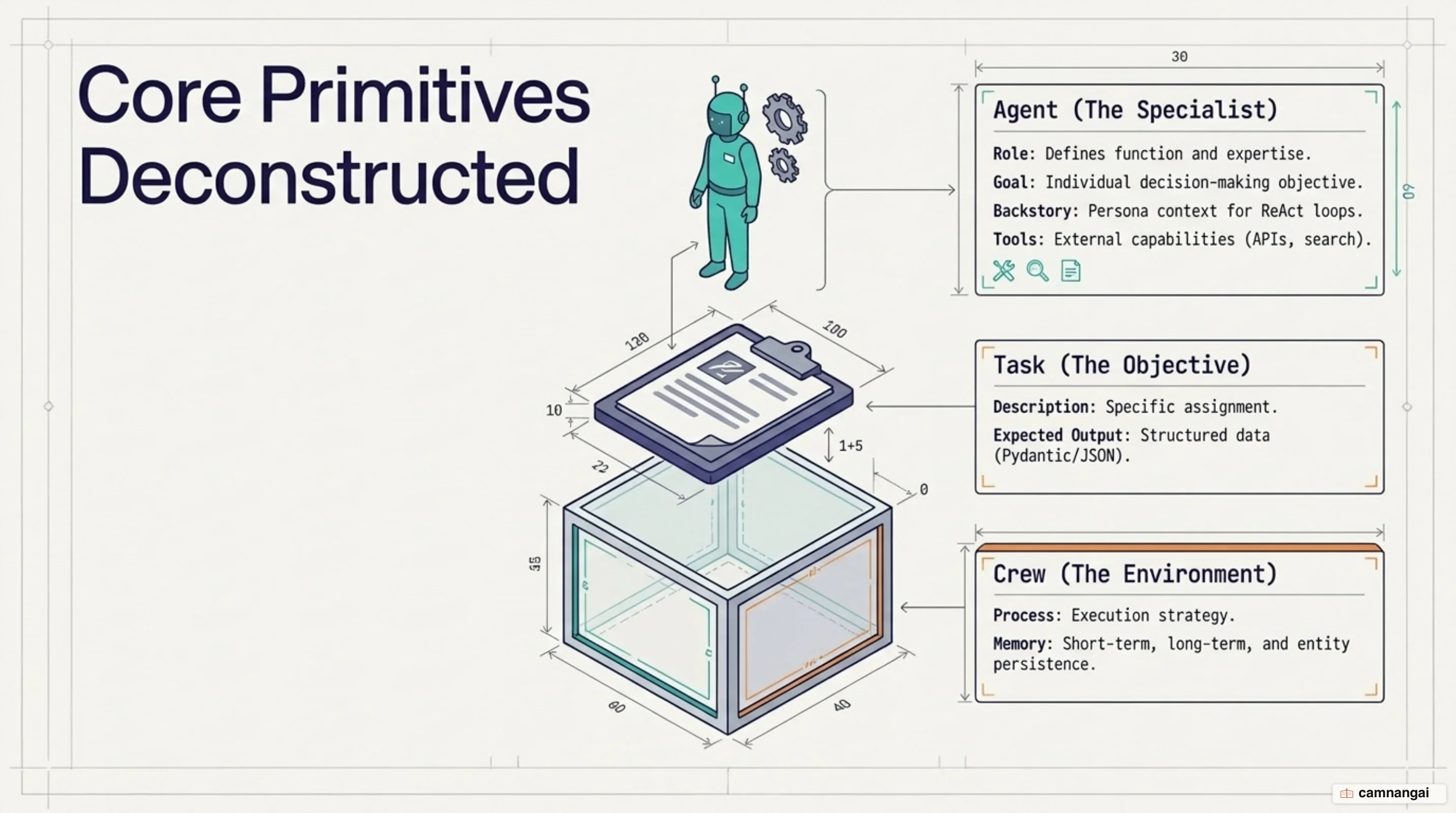
Tasks define the discrete units of work you assign to agents. A task specification requires a string description, an expected_output definition, and the designated agent. You can enforce structured outputs using Pydantic models (output_pydantic) or JSON schemas (output_json), and establish execution sequences using the context parameter to pass upstream outputs downstream. To prevent runaway loop execution, CrewAI enforces a strict task safeguard: if an agent invokes the exact same tool with identical arguments and receives identical results 5 times total within the scope of a single task or kickoff() run, the framework aborts execution and raises a ToolExecutionFailedError.
Crews combine your agents and tasks into functional operational units. When you instantiate a Crew, you configure execution strategies through settings such as process (sequential or hierarchical), memory, cache, max_rpm (rate-limiting total API calls across all constituent agents), and automated checkpointing via checkpoint=True or custom CheckpointConfig objects that persist state snapshots to local directories like .checkpoints/.
{
  "role": "{topic} Senior Data Researcher",
  "goal": "Uncover cutting-edge developments in {topic}",
  "backstory": "You find the most relevant information and present it clearly.",
  "llm": "openai/gpt-4o",
  "tools": ["SerperDevTool"],
  "settings": {
    "verbose": true,
    "allow_delegation": false,
    "max_iter": 20,
  },
}
Execution processes: Sequential vs. Hierarchical delegation
When executing tasks within a Crew, you can choose between two main process models: sequential and hierarchical. The Sequential Process is the default linear mode where tasks execute in the exact order you declare them. The framework automatically passes the text or structured output from each completed task into the prompt context of the subsequent downstream task, giving you a predictable pipeline for linear data transformation.
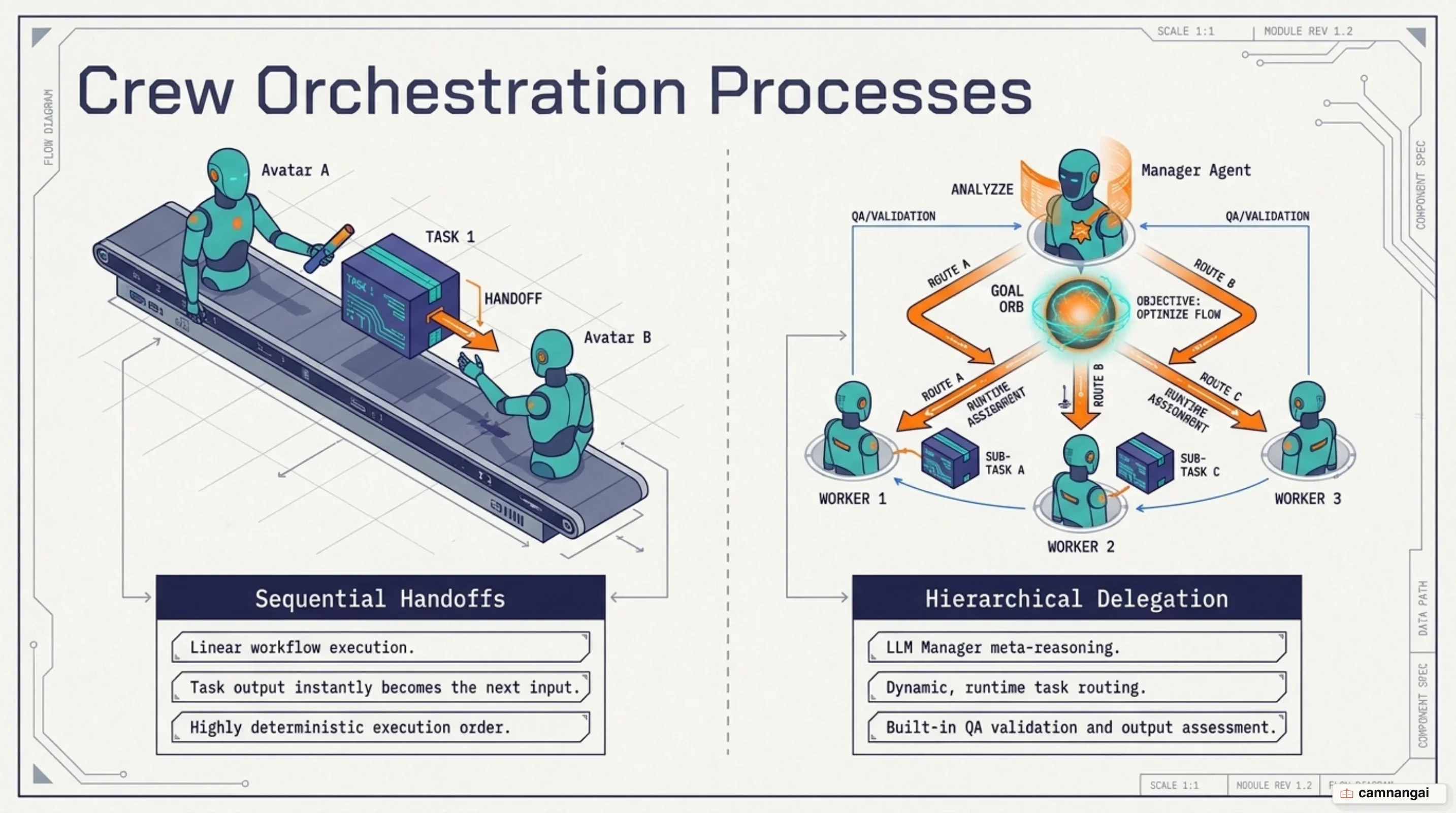
The Hierarchical Process introduces a manager-led coordination model that requires you to specify a manager_llm or pass a explicit manager_agent. In this mode, a manager model receives the global objective and task suite, dynamically routing sub-tasks to worker agents, evaluating intermediate outputs, and confirming task completion before finalizing execution. If you enable allow_delegation=True on an agent, the framework injects two dynamic delegation tools directly into its ReAct loop: delegate_work and ask_question. At runtime, the agent's LLM invokes these tools to assign work or query peers by role name. To prevent choice paralysis and token bloat when managing large agent pools, you can set allowed_agents to explicitly restrict delegation targets.
However, relying on auto-generated hierarchical managers introduces known architectural edge cases. In production setups, auto-generated managers frequently ignore dynamic delegation logic, fall back to simple sequential execution, overwrite upstream task outputs, or experience manager-to-worker delegation failures (such as documented in bug #4783). To bypass these failure modes, you should construct a custom manager by instantiating an Agent with explicit step-by-step routing prompts and passing it into the crew via the manager_agent parameter. This prevents the execution engine from defaulting to generic sequential iteration while maintaining precise control over worker routing.
Deterministic control with CrewAI Flows
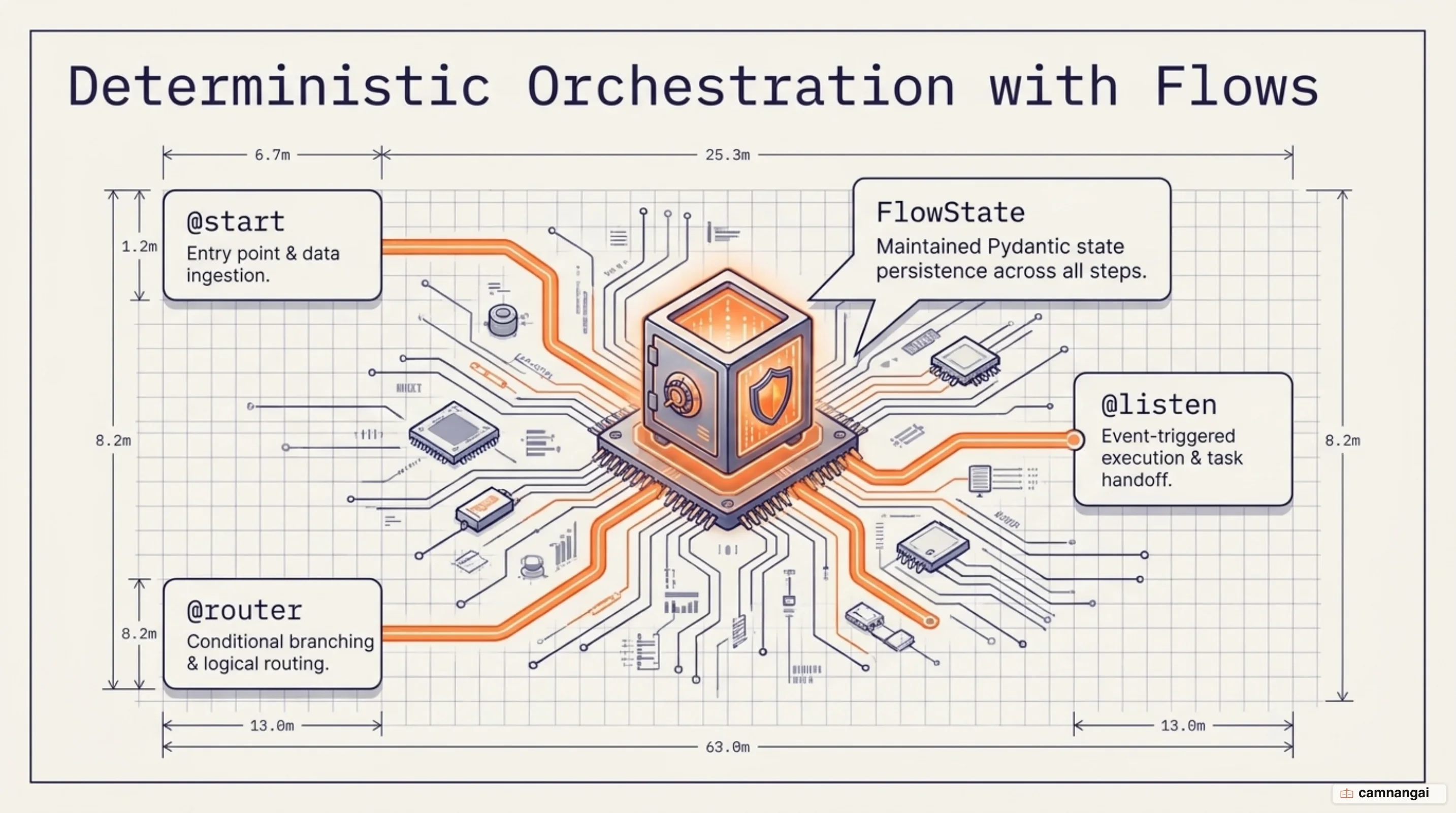
While Crews handle non-deterministic agent reasoning, enterprise production systems require deterministic control flow across data pipelines, database queries, and external APIs. CrewAI Flows provide an event-driven control layer that wraps Crews inside explicit execution paths. You structure workflows using method decorators: @start() defines entry points (which can run in parallel), @listen() triggers execution based on string event names or direct function references, and @router() manages conditional branching. You must annotate @router() methods with Literal[...] return types or provide explicit emit lists so that visual plotting tools (flow.plot()) and static AST analyzers can deterministically resolve graph branches. Complex routing conditions can be joined using logical operators like or_ and and_.
from typing import Literal
from crewai import Agent, Crew, Process, Task
from crewai.flow.flow import Flow, listen, router, start
from pydantic import BaseModel

class PipelineState(BaseModel):
 quality_score: float = 0.0

class ContentPipelineFlow(Flow[PipelineState]):

 @start()
 def evaluate_input(self):
 self.state.quality_score = 0.85

 @router(evaluate_input)
 def route_by_quality(self) -> Literal["deep_analysis", "quick_summary"]:
 if self.state.quality_score > 0.8:
 return "deep_analysis"
 return "quick_summary"

 @listen("deep_analysis")
 def run_research_crew(self):
 researcher = Agent(
 role="Research Analyst",
 goal="Analyze complex datasets",
 backstory="Data expert",
 )
 task = Task(
 description="Perform deep analysis",
 expected_output="Detailed report",
 agent=researcher,
 )
 crew = Crew(
 agents=[researcher],
 tasks=[task],
 process=Process.sequential,
 )
 return crew.kickoff()
You can manage state in Flows using either unstructured dictionaries or typed Pydantic BaseModel classes. Every Flow instance automatically receives a persistent state UUID (state.id). By applying the @persist decorator (which uses SQLiteFlowPersistence by default), your flow automatically serializes state changes to disk after method execution. State hydration supports two execution modes during kickoff(): resuming an existing state history using kickoff(inputs={"id": uuid}) or forking history into a new execution branch with a fresh state ID using kickoff(restore_from_state_id=uuid).
Flows also provide granular token metrics and human-in-the-loop review controls. You must distinguish between total aggregated token consumption across all flow steps, crews, and bare LLM calls (flow.usage_metrics) and single-crew output metrics (flow.kickoff().token_usage), which only report token usage for the final executed task. For human oversight, applying the @human_feedback decorator pauses flow execution to collect input. When you specify an emit list, an internal LLM collapses free-form human responses into one of your defined routing outcomes. The downstream listener method receives a HumanFeedbackResult object containing result.feedback and result.output, while execution history remains accessible via self.last_human_feedback or self.human_feedback_history.
CrewAI vs. LangGraph vs. AutoGen: Architectural trade-offs
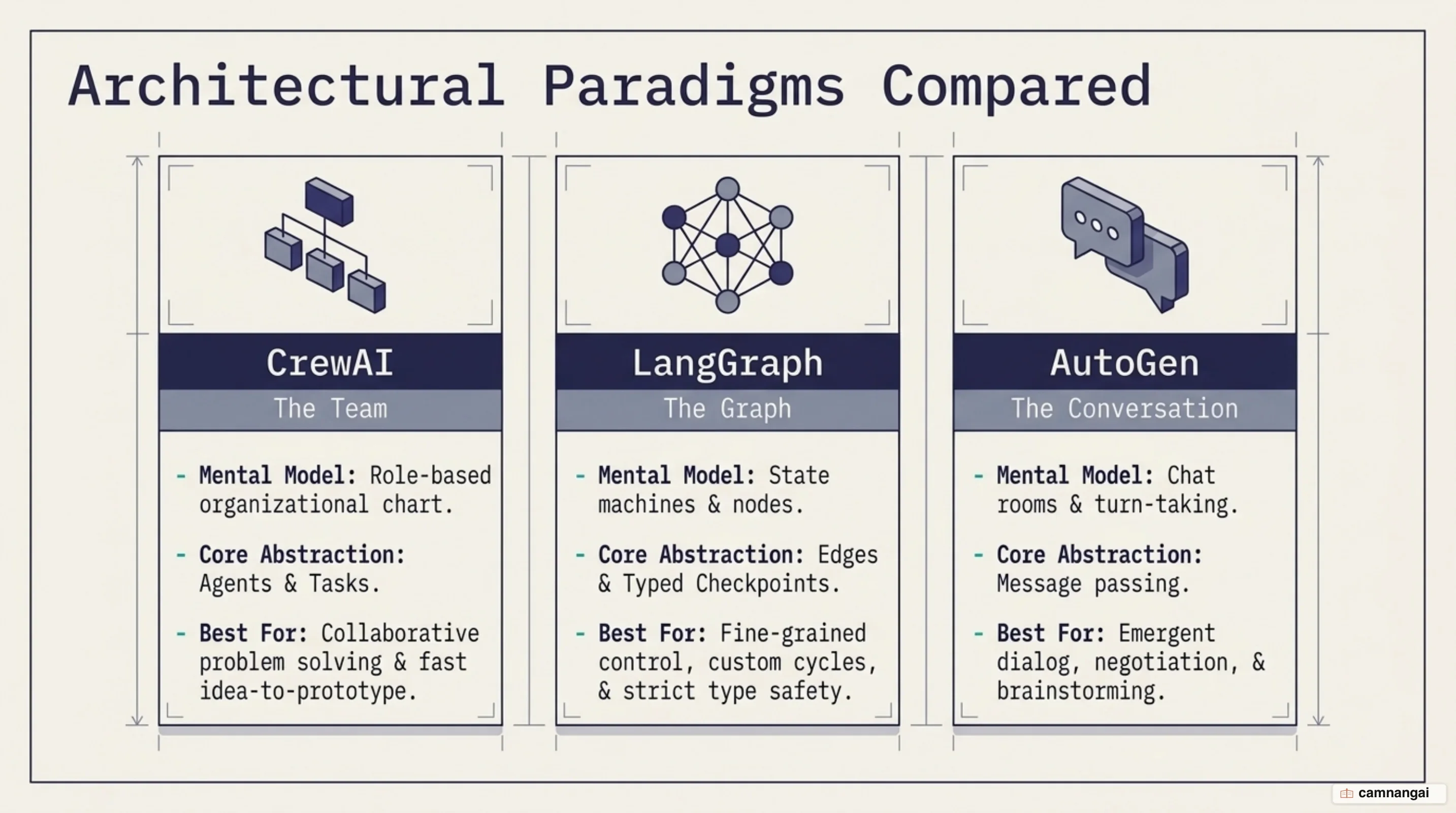
Multi-agent framework selection depends on how your target domain maps to different core mental models and state persistence designs:
| Framework | Primary Mental Model | Orchestration Model | State & Persistence | Best Production Use Case |
|---|---|---|---|---|
| CrewAI | Build an organizational team | Dual-layer: Autonomous Crews + Deterministic Flows | Pydantic state model with @persist SQLite backend | Role-decomposed enterprise business processes |
| LangGraph | Build a graph of nodes | State machine graphs with cyclic nodes and edges | Typed state with explicit node checkpoint reducers | Non-linear workflows requiring precise token optimization |
| AutoGen | Build a conversation | Multi-agent group chat and message passing | Conversational message history buffers | Exploratory multi-party dialogue and group reasoning |
| OpenAI Agents SDK | Build a pipeline | Sequential pipeline execution with handoffs | Managed thread session state | Direct hosted pipeline automation with guardrails |
Evaluating these frameworks involves explicit architectural trade-offs. CrewAI prioritizes developer velocity and readable abstractions, enabling up to ~40% faster prototype implementation compared to graph-only frameworks like LangGraph. The organizational metaphor (roles, goals, backstories) makes agent prompts accessible to domain experts and non-engineering stakeholders. However, CrewAI incurs higher token consumption overhead due to continuous ReAct reasoning loops and persona injection. Conversely, LangGraph gives you precise control over cyclic state transitions and custom reducers, making it better suited for low-latency, highly optimized state machines.
When to choose CrewAI for production applications
Select CrewAI for production when your enterprise business requirements map naturally to human organizational roles and structured workflows. By implementing CrewAI's dual-layer architecture, you isolate deterministic operational steps (data retrieval, validation, database mutations) inside Python Flows, while scoping non-deterministic reasoning (data synthesis, report generation, creative planning) to embedded Crews. This structural boundary prevents LLM non-determinism from corrupting routine pipeline logic. When deploying to production enterprise environments, you can back your infrastructure with control planes such as the CrewAI AMP Suite to handle real-time tracing, SOC2 compliance, and monitoring.
A core system design principle when building with CrewAI is to avoid deploying unconstrained, fully autonomous Crews directly to production API endpoints. Pure autonomous crews introduce risks of runaway token costs, unvalidated iteration loops, and unpredictable tool execution latency. Always encapsulate your Crews inside structured, event-driven Flows to guarantee system stability, enforce execution guardrails, and control operational costs.
References
- CrewAI Documentation — Introduction & Core Concepts
- CrewAI Documentation — Agents
- CrewAI Documentation — Crews & Collaboration Processes
- CrewAI Documentation — Flows
- GitHub - crewAIInc/crewAI: Framework for orchestrating role-playing, autonomous AI agents
- What is crewAI? — IBM Think
- CrewAI's Genuinely Unique Features: An Honest Technical Deep-Dive — Vadim's blog
- Top Agentic Frameworks for Building Applications 2026 — The JetBrains Blog