Google Workspace is a cloud-native productivity and collaboration suite that provides organizations with hosted custom email domains (@yourcompany.com), flexible pooled storage starting at 30 GB per user, real-time document editing, and centralized administrative controls.
You operate all core applications directly through modern web browsers or native mobile clients, eliminating local client software installations and on-premises mail server maintenance.
Core infrastructure services connect directly to enterprise identity management, allowing you to control provisioned accounts, security keys, and service access policies from a unified control plane.
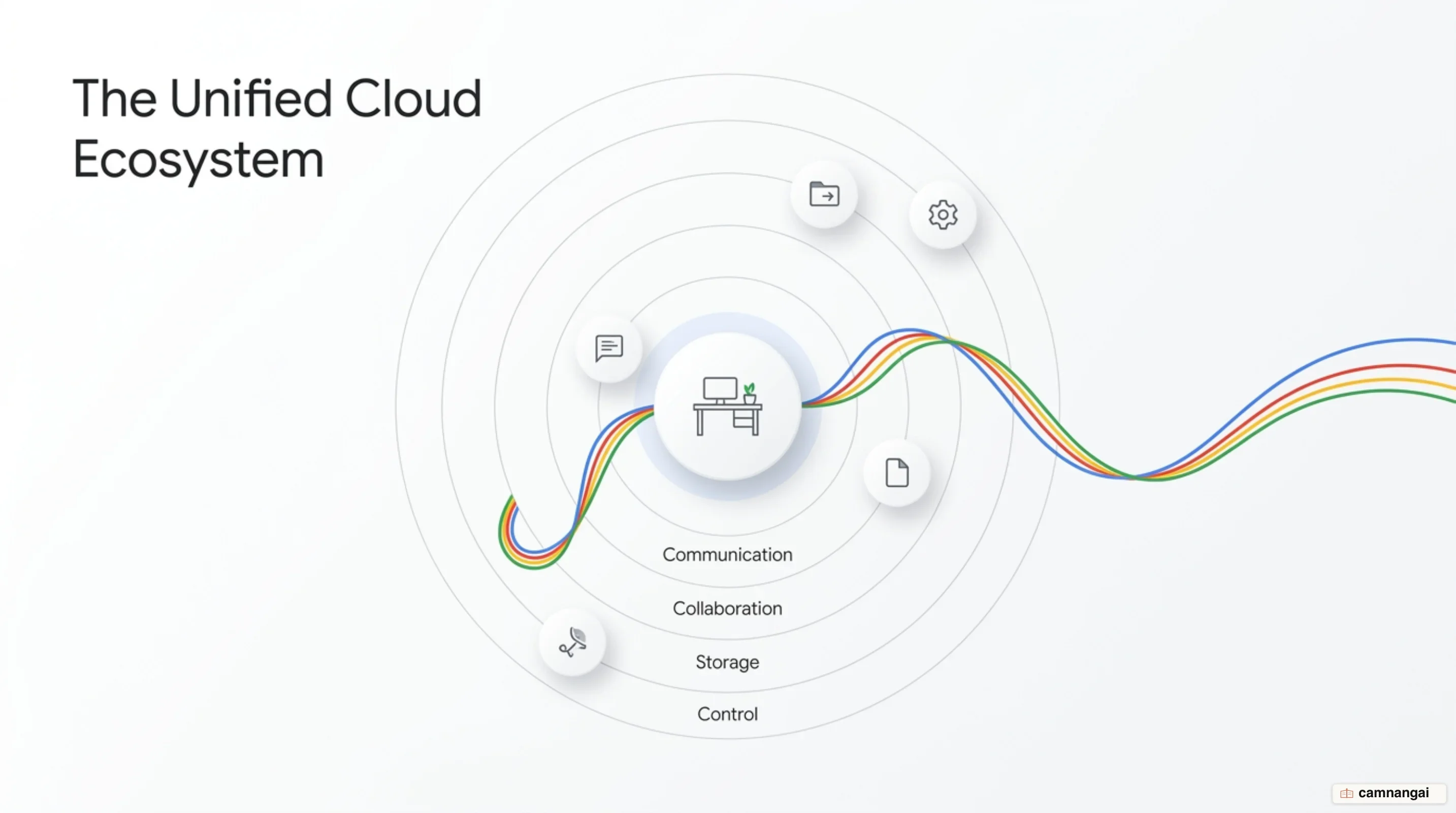
What is Google Workspace and what does the suite include?
Google Workspace is a comprehensive collection of cloud computing, productivity, and collaboration software developed by Google. The platform began testing in February 2006 at San Jose City College, hosting Gmail accounts and administration tools, before launching broadly as Google Apps for Your Domain in August 2006. Google rebranded the product line to G Suite in 2016 and transitioned to the Google Workspace brand in 2020. Market adoption metrics demonstrate substantial enterprise scale, expanding to over 9 million paying businesses and more than 170 million education users globally.
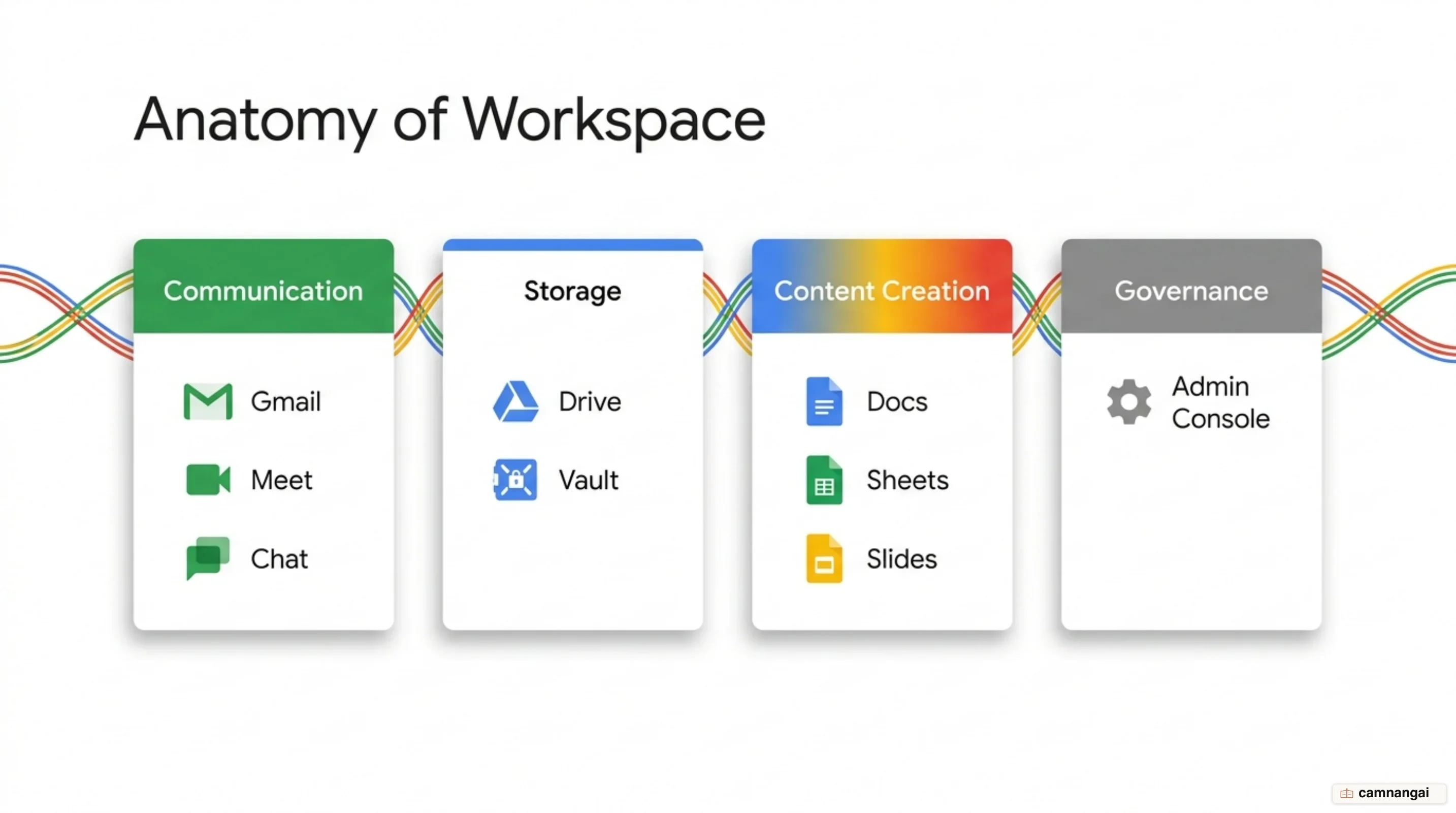
The suite categorizes its application ecosystem into five primary operational domains:
- Communication: Gmail (custom domain business email), Google Calendar (shared scheduling), Google Meet (video and voice conferencing), and Google Chat (team messaging).
- Storage: Google Drive (centralized cloud file storage and synchronization).
- Content Creation: Google Docs (word processing), Google Sheets (spreadsheets), Google Slides (presentations), Google Forms (surveys and quizzes), Google Sites (team website creation), Google Drawings (diagramming), Google Vids (AI-assisted video generation), and Google Pics (AI image generation).
- Organization: Google Keep (note-taking) and Google Tasks (to-do tracking).
- Administrative Governance: Admin Console (centralized tenant management) and Google Vault (data retention and eDiscovery).
Administrative controls allow IT engineers to manage custom domain email routing, configure pooled storage across operational units, enforce 2-step verification, and set group-based access policies. To support strict regulatory frameworks, the infrastructure maintains Federal Information Security Modernization Act (FISMA) certification, SSAE 16 / ISAE 3402 Type II audit standards, System and Organization Controls 2 (SOC 2) compliance, and ISO 27001 security certification. SAML-based Single Sign-On (SSO) and federated identity integration are supported through Cloud Identity Premium. Additional modular add-ons include Google Voice for cloud telephony, AppSheet for no-code application development, and dedicated Google Meet room hardware.
Real-time collaboration: the core architectural difference
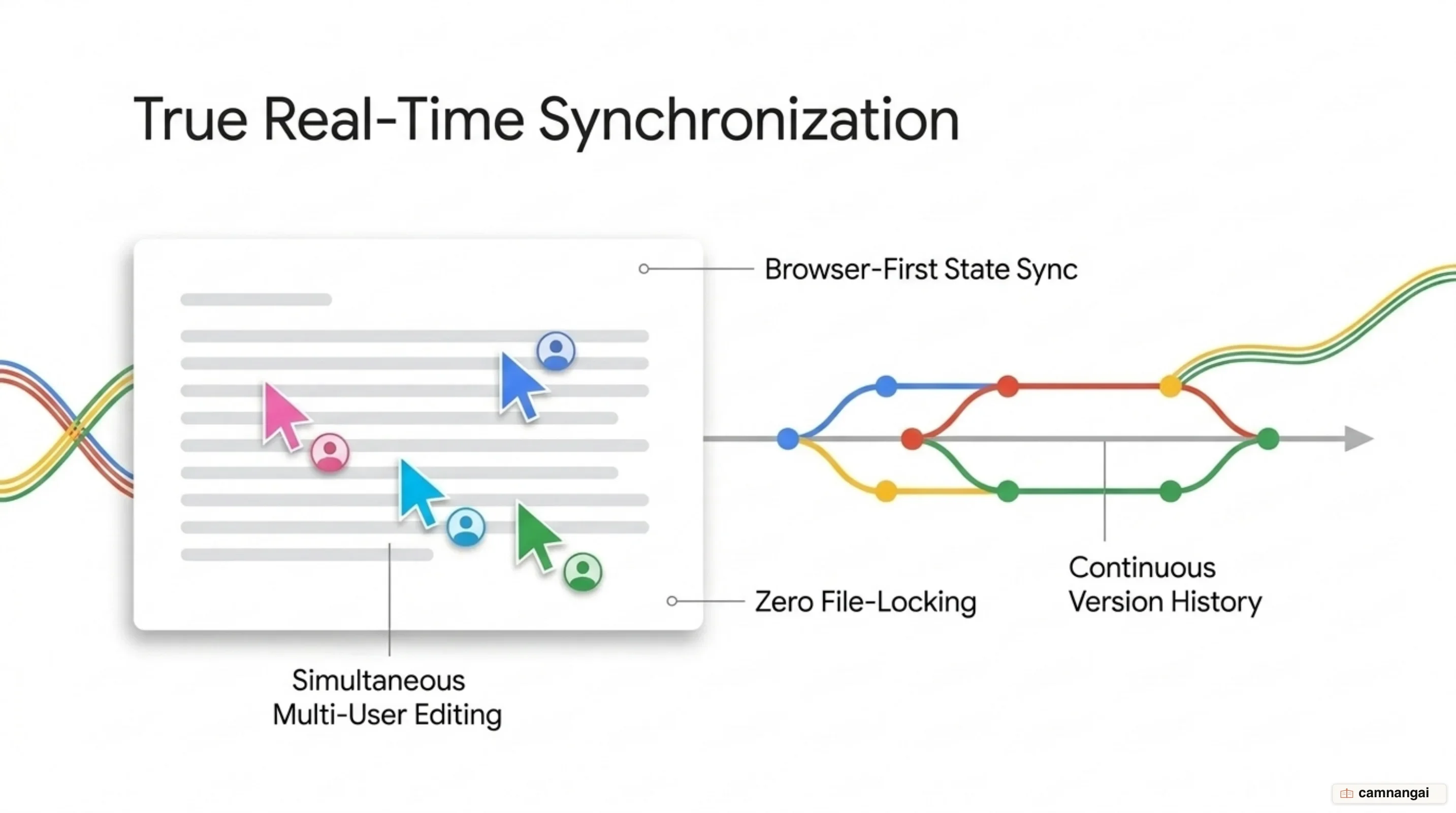
Google Workspace runs on a web-first, cloud-native architecture designed to eliminate local file system dependency and client-side sync overhead. Multi-user co-authoring in Google Docs, Sheets, and Slides functions directly inside standard web browsers and mobile apps. Because edits process through continuous state synchronization, multiple users can edit identical documents simultaneously without encountering file-locking states or manual save steps. Platform engines log a granular revision history that allows administrators and end users to inspect previous document states, review specific contributor edits, or restore earlier versions.
Google Drive is the shared storage foundation for all workspace data assets. Instead of scattering files across isolated local disks, assets reside in cloud storage locations governed by explicit permission hierarchies. Access rights are defined at granular access levels—view, comment, or edit—assigned to individual identities or mapped to directory user groups. Drive integrates natively with the Docs Editors suite, enabling automated background saving, centralized indexing, and cross-application file searching.
Data persistence and hardware security rely on Google-designed data centers running custom, hardware-hardened operating systems. Data is protected against interception and physical media compromise through encryption: AES 128-bit or stronger encryption at rest, combined with encrypted transport protocols between client endpoints and data centers. To guarantee continuous uptime and disaster recovery performance, data and user actions are replicated simultaneously across dual data centers in real time. Core Workspace data remains customer property; Google does not scan or process core suite content for advertising purposes.
Gemini in Google Workspace: AI features and practical workflows
Generative AI capabilities are embedded natively into system workflows through Gemini for Google Workspace. Inside Gmail, Docs, Drive, Slides, and Sheets, Gemini 1.5 Pro powers an integrated side panel. Its extended context window processes multi-document inputs, enabling you to query context across your cloud environment—such as aggregating high-volume email threads or referencing specific Drive files via @ commands. Mobile workflows inside the Gmail app include automated thread summarization, Contextual Smart Reply prompts, and Gmail Q&A to execute natural language queries against inbox contents. Desktop language support for "Help me write" in Gmail and Docs extends across English, Spanish, and Portuguese.
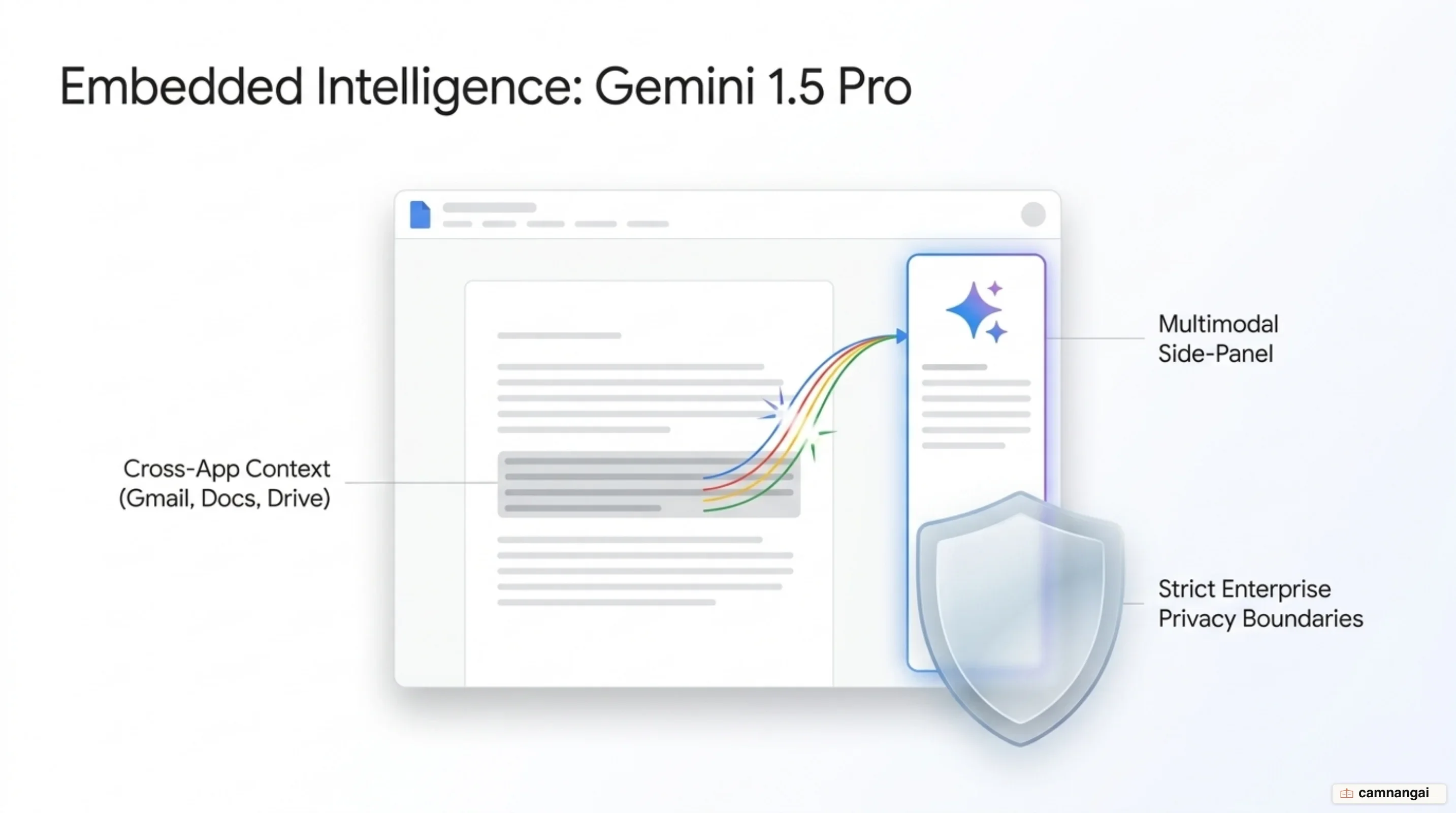
For broader analytical and technical tasks, users access a standalone enterprise chat interface at gemini.google.com powered by the 1.0 Ultra model. This environment enforces enterprise-grade data boundaries: input prompts and generated responses are isolated, meaning conversations are not reviewed by human operators, are never shared with third-party entities, and are strictly excluded from advertising systems or public model training sets.
Organizations deploy generative AI capabilities via dedicated add-on SKUs or integrated plans:
- Gemini Business: Priced at $20 per user per month with an annual commitment, supplying standard access to Gemini side-panel features across Workspace apps and the standalone enterprise chat interface.
- Gemini Enterprise: Priced at $30 per user per month with an annual commitment, providing higher usage thresholds along with advanced video conferencing integration in Google Meet, including automated meeting notes and real-time closed caption translation across more than 100 language pairs.
Comparing Google Workspace editions: Starter, Standard, Plus, and Enterprise
User limits and positioning
Google Workspace divides its commercial tiers into Business and Enterprise categories. Business Starter, Business Standard, and Business Plus plans enforce a hard ceiling of 300 users per organization tenant. Enterprise plans remove user limits entirely, providing uncapped scaling for large organizations.
Storage metrics
Storage allocations operate on an enterprise pooled model, combining total organization storage capacity based on license volume:
- Business Starter: 30 GB pooled storage per user.
- Business Standard: 2 TB pooled storage per user.
- Business Plus: 5 TB pooled storage per user.
- Enterprise: 5 TB pooled storage per user, with administrative mechanisms to request additional storage capacity as required.
Video conferencing limits
Google Meet operational limits scale progressively through each tier:
- Business Starter: Up to 100 meeting participants.
- Business Standard: Up to 150 meeting participants, adding direct session recording to Google Drive.
- Business Plus: Up to 500 meeting participants.
- Enterprise: Up to 1,000 meeting participants, adding in-domain live streaming and advanced noise cancellation.
Security and management escalation
Security controls scale from basic access controls to advanced corporate governance platforms:
- Business Starter & Standard: Fundamental endpoint management, 2-step verification, and group-based security policy configurations.
- Business Plus: Adds Advanced Endpoint Management, custom data retention rules, and Google Vault for compliance archiving and eDiscovery.
- Enterprise: Deploys top-tier administrative protections, including Secure/Multipurpose Internet Mail Extensions (S/MIME) mail encryption, Data Loss Prevention (DLP) for Gmail and Drive, Context-Aware Access rules, Cloud Identity Premium, enterprise endpoint management, automated AI Classification for Google Drive, Enterprise Data Regions for data location controls, and optional Assured Controls.
Google Workspace vs. Microsoft 365: which ecosystem fits your team?
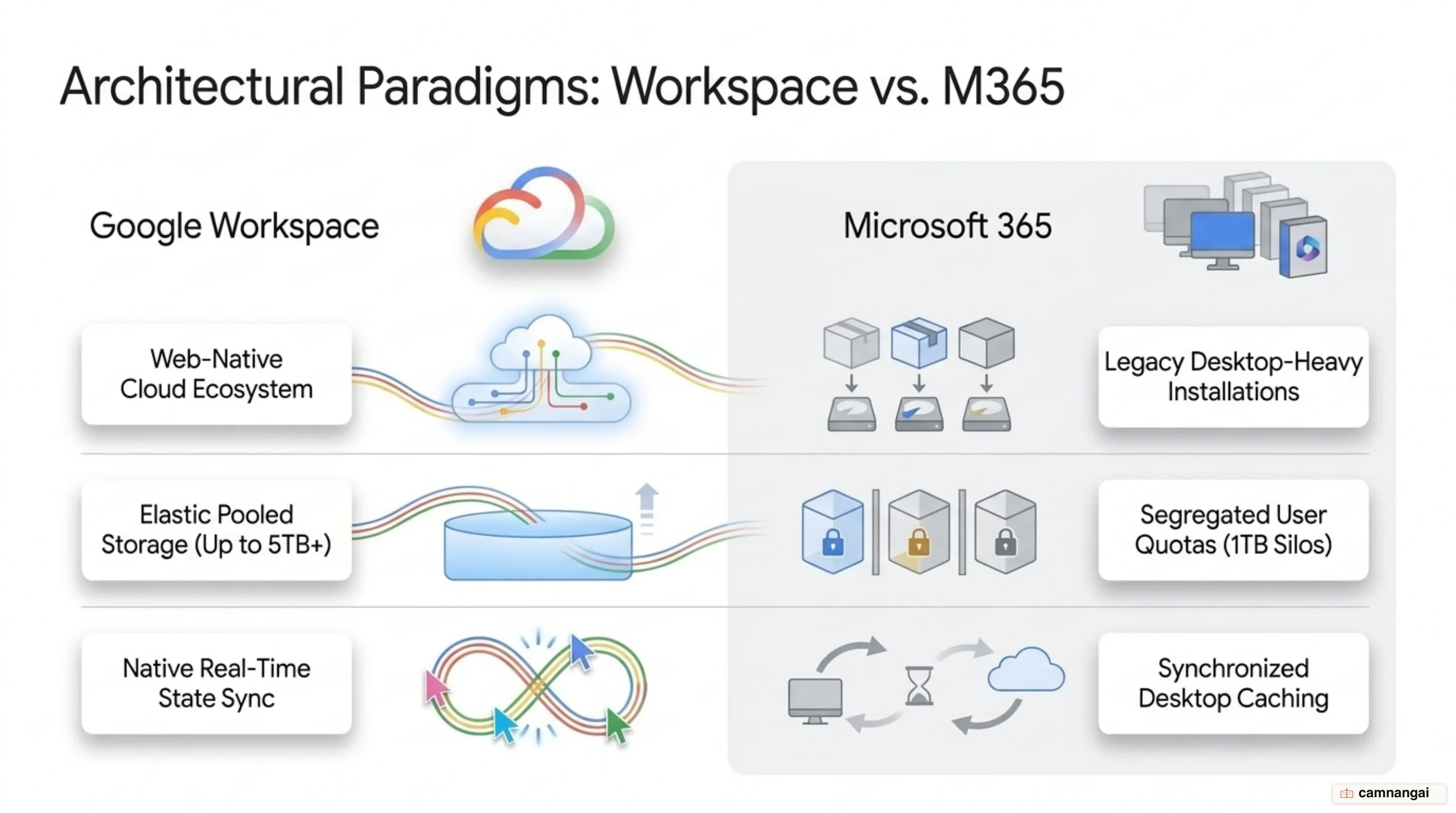
Comparing Google Workspace and Microsoft 365 highlights clear architectural and administrative differences. Workspace operates on a cloud-first, web-native model, delivering lightweight browser applications engineered for rapid client execution, smooth cross-platform support across any operating system, and low administration overhead. In contrast, Microsoft 365 maintains a desktop-heavy heritage centered around feature-dense local software installations like Word and Excel, which supply deep formatting and macro capabilities but increase endpoint management requirements.
In multi-user editing environments, Workspace's synchronization engine delivers low-latency real-time co-authoring inside browser sessions, eliminating edit conflicts and version divergence. While Microsoft 365 supports web-based co-authoring, it still relies heavily on desktop client sync agents (OneDrive/SharePoint), where synchronization timing varies based on local application builds, cached files, and network configurations.
Administrative structures and resource allocations also contrast across the platforms:
- Storage Management: Google Workspace pools storage into a single elastic cloud allocation (30 GB to 5 TB+ per user) shared across Gmail, Drive, and media assets. Microsoft 365 enforces strict, segregated boundaries, assigning fixed mailbox quotas (such as 50 GB in Outlook) separate from designated OneDrive storage limits.
- Licensing Structure: Google Workspace uses transparent tier progression capped at 300 users for Business plans before transitioning to Enterprise tiers. Microsoft 365 maintains a complex licensing matrix spanning numerous Business, Enterprise, and standalone SKUs, requiring IT teams to manage tangled plan dependencies.
How to choose and get started with Google Workspace
Selecting the correct Google Workspace edition depends on team headcount, cumulative storage metrics, and technical governance requirements. For organizations under 300 users requiring straightforward web-based collaboration, Business Starter or Business Standard offers a solid technical foundation. Business Standard is typically the baseline choice for growing teams due to its 2 TB pooled storage allocation per user and Meet video recording features.
When regulatory compliance demands long-term data retention, legal holds, or enhanced device governance, organizations must select Business Plus or Enterprise. Enterprise editions are required for environments exceeding 300 users, as well as deployments that demand advanced security controls such as Data Loss Prevention (DLP), S/MIME encryption, Context-Aware Access, and flexible cloud storage scaling.
References
- Google Workspace — Wikipedia
- Compare Google Workspace Editions — Google Admin Help
- Google Workspace Pricing & Plans — Google Workspace
- Announcing Gemini for Google Workspace — Google Keyword Blog
- New Ways to Use Gemini in Google Workspace — Google Keyword Blog
- What is Google Workspace and Why Do People Love it? — JumpCloud
- Google Workspace vs Microsoft 365: A Full Comparison in 2026 — Cloudwards