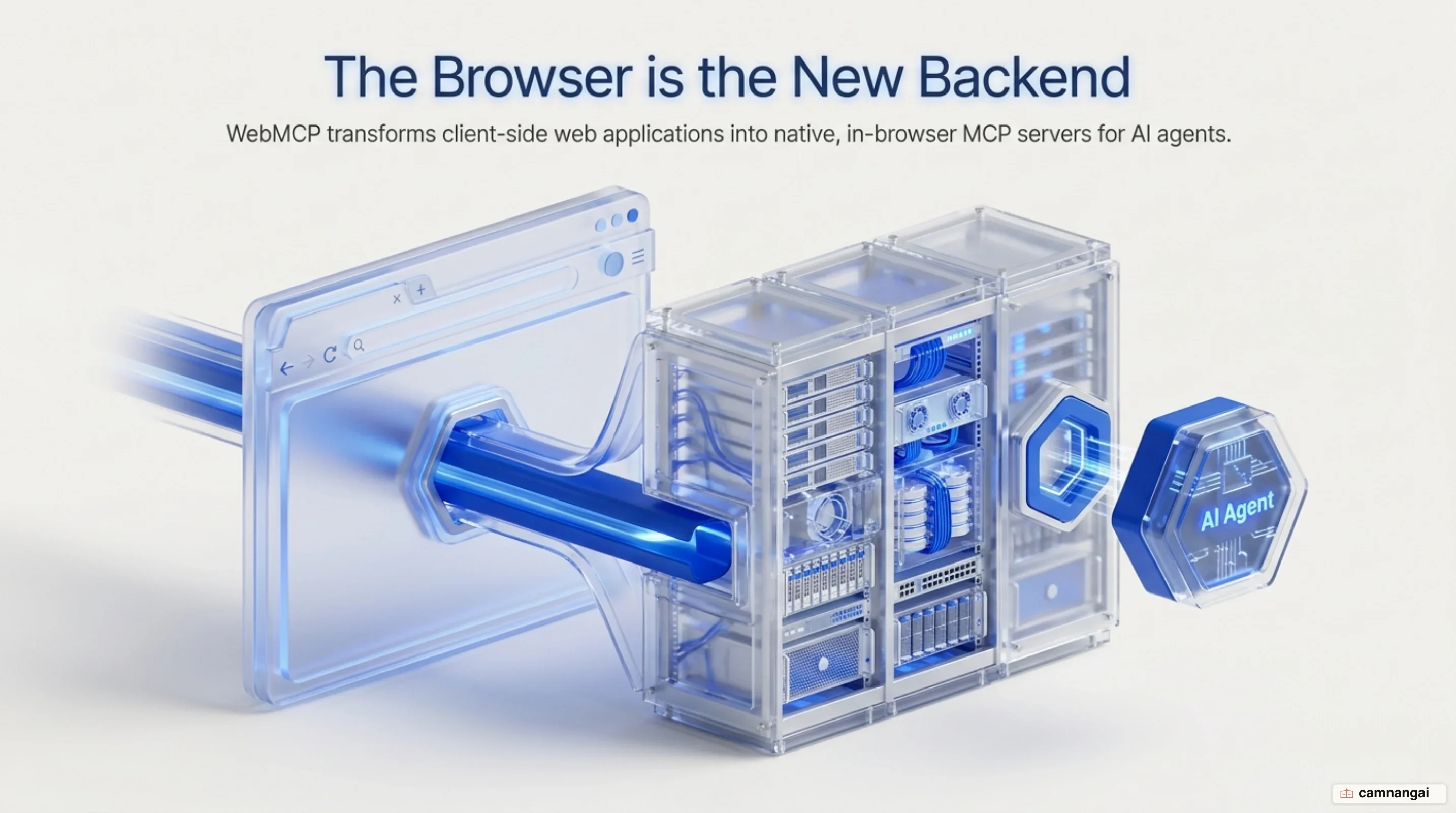
When you build agentic workflows for the web, exposing your application's underlying logic directly to an AI model is vastly superior to forcing the agent to infer UI state from visual pixels or raw DOM nodes. WebMCP is a web browser API proposal developed by the W3C Web Machine Learning Community Group that allows you to expose structured, callable JavaScript tools directly to AI agents. By providing a standardized, client-side interface within the browser runtime, WebMCP replaces fragile DOM scraping, visual screenshot analysis, and simulated UI clicks with explicit, typed function calls executed natively inside the running browser tab.
Under the WebMCP model, your web application functions as an in-page Model Context Protocol (MCP) server. Your client-side JavaScript code registers functions equipped with natural language descriptions and JSON Schema specifications for inputs and outputs. In-browser —whether built directly into the browser engine, hosted within extension background scripts, or operating inside embedded iframes—can query these tools, inspect their schemas, and invoke application code deterministically.
This architecture preserves a collaborative, human-in-the-loop operational model for web automation. Because WebMCP tool callbacks run in your application's active page script, tool execution automatically shares your active browser session, authentication state, and client-side data store. As an agent executes tools, your application updates the visual DOM in real time, keeping the human user informed and in full control of the browsing session.
Why Browser AI Agents Need More Than DOM Scraping
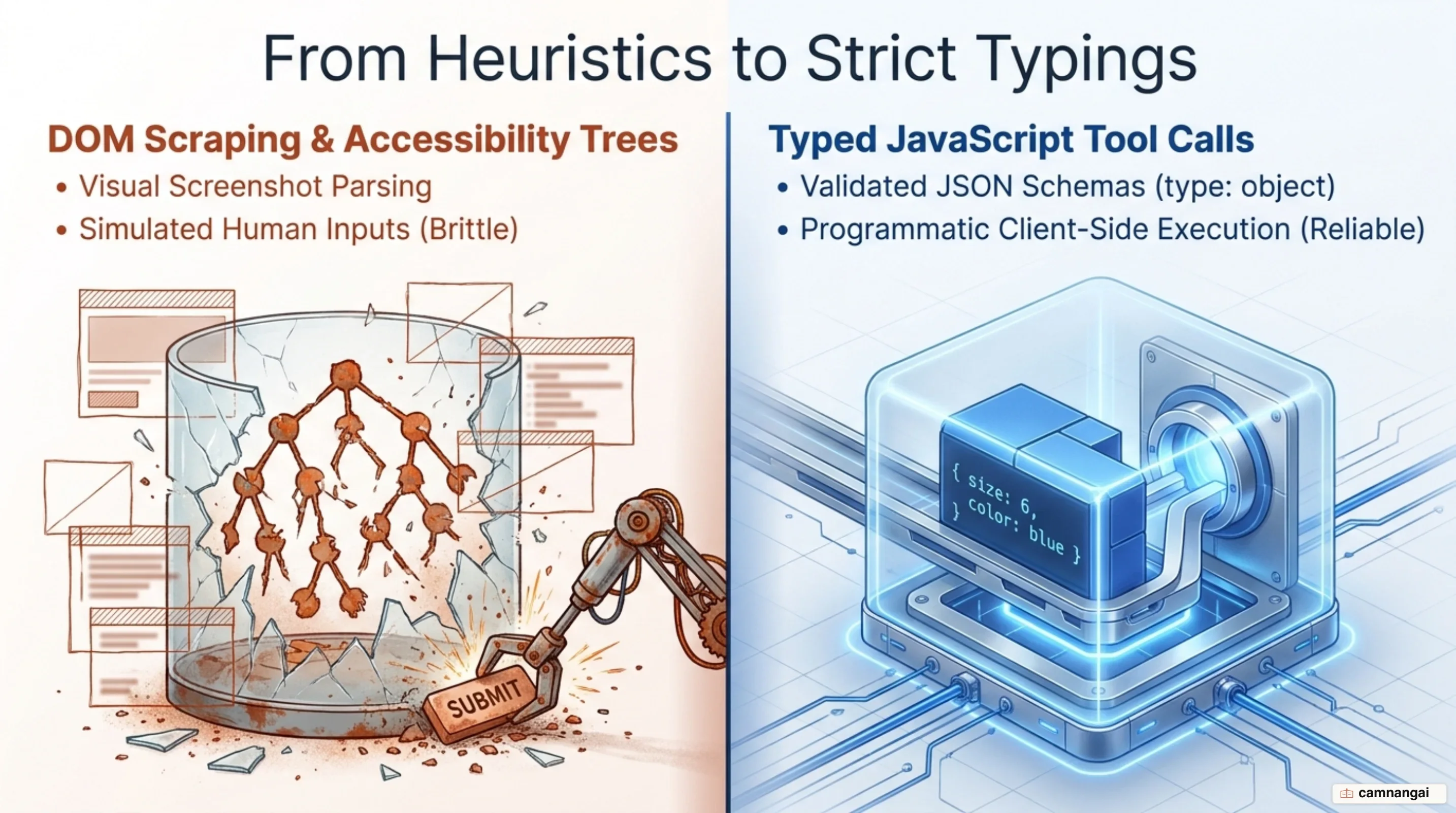
General-purpose AI agents operating on the web traditionally observe page state by capturing visual screenshots, parsing DOM subtrees, or traversing accessibility trees. To perform actions, these agents simulate physical human input events such as mouse clicks, scroll operations, and keystrokes.
While this visual and structural actuation allows agents to interact with legacy interfaces, it introduces severe operational friction. Minor front-end updates—such as revised CSS layout utility classes, altered DOM hierarchy depth, or modified element IDs—frequently break agent selector logic, leading to brittle automations and frequent task execution failures. Feeding large visual frames and unparsed DOM snapshots into a model's context window also inflates inference latency and consumes substantial budgets on repetitive spatial reasoning.
Attempting to bypass browser UI friction by implementing traditional backend (MCP) servers introduces a different set of architectural problems. Backend MCP integrations establish direct server-to-server communication channels between an AI platform and remote backend microservices. While effective for server-bound batch processing, this approach completely disintermediates the web front end. Because backend calls bypass the user's running browser tab entirely, the visible user interface fails to reflect agent actions in real time. The user loses immediate visual oversight, intermediate state inspection, and the ability to intervene during multi-step workflows.
On top of that, backend MCP architectures impose a heavy state and authentication replication burden on engineering teams. To execute actions on a user's behalf from a remote server, backend integrations require out-of-band credential delegation, complex OAuth token exchanges, or server-side session mirroring. This creates context loss between the browser tab and backend infrastructure, forcing developers to construct complex synchronization layers to mirror state that already exists inside the user's active browser session.
How WebMCP Works: The Browser as an MCP Server
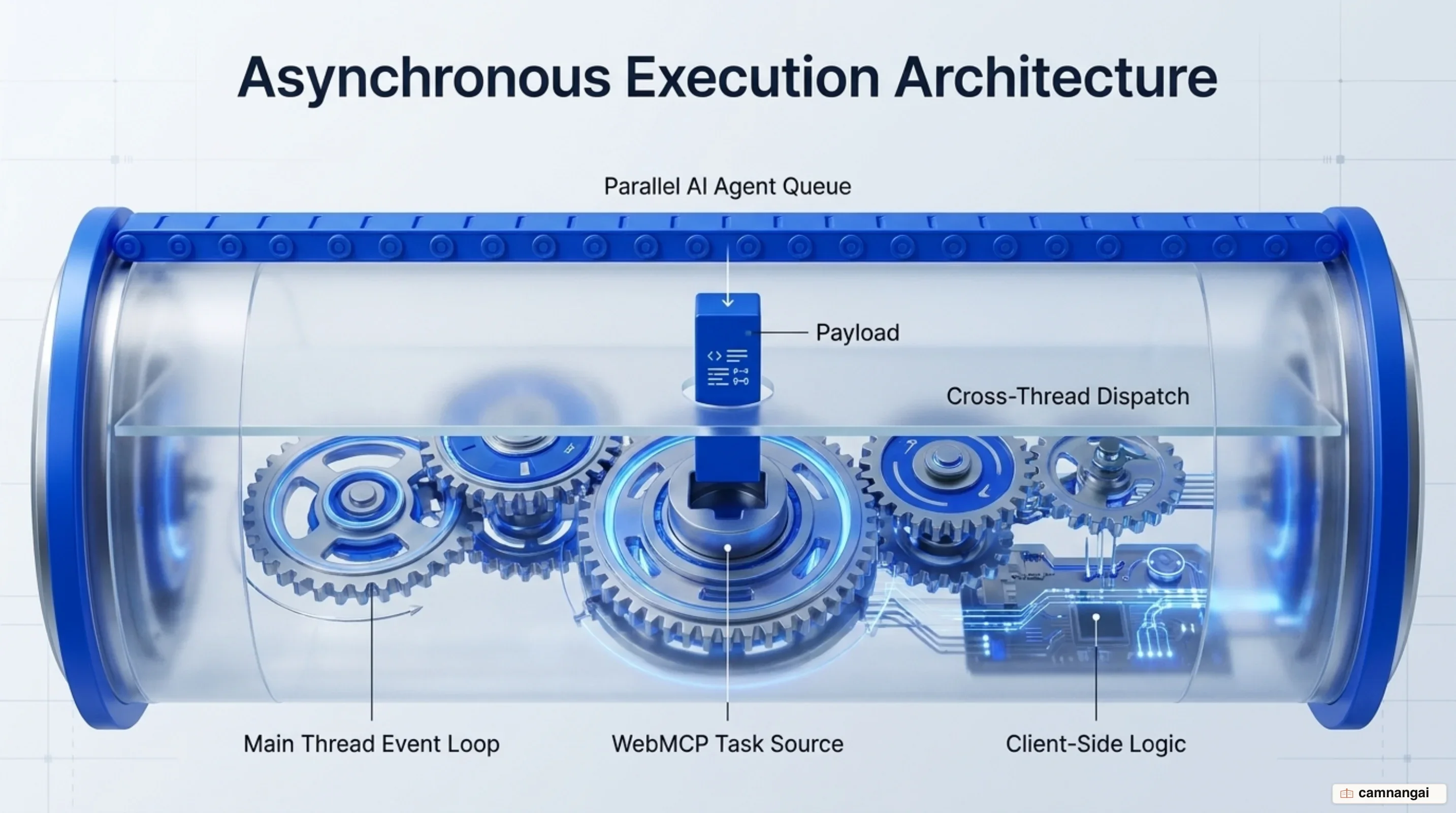
WebMCP reframes the active browser tab as an in-page Model Context Protocol server. Instead of transmitting tool calls over standard input/output (stdio) streams or Server-Sent Events (SSE) to external processes, WebMCP handles tool discovery and invocation entirely inside the browser platform. To keep pages responsive, the specification decouples agent reasoning from web page execution using a twin-queue event loop model. The browser agent operates asynchronously in parallel on a dedicated AI agent queue, preventing heavy model processing from locking the UI. When the agent dispatches a tool call, the browser mediates the execution by queuing tasks onto the page's main thread via the webmcp task source, ensuring safe, ordered execution within the window's JavaScript event loop.
[ Browser Environment / AI Agent Queue ]
                   │
  (Reads Tools)    │  (Invokes Tool)
       │           │       │
       ▼           │       ▼
 ┌─────────────────┴──────────────────────────────────────┐
 │ Page Execution Context (document.modelContext / Main)  │
 │                                                        │
 │ 1. Registration ──► [Tool Registry / JSON Schemas]    │
 │                           │                            │
 │ 4. Execution    ──► [Client Callback Logic]            │
 │                           │                            │
 │ 5. Response     ──► [Visual DOM Update & State Sync]   │
 └────────────────────────────────────────────────────────┘
Because WebMCP callbacks execute within your page's main thread context, any state mutation performed by a tool updates the visible DOM instantly. The human user and the AI agent share the exact same UI state, active session cookies, and local data stores. The fundamental interaction loop follows five sequential steps:
- Registration: The web page registers client-side functions using
document.modelContext.registerTool(), providing natural language metadata, JSON schemas, and anexecutecallback. - Discovery: The browser agent inspects active page tools and reads their corresponding input and output schemas.
- Invocation: The agent initiates a tool execution by passing structured JSON arguments matching the declared schema.
- Execution: The browser queues a task on the
webmcp task source, triggering the page's JavaScript callback to mutate local state and update the DOM. - Response: The callback returns a structured result to the agent, providing explicit confirmation and output data to continue the task.
The WebMCP API: Imperative JavaScript and Declarative HTML Tools
The core imperative interface of WebMCP is exposed via document.modelContext on the global Document object. To register a tool, you pass a ModelContextTool dictionary to document.modelContext.registerTool(). The tool definition requires a name (1 to 128 characters, restricted to ASCII alphanumeric characters, underscores, hyphens, and periods), a human-readable title (USVString), a natural language description, an execute callback, and optional JSON Schema objects for inputSchema and outputSchema. To manage model and token budgets efficiently, you should tie tool lifecycles to application views using AbortController signals. Passing an AbortSignal via ModelContextRegisterToolOptions allows you to unregister tools immediately when a user navigates away from a view, preventing context window saturation and model confusion.
In-page agents discover available tools using document.modelContext.getTools() and invoke them via document.modelContext.executeTool(). The browser dispatches ToolActivatedEvent when tool execution commences and ToolCancelEvent if an active execution is aborted via an AbortSignal. Both event interfaces expose a read-only toolName string attribute (DOMString), allowing applications to track execution state. Pages can also listen to the toolchange event on document.modelContext to dynamically refresh agent registries whenever tools are added or removed.
Complementing the imperative JavaScript surface, WebMCP includes an experimental declarative exploration surface designed for HTML forms. Provided by polyfills such as webmcp-tools, this surface allows forms marked with <form toolname="..."> and toolautosubmit attributes to automatically synthesize WebMCP tool definitions. Declarative forms handle responses through respondWith() and expose active states to CSS via pseudo-classes like :tool-form-active and :tool-submit-active. While declarative forms simplify static workflows, they complement rather than replace the primary imperative API required for complex JavaScript application logic.
// Initialize an AbortController for dynamic tool lifecycle management
const viewLifecycleController = new AbortController();

// Register an imperative tool on document.modelContext
await document.modelContext.registerTool(
  {
    name: "update_cart_quantity",
    title: "Update Cart Quantity",
    description: "Modifies the quantity of a specific product item in the active shopping cart.",
    inputSchema: {
      type: "object",
      properties: {
        itemId: { type: "string", description: "The unique product SKU identifier." },
        quantity: { type: "number", description: "Target item quantity (0 to remove)." },
      },
      required: ["itemId", "quantity"],
    },
    outputSchema: {
      type: "object",
      properties: {
        success: { type: "boolean" },
        updatedCartTotal: { type: "string" },
      },
    },
    annotations: {
      consequentialHint: true,
      readOnlyHint: false,
      untrustedContentHint: false,
      debugging: false,
    },
    async execute({ itemId, quantity }, options) {
      // Check execution AbortSignal for early cancellation
      if (options.signal.aborted) {
        throw new DOMException("Execution cancelled by user", "AbortError");
      }

      // Execute application logic to update state and render DOM updates
      const result = await window.cartManager.setQuantity(itemId, quantity);

      return {
        success: true,
        updatedCartTotal: result.formattedTotal,
      };
    },
  },
  { signal: viewLifecycleController.signal },
);

// Unregister the tool when the view unmounts to optimize token budgets
// viewLifecycleController.abort();
Security and Permissions: Keeping Humans in the Loop
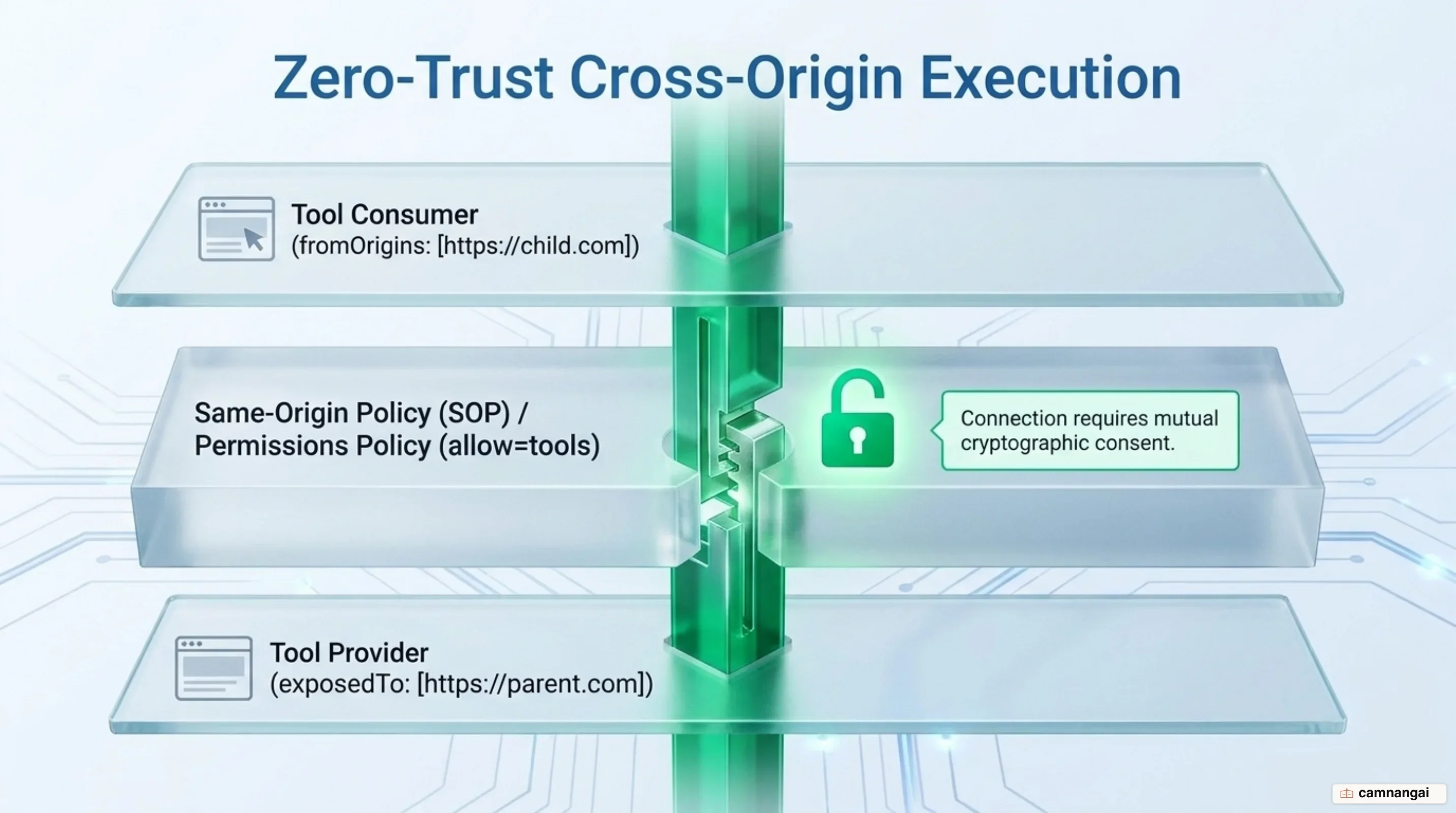
Because WebMCP tool callbacks execute within authenticated user sessions, access control is strictly enforced at the browser boundary. WebMCP APIs are gated behind the tools Permissions Policy feature, which defaults to an allowlist of 'self'. Top-level documents and same-origin frames inherit access automatically, but cross-origin iframe elements are blocked from invoking or registering tools unless explicitly granted access via the allow="tools" attribute. At the same time, cross-origin tool exposure requires a two-sided opt-in mechanism to preserve Same-Origin Policy boundaries. The tool provider document must grant access to specific secure origins using the exposedTo array in registerTool(), while the consumer document must list target origins in the fromOrigins array during getTools().
To prevent cross-origin probing and fingerprinting, the browser enforces strict DOMException handling rules. If a document attempts to call WebMCP APIs when the tools Permissions Policy is disabled, the call rejects with a NotAllowedError. If origins supplied to exposedTo or fromOrigins fail URL parsing or represent insecure HTTP endpoints, the browser rejects the call with a SecurityError. When evaluating cross-origin tool access, the browser returns a uniform NotFoundError for origin mismatches, non-existent tool names, and unexposed tools alike, preventing malicious frames from probing cross-origin tool availability.
WebMCP addresses major threat vectors, including metadata attacks (tool poisoning via system instructions injected into descriptions) and output injection attacks (malicious instructions returned by tool callbacks or embedded in untrusted user-generated content such as forum posts and product reviews). It also mitigates over-parameterization privacy risks, where malicious sites request excess parameters (such as age, location, or history) to silently profile users. To defend against these vectors, WebMCP defines four semantic annotation hints in ToolAnnotations: readOnlyHint (signals pure data reads without side effects), untrustedContentHint (warns agents that return payloads contain untrusted content requiring sanitization), consequentialHint (signals non-reversible or high-stakes actions like financial transactions, triggering mandatory human confirmation prompts), and debugging (indicates tools intended solely for developer inspection rather than end-user interactions).
<!-- Explicitly delegating WebMCP capabilities to a trusted cross-origin subframe -->
<iframe src="https://trusted-partner.example/widget" allow="tools"></iframe>
WebMCP vs. Backend MCP: When to Use Which
Choosing between WebMCP and backend Model Context Protocol implementations comes down to the operational boundary of your application. WebMCP is designed for client-side automation where an AI agent works alongside a human user in a shared browser session. In contrast, backend MCP is engineered for server-to-server integrations, database operations, background batch jobs, and command-line interfaces where no user interface or active browser tab exists.
The fundamental architectural difference lies in session bridging and authentication boundaries. WebMCP automatically inherits the browser tab's active session state, HTTP-only authentication cookies, and DOM memory. This eliminates the burden of out-of-band credential replication, OAuth token management, and backend session mirroring. Conversely, backend MCP requires you to construct external API gateways, manage separate authentication scopes, and duplicate client application state on remote servers. When your goal is to automate tasks inside an existing web application without disintermediates the visual UI, WebMCP provides a zero-overhead integration surface.
| Feature Dimension | WebMCP (In-Browser) | Backend MCP (Server / Process) |
|---|---|---|
| Execution Location | Main-thread JavaScript inside the browser tab | Remote server, background process, or stdio/SSE transport |
| Authentication & Session | Inherits active browser cookies and session state automatically | Requires separate API keys, OAuth tokens, or server credentials |
| UI Synchronization | Direct DOM updates visible to user in real time | Headless execution detached from frontend UI (UI disintermediation) |
| Developer Complexity | Reuses existing client-side JS functions and application logic | Requires building, hosting, and maintaining dedicated MCP servers |
| Primary Use Cases | Interactive web apps, flight/hotel booking, code reviews, canvas editors | Batch data processing, database queries, CLI tools, server integrations |
The Road Ahead: Ecosystem Adoption and How to Get Started
Developer tooling for WebMCP is actively evolving to support implementation, debugging, and verification across web applications. The WebMCP Model Context Tool Inspector Chrome Extension allows you to inspect registered in-page tools, validate JSON Schema definitions, and test invocation pipelines directly within DevTools. For automated testing, the WebMCP Evals CLI tool provides test suites to verify that browser agents select appropriate tools for natural language user requests. Additionally, developer libraries offer polyfills for declarative HTML form tooling and reference implementations across popular web frameworks.
Adopting WebMCP allows you to prepare your web applications for the agentic web without abandoning visual human interfaces. By registering structured imperative tools today, you eliminate the fragility and performance costs of DOM scraping while ensuring that human users retain visual oversight and control over their browser sessions.
References
- W3C WebML CG: WebMCP Explainer
- W3C GitHub: webmachinelearning/webmcp Repository & Draft Specification
- Chrome for Developers: WebMCP Overview & JavaScript API
- Chrome for Developers: WebMCP Secure Tools & Permissions
- Google Chrome Labs: webmcp-tools (Inspector, Evals, Polyfills, Demos)
- Simon Willison's Weblog: Research: WebMCP + Chrome DevTools Protocol Demo
- Model Context Protocol (MCP) Official Documentation