Every interaction with a standard AI model begins as a "cold start." Without persistent memory, the agent lacks your project history, company-specific terminology, and the nuance of past decisions.
This state of "context amnesia" forces you into a cycle of redundant explanations, and it drags the AI back down from a productive partner into a generic chatbot.
An AI second brain resolves this by providing a machine-readable knowledge base that lets agents retrieve your data by meaning rather than by simple keyword matching.
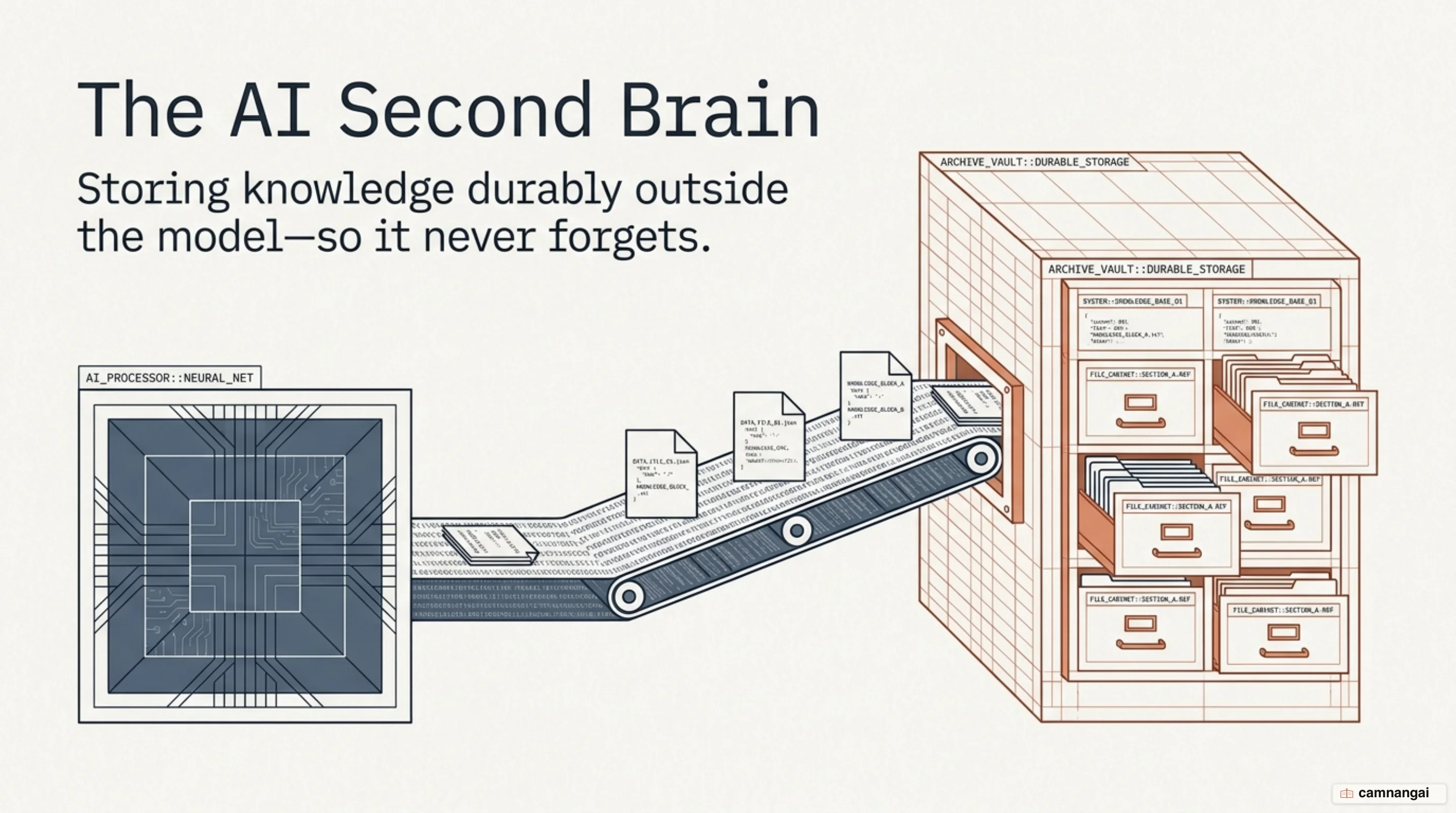
An AI second brain is a structured knowledge store where information is converted into "embeddings", numerical representations of intent. This enables semantic search, where a model retrieves relevant context by conceptual proximity. For a senior engineer, this is a real shift: the system no longer works like a static filing cabinet, but like a knowledgeable colleague who understands intent across disparate data sources.
What is an AI second brain?
While traditional note-taking apps are "knowledge graveyards", where information is filed and then forgotten, an AI second brain is an active, machine-accessible memory. It relies on embeddings to map text into a multi-dimensional space. A standard filing cabinet uses labels to locate files; the AI second brain works like a colleague who understands that a query for "revenue recovery" should retrieve the "customer refund policy," even if those exact words are never shared.
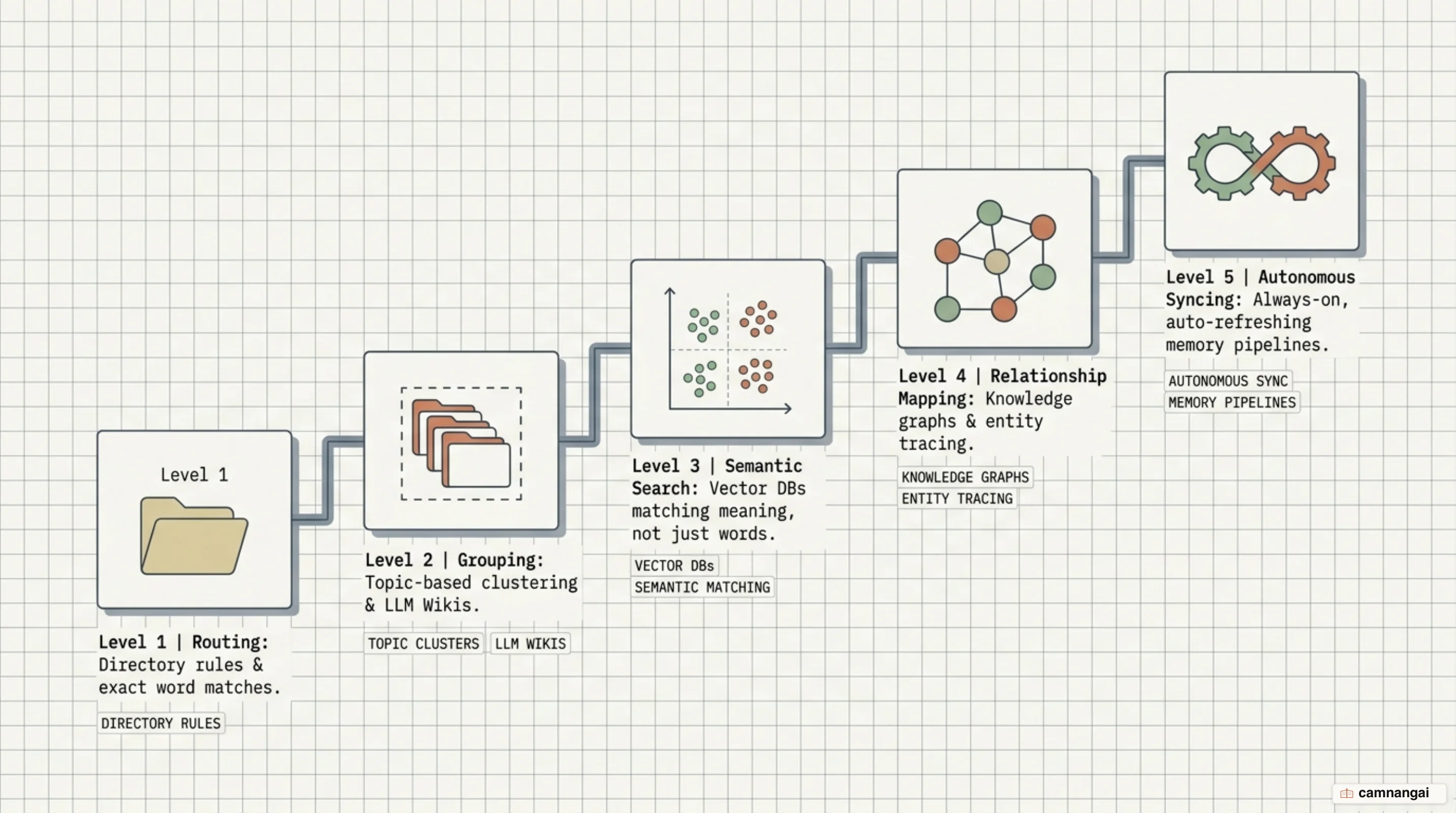
The maturity of these systems falls into five distinct levels, each solving a specific engineering problem:
- Level 1 (Basic Routing): Solves the "exact word" search pain by using a central control file to direct the AI to specific directories.
- Level 2 (The LLM Wiki): Organizes notes into a structured wiki where the AI can follow links to drill into meeting transcripts or project briefs.
- Level 3 (Semantic Search): Solves the "different words than I wrote" pain using vector databases to find meaning-based matches.
- Level 4 (Relationship Mapping): Uses knowledge graphs to trace chains of thought — for example, how Topic A influences Decision Z.
- Level 5 (Autonomous OS): An always-on system that handles its own synchronization and refreshes its memory autonomously.
Why AI forgets — and why notes and chatbots aren't enough
The "cold start" problem is a structural limitation of LLMs: every session reset wipes the slate. Increasing the context window (200k+ tokens) looks like a fix, but "context dumping" (feeding the agent your entire archive) is an architectural failure. It wastes tokens, increases latency, and degrades output quality as the model struggles to separate signal from noise.
Manual systems like Notion or Evernote fail at scale because of "tag drift." As the system grows, the human labor required to maintain links becomes unsustainable. The engineering solution is progressive disclosure: the agent loads a lean "root" context that identifies who you are and what is active, and only drills down into specific folders when the task requires it. This keeps the agent's focus sharp and prevents usage-limit exhaustion.
Two ways to build it: vector databases vs. a markdown knowledge vault
You have to choose between two primary storage patterns.
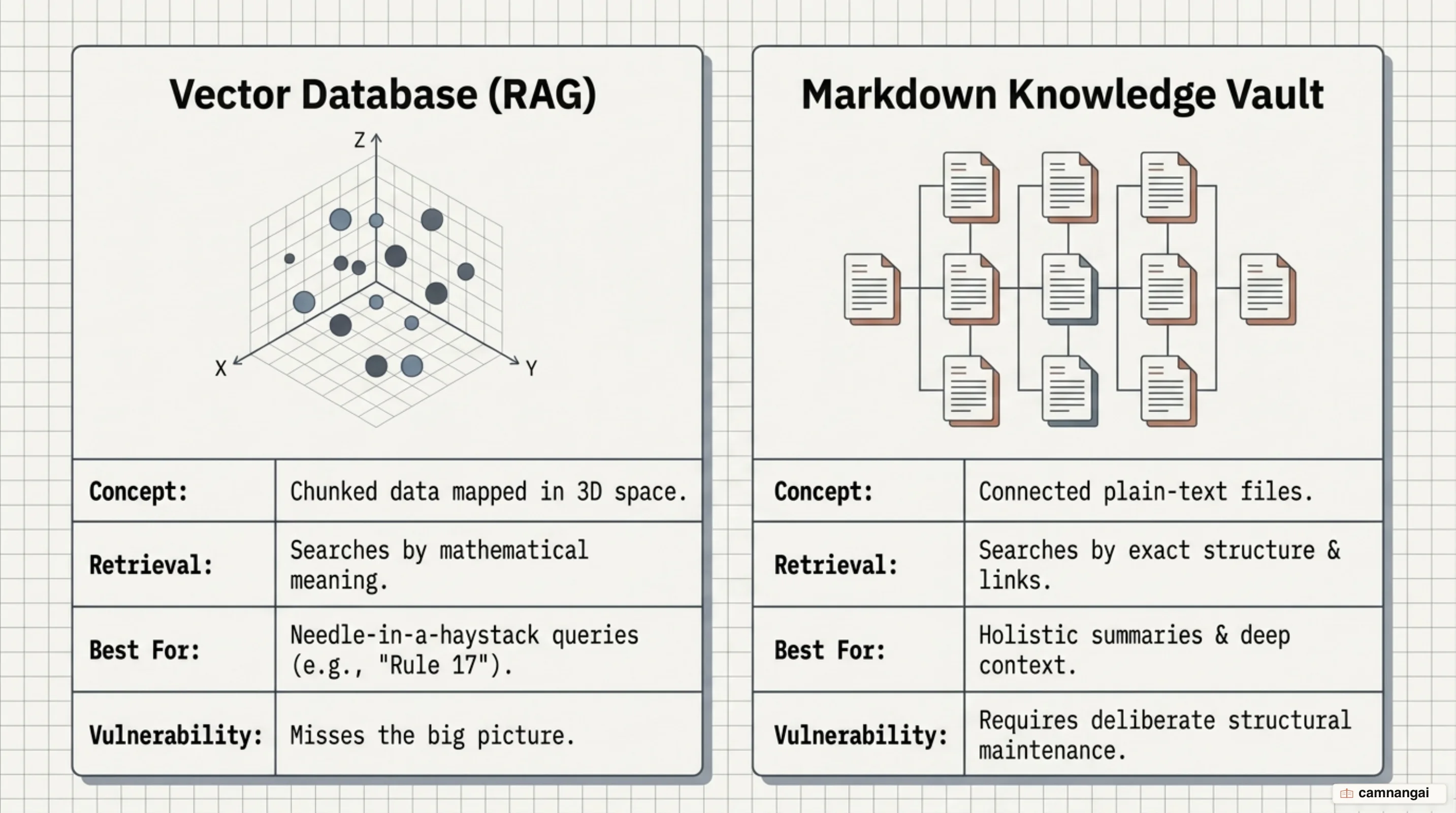
The vector database
Tools like Pinecone, Chroma, or Qdrant store document "chunks" as embeddings. This is highly efficient for massive datasets, for example 5,000 corporate policy pages, where reading every file is too expensive. The system retrieves only the five to ten most relevant snippets to ground the prompt.
The markdown knowledge vault
This approach uses tool-agnostic plain text files in Obsidian or Claude Code. Markdown is composable and model-agnostic; it needs no API wrappers. It is superior for high-context tasks like summarizing a complex technical roadmap, where "chunking" would destroy the conceptual narrative. For a personal vault I would start here rather than with a vector database, because plain files stay readable with no tooling at all.
To avoid burning through Claude's usage limits, a markdown vault must use a lightweight index. Without this log of existing concepts, the agent is forced to re-read the entire archive on every new ingestion — a huge waste of tokens.
The anatomy of a never-forget knowledge vault
A vault that survives contact with real work pairs the PARA method (Projects, Areas, Resources, Archives) with a strict Raw/Wiki split. The Raw/ folder is an append-only source of truth for transcripts and threads. The Wiki/ folder is the curated layer — if the Wiki is ever corrupted, you rebuild it from Raw.
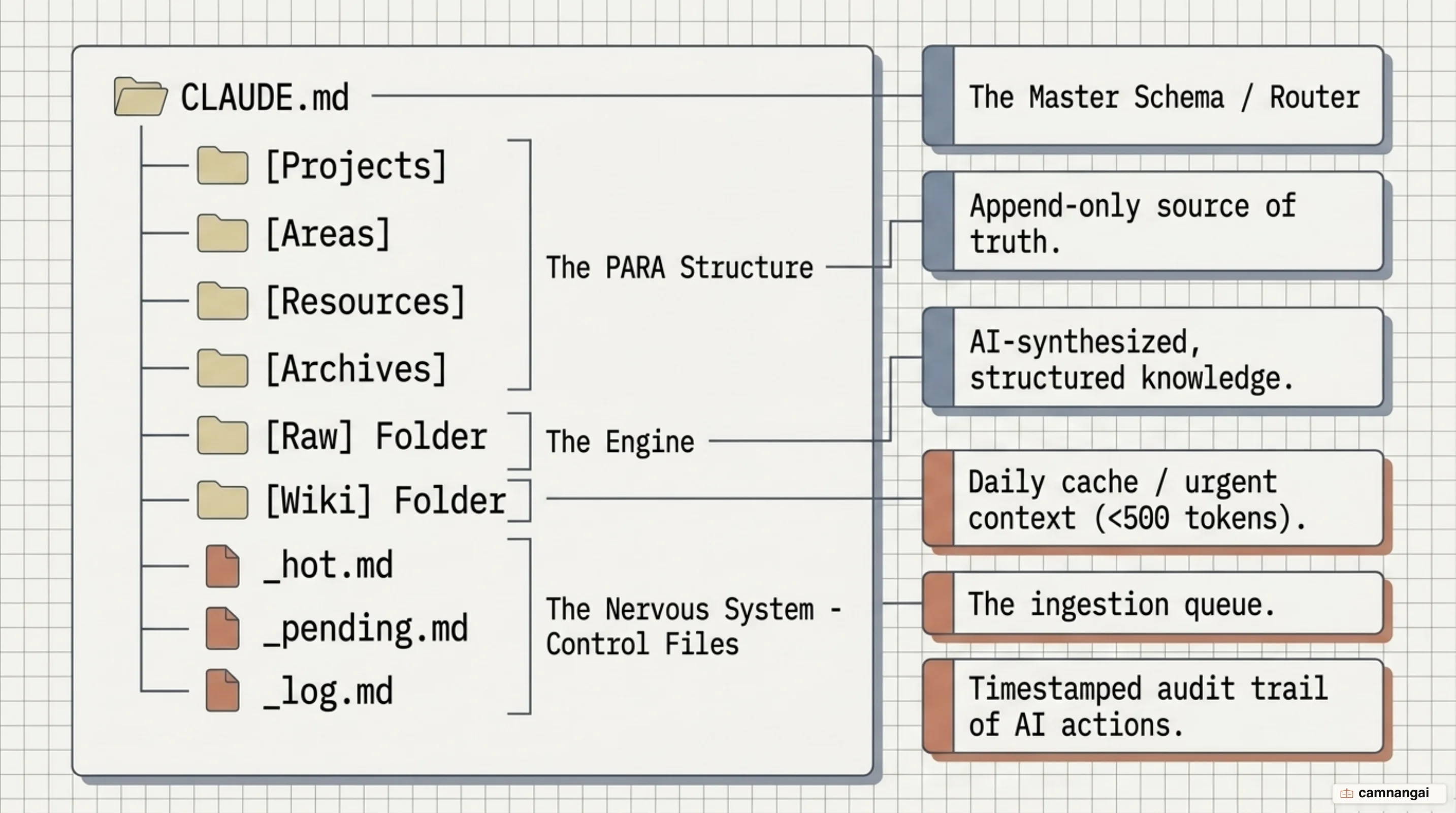
The system is governed by a handful of control files:
_hot.md: a 500-token daily cache of urgent priorities and active project statuses, for an immediate briefing._pending.md: the ingestion queue that prevents orphaned files by tracking what is waiting to be processed._log.md: a grep-parseable audit trail of every automated run.CLAUDE.md: the "operating manual" holding the folder map and routing rules.
A minimal CLAUDE.md routing block looks like this:
### Routing Logic

- If the user asks about personal background: refer to /context/about_me.md
- If the user asks for Q1 2026 technical priorities: refer to /wiki/projects/2026-Q1-Roadmap.md
- If the user asks about historical architectural decisions: refer to /context/decision_log.md