You are going to build a stateful chatbot with Python. By the end you will have a working system that streams replies in real time and runs behind a web interface.
You need Python 3.10 or higher, a terminal, and an API key from either OpenAI or Anthropic. The API call itself is the easy part, so almost everything below is about what surrounds it: memory, streaming, and an interface someone else can actually use.
Step 1 — Set up your Python environment and API key
Isolate the project's dependencies in a virtual environment:
python -m venv chatbot_env
source chatbot_env/bin/activate  # On Windows: chatbot_env\Scripts\activate
Your prompt changes to include (chatbot_env) once the environment is active. Then install the SDKs and the environment loader:
pip install openai anthropic python-dotenvCreate a .env file in the project root and put your keys in it:
OPENAI_API_KEY=your_openai_api_key_here
ANTHROPIC_API_KEY=your_anthropic_api_key_here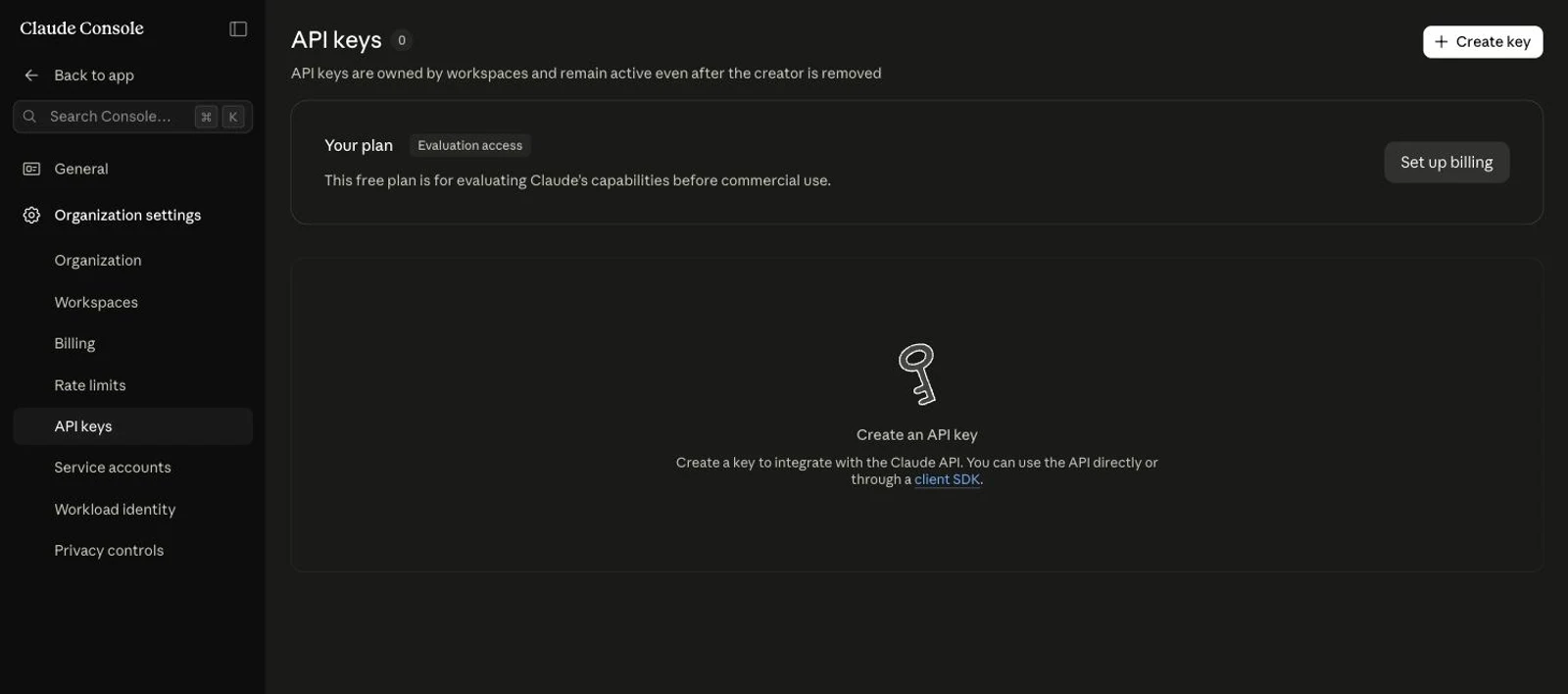
Step 2 — Make your first API call and confirm it works
Pick one provider and skip the other section, because this step exists to separate a bad API key from bad code before you write any more of either.
OpenAI Variant
This snippet uses the Responses API with gpt-5.6. It takes an input parameter rather than the legacy messages array.
from openai import OpenAI
from dotenv import load_dotenv
import os

load_dotenv()
client = OpenAI(api_key=os.getenv("OPENAI_API_KEY"))

response = client.responses.create(
    model="gpt-5.6",
    input=[
        {"role": "system", "content": "You are a helpful assistant."},
        {"role": "user", "content": "How do I print a list in Python?"}
    ]
)

print(response.output_text)
Anthropic Variant
This one uses the Anthropic Messages API with claude-opus-5.
import os
from anthropic import Anthropic

client = Anthropic(api_key=os.environ.get("ANTHROPIC_API_KEY"))

message = client.messages.create(
    max_tokens=1024,
    messages=[{"role": "user", "content": "What is Python?"}],
    model="claude-opus-5",
)

for block in message.content:
    if block.type == "text":
        print(block.text)
A coherent text response in your terminal means the key and the SDK both work.